







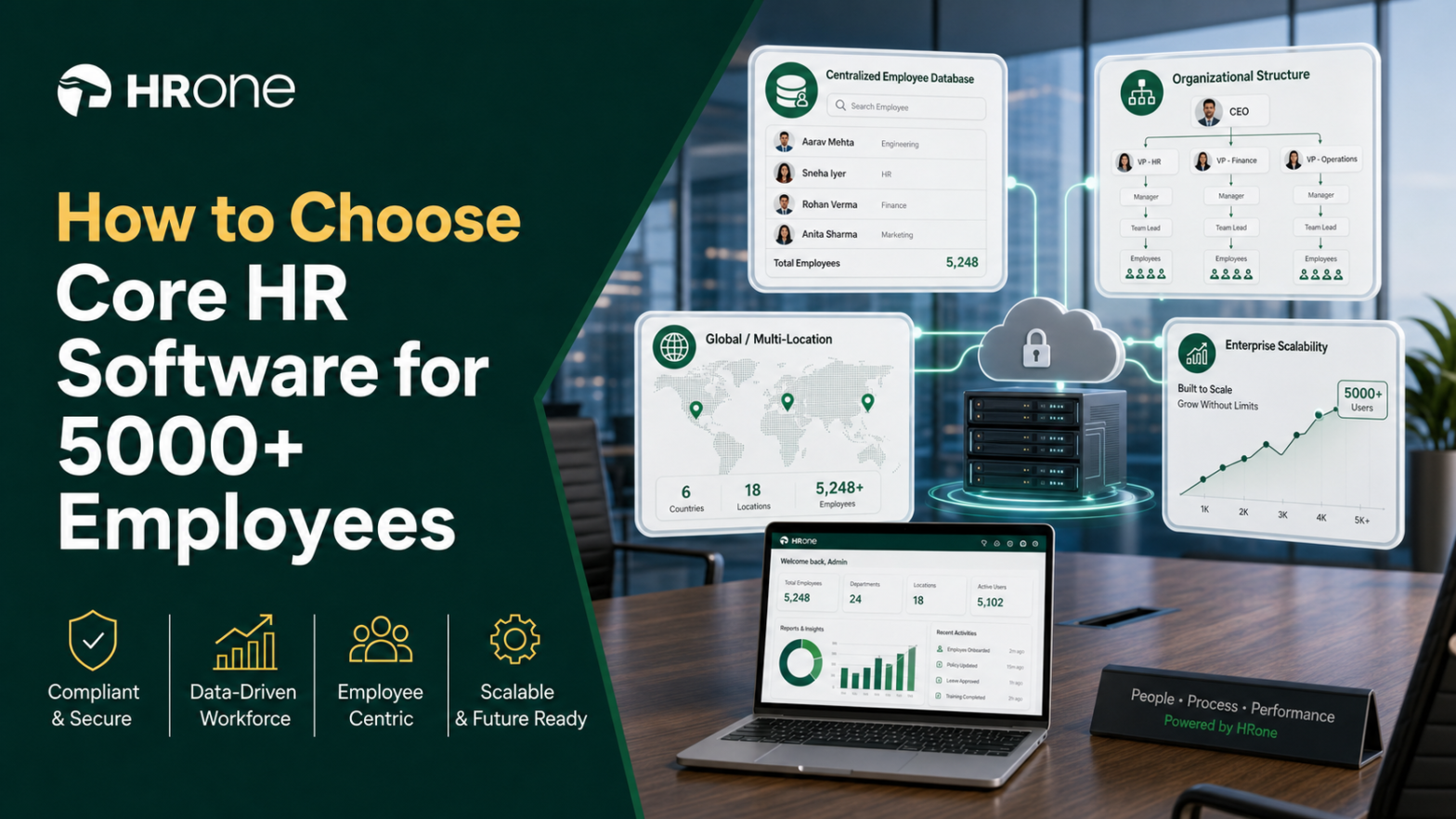
Q1. Are You Running HR, or Just Being a Data-Entry Clerk for Your Own Company?
At 5,000+ employees across multiple locations, the real question isn’t “which software.” It’s whether your organization is person-dependent or system-dependent. Person-dependent HR means you personally hold the process in your head and re-key data across spreadsheets. System-dependent HR means workflows run consistently whether or not any single person shows up. With the enterprise HRMS market set to exceed $36 billion by 2030, this is a board-level decision.
🧾 The month-end scene every HR head knows
Picture a payroll manager at 9 PM on the 28th. She is copying attendance from a biometric portal into Excel, then into a payroll sheet.
One tab freezes. A number shifts. Somebody’s salary is now wrong.
I have watched this exact scene play out with HR teams for years. The person is not the problem. The setup is. When the process lives inside one tired human at month-end, you do not have a system. You have a single point of failure wearing a lanyard. A connected payroll software is what ends this nightly ritual.
⚠️ Person-dependent versus system-dependent
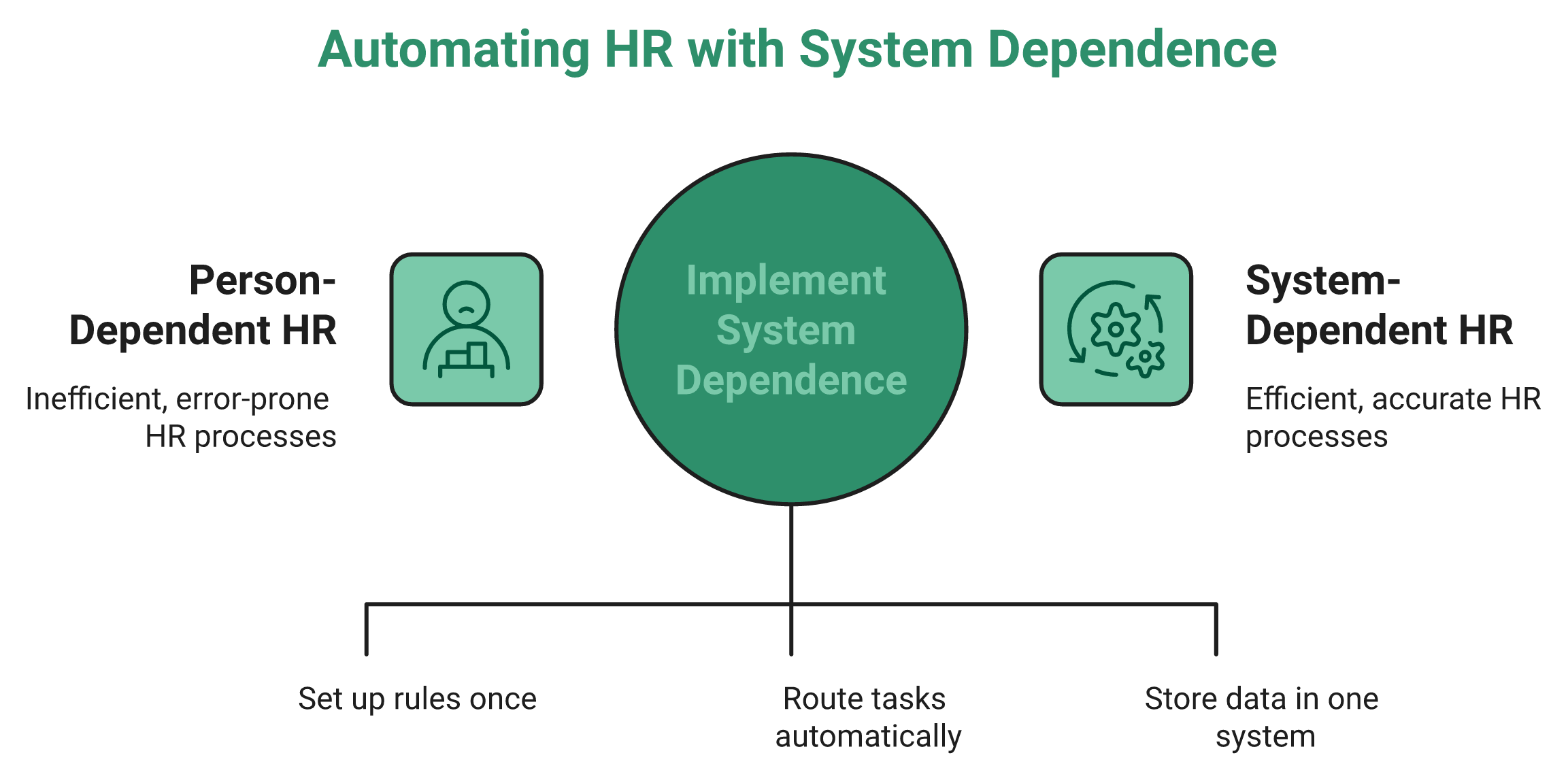
Here is the distinction that matters more than any feature list.
- Person-dependent HR: knowledge sits in people’s heads, data gets re-entered by hand, and one resignation can stall a whole process.
- System-dependent HR: rules are configured once, tasks route automatically, and the output stays correct even on a bad day.
An HR leader I spoke with put it plainly. “Organization should be definitely a process as well as system dependent.” Reports that once took two days now come to her “on a click.” That shift, from days to one click, is the whole game.
The market agrees this is urgent. Gartner reports that 89% of HR leaders plan to hold or raise their HR tech budgets, and the enterprise HRMS market is on track to cross $36 billion by 2030. This is not discretionary spend anymore, which is why a full core HCM is now a board-level line item.
✅ Why the human still matters
Let me be clear about one thing, because the category loves to get it backwards. A system does not replace an HR professional. In the words of one veteran operator, “we want to keep the human in human resources, but the systems can optimize the humans” by clearing tactical work off the table.
I might be wrong on the edges here. Some very small teams genuinely do fine on spreadsheets. But at 5,000 people and 50 locations, I have never once seen manual hold together without quiet leakage somewhere.
So the choice in front of you is not really a shopping decision. It is a switch: from being the data-entry clerk for your own company to running a function that scales without you in every loop.
This is the shift HR software like HROne was built for, automating mundane tasks so HR gets its time and mental space back. Before you compare a single vendor, you have to settle one confusing question first: what kind of system are you even buying? Because HRIS, HCM, and HRMS are not the same thing, and mixing them up is where most 5,000-person buying mistakes begin.
Q2. HRIS vs HCM vs HRMS: How Do You Escape the “Alphabet Soup”?
HRIS, HCM, and HRMS are three buckets, not three products. HRIS is the system of record (data, org structure, compliance). HRMS adds operational execution (payroll, leave, attendance). HCM is the widest, covering the full hire-to-retire lifecycle including talent, performance, and analytics. For a 5,000+ multi-location enterprise, you need genuine HCM depth on a single data model, not an HRIS stretched past its limits.
🍜 Naming the “Alphabet Soup”
A CHRO once told me demos left her dizzy. Every vendor used different letters for what felt like the same thing.
She is not alone. One HR leader described the confusion perfectly: “It’s like Alphabet Soup. Bottom line, every system falls into one of those three buckets.” Once you see the three buckets, the fog lifts fast.
📚 The three buckets in plain English
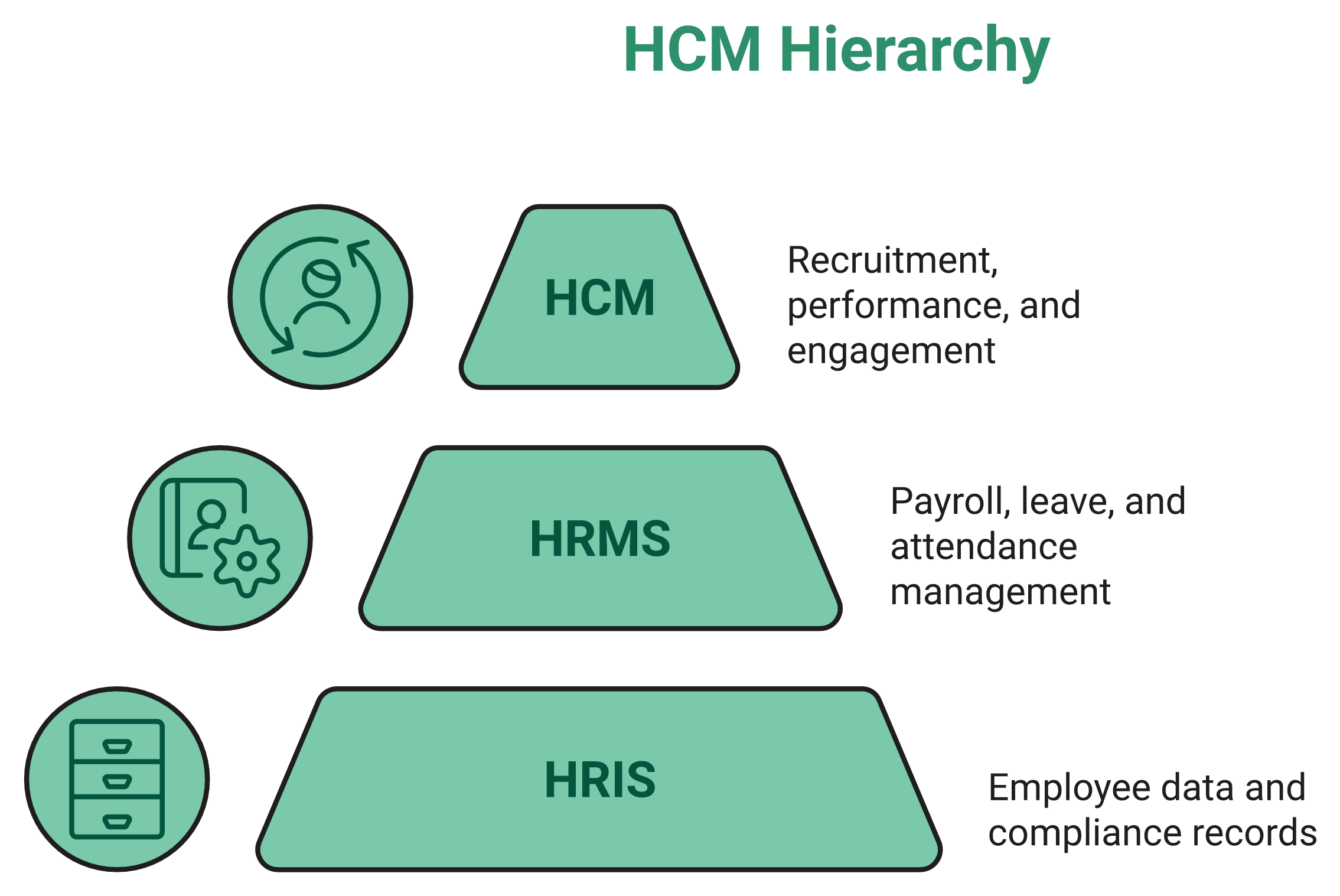
Think of it as three concentric circles, each wider than the last.
- HRIS (Human Resource Information System): your system of record. It holds employee data, org charts, and compliance records. This is the filing cabinet.
- HRMS (Human Resource Management System): the HRIS plus daily operations. Payroll, leave, attendance, and workflows. This is the engine room.
- HCM (Human Capital Management): the widest circle. Everything above plus recruitment, performance, engagement, and analytics across the full hire-to-retire journey.
Gartner classifies the top enterprise products as Cloud HCM Suites precisely because scale demands the widest circle. If you want the full breakdown, our guide to HCM software maps each layer in detail.
🧮 Where a thin system snaps
Here is a concrete test. Imagine a mid-month salary revision that applies to one legal entity but not another.
A basic HRIS treats this as a data field to edit by hand. A true HCM treats it as a policy that applies itself to the right entity automatically. Get this wrong and you are, in the words of one operator, “exposed to statutory audits because it couldn’t handle mid-month salary revisions across multiple legal entities.”
That is the underpay trap. You save money on a database and pay it back in audit risk. A proper statutory compliance software closes that gap.
✅ Your Monday-morning classification test
Run this on your current tool and every vendor you shortlist.
- Does it just store data? That is an HRIS.
- Does it also run payroll and attendance? That is an HRMS.
- Does it also handle talent, performance, and analytics across the whole lifecycle? That is HCM.
At 5,000 people, you want the third answer.
This is exactly where I would place HROne. It sits in the HCM bucket as what we think of as a Star Solution, one that “comprises all areas of HR tactics to impact HR strategies rather than just hitting one vertical.” Point tools solve one slice and leave the other nine on your plate. Knowing the bucket is step one. Next comes the harder question: what actually makes a system enterprise-grade once you cross 5,000 employees?
Q3. What Actually Makes Software “Enterprise-Grade” at 5,000+ Employees?
Enterprise-grade at 5,000+ means the system handles complexity without custom workarounds. That means a single data model, multiple legal entities in one instance with entity-specific policies, role-based access across three layers, and deep workflow automation. A useful field benchmark: a real enterprise system runs roughly 10 modules and 127 workflows, covering everything from pre-boarding to exit and relieving-letter generation.
🏗️ Enterprise-grade means no workarounds
Here is my governing rule after years around these deployments. Enterprise-grade is not about more features. It is about handling complexity without a spreadsheet taped to the side.
If the demo looks clean but every real-world exception needs a manual patch, it is not enterprise-grade. It is a mid-market tool wearing a bigger badge. For firms crossing this threshold, our note on the best enterprise HRMS in India is a useful reference.
🗂️ Pillar one: single data model and multi-entity policy
At 5,000 people, you rarely have one company. You have several legal entities under one roof.
The system must hold “multiple legal entities in a single instance.” As one operator explained it, the policy engine “works in such a way that it can have an applicability,” so “people working in company A have a different policy” while “people working in company B might have a different policy.” One instance, many rulebooks, zero manual reconciliation. This is the core of any HR software for multi-entity companies.
That single data model is what stops the month-end copy-paste marathon from Q1.
🔐 Pillar two: 3-layer access and 50-location routing
Scale multiplies people who need the right access and nothing more.
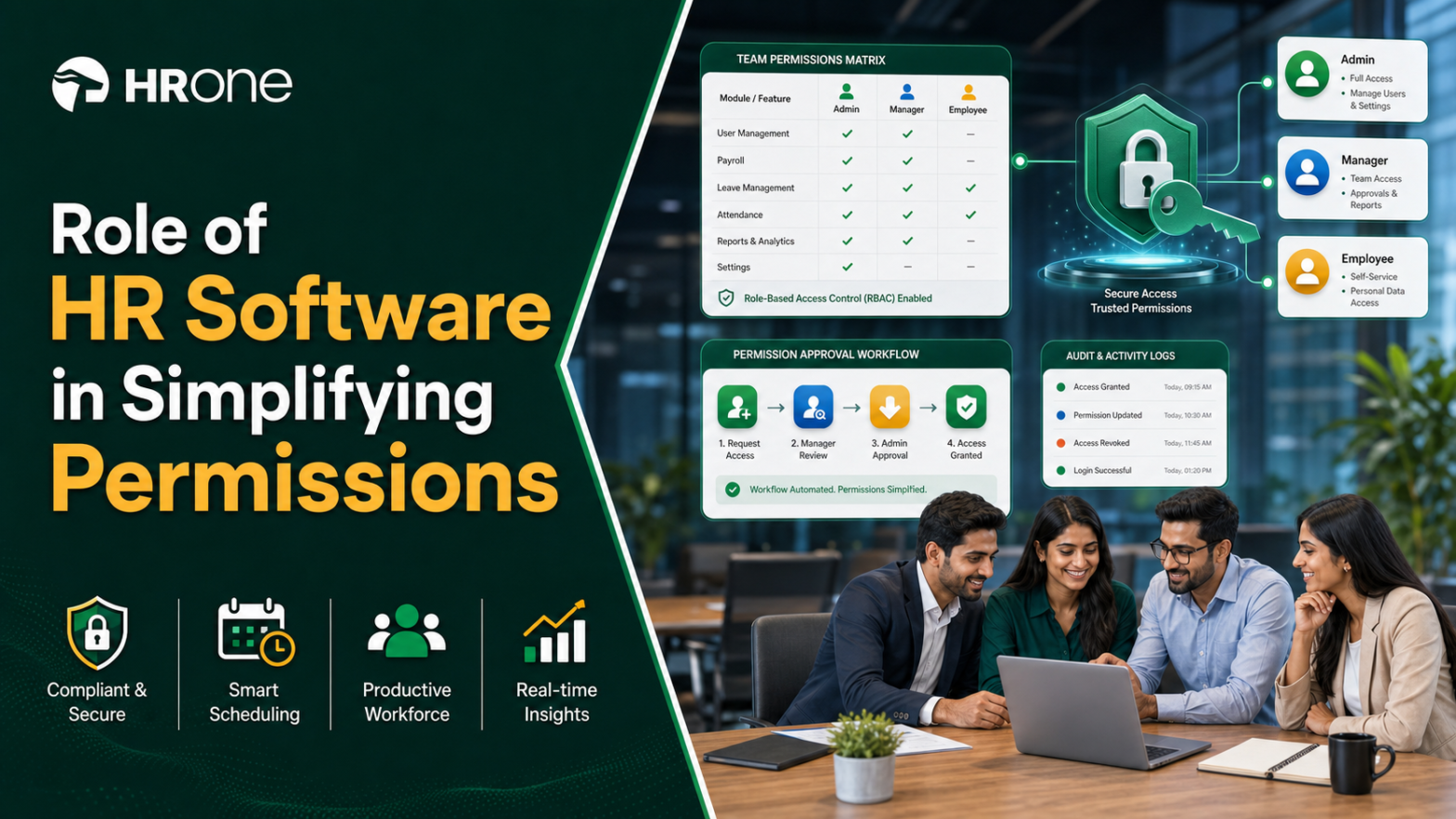
- 3-layer access rights: proper role-based access control (RBAC), meaning permissions tied to a person’s role, so “user has what activity pending with them” and nothing they shouldn’t touch.
- Location-aware routing: when you have “50 locations” and “100 HRs,” an onboarding or asset-assignment task “should go to X person,” automatically, not to a shared inbox nobody owns.
I might push back on one common belief here. Buyers obsess over dashboards. From what surfaces when you actually run this, routing and access are what quietly save or sink a rollout. Solid workforce management is where this routing lives.
🔢 Pillar three: the 127-workflow benchmark
Use this as a hard checklist line. A genuine enterprise system carries something like “10 modules and 127 workflows.”
Those workflows span the full arc: “pre-boarding formalities” through “exit interview separation” and the “relieving letter” afterward. If a vendor cannot show you workflow depth at this level, ask what breaks when the exceptions arrive.
This is precisely how HROne is architected. We built 127 pre-built hire-to-retire workflows, multi-legal-entity configuration in a single instance, and 3-layer RBAC so tasks route to the right person across locations without anyone chasing managers over email. That is the connective tissue point tools skip. Depth handles the exceptions, but there is a different failure that hits at scale: why do systems that ran beautifully at 500 employees suddenly break at 5,000?
Q4. Why Do Multi-Location Enterprises Break the Systems That Worked at 500 Employees?
Systems that worked at 500 people break at 5,000 because scale multiplies exception-handling, not just volume. Different legal entities need different policies, 50 locations need location-aware routing, and uniform rules stop being fair. Research shows only 26% of multinational HR teams say their current system handles global complexity, and 49% struggle with cross-location workforce planning, gaps that surface precisely at multi-location scale.
📈 The 500-to-5,000 breakpoint
A pharma HR lead once described her scaling burst to me. Her “initial challenge was inconsistent data” as headcount jumped across sites.
The tool had not changed. The complexity had. What felt smooth at 500 turned brittle the moment locations, entities, and shift patterns multiplied. This is the exact challenge covered in our guide to scaling HR processes in India.
🧩 The complication: uniformity is the real failure
Here is the contrarian read the category avoids. Most HR systems do not fail because they are unfair. They fail because they are too uniform.
One operator said it sharply: “Most HR systems didn’t fail because they were unfair. They failed because they were too uniform.” His conclusion: “Design HR for Equity. Not Equality.” A single rigid policy across 50 locations feels safe, but it quietly ignores local shift rules, statutory slabs, and entity differences.
The data backs this up. HiBob’s research found only 26% of multinational HR teams say their current system handles global complexity, 44% struggle with multi-currency compensation, and 49% struggle with cross-location workforce planning. These gaps do not show at 500. They erupt at scale, and strong attendance management across sites is where the strain shows first.
💬 What HR teams say when scale hits
Operators describe the same pattern in reviews, both the pain and the fix.
“HROne helps us to strengthen our daily process and HR transactions in an effective way to handle the time office management of employees, previously this was a pain area for us.”
Ruhi G., HR HROne G2 Verified Review
“Real time sync of biometric punch details of employees working at field locations.”
Manna S., HR HROne G2 Verified Review
Not every review is glowing, and that honesty matters at this scale.
“Some modules, especially Payroll and Performance, have a learning curve and require more detailed guidance for first-time users. Certain workflows involve many steps.”
Shilpi M., HR HROne G2 Verified Review
✅ The resolution: design for equity, not sameness
The fix is not one policy for everyone. It is the ability to apply the right policy to the right entity and location, automatically.
That means location-aware routing, entity-specific rulebooks, and a data model that keeps every site consistent without forcing every site identical. This is exactly what HROne’s applicability engine does, letting different legal entities and locations run different policies inside one instance, so equity scales instead of breaking. Once you accept that scale demands this kind of design, the next question is obvious: which platforms actually deliver it at 5,000+, and how do they stack up?
Q5. Should You Buy a Unified Suite or Stitch Together Best-of-Breed Tools?
For 5,000+ employees, a unified suite on a single data model almost always beats stitched-together point tools. Every integration adds an “integration tax,” softwares that can’t talk to each other, duplicated data, and audit gaps. Best-of-breed can win for a single specialized need. At multi-location, multi-entity scale, though, the consistency of one system usually outweighs any single tool’s depth.
🧩 The patchwork you already live with
Picture the typical mid-market stack. Payroll sits with an outsourced vendor. Attendance runs on biometric machines with a standalone portal. Recruitment lives in a disconnected ATS, and performance hides in Excel.
That is five vendors that “could not talk to each other.” At month-end, someone reconciles it all by hand. That handoff is where errors, leakage, and blind spots multiply. A move to HR software instead of Excel is where many teams start.
💰 The integration tax, in plain terms
Every connection between two tools is a cost. Not just the licence fee, but the human hours spent fixing what breaks in translation.
Here is how the two approaches actually compare at scale.
| Factor | Unified suite | Stitched best-of-breed |
|---|---|---|
| Data consistency | One record, one truth | Reconciled by hand |
| Integration tax | Low, one system | High, grows per tool |
| Audit readiness | Built in | Gaps at every handoff |
| ROI visibility | Trackable end to end | Scattered, hard to prove |
| Single-need depth | Good enough | Sometimes deeper |
I might be wrong for a very specialized team. If your one burning need is a niche ATS feature nobody else has, best-of-breed can justify itself. Even then, tight integrations matter more than raw depth.
✅ The scenario rule
Here is my rule after watching plenty of these decisions. Buy best-of-breed only when a single function is so specialized that no suite comes close, and the rest of your stack is stable.
For everyone at 5,000 people across many entities, the suite wins on consistency. As one operator put it, selling just an ATS leaves ROI on the table, because “customer get right ROI when they take complete HR software,” which a full payroll software versus full HRMS comparison makes clear.
This is exactly why we built HROne as a unified suite you adopt modularly. You “turn on only what you need when you need it,” so you skip the ATS-only trap and still get one connected record across Core HR, payroll software, leave, and attendance. Once you accept the suite logic, the next question is obvious: which suites actually deliver at 5,000+, and how do they stack up?
Q6. What Are the Top Core HR Platforms for Companies With 5,000+ Employees?
The leading core HR platforms for 5,000+ employees span India-first HCM suites and global suites like Workday, SAP SuccessFactors, and Oracle HCM. The right pick depends on entity complexity, statutory footprint, configurability, and budget. The biggest global suites often serve only 3,000+ headcount, locking out the mid-market that needs them most.
📊 The shortlist at a glance
Here is how the main contenders compare on the axes that matter at scale.
| Platform | 5,000+ fit | Multi-location / multi-entity | Native India statutory payroll | Configurability | G2 signal |
|---|---|---|---|---|---|
| HROne | Strong (1,000-5,000 sweet spot) | Single-instance multi-entity | Native, India-first | No-code (HRV Studio) | #3 satisfaction |
| Darwinbox | Strong, enterprise brand | Yes | Native | Moderate, some tab-juggling | Mixed, praised UI |
| Workday | Very strong, global | Yes | Partner-managed | Developer-led | Enterprise-focused |
| SAP SuccessFactors | Very strong, global | Yes | Partner-managed | Third-party vendors needed | Often costly to change |
| Oracle HCM Cloud | Very strong, global | Yes | Partner-managed | Developer-led | Enterprise-focused |
| Keka / greytHR | Mid-market references | Limited at multi-entity | Native | Rigid config reported | greytHR ranks lower |
6.1 HROne, India-First Hire-to-Retire HCM for the 1,000-5,000 Mid-Market
The India-first hire-to-retire HCM built for the 1,000-5,000 mid-market, with single-instance multi-entity config and India’s first inbuilt ROI Dashboard. See the full HROne features list for the module map.
6.2 Darwinbox, India-Origin Enterprise Suite
An India-origin enterprise suite with strong brand weight, though users report tab-juggling and multi-year lock-ins. A direct HROne vs Darwinbox breakdown covers the trade-offs.
6.3 Workday, Global Enterprise Suite (3,000+ Focus)
A global enterprise suite, powerful but typically aimed at 3,000+ headcount and developer-heavy to configure.
6.4 SAP SuccessFactors, Global HCM Suite
A deep global HCM suite that often needs third-party vendors for changes. Buyers weighing options can review HROne vs SAP.
6.5 Oracle HCM Cloud, Global HCM Suite
Another global suite strong on breadth, heavy on implementation.
6.6 Keka / greytHR, India Mid-Market Comparison References
Useful India mid-market references, though they cap out on workflow depth at multi-entity scale. See HROne vs Keka and HROne vs greytHR for details.
⚠️ The middle-market lockout
Here is the contrarian truth the category avoids. As one operator noted, “Workday” is “only selling to businesses with 3,000 employees or more,” leaving the middle market underserved. Moving between these tools is “not apples to apples,” it is “moving from an apple to an orange.”
Reviews back the trade-offs up honestly.
“The sales team is good at selling the product. That is where the good things end. Bad implementation experience, bad UI UX.”
Verified User in Computer Software Darwinbox G2 Verified Review
“It’s been 6 months since our setup has started still the software its mobile app have n number of glitches!”
Shakti B. Keka G2 Verified Review
“I love HROne for its cost efficiency and holistic approach, which is why I prefer it over other vendors like Workday.”
Priyanka S. HROne G2 Verified Review
Where competitors leave ROI unproven, HROne pairs the full hire-to-retire suite with India’s first inbuilt ROI Dashboard, so a CHRO walks into a board review with savings already quantified in rupee terms.
See how HROne handles 5,000+ employees across 50 locations
One instance, multiple legal entities, native multi-state statutory payroll, and India’s 1st inbuilt ROI Dashboard.
Tell us what you’re scaling →Q7. How Much Does Enterprise HR Software Cost, and How Long Does Implementation Take?
Enterprise HR software cost is more than the per-employee licence. The hidden line is implementation, which can run tens of thousands and stall first-time buyers. Go-live typically takes anywhere from a few weeks to several months to a year, depending on entity and workflow complexity. The two failure modes are overpaying for a system you can’t configure and underpaying for a database that fails audits.
💸 The three lines of true cost
Total cost of ownership (TCO), the full lifetime cost of a system, has three parts. Get all three on the table before you sign.
- Licence: usually per-employee-per-month (PEPM), a flat rate per head.
- Implementation: setup, configuration, and data migration.
- Switching risk: the cost of leaving if it doesn’t fit.
That third line is the one buyers forget, and it is often the biggest. Our HR software pricing guide breaks each line down.
⚠️ The implementation-fee trauma
Here is where deals go sideways. One advisor described bringing a provider whose “very large implementation fees” meant “the client couldn’t afford 20, $30,000 in implementation costs.”
For a first-time buyer, that fee alone kills the project. I have seen firms “spend $300,000 on an ERP” expecting it to “do everything,” only to bleed money during a long, developer-heavy setup. A realistic HRMS implementation timeline avoids that shock.
⏰ The real cost of getting it wrong
The most expensive path is buying twice. One operator described “three system changes in less than four years,” each with its own migration pain.
Reviews show this churn is real and rooted in unmet promises.
“Biggest issue is how much they have increased prices and continue to do so. They know that switching HRMS is painful.”
Josh A. BambooHR G2 Verified Review
“The initial setup of HROne was surprisingly straightforward, much lighter than expected for a full HRMS.”
Waldon S. HROne G2 Verified Review
✅ Your TCO and timeline checklist
Run this before you commit any budget.
- Ask for licence, implementation, and exit costs in writing.
- Confirm whether the subscription meters from day one or after go-live.
- Get a realistic timeline tied to your entity and workflow count.
- Check for lock-in clauses that trap you in a multi-year deal.
We built HROne’s model around exactly this pain: flat PEPM pricing, no lock-in, and a subscription that meters only after go-live, so you avoid the implementation-fee shock and the costly multi-switch cycle. Cost is one gate. The next one is stricter, because it can trigger penalties: compliance across states and entities.
Q8. Will It Actually Keep You Compliant Across Multiple States and Legal Entities?
For a multi-location Indian enterprise, compliance is a pass/fail gate. The system must handle state-wise Professional Tax (PT), Labour Welfare Fund (LWF), EPFO and ESIC filings per establishment, the Code on Wages, POSH and Maternity Benefit Act obligations, and DPDP Act data protection, natively, not via partner workarounds. Ask whether one instance can apply different statutory policies to different legal entities automatically.
📋 The statutes that must be built in
India does not have one payroll rulebook. It has many, and they change by state and entity. Here is the non-negotiable list your system must handle.
- Code on Wages, 2019: uniform wage and payment definitions.
- EPF and MP Act, 1952 (EPFO): provident fund, filed per establishment.
- ESI Act, 1948 (ESIC): state insurance contributions.
- State PT and LWF: slabs that differ from state to state.
- POSH Act, 2013, and Maternity Benefit Act, 1961: mandatory workforce obligations.
- DPDP Act, 2023: data protection for 5,000+ employee records.
Miss any of these across a location and you are exposed at audit. Our guide to multi-state payroll compliance in India walks through each obligation.
🏢 Why one instance, many rulebooks, matters
Here is the technical test that separates real enterprise systems from stretched ones. A genuine platform lets “people working in company A have a different policy” while “people working in company B might have a different policy,” inside a single instance.
That means a mid-month salary revision or a state-specific PT slab applies itself to the right entity automatically. No manual patching, no reconciliation, no audit gap. From what surfaces when you actually run this, manual statutory handling is where the quiet penalties hide, which is why a dedicated statutory compliance software pays for itself.
✅ Your compliance demo checklist
Take this list into every vendor demo and make them show you, live.
- Can it apply different statutory policies to different entities in one instance?
- Does it handle state-wise PT, LWF, EPFO, and ESIC without a partner?
- Can it process a mid-month CTC revision cleanly across entities?
- Is employee data handled in line with the DPDP Act?
If a vendor treats India as one generic geography, that is your answer. This is where HROne’s India-first design earns its keep, with native multi-state payroll software and an entity-specific applicability engine that runs different rulebooks per legal entity inside one instance, backed by proper PF, ESI, and TDS compliance. Compliance protects you from penalties. The next questions decide whether the system actually pays you back, through AI, analytics, adoption, and proven ROI.
Q9. How Do You Judge the AI and Analytics, Beyond the Buzzwords?
Judge HR-tech AI by maturity tier, not marketing. A bolt-on chatbot is the lowest tier, embedded intelligence inside workflows is the middle, and autonomous, model-retrained analytics is the top. For attrition analytics, ask whether the model is retrained against peer-benchmarked turnover indices, accounts for influence-cascade effects, and supports live multi-scenario headcount modeling, the criteria patents from ADP, IBM, and Visier describe.
🤖 The three AI maturity tiers
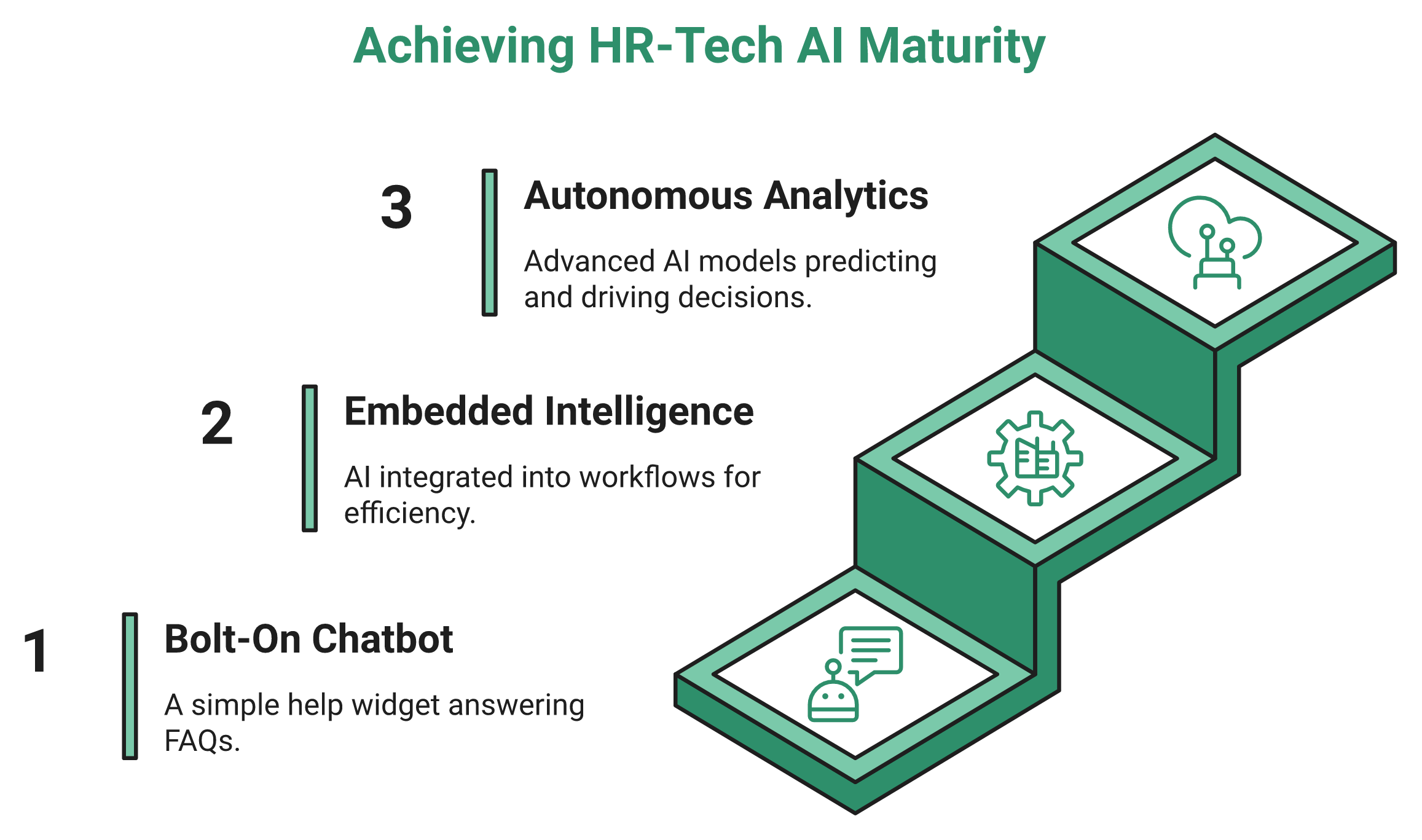
Most vendors say “AI-powered” and hope you stop asking questions. Do not stop. There are really three tiers, and they are easy to tell apart.
- Tier 1, bolt-on chatbot: a help widget answering FAQs. Useful, but shallow.
- Tier 2, embedded intelligence: AI inside the workflow, like resume scoring or receipt parsing that saves real hours.
- Tier 3, autonomous analytics: models that predict, retrain themselves, and drive decisions.
A chatbot is fine. Just do not pay Tier 3 prices for Tier 1 depth. The HROne One AI Suite shows what embedded intelligence looks like in practice.
🔬 What patent-grade attrition analytics looks like
Here is how to interrogate a “predictive attrition” claim, using criteria straight from granted patents. Translate each into a plain demo question.
- ADP’s method retrains machine-learning models against peer-benchmarked turnover indices, not static dashboards. Ask: does your model refresh, or is it frozen?
- IBM’s approach models influence-cascade effects, how one exit pulls others. Ask: do you see network risk, not just individual flight risk?
- Visier’s method runs live multi-scenario headcount forecasting. Ask: can I model three turnover assumptions in the demo, live?
If a vendor cannot answer these, the “AI” is likely a label, not an engine. Solid HR analytics tools should pass all three tests, and good data helps you reduce employee attrition with HR data.
📊 The data-into-action test
Here is the contrarian read the category avoids. Collecting data is not analytics. As one operator put it, many firms are “reactive to their growth” and “forced to just collect data,” but the real question is “how can we put that data into action?”
Good analytics does not wait to be opened. It pushes. One useful pattern is scheduled insight delivery, where the system can “schedule these emails triggered to their mail IDs on a specified timeline,” so managers get the number without hunting for it. That is the promise of real HR process automation.
✅ Your AI demo checklist
Take these four questions into any vendor call.
- Which tier is this, chatbot, embedded, or autonomous?
- Does the attrition model retrain, or is it static?
- Can I run a live multi-scenario headcount forecast now?
- Does it push insights to managers, or just store them?
This is where HROne’s design leans practical. Our embedded HROne AI and schedule-push dashboards are built to turn data into Monday-morning action, not another report nobody opens, which is the gap between collect-only tools and analytics that actually move a decision. AI only matters if people use the system daily and you can prove it paid off, which is the final question.
Q10. Will Your Team Use It, and How Do You Prove ROI After Go-Live?
The best system fails if adoption dies after go-live. At 5,000+ employees, adoption depends on managers acting on behalf of their teams, dashboards that push data instead of HR chasing it, and navigation fast enough that any action is a search away. Then prove it: measure the time and cost saved after go-live rather than just collecting data.
🏎️ The Ferrari nobody drives
Here is the failure mode I have watched too many times. A company buys a powerful system, then uses ten percent of it.
It is like owning a Ferrari and only driving it to the corner shop. The tool is not the problem. Adoption is. If the system feels like extra work, people quietly go back to WhatsApp and Excel. A clean HRMS migration is what prevents that backslide.
🔑 The three adoption levers that actually work
Adoption is not a training webinar. It is design choices that remove friction.
- Manager self-sufficiency: give managers “access to perform activities on behalf of their teammates,” so employees do not “constantly bug an HR” for basics.
- Push, do not chase: dashboards that send the number to the manager on a schedule.
- Search-first navigation: global search that finds any action “in a fraction of seconds.”
When any task is one search away, people actually use the thing. A strong employee self-service portal is the backbone of all three levers.
💰 Proving ROI in rupees, not vibes
Adoption gets people using it. ROI proves it was worth it. Here is a real outcome from a customer who tracked it: a workload problem where “from 150 percent occupancy” the load was “brought down by 70 percent,” and the HR leader could finally “peacefully sleep at night.”
Reviews echo that shift from chaos to calm.
“It reduces HR’s admin time by 60-70% through features like Inbox for HR, which centralizes tasks.”
Waldon S. HROne G2 Verified Review
“Sometimes customization takes a really long time and discussion. If only we could have more flexibility in this, then it’s great.”
Priyanka S. HROne G2 Verified Review
Not every review is glowing, and that honesty matters.
“Some modules, especially Payroll and Performance, have a learning curve and require more detailed guidance for first-time users.”
Shilpi M. HROne G2 Verified Review
⭐ The switch you set out to make
Remember the data-entry-clerk feeling from the start of this article. This is the other side of it.
We built HROne so the switch is measurable: manager shadow-access, schedule-push dashboards, global search, a 9.8 NPS onboarding SPOC, and India’s first inbuilt ROI Dashboard that calculates hours saved against average HR salary, so you walk into a board review with the savings already quantified. Here is the question I am genuinely sitting with, and I would love your take: two years from now, will “prove your HR ROI to the board” be a nice-to-have, or the first thing every CHRO is asked? Tell me what you are scaling, and let us pressure-test it together, with an ROI of HR software breakdown to guide you.
Measure the hours and rupees you’ll save before you commit
HROne’s inbuilt ROI Dashboard shows cost and time saved after go-live, the metric most enterprise suites can’t track.
Show me my ROI →











 Secures Top Spot in
