


Q1. What Are the 9 Best Payroll Software Tools for Mid Market and IT Companies in India in 2026?
The nine best payroll software tools for mid-market and IT companies in India in 2026 are HROne, Keka, Darwinbox, greytHR, Zoho Payroll, RazorpayX Payroll, PeopleStrong, ADP India, and Pocket HRMS. Each was scored on statutory depth, IT/ITeS fit, integration and payout accuracy, support, and pricing transparency. HROne leads for mid-market IT firms needing project-based payroll and zero-error payout validation.
Picking a payroll platform for a 100 to 5,000 employee Indian company is a high-stakes call. Get it wrong and you face wrong paydays, PF and ESI filing gaps, and a talent exodus after two bad cycles. This guide evaluates nine vendors against operator-grade criteria, written for the payroll manager and HR ops lead running the software daily, with the CHRO, CFO, and IT Director reading over their shoulder. We rely on public G2 evidence, statutory rules, and verified user reviews, not vendor marketing.
🧭 Our Evaluation Criteria
Each vendor was assessed across six decision-grade metrics, not generic feature counts.
- Statutory Compliance Depth 🇮🇳. Native PF, ESI, PT, LWF, and TDS handling, plus readiness for the Code on Wages Section 2(y) 50% rule that redefines “wages” for statutory math.
- IT/ITeS and Multi-Entity Fit 🏢. Support for project timesheets, multiple legal entities in one instance, and high-attrition full-and-final settlements.
- Integration and Payout Accuracy ✅. Whether attendance, leave, and payroll share one employee record, and whether payouts are validated before the final run.
- Support and Implementation ⏰. Go-live speed, and whether you get a human on the phone or an email-only ticket queue.
- Pricing Transparency 💰. Flat per-employee-per-month (PEPM) pricing versus quote-only opacity and hidden step-ups.
- Employee and Mobile Experience 📱. Self-service that cuts routine HR queries, tested against real reviews.
👥 Who This Guide Is For
- CHROs and HR Heads consolidating a fragmented hire-to-retire stack into one system.
- Payroll Managers running multi-entity, India-compliant monthly cycles with CTC-revision arrears.
- CFOs validating HR-tech ROI and flat PEPM commercials before signing.
- IT Directors and HR ops teams evaluating mobile-first HCMs against legacy portals and spreadsheets.
📊 Payroll Software Comparison Table
| Provider | Best For | Standout Strength | Known Limitation | India Statutory Fit | Support Model | Pricing Model |
|---|---|---|---|---|---|---|
| HROne ⭐⭐⭐⭐⭐ | Payroll managers drowning in multi-entity reconciliation and month-end arrears | Group payout validations plus Super Inbox task closure in three clicks; ranked #3 of 1,17,579 products on G2 for satisfaction | Payroll and Performance modules have a learning curve for first-time users | Strong (automated PF, ESI, PT, LWF, TDS, Form 16) | Phone + email + dedicated prior-HR SPOC | Flat PEPM, no lock-in, meters after go-live |
| Keka ⭐⭐⭐ | Mid-market HR teams wanting polished UX for payroll and attendance | Strong payroll and compliance automation with a clean interface | Implementation delays and support escalation gaps reported; “not built to service IT consulting firms” | Strong (PF, ESI, TDS automated) | Email + chat, weekend gaps reported | Per-employee/month, tiered |
| Darwinbox ⭐⭐⭐⭐ | Large enterprises wanting brand-name breadth | Unified suite covering attendance to payroll to performance | Slow page loads, inconsistent integrations, tab-juggling to close tasks | Strong | Vendor-led, mixed reviews | Quote-based, multi-year contracts |
| greytHR ⭐⭐⭐ | SMBs needing dependable, affordable core payroll | Long-trusted payslip and statutory processing | Rigid configuration, limited customization, TDS-revision gaps reported | Strong (SMB-tuned) | Ticket + callback | Per-employee/month, freemium tier |
| Zoho Payroll ⭐⭐⭐ | Firms already inside the Zoho ecosystem | Tight integration with Zoho People and Recruit | Shallow feature depth, slow support responses reported | Moderate to Strong | Email + community | Per-employee/month, low entry price |
| RazorpayX Payroll ⭐⭐⭐ | Startups and small firms automating salary payouts | Automated bank disbursement plus compliance filings | Thin on enterprise workforce and multi-entity depth | Moderate | Chat + email | Freemium, per-employee add-on |
| PeopleStrong ⭐⭐⭐ | Large Indian enterprises with complex hierarchies | Enterprise-grade breadth and analytics | Heavier deployment, less mid-market-friendly | Strong | Vendor-led | Quote-based |
| ADP India ⭐⭐⭐ | Multinationals needing global-plus-India payroll | Global payroll governance and compliance heritage | Over-engineered and costly for the mid-market sweet spot | Strong | Managed service | Quote-based |
| Pocket HRMS ⭐⭐⭐ | Cost-conscious SMBs wanting simple India payroll | Affordable, straightforward statutory payroll | Limited depth for high-complexity IT/ITeS needs | Moderate to Strong | Email + ticket | Per-employee/month |
By the end of this guide, you will be able to shortlist two or three tools for an RFP and defend that choice to your board in rupee terms, not adjectives. Here is the detailed breakdown, starting with the two tools built most directly for mid-market and IT payroll complexity. If you want a broader shortlist, our top 10 payroll software India guide covers more options.
1.1 HROne
HROne. The full hire-to-retire operating system built for India-first mid-market payroll.
🏢 Overview
HROne is a cloud-based, mobile-first core HCM founded in 2016, serving 1,500+ brands across IT/ITeS, BFSI, manufacturing, and logistics. Its stated focus is the 100 to 5,000 employee band, not startups. On G2, HROne ranks #3 out of 1,17,579 software products for highest customer satisfaction, and reviewers consistently praise its payroll accuracy and support. It is primarily used by teams tired of reconciling biometric exports, spreadsheets, and disconnected portals every month-end.
⚙️ Core Services
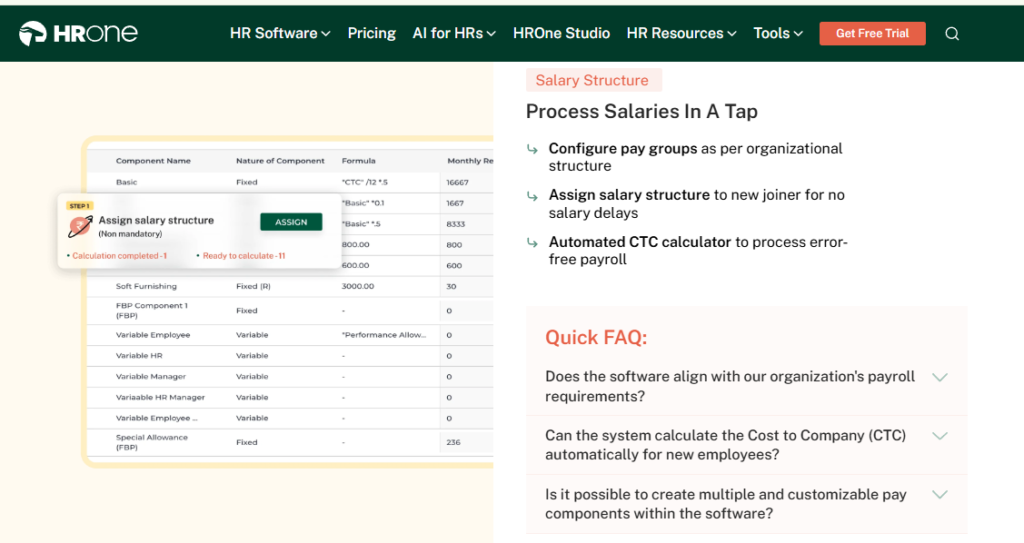
- Automated Payroll Engine. Calculates PF, ESI, TDS, and CTC components automatically after attendance approval, removing the manual reconciliation that breaks month-end runs.
- Group Payout Validations ✅. Validates all payouts in one pass to catch computation errors before the final process, so salaries do not go out wrong.
- Super Inbox (InboxforHR). Surfaces every pending task in one Gmail-style screen, closing actions in three clicks instead of hunting across five modules.
- 127 Pre-Built Workflows. Define who does what and by when across onboarding, confirmation, transfer, and exit, so HR stops chasing managers over email.
- Live Biometric and Mobile Punch Sync 📱. Syncs field attendance management in real time with geofencing, feeding accurate paid-days straight into payroll.
- India’s First Inbuilt ROI Dashboard 💰. Calculates lifetime hours saved against average HR salary, giving CHROs a board-ready savings figure.
- Project One for IT Services. Timesheet-driven project metrics and team management built for the IT service space.
🇮🇳 India-Specific Compliance and Localization
- PF / ESI / TDS support: Yes (automated calculation, filing, and challan generation).
- Labour law compliance: Strong (Form 16, PT, LWF, FBP declarations handled).
- Payroll localization (India-specific): Yes (built for Indian statutory law).
- Multi-state compliance handling: Yes (multiple legal entities in a single instance).
🎯 Who This Is Built For
- Payroll Manager firefighting CTC-revision arrears and PF or ESI slabs every month-end.
- HR Ops lead manually reconciling biometric exports against a separate leave portal.
- CHRO in an IT/ITeS firm needing project-based payroll plus a savings figure for the board.
❌ Who Should Skip This
- Startups under 100 employees wanting lightweight, spreadsheet-style payroll without structured workflows.
- Teams needing only a standalone biometric or attendance tool, not a full HCM.
💰 Pricing Structure
- Plan Type(s): Modular PEPM bundles (Core HR, Workforce, Time Office, Payroll, and add-ons).
- Starting Price: Not publicly disclosed as a fixed figure. Request a quote via HROne pricing; HROne publishes a flat PEPM model with each module priced separately.
- Tier-wise Breakdown: Customers pick and build their own bundle; 98% use the Core HR, Workforce, Time Office, and Payroll base together.
- Incremental Cost Drivers: Add-on modules and AI suite; no hidden charge for managing multiple entities in one instance.
- Implementation Fee: Not publicly disclosed. Subscription meters only after go-live, so you do not pay during setup.
- Cost at 200 Employees: Not publicly disclosed, request a quote. Cost at 500 Employees: Not publicly disclosed, request a quote.
⏰ Implementation and Support Reality
- Onboarding is led by prior-HR consultants who know the domain, not a generic project manager.
- Support runs on phone plus email with a dedicated SPOC, holding a reported 9.8 NPS.
- Data migration is vendor-led; reviewers report transferring from old servers “in fraction of hours”.
- Some reviewers note Payroll and Performance modules carry a learning curve for first-time admins.
Here is where HROne earns its position. In our experience building for 2,000+ HR teams, the tools that survive month-end are the ones that validate payouts before, not after, the run. That is the whole point of group payout validations, and it maps directly to the “mortgage test” every payroll manager quietly fears: people’s rents and EMIs clearing on time. I might be overstating it, but a prettier portal that still lets a wrong CTC sheet through is just faster chaos.
“I like HROne for its zero-touch payroll and compliance automation. It handles salary calculations, statutory deductions PF, ESI, taxes, and filings automatically, with zero manual intervention… The InboxforHR is a game-changer, centralizing every HR task into one simple inbox, cutting down administrative time by 60 to 70%.”
Waldon S., HROne user HROne G2 Verified Review
“Proper calculation of PF and ESI was a pain area for us before, but now with the HROne automated calculation process, results are up to the mark and following Indian tax compliances properly.”
Ajay K., HROne user HROne G2 Verified Review
1.2 Keka
Keka. Polished, UX-first HRMS for mid-market payroll and attendance.
🏢 Overview
Keka is a Hyderabad-based HRMS known for a clean, intuitive interface across payroll, attendance, and performance. It is widely adopted by Indian mid-market firms and is often shortlisted for its ease of use. On G2, reviewers rate its core payroll automation highly, but flag inconsistent implementation and support depth. It is primarily used by HR teams that want a modern-looking portal and solid statutory payroll without heavy configuration. Buyers weighing both often read our HROne vs Keka comparison.
⚙️ Core Services
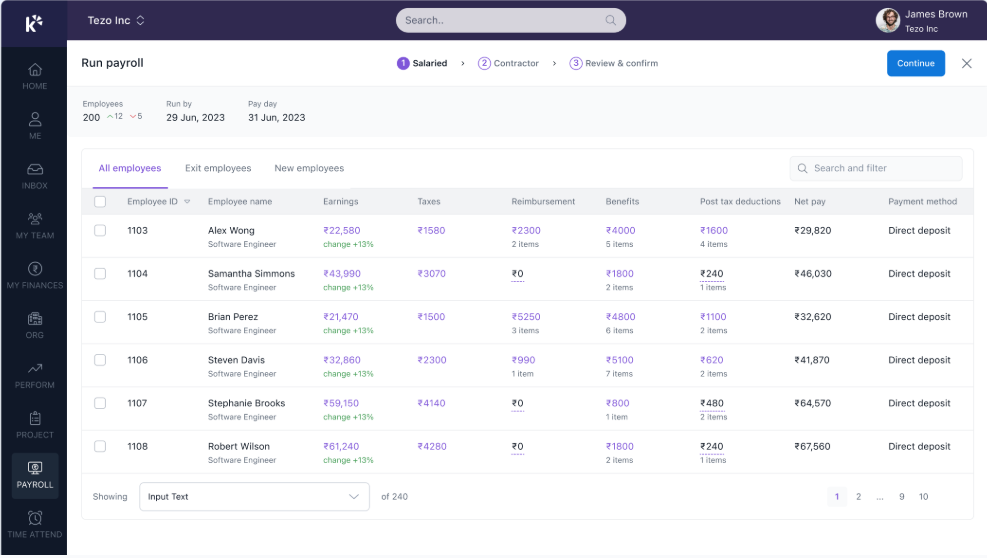
- Payroll and Compliance Engine. Automates salary, attendance, PF, ESI, and TDS processing, reducing manual month-end effort.
- Attendance and Leave Management. Tracks punches and leave with a mobile app for on-the-go actions.
- Performance (PMS) Module. Structures KRAs and KPIs, though reviewers find it confusing to configure.
- Keka Hiro (Hiring). Tracks resource management and automates offer-letter workflows.
- Document Management. Generates HR documents digitally, cutting paperwork and preserving confidentiality.
🇮🇳 India-Specific Compliance and Localization
- PF / ESI / TDS support: Yes (automated salary and statutory processing).
- Labour law compliance: Strong (payslip and statutory compliance).
- Payroll localization (India-specific): Yes.
- Multi-state compliance handling: Partial (location-specific config like menstrual leave reported as hard to set up).
🎯 Who This Is Built For
- HR generalist who wants a clean, low-training interface for daily attendance and payroll.
- Mid-market team prioritizing UX polish over deep multi-entity configuration.
❌ Who Should Skip This
- IT consulting firms needing project-based flexibility. One long-term user states Keka “is not built to service IT consulting firms”.
- Teams that need weekend or emergency phone support during migration.
💰 Pricing Structure
- Plan Type(s): Tiered per-employee/month plans (Foundation, Strength, Growth as published by Keka).
- Starting Price: Not publicly disclosed here, request a quote from Keka’s pricing page.
- Tier-wise Breakdown: Modules bundled by tier; verify current tiers directly with the vendor.
- Incremental Cost Drivers: Higher tiers unlock performance, hiring, and advanced payroll features.
- Implementation Fee: Not publicly disclosed, confirm with vendor.
- Cost at 200 Employees: Not publicly disclosed, request a quote. Cost at 500 Employees: Not publicly disclosed, request a quote.
⏰ Implementation and Support Reality
- Implementation experiences vary widely; some users report months-long delays and unfinished setup.
- Support is email and chat based, with reported gaps on weekends and slow feature TAT.
- Data migration is vendor-assisted but flagged as inconsistent in reviews.
- Strengths in payroll automation are consistently acknowledged even in critical reviews.
Keka genuinely leads on interface polish, and I won’t pretend otherwise. The gap most mid-market IT buyers hit is operating-model, not UI: escalation that stalls, and configuration that resists project-based realities. When a payroll emergency lands at 2 a.m. on a Sunday, an email queue is not a plan. That is the architectural contrast where a phone-plus-SPOC model, like HROne’s HR inbox, changes the felt experience of running payroll.
“I have been Keka user since 2021, and the service is decreasing day by day… Most of the times folks behind the chat window is not fully aware of the functionality. TAT on customer request on features is bad. Keka is not built to service IT consulting firms.”
Verified User in Consulting Keka G2 Verified Review
“Strong payroll and compliance, automate salary and attendance processing with PF, ESI, TDS… Responsive support team. PMS module is confusing and needs to be simpler and easier to use.”
Kiran B., Keka user Keka G2 Verified Review
1.3 Darwinbox
Darwinbox. Enterprise-brand HCM suite with broad module coverage.
🏢 Overview
Darwinbox is a Hyderabad-founded HCM widely adopted by large Indian and Asian enterprises. It bundles attendance, payroll, performance, and recruitment on one platform. Its brand carries weight in enterprise procurement, and reviewers value the single-platform breadth. It is primarily used by large teams replacing scattered Excel sheets and legacy tools with one unified system. Buyers weighing both often read our HROne vs Darwinbox comparison.
⚙️ Core Services
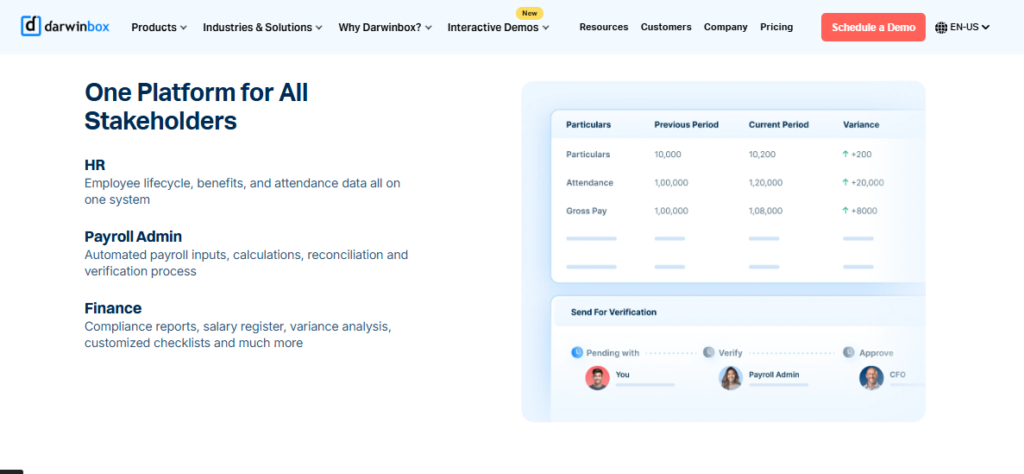
- Unified HR Suite. Brings attendance, leave, payroll, and performance onto one platform, reducing tool-switching for large teams.
- Payroll Processing. Runs statutory salary calculations, though some users report occasional slow bulk processing.
- Mobile App. Allows leave, attendance, and payslip actions on the go.
- Configurable Workflows. Adapts to internal processes with limited technical input, per reviewers.
- Performance and Recruitment. Covers reviews and hiring, though users note these modules need training.
🇮🇳 India-Specific Compliance and Localization
- PF / ESI / TDS support: Yes (statutory payroll handled).
- Labour law compliance: Strong.
- Payroll localization (India-specific): Yes.
- Multi-state compliance handling: Yes.
🎯 Who This Is Built For
- CHRO at a large enterprise wanting a recognized brand for a board-level rollout.
- HR ops team consolidating Excel and legacy tools into one platform.
❌ Who Should Skip This
- Lean mid-market teams frustrated by tab-switching to close everyday tasks.
- Buyers avoiding multi-year lock-ins and day-one billing before go-live.
💰 Pricing Structure
- Plan Type(s): Enterprise quote-based plans.
- Starting Price: Not publicly disclosed, request a quote.
- Tier-wise Breakdown: Custom-scoped per deployment.
- Incremental Cost Drivers: Module add-ons and enterprise deployment scope.
- Implementation Fee: Not publicly disclosed, confirm with vendor.
- Cost at 200 Employees: Not publicly disclosed, request a quote. Cost at 500 Employees: Not publicly disclosed, request a quote.
⏰ Implementation and Support Reality
- Implementation experiences vary; some reviewers report a difficult transition from old systems.
- Support is vendor-led with mixed feedback on responsiveness.
- Data migration is vendor-managed but flagged as challenging by some users.
- Brand recognition remains a genuine strength in enterprise deals.
Darwinbox genuinely leads on enterprise brand trust, and that matters in a board-approved purchase. The recurring operator complaint, though, is tab-juggling to close a single task, which is exactly the friction a HR inbox removes. From what surfaces when you actually run daily HR, the win is not more features, it is fewer clicks between the task and done.
“Darwinbox has made HR processes much smoother by bringing everything together on one platform… Pages sometimes load slowly. Limited customization in reports. Sync with other systems can be inconsistent.”
Saksham A., Darwinbox user Darwinbox G2 Verified Review
“Bad implementation experience, bad UI UX, configurations getting broken in production on its own due to product deployments, terrible customer service.”
Verified User in Computer Software Darwinbox G2 Verified Review
1.4 greytHR
greytHR. Long-trusted SMB payroll and compliance workhorse.
🏢 Overview
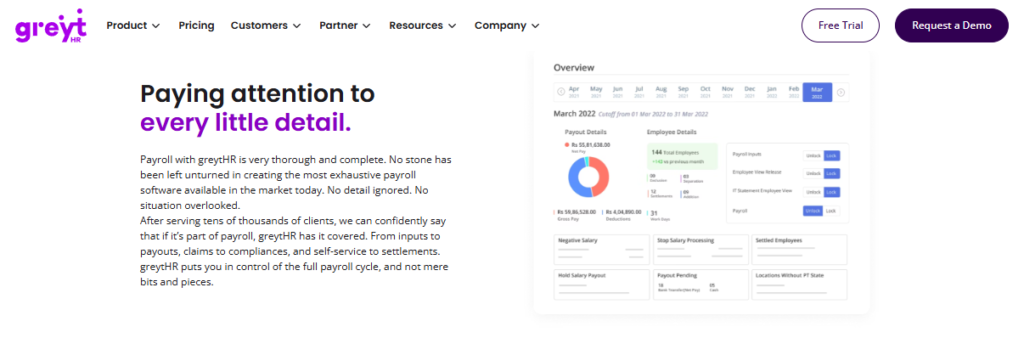
greytHR is one of India’s oldest payroll platforms, trusted by thousands of small and mid-sized businesses. It is dependable and affordable for core payroll and payslip processing. Reviewers value its longevity and statutory reliability. It is primarily used by SMB HR and finance teams handling straightforward monthly payroll and leave management. Teams comparing options can review our HROne vs greytHR breakdown.
⚙️ Core Services
- Payroll Processing. Automates salary and payslip generation with statutory deductions for SMB cycles.
- Leave and Attendance. Manages leave balances and holidays, though some users report balance errors.
- Tax Declaration. Lets employees declare taxes and pick regimes from their own login.
- Employee Self-Service. Gives access to payslips and attendance without going through HR.
- Onboarding. Automates initiation and data collection for new joiners.
🇮🇳 India-Specific Compliance and Localization
- PF / ESI / TDS support: Yes (SMB-tuned statutory processing).
- Labour law compliance: Strong (for standard SMB needs).
- Payroll localization (India-specific): Yes.
- Multi-state compliance handling: Partial (limited configuration flexibility).
🎯 Who This Is Built For
- SMB payroll admin needing dependable payslips and statutory filing on a budget.
- Finance team wanting employee-driven tax declarations.
❌ Who Should Skip This
- Mid-market HR ops leads hitting rigid configuration and limited workflows.
- Multi-legal-entity or shift-based manufacturing teams needing deep customization.
💰 Pricing Structure
- Plan Type(s): Tiered per-employee/month plans, with a freemium entry tier.
- Starting Price: Not publicly disclosed here, check greytHR’s pricing page.
- Tier-wise Breakdown: Verify current tiers directly with the vendor.
- Incremental Cost Drivers: Higher tiers unlock added modules.
- Implementation Fee: Not publicly disclosed, confirm with vendor.
- Cost at 200 Employees: Not publicly disclosed, request a quote. Cost at 500 Employees: Not publicly disclosed, request a quote.
⏰ Implementation and Support Reality
- Configuration reportedly depends heavily on the greytHR team, with gaps flagged.
- Support is ticket plus callback, with mixed feedback on response quality.
- Data migration and customization are cited as friction points during setup.
- UI is described as functional but dated by several reviewers.
greytHR earns its reputation on SMB dependability, and for a simple monthly run it holds up. The wall many teams hit is the moment complexity arrives: a second legal entity, shift-based attendance, or a custom leave policy. The standard read says “start cheap and grow into it,” but I think that gets it backwards when rigid configuration forces manual leave-balance corrections every cycle. A platform built for multi-entity companies avoids that ceiling.
“GreytHR is not much good at customizing based on our requirements… Many times we were manually correcting the leave balance of employees. We cannot properly implement our company policies due to the limitations of greytHR.”
Verified User in IT and Services greytHR G2 Verified Review
“The system acts as per its own whims and gives error reports. We have to spend time manually to find errors. Not one month has passed where we have not raised a ticket.”
Maheshkumar J. greytHR G2 Verified Review
1.5 Zoho Payroll
Zoho Payroll. Budget-friendly payroll for teams already inside Zoho.
🏢 Overview
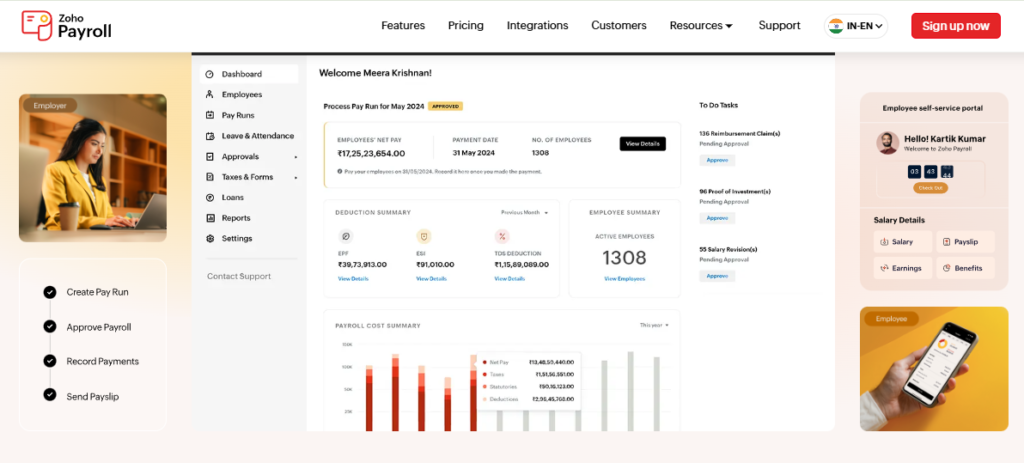
Zoho Payroll is part of the broad Zoho suite, built for firms that already run Zoho People, Recruit, or Books. Its strength is tight integration across the Zoho ecosystem. Reviewers appreciate the low entry price and clean onboarding. It is primarily used by cost-conscious teams wanting payroll that connects to their existing Zoho apps. Buyers cross-shopping can read our HROne vs Zoho People comparison.
⚙️ Core Services
- Payroll Processing. Runs salary and statutory calculations, integrated with Zoho People and Books.
- Ecosystem Integration. Connects recruitment, attendance, and payroll across Zoho apps to cut re-entry.
- Employee Self-Service. Lets employees check leave balances and payslips without emailing HR.
- Onboarding. Allows candidates to enter their own data, completing onboarding within a day.
- Attendance and Leave. Handles digital leave approvals and holiday lists.
🇮🇳 India-Specific Compliance and Localization
- PF / ESI / TDS support: Yes (statutory payroll included).
- Labour law compliance: Moderate to Strong.
- Payroll localization (India-specific): Yes.
- Multi-state compliance handling: Partial.
🎯 Who This Is Built For
- HR generalist already standardized on Zoho apps wanting connected payroll.
- Cost-conscious SMB avoiding a heavy standalone payroll spend.
❌ Who Should Skip This
- Teams needing deep feature depth per module, reported as shallow by some users.
- Firms that depend on fast, reliable support during errors.
💰 Pricing Structure
- Plan Type(s): Per-employee/month plans, low entry price.
- Starting Price: Not publicly disclosed here, check Zoho’s pricing page.
- Tier-wise Breakdown: Verify current tiers with the vendor.
- Incremental Cost Drivers: Add-on Zoho apps and higher tiers.
- Implementation Fee: Not publicly disclosed, confirm with vendor.
- Cost at 200 Employees: Not publicly disclosed, request a quote. Cost at 500 Employees: Not publicly disclosed, request a quote.
⏰ Implementation and Support Reality
- Onboarding is generally easy, aided by instructional videos.
- Support is email and community based, with slow response times flagged.
- Data migration is self-serve within the Zoho ecosystem.
- Pricing clarity at purchase was reported as confusing by some buyers.
Zoho Payroll is a sensible pick if your stack already lives inside Zoho, and I won’t argue against that logic on cost. Where it strains is depth and support when a real error lands mid-cycle. Working with 2,000+ HR teams, what I’ve felt is that support latency during a wrong payroll software run costs far more than the license you saved.
“As an HR professional, what I appreciate most about Zoho People is its onboarding process… The biggest drawback for me has been the lack of customer support. Whenever I try to reach out, it often takes a long time to get a response.”
Dhana C., HR professional Zoho People G2 Verified Review
“Features are shallow and there is no depth in each application.”
Verified User in IT and Services Zoho People G2 Verified Review
1.6 RazorpayX Payroll
RazorpayX Payroll. Automated salary payouts and compliance for smaller teams.
🏢 Overview
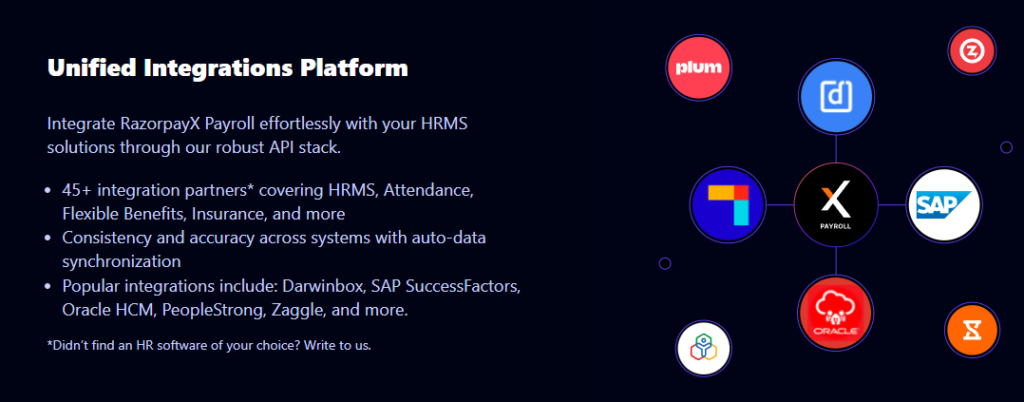
RazorpayX Payroll comes from the Razorpay fintech stable, built around automated bank disbursement and compliance filing. It is popular with startups and small firms wanting hands-off salary payouts. Its edge is connecting payroll directly to payments and statutory remittance. It is primarily used by lean teams automating monthly salary transfers and TDS, PF, and ESI filings without a dedicated payroll manager.
⚙️ Core Services
- Automated Salary Disbursement. Pushes salaries to employee accounts directly, removing manual bank transfers.
- Compliance Filing. Handles TDS, PF, and ESI payments and filings automatically.
- Payslip Generation. Produces payslips without manual formatting.
- Reimbursements and Leave. Manages basic leave and reimbursement flows for small teams.
- Fintech Integration. Connects to the Razorpay payments ecosystem for cash-flow visibility.
🇮🇳 India-Specific Compliance and Localization
- PF / ESI / TDS support: Yes (automated filing).
- Labour law compliance: Moderate.
- Payroll localization (India-specific): Yes.
- Multi-state compliance handling: Partial.
🎯 Who This Is Built For
- Startup founder wanting hands-off salary payouts without a payroll hire.
- Small-team admin automating TDS, PF, and ESI filing.
❌ Who Should Skip This
- Mid-market teams needing deep workforce, shift, and multi-entity payroll logic.
- IT services firms needing project timesheet-to-payroll flow.
💰 Pricing Structure
- Plan Type(s): Freemium base plan plus per-employee add-ons.
- Starting Price: Not publicly disclosed here, check RazorpayX’s pricing page.
- Tier-wise Breakdown: Verify current tiers with the vendor.
- Incremental Cost Drivers: Per-employee charges above the free tier.
- Implementation Fee: Not publicly disclosed, confirm with vendor.
- Cost at 200 Employees: Not publicly disclosed, request a quote. Cost at 500 Employees: Not publicly disclosed, request a quote.
⏰ Implementation and Support Reality
- Setup is designed to be fast and self-serve for small teams.
- Support is chat and email based.
- Data migration is self-serve.
- Best suited to teams below the mid-market complexity threshold.
RazorpayX Payroll is a clean fit for a 20-person startup automating payouts, and I’d recommend it there without hesitation. The gap appears the moment you cross into mid-market reality: multiple entities, shift-based attendance, and project payroll. At 500 employees across two legal entities, disbursement automation alone does not close a compliant month-end, which is where full workforce management matters.
1.7 PeopleStrong
PeopleStrong. Enterprise-grade Indian HCM with deep analytics.
🏢 Overview
PeopleStrong is an established Indian HCM serving large enterprises with complex hierarchies. It offers broad module coverage and enterprise analytics. Its strength is depth for high-headcount organizations. It is primarily used by large HR teams needing structured workforce management and reporting across sizable, layered org structures. Buyers comparing options can read our HROne vs PeopleStrong breakdown.
⚙️ Core Services
- Core HR and Workforce. Maintains records and org structures for large, layered hierarchies.
- Payroll Engine. Runs statutory payroll for high-headcount organizations.
- Analytics. Surfaces workforce reporting for enterprise decision-making.
- Recruitment. Manages hiring at enterprise scale.
- Performance. Structures reviews across large teams.
🇮🇳 India-Specific Compliance and Localization
- PF / ESI / TDS support: Yes.
- Labour law compliance: Strong.
- Payroll localization (India-specific): Yes.
- Multi-state compliance handling: Yes.
🎯 Who This Is Built For
- Enterprise CHRO managing complex, multi-layer hierarchies.
- HR analytics lead needing enterprise-scale reporting.
❌ Who Should Skip This
- Lean mid-market teams wanting fast, light deployment.
- Firms prioritizing quick go-live over enterprise breadth.
💰 Pricing Structure
- Plan Type(s): Enterprise quote-based plans.
- Starting Price: Not publicly disclosed, request a quote.
- Tier-wise Breakdown: Custom-scoped per deployment.
- Incremental Cost Drivers: Module and deployment scope.
- Implementation Fee: Not publicly disclosed, confirm with vendor.
- Cost at 200 Employees: Not publicly disclosed, request a quote. Cost at 500 Employees: Not publicly disclosed, request a quote.
⏰ Implementation and Support Reality
- Deployment is enterprise-scale and heavier than mid-market tools.
- Support is vendor-led.
- Data migration is vendor-managed.
- Best matched to large, complex organizations.
PeopleStrong is a solid enterprise choice, and its analytics depth is real. My hesitation for the 100 to 5,000 band is deployment weight: mid-market teams rarely have a year to wait for value. From what I’ve seen, the sweet-spot buyer wants enterprise capability without enterprise-length implementation, and that trade-off is where lighter, India-tuned HR software competes hard.
1.8 ADP India
ADP India. Global payroll heritage for multinationals operating in India.
🏢 Overview
ADP is a global payroll and HCM provider with a long compliance track record. Its India arm serves multinationals needing global-plus-India payroll governance. Its strength is cross-border payroll consistency and mature compliance. It is primarily used by multinational teams running India payroll alongside other geographies under one governance model.
⚙️ Core Services
- Global Payroll Governance. Standardizes payroll across geographies including India.
- Statutory Compliance. Handles Indian PF, ESI, PT, and TDS within a global framework.
- Managed Payroll Service. Offers outsourced payroll processing as a managed model.
- Reporting. Provides consolidated multi-country payroll reporting.
- Integrations. Connects to global HR and finance systems.
🇮🇳 India-Specific Compliance and Localization
- PF / ESI / TDS support: Yes.
- Labour law compliance: Strong.
- Payroll localization (India-specific): Yes.
- Multi-state compliance handling: Yes.
🎯 Who This Is Built For
- Multinational payroll lead needing India payroll under global governance.
- Finance team wanting a managed, outsourced payroll model.
❌ Who Should Skip This
- India-only mid-market firms not needing global payroll infrastructure.
- Cost-sensitive teams in the 100 to 5,000 sweet spot.
💰 Pricing Structure
- Plan Type(s): Enterprise quote-based and managed-service plans.
- Starting Price: Not publicly disclosed, request a quote.
- Tier-wise Breakdown: Custom-scoped per engagement.
- Incremental Cost Drivers: Managed-service scope and geographies covered.
- Implementation Fee: Not publicly disclosed, confirm with vendor.
- Cost at 200 Employees: Not publicly disclosed, request a quote. Cost at 500 Employees: Not publicly disclosed, request a quote.
⏰ Implementation and Support Reality
- Deployment follows an enterprise, managed-service model.
- Support is managed-service based.
- Data migration is vendor-led.
- Best suited to multinationals, not India-only mid-market firms.
ADP is the right call when you run payroll across five countries and India is one of them. For an India-only mid-market IT firm, though, it is more governance machinery than you need. I might be wrong for edge cases, but paying for global payroll rails to run a single-country cycle rarely pencils out at this size, especially against a focused payroll solution.
1.9 Pocket HRMS
Pocket HRMS. Affordable, straightforward India payroll for cost-conscious SMBs.
🏢 Overview
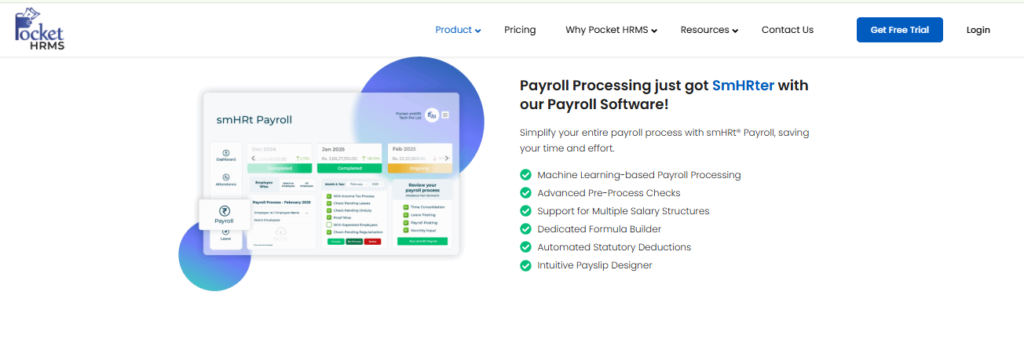
Pocket HRMS is a cloud-based Indian HRMS focused on simple, affordable payroll and attendance. It targets small and lower-mid-market firms wanting statutory payroll without complexity. Its strength is a low-friction, budget-friendly setup. It is primarily used by SMB HR teams that need reliable PF, ESI, and TDS processing without heavy configuration. Buyers comparing options can read our HROne vs Pocket HRMS breakdown.
⚙️ Core Services
- Payroll Engine. Automates salary and statutory calculations for straightforward cycles.
- Attendance and Leave. Tracks punches and leave with basic mobile access.
- Employee Self-Service. Lets employees view payslips and apply for leave.
- Statutory Reports. Generates PF, ESI, and TDS reports for filing.
- Onboarding. Handles basic new-joiner data collection.
🇮🇳 India-Specific Compliance and Localization
- PF / ESI / TDS support: Yes.
- Labour law compliance: Moderate to Strong.
- Payroll localization (India-specific): Yes.
- Multi-state compliance handling: Partial.
🎯 Who This Is Built For
- SMB payroll admin wanting affordable, no-frills statutory payroll.
- Small team needing reliable PF, ESI, and TDS reports.
❌ Who Should Skip This
- IT/ITeS firms needing project-based and multi-entity payroll depth.
- Mid-market teams needing advanced workflows and analytics.
💰 Pricing Structure
- Plan Type(s): Per-employee/month plans.
- Starting Price: Not publicly disclosed here, check Pocket HRMS’s pricing page.
- Tier-wise Breakdown: Verify current tiers with the vendor.
- Incremental Cost Drivers: Add-on modules above the base plan.
- Implementation Fee: Not publicly disclosed, confirm with vendor.
- Cost at 200 Employees: Not publicly disclosed, request a quote. Cost at 500 Employees: Not publicly disclosed, request a quote.
⏰ Implementation and Support Reality
- Setup is designed to be simple and quick for smaller teams.
- Support is email and ticket based.
- Data migration is vendor-assisted.
- Best matched to SMBs, not high-complexity IT/ITeS payroll.
Pocket HRMS does exactly what it promises for a straightforward SMB run, and that honesty is worth something. The ceiling shows up with complexity: project payroll, multiple entities, and high-attrition full-and-final settlements. For an IT services firm scaling past a few hundred people, simple payroll quietly becomes the bottleneck it was meant to remove, which is why ITES HR teams often outgrow it.
Q2. How Did We Score These Tools? Our Selection Criteria and Star Ratings
We scored each tool on five weighted criteria totaling 100%: Statutory Compliance Depth (30%), IT/ITeS and Multi-Entity Fit (25%), Integration and Payout Accuracy (20%), Support and Implementation (15%), and Pricing Transparency (10%). Tools scoring 81 to 100 earn 5 stars, 61 to 80 earn 4 stars, and so on downward. HROne scores 5 stars on native statutory settings, project-based payroll, and group payout validation.
🧭 Why a Transparent Rubric Matters
Most “best of” lists feel arbitrary because they hide the weighting. A CHRO cannot defend a purchase to the board with a gut feeling. So we disclosed the exact scoring model, the same way a payroll manager defends numbers upstream.
We weighted the rubric toward what actually breaks month-end, not what looks good in a demo. Compliance carries the most weight because a wrong filing costs real money and trust. This mirrors the logic in our HRMS evaluation checklist.
⚖️ The Five Weighted Criteria
- Statutory Compliance Depth (30%). Native PF, ESI, PT, LWF, and TDS handling, plus readiness for the Code on Wages 50% deeming rule.
- IT/ITeS and Multi-Entity Fit (25%). Project timesheets, multiple legal entities in one instance, and high-attrition full-and-final settlements.
- Integration and Payout Accuracy (20%). One shared employee record across attendance, leave, and payroll, plus validation before the final run.
- Support and Implementation (15%). Go-live speed and whether a human answers the phone during a crisis.
- Pricing Transparency (10%). Flat per-employee-per-month (PEPM) pricing versus quote-only opacity.
⭐ Star Ratings Per Tool
The star scale is simple: score bands convert directly to stars, so nothing is hidden. HROne, ranked #3 of 1,17,579 products on G2 for satisfaction, earns 5 stars here on statutory depth and payout validation. You can read more in our HROne reviews roundup.
| Tool | Star Rating |
|---|---|
| HROne | ⭐⭐⭐⭐⭐ |
| Keka | ⭐⭐⭐ |
| Darwinbox | ⭐⭐⭐⭐ |
| greytHR | ⭐⭐⭐ |
| Zoho Payroll | ⭐⭐⭐ |
| RazorpayX Payroll | ⭐⭐⭐ |
| PeopleStrong | ⭐⭐⭐ |
| ADP India | ⭐⭐⭐ |
| Pocket HRMS | ⭐⭐⭐ |
The rubric mirrors how a CHRO actually defends a spend: measurable savings, not adjectives. That is why HROne’s inbuilt ROI calculator, which calculates lifetime hours saved against average HR salary, maps so cleanly onto this scoring model.
“I love HROne for its cost efficiency and holistic approach… I find the HR Analytics particularly valuable for presenting data to management.”
Priyanka S., HROne user HROne G2 Verified Review
“Great UI, but the service is decreasing day by day… TAT on customer request on features is bad.”
Verified User in Consulting Keka G2 Verified Review
Q3. What Is a Payroll Software Checklist for Mid-Market and IT Companies?
A payroll software checklist for mid-market and IT companies evaluates five things: native statutory coverage (PF, ESI, PT, TDS, LWF), multi-state PT auto-application, unified attendance-to-payroll architecture, contractor plus employee handling, and total cost of ownership including implementation time and support. It works as a risk system that verifies whether a tool can run accurate, compliant, on-time payroll at scale.
🧭 The Checklist Is a Risk System, Not a Wishlist
Most buyers treat the checklist as a feature wishlist. That is the wrong lens. A checklist is really a risk system, a set of questions that ask, “Can this tool run correct payroll every single month without me babysitting it?”
The shift that matters is moving from a person-dependent process to a process-dependent one. When payroll lives in one clerk’s head, you cannot sleep at night. When it lives in verified workflows, you can. A capable payroll software makes that shift possible.
💰 The Mortgage Test
Here is the human cost behind the checklist. Every employee has rent, an EMI, or a mortgage clearing on payday. One wrong run breaks that trust instantly.
The data backs the fear. Research indicates a large share of employees will consider leaving after just two payroll errors, so accuracy is a retention issue, not just an accounts one. A checklist exists to stop that second mistake from ever happening, which is why teams study common payroll problems before buying.
✅ How to Apply It
Score each tool against the five risk areas, then ask one question per area: what breaks if this fails at 500 employees? That reframes a demo from “nice features” to “provable safety.”
This is exactly the lens HROne is built around. Its group payout validations check every payout before the final run, which directly answers the mortgage-test anxiety of a wrong payday, the same principle behind our payroll solution.
Q4. Which Statutory and Compliance Boxes Must a 2026 Payroll Tool Tick?
A 2026 payroll tool must natively handle EPF, ESI, state-wise Professional Tax, LWF, and TDS under both regimes; be ready for the Code on Wages Section 2(y) 50% deeming rule; auto-apply PT by work location; and classify workers correctly, with full statutory deductions for employees, Section 194J TDS for retainers, and Section 194C for freelancers, generating Form 16 (now Form 130) and 16A (now 131).
🧭 The Statutory Stack Is a Moving Target
Indian payroll compliance is not static, and 2026 moved several goalposts. A tool that was compliant in 2024 may already be behind. The base stack any tool must handle natively includes EPF, ESI, Professional Tax, Labour Welfare Fund (LWF), and TDS under old and new regimes. Dedicated statutory compliance software keeps that stack current.
⚖️ The Code on Wages 50% Deeming Rule
The Code on Wages 2019 redefines “wages” under Section 2(y), and this reshapes every CTC. If excluded allowances exceed 50% of total remuneration, the excess is deemed as wages and added back. In practice, this pushes basic pay toward roughly 50% of CTC, which raises PF, gratuity, and bonus costs. Your payroll tool must model this add-back logic automatically, not leave it to a spreadsheet.
📍 Multi-State Professional Tax
Professional Tax is a state subject, so slabs differ by work location. A firm with staff in Karnataka, Maharashtra, and West Bengal faces three different PT rules at once. The tool must auto-apply the correct PT slab based on each employee’s work state, not a single head-office default, as covered in our multi-state payroll compliance guide.
✅ Contractor Versus Employee Logic
Worker classification changes the tax treatment entirely.
- Employees: Full statutory deductions (PF, ESI, PT) plus TDS on salary under Section 192.
- Retainers and professionals: TDS under Section 194J for professional or technical fees.
- Contractors and freelancers: TDS under Section 194C for contract work.
Getting this wrong triggers notices, so the tool must tag worker type and apply the right section automatically. A quick TDS calculator helps you sanity-check the math.
📄 New Form Numbers From April 2026
The Income Tax Act 2025 renumbered core TDS forms from April 1, 2026. Form 16 becomes Form 130, Form 16A becomes Form 131, and the quarterly Form 24Q becomes Form 138. Your payroll tool must generate the new form numbers, or you risk issuing outdated certificates. Our PF, ESI, and TDS employer guide tracks these changes.
⚠️ Micro-Specificity Beats “Compliance-Ready”
When you run a demo, do not accept a generic “we are compliant” claim. Ask to see the granular settings that vendors gloss over.
- Can it separate PF wages, pension wages, and EDLI wages?
- Can it set a contribution limit at the employee level?
- Can it apply Company A’s policy differently from Company B in a single instance?
This is where architecture shows. HROne configures policy across multiple legal entities in a single instance and auto-handles deductions and FBP declarations, so Company A and Company B can run different rules without separate installs, the approach detailed for multi-entity companies.
Q5. How Should You Evaluate Architecture, Automation, Payout Accuracy, and Total Cost?
Evaluate a payroll tool on four operational tests: whether attendance, leave, and payroll share one employee record (not connectors that break); how many payroll steps are automated end-to-end; whether it validates all payouts as a group before the final run for zero computation errors; and true total cost, meaning PEPM pricing, implementation time (weeks to 12+), and support responsiveness.
🧭 The Reconciliation Trap
Most payroll pain is not payroll. It is reconciliation, the manual stitching of attendance, leave, and salary data at month-end. If your tools cannot talk to each other, you inherit that stitching every cycle.
So run four tests before you sign anything. Each one exposes a failure that only shows up after go-live, when it is expensive to fix. Our HRMS evaluation checklist walks through the same discipline.
✅ Test 1: Do the Systems Actually Talk?
Ask whether attendance, leave, and payroll sit on one shared employee record. A “unified” tool built on fragile connectors is not unified. When a connector breaks, you are back to manual exports.
- Good: One database, one record, changes flow instantly.
- Bad: Separate systems bridged by connectors that silently fail.
This is where a connected workforce management layer earns its keep.
⚙️ Test 2: Automation Depth and Payout Validation
Count how many payroll steps run end-to-end without manual touch. Research shows automation can cut payroll processing time by 50 to 60% while reducing errors. Then ask the accuracy question: does it validate all payouts as a group before the final run?
This is where HROne sets its benchmark. It ships 120+ automations across modules and runs group payout validations that catch computation errors before salaries go out, the core of our payroll software.
💰 Test 3: True Total Cost and Timeline
Headline price is not total cost. Ask when billing starts and how long implementation takes.
- Does the subscription meter from day one of purchase, or after go-live?
- What is the realistic go-live window, four weeks or twelve-plus?
- Are there hidden step-ups per entity or per module?
I have watched firms sink large sums into an ERP that billed from day one and still failed at go-live. HROne’s model meters only after go-live, which removes the “paying for a tool I cannot use yet” trap; you can sanity-check the numbers with our ROI calculator.
⏰ Test 4: The 2 a.m. Sunday Test
Payroll emergencies do not respect office hours. Ask a blunt question: at 2 a.m. on a Sunday before payday, can I get a human on the phone? “Self-served” support is a black hole during a crisis. HROne runs a dedicated prior-HR SPOC model at a reported 9.8 NPS, which is the accuracy-and-safety contrast against email-only queues, and reviewers echo it in our HROne reviews.
Your Monday action: score your shortlist against these four tests, not the demo dazzle.
“HROne centralizes all tasks like tracking attendance and handling employee records, which saves time and reduces errors… Switching between large reports or modules does have a delay.”
John C., HROne user HROne G2 Verified Review
“Its user-friendly interface and automation simplify HR tasks… Users report occasional glitches affecting payroll processing. Integration with certain systems can be challenging.”
Gunjan M., Keka user Keka G2 Verified Review
What I am still sitting with: does historical payroll data actually matter for a clean migration, or is it optional? I have seen it argued both ways, and I lean toward “it matters,” but I could be wrong, which is why our HRMS migration guide covers both views.
Q6. Why Do IT and ITeS Companies Need Payroll Software Built Differently?
IT and ITeS companies need payroll software built for project-based, high-attrition realities: timesheet-to-payroll flow, billable-utilization tracking, multiple legal entities with different policies in one instance, mid-cycle joiner logic, automated full-and-final settlements, and replacement-hiring triggers on resignation. Generic payroll tools break on these edges, which is why an IT-specific evaluation lens matters more than a generic “best software” list.
🧭 The Contrarian Truth Most Lists Miss
Here is what most “best India payroll” lists get backwards. They treat an IT services firm like a factory or a retail chain, as if payroll is just salary times headcount. It is not.
IT payroll is project payroll. People bill to clients, sit across multiple entities, and churn faster than any other sector. A tool that ignores this looks fine in a demo and cracks in month two, a pattern we detail for ITES HR teams.
⚖️ Multiple Entities, Different Policies
A mid-sized IT firm rarely runs as one clean company. Company A and Company B often have different leave and pay policies under one roof. Your payroll engine must apply Company A’s policy differently from Company B’s within a single instance, without separate installs. This “policy applicability engine” is exactly the connective tissue HROne builds for multi-entity companies.
⏰ High Churn Breaks Generic Tools
High attrition creates edge cases that generic tools fumble.
- Mid-cycle joiners: Restricted holiday and pro-rata logic for someone who joins on the 14th.
- Full-and-final settlements: F&F run through a workflow, not a manual spreadsheet.
- Replacement triggers: Auto-generate replacement hiring the moment an employee is relieved.
HROne’s Project One module is built for this timesheet-driven, project-metrics reality of the IT service space, and it links naturally with our project management capability.
✅ What an IT Payroll Manager Should Test Differently
Do not test payroll in isolation. Test the full path: timesheet to billable utilization to payout to F&F. Then ask whether one resignation quietly triggers the next hire. If those flows are manual, the tool is built for someone else’s company, not yours, so lean on proper time tracking as part of the evaluation.
Q7. How Do You Prove ROI and Pick the Right Tool for Your Scenario?
Prove ROI by measuring three variables before and after: average HR salary cost, minutes per payroll task, and total tasks completed, then convert saved hours into rupees. Most tools cannot track this; a built-in ROI dashboard can. Then pick by scenario: mid-market IT firms should shortlist HROne, sub-100 SMEs may prefer greytHR or Zoho Payroll, and US-heavy enterprises may lean ADP.
🧭 The CFO Wants Proof, Not Adjectives
Your CFO does not care that HR “feels” faster. They want rupees. So ROI needs a formula, not a vibe.
The three-variable model is simple: take your average HR salary, multiply by minutes saved per task, across total tasks per month. That converts reclaimed hours into a hard number, the logic behind our ROI of HR software guide.
💰 Walking the Calculation
Research supports the upside: organizations report 25 to 50% reductions in payroll processing time after automation. Applied to a real team, that is dozens of hours freed monthly.
I once watched a leader see the turnover-versus-expenditure link for the first time and go quiet, then just forward the dashboard link upward. That is the “link moment,” when savings stop being a claim.
| Variable | How to Measure |
|---|---|
| Average HR salary | Monthly cost per HR FTE |
| Minutes per task | Time-and-motion before vs after |
| Tasks per month | Payroll, leave, letters, queries closed |
🧭 The Alphabet Soup: HRIS vs HRMS vs HCM
Buyers drown in acronyms, so here is the plain version.
- HRIS: A system of record. Often stuck gathering data without doing much with it.
- HRMS: Adds process management like payroll and attendance.
- HCM: The full hire-to-retire operating system, records plus process plus strategy.
Mid-market IT firms usually need a full HCM, not just a record-keeper. HROne is positioned as that connected core HCM, with India’s first inbuilt ROI Dashboard doing the rupee math competitors cannot.
✅ Scenario Recommendations (Including Where HROne Is Not the Fit)
Honesty builds trust, so here is where each tool actually wins.
| Scenario | Shortlist |
|---|---|
| Mid-market IT/ITeS, multi-entity, high churn | HROne |
| Sub-100 SME, simple monthly run | greytHR or Zoho Payroll |
| US-heavy multinational | ADP India |
| Large enterprise, complex hierarchy | Darwinbox or PeopleStrong |
I will say the unglamorous part out loud: HROne is not built for a 40-person startup. If you are sub-100 and want lightweight payroll, a simpler tool serves you better today, and our best SMB HRMS guide points you there.
“I love HROne for its cost efficiency and holistic approach… The ability to manage various HR processes from a single platform is incredibly convenient and cost-effective for mid-level and enterprise customers.”
Priyanka S., HROne user HROne G2 Verified Review
“The document feature has significantly reduced our paperwork… PMS module is confusing and needs to be simpler.”
Kiran B., Keka user Keka G2 Verified Review
So here is what I am genuinely curious about, and I would rather hear it than pitch you: what is actually breaking in your month-end run right now, the reconciliation, the compliance, or the payout accuracy? If you want a second pair of eyes, our team is one book a demo conversation away.













 Secures Top Spot in
