







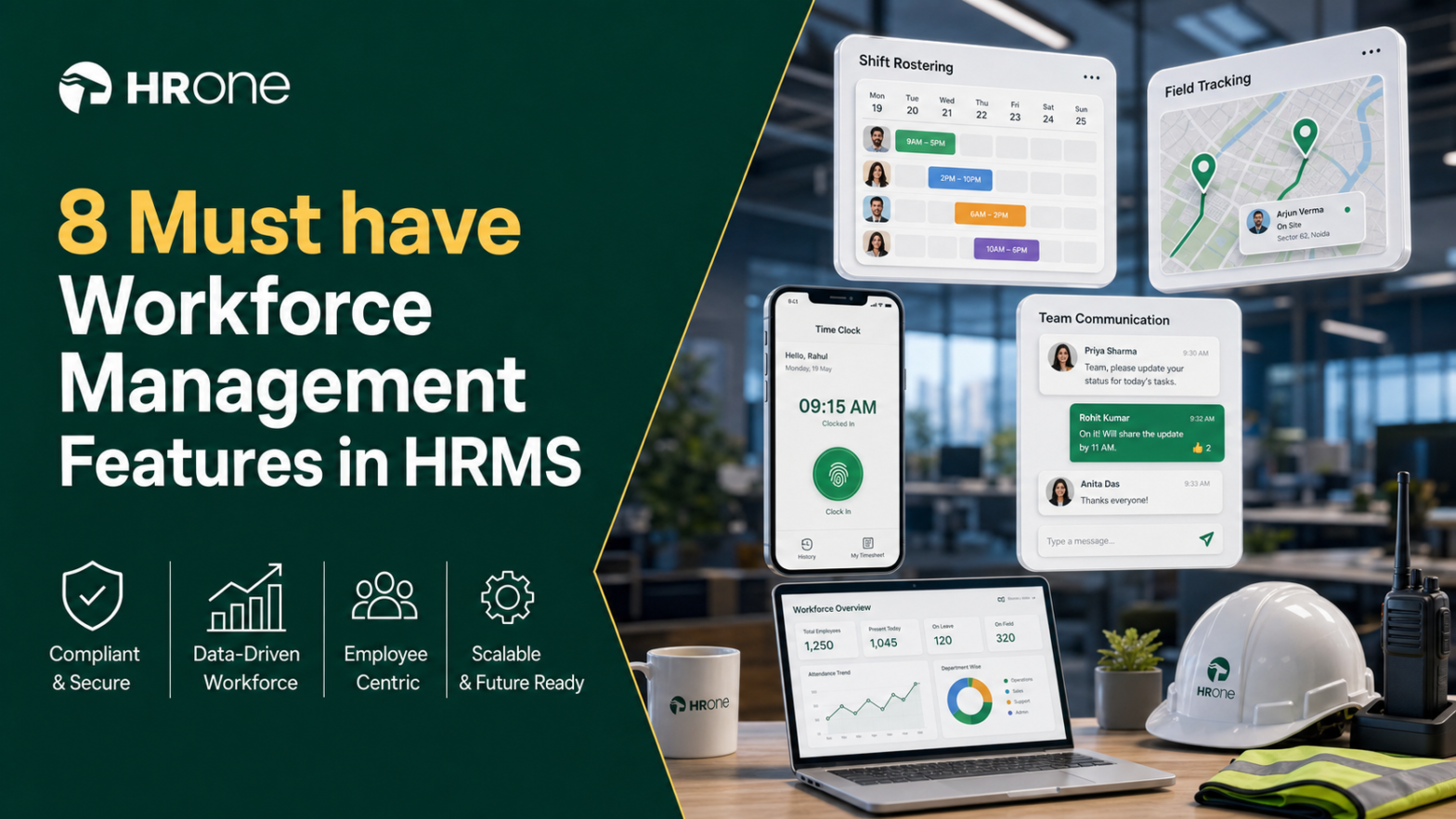
Q1. What are the 8 Best Workforce Management Software Tools for Shift & Field Teams in 2026?
The 8 best workforce management software tools for shift and field teams in 2026 are HROne, Keka, Darwinbox, greytHR, Zoho People, PeopleStrong, ZingHR, and BambooHR. HROne leads for Indian distributed teams because it pairs geo-tagging, geo-fencing, live-photo, and offline attendance with full-suite payroll and India’s first inbuilt ROI Dashboard. It turns attendance data into action, instead of just gathering it in an Excel-style database.
📋 Why This Decision Is High-Stakes for Field-Heavy Teams
Choosing workforce management software, the system your team uses daily to schedule, track, and pay a distributed workforce, is a high-stakes call for any 100 to 5,000 employee Indian company. Get it wrong, and you repeat a painful cycle. One HR leader described making “three system changes in less than four years” before landing on something that fit.
The pain is rarely the feature list. It’s the manual grind underneath it. I’ve heard operators describe spending “at least one week” every single month, with “two to three” people, just fetching out the attendance from biometric machines and spreadsheets. That’s people-time spent typing instead of helping employees grow.
The deeper fear is zero transparency. When you can’t see who is where, trust breaks down between employees and management. Many teams overpay for a “simple database type of system” that collects data but stays “stuck in just gathering data and not doing a lot with it.”
🔍 How We Evaluated These Vendors
For this guide, we evaluated 8 workforce management and HRMS platforms available to Indian shift, field, and distributed teams. Rather than ranking by popularity, we scored each against operator-relevant criteria drawn from live G2 reviews (June 2026), published feature documentation, and reported buyer pain points.
Each provider was assessed across five weighted criteria:
- Field & Shift Intelligence ⏰ (30%): Geo-fencing, geo-tagging, live-photo attendance, offline capture, and roster or shift flexibility.
- Payroll & Compliance Integration 💰 (25%): India-specific PF, ESI, TDS, and the ability to bridge attendance into payroll software without manual reconciliation.
- Setup & Usability (20%): Onboarding speed, interface clarity, and mobile reliability.
- User Reviews (15%): Verified G2 ratings, weighted for balance across satisfaction and complaints.
- Pricing Transparency (10%): Clarity of published pricing and absence of surprise implementation fees.
👥 Who This Guide Is For
This report is written for the person using the software every day, not just the person signing the cheque:
- HR Ops leads manually reconciling biometric exports against a separate leave portal each month-end.
- Payroll Managers running multi-entity, India-compliant monthly payroll cycles across shift-based sites.
- CHROs and HR Heads consolidating a fragmented hire-to-retire stack into one system of record.
- CFOs validating HR tech ROI and flat per-employee-per-month (PEPM) commercials.
- IT Directors evaluating mobile-first, cloud-native HCMs against legacy on-premise portals.
🗂️ At-a-Glance Comparison of All 8 Tools
The table below summarizes each vendor across the dimensions that matter most for shift and field work. Star ratings reflect our weighted scoring, and known limitations are sourced from verified G2 reviews in our review files.
| Provider (⭐ rating) | Best For | Standout Strength | Known Limitation | Field & Shift Depth | Support Model | Pricing Model |
|---|---|---|---|---|---|---|
| HROne ⭐⭐⭐⭐⭐ | HR Ops leads drowning in multi-entity payroll and field-attendance reconciliation | Full hire-to-retire suite with offline attendance, geo-fencing, and India’s first inbuilt ROI Dashboard | Some users report the mobile app can lag on live-location capture in low connectivity | Deep: geo-fence, geo-tag, live-photo, offline sync, dual/single punch | Phone, email, and dedicated HR SPOC (9.8 NPS) | Flat PEPM, no lock-in, billing after go-live |
| Keka ⭐⭐⭐ | SMB-to-mid HR teams wanting polished UI for core payroll | Intuitive interface with strong payroll and PF/ESI/TDS automation | Reviewers cite delayed implementation and weekend support gaps | Moderate: attendance and shifts, less field-specific | Email-thread heavy; limited weekend cover | Per-employee/month, tiered |
| Darwinbox ⭐⭐⭐⭐ | Large enterprises wanting one branded platform | Broad module suite with a well-liked mobile app | Users report slow load times and inconsistent integrations | Moderate: attendance and leave, tab-switching to close tasks | Ticket-based; mixed reviews | Quote-based, multi-year contracts |
| greytHR ⭐⭐ | SMBs needing straightforward payroll and payslips | Reliable core payroll and tax filing for smaller teams | Managers can’t always act for reports; rigid customization | Limited: attendance and leave, weaker field tracking | Ticket and callback | Per-employee/month, freemium tier |
| Zoho People ⭐⭐⭐ | Teams already inside the Zoho ecosystem | Tight integration with Zoho Recruit and Zoho Payroll | Under-serves India-specific CTC and FBP depth; slow support | Limited: attendance and leave, generalist | Email; slow response reported | Per-user/month, tiered |
| PeopleStrong ⭐⭐⭐ | Indian enterprises wanting a domestic enterprise suite | Enterprise-grade breadth with India payroll focus | Configuration can require vendor involvement | Moderate: shift and attendance modules | Vendor-led | Quote-based |
| ZingHR ⭐⭐ | Enterprises seeking hire-to-retire on one login | Integrated modules across learning and payroll | Reviewers report slow servers and unstable mobile app | Moderate: workforce and attendance | Email; delays reported | Quote-based |
| BambooHR ⭐⭐ | US-centric SMBs needing simple core HR | Clean interface and easy time-off requests | Reviewers say it’s US-tuned and thin on India payroll | Limited: time-off, weak shift and field tools | Email and phone | Per-employee/month, quote for payroll |
The stars tell one story, but the daily reality lives in the details below. Let’s start with the two tools most Indian field teams shortlist first.
1.1 HROne
HROne, the India-first, mobile-native HCM that turns field attendance into action, not just data.
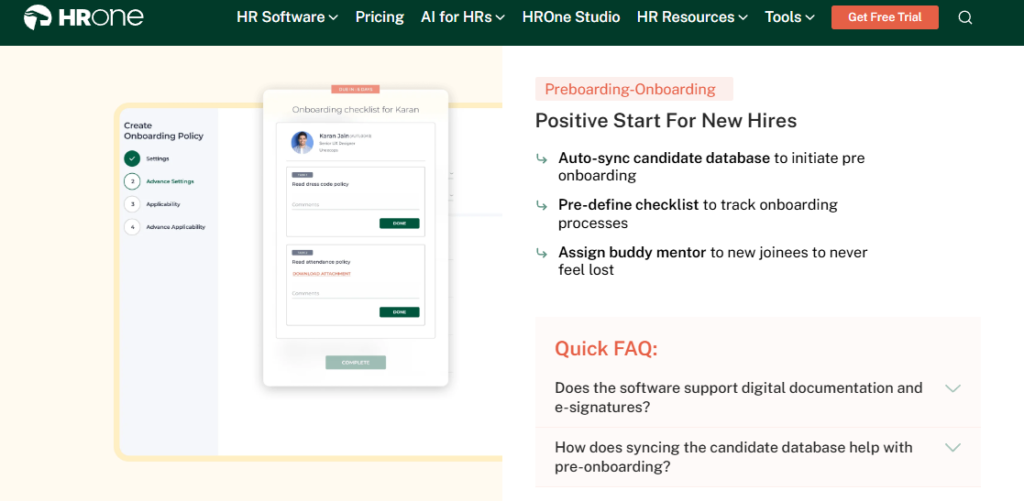
🏢 Overview
HROne is a cloud-based Human Capital Management (HCM) platform founded in 2016 and headquartered in Noida, India. It serves mid-market and enterprise organizations, typically 100 to 5,000 employees, across IT/ITeS, BFSI, manufacturing, logistics, and healthcare. HROne ranks 3rd out of roughly 1.17 lakh products on G2 for customer satisfaction, and it runs live across 1,500-plus brands, including MR DIY India and Asia Healthcare Holdings. It’s built for teams escaping spreadsheet-based attendance and payroll.
⚙️ Core Services
The platform ships 30-plus modules and 127 pre-built hire-to-retire workflows, so the breadth is visible on day one. Each capability below removes a specific manual pain:
- Time Office (Attendance), captures geo-fenced, geo-tagged, and live-photo punches with real-time biometric sync, ending buddy punching and manual field tracking through attendance management.
- Offline Attendance, records attendance in low or no-connectivity areas and auto-syncs on reconnection, so field staff are never wrongly marked absent.
- Dual/Single Punch Policies, lets you define, per user, whether dual punches or one punch is enough, matching India’s messy shift reality.
- Payroll Engine, automates PF, ESI, and TDS with group payout validations, cutting month-end reconciliation errors and salary delays.
- Super Inbox, surfaces every pending task and approval in one Gmail-like view that closes within three clicks, removing tab-switching across tools via the HR inbox.
- ROI Dashboard, India’s first inbuilt dashboard that calculates lifetime hours saved against average HR salary, giving CHROs a rupee figure for the board.
🇮🇳 India-Specific Compliance & Localization
- PF/ESI/TDS: Yes (automated calculation, filing, and challan generation).
- Labour law compliance: Strong (built for Indian statutory rules, PT and LWF slabs).
- Payroll localization: Yes (CTC revisions, FBP declarations, arrears).
- Multi-state compliance: Yes (multi-legal-entity and location-wise policy support).
✅ Who This Is Built For
- Payroll Manager firefighting CTC-revision arrears and PF/ESI reconciliation every month-end.
- HR Ops lead manually matching biometric exports from field sites against a separate leave portal.
- CHRO who needs an ROI figure to justify HR spend to the board.
❌ Who Should Skip This
- Teams under 100 employees wanting lightweight, spreadsheet-style payroll without structured workflows.
- Companies with no significant India presence, since HROne’s payroll depth is India-tuned.
💰 Pricing Structure
- Plan Type(s): Flat PEPM subscription, modular by capability.
- Starting Price: Not publicly disclosed on a fixed rate card. Request a quote via pricing.
- Incremental Cost Drivers: Per-module additions and AI-suite add-ons; no mobile-app fee.
- Implementation Fee: Reported as bundled; subscription meters only after go-live, with no lock-in.
- Cost at 200 or 500 Employees: Not publicly disclosed. Request a quote.
🛠️ Implementation & Support Reality
- Mid-market rollouts can reach go-live in as little as 30 days, depending on module scope.
- Support runs on phone, email, and a dedicated prior-HR SPOC model, not a generic ticket queue.
- Data migration is vendor-led, with reviewers reporting ERP transfers “in fraction of hours.”
- The dedicated HR SPOC support maintains a reported 9.8 NPS.
Here’s my honest read, and I might be biased since we build HROne: the thing that actually changes a field team’s week isn’t any single feature. It’s whether attendance data flows straight into payroll without a human retyping it. That’s the difference between a database and an operating system. Two verified reviews capture both the win and the rough edge.
“The GPS-based login and logout with pinpoint accuracy helps me track my on-field employees’ status, like where they are currently, to resolve customer service issues. I also found the initial setup very easy.”
Krunal S., HROne User HROne G2 Verified Review
“Mobile application don’t work properly while capturing live location. Geofencing radius not work properly. Engage module limited to hardly 3 reports.”
Manna S., HROne User HROne G2 Verified Review
1.2 Keka
Keka, polished, UI-first HRMS for SMB-to-mid teams prioritizing core payroll simplicity.
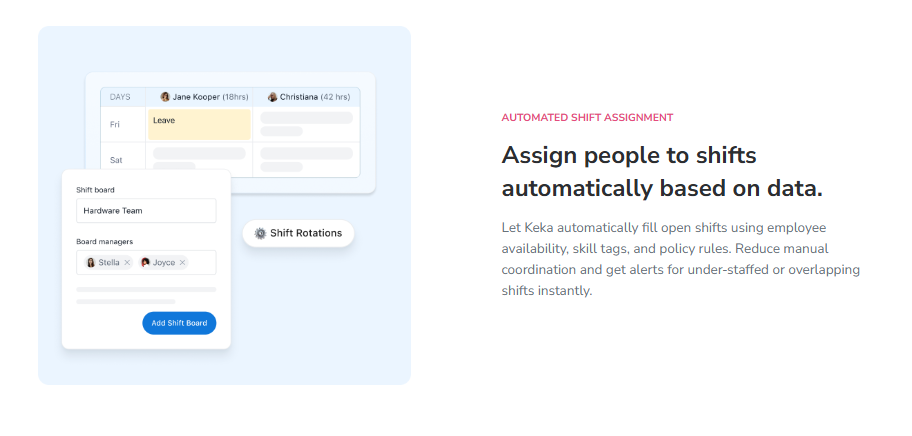
🏢 Overview
Keka is an India-based HRMS founded in 2015, known for a clean, modern interface across payroll, attendance, and performance. It’s widely adopted by small and mid-sized teams that want a friendly employee experience without heavy configuration. Reviewers consistently praise its usability, but the same reviews flag support and implementation as recurring weak spots for larger or shift-based operations. It’s primarily used by teams wanting straightforward payroll automation with a good-looking mobile app.
⚙️ Core Services
- Payroll & Compliance, automates salary, PF, ESI, and TDS with statutory payslips, reducing manual tax computation at month-end.
- Attendance & Shifts, tracks time and shift processing, though without HROne’s field-specific geo and offline depth.
- Mobile App, offers on-the-go leave and attendance access, cited as a valuable addition by reviewers.
- Keka Hiro (Hiring), automates offer-letter workflows and hiring approvals, cutting recruitment paperwork.
- Document Management, generates HR documents digitally, which reviewers say significantly reduced paperwork.
🇮🇳 India-Specific Compliance & Localization
- PF/ESI/TDS: Yes (automated salary and statutory processing).
- Labour law compliance: Moderate (solid core payroll; some users report RBI-regulation processing blocks).
- Payroll localization: Yes, though reviewers note CTC and incentive handling can distort figures.
- Multi-state compliance: Partial (zone-level gaps reported by some users).
✅ Who This Is Built For
- HR generalist at a services firm wanting a clean, low-training interface for everyday leave and payroll.
- Payroll admin needing automated PF, ESI, and TDS without deep configuration work.
❌ Who Should Skip This
- IT consulting or shift-heavy firms needing location-specific customization, which reviewers say Keka struggles with.
- Teams migrating on a tight timeline, given repeated reports of slow, understaffed implementation. Buyers weighing a move often compare HROne vs Keka before signing.
💰 Pricing Structure
- Plan Type(s): Tiered per-employee/month plans (Foundation, Strength, Growth ranges as Keka publishes them).
- Starting Price: Not publicly disclosed at a fixed rate here. Request a quote from Keka’s pricing page.
- Incremental Cost Drivers: Module upgrades across payroll, performance, and hiring.
- Implementation Fee: Varies. Confirm with the vendor.
- Cost at 200 or 500 Employees: Not publicly disclosed. Request a quote.
🛠️ Implementation & Support Reality
- Go-live timelines are a common complaint, with one reviewer reporting six months without full setup.
- Support runs largely through chat and email threads, with reported gaps on weekends.
- Data migration is vendor-assisted but flagged as inconsistent by some users.
- No public NPS figure; G2 satisfaction sits well below HROne’s 3rd-place ranking.
My take, and here’s where I’ll hedge: Keka genuinely wins on first impression. The UI is clean, and for a 100-person services team, that polish matters. But for shift and field work, the reviews surface a pattern worth watching, support responsiveness and location-level customization, both of which get harder as headcount and complexity grow. Teams outgrowing it often explore Keka alternatives in India.
“The UI of Keka is very intuitive and easy to navigate. [But] I have been a Keka user since 2021, and the service is decreasing day by day… TAT on customer request on features is bad. Keka is not built to service IT consulting firms.”
Verified User in Consulting Keka G2 Verified Review
“Strong payroll and compliance, automate salary and attendance processing with PF/ESI/TDS. Responsive support team. [But] user access is difficult for employees who do not have an email ID.”
Kiran B., Keka User Keka G2 Verified Review
1.3 Darwinbox
Darwinbox, enterprise-brand HCM with broad modules, best when brand weight outranks daily task speed.
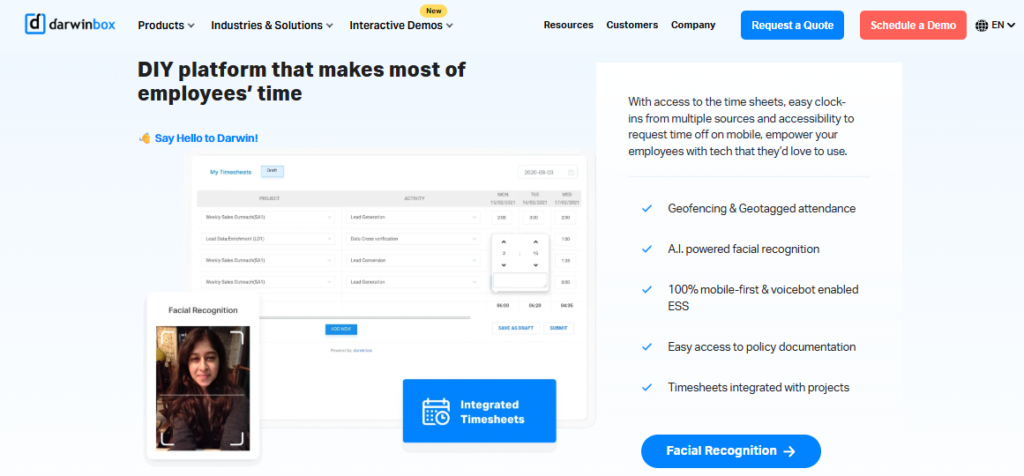
🏢 Overview
Darwinbox is a cloud HCM platform popular with large Indian and Asian enterprises for its wide module coverage and recognizable brand. Reviewers value the unified platform and mobile app, which bring attendance, payroll, and performance into one place. That said, the same G2 reviews flag slow load times, inconsistent integrations, and support that can feel thin during migration. It’s primarily used by big teams replacing a mix of Excel sheets and legacy tools with one system of record.
⚙️ Core Services
- Unified HR Platform, combines attendance, leave, payroll, and performance in one login, reducing tool-switching for routine tasks.
- Mobile App, enables quick leave, attendance, and payslip actions on the go, cited by reviewers as intuitive.
- Configurable Workflows, lets teams adapt processes without heavy technical work, per user feedback.
- Performance and Recruitment Modules, cover reviews and hiring, though reviewers note they need training to use well.
- Employee Directory and Org Structure, gives a single view of reporting lines and employee records.
🇮🇳 India-Specific Compliance & Localization
- PF/ESI/TDS: Yes (handled within its payroll module).
- Labour law compliance: Strong (built for Indian enterprise payroll).
- Payroll localization: Yes (India-focused statutory handling).
- Multi-state compliance: Yes (enterprise multi-location support).
✅ Who This Is Built For
- CHRO at a 2,000-plus enterprise wanting one recognizable brand across all HR modules.
- HR Ops lead replacing a patchwork of Excel sheets and legacy trackers with one platform.
❌ Who Should Skip This
- Lean mid-market teams needing fast, three-click daily task closure without tab-switching, a gap HROne’s HR inbox is built to close.
- Buyers avoiding multi-year lock-ins or day-one billing before go-live.
💰 Pricing Structure
- Plan Type(s): Quote-based enterprise contracts.
- Starting Price: Not publicly disclosed. Request a quote.
- Incremental Cost Drivers: Module scope, entity count, and contract term.
- Implementation Fee: Not publicly disclosed. Confirm with the vendor.
- Cost at 200 or 500 Employees: Not publicly disclosed. Request a quote.
🛠️ Implementation & Support Reality
- Go-live is enterprise-scale and can be lengthy; reviewers report transition difficulty from older systems.
- Support is ticket-based, with mixed reviews on responsiveness.
- Data migration is vendor-led.
- No public NPS figure available.
Here’s my honest read: Darwinbox earns its enterprise reputation on breadth, and that’s real. But breadth is not the same as flow. The reviews below show the recurring tension, one unified platform that users still find slow, and a support experience that doesn’t always match the brand. Teams weighing this trade-off often compare HROne vs Darwinbox before deciding.
“Darwinbox has made HR processes much smoother by bringing everything together on one platform. [But] pages sometimes load slowly. Limited customization in reports. Sync with other systems can be inconsistent.”
Saksham A., Darwinbox User Darwinbox G2 Verified Review
“Transitioning from the old system to Darwinbox is quite difficult. User interface of Darwinbox is very outdated. Darwinbox Support team is not supportive.”
Ankush B., Darwinbox User Darwinbox G2 Verified Review
1.4 greytHR
greytHR, budget-friendly SMB payroll tool, best for smaller teams with simple compliance needs.

🏢 Overview
greytHR is a long-established Indian HR and payroll platform aimed at small and mid-sized businesses. Its core strength is straightforward payroll, payslips, and tax filing at an accessible price point. However, G2 reviewers repeatedly cite rigid customization, weak support, and a mobile app that lags behind the web version. It’s primarily used by SMB teams wanting basic, affordable payroll and leave management rather than deep shift or field capability.
⚙️ Core Services
- Payroll and Payslips, automates monthly salary and payslip generation, reducing manual calculation for small teams.
- Tax and Compliance Filing, handles TDS and statutory filing, though reviewers report TDS-revision gaps.
- Leave and Holiday Management, tracks leave balances and holidays in one place.
- Employee Self-Service, lets staff access payslips and apply for leave without going through HR.
- Attendance Monitoring, covers daily attendance across locations, with weaker field tracking.
🇮🇳 India-Specific Compliance & Localization
- PF/ESI/TDS: Yes (core payroll strength).
- Labour law compliance: Moderate (reviewers note customization limits).
- Payroll localization: Yes (India-focused).
- Multi-state compliance: Partial (leave and policy gaps reported).
✅ Who This Is Built For
- SMB payroll admin needing affordable, reliable monthly payslips and tax filing.
- Small HR team managing leave and holidays for a single-location workforce.
❌ Who Should Skip This
- Multi-legal-entity or shift-based manufacturing teams needing flexible configuration, better served by dedicated manufacturing HR.
- Managers who need to mark leave for direct reports, which reviewers say greytHR restricts.
💰 Pricing Structure
- Plan Type(s): Tiered per-employee/month with a freemium entry tier.
- Starting Price: Free tier for very small teams; paid tiers by module. Confirm current rates on the vendor page.
- Incremental Cost Drivers: Module upgrades and add-ons.
- Implementation Fee: Not publicly disclosed. Confirm with the vendor.
- Cost at 200 or 500 Employees: Not publicly disclosed. Request a quote.
🛠️ Implementation & Support Reality
- Setup is self-serve to partner-assisted; reviewers report config gaps around leave balances.
- Support is ticket plus callback, but reviewers describe it as under-trained and slow.
- Data migration is largely self-serve.
- No public NPS figure available.
My take, and I’ll be fair here: for a 40-person company that just needs clean payslips, greytHR does the job at a price that respects a tight budget. The trouble starts when complexity arrives. The reviews below capture that ceiling, decent core payroll, but a support and customization wall the moment your rules get specific. Growing teams often explore greytHR alternatives in India at that point.
“It is helping with payroll and payslips. [But] greytHR is not much good at customizing based on our requirements… Many times we were manually correcting the leave balance of employees.”
Verified User in IT & Services greytHR G2 Verified Review
“The user interface is decent and works smoothly. [But] extremely poor customer support… Managers can’t mark leaves on behalf of their direct reports, unlike other HR tools.”
Verified User in IT & Services greytHR G2 Verified Review
1.5 Zoho People
Zoho People, ecosystem-native HR tool, best for teams already committed to the Zoho suite.
🏢 Overview
Zoho People is the HR module within the broader Zoho business suite, built for teams that already run on Zoho apps. Its biggest draw is tight integration with Zoho Recruit and Zoho Payroll, which streamlines hiring and monthly payroll. Reviewers value the affordable, digital leave and attendance management, but flag slow support, shallow feature depth, and a limited mobile app. It’s primarily used by teams wanting a low-cost generalist HR tool inside an existing Zoho environment.
⚙️ Core Services
- Attendance and Leave Management, digitizes requests with direct manager approvals, cutting email coordination.
- Onboarding, lets candidates enter their own data, which one reviewer says completes onboarding within a day.
- Zoho Ecosystem Integration, connects to Zoho Recruit and Zoho Payroll for end-to-end flow.
- Holiday Sharing, publishes holiday lists to all employees in one view.
- Time Logging and Timesheets, tracks hours, though reviewers report a slow logging process.
🇮🇳 India-Specific Compliance & Localization
- PF/ESI/TDS: Partial (via Zoho Payroll integration).
- Labour law compliance: Moderate (global generalist, lighter India depth).
- Payroll localization: Partial (weaker CTC and FBP handling).
- Multi-state compliance: Partial.
✅ Who This Is Built For
- HR generalist at a company already standardized on the Zoho app ecosystem.
- Small team wanting affordable, digital leave and attendance approvals.
❌ Who Should Skip This
- India-heavy payroll teams needing deep CTC-revision, FBP, and wage-code handling, better matched to dedicated payroll software.
- Field-first teams needing a full-featured mobile app, which reviewers say Zoho People lacks.
💰 Pricing Structure
- Plan Type(s): Tiered per-user/month plans.
- Starting Price: Low entry pricing, though one reviewer found the fit confusing to size. Confirm on the vendor page.
- Incremental Cost Drivers: Add-on Zoho apps and higher tiers.
- Implementation Fee: Not publicly disclosed.
- Cost at 200 or 500 Employees: Not publicly disclosed. Request a quote.
🛠️ Implementation & Support Reality
- Setup is self-serve with instructional videos, cited as easy by reviewers.
- Support is email-based, with multiple reviewers reporting slow responses.
- Data migration is self-serve.
- No public NPS figure available.
Here’s where I’ll hedge: if your whole company already lives in Zoho, adding Zoho People is the path of least resistance, and that counts for something. But the standard read that “integration solves everything” gets this backwards for India payroll. The reviews below show the split, easy setup and clean leave management, undercut by support and depth gaps.
“I appreciate its onboarding process… candidates can enter their own information, making the onboarding process smooth. [But] the biggest drawback has been the lack of customer support… the mobile application is quite limited.”
Dhana C., HR Professional Zoho People G2 Verified Review
“The breadth of applications and the price of it [is good]. [But] features are shallow and there is no depth in each application.”
Verified User in IT & Services Zoho People G2 Verified Review
1.6 PeopleStrong
PeopleStrong, AsiaPac enterprise HCM, best for 1,000-plus employee firms wanting regional scale.
🏢 Overview
PeopleStrong is a Gurgaon-based HCM platform focused on large enterprises across the Asia Pacific region. It holds a 4.5-star rating across 71 verified G2 reviews and serves 500-plus enterprises with 2 million-plus users. It was named Customers’ Choice in Gartner’s Voice of the Customer report for 1,000-plus employee enterprises. It’s primarily used by large, talent-focused organizations wanting a comprehensive, experience-led HCM built for regional scale rather than SMB simplicity.
⚙️ Core Services
- Core HR and Employee Experience, centralizes records and self-service across large, distributed teams.
- Payroll and Compliance, handles India and AsiaPac statutory payroll for multi-location enterprises.
- Talent and Performance, supports data-driven people decisions across the employee lifecycle.
- Recruitment, manages high-volume enterprise hiring workflows.
- Analytics, surfaces workforce insights for leadership decisions.
🇮🇳 India-Specific Compliance & Localization
- PF/ESI/TDS: Yes (enterprise payroll module).
- Labour law compliance: Strong (India and AsiaPac focus).
- Payroll localization: Yes.
- Multi-state compliance: Yes (built for multi-location enterprises).
✅ Who This Is Built For
- CHRO at a 1,000-plus employee enterprise consolidating HR across multiple AsiaPac countries.
- HR leader wanting a Gartner-recognized platform for a large, talent-focused workforce.
❌ Who Should Skip This
- Sub-500 mid-market teams that may find enterprise scope heavier than needed, and may prefer a mid-market HR software fit.
- Teams wanting fast, self-serve setup without vendor-led configuration.
💰 Pricing Structure
- Plan Type(s): Quote-based enterprise contracts.
- Starting Price: Not publicly disclosed. Request a quote.
- Incremental Cost Drivers: Module scope, country count, and user volume.
- Implementation Fee: Not publicly disclosed. Confirm with the vendor.
- Cost at 200 or 500 Employees: Not publicly disclosed. Request a quote.
🛠️ Implementation & Support Reality
- Go-live is enterprise-scale and vendor-led.
- Support is vendor-managed for enterprise accounts.
- Data migration is vendor-led.
- Rated among the Top 5 in AsiaPac on Gartner Peer Insights.
My take: PeopleStrong is genuinely strong at the top of the market, and the Gartner recognition is earned. But from what surfaces when you actually run a 300 to 800 person Indian firm, enterprise-grade scope can mean vendor-led changes for things a leaner platform lets you self-configure. That trade-off is the real decision, not the feature checklist.
1.7 ZingHR
ZingHR, AI-powered “Hire-to-Rehire” enterprise HCM, best for large brands wanting outcome-linked HR.
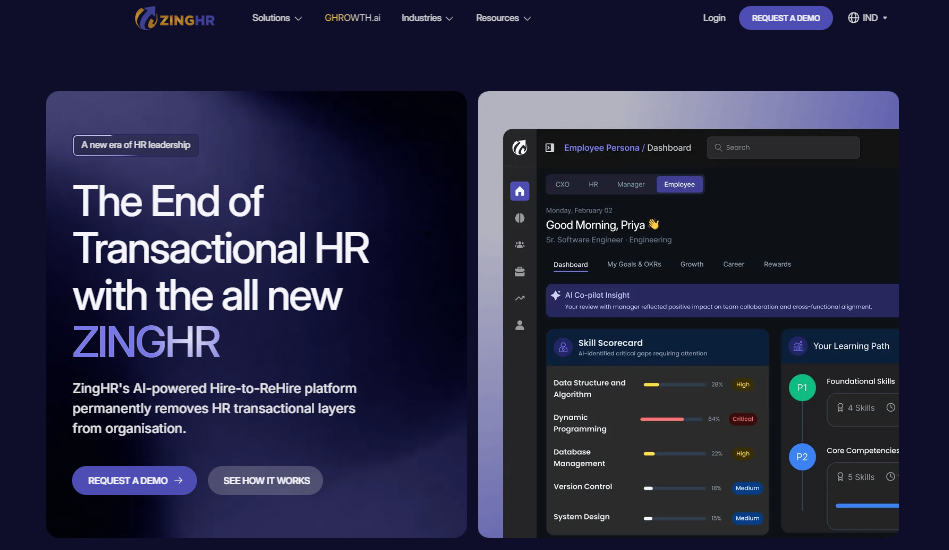
🏢 Overview
ZingHR is a Mumbai-based, cloud HCM platform built for large enterprises across a full “Hire-to-Rehire” lifecycle. It holds a 4.2-star rating across 91 verified G2 reviews and reports 1,200-plus global brands on the platform. It positions itself around driving top-line, EBITDA, and people outcomes rather than transactional HR. It’s primarily used by large enterprises wanting an integrated, AI-led platform tying HR activity to business results.
⚙️ Core Services
- Hire-to-Rehire Lifecycle, covers the full employee journey in one platform, reducing tool sprawl.
- Payroll and Compliance, manages enterprise payroll with statutory handling.
- Attendance and Workforce, tracks time and workforce across locations.
- AI-Powered Modules, applies AI across engagement and productivity workflows.
- Mobile App, gives employees access to HR and payroll data and notifications.
🇮🇳 India-Specific Compliance & Localization
- PF/ESI/TDS: Yes (enterprise payroll module).
- Labour law compliance: Strong (India enterprise focus).
- Payroll localization: Yes.
- Multi-state compliance: Yes.
✅ Who This Is Built For
- Enterprise HR leader wanting HR activity linked to business outcomes like EBITDA.
- Large brand consolidating the full hire-to-rehire lifecycle onto one AI-led platform.
❌ Who Should Skip This
- Mid-market teams wanting a lightweight, fast-to-configure system.
- Buyers needing consistently fast performance, given some reviewer reports of server lag.
💰 Pricing Structure
- Plan Type(s): Quote-based enterprise contracts.
- Starting Price: Not publicly disclosed. Request a quote.
- Incremental Cost Drivers: Module scope and user volume.
- Implementation Fee: Not publicly disclosed. Confirm with the vendor.
- Cost at 200 or 500 Employees: Not publicly disclosed. Request a quote.
🛠️ Implementation & Support Reality
- Go-live is enterprise-scale and vendor-led.
- Support is vendor-managed for enterprise accounts.
- Data migration is vendor-led.
- Listed on Gartner Peer Insights for sub-1,000 and regional enterprises.
Here’s my honest read: ZingHR’s “Hire-to-Rehire, tied to EBITDA” framing is sharp, and for a large brand that wants HR to prove business impact, it resonates. My hedge is that outcome-linked positioning only matters if the daily experience holds up. That’s exactly where mid-market buyers should reference-check performance, and weigh ZingHR alternatives, before signing.
1.8 BambooHR
BambooHR, clean US-built core HR, best for small global-facing teams, weak on India payroll.
🏢 Overview
BambooHR is a widely used, US-headquartered HR platform known for a simple interface and easy core HR for smaller teams. Its strengths are clean time-off management and an approachable employee database. However, G2 reviewers flag rising prices, slow search at scale, thin customization, and payroll integration gaps, especially outside the US. It’s primarily used by small, global-facing teams wanting simple core HR, not India-specific statutory payroll or shift and field tracking.
⚙️ Core Services
- Employee Database, stores records and custom fields in a clean interface.
- Time-Off Management, handles leave requests with single-click email approvals, cited as a strength.
- Core HR Self-Service, gives employees basic access to their information.
- Reporting, offers standard HR reports, though search slows as data grows.
- Integrations, connects to third-party tools, with some payroll gaps reported.
🇮🇳 India-Specific Compliance & Localization
- PF/ESI/TDS: No (US-built, not India-native).
- Labour law compliance: Limited (thin on Indian statutory rules).
- Payroll localization: No (India payroll not a core focus).
- Multi-state compliance: Limited.
✅ Who This Is Built For
- HR generalist at a small, US-facing team wanting simple core HR and time-off tracking.
- Team prioritizing interface simplicity over deep configuration.
❌ Who Should Skip This
- India payroll teams needing PF, ESI, TDS, and multi-state statutory compliance.
- Growing teams wary of repeated price increases and plan sunsets.
💰 Pricing Structure
- Plan Type(s): Tiered per-employee/month, with payroll as an add-on.
- Starting Price: Not publicly disclosed for India; reviewers cite price uncertainty.
- Incremental Cost Drivers: Payroll add-on and plan upgrades.
- Implementation Fee: Not publicly disclosed.
- Cost at 200 or 500 Employees: Not publicly disclosed. Request a quote.
🛠️ Implementation & Support Reality
- Setup is self-serve for core HR.
- Support runs on email and phone.
- Data migration is self-serve, with manual changes reported for larger teams.
- No public NPS figure available.
My take, and I’ll be direct: BambooHR is a lovely tool for a 30-person US startup, and I won’t pretend otherwise. But for an Indian shift or field team, the payroll and compliance gap is a dealbreaker, not a rough edge. The reviews below show both sides, clean time-off handling, undercut by pricing pressure and search that buckles at scale.
“The time off request emails are good… you can single click approve from the email itself. [But] biggest issue is how much they have increased prices and continue to do so.”
Josh A., BambooHR User BambooHR G2 Verified Review
“When searching for names it takes forever… The search either comes up blank or lags. I guess holding info for us, but it is not really a self service platform.”
Verified User in Construction BambooHR G2 Verified Review
🧭 Where This Leaves Your Shortlist
Zoom out, and a clear pattern shows up across all 8 tools. The SMB payroll tools (greytHR, Zoho People, BambooHR) win on price and simplicity but hit a wall on shift, field, and India-compliance depth. The enterprise suites (Darwinbox, PeopleStrong, ZingHR) win on breadth but often mean vendor-led changes, longer go-lives, and day-one billing.
For a 100 to 5,000 employee Indian team with field and shift workers, the deciding question isn’t “which has the most modules.” It’s “which one turns attendance data into action without a human retyping it into payroll.” That’s the gap HROne is built to close, with offline geo-fenced time tracking flowing into India-compliant payroll, a Super Inbox that closes tasks in three clicks, and an ROI Dashboard that hands the CHRO a rupee figure for the board. Every module connects, so HR stops being a backlog to process and starts compounding. You can size the savings yourself with the ROI calculator.
Q2. How Did We Score These Tools, and What Should Setup Really Cost You?
We scored each tool across five weighted criteria: Field & Shift Intelligence (30%), Payroll & Compliance Integration (25%), Setup & Usability (20%), User Reviews (15%), and Pricing Transparency (10%). Tools scoring 81 to 100 earn 5 stars, 61 to 80 earn 4, and so on down. Setup should be honest too. Core time-office and payroll can go live in weeks, but full HR maturity is a longer build. Watch for hefty implementation fees and email-thread-only support.
🧮 Why These Five Weights
The weighting isn’t random. I’ve long believed you should design HR for equity, not equality, meaning you weight what actually matters for the reader, not what’s easy to measure. For a shift and field audience, that means field intelligence leads.
Here’s the logic behind each weight, tied to a real pain:
- Field & Shift Intelligence (30%): because a lost field punch breaks payroll before month-end even starts.
- Payroll & Compliance Integration (25%): because wrong paydays trigger grievances and PF, ESI, and TDS errors, the kind dedicated payroll software is built to prevent.
- Setup & Usability (20%): because a tool nobody adopts is dead weight.
- User Reviews (15%): because verified G2 feedback surfaces the pain the sales deck hides.
- Pricing Transparency (10%): because surprise fees wreck a finite budget.
⭐ How the Star Bands Work
The score-to-star mapping is deliberately simple, so you can replicate it in your own RFP (request for proposal) shortlist.
| Weighted Score | Star Rating | Read As |
|---|---|---|
| 81 to 100 | ⭐⭐⭐⭐⭐ | Strong fit for shift and field teams |
| 61 to 80 | ⭐⭐⭐⭐ | Solid, with known gaps |
| 41 to 60 | ⭐⭐⭐ | Works for narrower use cases |
| Below 41 | ⭐⭐ | Proceed with caution |
In our scoring, HROne lands in the 5-star band, largely on field intelligence and India-tuned payroll, with a dedicated HR SPOC (single point of contact) at a reported 9.8 NPS.
⏰ What Setup Actually Costs (The Honest Part)
Here’s where the category lies to you, and I’ll be blunt. A vendor can go live on core time-office and payroll in weeks, but “full HR maturity” is often a multi-year build. I’ve heard buyers quoted 36-month scopes.
The money trap is real too. Some platforms charge implementation fees in the 20,000 to 30,000 dollar range for teams “just trying to get into their first system.” Then support turns out to be “only email threads available,” which leaves you stuck mid-migration.
That’s exactly the gap HROne’s model targets: flat per-employee-per-month (PEPM) pricing, subscription that meters only after go-live, no lock-in, and a prior-HR SPOC instead of a checklist-reading project manager. I’ll disclose the obvious conflict, we publish HROne, but the same five criteria were applied to every tool uniformly. You can preview the numbers with the ROI calculator.
“I love HROne for its cost efficiency and holistic approach… The initial setup process was smooth, thanks to the supportive team. [But] sometimes customization takes a really long time and discussion.”
Priyanka S., HROne User HROne G2 Verified Review
“Intuitive and supportive, but onboarding can feel overwhelming for new users… Certain features take time to understand, and without enough guided support, the learning curve can feel quite steep.”
Nijanthan R., HROne User HROne G2 Verified Review
Q3. Which Field-Verification & Offline Attendance Features Actually Stop Buddy Punching?
The features that stop buddy punching are geo-tagging, geo-fencing, live-photo attendance, and offline capture. Geo-fencing auto-marks attendance only inside an assigned work zone. Geo-tagging stamps each punch’s exact location. Live-photo attendance ends proxy attendance with a face at clock-in. Offline capture lets field staff mark attendance in no-connectivity zones, syncing automatically on reconnection. Together, they turn “trust me, I was there” into verifiable, audit-ready records.
📍 Geo-Fencing: A Virtual Boundary Around Work
Think of geo-fencing as a digital fence drawn around a job site. When an employee’s phone enters that zone, the app can clock them in. When they leave, it clocks them out.
This isn’t a buzzword; it’s patented mechanics. A granted patent (US9020848B1) describes exactly this: retrieving a work schedule and using geofencing with a mobile device to clock employees in and out when they enter a defined work zone. So a sales rep at a client site gets marked present only when they actually reach it, a core piece of modern attendance management.
📸 Live-Photo Attendance: A Face at Clock-In
Geo-fencing proves the phone was there. Live-photo attendance proves the person was there. The app captures a live selfie at punch-in, so a colleague can’t punch in on your behalf.
HROne ships this specifically to end buddy punching and proxy attendance, where one worker clocks in for an absent teammate. For a factory or field team, that’s the difference between paying for hours worked and paying for hours claimed. It matters most for field employees and blue-collar teams.
📥 Offline Capture: Attendance With No Signal
Here’s the feature most cloud-only tools quietly skip. Field staff often work in low or no-connectivity zones, a warehouse basement, a rural site, a highway project.
Offline capture records the timestamp and location locally, then auto-syncs the moment the device reconnects. So the punch is never lost, and nobody retypes it later. One HROne reviewer flagged the trade-off honestly, that live-location capture can lag on a weak connection, which is worth testing on your own sites through the mobile HR app.
✅ Why This Is a Compliance Asset, Not Just Payroll
Here’s the part the category gets backwards. Most teams treat attendance data as a payroll input. From what surfaces when you actually run audits, it’s also your wage-and-hour defense.
Geo-tagged, photo-verified, timestamped records are evidence. If a dispute arises over hours or location, you have proof, not a spreadsheet someone edited. Your Monday action: on your next demo, ask the vendor to show all four features live, on a phone, with the WiFi switched off.
“My most liked feature is the GPS-based login and logout with pinpoint accuracy. It helps me track my on-field employees’ status, like where they are currently.”
Krunal S., HROne User HROne G2 Verified Review
“Marking attendance with geofencing is extremely smooth and accurate. [But] sometimes the mobile app takes a bit longer to load, especially when the internet connectivity is low.”
Priti D., HROne User HROne G2 Verified Review
Q4. How Should a WFM System Handle India’s Shift Rules, Overtime & Compliance?
A workforce management (WFM) system must handle India’s shift rules through configuration, not rigid templates. For some roles, dual punches are needed. For others, a single punch is enough for the day. Add flexible rosters, shift swaps, week-offs, and overtime and break rules under the Code on Wages, EPFO, and state Shops & Establishments Acts, and any “one-size” scheduler breaks instantly. Research shows flexible, preference-based shifts also cut over- and under-staffing.
🔄 Punch Rules Are the Real India Test
Here’s a detail the glossy demos skip: not every worker punches the same way. A factory operator on two shifts may need dual punches, in and out. A field sales rep may need just one punch for the day.
A rigid system forces one rule on everyone, then HR patches the mess by hand. HROne lets you define dual or single punch per role, plus rosters, shift swaps, and week-offs, so the config matches the messy reality instead of fighting it, a hallmark of purpose-built workforce management.
💰 Overtime and Statutory Rules Vary by State
Overtime isn’t one number in India. It’s shaped by the Code on Wages, EPFO and ESIC contributions, and state-specific Shops & Establishments Acts, which set different limits and break rules.
A WFM tool has to encode these rules, not leave them to a payroll admin’s memory. Here’s how the config choice plays out:
| Scenario | Rigid Template | Configurable Rule Engine |
|---|---|---|
| Dual vs single punch | One rule for all | Set per role |
| State-wise overtime | Manual correction | Encoded by location |
| Shift swap request | Email to HR | Self-service workflow |
When the rule engine is configurable, month-end stops being a firefight. Multi-location teams often pair this with multi-state payroll compliance.
📊 The Research Backs Flexible Scheduling
This isn’t just an ops preference. Workforce scheduling is a genuinely hard optimization problem, and academic work confirms it’s NP-hard, meaning there’s no simple shortcut to a perfect roster.
More useful for HR: recent research shows that flexible, preference-based scheduling, letting workers express when they want to work, reduces both over- and under-staffing. So capturing preferences isn’t a nice-to-have; it’s a coverage and retention lever. Your Monday action: pull your last three months of overtime data, and check whether your current tool encodes state-wise rules or leaves them to manual correction, exactly what statutory compliance software is meant to handle.
I’ll hedge one claim I’ve earned the right to make. Every India WFM buyer I’ve worked with underestimates the “nitty gritties” of punch and overtime rules until month-end breaks. That’s the true test of an India-ready system, and it’s exactly where HROne’s configurable time tracking module is built to hold up.
Q5. What Self-Service & Manager Features Keep Distributed Teams Autonomous?
Distributed teams stay autonomous through mobile-first self-service, manager dashboards, shadow admin access, and scheduled analytics pushes. Field staff manage leave and attendance from their phones. Managers act on behalf of teammates who lack device access. Scheduled reports auto-email to manager IDs, so HR stops chasing field data. Global search reaches any action in a fraction of seconds, instead of four clicks. Autonomy replaces micromanagement.
📱 Start With Mobile Self-Service and Shadow Access
The first move is putting basic HR in the employee’s pocket. Field staff should apply for leave, mark attendance, and pull payslips without pinging HR.
But here’s the ground reality the category ignores: not every worker has app access. A shop-floor operator may share a device. That’s where shadow admin access matters, giving a manager the ability to perform actions on behalf of their teammates who lack their own login. Purpose-built manager solutions make this a standard workflow. To enable it: assign the manager rights, then let them act for the team member directly.
⏰ Push Analytics Instead of Chasing Them
Here’s a tactic I’ve earned the right to recommend. Stop asking field managers for weekly numbers. Instead, schedule the report to auto-send.
In HROne, you can schedule these emails to trigger to specific mail IDs on a set timeline. So the attendance summary lands in the manager’s inbox every Monday at 9 AM, no follow-up needed. The mechanic is simple; the outcome is HR reclaiming hours it used to spend nagging, the kind of gain a modern HR inbox is built to deliver.
🔍 Global Search Beats “Four Clicks”
Most tools bury actions four menus deep. The standard read says “clean UI” solves this. It doesn’t; navigation depth does.
HROne’s global search reaches any action in a fraction of seconds, so you type what you want and, voila, you’re there. Your Monday action: enable three things, mobile self-service through the mobile HR app, scheduled report pushes, and shadow access for your field managers. One reviewer captures why this matters for a lead running a small team remotely.
“Having the entire visibility at one place makes it easy for me to lead my team of three members effectively and make informed decisions.”
Naman G., HROne User HROne G2 Verified Review
“From my point of view, employees can apply for leave, check their balances, and view key information without having to ping HR. [But] some screens require extra clicks to get things done.”
Rahul C., HROne User HROne G2 Verified Review
Q6. Why Do Point Tools Fail Where a Full-Suite HCM Wins?
Point tools fail because attendance data that can’t reach payroll, GL (general ledger) codes, and analytics is just data. When floor operations need job-costing codes 30 layers deep and systems can’t bridge, you’re not even able to export the data to make it meaningful. A full-suite HCM, core HR, time office, payroll, and analytics on one base with open APIs, turns attendance into decisions. That’s why buyers get real ROI only from complete HR software they can turn on module by module.
🧱 The Bridging Failure Nobody Warns You About
Here’s the trap. You buy a great attendance tool. It captures punches beautifully. Then payroll needs those punches mapped to job-costing codes, sometimes 30 layers deep for floor operations.
The attendance system can’t bridge to payroll. Worse, it can’t even export the data in a usable shape. I’ve watched this exact scenario play out, where the softwares simply could not talk to each other, and month-end became a manual reconciliation nightmare. The fix is real integrations across one data spine.
❌ The “ATS-Only” Mistake
A lot of buyers start with just an applicant tracking system (ATS), the tool for managing hiring. My honest opinion, and I hold it firmly: ATS-only is usually a mistake for a 100 to 5,000 person firm.
You get the best return-on-investment (ROI) from complete HR software, not a single slice. But here’s the nuance, don’t buy the whole hog if you won’t eat the whole hog. The smart path is a full-suite base where you turn on only what you need, when you need it, the way an employee management system should scale.
✅ Why the “Bread and Butter” Wins
The core of any real WFM (workforce management) system is core HR, workforce, time office, and payroll working as one. When they share one data spine, attendance flows straight into payroll.
That’s the HROne design: a full-suite base with open APIs, where roughly 90 to 95 percent of calculations are automated, and modules switch on as you scale through payroll software. One reviewer describes the opposite experience with a point-tool mindset.
“Because of Darwinbox, we don’t have to use different tools for any purpose. [But] limited customization in reports. Sync with other systems can be inconsistent.”
Saksham A., Darwinbox User Darwinbox G2 Verified Review
“Its user-friendly interface and automation simplify HR tasks. [But] integration with certain systems can be challenging, and customer support response times vary.”
Gunjan M., Keka User Keka G2 Verified Review
Q7. How Do Analytics, Forecasting & an ROI Dashboard Prove WFM Pays Off?
You prove WFM pays off through analytics, forecasting, and a built-in ROI (return-on-investment) dashboard. Real-time, role-based dashboards turn reporting from days into a click. Forecasting and capacity planning connect headcount to budgets before you overstaff. An ROI dashboard measures hours reclaimed and payroll errors eliminated. Most competitors give no built-in way to track this. HROne’s inbuilt ROI Dashboard, India’s first, turns a purchase into a CFO-ready business case.
📊 Before: Reports That Took Days
Here’s the “before” most HR teams live in. Someone asks the CHRO for the latest attrition or headcount numbers. The team then spends a couple of days pulling and stitching spreadsheets.
The “after” is different. Real-time, role-based dashboards mean HR, finance, and leaders each see their own view. Reports that used to take days now arrive in a click. That single shift hands hours back to the team every week, which is why HR analytics tools matter.
📈 Forecasting Connects People to Budgets
Analytics tells you what happened. Forecasting tells you what to do next. Capacity and headcount planning let you match staffing to demand before you overstaff or scramble.
This is where numbers get real. I’ve seen occupancy planning move a site from 150 percent overload down by 70 percent, simply by forecasting need against budget. That’s the bridge between a workforce management decision and a rupee figure the CFO respects.
💰 The ROI Dashboard Makes the Case
Here’s the stakes, and they’re not abstract. Payroll mistakes drive people out the door, with research suggesting nearly half of employees consider leaving after just two payroll errors.
So proving the system works isn’t vanity; it’s retention. HROne’s ROI Dashboard, India’s first inbuilt one, calculates lifetime hours saved against average HR salary, so the CHRO walks into a board review with the savings already quantified. Most competitors offer no built-in way to show this at all. You can model your own figure with the ROI calculator.
I’ll end with the question I’m genuinely sitting with. Over the next two years, I think the winning WFM buyers won’t ask “which tool has more features.” They’ll ask “which one can prove, in rupees, that it paid for itself.” So I’m curious, what are you actually tracking today to know your HR stack is working? Tell me the one number your board asks for that you still can’t pull in a click, and see how CHRO solutions close that gap.













 Secures Top Spot in
