








Q1. What Are the 10 Best Statutory Compliance Software in India for 2026 (and How We Scored Them)?
The 10 best statutory compliance software in India for 2026 are HROne, Keka, greytHR, Zoho People, Darwinbox, RazorpayX Payroll, Zimyo, PeopleStrong, ADP India, and Ramco HR. We scored each on five weighted criteria that add up to 100%: Statutory Coverage Depth (30%), Multi-State Rule Engine (25%), Filing Automation vs. Tracking (20%), Update Speed after a notification (15%), and Pricing Transparency (10%). Those scores convert into a simple 1 to 5 star rating.
Choosing statutory compliance software is a high-stakes call for any India-based team, because one missed PF or PT deadline can trigger penalties, interest, and an audit. Many HR leaders quietly worry their current “simple database” isn’t actually catching local labour-law nuance across states. For this guide, we evaluated 10 India-relevant platforms against defined, operator-grade criteria rather than brand popularity. It is written first for the payroll manager and HR ops lead running monthly cycles, with the CHRO, CFO, and IT Director reading over their shoulder. You can size the impact for your team using the ROI calculator.
⭐ The 10 Best, at a Glance
- 1.1 HROne , Best for Indian mid-market and enterprise (100 to 5,000) needing native multi-state statutory depth plus fast rule updates (5 stars)
- 1.2 Keka Best for payroll-led mid-market wanting clean UX (3.5 stars)
- 1.3 greytHR , Best for SME payroll and statutory basics (3 stars)
- 1.4 Zoho People Best for Zoho-ecosystem SMBs (3 stars)
- 1.5 Darwinbox Best for large-enterprise HCM (3.5 stars)
- 1.6 RazorpayX Payroll Best for startups automating PF, ESI, and TDS (3 stars)
- 1.7 ZimyoBest for value-focused mid-market (3 stars)
- 1.8 PeopleStrong Best for enterprise India-first HCM (3.5 stars)
- 1.9 ADP India Best for global firms with India payroll (3.5 stars)
- 1.10 Ramco HR Best for manufacturing and complex payroll (3.5 stars)
📊 Our Evaluation Criteria
We kept the rubric decision-grade, not a generic feature checklist. Each platform was assessed across five weighted metrics.
- Statutory Coverage Depth ⭐ (30%), how many India acts it handles natively (PF, ESI, PT, LWF, TDS, S&E, CLRA, POSH), and how deep the settings go.
- Multi-State Rule Engine 📊 (25%), whether it manages state-wise PT slabs, LWF rates, and minimum wages without manual workarounds. This is a core focus of multi-state payroll compliance.
- Filing Automation vs. Tracking ⏰ (20%), whether it truly generates challans and ECR files, or just reminds you a deadline is near.
- Update Speed ⚠️ (15%), how fast the vendor ships a rule change after a government notification.
- Pricing Transparency 💰 (10%), how clearly costs are published, since the advertised price rarely tells the whole story. Compare against transparent pricing.
⭐ Star-Band Legend
We converted each weighted total into stars so you can scan fast.
- 81 to 100: 5 stars
- 61 to 80: 4 stars
- 41 to 60: 3 stars
- 21 to 40: 2 stars
- 0 to 20: 1 star
🇮🇳 Comparison Table: All 10 Platforms
| Provider (⭐) | Best For | Standout Strength | Known Limitation | Go-Live Timeline | Support Model | Pricing Model |
|---|---|---|---|---|---|---|
| HROne ⭐⭐⭐⭐⭐ | HR ops leads drowning in multi-state PF, PT, and LWF reconciliation | Native state-slab config plus a pre-payroll error sheet you download before running salaries | Some modules have a learning curve for first-time users | As little as 30 days | Phone, email, plus prior-HR SPOC | Flat PEPM, no lock-in, billing after go-live |
| Keka ⭐⭐⭐½ | Mid-market teams wanting polished payroll UX | Strong payroll with PF, ESI, and TDS automation | Email-heavy support and slow issue escalation reported | 4 to 12 weeks | Email plus chat | Per-employee/month, tiered |
| greytHR ⭐⭐⭐ | SMBs needing dependable core payroll | Long-standing, simple payroll processing | Rigid customization, TDS revision and challan mapping gaps reported | 2 to 6 weeks | Email plus ticket | Per-employee/month, freemium tier |
| Zoho People ⭐⭐⭐ | Existing Zoho-stack SMBs | Tight integration with Zoho Payroll and Recruit | Shallow India depth, slow support reported | 2 to 4 weeks | Email plus ticket | Per-user/month |
| Darwinbox ⭐⭐⭐½ | Large enterprises standardizing HCM | Broad enterprise module suite | Tab and email juggling, slow bulk processing reported | 8 to 16 weeks | Partner plus account team | Quote-based |
| RazorpayX Payroll ⭐⭐⭐ | Startups automating first-time statutory filings | Auto PF, ESI, PT, and TDS payments for small teams | Thins out at multi-entity, multi-state scale | 1 to 2 weeks | Email plus chat | Per-employee/month, free tier |
| Zimyo ⭐⭐⭐ | Cost-conscious mid-market crossovers | Value pricing with modular HR plus payroll | Deeper compliance config still maturing | 2 to 5 weeks | Email plus chat | Per-employee/month |
| PeopleStrong ⭐⭐⭐½ | Enterprise India-first HCM buyers | India-tuned enterprise workflows | Heavier config, enterprise onboarding effort | 8 to 14 weeks | Account team plus SPOC | Quote-based |
| ADP India ⭐⭐⭐½ | Global firms needing India payroll under one roof | Managed payroll with statutory rigor | Higher cost, slower change requests | 6 to 12 weeks | Managed service | Quote-based |
| Ramco HR ⭐⭐⭐½ | Manufacturing with complex, shift-based payroll | Handles intricate pay rules and multi-country payroll | Steeper interface learning curve | 8 to 16 weeks | Account team | Quote-based |
Read the table for your own reality, not ours. If you run one state and 80 people, weight Pricing Transparency higher and a lighter tool may win. If you run 15 units across 8 states, the Multi-State and Filing columns should decide your shortlist, because that is where manual reconciliation quietly eats days every month. Our HRMS evaluation checklist can help you re-weight these criteria.
A quick note on the category itself. HRIS, HCM, and HRMS get used interchangeably until it feels like alphabet soup, but every tool here still falls into one of those buckets. What separates a real compliance engine from a “prettier portal” is whether it applies state rules and files, or just stores data.
1.1 HROne
HROne, India-first, mobile-native HCM that runs statutory compliance inside a connected hire-to-retire workflow.
📋 Overview
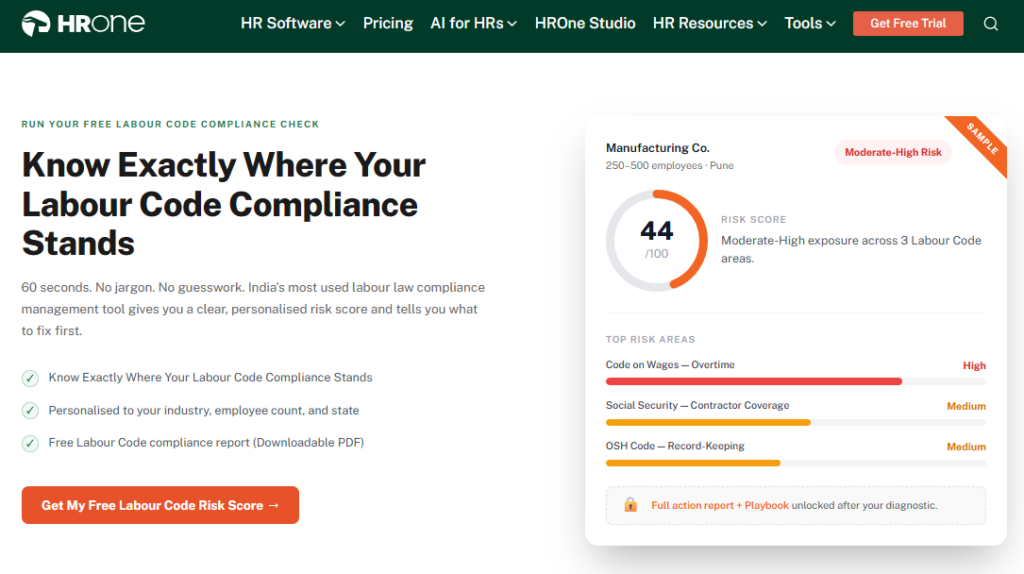
HROne is a cloud-based core HCM founded in 2016, now live across 1,500-plus brands including MR DIY India and Asia Healthcare Holdings. It is built for Indian mid-market and enterprise teams in the 100 to 5,000 employee range, across IT, BFSI, manufacturing, logistics, and healthcare. On G2, users repeatedly point to accurate PF, ESI, PT, and LWF handling as a former pain area that got solved. It is primarily used by teams struggling with multi-state statutory reconciliation and month-end payroll errors.
⚙️ Core Services
- Payroll and Statutory Engine, automates PF, ESI, TDS, PT, and LWF calculations with employee-level contribution limits, removing manual reconciliation errors at month-end. See the payroll software.
- Pre-Payroll Error Sheet, lets you download an error sheet before processing salaries, so prerequisites get fixed before payout instead of after a wrong paycheque.
- State-Slab Configuration, maintains state-wise PT and LWF slabs plus different minimum wages, handling the multi-state friction single-state tools cannot.
- Bank Challan Generation, produces challan and ECR files for PT and ESI filing as a quick, systematic step.
- Super Inbox, surfaces every pending task and approval in one Gmail-style inbox, closing routine work in about three clicks via the HR inbox.
- 30-plus modules and 127 pre-built workflows, connect onboarding through exit, so HR stops chasing managers over email.
🇮🇳 India-Specific Compliance & Localization
- PF/ESI/TDS: Yes (automated calculation, deduction, and challan generation)
- Labour law compliance: Strong (LWF and PT slab calculation built in)
- Payroll localization (India-specific): Yes (Form 16, Form 12BA, arrear handling)
- Multi-state compliance handling: Yes (state-wise slab maintenance)
👤 Who This Is Built For
- Payroll managers reconciling PF, ESI, and PT across multiple state units every month-end.
- HR ops leads manually matching biometric attendance exports to payroll inputs across systems.
- CHROs who need one connected record instead of five vendors that cannot talk to each other. See CHRO solutions.
🚫 Who Should Skip This
- Very small teams of under 25 wanting a bare, spreadsheet-style payroll without structured workflows.
- Buyers who want a fully self-serve tool and prefer no guided onboarding at all.
💰 Pricing Structure
- Plan Type(s): Flat per-employee-per-month (PEPM), modular by capability.
- Starting Price: Not publicly disclosed as a fixed rate. Request a quote, billing starts only after go-live.
- Tier-wise Breakdown: Module-based, you turn on what you need rather than buying the whole suite.
- Incremental Cost Drivers: Additional modules and AI add-ons, no billing during implementation.
- Implementation Fee: Not publicly disclosed. Request a quote.
- Cost at 200 Employees: Request a quote | Cost at 500 Employees: Request a quote.
🤝 Implementation & Support Reality
- Average go-live timeline: as little as 30 days for mid-market rollouts.
- Support channels: phone, email, and a prior-HR onboarding SPOC who knows the domain.
- Data migration model: vendor-led, with reviewers noting fast transfers from legacy ERP.
- One reviewer reported cutting routine HR queries by around 70% after go-live.
💬 Reviews
“Proper calculation of PF and ESI was a pain area for us before, but now with the HROne automated calculation process, results are up to the mark and following Indian tax compliances properly.”
– Ajay K., HROne G2 Verified Review
“Intuitive and Supportive, but Onboarding Can Feel Overwhelming for New Users… without enough guided support, the learning curve can feel quite steep.”
– Nijanthan R., 3.5/5 HROne G2 Verified Review
We rate HROne 5 stars here on evidence, not loyalty. The native state-slab configuration and the download-error-sheet-before-payroll step are exactly the two things that stop multi-state statutory mistakes before they reach an employee’s bank account. Where HROne earns its place for a 100 to 5,000 employee Indian firm is the connective tissue: statutory calculation, filing, and the workforce management workflow that triggers it all live in one system instead of five disconnected tools.
1.2 Keka
Keka, payroll-led mid-market HRMS known for clean UX and solid statutory basics.
📋 Overview
Keka is an India-based HRMS popular with mid-market teams that want a polished interface over their payroll. Users consistently praise its intuitive UI and its core payroll automation across PF, ESI, and TDS. It is primarily used by teams that want attendance and payroll in one clean portal. The recurring caution in reviews is support and implementation coordination, which several users describe as slow or hard to escalate. For a direct feature contrast, see HROne vs Keka.
⚙️ Core Services
- Payroll Engine, automates salary, PF, ESI, and TDS processing with statutory compliance on payslips.
- Attendance and Leave, ties attendance to payroll inputs to reduce manual entry.
- Statutory Compliance, generates payslips with statutory deductions and quarterly TDS returns.
- Mobile App, available for everyday employee tasks.
- Hiring (Keka Hiro), tracks requisitions and automates offer-letter workflows.
🇮🇳 India-Specific Compliance & Localization
- PF/ESI/TDS: Yes (automated calculation and payslip statutory compliance)
- Labour law compliance: Moderate (strong payroll basics, some CTC and PT display gaps reported)
- Payroll localization (India-specific): Yes (TDS quarterly returns)
- Multi-state compliance handling: Partial (location-specific config reported as harder to set up)
👤 Who This Is Built For
- Payroll managers who want automated PF, ESI, and TDS with a clean, modern interface.
- HR teams that value UI polish and a working mobile app for daily tasks.
🚫 Who Should Skip This
- IT consulting firms needing niche, location-level customization, which one long-time user said Keka is “not built to service”.
- Teams that need fast, phone-based emergency support during payroll crunch.
💰 Pricing Structure
- Plan Type(s): Tiered per-employee/month plans (Foundation and higher tiers).
- Starting Price: Not publicly disclosed at a fixed rate. Request a quote.
- Tier-wise Breakdown: Modules like payroll, performance, and hiring gate across tiers.
- Incremental Cost Drivers: Higher tiers for PMS, LMS, and hiring modules.
- Implementation Fee: Not publicly disclosed. Request a quote.
- Cost at 200 Employees: Request a quote | Cost at 500 Employees: Request a quote.
🤝 Implementation & Support Reality
- Average go-live timeline: roughly 4 to 12 weeks, though some users report longer, stalled setups.
- Support channels: email and chat, with escalation cited as a weak point.
- Data migration model: vendor-led, with mixed reviews on coordination.
💬 Reviews
“Strong payroll and compliance, automate salary and attendance processing with PF, ESI, TDS… Responsive support team. Mobile app available.”
– Kiran B., Keka G2 Verified Review
“We started working with Keka HRMS in August, and to this day, we have been unable to implement the tool… due to their consistently delayed responses and poor coordination between their internal teams.”
– Divya P., 0/5 Keka G2 Verified Review
Keka is a genuinely strong payroll-first choice, and its clean UI is a real advantage for teams tired of legacy portals. The trade-off shows up at implementation and support: when a state-specific rule or a payroll error needs urgent help, email-only threads can leave you stuck mid-cycle. This is the exact gap where HROne’s prior-HR SPOC model and phone support are designed to keep a payroll run from stalling, which is why some teams end up evaluating Keka alternatives.
1.3 greytHR
greytHR, dependable SME payroll and statutory basics for lean HR teams.
📋 Overview
greytHR is one of India’s oldest cloud HR and payroll platforms, widely used by small and mid-sized businesses. Its core strength is straightforward payroll processing and employee self-service for payslips, leave, and tax declarations. It is primarily used by SMB teams that want reliable monthly payroll without heavy configuration. The recurring theme in reviews is rigid customization and support gaps once needs get complex. For a direct feature contrast, see HROne vs greytHR.
⚙️ Core Services
- Payroll Processing, automates salary runs with statutory deductions, reducing manual payslip work for lean teams.
- Employee Self-Service, lets staff pull payslips, apply for leave, and declare taxes without pinging HR.
- Leave and Attendance, tracks leave balances and holidays in one portal.
- Tax Declaration, supports multiple tax regimes for employee-side declarations.
🇮🇳 India-Specific Compliance & Localization
- PF/ESI/TDS: Yes (core payroll statutory deductions)
- Labour law compliance: Moderate (solid basics, users report leave-balance and policy-config gaps)
- Payroll localization (India-specific): Yes (payslips, tax regimes)
- Multi-state compliance handling: Partial (rigid customization limits complex setups)
👤 Who This Is Built For
- Payroll managers at SMBs wanting predictable monthly runs without deep config.
- HR generalists who need employee self-service to cut routine payslip queries.
🚫 Who Should Skip This
- Multi-legal-entity or shift-based manufacturing teams needing flexible workflows. See HR software for multi-entity companies.
- Managers who need to mark leave on behalf of direct reports, which one user flagged as missing.
💰 Pricing Structure
- Plan Type(s): Freemium plus tiered per-employee/month plans.
- Starting Price: Free tier for very small teams, paid tiers not fixed publicly. Request a quote.
- Tier-wise Breakdown: Higher tiers unlock more modules and integrations.
- Incremental Cost Drivers: Add-on modules and higher employee bands.
- Implementation Fee: Not publicly disclosed. Request a quote.
- Cost at 200 Employees: Request a quote | Cost at 500 Employees: Request a quote.
🤝 Implementation & Support Reality
- Average go-live timeline: roughly 2 to 6 weeks for standard SMB setups.
- Support channels: email and ticket, with response quality reported as inconsistent.
- Data migration model: vendor-led, with users citing manual leave-balance corrections.
💬 Reviews
“GreytHR is fine software for payroll processing and I have been using since 10 years… Reporting configuration, TDS filing, revising of TDS is not possible. UI for mapping of challans… visibility of income considered for TDS filing.”
– Krishnanand B., 3/5 greytHR G2 Verified Review
“GreytHR is not much good at customizing based on our requirements… Many times we were manually correcting the leave balance of employees. We cannot properly implement our company policies due to the limitations of greytHR.”
– Verified User in IT, 2/5 greytHR G2 Verified Review
greytHR is a fair pick for an SMB that wants clean monthly payroll and little else. The honest gap appears the moment a firm adds multiple entities, states, or shift patterns, where rigid configuration and challan-mapping limits start showing. From what surfaces when you actually run multi-state payroll, this is where HROne’s native payroll software with state-slab maintenance and 127 pre-built workflows carries the load instead of pushing it back to manual correction.
1.4 Zoho People
Zoho People, flexible HR core for teams already living inside the Zoho ecosystem.
📋 Overview
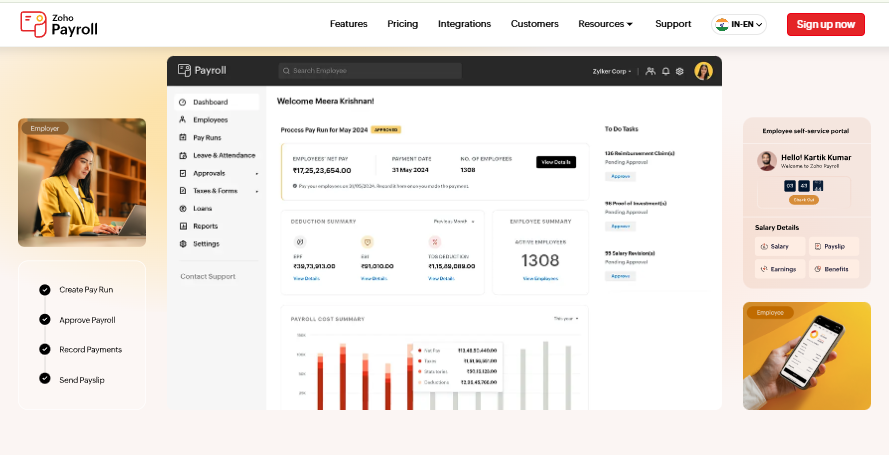
Zoho People is the HR module in Zoho’s broad business suite, favored by SMBs already using Zoho apps. Its biggest advantage is integration with Zoho Payroll and Zoho Recruit, which streamlines onboarding and monthly payroll. It is primarily used by teams wanting attendance, leave, and onboarding under one familiar vendor. Reviews consistently flag shallow feature depth and slow support as the trade-offs. For a direct comparison, see HROne vs Zoho People.
⚙️ Core Services
- Attendance and Leave, digitizes requests and approvals to cut coordination overhead.
- Onboarding, lets candidates self-enter data, closing onboarding within a day.
- Zoho Ecosystem Integration, links to Zoho Payroll and Recruit for connected hire-to-pay flows.
- Business-Unit Views, organizes employee data by unit for easier segmentation.
🇮🇳 India-Specific Compliance & Localization
- PF/ESI/TDS: Partial (handled via Zoho Payroll, not People itself)
- Labour law compliance: Moderate (depends on Payroll module coverage)
- Payroll localization (India-specific): Partial (via companion app)
- Multi-state compliance handling: Partial (limited depth reported)
👤 Who This Is Built For
- HR leads at SMBs already standardized on the Zoho suite.
- Recruiters wanting onboarding data captured by candidates, not re-keyed by HR.
🚫 Who Should Skip This
- Compliance-heavy manufacturing or BFSI teams needing deep India statutory config. See finance HR.
- Teams that rely on fast, responsive support during payroll crunch.
💰 Pricing Structure
- Plan Type(s): Tiered per-user/month plans (Essential HR and higher).
- Starting Price: Low per-user entry point, confirm current rates on Zoho’s pricing page.
- Tier-wise Breakdown: Higher tiers add performance, cases, and advanced automation.
- Incremental Cost Drivers: Zoho Payroll and Recruit as separate subscriptions.
- Implementation Fee: Not publicly disclosed. Request a quote.
- Cost at 200 Employees: Request a quote | Cost at 500 Employees: Request a quote.
🤝 Implementation & Support Reality
- Average go-live timeline: roughly 2 to 4 weeks for standard setups.
- Support channels: email and ticket, with slow responses widely reported.
- Data migration model: self-serve plus vendor assistance.
💬 Reviews
“The most important feature for me is its integration with other Zoho apps, such as Zoho Recruit and Zoho Payroll, which streamlines both the recruitment and monthly payroll processes.”
– Dhana C., 4/5 Zoho People G2 Verified Review
“Features are shallow and there is no depth in each application.”
– Verified User in IT, 2.5/5 Zoho People G2 Verified Review
Zoho People makes real sense if you already run Zoho, since the integration removes double data entry. My honest read is that statutory depth lives in the separate Payroll module, so India compliance becomes a two-product story. For a 500-person BFSI or manufacturing team, we built HROne so PF, ESI, PT, and LWF sit inside one payroll engine, not split across apps that a payroll manager has to reconcile. Compare the Zoho People alternatives if depth matters.
1.5 Darwinbox
Darwinbox, enterprise-grade HCM with broad modules and strong brand recognition.
📋 Overview
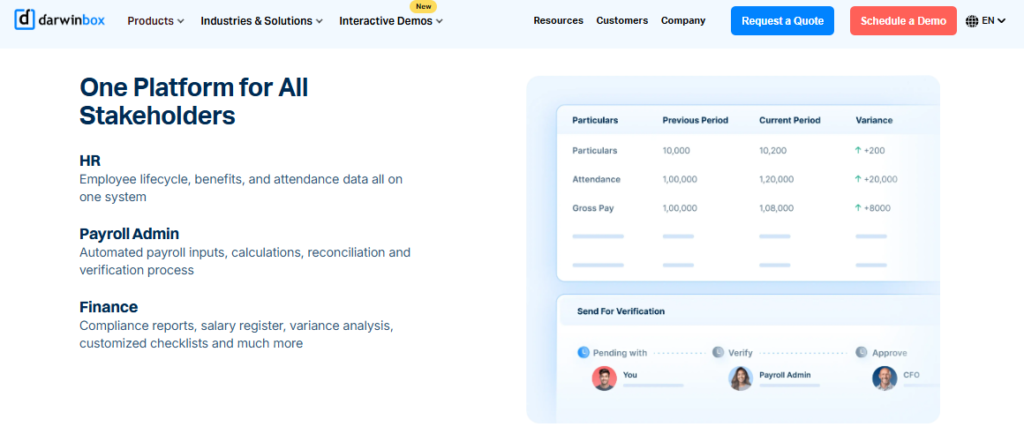
Darwinbox is a well-known enterprise HCM used by large organizations across Asia. Users praise its wide module suite and unified platform that replaces scattered tools and spreadsheets. It is primarily used by large enterprises consolidating HR onto one system. The common friction points are slow performance under bulk loads, inconsistent integrations, and mixed support experiences. For a direct comparison, see HROne vs Darwinbox.
⚙️ Core Services
- Unified HCM Suite, brings attendance, payroll, and performance onto one platform, cutting manual tracking.
- Mobile App, supports leave, attendance, and payslip access on the go.
- Configurable Workflows, adapts to internal processes without heavy technical work.
- Performance Management, structures reviews, though users note a learning curve.
🇮🇳 India-Specific Compliance & Localization
- PF/ESI/TDS: Yes (enterprise payroll coverage)
- Labour law compliance: Strong (enterprise-focused, brand-backed)
- Payroll localization (India-specific): Yes
- Multi-state compliance handling: Yes (enterprise config, heavier setup)
👤 Who This Is Built For
- Enterprise HR teams standardizing thousands of employees onto one HCM.
- Organizations wanting a recognized brand for board-level buy-in.
🚫 Who Should Skip This
- Lean mid-market teams that cannot absorb long implementations or multi-year lock-ins.
- Teams needing consistently fast support and quick config changes.
💰 Pricing Structure
- Plan Type(s): Quote-based enterprise contracts.
- Starting Price: Not publicly disclosed. Request a quote.
- Tier-wise Breakdown: Bundled by modules and headcount.
- Incremental Cost Drivers: Add-on modules, implementation, and multi-year terms.
- Implementation Fee: Not publicly disclosed, typically separate. Request a quote.
- Cost at 200 Employees: Request a quote | Cost at 500 Employees: Request a quote.
🤝 Implementation & Support Reality
- Average go-live timeline: roughly 8 to 16 weeks for enterprise rollouts.
- Support channels: account team and partners, with mixed user feedback.
- Data migration model: partner or vendor-led, users note transitions can be difficult.
💬 Reviews
“Darwinbox has made HR processes much smoother by bringing everything together on one platform. From attendance to payroll and performance tracking, it saves time and reduces manual effort.”
– Saksham A., 4/5 Darwinbox G2 Verified Review
“Bad implementation experience, bad UI UX, configurations getting broken in production on its own due to product deployments, terrible customer service.”
– Verified User in Computer Software, 0/5 Darwinbox G2 Verified Review
Darwinbox carries genuine enterprise weight, and for very large firms the brand and breadth matter. The trade-off I keep hearing is that everyday tasks still mean juggling tabs and emails, while billing often starts before implementation finishes. This is the exact gap the HR inbox targets, closing routine tasks in about three clicks, with subscription metering only after go-live so you are not paying during setup.
1.6 RazorpayX Payroll
RazorpayX Payroll, automated first-time statutory filings for startups and small teams.
📋 Overview
RazorpayX Payroll is a payroll product from the Razorpay fintech stack, aimed at startups and small businesses. Its draw is automatic PF, ESI, PT, and TDS payments that run with minimal manual effort. It is primarily used by early-stage teams filing statutory dues for the first time. Its depth thins out once a company spans multiple entities and states.
⚙️ Core Services
- Auto Statutory Payments, files PF, ESI, PT, and TDS automatically, removing manual challan work for small teams.
- Payroll Automation, runs salary disbursal with linked banking, reducing payout steps.
- Employee Self-Onboarding, captures employee details digitally to cut HR data entry.
- Compliance Reminders, flags upcoming statutory deadlines.
🇮🇳 India-Specific Compliance & Localization
- PF/ESI/TDS: Yes (automated payment and filing for small teams)
- Labour law compliance: Moderate (startup-focused basics)
- Payroll localization (India-specific): Yes
- Multi-state compliance handling: Partial (limited at scale)
👤 Who This Is Built For
- Startup founders filing PF, ESI, and TDS for the first time without an HR team. See the startup launchpad.
- Small-business owners wanting payroll and statutory payments on autopilot.
🚫 Who Should Skip This
- Mid-market and enterprise teams running multi-state, multi-entity payroll.
- HR ops leads needing deep workflow configuration beyond payroll.
💰 Pricing Structure
- Plan Type(s): Free tier plus paid per-employee/month plans.
- Starting Price: Free for small teams, paid tiers per employee. Confirm current rates on the vendor page.
- Tier-wise Breakdown: Higher tiers add compliance and integration features.
- Incremental Cost Drivers: Per-employee scaling and add-ons.
- Implementation Fee: Typically none for self-serve setup.
- Cost at 200 Employees: Request a quote | Cost at 500 Employees: Request a quote.
🤝 Implementation & Support Reality
- Average go-live timeline: roughly 1 to 2 weeks, self-serve friendly.
- Support channels: email and chat.
- Data migration model: self-serve.
RazorpayX Payroll is a smart starting point for a startup that just needs statutory dues paid on time without hiring an ops person. The honest limit is scale: once you are running units across several states with shift rules and CTC revisions, a payroll-only tool leaves the other nine HR problems on your plate. That is the point where mid-market teams tend to move to a connected core HCM like HROne, where payroll runs through an auto-scheduler with group payout validations built for zero salary delays.
1.7 Zimyo
Zimyo, cost-conscious modular HRMS for SMB-to-mid-market crossovers.
📋 Overview
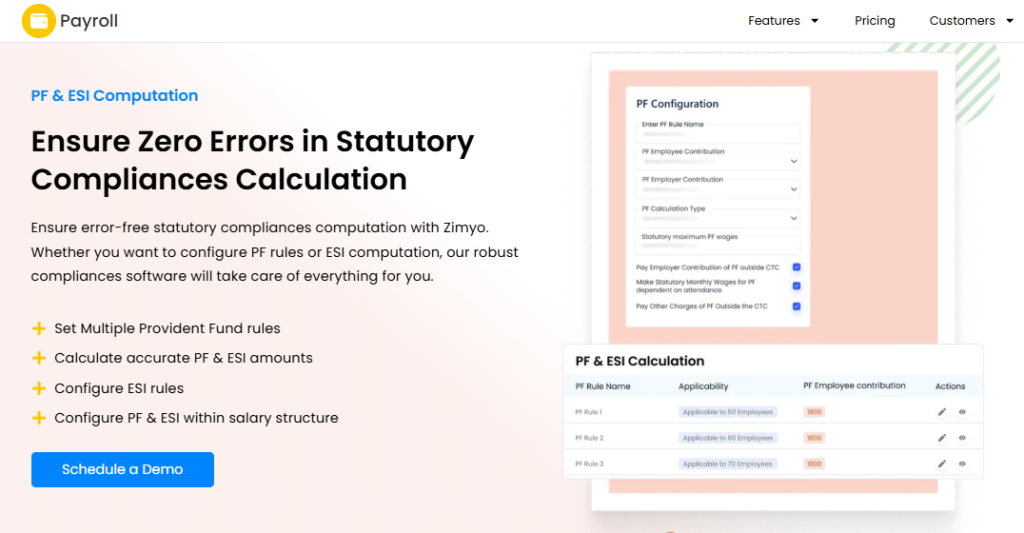
Zimyo is an India-based HRMS positioned on value pricing and modular HR plus payroll. It targets growing SMBs and lower mid-market firms wanting broad HR coverage without enterprise cost. It is primarily used by teams graduating from spreadsheets to a structured HRMS. Its deeper compliance configuration is still maturing compared with specialist payroll platforms. For a direct comparison, see HROne vs Zimyo.
⚙️ Core Services
- Payroll and Statutory, automates salary, PF, ESI, and TDS with configurable compliance logic, cutting manual reconciliation.
- Core HR, maintains employee records and org data in one place.
- Attendance and Leave, tracks punches and leave to feed payroll accurately.
- Performance Module, supports goal-setting and reviews for growing teams.
🇮🇳 India-Specific Compliance & Localization
- PF/ESI/TDS: Yes (automated payroll deductions)
- Labour law compliance: Moderate (value-tier depth)
- Payroll localization (India-specific): Yes
- Multi-state compliance handling: Partial (maturing)
👤 Who This Is Built For
- HR leads at growing SMBs replacing spreadsheets with a first structured HRMS.
- Cost-conscious mid-market teams wanting modular pricing.
🚫 Who Should Skip This
- Compliance-heavy enterprises needing deep multi-state statutory config.
- Teams requiring extensive custom workflow automation.
💰 Pricing Structure
- Plan Type(s): Tiered per-employee/month plans.
- Starting Price: Value-positioned per-employee rate, confirm on the vendor pricing page.
- Tier-wise Breakdown: Higher tiers add performance, engagement, and integrations.
- Incremental Cost Drivers: Add-on modules and headcount bands.
- Implementation Fee: Not publicly disclosed. Request a quote.
- Cost at 200 Employees: Request a quote | Cost at 500 Employees: Request a quote.
🤝 Implementation & Support Reality
- Average go-live timeline: roughly 2 to 5 weeks.
- Support channels: email and chat.
- Data migration model: vendor-assisted.
Zimyo is a reasonable value play for an SMB watching every rupee while moving off spreadsheets. My current thinking is that value pricing and deep multi-state statutory handling rarely arrive in the same package at that tier. For a 100 to 5,000 employee firm where labour-law nuance is densest, we built HROne so state-wise slab maintenance and employee-level contribution limits are native, not a later add-on. You can model the impact with the TDS calculator.
1.8 PeopleStrong
PeopleStrong, India-first enterprise HCM tuned for large, complex workforces.
📋 Overview
PeopleStrong is a long-established India-focused enterprise HCM used by large organizations across the region. It is built for enterprise-scale workforce management with India-tuned workflows. It is primarily used by big teams needing localized enterprise HR at scale. Its trade-off is heavier configuration and a meaningful enterprise onboarding effort. For a direct comparison, see HROne vs PeopleStrong.
⚙️ Core Services
- Enterprise Payroll, runs large-scale statutory payroll with India-specific compliance logic.
- Core HR and Workforce, manages complex org structures and employee lifecycles.
- Talent Modules, supports recruitment and performance for enterprise scale.
- Analytics, surfaces workforce data for leadership reporting.
🇮🇳 India-Specific Compliance & Localization
- PF/ESI/TDS: Yes (enterprise statutory payroll)
- Labour law compliance: Strong (India-first enterprise focus)
- Payroll localization (India-specific): Yes
- Multi-state compliance handling: Yes (enterprise config)
👤 Who This Is Built For
- Enterprise HR heads managing large, multi-location Indian workforces.
- Organizations wanting India-tuned enterprise HR under one platform.
🚫 Who Should Skip This
- Lean mid-market teams wanting fast, light deployment.
- Teams without bandwidth for enterprise-grade configuration.
💰 Pricing Structure
- Plan Type(s): Quote-based enterprise contracts.
- Starting Price: Not publicly disclosed. Request a quote.
- Tier-wise Breakdown: Bundled by module and headcount.
- Incremental Cost Drivers: Modules, implementation, and headcount scale.
- Implementation Fee: Not publicly disclosed, typically separate. Request a quote.
- Cost at 200 Employees: Request a quote | Cost at 500 Employees: Request a quote.
🤝 Implementation & Support Reality
- Average go-live timeline: roughly 8 to 14 weeks for enterprise rollouts.
- Support channels: account team plus SPOC.
- Data migration model: vendor or partner-led.
PeopleStrong is a credible India-first enterprise option, and its localization depth is real for very large employers. The honest question for a mid-market buyer is whether they need enterprise heft or a faster path to value. Working with mid-market HR teams, what I have felt is that a 30-day go-live with a prior-HR SPOC, which is how we run HROne onboarding, often beats a longer enterprise rollout for 100 to 5,000 employee firms.
1.9 ADP India
ADP India, managed payroll rigor for global firms running India operations.
📋 Overview
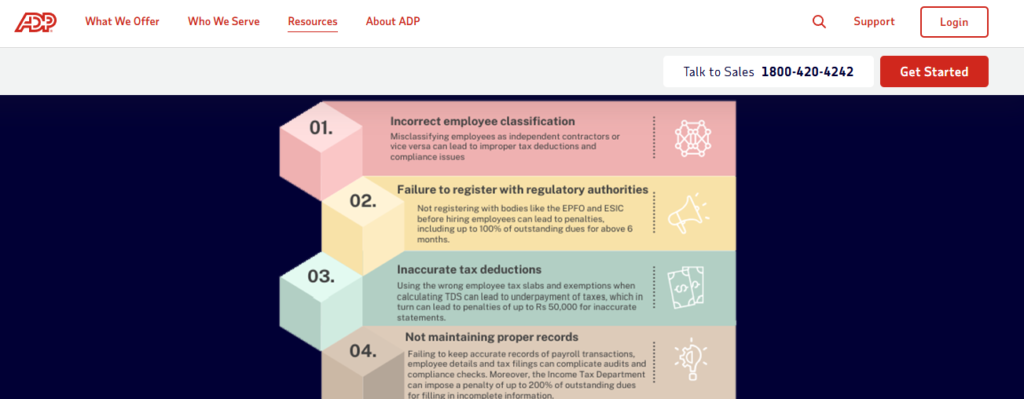
ADP is a global payroll and HR provider with a dedicated India practice. Its strength is managed payroll with strong statutory rigor for multinationals. It is primarily used by global firms wanting India payroll under a single global vendor. The common trade-offs are higher cost and slower turnaround on change requests.
⚙️ Core Services
- Managed Payroll, runs India statutory payroll (PF, ESI, PT, TDS) as a managed service, reducing in-house burden.
- Compliance Management, maintains statutory filings with audit-grade rigor.
- Global Consolidation, links India payroll to global reporting for multinationals.
- Employee Self-Service, provides payslip and tax access.
🇮🇳 India-Specific Compliance & Localization
- PF/ESI/TDS: Yes (managed statutory payroll)
- Labour law compliance: Strong (compliance-led provider)
- Payroll localization (India-specific): Yes
- Multi-state compliance handling: Yes
👤 Who This Is Built For
- Global CHROs wanting India payroll consolidated under one worldwide vendor. See CXO solutions.
- Multinationals prioritizing compliance rigor over speed of change.
🚫 Who Should Skip This
- Cost-sensitive mid-market teams wanting flat, predictable software pricing.
- Teams needing fast, self-serve config changes.
💰 Pricing Structure
- Plan Type(s): Quote-based managed-service contracts.
- Starting Price: Not publicly disclosed. Request a quote.
- Tier-wise Breakdown: Scoped by headcount and service level.
- Incremental Cost Drivers: Managed-service scope and add-ons.
- Implementation Fee: Not publicly disclosed. Request a quote.
- Cost at 200 Employees: Request a quote | Cost at 500 Employees: Request a quote.
🤝 Implementation & Support Reality
- Average go-live timeline: roughly 6 to 12 weeks.
- Support channels: managed-service model.
- Data migration model: vendor-led.
ADP India is a solid choice for a multinational that wants payroll rigor and global consolidation in one place. The trade-off is a managed-service pace, where a simple change can mean a request queue rather than a self-serve toggle. For an India-headquartered mid-market firm that wants to change a leave policy or a PT slab without waiting on a service ticket, HROne’s self-serve config and flat PEPM pricing tend to fit the operating reality better.
1.10 Ramco HR
Ramco HR, complex, rule-heavy payroll built for manufacturing and multi-country needs.
📋 Overview
Ramco is an enterprise software provider whose HR and payroll suite is known for handling intricate pay rules. It is built for manufacturing, logistics, and multi-country payroll with dense compliance logic. It is primarily used by large, shift-based or multi-geo workforces. Its trade-off is a steeper interface learning curve.
⚙️ Core Services
- Complex Payroll Engine, processes intricate, rule-heavy pay structures, reducing manual calculation for shift-based teams.
- Multi-Country Payroll, supports payroll across geographies for global operations.
- Time and Attendance, handles shift patterns and overtime rules.
- Statutory Compliance, manages India statutory dues within enterprise workflows.
🇮🇳 India-Specific Compliance & Localization
- PF/ESI/TDS: Yes (enterprise statutory payroll)
- Labour law compliance: Strong (complex-payroll focus)
- Payroll localization (India-specific): Yes
- Multi-state compliance handling: Yes
👤 Who This Is Built For
- Manufacturing payroll managers handling complex shift and overtime pay rules. See manufacturing HR.
- Multi-country operations needing one payroll engine across geographies.
🚫 Who Should Skip This
- Small and mid teams wanting a simple, quick-to-learn interface.
- Teams without dedicated payroll expertise for complex config.
💰 Pricing Structure
- Plan Type(s): Quote-based enterprise contracts.
- Starting Price: Not publicly disclosed. Request a quote.
- Tier-wise Breakdown: Scoped by modules and geographies.
- Incremental Cost Drivers: Multi-country scope and add-ons.
- Implementation Fee: Not publicly disclosed, typically separate. Request a quote.
- Cost at 200 Employees: Request a quote | Cost at 500 Employees: Request a quote.
🤝 Implementation & Support Reality
- Average go-live timeline: roughly 8 to 16 weeks.
- Support channels: account team.
- Data migration model: vendor or partner-led.
Ramco earns its place for factories and multi-geo employers with genuinely complex pay rules, where lighter tools simply break. The honest trade-off is the learning curve, which asks for dedicated payroll expertise to run well. For an Indian manufacturer in the 100 to 5,000 range that wants complex attendance and statutory handling without a steep ramp, HROne pairs shift-based attendance management with a mobile-first, three-click Super Inbox so the floor team is not fighting the interface.
Q2. What Exactly Is Statutory Compliance Software, and What Does Getting It Wrong Cost You?
Statutory compliance software automates the calculation, tracking, and filing of India’s mandatory payroll obligations, PF, ESI, Professional Tax (PT), LWF, and TDS, by applying state-specific rules, generating challans and returns, and keeping records audit-ready as laws change. A “simple database” merely stores data. A real compliance platform acts as a watchdog that flags irregularities before they become audit triggers, penalties, or attrition.
🧩 The “Database Trap” Versus a Real Rule Engine
Here is the honest distinction most vendors blur. A human resource information system (HRIS), meaning a tool that just gathers and stores employee data, holds records but does not act on them. It knows an employee’s salary but will not tell you a PF deduction is wrong.
A rule engine is different. It applies the actual statutory logic to every payslip, so PF, ESI, and PT calculate correctly by design. Think of it less as a filing cabinet and more as a co-pilot that checks the math before the plane takes off. This is exactly what a purpose-built payroll software is meant to do.
⚠️ What Getting It Wrong Actually Costs
The cost of a mistake is not just a penalty line. It is trust. Payroll errors are one of the fastest ways to lose people, and repeated wrong paydays quietly push employees toward the exit.
In India, the exposure stacks up in three ways.
- Penalties and interest, late PF or ESI deposits trigger damages plus interest under statute, and these compound monthly.
- Manual-effort drain, teams reconciling challans by hand at month-end burn days that should go to people work.
- Audit risk, missing or inconsistent records turn a routine inspection into a scramble. Our PF, ESI, and TDS compliance guide breaks these down.
🔍 A Three-Line Self-Audit
Run this quick check on your current setup before your next payroll cycle.
- Can you pull a state-wise PT and LWF report in under five minutes, or does someone build it in Excel?
- Does your system stop a payroll run when a statutory input is missing, or does it let the error through?
- When a rule changes, who updates the logic, your vendor, or your payroll manager at 11 pm?
If any answer made you wince, you are running a database, not a compliance engine. Moving off spreadsheets is covered in HR software versus Excel.
💡 What Switching Actually Buys You
The payoff is not “fewer clicks.” It is mental space. When the system applies the rules, your HR team stops firefighting reconciliations and starts doing the work only humans can do, coaching managers, closing grievances, and retaining talent.
A system does not replace an HR professional. In our experience of building HROne, it optimizes them, driving accuracy and consistency while freeing time and mental space. That is why we built the HROne statutory module as a rule engine, not a record store, holding employee-level PF, pension, and EDLI wage limits so the calculation is right before payroll runs, not corrected after an employee complains. See how the connected core HCM ties this together.
Q3. What Statutory Acts Must It Cover, and Is It Ready for the 2026 Labour Codes?
Complete statutory compliance software must cover EPF, ESI, Professional Tax, LWF, TDS, Shops and Establishments, CLRA, the Factories Act, and POSH. On top of this, India’s four Labour Codes took effect on 21 November 2025, introducing a statutory “wages” definition where included allowances cannot fall below 50% of pay, digital registers, and gig-worker social security your software must now handle.
📋 The India Coverage Matrix
Here is what “full coverage” actually means, act by act, and what the software must do for each.
| Statutory Act | What the Software Must Do |
|---|---|
| EPF | Auto-calculate PF, pension, and EDLI wages with employee-level limits |
| ESI | Apply eligibility thresholds and generate contribution files |
| Professional Tax (PT) | Maintain state-wise slabs and deduct correctly |
| LWF | Apply state-specific rates and cycles |
| TDS | Compute and file quarterly returns with Form 16 |
| Shops & Establishments | Track state registration and record rules |
| CLRA | Manage contract-labour registers and licenses |
| Factories Act | Handle shift, overtime, and safety records |
| POSH | Maintain committee and case records |
🆕 What the 2026 Labour Codes Changed
The four codes, Wages, Industrial Relations, Social Security, and OSH, consolidate 29 old laws into one framework. Three changes hit payroll directly.
- The 50% wage rule, statutory “wages” must be at least half of total remuneration, which raises PF, ESI, and gratuity for high-allowance structures by an estimated 5% to 15%. Model it with the gratuity calculator.
- Faster full and final settlement, exit dues now fall within about two days of separation.
- Gig and platform workers, defined for the first time, now carry social security obligations.
🗺️ The State Reality Nobody Mentions
The codes are central, but the rules land state by state. Central Rules and many state rules are still being notified in phases through 2026, so employers sit in a transition window where old and new obligations overlap. This is exactly why “coverage” alone is not enough, as our multi-state payroll compliance breakdown shows.
⏰ Why Update Speed Is the Real Test
A vendor’s true value is not its feature count. It is how fast it ships a rule change after a government notification lands. My honest read is that most tools list features well and update slowly.
We built the HROne statutory settings, including PF, pension, and EDLI wage fields with employee-level contribution limits, to accommodate this new wage restructuring. When the definition shifts, the point is that your payroll manager should not be the one hard-coding the fix at month-end. You can size the switch with our HRMS evaluation checklist.
Q4. Why Is Multi-State Coverage the Hardest Part of Indian Statutory Compliance?
Multi-state coverage is the hardest part because Professional Tax slabs, LWF rates, minimum wages, and Shops and Establishments rules all differ by state. In 2026, states also sit at different stages of Labour Code rule adoption. A firm with 20 units across India faces 20 slightly different live obligations, which single-state or spreadsheet-based tools simply cannot configure or keep current.
🏢 The 20-Units Problem
Picture a retail chain running 20 units pan-India. Before a connected system, leadership could not even see which unit was offering how many candidates, let alone reconcile 20 statutory profiles.
Now scale that to payroll. Each state has its own PT slab, its own LWF cycle, and its own minimum wage notification. What looks like one payroll run is actually 20 micro-runs stitched together by hand. This is a common story in our HR software for multi-entity companies coverage.
🧮 Where Single-State Tools Break
A payroll manager once described the real pain to me. It is not the calculation, it is the configuration.
- State-wise PT slabs, each state publishes its own rate bands, and they change on their own timelines.
- Different minimum wages per state, these are genuinely difficult to get configured correctly, and errors here ripple into every downstream statutory number.
- LWF variance, rates, frequency, and even applicability differ, so one rule set cannot cover the map.
When a tool is built for one state, every extra state becomes a manual workaround. That is where reconciliation eats days and audit risk creeps in, a theme we cover in payroll problems in Indian companies.
💬 What Operators Say
“Now, a days personal documents keeping of all employees are very tough but through onboarding process it is easy to keep.”
– Verified User in Research, 3/5 greytHR G2 Verified Review
“We cannot properly implement our company policies due to the limitations of greytHR.”
– Verified User in IT, 2/5 greytHR G2 Verified Review
✅ What a Real Multi-State Engine Does Differently
The fix is not more effort, it is native depth. A genuine multi-state rule engine maintains state-wise slabs as configuration, not as manual overrides, and updates them when notifications drop.
This is where the HROne micro-specificity earns its keep. We built state-wise slab maintenance and employee-level contribution config for PF, pension, and EDLI wages, so a firm running 20 pan-India units gets one transparent instance instead of 20 spreadsheets. The standard read treats multi-state as an edge case. From what surfaces when you actually run national payroll, it is the whole game. See the connected workforce management module and the MR DIY case study for lived proof.
Q5. Filing Automation vs. Deadline Tracking, What’s the Real Difference?
Deadline tracking just reminds you a filing is due. Filing automation computes contributions, generates ECR and challan files, and pushes returns to the EPFO and ESIC portals with a pre-payroll audit. We score filing depth across five levels: tracking, alerting, challan generation, direct portal filing, and pre-payroll error-sheet validation. Most “compliance” tools stop at level two, which is exactly the gap that exposes you at audit.
⚠️ Where the Real Pain Shows Up
Here is the trap. A tool that only alerts you feels helpful, until the deadline arrives and you still have to build the challan by hand. That manual step is where errors sneak in.
One wrong contribution figure does not stay small. It flows into the filing, the challan, and then the audit trail. A payroll manager once told me the alert was never the problem, the 11 pm reconciliation was. This is a recurring theme in payroll problems in Indian companies.
📊 The Five Levels of Filing Depth
Not all “automation” is equal. Here is how the depth actually stacks up.
| Level | What It Does | Typical Tools |
|---|---|---|
| 1. Tracking | Logs due dates | Spreadsheets |
| 2. Alerting | Sends reminders | Many basic HRMS |
| 3. Challan Generation | Builds ECR and challan files | Mid-tier payroll tools |
| 4. Direct Portal Filing | Files to EPFO and ESIC | Stronger payroll platforms |
| 5. Pre-Payroll Validation | Catches errors before payout | HROne |
✅ The Monday-Morning Tactic
The best fix is not a fancier dashboard. It is checking the math before money moves. A pre-payroll error sheet lets you review prerequisites and catch missing inputs before salaries run, not after an employee complains. This is core to a real payroll software.
We built this into HROne deliberately, so you download the error sheet before processing salaries. At Lux, this level of automation covered 90% to 95% of calculations, and cut compliance turnaround from 7 to 10 days down to 2 to 3 days. The standard read treats filing as a deadline problem. From what surfaces when you actually run payroll, it is a validation problem, which is why HR process automation matters more than reminders.
Q6. What Does It Really Cost, and Is Switching Systems as Risky as It Feels?
Indian statutory compliance software is usually priced per-employee-per-month, but the sticker price rarely tells the whole story. Large implementation fees, per-form filing charges, and modules that get “nickel-and-dimed” inflate the true cost. Switching feels risky after a past migration failure, yet mid-year migration is not inherently hard. Ask the right questions, reverse-engineer a project plan, and confirm your admins can run the system after go-live.
💰 Where the Sticker Price Lies
The advertised number is the start, not the total. Watch for the extras that pile on as you grow, like a base fee plus a charge per form filed.
- Implementation fees, some vendors quote fees so steep that clients simply cannot afford to go live.
- Per-form and per-module charges, small add-ons that quietly compound every month.
- Paying during setup, subscription meters running before you are even live. Compare models in our HR software pricing breakdown.
🧮 Total Cost, Not Sticker Cost
The smarter way to buy is modular. You do not need the whole hog on day one. Turn on only what you need, when you need it, and add modules as the team grows.
Timelines matter to cost too. India-first tools can go live in roughly 2 to 4 weeks, while heavy enterprise suites can drag 6 to 14 months, burning subscription fees the whole time. See a realistic HRMS implementation timeline and quantify savings with the ROI calculator.
🔄 The Migration Myth
“Switching mid-year is too complicated” is mostly a myth. I have seen teams change systems three times in under four years and survive each one. The trick is to reverse-engineer the project plan from your go-live date backward. Our HRMS migration guide walks through it.
There is one honest test before you sign. Can your admins operate the system without the vendor sitting beside them? If reports that used to take days now come in a click, you are ready.
⭐ What Users Say
“I love HROne for its cost efficiency and holistic approach, which is why I prefer it over other vendors like Workday.”
– Priyanka S., 5/5 HROne G2 Verified Review
“Biggest issue is how much they have increased prices and continue to do so. They know that switching HRMS is painful.”
– Josh A., 0/5 BambooHR G2 Verified Review
We built HROne on flat, modular pricing with a prior-HR SPOC and subscription that meters only after go-live, so you avoid both fee shock and post-launch dependency. Before signing anything, ask three questions: what triggers extra charges, when does billing start, and who runs the system after week one?
Q7. What Do Real Users Say, and Which Tool Is Right for Your Team?
On G2, users praise strong tools for intuitive UI, payroll automation, and responsive support. The top complaints across competitors are steep implementation fees, slow email-only support, and state-rule configuration gaps. Choose by context. A 100 to 5,000 employee firm across multiple states with in-house payroll should prioritize native multi-state depth, level-five filing automation, and fast rule updates, which is where HROne fits best.
💬 The Honest Two Sides
Every tool has fans and critics, so read both. Here is the balanced sentiment from verified G2 reviews across the shortlist.
| Tool | What Users Praise | What Users Flag |
|---|---|---|
| HROne | Payroll accuracy, self-service, support | Onboarding learning curve |
| Keka | Clean UI, payroll basics | Slow support and implementation |
| greytHR | Dependable SMB payroll | Rigid config, TDS gaps |
| Zoho People | Zoho integration | Shallow depth, slow support |
| Darwinbox | Broad enterprise suite | Tab-juggling, mixed support |
I will be honest about our own gap. Some HROne users say the platform can feel overwhelming at first without enough hand-holding, so the onboarding curve is real. A structured onboarding process is how we address it.
🎯 Pick By Your Scenario
Match the tool to your reality, not to a brand.
- Startup under 50, prioritize simple, low-cost payroll automation with fast self-serve setup. See the startup launchpad.
- Mid-market, multi-state, in-house payroll, weight native state-slab depth and level-five filing highest, as covered in multi-state payroll compliance.
- Large enterprise, value brand, breadth, and global consolidation, and budget for longer rollouts.
- Outsourced payroll, decide based on the in-house resources you actually have to run the system, weighing payroll software versus outsourcing.
🤝 Where This Leaves You
The support model is often the quiet decider. A dedicated HR SPOC who knows the domain beats being stuck in email threads when a state rule breaks mid-cycle. This is why teams often explore Keka alternatives after support friction.
“The support team is always ready to help us with any issues, ensuring smooth operations. Their onboarding process was thorough.”
– Rishiraj R., 4/5 HROne G2 Verified Review
I will say what the category avoids: no system is the end-all, be-all, and anyone claiming otherwise is selling. We built HROne for the Indian mid-market operator running multi-state payroll, not for everyone. So here is my open question to you, what are you actually solving for this quarter, one messy state footprint, a slow month-end, or a board asking for ROI? Tell us that, and the right shortlist gets obvious. If you want a live walkthrough, book a demo.













 Secures Top Spot in
