







Q1. What Are the 9 Best Cloud-Based HR Software in India for 2026 (and How We Ranked Them)?
The nine best cloud-based HR software in India for 2026 are HROne, Keka, Darwinbox, greytHR, Zoho People, factoHR, Qandle, Zimyo, and Pocket HRMS. We scored each one on statutory compliance depth (25%), attendance-to-payroll automation (25%), security (20%), verified G2 reviews (15%), and pricing transparency (15%). HROne scores five stars for mid-market Indian firms of 100 to 5,000 employees.
💸 Why This Choice Keeps HR Leaders Up at Night
A payroll manager pinged me last Diwali week. Her biometric export would not reconcile with the leave portal, and salaries were due in two days.
She was not short on effort. She was short on a system where attendance, leave, and payroll actually talk to each other. That gap is the whole game. This is exactly the problem a connected payroll software is built to close.
The stakes are rising fast. The India HRMS market is projected to grow from about USD 0.87 billion in 2025 to USD 2.27 billion by 2031. More vendors, more noise, more ways to pick wrong.
⚠️ The Real Fear Behind the Search
The fear is not “which tool has more features.” It is “which tool will I still be running in three years.”
I have felt this across hundreds of buying conversations. As one HR leader put it in a call, “I have yet to find a system that is the end-all be-all for me in HR.” Honest. And exactly why fit beats hype.
The other trap is buying for today’s headcount. Enterprise giants like Workday are effectively “restricted to businesses with 3,000 employees or more,” which locks most Indian mid-market teams out. So the wrong early pick becomes a costly migration later, which is why a clear HRMS evaluation checklist matters before you sign.
📊 How We Ranked the 9 Platforms
I want to be transparent about the scoring, because a ranking you cannot audit is just an opinion in a nicer font. Every criterion below traces to a real buyer fear, not a feature checklist.
Here is the weighted rubric, summing to 100%.
| Criterion | Weight | What It Measures |
|---|---|---|
| Statutory Compliance Depth | 25% | PF, ESI, PT, TDS, and LWF automation across states |
| Attendance-to-Payroll Automation | 25% | How cleanly punches flow into accurate payroll |
| Security & Data Protection | 20% | Certifications, access control, and India data residency |
| Verified User Reviews | 15% | G2 ratings and documented user pain points |
| Pricing Transparency | 15% | Clear PEPM pricing, lock-in, and billing start date |
Star bands work like this: 0 to 20 points earns one star, 21 to 40 two stars, 41 to 60 three stars, 61 to 80 four stars, and 81 to 100 five stars.
⭐ The 9 Best Cloud HR Software in India (At a Glance)
Read this table by your reality on the ground, not by brand noise. The “Best For” column is a problem plus a persona, so you can match it to your own week.
| Provider (Rating) | Best For | Standout Strength | Known Limitation | Go-Live Timeline | Support Model | Pricing Model |
|---|---|---|---|---|---|---|
| HROne ⭐⭐⭐⭐⭐ | HR ops leads drowning in multi-entity payroll and task-chasing | Super Inbox closes 110+ tasks in three clicks, plus India’s first inbuilt ROI Dashboard | Payroll and Performance modules have a learning curve for first-time users | As fast as ~30 days | Phone + email + dedicated HR SPOC (9.8 NPS) | Flat PEPM, no lock-in, billing starts after go-live |
| Keka ⭐⭐⭐ | Growing SMBs wanting modern, clean UX | Intuitive interface with strong PF/ESI/TDS payroll automation | Users report slow onboarding and email-only support gaps | Reported as slow by some users | Largely email/ticket threads | Per-user/month, quote-based |
| Darwinbox ⭐⭐⭐ | 3,000+ employee enterprises needing broad HR breadth | One unified platform for attendance, payroll, and performance | Tab-switching, slow load, and inconsistent integrations | Long implementation cycles reported | Ticket-based, mixed reviews | Quote-based, multi-year lock-in |
| greytHR ⭐⭐⭐ | Compliance-first small businesses on a tight budget | Steady payroll and payslip processing for SMBs | Limited workflows, rigid configuration, and support delays | Moderate | Ticket + phone, mixed | Per-user/month, tiered |
| Zoho People ⭐⭐⭐ | Startups already inside the Zoho ecosystem | Deep integration with Zoho Recruit and Zoho Payroll | Shallow feature depth and slow support response | Fast for basic setup | Email/ticket, slow reported | Per-user/month, freemium tier |
| factoHR ⭐⭐⭐ | Budget-conscious manufacturing and logistics teams | Mobile-first attendance with affordable payroll | Advanced customization is limited | Moderate | Email + phone | Per-user/month |
| Qandle ⭐⭐⭐ | Teams wanting configurable, modular HR | Modular build-your-own-stack flexibility | Smaller install base than incumbents | Moderate | Email + chat | Per-user/month, tiered |
| Zimyo ⭐⭐⭐ | Early-stage firms needing rapid deployment | Quick setup with core HR and payroll basics | Depth thins out at enterprise scale | Fast | Email + chat | Per-user/month, freemium |
| Pocket HRMS ⭐⭐⭐ | SMEs wanting AI-assisted payroll | smHRt AI assistant for payroll queries | Narrower module breadth beyond payroll | Fast | Email + phone | Per-user/month |
One note on honesty. The four-and-five-star gaps here are not us being unkind to competitors. They reflect documented, public user pain points, which I will quote directly in each write-up below.
🇮🇳 How to Read This List by Company Size
If you are under 100 employees, you may not need enterprise-grade workflows yet. Lightweight tools can carry you for a while.
If you sit in the 100 to 5,000 band, especially in IT/ITeS, BFSI, manufacturing, or logistics, you need connected modules and India-tuned compliance. That is the sweet spot this best mid-market HR software guide is built for.
If you are past 3,000 and multi-country, you will weigh global suites too. Just budget for longer implementations and heavier configuration.
HROne in context: We built HROne for that middle band that giants ignore and starter tools outgrow. Every pending request surfaces in one HR inbox, 127 pre-built workflows define who does what by when, and India’s first inbuilt ROI Dashboard turns “trust me” into a rupee figure for the board. It is a hire-to-retire operating system, not another portal for the same chaos.
The 9 Best Cloud-Based HR Software in India (In Detail)
1.1 HROne
HROne, the complete hire-to-retire operating system for India’s mid-market.
Overview
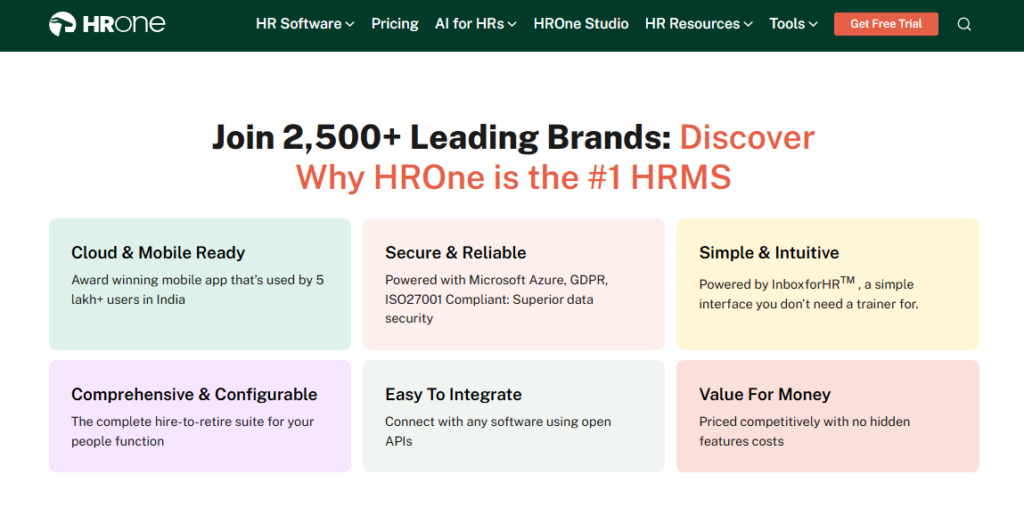
HROne is a cloud-native, mobile-first HCM (Human Capital Management) platform founded in 2016 and headquartered in Noida. It serves Indian mid-market and enterprise firms of 100 to 5,000 employees, and today supports 2,000+ HR teams across 1,500+ brands including MR DIY India and Asia Healthcare Holdings. On G2, it ranks 3rd out of 1.17 lakh products for customer satisfaction and 3rd for easiest-to-use core HCM software.
⭐ Core Services
- Super Inbox, surfaces every pending request in one Gmail-like view, so managers close 110+ tasks in three clicks instead of tab-switching across five tools.
- 127 Pre-Built Workflows, auto-define who does what by when across onboarding, confirmation, transfer, and exit, which ends the email chasing game.
- Payroll Engine, automates PF, ESI, and TDS with an auto-scheduler and group payout validations, removing month-end reconciliation errors and salary delays.
- Offline Attendance, lets field staff mark attendance management in low-connectivity areas and auto-syncs on reconnection, so nobody is wrongly marked absent.
- One AI Suite, scores resume relevancy and parses receipts, cutting manual screening and expense entry for recruiters and finance.
- India’s First Inbuilt ROI Dashboard, calculates lifetime hours saved against average HR salary, so CHROs walk into board reviews with savings already quantified.
- HROne ships 30+ modules and 127 workflows, so breadth is visible on one platform, not bolted on later.
🇮🇳 India-Specific Compliance & Localization
- PF/ESI/TDS: Yes (automated calculation, filing, and reconciliation)
- Labour law compliance: Strong (front-end policy engine updates as laws change)
- Payroll localization (India-specific): Yes (FBP declarations, CTC revisions, LWF, and PT slabs)
- Multi-state compliance handling: Yes (multi-legal-entity OU structures on a single instance)
✅ Who This Is Built For
- Payroll Manager firefighting CTC-revision arrears and PF/ESI reconciliation every month-end.
- HR ops lead manually reconciling biometric exports against a separate leave portal.
- CHRO who needs a rupee-value ROI figure to justify HR spend to the board.
❌ Who Should Skip This
- Startups under 100 employees without the complexity to justify enterprise-grade workflows.
- Teams needing only a standalone biometric or attendance tool on a very low budget.
💰 Pricing Structure
- Plan Types: Basic, Professional, and Enterprise.
- Starting Price: Basic at ₹4,950 per month for up to 50 users; Professional at ₹6,500 per month for up to 50 users.
- Tier-wise Breakdown: Basic adds ₹99 per extra user (Core HR, Time Office, Payroll, and mobile app); Professional adds ₹130 per extra user (adds Workforce module and digital letter acknowledgment); Enterprise is a custom quote adding Recruitment, Performance, Engagement, Expense, Asset, and Helpdesk.
- Incremental Cost Drivers: Add-ons like payroll outsourcing, WhatsApp/Teams bots, and HRV Studio; one-time implementation fee, mainly for enterprise clients.
- Implementation Fee: Yes, one-time, quoted separately for enterprise deployments.
- Cost at 200 Employees: ~₹4,950 base plus 150 extra users at ₹99 = ~₹19,800/month on Basic. Cost at 500 Employees: ~₹4,950 base plus 450 extra users at ₹99 = ~₹49,500/month on Basic. You can model your own numbers on the pricing page.
⏰ Implementation & Support Reality
- Average go-live reported at around one month after signing.
- Support runs on phone, email, and a dedicated HR SPOC who responds in under 24 hours.
- Data migration is vendor-led by onboarding consultants who are prior HRs, not generic project managers.
- Dedicated SPOC support carries a 9.8 NPS.
💬 Reviews
“I like HROne for its zero-touch payroll and compliance automation. It handles salary calculations, statutory deductions, and filings automatically. The InboxforHR is a game-changer, cutting administrative time by 60-70%.”
– Waldon S., HROne G2 – Verified Review
“Certain features take time to understand, and without enough guided support, the learning curve can feel quite steep. With a little more hand-holding during onboarding, the experience would feel far more reassuring.”
– Nijanthan R., HROne G2 – Verified Review
1.2 Keka
Keka, modern-UX HR and payroll for growing Indian SMBs.
Overview
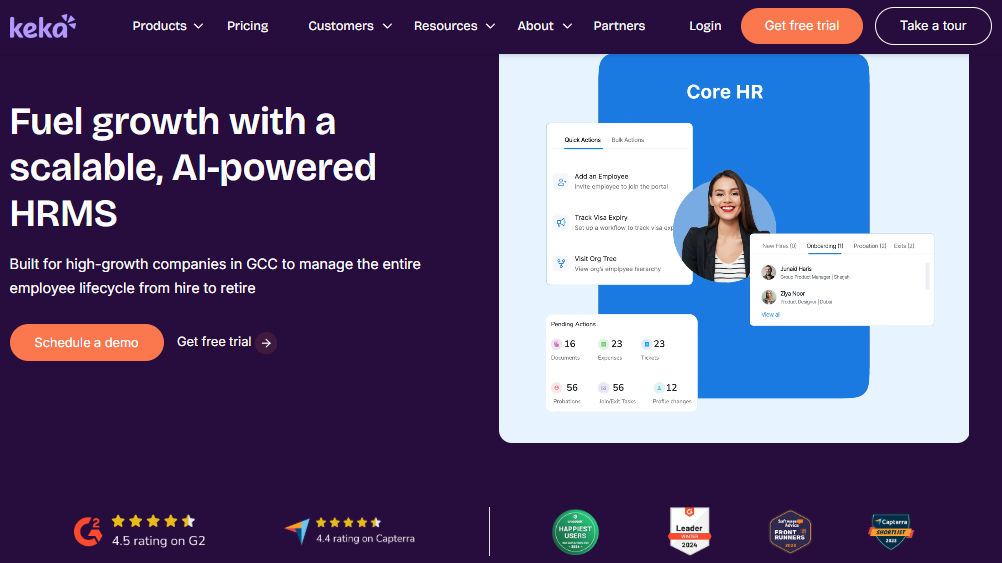
Keka is a cloud HR and payroll platform popular with growing small and mid-sized Indian businesses, known for a clean, intuitive interface. It covers payroll with PF, ESI, and TDS, plus attendance, performance, and a mobile app. Its strength is surface polish; its documented weakness is support and onboarding speed, and it ranks lower than HROne on G2 overall satisfaction. Buyers weighing the two often read a direct HROne vs Keka comparison first.
⭐ Core Services
- Payroll Engine, automates salary, PF, ESI, and TDS processing, reducing manual month-end payroll work.
- Attendance & Leave, tracks punches and leave with a mobile app, removing paper registers.
- Performance (PMS), runs goal and review cycles, though users find it confusing to configure.
- Hiring (Keka Hire), tracks resources and automates offer-letter workflows.
- Document Management, generates HR documents digitally, cutting paperwork.
🇮🇳 India-Specific Compliance & Localization
- PF/ESI/TDS: Yes (automated salary and statutory processing)
- Labour law compliance: Moderate (payroll-strong, but flagged for RBI/CTC edge cases)
- Payroll localization (India-specific): Yes (PF/ESI/TDS payslips)
- Multi-state compliance handling: Partial (users report zone and location config gaps)
✅ Who This Is Built For
- SMB HR generalist wanting a clean, modern interface employees adopt quickly.
- Payroll admin who needs automated PF/ESI/TDS for a single-entity setup.
❌ Who Should Skip This
- IT consulting or multi-location firms needing fast, deep support during migration.
- Teams needing heavy customization or complex multi-zone configuration.
💰 Pricing Structure
- Plan Types: Foundation, Strength, and Growth tiers (as published by Keka).
- Starting Price: Per-user/month, quote-based; not fully disclosed publicly, request a quote.
- Incremental Cost Drivers: Add-on modules and higher tiers for PMS and hiring.
- Implementation Fee: Not publicly disclosed, request a quote.
- Cost at 200 / 500 Employees: Not publicly disclosed, request a quote.
⏰ Implementation & Support Reality
- Onboarding reported as slow by multiple users, sometimes stretching for months.
- Support leans on email and chat threads, with escalation gaps flagged.
- Weekend phone support is limited, per user reports.
💬 Reviews
“Strong payroll and compliance, automating salary and attendance processing with PF/ESI/TDS. Responsive support team. But the PMS module is confusing and needs to be simpler, and the LMS module needs improvement.”
– Kiran B., Keka G2 – Verified Review
“We started with Keka in August and to this day have been unable to implement it due to consistently delayed responses and poor coordination between their internal teams.”
– Divya P., Keka G2 – Verified Review
1.3 Darwinbox
Darwinbox, enterprise-brand HCM for large, 3,000+ employee workforces.
Overview
Darwinbox is a cloud HCM platform built for large enterprises, with strong brand recognition across Asian markets. It unifies attendance, payroll, and performance in one system, and carries real weight with big-logo customers. Its documented friction shows up in speed, integrations, and support, and it is primarily suited to organizations past the 3,000-employee mark. Buyers weighing the two often start with a direct HROne vs Darwinbox comparison.
⭐ Core Services
- Unified HR Platform, brings attendance, leave, payroll, and performance together, cutting reliance on scattered Excel sheets.
- Mobile App, supports leave, attendance, and payslip access on the go, though users find it less smooth than desktop.
- Configurable Workflows, adapts to internal processes with limited technical help.
- Performance & Recruitment, covers reviews and hiring, but users report a learning curve.
- Org Structure Views, maps reporting lines for large, complex hierarchies.
🇮🇳 India-Specific Compliance & Localization
- PF/ESI/TDS: Yes (enterprise payroll processing)
- Labour law compliance: Moderate to Strong (enterprise-grade, config-heavy)
- Payroll localization (India-specific): Yes
- Multi-state compliance handling: Yes (built for large multi-location firms)
✅ Who This Is Built For
- Enterprise HR head running a 3,000+ employee, multi-country workforce.
- IT director needing a single system of record across many business units.
❌ Who Should Skip This
- Mid-market teams of 100 to 1,000 who will pay for scale they do not use.
- Buyers who need ROI instrumentation to justify spend, since it lacks a built-in ROI dashboard.
💰 Pricing Structure
- Plan Types: Custom enterprise plans.
- Starting Price: Not publicly disclosed, request a quote (quote-based).
- Incremental Cost Drivers: Module add-ons, implementation, and multi-year contract terms.
- Implementation Fee: Yes, and billing often starts from day of purchase while implementation runs.
- Cost at 200 / 500 Employees: Not publicly disclosed, request a quote.
⏰ Implementation & Support Reality
- Implementation cycles are reported as long for complex setups.
- Support is ticket-based, with mixed reviews on responsiveness.
- Data migration is vendor-led or partner-led.
💬 Reviews
“Darwinbox has made HR processes much smoother by bringing everything together on one platform. The interface is easy to use, and most tasks can be completed quickly without needing support.”
– Saksham A., Rating 4/5 Darwinbox G2 – Verified Review
“Bad implementation experience, bad UI/UX, configurations getting broken in production on their own, terrible customer service. We are ending up doing most of the products manually and all the data is messed up.”
– Verified User in Computer Software, Rating 0/5 Darwinbox G2 – Verified Review
1.4 greytHR
greytHR, compliance-first payroll for budget-conscious small businesses.
Overview
greytHR is a long-running Indian HR and payroll platform popular with small businesses. Its core strength is steady payroll and payslip processing at an accessible price. Its documented weaknesses cluster around limited workflows, rigid customization, and support delays, which surface fast when a firm hits multi-entity or shift-based complexity. Teams outgrowing it often read a HROne vs greytHR breakdown first.
⭐ Core Services
- Payroll Processing, automates salary and payslips for SMBs, cutting manual month-end effort.
- Leave & Attendance, manages leave and holidays, though users report leave-balance correction issues.
- Employee Self-Service, lets staff access payslips and tax details without pinging HR.
- Tax Declaration, supports employee tax regime selection at login.
- Ticket-Based Support Flow, tracks raised issues with status updates.
🇮🇳 India-Specific Compliance & Localization
- PF/ESI/TDS: Yes (payroll-focused), though TDS revision flagged as limited
- Labour law compliance: Moderate (SMB-focused)
- Payroll localization (India-specific): Yes
- Multi-state compliance handling: Limited (config rigidity reported)
✅ Who This Is Built For
- Small-business owner needing affordable, reliable monthly payroll and payslips.
- HR generalist who wants employee self-service for tax and leave.
❌ Who Should Skip This
- Multi-legal-entity or shift-based manufacturing teams needing flexible workflows.
- HR ops leads who need fast, responsive support during payroll crunches.
💰 Pricing Structure
- Plan Types: Tiered SMB plans (as published by greytHR).
- Starting Price: Per-user/month; entry tiers are low-cost, quote-based for larger teams.
- Incremental Cost Drivers: Add-on modules and higher tiers.
- Implementation Fee: Not publicly disclosed, request a quote.
- Cost at 200 / 500 Employees: Not publicly disclosed, request a quote.
⏰ Implementation & Support Reality
- Moderate go-live for standard SMB payroll setups.
- Support runs on tickets and phone, with responsiveness gaps flagged by users.
- Data migration is vendor-led, with reported configuration friction.
💬 Reviews
“It is a user-friendly platform compared to other tools, and customer care is comparatively better as they call us in 1 to 2 hours. But greytHR is not much good at customizing based on our requirements; many times we were manually correcting leave balances.”
– Verified User in IT and Services, Rating 2/5 greytHR G2 – Verified Review
“The system acts as per its own whims and gives error reports. We have to spend time manually to find errors. Not one month has passed where we have not raised a ticket.”
– Maheshkumar J., Rating 0.5/5 greytHR G2 – Verified Review
1.5 Zoho People
Zoho People, ecosystem-native HR for startups already on Zoho.
Overview
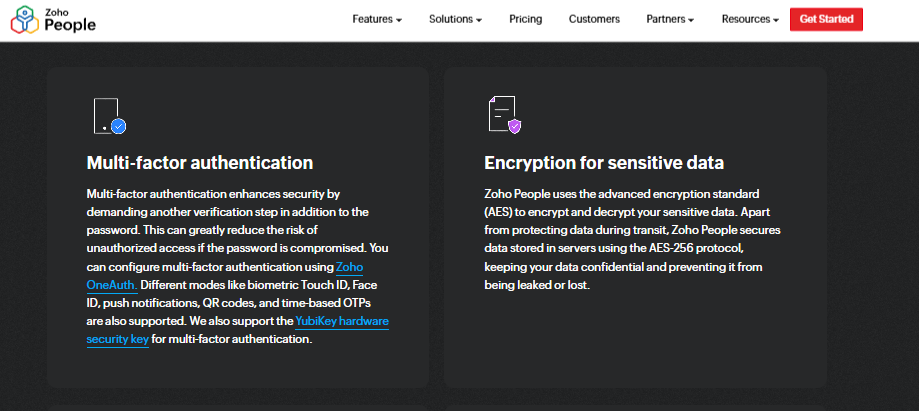
Zoho People is the HR module inside the broader Zoho business suite. Its biggest pull is deep integration with Zoho Recruit and Zoho Payroll, which streamlines hiring and payroll for existing Zoho users. Reviewers praise attendance and leave handling but flag shallow feature depth and slow support, which matters as India-specific complexity grows. A side-by-side HROne vs Zoho People view helps clarify that gap.
⭐ Core Services
- Attendance & Leave, manages requests digitally with direct approve/reject, cutting email back-and-forth.
- Onboarding, lets candidates enter their own data, closing onboarding within a day.
- Zoho Ecosystem Integration, connects to Zoho Recruit and Payroll, streamlining hire-to-pay.
- Employee Self-Service, lets staff check leave balances without emailing HR.
- Business-Unit Views, organizes data by unit for multi-team firms.
🇮🇳 India-Specific Compliance & Localization
- PF/ESI/TDS: Partial (stronger via Zoho Payroll add-on)
- Labour law compliance: Moderate (global generalist)
- Payroll localization (India-specific): Partial (depends on Zoho Payroll)
- Multi-state compliance handling: Partial
✅ Who This Is Built For
- Startup HR lead already running the Zoho suite who wants HR in the same stack.
- Small team needing simple attendance, leave, and onboarding.
❌ Who Should Skip This
- India-heavy payroll teams needing deep CTC revision and FBP handling.
- Firms needing fast, reliable support during errors.
💰 Pricing Structure
- Plan Types: Free tier plus paid per-user tiers (as published by Zoho).
- Starting Price: Low per-user/month, with a freemium entry point.
- Incremental Cost Drivers: Add-on Zoho apps, higher tiers, and payroll module.
- Implementation Fee: Typically none for self-serve tiers.
- Cost at 200 / 500 Employees: Per-user/month scales linearly; request a quote for exact tiering.
⏰ Implementation & Support Reality
- Fast setup for basic HR use, aided by instructional videos.
- Support is email and ticket-based, with slow response widely reported.
- Data migration is largely self-serve.
💬 Reviews
“What I appreciate most is its onboarding process. Candidates can enter their own information, and I like the integration with Zoho Recruit and Zoho Payroll.”
– Dhana C., Rating 4/5 Zoho People G2 – Verified Review
“The most disturbing is the quality of support service. Nonproficient responses, and phone support is constantly not available. I’ve personally lost trust in that product.”
– Verified User in Computer Software, Rating 1.5/5 Zoho People G2 – Verified Review
1.6 factoHR
factoHR, mobile-first attendance and payroll for manufacturing and logistics.
Overview
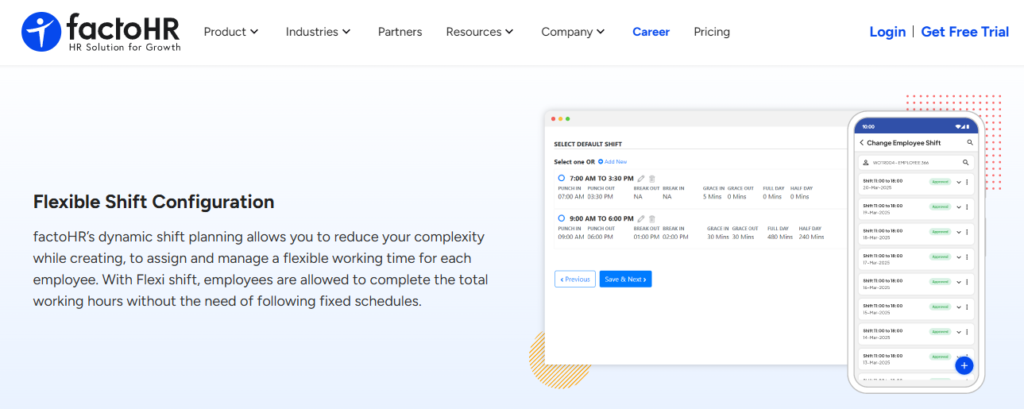
factoHR is an Indian HR and payroll platform strong on biometric attendance and mobile access, which suits factory-floor and field workforces. It offers a free starter plan for up to 20 employees and add-on per-employee pricing above that. Its documented catch is that separately priced modules and per-employee add-ons can raise the real cost as you scale. For factory teams, connected manufacturing HR is the deciding factor.
⭐ Core Services
- Attendance Engine, captures biometric and mobile punches, reducing manual attendance collection for field staff.
- Payroll Processing, automates salary with PF, ESI, and TDS, cutting month-end reconciliation.
- Core HR & Onboarding, digitizes employee records and joining formalities.
- Leave Management, tracks leave and holidays across teams.
- Dashboard, surfaces headcount and attendance snapshots.
🇮🇳 India-Specific Compliance & Localization
- PF/ESI/TDS: Yes (automated statutory processing)
- Labour law compliance: Moderate (payroll and attendance focus)
- Payroll localization (India-specific): Yes
- Multi-state compliance handling: Partial
✅ Who This Is Built For
- Manufacturing HR lead managing biometric attendance across shifts.
- Logistics ops manager needing mobile punches for field employees.
❌ Who Should Skip This
- Teams wanting one flat price without per-module or per-employee add-ons.
- Firms needing deep performance and engagement modules out of the box.
💰 Pricing Structure
- Plan Types: Free starter plus paid add-on tiers.
- Starting Price: Free up to 20 employees; roughly ₹69 to ₹119 per employee for add-ons, billed annually.
- Incremental Cost Drivers: Separately priced modules and per-employee add-on charges.
- Implementation Fee: Not publicly disclosed, request a quote.
- Cost at 200 / 500 Employees: Scales by per-employee add-ons; request a quote for exact modules.
⏰ Implementation & Support Reality
- Moderate go-live for attendance and payroll setups.
- Support via email and phone.
- Data migration is vendor-led.
1.7 Qandle
Qandle, configurable, modular HR for teams that want to build their own stack.
Overview
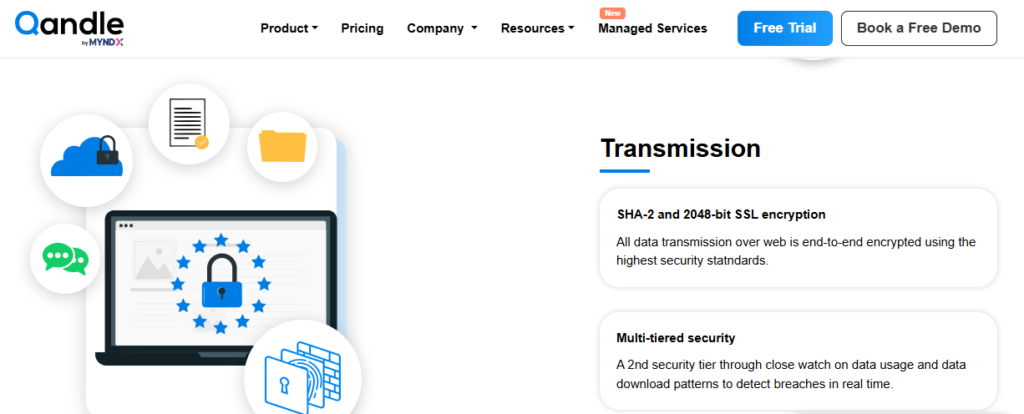
Qandle is an Indian HR platform known for a modular, configurable approach, letting teams switch modules on as they need them. It covers core HR, payroll, attendance, and performance in a build-your-own-stack model. It suits mid-sized teams that value flexibility, though it has a smaller install base than the big incumbents. A HROne vs Qandle comparison highlights where breadth differs.
⭐ Core Services
- Modular Setup, activates only the modules you need, avoiding paying for unused features.
- Payroll, automates salary and statutory PF, ESI, and TDS processing.
- Attendance & Leave, tracks punches and leave with configurable policies.
- Performance, supports goal and review cycles.
- Core HR, maintains the central employee database.
🇮🇳 India-Specific Compliance & Localization
- PF/ESI/TDS: Yes (statutory payroll processing)
- Labour law compliance: Moderate
- Payroll localization (India-specific): Yes
- Multi-state compliance handling: Partial
✅ Who This Is Built For
- HR lead who wants to activate modules gradually as the team grows.
- Mid-sized firm valuing configuration over a fixed, rigid suite.
❌ Who Should Skip This
- Large enterprises needing a deep, battle-tested install base at scale.
- Teams wanting the widest module breadth on a single platform.
💰 Pricing Structure
- Plan Types: Modular tiered plans (as published by Qandle).
- Starting Price: Per-user/month, quote-based; not fully disclosed publicly, request a quote.
- Incremental Cost Drivers: Per-module activation and higher tiers.
- Implementation Fee: Not publicly disclosed, request a quote.
- Cost at 200 / 500 Employees: Not publicly disclosed, request a quote.
⏰ Implementation & Support Reality
- Moderate go-live, faster for smaller module sets.
- Support via email and chat.
- Data migration is vendor-led.
1.8 Zimyo
Zimyo, cost-conscious HRMS for early-stage and fast-deploying teams.
Overview
Zimyo is an Indian HRMS built for quick deployment, popular with early-stage and cost-conscious teams. It covers core HR, payroll, and attendance with a fast setup. It works well as a first structured HR system, though depth thins out as a firm moves into complex enterprise territory. A HROne vs Zimyo view shows where that depth matters.
⭐ Core Services
- Core HR, centralizes employee records to replace spreadsheets.
- Payroll, automates salary with PF, ESI, and TDS.
- Attendance & Leave, manages punches and leave with a mobile app.
- Onboarding, digitizes joining formalities for quick starts.
- Performance, supports basic goal and review tracking.
🇮🇳 India-Specific Compliance & Localization
- PF/ESI/TDS: Yes (statutory payroll)
- Labour law compliance: Moderate
- Payroll localization (India-specific): Yes
- Multi-state compliance handling: Partial
✅ Who This Is Built For
- Early-stage HR lead moving off spreadsheets for the first time.
- Cost-conscious team needing quick, structured HR basics.
❌ Who Should Skip This
- Large, multi-entity firms needing deep enterprise workflows.
- Teams needing advanced ROI or analytics instrumentation.
💰 Pricing Structure
- Plan Types: Tiered plans with a freemium entry (as published by Zimyo).
- Starting Price: Low per-user/month; request a quote for exact tiering.
- Incremental Cost Drivers: Higher tiers and add-on modules.
- Implementation Fee: Not publicly disclosed, request a quote.
- Cost at 200 / 500 Employees: Not publicly disclosed, request a quote.
⏰ Implementation & Support Reality
- Fast go-live for core HR and payroll.
- Support via email and chat.
- Data migration is largely self-serve or vendor-assisted.
1.9 Pocket HRMS
Pocket HRMS, AI-assisted payroll HRMS for small and mid-sized Indian firms.
Overview
Pocket HRMS is an Indian cloud HR and payroll platform known for its smHRt AI assistant that answers payroll and HR queries. It focuses on payroll automation and compliance for SMEs. Its module breadth is narrower beyond payroll, so it fits teams whose primary pain is salary processing rather than full hire-to-retire management. A HROne vs Pocket HRMS comparison surfaces that breadth gap.
⭐ Core Services
- Payroll Engine, automates salary, taxes, and compliance, cutting monthly payroll effort.
- smHRt AI Assistant, answers HR and payroll queries via a chatbot, reducing HR ticket volume.
- Attendance & Leave, tracks punches and leave for SMEs.
- Employee Self-Service, lets staff access payslips and tax details.
- Core HR, maintains employee records centrally.
🇮🇳 India-Specific Compliance & Localization
- PF/ESI/TDS: Yes (automated payroll and compliance)
- Labour law compliance: Moderate
- Payroll localization (India-specific): Yes
- Multi-state compliance handling: Partial
✅ Who This Is Built For
- SME payroll admin who wants AI help with routine payroll queries.
- Small-business HR lead focused mainly on accurate monthly salary runs.
❌ Who Should Skip This
- Mid-market firms needing deep performance, engagement, and asset modules.
- Teams wanting full hire-to-retire workflow automation on one platform.
💰 Pricing Structure
- Plan Types: Tiered per-user plans (as published by Pocket HRMS).
- Starting Price: Around $8 per user per month, with annual options near $75.60 per user for up to 100 employees.
- Incremental Cost Drivers: Higher tiers and add-on modules.
- Implementation Fee: Not publicly disclosed, request a quote.
- Cost at 200 / 500 Employees: Scales per user; request a quote for exact tiering.
⏰ Implementation & Support Reality
- Fast go-live for payroll-focused setups.
- Support via email and phone.
- Data migration is vendor-assisted.
🇮🇳 Where This Leaves the Mid-Market Buyer
Look across these nine and a pattern shows up. Most are strong on one slice, payroll, attendance, or a clean app, and leave the other nine problems on your plate.
That fragmentation is the real cost. A 500-person firm juggling an outsourced payroll outsourcing vendor, a standalone biometric portal, a disconnected hiring tool, and Excel for performance is paying for systems that never talk to each other. Every handoff is where grievances and leakage multiply.
HROne in context: This is exactly why we built HROne as a connected hire-to-retire operating system, not another portal. Where competitors leave clients stuck in email threads, our prior-HR SPOC model carries a 9.8 NPS, and customers like MR DIY India collapsed payroll cycles from 10 days to 5 to 6 days after moving over. When the comparison gets close, the ROI Dashboard is the tiebreaker, because it puts the savings in rupee terms your board can read.
Q2. What Exactly Is Cloud-Based HR Software and How Is It Different from On-Premise?
Cloud-based HR software stores employee data, payroll, and HR workflows online instead of on your company’s own servers. Your team logs in through a browser or mobile app, while the vendor handles updates, security, and infrastructure. Unlike on-premise systems, it needs no local servers, deploys faster, scales on demand, and automates Indian PF, ESIC, PT, and TDS compliance.
🧠 The Plain-English Version
Think of on-premise HR software like owning a diesel generator. You buy it, house it, maintain it, and fix it when it breaks.
Cloud HR is like plugging into the grid instead. The power is always on, someone else maintains the plant, and you pay for what you use. Your data lives in secure data centres, not a server humming in your office cupboard.
Here, PF means Provident Fund, ESIC is the Employees’ State Insurance scheme, PT is Professional Tax, and TDS is Tax Deducted at Source. A cloud payroll software computes all four automatically.
⚡ What This Looks Like on a Tuesday
Here is the difference that actually matters. An attendance report that used to take a couple of days to pull can now come out in one click.
I will be honest about my bias here. Most tools that call themselves “cloud” are just a simple database, stuck gathering data and not doing much with it. A real HCM (Human Capital Management) system turns that data into decisions.
At HROne, this is the line we care about. We built the core HCM platform to comprise all areas of HR tactics so they actually impact HR strategy, not just store records you dig through later.
⚖️ Cloud vs On-Premise, Side by Side
| Factor | Cloud HR Software | On-Premise HR Software |
|---|---|---|
| Upfront cost | Low, subscription-based | High, servers plus licenses |
| Implementation time | Days to weeks | Months |
| Security & updates | Vendor-managed, automatic | Your IT team’s job |
| Scalability | Add users on demand | Buy more hardware |
| Access | Browser and mobile, anywhere | Office network only, usually |
| India compliance | Auto-updated for PF, ESIC, PT, and TDS | Manual patching |
The honest trade-off is control. On-premise gives you full ownership of the servers, which a few heavily regulated firms still want.
For most 100 to 5,000 employee Indian companies, that control is not worth the cost and the delay. The cloud pays for itself in reclaimed HR hours, as a clear ROI calculator quickly shows.
Q3. What Are the Real Benefits of Moving HR to the Cloud?
Moving HR to the cloud saves Indian teams roughly 15 to 20 hours of admin every month, cuts payroll errors sharply, and turns multi-day reports into one-click exports. Teams gain mobile self-service, offline attendance marking in low-connectivity areas, and manager autonomy. That frees HR to focus on people instead of spreadsheets.
😮💨 The One-Week Attendance Grind
Let me describe a scene I have heard too many times. A payroll manager told me her team blocks a full week each month, with two to three people, just to fetch and clean attendance data.
That is not a headcount problem. That is a systems problem, where the biometric machine, the leave portal, and the payroll sheet never talk to each other. Connected attendance management closes that gap.
Every hour spent reconciling exports is an hour not spent on the humans behind the numbers. The cloud closes that gap by connecting the data at the source.
💸 Why This Quietly Bleeds Talent
Here is where it gets expensive in a way spreadsheets never show. Research suggests around 49% of employees start job hunting after just two payroll errors.
So a delayed or wrong paycheque is not a small hiccup. It is a retention risk, and it lands hardest on the exact people you cannot afford to lose.
Wrong paydays usually trace back to messy, manual attendance-to-payroll handoffs. Fix the handoff, and you protect both accuracy and trust.
✅ The Payoff, Quantified
Here is what the cloud actually buys back for an HR team.
- Time: 15 to 20 admin hours returned each month, redirected to people work.
- Accuracy: far fewer payroll errors once attendance feeds payroll automatically.
- Reporting: one-click exports instead of two-day manual pulls.
- Access: mobile self-service, so employees stop pinging HR for payslips.
At HROne, the piece I am most attached to is offline attendance. Field staff in low-connectivity areas mark attendance on the mobile HR app, and it auto-syncs once they reconnect.
That, plus 110-plus HR tasks living in your people’s pocket, is the real win. As one operator put it to me, the goal is to stop being a data-entry clerk in your own company and actually talk to your employees again.
💬 What Users Actually Say
“It reduces HR’s admin time by 60-70% through features like Inbox for HR, which centralizes tasks. Payroll is automated, cutting errors, and the employee self-service feature improves team efficiency.”
– Waldon S. HROne G2 – Verified Review
“It solves attendance tracking for out-of-office employees. The GPS-based login and logout feature allows me to track field employees. I need some KPI monitoring, which is currently not there.”
– Krunal S., Rating 4/5 HROne G2 – Verified Review
Q4. Is Cloud HR Software Secure and Statutorily Compliant in India?
Reputable cloud HR software is both secure and India-compliant when it carries recognized certifications, encrypts data, enforces role-based access, and hosts data in India to meet the DPDP Act 2023. It should also auto-compute PF, ESIC, Professional Tax, TDS, and LWF across states. That is measurably safer than error-prone spreadsheets.
🛡️ The Claim: Cloud Beats Manual on Risk
Let me say the part the category tiptoes around. A well-built cloud system is not the security risk; the shared spreadsheet on someone’s laptop is.
Manual filing is where penalties are born. A missed PF or ESIC deadline exposes the company to statutory penalties, and no one notices until the notice arrives. A connected payroll solution flags this early.
Think of good HR software as a watchdog. It flags the missing bank detail or the unfiled challan before it becomes a fine, not after.
🔐 The Three Pillars of a Secure Platform
Security is not one feature. It rests on three things you should check before you sign.
- Certifications: Look for ISO 27001 and SOC 2, which prove audited information-security controls. HROne is ISO 27001 certified for information security management.
- Data residency: The DPDP Act 2023 (Digital Personal Data Protection Act) governs personal data in India, with its Rules notified in 2025. India-hosted data keeps you on the safe side.
- Role-based access: RBAC (Role-Based Access Control) means each person sees only what their role allows, so payroll data does not leak across teams.
I will hedge one thing. Certifications prove process, not perfection, so pair them with your own access reviews. Still, they are the floor no serious vendor should fall below. A structured HRMS evaluation checklist helps you verify this.
🇮🇳 The Statutory Checklist That Global Tools Miss
Global HR tools often stumble here, because Indian compliance is genuinely fiddly. Professional Tax alone varies state by state, which is why multi-state payroll compliance matters.
| Statutory Item | What It Covers | Should Be Automated? |
|---|---|---|
| PF (EPFO) | Provident Fund contributions and filing | Yes |
| ESIC | Employees’ State Insurance | Yes |
| PT | Professional Tax, varies by state | Yes, multi-state |
| TDS | Tax Deducted at Source on salary | Yes |
| LWF | Labour Welfare Fund | Yes |
| Code on Wages | New wage-code definitions | Yes |
At HROne, this is deliberately baked in. The platform auto-computes PF, ESIC, multi-state PT, TDS, and LWF, and hosts data in India to align with the DPDP Act.
That combination, audited security plus India-tuned statutory automation, is the guardrail. It is the difference between a portal that stores your risk and a system that actively prevents it. You can see how we handle PF, ESI, and TDS compliance in detail.
Q5. How Do the Top Cloud HRMS Platforms Compare on Compliance, Payroll, Pricing and Real Reviews?
Across the field, HROne, Keka, and greytHR lead on Indian statutory automation, Darwinbox suits large enterprises, and Zoho People fits SMBs, while factoHR and Qandle compete on price. HROne uniquely pairs full compliance with India’s first inbuilt ROI dashboard and dedicated SPOC (Single Point of Contact) support, instead of email-only threads.
📊 How to Read This Matrix
Do not read this table by star ratings alone. Read it by the row that matches your daily pain.
The columns that separate winners from portals are statutory coverage and support model. Anyone can process one payroll; few automate PF, ESIC, PT, and TDS cleanly across states, which is why multi-state payroll compliance matters.
Here, PF is Provident Fund, ESIC is Employees’ State Insurance, PT is Professional Tax, and TDS is Tax Deducted at Source.
| Platform | Best For | PF/ESIC/PT/TDS | G2 Signal | Starting Price | Support Model |
|---|---|---|---|---|---|
| HROne | Mid-market India, 100-5,000 | Yes, multi-state | #3 for satisfaction | ₹4,950/mo (up to 50) | Phone, email, and SPOC (9.8 NPS) |
| Keka | SMBs wanting clean UX | Yes | Modern UI praised | Quote-based | Email/ticket threads |
| Darwinbox | 3,000+ enterprises | Yes | Enterprise brand | Quote-based | Ticket-based |
| greytHR | Compliance-first SMBs | Yes, PT limited | Steady payroll | Per-user/mo | Ticket and phone |
| Zoho People | Zoho-ecosystem startups | Partial | Ecosystem fit | Freemium | Email, slow reported |
| factoHR | Manufacturing/logistics | Yes | Attendance-strong | Free up to 20 | Email and phone |
🔍 What Verified Reviews Actually Reveal
The gap that matters is between the sales promise and the Tuesday reality. That gap shows up loudest in support and implementation, not features, and a clear HRMS evaluation checklist surfaces it early.
I will not pretend HROne is flawless. Users flag a learning curve on payroll and performance modules, and we own that.
“The InboxforHR is a game-changer, cutting administrative time by 60-70%. The initial setup was surprisingly straightforward.”
Waldon S. HROne G2 Verified Review
The contrast with fragmented rollouts is stark. Competitor reviews describe getting stuck in email threads for months.
“We started with Keka in August and to this day have been unable to implement it due to consistently delayed responses and poor coordination.”
Divya P., Rating 0/5 Keka G2 Verified Review
There is one more gap the category avoids naming. Most tools give you no way to track ROI after setup, so a CFO cannot see what the spend actually returned. HROne’s inbuilt ROI calculator closes that blind spot by calculating hours saved against average HR salary, in rupee terms your board can read.
Q6. Which Cloud HR Software Fits Your Company Size and Industry?
For 100 to 5,000-employee mid-market Indian firms in IT/ITeS, BFSI, manufacturing, or logistics, HROne fits best. Startups under 100 lean to Zoho People or factoHR, and 3,000-plus enterprises consider Darwinbox. Match the platform to headcount and sector before the demo, because the wrong early choice becomes an expensive migration later.
💸 The Migration Trap Nobody Prices In
Here is the cost that never makes it into the pricing page. An HR leader once told me they had done three system changes in less than four years.
That is not bad luck. That is buying for today’s headcount and outgrowing the tool at the next threshold, a real risk when scaling HR processes from 100 to 1,000 employees.
Every migration means re-cleaning data, retraining managers, and losing history. The real price of a wrong fit is measured in quarters, not rupees.
👥 Picking by Company Size
Size is the first filter, because it decides whether you need deep workflows or just the basics.
- Under 100 employees: Zoho People or factoHR give you affordable, quick core HR without heavy workflow overhead. See the best SMB HRMS in India.
- 100 to 5,000 employees: HROne fits the mid-market sweet spot that giants ignore, with connected modules and India-tuned core HCM.
- 3,000-plus, multi-country: Darwinbox brings enterprise breadth, if you can absorb longer implementations.
I might be biased, but the middle band is the one most tools fail. Enterprise suites like Workday are effectively restricted to 3,000-plus firms, locking mid-market teams out.
🏭 Picking by Sector
Sector decides which edge cases will break a generic tool. A retail chain, for example, lives or dies on ticket turnaround time across scattered stores.
- Manufacturing and logistics: shift rosters, offline attendance, and multi-plant PT handling matter most for manufacturing HR teams.
- BFSI and healthtech: compliance depth and audit trails are non-negotiable for finance HR teams.
- IT/ITeS and real estate: clean payroll plus mobile self-service carry the load.
HROne handles this multi-sector reality on one instance. Asia Healthcare Holdings, for example, runs 20 pan-India units on a single instance with multi-legal-entity setup.
“It solves attendance tracking for out-of-office employees with its user-friendly GUI. The GPS-based login helps me track field employees.”
Krunal S., Rating 4/5 HROne G2 Verified Review
Q7. How Do You Choose, De-Risk Implementation and Get ROI (The 2026 Verdict)?
Before buying, verify the true implementation timeline, whether payroll runs in-house or outsourced, the integration realities, and the support model. Use a scaling framework, because a tool right at 200 employees can force a costly migration at 800. For most Indian mid-market firms needing compliance, ROI tracking, and human support, HROne is the strongest 2026 pick.
✅ The Pre-Purchase Checklist
Ask these before you sign, because each skipped question becomes a cost later.
- True go-live timeline. Ask for a date, not a range. Skipping this means paying subscription while nothing works. Sanity-check it against a realistic HRMS implementation timeline.
- Payroll model. Confirm if payroll runs in-house or outsourced. The honest answer is often “it depends,” so pin it down.
- Integration reality. Ask how long biometric and finance integrations really take. Users report these “take time,” so plan for it.
- Support model. Confirm a named human, not just a ticket queue. Email-only support is where migrations stall.
- ROI tracking. Ask how the tool proves savings. Most cannot, which leaves the CFO guessing.
⏰ The Scaling-Threshold Framework
Buy for where you will be, not just where you are. A worked example makes this concrete.
| Headcount | Risk if you buy too light |
|---|---|
| 200 | Fine today, but rigid workflows strain by 500 |
| 500 | Multi-entity and shift needs expose thin tools |
| 1,000 | A migration now costs months of re-cleaning data |
On ROI, the benchmark is real. Cloud automation can return 15 to 20 admin hours monthly and sharply cut payroll errors, and roughly 49% of employees start job hunting after two payroll mistakes. So accuracy is a retention lever, not just an admin one, a link explored in the ROI of HR software in India.
🎯 The 2026 Verdict
Let me be honest about one thing first. A system cannot replace an HR professional, but the right system optimizes the humans doing the work.
Real implementation is a long game, often a 36-month scope to fully mature. So de-risking is about picking a partner, not just a product, which is why our implementation guide matters.
For the mid-market Indian firm needing compliance depth, ROI proof, and a human on the other end, HROne is my pick. Its offer-to-salary auto-copy, dedicated SPOC (9.8 NPS), and inbuilt ROI dashboard exist to remove exactly the risks above, and MR DIY India cut payroll cycles from 10 days to 5 to 6 after moving over.
“The workflows are handy as they allow us to map our policies automatically. The support team is always ready to help, ensuring smooth operations.”
Rishiraj R., Rating 4/5 HROne G2 Verified Review
So here is the question I am sitting with as we head deeper into 2026. If your HR team could reclaim one full week a month, what strategic work would you finally get to? Tell us what your HR team is drowning in, and let us reason through it together. You can book a demo to start that conversation.














 Secures Top Spot in
