







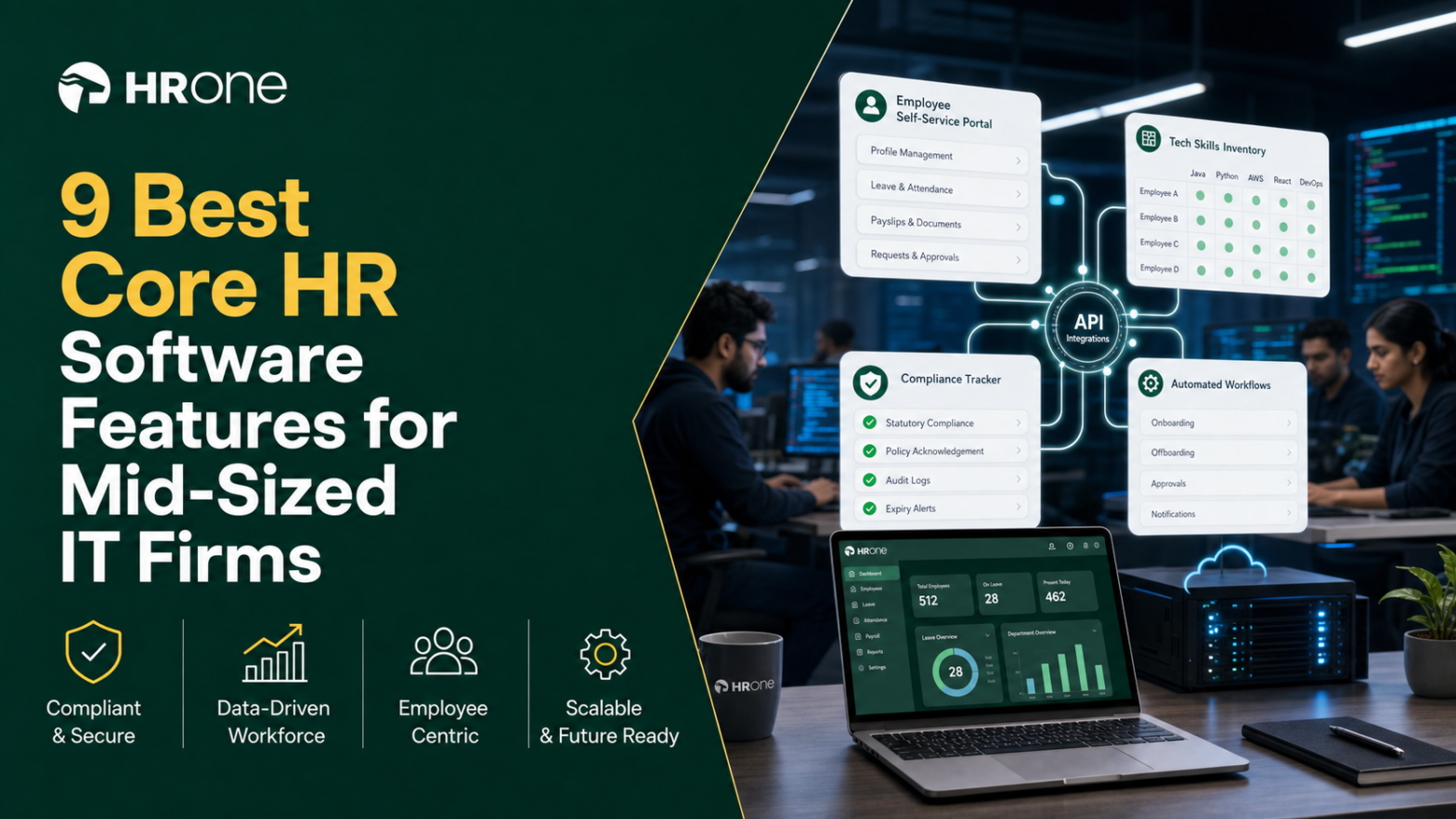
Q1. What Are the 9 Best Core HR Software Tools for Mid-Sized IT Firms in 2026, and How Were They Scored?
The nine best core HR software tools for mid-sized IT firms in 2026 are HROne, Keka, Darwinbox, greytHR, Zoho People, BambooHR, Rippling, HiBob, and PeopleStrong. Each was scored on five weighted criteria totalling 100%: Core-HR and Compliance Depth (25%), Analytics and ROI Visibility (25%), Integration and Scalability (20%), Setup and Adoption (20%), and Pricing Transparency and Reviews (10%). HROne leads for the underserved 100 to 5,000-employee band.
Choosing core HR software is a high-stakes call for a mid-sized IT firm, because the wrong pick means three system changes in under four years and a payroll team firefighting every month-end. For this report, we evaluated nine platforms against five decision-grade criteria, weighted toward the two things IT firms actually get burned on: India compliance depth and the ability to prove ROI to the board. This guide is written for the HR ops lead and payroll manager living in the tool daily, with the CHRO, CFO, and IT Director reading over their shoulder.
Our Evaluation Criteria
- Core-HR and Compliance Depth (25%) 🇮🇳, PF, ESI, TDS automation, multi-state PT and LWF handling, and multi-legal-entity support on one instance.
- Analytics and ROI Visibility (25%) 📊, whether the tool can show hours saved, TAT per process, and a rupee-value ROI figure a CHRO can take to the board.
- Integration and Scalability (20%) 🔗, SSO, ERP, LMS, BGV connectors, and how cleanly the platform scales from 100 to 5,000 employees.
- Setup and Adoption (20%) ⏰, go-live timeline, onboarding model, and real-world adoption once live.
- Pricing Transparency and Reviews (10%) 💰, published pricing, billing-start timing, lock-in terms, and verified G2 sentiment.
Who This Guide Is For
- CHROs and HR Heads consolidating a fragmented hire-to-retire stack into one system of record.
- Payroll Managers running multi-entity, India-compliant monthly payroll software cycles across several states.
- CFOs validating HR-tech ROI and flat PEPM (per-employee-per-month) commercials before signing.
- IT Directors and operational HR teams weighing mobile-first HCMs against legacy portals.
📋 The Scoring Rubric and Star Scale
We converted each weighted score into a 1-to-5 star band so the verdict is skimmable. The scale runs 81 to 100 = ⭐⭐⭐⭐⭐, 61 to 80 = ⭐⭐⭐⭐, 41 to 60 = ⭐⭐⭐, 21 to 40 = ⭐⭐, and 0 to 20 = ⭐. HROne scores 5 stars for full hire-to-retire coverage, India’s first inbuilt ROI Dashboard, and a deliberate focus on the 100 to 5,000-employee band that global suites ignore.
The middle-market lockout is real. The biggest, best-known HR suites often sell only to businesses with 3,000 employees or more, which leaves mid-sized IT firms stuck on tools built for someone else. That is why ROI visibility carries a full 25% weight here. Most competitors have no method or tool to track the ROI of HR software after go-live, so the CHRO walks into a board review guessing.
📊 The 9 Tools at a Glance
| Provider | Best For | Standout Strength | Known Limitation | Go-Live / Fit | Support Model | Pricing Model |
|---|---|---|---|---|---|---|
| HROne ⭐⭐⭐⭐⭐ | HR ops leads drowning in multi-entity India payroll reconciliation | Super Inbox closes any HR task in three clicks, plus India’s first inbuilt ROI Dashboard | Some modules feel overwhelming for first-time users without hand-holding | Live in ~30 days; mid-market IT fit | Phone, email, and dedicated prior-HR SPOC (9.8 NPS) | Flat PEPM, billed after go-live, no lock-in |
| Keka ⭐⭐⭐ | SMB-to-mid HR teams wanting a polished, familiar UX | Clean, intuitive interface with solid payroll and compliance automation | Email-thread support and slow onboarding leave clients stuck during setup | Slower onboarding; SMB-to-mid fit | Largely email and ticket threads | Per-user/month, quote-based tiers |
| Darwinbox ⭐⭐⭐⭐ | Large Indian enterprises wanting deep configurability | Strong enterprise brand weight and unified core suite | Tab-juggling, subscription billed from day one, multi-year lock-in | Long implementation; enterprise fit | Ticket-based, reported gaps | Quote-based, billing from contract signing |
| greytHR ⭐⭐⭐ | SMB payroll teams on a tight budget | Reliable payroll and payslip processing for smaller businesses | Limited workflows, rigid config, weak support escalation | Quick for SMB payroll only | Ticket-based | Per-employee tiers, lower cost |
| Zoho People ⭐⭐⭐ | Existing Zoho-suite users wanting tight app integration | Deep integration with Zoho Recruit and Zoho Payroll | Slow, inconsistent customer support and shallow feature depth | Fast self-serve setup; global generalist | Email and ticket, reported delays | Low per-user/month, freemium tier |
| BambooHR ⭐⭐⭐ | US-centric SMBs wanting simple HRIS and ATS | Best-in-class ease of use and onboarding for small teams | US-centric; weak for India payroll and 50+ employee complexity | Fast for US SMBs | Email and ticket | ~$10 to $25 PEPM, $250/mo minimum |
| Rippling ⭐⭐⭐⭐ | Global tech firms unifying HR, IT, and payroll | All-in-one HR, IT, and payroll with strong automation | Built for US-first workflows, not India statutory depth | Fast for global; US-first fit | Ticket and chat | Modular per-user/month, quote-based |
| HiBob ⭐⭐⭐⭐ | Culture-first mid-market people teams | Modern engagement and analytics UX rated by mid-market users | Light on India payroll and compliance localisation | Mid-market global fit | Ticket and CSM | Quote-based per-employee |
| PeopleStrong ⭐⭐⭐ | Indian enterprises wanting a mobile-first employee experience | Easy reimbursements, claims, and payslip access in one app | Slow approvals and occasional UI lag reported by users | Enterprise India fit | Vendor-led | Quote-based |
🧭 How to Use the Rest of This Guide
Treat the star ratings as your shortlist filter, not your final answer. Run each vendor you shortlist against your own state count, module needs, and go-live deadline before you send an RFP. The blunt question that separates India-DNA tools from the rest: are statutory changes a self-serve toggle, or a support ticket?
In our experience building HROne for 2,000-plus HR teams, the tool that wins is rarely the one with the longest feature list. It is the one your team actually adopts, because a system people avoid is the most expensive line on the budget. That belief is why we built India’s first inbuilt ROI Dashboard directly into HROne, so a CHRO can show the CFO lifetime hours saved against average HR salary as a ballpark rupee figure, instead of guessing at renewal.
1.1 HROne
HROne, the complete hire-to-retire operating system for India’s mid-market.
Overview
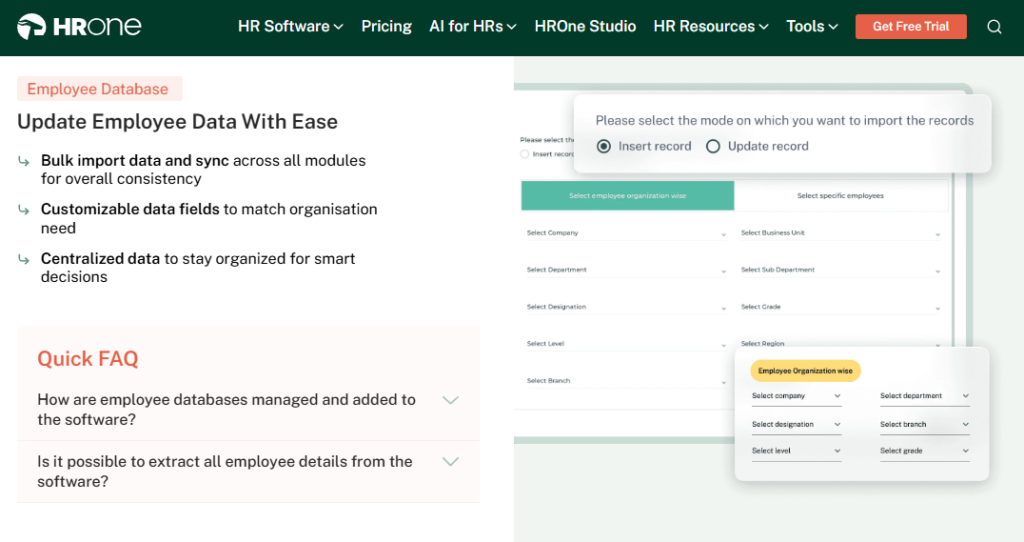
HROne is an India-first, mobile-native HCM founded in 2016, now live with 1,500-plus brands and 2,000-plus HR teams. It ranks #3 out of 1.17 lakh products for highest customer satisfaction on G2 and #8 in Best HR Software Worldwide. It is built for 100 to 5,000-employee organisations, primarily in IT/ITeS, manufacturing, and BFSI. It is used mostly by teams struggling to reconcile fragmented payroll, attendance, and recruitment tools that cannot talk to each other.
⚙️ What It Actually Does
Core Services
- Super Inbox, surfaces every pending task, request, and approval on one Gmail-style screen, so HR closes 1 to 10 daily tasks in three clicks instead of juggling five tabs.
- 127 Pre-Built Workflows, define who does what and by when across onboarding, confirmation, transfer, and exit, removing the manual chasing of managers over email.
- Auto-Scheduler Payroll and Group Payout Validations, automates PF, ESI, and TDS with a single pre-run validation, ensuring zero salary delays under Indian statutory law.
- One AI Suite, resume relevancy scoring stacks the best CVs on top and a receipt parser auto-extracts expense data, cutting manual recruiter and finance labour.
- India’s First Inbuilt ROI Dashboard, calculates lifetime hours saved against average HR salary, giving the CHRO a rupee-value savings figure for the board.
- HRV Studio, a low-code builder that lets HR create custom apps like visitor or vendor management without raising a developer ticket.
- 30+ modules and 127 workflows ship on one platform, so breadth is visible without buying bolt-ons.
🇮🇳 India-Specific Compliance and Localization
This is HROne’s big differentiator.
- PF / ESI / TDS: Yes (automated calculation, filing, and reconciliation)
- Labour law compliance: Strong (LWF, PT, and shops-and-establishment handled natively)
- Payroll localization (India-specific): Yes (FBP declarations, new wage-code FFS rules)
- Multi-state compliance handling: Yes (state statutory changes as self-serve, not tickets)
👥 Who This Is Built For
- Payroll Manager firefighting CTC-revision arrears across multiple legal entities every month-end.
- HR Ops lead manually reconciling biometric exports against a standalone leave portal.
- CHRO who needs a rupee-value ROI figure to justify HR-tech spend to the board.
⚠️ Who Should Skip This
- Startups and teams under 100 employees, where enterprise-grade workflows add more complexity than value.
- Firms needing native US payroll or a heavy 50-country global footprint, where global suites lead.
💰 Pricing Structure
- Plan Type(s): Basic, Professional, Enterprise.
- Starting Price: ₹4,950/month for up to 50 users on Basic, billed monthly, with a 50-user minimum.
- Tier-wise Breakdown:
- Basic, ₹4,950/month up to 50 users, then ₹99/user/month; Core HR, Time Office, Payroll, Mobile App, Reports.
- Professional, ₹6,500/month up to 50 users, then ₹130/user/month; adds Workforce module and digital letter acknowledgment.
- Enterprise, custom quote for 50+ users; adds Recruitment, Performance, Engagement, Expense, Asset, Helpdesk.
- Incremental Cost Drivers: Per-module add-ons (each module priced separately), plus optional AI and payroll-outsourcing extensions; no per-entity charge for multiple legal entities.
- Implementation Fee: Yes, a one-time fee applies, particularly for enterprise clients, stated separately.
- Cost at 200 Employees: Professional runs ₹6,500 base plus 150 extra users at ₹130 = ~₹26,000/month | Cost at 500 Employees: ~₹65,000/month on Professional before module add-ons.
🛠️ Implementation and Support Reality
- Average go-live reported at as little as 30 days after signing.
- Support via phone and email through a dedicated SPOC, not shared ticket queues.
- Data migration is vendor-led by prior-HR onboarding consultants who understand the domain.
- Publicly reported 9.8 NPS on SPOC support; 4.85 average across 650+ Gartner Voice of Customer reviews.
💬 Reviews
“I like HROne for its zero-touch payroll and compliance automation. The InboxforHR is a game-changer, centralizing every HR task into one simple inbox, cutting down administrative time by 60-70%.”
Waldon S. HROne G2 Verified Review
“Intuitive and Supportive, but Onboarding Can Feel Overwhelming for New Users. Certain features take time to understand, and without enough guided support, the learning curve can feel quite steep.”
Nijanthan R. (3.5/5) HROne G2 Verified Review
Here is where the middle-market lockout thesis pays off. When we ran the numbers for a 20-unit healthtech firm, native multi-state compliance is exactly how Asia Healthcare Holdings runs 20 pan-India units on a single instance, and how MR DIY India collapsed payroll cycles from 10 days to 5 to 6 days after moving to HROne. I might be biased after watching this play out across 2,000-plus organisations, but the tools that only sell above 3,000 employees leave a genuine gap for the 100 to 5,000-employee IT firm, and that gap is where HROne is deliberately built to win.
1.2 Keka
Keka, polished, familiar HR UX for SMB-to-mid teams that prize interface over depth.
Overview
Keka is an India-based HRMS with high visibility in the HR-software and payroll-software search space, popular with SMB and lower-mid-market teams. Its calling card is a clean, intuitive interface and solid core payroll automation. On G2 it ranks #16 for Easiest To Use Core HR Software and #55 for overall satisfaction, against HROne’s #3. It is primarily used by teams that want a familiar, easy-to-navigate portal for attendance, payroll, and basic onboarding.
⚙️ What It Actually Does
Core Services
- Payroll and Statutory Engine, automates salary, PF, ESI, and TDS with payslip generation, reducing manual month-end reconciliation.
- Attendance and Leave, tracks attendance and leave with a mobile app, cutting manual timesheet entry.
- Keka Hiro (Recruitment), manages hiring approvals and offer-letter workflows, reducing recruiter coordination overhead.
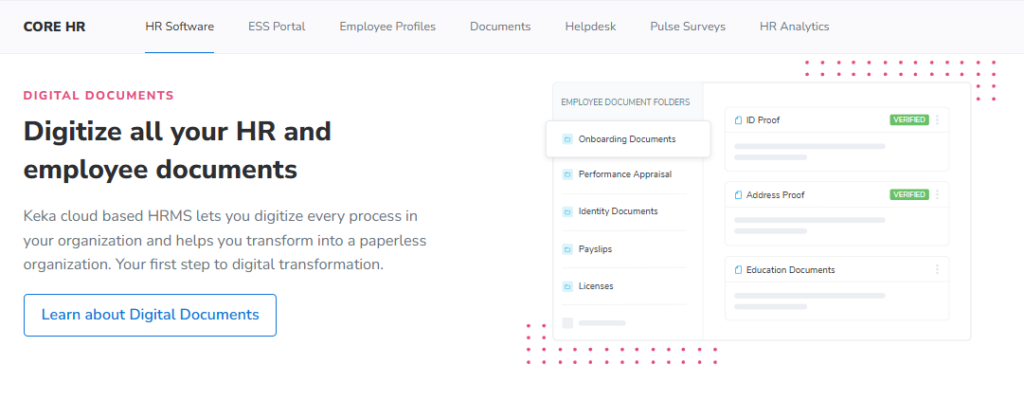
- Document Management, generates most HR documents in-platform, reducing paperwork and improving confidentiality.
- Performance (PMS), supports KRA/KPI definition, though users report the module is confusing to configure.
🇮🇳 India-Specific Compliance and Localization
- PF / ESI / TDS: Yes (automated salary, PF, ESI, and TDS processing)
- Labour law compliance: Moderate (payroll can stall on specific RBI/regulation edge cases)
- Payroll localization (India-specific): Yes (India payroll and statutory built in)
- Multi-state compliance handling: Partial (location-specific rules like zones need support help)
👥 Who This Is Built For
- HR generalist at an SMB who wants a clean, low-training portal for attendance and payroll.
- Payroll admin at a smaller firm processing standard monthly salary without complex arrears.
⚠️ Who Should Skip This
- IT consulting firms needing fast, deep customisation, since users report “Keka is not built to service IT consulting firms”.
- Teams that need rapid, structured implementation, given repeated reports of slow onboarding and stalled setups.
💰 Pricing Structure
- Plan Type(s): Foundation, Strength, Growth (tiered plans).
- Starting Price: Not publicly disclosed on a flat basis, request a quote; priced per-user/month.
- Tier-wise Breakdown: Tiers scale by module bundle (core HR, payroll, performance, hiring); exact per-tier figures not publicly published, request a quote.
- Incremental Cost Drivers: Add-on modules such as PMS, LMS, and project tracking layered on the base plan.
- Implementation Fee: Not publicly disclosed, request a quote.
- Cost at 200 Employees: Not publicly disclosed, request a quote | Cost at 500 Employees: Not publicly disclosed, request a quote.
🛠️ Implementation and Support Reality
- Onboarding is reported as slow, with some clients citing 6-month setups still incomplete.
- Support runs largely through email and chat threads, with weekend gaps reported.
- Data migration is described by users as complex versus streamlined alternatives.
- No public NPS figure available for Keka.
💬 Reviews
“The UI of Keka is very intuitive and easy to navigate. But I have been Keka user since 2021, and the service is decreasing day by day. Most of the times folks behind the chat window is not fully aware of the functionality. TAT on customer request on features is bad. Keka is not built to service IT consulting firms.”
Verified User in Consulting, (2.5/5) Keka G2 Verified Review
“We started working with Keka HRMS in August, and to this day, we have been unable to implement the tool due to their consistently delayed responses and poor coordination between their internal teams.”
Divya P., (0/5) Keka G2 Verified Review
The standard read says Keka and HROne are close substitutes because both look modern, but from what surfaces when you actually run implementations, the gap is the support model, not the screens. Keka handles support through email threads that can leave a client stuck mid-migration, whereas we assign a dedicated prior-HR SPOC on phone and email at a 9.8 NPS. For a mid-sized IT firm on a hard go-live deadline, that difference between a ticket queue and a named person who has actually run HR is the quiet tiebreaker.
1.3 Darwinbox
Darwinbox, enterprise-grade, deeply configurable HRMS with strong brand weight for large Indian firms.
Overview
Darwinbox is a well-known enterprise HCM used by large Indian and Asian organisations, prized for its unified core and configurability. On G2 it scores 9.83 on satisfaction and carries genuine enterprise brand recognition. Three-year total cost of ownership (TCO, the all-in cost over time) runs roughly $354K for 1,000 employees. It is used mostly by large enterprises wanting one platform for attendance, payroll, and performance, though smaller teams report implementation drag.
⚙️ What It Actually Does
Core Services
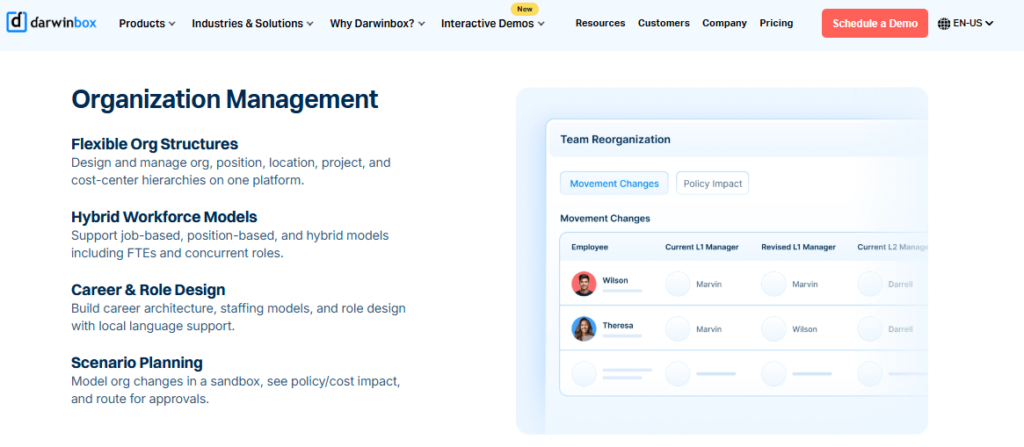
- Unified Core HRMS, brings attendance, leave, payroll, and performance onto one platform, reducing scattered manual tracking.
- Configurable Workflows, adapts to internal processes without heavy technical intervention, cutting reliance on IT tickets.
- Mobile App, lets employees apply leave, mark attendance, and check payslips on the go, reducing HR queries.
- Bulk Leave Approvals, surfaces days when most staff are out for one-click bulk action, saving manager review time.
- Performance and Recruitment, supports reviews and hiring, though users report both modules need training to use fully.
🇮🇳 India-Specific Compliance and Localization
- PF / ESI / TDS: Yes (core payroll compliance covered)
- Labour law compliance: Moderate (state statutory updates often need a support ticket)
- Payroll localization (India-specific): Yes (built for the India market)
- Multi-state compliance handling: Partial (PT and LWF changes ticketed, not self-serve)
👥 Who This Is Built For
- CHRO at a large enterprise wanting a recognised brand and deep configurability across regions.
- HR ops lead consolidating Excel sheets and legacy tools into one central record.
⚠️ Who Should Skip This
- Mid-market teams on a tight budget, since implementation and maintenance run costly.
- Payroll teams needing self-serve state statutory toggles instead of raising tickets.
💰 Pricing Structure
- Plan Type(s): Quote-based enterprise plans; no public price sheet exists.
- Starting Price: Not publicly disclosed, request a quote; roughly $9.83 PEPM equivalent at scale.
- Tier-wise Breakdown: Not publicly published; priced by module bundle and headcount, request a quote.
- Incremental Cost Drivers: Module add-ons, premium support, integrations, and an 8% to 22% renewal uplift.
- Implementation Fee: Yes, a one-time fee applies, billed from contract signing rather than go-live.
- Cost at 200 Employees: Not publicly disclosed, request a quote | Cost at 500 Employees: ~3-year TCO scales toward $354K at 1,000 employees.
🛠️ Implementation and Support Reality
- Implementation is reported as long, with subscription billing starting at signing, not go-live.
- Support runs largely through tickets, with some users citing an unsupportive experience.
- Data migration is vendor-led but described by users as difficult during transition.
- Runs about 110% net revenue retention, signalling aggressive renewal upsell.
💬 Reviews
“Darwinbox has a very user-friendly interface. The mobile app is particularly useful, it’s intuitive and allows quick actions like applying for leaves, attendance tracking, or checking payslips on the go.”
Mohit V., (4/5) Darwinbox G2 Verified Review
“Bad implementation experience, bad UI UX, configurations getting broken in production on its own due to product deployments, terrible customer service.”
Verified User in Computer Software, (0/5) Darwinbox G2 Verified Review
Let me be fair here, because Darwinbox carries real enterprise weight and many teams genuinely like the unified core. My honest read, though, is that depth comes with drag: the platform bills from day one of purchase while implementation stretches on, and state statutory changes route through tickets. We took the opposite stance at HROne, metering subscription only after go-live and treating varying state laws as native, which is how Asia Healthcare Holdings runs 20 pan-India units on a single instance. Teams weighing this often compare HROne vs Darwinbox before committing.
1.4 greytHR
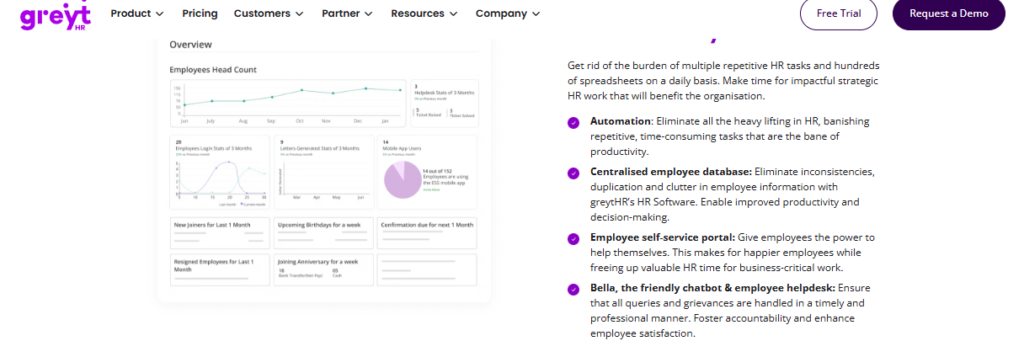
greytHR, budget-friendly SMB payroll and compliance workhorse for smaller Indian teams.
Overview
greytHR is a long-standing India-based HR and payroll tool used widely by small businesses, valued mainly for affordable payroll and payslip processing. Users have run it for a decade for payroll and statutory filing. It ranks #42 for Easiest To Use Core HR Software on G2, against HROne’s #3. It is used mostly by SMB HR and finance teams handling payroll, leave, and holiday management on a limited budget.
⚙️ What It Actually Does
Core Services
- Payroll Processing, automates monthly salary and payslips with statutory filing, reducing manual calculation for SMBs.
- Employee Self-Service, lets employees access payslips, apply leave, and view tax details, cutting routine HR queries.
- Tax Declaration, supports multiple regimes from the employee login, easing annual tax filing.
- Leave and Holiday Management, tracks leave and holidays, though users report needing manual leave-balance corrections.
- Engagement Reminders, sends birthday and anniversary notifications, supporting light team engagement.
🇮🇳 India-Specific Compliance and Localization
- PF / ESI / TDS: Partial (payroll works, but TDS revision and filing gaps reported)
- Labour law compliance: Limited (rigid config caps multi-entity and shift realities)
- Payroll localization (India-specific): Yes (built for India SMB payroll)
- Multi-state compliance handling: Limited (customisation gaps on complex policies)
👥 Who This Is Built For
- SMB payroll admin running standard monthly salary and statutory filing on a budget.
- HR generalist at a small firm wanting self-service payslips and tax declaration.
⚠️ Who Should Skip This
- Multi-legal-entity or shift-based manufacturing firms hitting rigid configuration limits.
- Teams needing responsive support with a clear escalation matrix.
💰 Pricing Structure
- Plan Type(s): Free (Essential-tier), Welcome, Regular, Enterprise.
- Starting Price: Free tier for very small teams; paid tiers priced per-employee/month, request a quote for exact figures.
- Tier-wise Breakdown: Not fully publicly published; higher tiers add payroll, leave, and statutory modules, request a quote.
- Incremental Cost Drivers: Add-on modules and per-employee scaling above tier caps.
- Implementation Fee: Not publicly disclosed, request a quote.
- Cost at 200 Employees: Not publicly disclosed, request a quote | Cost at 500 Employees: Not publicly disclosed, request a quote.
🛠️ Implementation and Support Reality
- Setup is workable for SMB payroll but users report leave-balance issues from day one.
- Support is ticket-based; some cite 1 to 2-hour callbacks, others cite weak escalation.
- Data migration and customisation depend heavily on the greytHR team.
- No public NPS figure available for greytHR.
💬 Reviews
“GreytHR is fine software for payroll processing and I have been using since 10 years. Better UI, simplicity and time for support.”
Krishnanand B., (3/5) greytHR G2 Verified Review
“There is a very high dependency on the greythr team to customize and the customization is full of gaps. There is no escalation matrix.”
Verified User in IT and Services, (1/5) greytHR G2 Verified Review
The standard read treats greytHR as the safe SMB default, but I think that read gets it backwards the moment you cross into mid-market complexity. From what surfaces when you actually run multi-entity payroll, rigid config and manual leave corrections quietly eat the hours the tool was meant to save. That is why we built 127 pre-built payroll software workflows and front-end policy configuration into HROne, so an HR user can change a policy without waiting on a vendor team. Teams outgrowing it often look at HROne vs greytHR.
1.5 Zoho People
Zoho People, affordable, integration-friendly generalist for teams already inside the Zoho suite.
Overview
Zoho People is a global HR generalist inside the broader Zoho suite, popular for low price and breadth of connected apps. Its standout is tight integration with Zoho Recruit and Zoho Payroll. Users praise easy attendance and leave management but flag shallow feature depth and slow support. It is used mostly by cost-conscious teams, often existing Zoho customers, wanting basic HR digitisation across attendance, leave, and onboarding.
⚙️ What It Actually Does
Core Services
- Attendance and Leave, digitises requests with direct approve/reject, simplifying admin tasks.
- Self-Onboarding, lets candidates enter their own data, completing onboarding within a day.
- Zoho Suite Integration, connects to Zoho Recruit and Payroll, streamlining hiring and monthly payroll.
- Configurable Flows, offers many automation options, though some feel shallow in depth.
- Business-Unit Views, organises data by unit, easing multi-team management.
🇮🇳 India-Specific Compliance and Localization
- PF / ESI / TDS: Partial (handled via Zoho Payroll, not People core)
- Labour law compliance: Limited (global generalist, light on India specifics)
- Payroll localization (India-specific): Partial (depends on Zoho Payroll add-on)
- Multi-state compliance handling: Limited (not built for complex India statutory depth)
👥 Who This Is Built For
- HR generalist already inside the Zoho ecosystem wanting connected attendance and payroll.
- Cost-conscious admin digitising leave and onboarding away from spreadsheets.
⚠️ Who Should Skip This
- Teams needing deep, reliable support and stable performance during payroll runs.
- India-heavy manufacturing or BFSI firms needing strong statutory depth.
💰 Pricing Structure
- Plan Type(s): Essential HR, Professional, Premium, Enterprise, People Plus.
- Starting Price: Low per-user/month with a free tier; users report pricing felt confusing to match to business size.
- Tier-wise Breakdown: Not fully publicly published here; higher tiers add performance, cases, and analytics, request a quote.
- Incremental Cost Drivers: Add-on Zoho apps (Recruit, Payroll) and per-user scaling.
- Implementation Fee: Not publicly disclosed, request a quote.
- Cost at 200 Employees: Not publicly disclosed, request a quote | Cost at 500 Employees: Not publicly disclosed, request a quote.
🛠️ Implementation and Support Reality
- Setup is reported as easy, aided by instructional videos.
- Support is a repeated pain point, with slow responses and SLA gaps cited.
- Data migration is largely self-serve within the Zoho ecosystem.
- No public NPS figure available for Zoho People.
💬 Reviews
“The most important feature for me is its integration with other Zoho apps, such as Zoho Recruit and Zoho Payroll, which streamlines both the recruitment and monthly payroll processes.”
Dhana C., (4/5) Zoho People G2 Verified Review
“Features are shallow and there is no depth in each application.”
Verified User in IT and Services, (2.5/5) Zoho People G2 Verified Review
Zoho People makes real sense if you already live inside Zoho, and I would not argue otherwise. My hesitation, from watching teams run India payroll, is that breadth across many apps rarely equals depth in any one. We built HROne the other way, going deep on India payroll with group payout validations and auto-scheduling so a payroll manager gets zero salary delays under statutory law, not a shallow module. Evaluators often weigh HROne vs Zoho People at this stage.
1.6 BambooHR
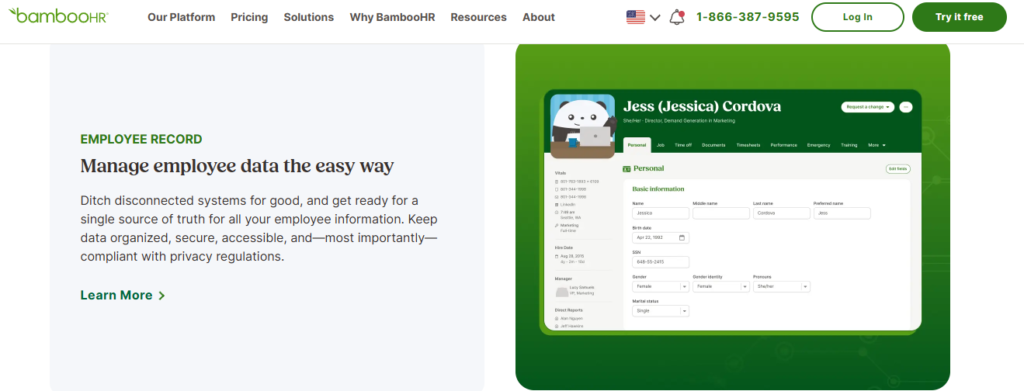
BambooHR, simple, US-first HRIS with best-in-class onboarding for small teams.
Overview
BambooHR is a US-headquartered HRIS popular with small businesses for ease of use and clean onboarding. It holds a 4.4/5 G2 rating and is widely used for time-off tracking and applicant management. Pricing runs roughly $10 to $25 per employee per month with a ~$250 monthly floor. It is used mostly by US SMBs wanting simple HR record-keeping, though larger and non-US teams report real gaps.
⚙️ What It Actually Does
Core Services
- Core HRIS, stores employee records and documents, reducing paper files for small teams.
- Time-Off Tracking, sends approve-from-email requests showing who is out, easing leave admin.
- Onboarding and ATS, supports hiring and document signing, streamlining new-hire paperwork.
- Self-Service, lets employees update basic info, though search slows as data grows.
- US Payroll Add-On, offers native US payroll, but not India statutory payroll.
🇮🇳 India-Specific Compliance and Localization
- PF / ESI / TDS: No (no India statutory payroll support)
- Labour law compliance: Limited (US-centric by the vendor’s own admission)
- Payroll localization (India-specific): No (built for US PTO and payroll)
- Multi-state compliance handling: No (no India multi-state statutory handling)
👥 Who This Is Built For
- HR lead at a US SMB wanting simple record-keeping and clean onboarding.
- Small-team admin tracking PTO and signing documents digitally.
⚠️ Who Should Skip This
- India-based firms needing PF, ESI, and TDS payroll, which BambooHR does not run.
- Companies over 50 employees needing customisation and mass edits.
💰 Pricing Structure
- Plan Type(s): Core, Pro (published tiers; quote-only).
- Starting Price: ~$10 per employee per month, billed monthly, with a ~$250/month minimum.
- Tier-wise Breakdown:
- Core, ~$10 PEPM; HRIS, time-off, reporting.
- Pro, up to ~$25 PEPM; adds performance, engagement, and advanced features.
- Incremental Cost Drivers: Payroll, benefits, and performance add-ons, plus reported annual price increases.
- Implementation Fee: Not publicly disclosed, request a quote.
- Cost at 200 Employees: ~$2,000 to $5,000/month at $10 to $25 PEPM | Cost at 500 Employees: ~$5,000 to $12,500/month at $10 to $25 PEPM.
🛠️ Implementation and Support Reality
- Setup is quick and simple for US SMBs; larger imports report errors.
- Support is email/ticket-based, with payroll support cited as less responsive than HR support.
- Data migration is self-serve, with users reporting manual document downloads on exit.
- G2 rating of 4.4/5; no public NPS figure available.
💬 Reviews
“The time off request emails are good. They show who on your team will be out and you can single click approve from the email itself.”
Josh A., (0/5 overall) BambooHR G2 Verified Review
“Their CS openly writes, we are a US-centric system, while your sales reps swear it’s a globally fitting one.”
Verified User in Computer Software, (0/5) BambooHR G2 Verified Review
BambooHR is a clean product for a US small business, and I would not fault a 30-person US team for picking it. The catch for our readers is blunt: it is US-first by the vendor’s own admission, so PF, ESI, and TDS simply are not there. When we ran payroll for 2,000-plus organisations, India statutory depth was the whole game, which is why we treat FBP declarations and new wage-code FFS rules as native, not add-ons, in our PF, ESI, and TDS compliance engine.
1.7 Rippling
Rippling, unified HR, IT, and payroll platform for globally distributed tech firms.
Overview
Rippling is a US-based platform unifying HR, IT, and payroll, rated a Leader in G2’s Spring 2026 Mid-Market Payroll Grid. It is known for automation that ties employee data to app provisioning and device management. It suits globally distributed tech firms wanting one system across functions. It is used mostly by companies consolidating HR and IT workflows, though it is built US-first rather than for India statutory depth.
⚙️ What It Actually Does
Core Services
- Unified HR and IT, links employee records to app and device provisioning, cutting manual IT onboarding.
- Global Payroll, runs payroll across countries with strong automation, reducing multi-entity manual work.
- Time and Attendance, tracks time and syncs to payroll, easing reconciliation.
- Workflow Automation, automates approvals and access, reducing manual admin steps.
- App Management, provisions and deprovisions SaaS access, removing manual IT tickets.
🇮🇳 India-Specific Compliance and Localization
- PF / ESI / TDS: Partial (global payroll coverage, not deep India-native statutory)
- Labour law compliance: Limited (built US-first, light on India specifics)
- Payroll localization (India-specific): Partial (global engine, not India-tuned)
- Multi-state compliance handling: Limited (not built for India state-wise PT and LWF)
👥 Who This Is Built For
- IT Director unifying HR data with app and device provisioning across a distributed team.
- Ops lead at a global tech firm consolidating HR, IT, and payroll into one system.
⚠️ Who Should Skip This
- India-first firms needing deep PF, ESI, TDS, and state statutory automation.
- Teams wanting a locally supported, India-tuned implementation partner.
💰 Pricing Structure
- Plan Type(s): Modular platform; HR, IT, and payroll priced separately.
- Starting Price: Quote-based, per-user/month, starting around $8 PUPM plus module costs, request a quote.
- Tier-wise Breakdown: Not fully publicly published; priced by selected modules and headcount, request a quote.
- Incremental Cost Drivers: Per-module add-ons across HR, IT, and payroll.
- Implementation Fee: Not publicly disclosed, request a quote.
- Cost at 200 Employees: Not publicly disclosed, request a quote | Cost at 500 Employees: Not publicly disclosed, request a quote.
🛠️ Implementation and Support Reality
- Setup is reported as fast for US and global tech teams.
- Support runs through tickets and chat.
- Data migration is largely self-serve with guided flows.
- Rated a Leader in G2’s Spring 2026 Mid-Market Payroll Grid.
Rippling is genuinely strong at the HR-plus-IT unification play, and for a US-first tech firm that is a real edge. My honest caveat, from running India payroll daily, is that a global engine rarely matches an India-native one on PT, LWF, and wage-code rules. We built ITES HR India-first on purpose, which is how MR DIY India collapsed payroll cycles from 10 days to 5 to 6 days after moving over.
1.8 HiBob
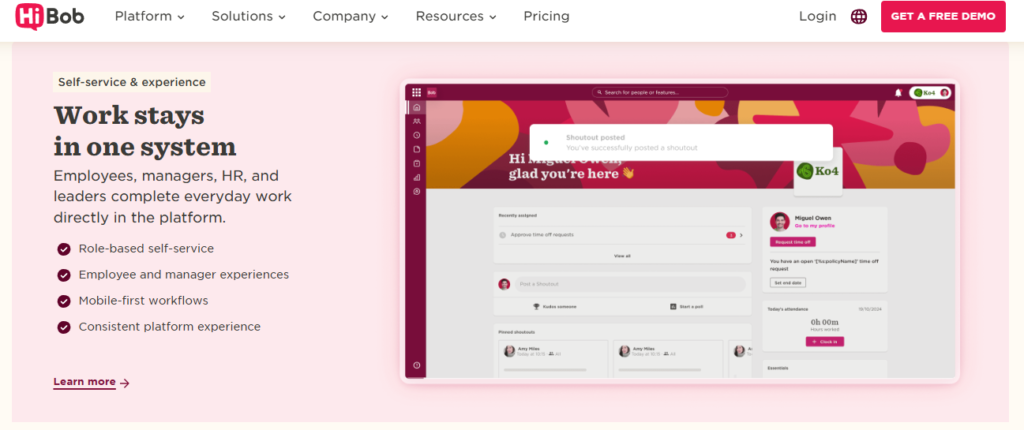
HiBob, culture-first, analytics-rich HR platform for modern mid-market people teams.
Overview
HiBob (branded “Bob”) is a modern HR platform favoured by mid-market people teams for engagement and analytics, and it leads G2’s 2026 mid-sized rankings alongside Rippling and BambooHR. Its standout is a polished employee-experience and analytics layer. It suits culture-focused, often global teams. It is used mostly by mid-market firms prioritising engagement and people analytics over deep India payroll depth.
⚙️ What It Actually Does
Core Services
- Core HR and Records, centralises employee data with a modern UX, reducing scattered spreadsheets.
- People Analytics, surfaces workforce trends and dashboards, easing leadership reporting.
- Engagement Tools, runs surveys and culture features, supporting retention efforts.
- Time and Attendance, tracks time and leave with a clean interface, cutting manual entry.
- Workflows, automates onboarding and lifecycle steps, reducing manual handoffs.
🇮🇳 India-Specific Compliance and Localization
- PF / ESI / TDS: No (relies on payroll integrations, not native India statutory)
- Labour law compliance: Limited (global focus, light on India specifics)
- Payroll localization (India-specific): No (payroll handled via partners)
- Multi-state compliance handling: No (not built for India state statutory)
👥 Who This Is Built For
- People-team lead prioritising engagement, surveys, and analytics at a modern mid-market firm.
- HR lead at a global company wanting a polished employee-experience layer.
⚠️ Who Should Skip This
- India-based payroll teams needing native PF, ESI, TDS, and statutory automation.
- Firms wanting one platform to also run India-compliant payroll in-house.
💰 Pricing Structure
- Plan Type(s): Quote-based per-employee plans; no public price sheet.
- Starting Price: Not publicly disclosed, request a quote; priced per-employee/month.
- Tier-wise Breakdown: Not publicly published; priced by module bundle and headcount, request a quote.
- Incremental Cost Drivers: Add-on modules (analytics, compensation) and payroll integrations.
- Implementation Fee: Not publicly disclosed, request a quote.
- Cost at 200 Employees: Not publicly disclosed, request a quote | Cost at 500 Employees: Not publicly disclosed, request a quote.
🛠️ Implementation and Support Reality
- Setup is reported as smooth for mid-market global teams.
- Support runs through tickets and customer success managers.
- Data migration is vendor-guided.
- Leads G2’s 2026 rankings for mid-sized HR software reliability.
HiBob nails the culture-and-analytics layer, and for a people team that lives in engagement data it is a strong pick. My reservation, from the India vantage point, is that payroll runs through partners rather than native statutory logic. That gap is exactly where we position HROne differently, pairing a modern employee engagement experience with India’s first inbuilt ROI calculator so a CHRO can show the board rupee-value savings, not just engagement scores.
1.9 PeopleStrong
PeopleStrong, mobile-first, employee-friendly HCM for Indian enterprises.
Overview
PeopleStrong is an India-based enterprise HCM known for a mobile-friendly employee experience across attendance, claims, and payslips. Users praise one-tap access to HR info on mobile. It suits Indian enterprises wanting an all-in-one employee app. It is used mostly by large India-based teams handling attendance, reimbursements, and KRAs on mobile, though users report slow approvals and occasional UI lag.
⚙️ What It Actually Does
Core Services
- Mobile-First App, puts attendance, leave, and payslips one tap away, reducing desktop dependence.
- Reimbursements and Claims, centralises expense submission with status tracking, cutting email threads.
- Payslip Access, gives employees direct payslip and tax-document access, reducing HR queries.
- Quarterly KRAs, supports goal and KRA tracking on mobile, easing performance check-ins.
- Personal Assistant (Jinie), offers an assistant for common tasks, though users report it can be inconsistent.
🇮🇳 India-Specific Compliance and Localization
- PF / ESI / TDS: Yes (India payroll and tax handling supported)
- Labour law compliance: Moderate (built for India enterprise use)
- Payroll localization (India-specific): Yes (India-focused HCM)
- Multi-state compliance handling: Partial (enterprise config, some gaps reported)
👥 Who This Is Built For
- Employee-experience lead at an Indian enterprise wanting a strong mobile app.
- HR ops lead handling attendance, claims, and KRAs across a distributed workforce.
⚠️ Who Should Skip This
- Teams needing fast reimbursement approvals and consistent UI performance.
- Firms wanting a lean desktop experience without feature overload.
💰 Pricing Structure
- Plan Type(s): Quote-based enterprise plans; no public price sheet.
- Starting Price: Not publicly disclosed, request a quote; priced per-employee/month.
- Tier-wise Breakdown: Not publicly published; priced by module and headcount, request a quote.
- Incremental Cost Drivers: Module add-ons and enterprise customisation.
- Implementation Fee: Not publicly disclosed, request a quote.
- Cost at 200 Employees: Not publicly disclosed, request a quote | Cost at 500 Employees: Not publicly disclosed, request a quote.
🛠️ Implementation and Support Reality
- Setup is enterprise-scale and vendor-led.
- Support channels are vendor-managed; users report approval delays.
- Data migration is vendor-led.
- No public NPS figure available for PeopleStrong.
💬 Reviews
“It’s mobile-friendly, unlike the one we used before. This is mobile friendly and can access most of the HR-related info in 1 tap away.”
Nikhil S., (4/5) PeopleStrong G2 Verified Review
“The reimbursement and claims process can feel a bit slow at times, especially when approvals take longer than expected. The interface can also lag occasionally.”
Anusha, (5/5 overall) PeopleStrong G2 Verified Review
PeopleStrong genuinely gets the mobile-first employee experience right, and for a large Indian workforce that matters. My one caution, from watching approvals stall, is that a slick app still needs fast workflow closure behind it. That is the exact problem our HR inbox targets, surfacing every pending approval on one screen so an HR user closes it in three clicks instead of chasing it across tabs and emails. Buyers comparing the two often review HROne vs PeopleStrong.
Q2. Why Is a Centralized, Single-Source Employee Database the First Feature to Demand?
A centralized employee database is the non-negotiable first feature because it ends the person-dependent org where HR spends 150% of its time chasing people to “update this, update that”. But demand more than storage: the record must feed payroll, attendance, and analytics without re-keying, so you avoid a system stuck merely gathering data and doing little with it.
🗂️ Why One Record Beats Five Portals
Picture a 500-person IT firm running payroll on one vendor, attendance on a biometric portal, and performance in Excel. Every one of those tools holds its own version of an employee, so someone reconciles them by hand at month-end. That handoff is where wrong paydays, expense frauds, and grievances quietly multiply.
A single-source database means one trusted record (“source of truth”) that every module reads from and writes to. Patent US20140266604A1 describes exactly this: biometric recognition, time capture, and payroll integrated under one modular record instead of separate silos. When the data lives in one place, no one re-keys a new joiner’s details four times. This is the backbone of any real core HCM.
🔍 What to Actually Test in a Demo
Do not accept a pretty portal that only holds data. Ask the vendor to prove the record moves.
- Change tracking, edit one field and confirm it flows to payroll, attendance, and reports with an audit log.
- Zero re-keying, add a new joiner once and check the salary structure auto-populates from the offer.
- Role-based access, confirm who can see and edit what, so employee data stays secure.
- Multi-entity view, for group firms, check one instance holds every legal entity, not separate logins.
I might be blunt here, but the standard read treats the database as boring plumbing you skip past in a demo. From what surfaces when you actually run HR, this is the one feature that decides whether every other module works or fights you. It is also why we treat the employee management system as the foundation, not an afterthought.
💬 What HR Teams Actually Say
“It has revolutionized manual master data management, allowing me to pull reports rapidly without the hassle of multiple spreadsheets.”
Priyanka S., (5/5) HROne G2 Verified Review
“HROne centralizes all tasks like tracking attendance and handling employee records, which saves time and reduces errors.”
John C., (4.5/5) HROne G2 Verified Review
A system cannot replace an HR professional, but it can optimise one by removing the tactical drudgery. In our experience building HROne, we treat the single instance as the source of truth that feeds every module, from payroll to the ROI dashboard. One HR head put the payoff simply: she now sleeps at night knowing her data is correct, because the record no longer depends on chasing five disconnected portals.
Q3. How Should the Payroll, Compliance, Attendance, and Leave Engine Handle Indian Statutory Rules and Hybrid IT Teams?
The payroll and attendance engine must auto-compute and file against the Code on Wages 2019, generate EPFO ECR and ESIC challans, deduct PT and TDS, log POSH and Maternity Benefit workflows, and pull geo or biometric punches straight into payroll. That way, “softwares could not talk to each other” never becomes your month-end crisis. Incorrect filings can carry roughly $134,975 in exposure.
⚠️ The Real Cost of Getting It Wrong
India does not have one payroll rulebook; it has many. PF (Provident Fund) and ESI (Employee State Insurance) are central, but PT (Professional Tax) and LWF (Labour Welfare Fund) shift by state. A firm in three states is really juggling three sets of slabs. Managing this well is the core of true multi-state payroll compliance.
That complexity is why a wrong filing is not just a fine. It is audit exposure, employee trust lost, and HR hours burned firefighting. The exposure from incorrect tax filings can run to about $134,975, so this engine sits close to your money.
📋 A Statute-by-Statute Checklist
Hand this list to every vendor and make them prove each line.
- Code on Wages 2019, auto-compute wages and overtime against the unified wage definition.
- EPFO, generate the ECR (Electronic Challan cum Return) each cycle without manual export.
- ESIC, auto-produce ESI challans for eligible employees.
- PT and TDS, deduct the right state PT slab and monthly TDS automatically.
- POSH and Maternity Benefit, log compliant workflows and case records.
🔗 The Attendance-to-Payroll Bridge Test
Here is the test the demo never shows you. Ask the vendor to send a geo or biometric punch straight into a payroll run, then check GL and job-costing codes flow down accurately. Patent US20140266604A1 describes this exact bridge: biometric capture feeding time, attendance, and payroll in one modular flow. Solid attendance management is what makes this bridge hold.
If the attendance tool and payroll engine cannot speak, month-end becomes manual reconciliation again. For hybrid IT teams with field and remote staff, offline and geo-tagged punches must survive the trip into payroll software.
💬 What HR Teams Actually Say
“Proper calculation of PF and ESI was a pain area for us before, but now with the HROne automated calculation process, results are up to the mark and following Indian tax compliances properly.”
Ajay K., (5/5) HROne G2 Verified Review
“Payroll not getting processed due to RBI regulations. The CTC structure doesn’t show PT in deductions which adds to confusion.”
Pooja M., (2/5) Keka G2 Verified Review
The engine also has to apply different policies to different entities in one instance, since company A rarely matches company B. In our experience running payroll for 2,000-plus organisations, we built HROne with front-end policy configuration and group payout validations, which is how Asia Healthcare Holdings runs 20 pan-India units on a single instance.
Q4. How Do Performance, Goal Management, and Workforce Analytics Turn HR Data Into Board-Level Proof?
Performance and goal management should feed workforce analytics so HR stops tracking goals in Excel and starts giving leaders the analytics needed to prove HR’s value to the board. The differentiator is an inbuilt ROI dashboard that quantifies hours saved against average HR salary, a capability greytHR and Darwinbox lack after setup.
📊 The Excel Trap Most Teams Are Stuck In
My thesis is simple: analytics is what separates a real HCM (Human Capital Management platform) from a glorified database. Most teams track goals in Excel, and that effort never actually reduces the work of tracking goals. The data sits there, but it never becomes insight. This is exactly the gap that modern HR analytics tools are built to close.
Patent US20160098664A1 frames the alternative as workforce-vitality analytics, turning raw HR data into leading indicators leaders can act on. Gartner’s cloud HCM criteria point the same way, prizing analytics and outcomes over storage. The standard read gets this backwards by treating reporting as a nice-to-have bolt-on.
🎯 From Goals to Real Throughput
When goals live inside the system, performance data compounds instead of decaying in spreadsheets. One recruitment team went from closing 8 to 10 positions a day to 15 to 20, then used that data to show management the progress HR was making. Appraisal cycles can compress to about 15 days with automated bell curves, which is the promise of strong performance management.
Managers should also get their own report section and schedule those emails to themselves. That breaks the cycle of everyone bugging HR for numbers.
💰 The ROI Dashboard Math
Here is the capability the category avoids. An inbuilt ROI dashboard compares your average HR salary against the minutes each task used to take versus now, then shows lifetime hours saved as a ballpark rupee figure. Competitors like Darwinbox and greytHR have no method to track this after go-live. You can model the same logic with our ROI calculator.
That is the difference between guessing at renewal and walking into a board review with proof. A CHRO can finally show the CFO savings since inception, not a feature list. It is a message that lands especially well with CHRO solutions buyers.
💬 What HR Teams Actually Say
“I find the HR Analytics particularly valuable for presenting data to management. The ability to manage various HR processes from a single platform is incredibly convenient.”
Priyanka S., (5/5) HROne G2 Verified Review
“Limited customization in reports. Pages sometimes load slowly.”
Saksham A., (4/5) Darwinbox G2 Verified Review
HROne processes roughly 1.5 crore tasks monthly, and that scale is exactly what a pharma or IT firm needs when headcount bursts. We built India’s first inbuilt ROI dashboard and scheduled manager reports so data becomes board-level proof, not another export. In our experience, the tools that only digitise transactions leave HR unable to answer the one question the board actually asks: what did this save us?
Q5. What Drives Adoption, Usability, Global Search, and Self-Service People Actually Use?
Adoption, not feature count, decides whether HR software pays off, since research shows perceived usefulness and ease of use are the dominant drivers of HRIS acceptance. In practice that means global search, so users enter an input and get an answer in seconds instead of clicking three or four buttons, plus self-service that stops managers constantly bugging HR.
🏎️ The Ferrari Nobody Can Drive
Here is the trap I see mid-market IT firms fall into every quarter. They buy the most feature-rich system in the demo, then watch it gather dust because the team cannot actually drive it. A feature no one uses is not a feature; it is a line item. This is why an intuitive HR software matters more than the longest spec sheet.
The research is blunt on this. Menant’s 2021 work and Shahreki and Lee’s 2024 study both find that ease of use and perceived usefulness drive HRIS acceptance more than raw capability. Maier’s turnover-intention research adds that friction pushes users to disengage entirely. The standard read chases feature lists, but that read gets the ROI backwards.
🔍 What Adoption Actually Looks Like
So what should you demand instead? Three things separate software people use from software people avoid.
- Global search, one search bar that finds any record or task, so users skip the three-or-four-click maze.
- Front-end policy setup, any authorised HR user configures policies without raising an IT ticket.
- Mandatory policy acknowledgment, employees must read and acknowledge the handbook, so it actually lands.
The real question is the Ferrari question. Can your admins operate the system without the vendor sitting beside them? If the answer is no, the horsepower does not matter. A strong employee self-service portal is what turns adoption from a hope into a habit.
💬 What HR Teams Actually Say
“HROne has a very easy and intuitive UI. Navigating through various apps is seamless, and all information is readily available, which has been tough to find in other HRMS systems I’ve used.”
Naman G., (5/5) HROne G2 Verified Review
“Some screens require extra clicks to get things done, and parts of the UI can feel inconsistent from one module to another.”
Rahul C., (5/5 overall) HROne G2 Verified Review
In our experience building HROne, we obsessed over global search precisely because search beats clicking for adoption. Self-service also breaks the cycle where employees ping HR for every payslip and leave balance, which is exactly what our mobile HR app is designed to solve. Here is the question I am still sitting with: if adoption is the real ROI driver, why does the whole category still sell on feature count?
Q6. How Do You Judge Integration, Scalability, Data Security, and True Total Cost of Ownership?
Judge integration by whether the system bridges deeply enough that “softwares could not talk to each other” never happens, scalability by whether it runs multiple legal entities in a single instance, and TCO (Total Cost of Ownership, the full cost over time) by licensing, implementation, integration, support, and internal labour, not the sticker price. Avoid firms that spend $300,000 on an ERP thinking it will do everything.
💸 The ERP Money Pit and the Support Trap
I have watched businesses drop $300,000 on an ERP (Enterprise Resource Planning suite) expecting it to solve everything, then fail at go-live. The problem is buying the whole hog when you needed four modules. You pay for dormant licences while the core problem sits unsolved. Clean integrations matter far more than owning one giant suite.
The second trap is support. Some vendors leave you with only email threads when you are stuck mid-migration. That is where a rollout stalls and trust breaks.
🧩 Modular Activation and Single-Instance Scale
The honest approach is to turn on only what you need, when you need it. Patent US20110029420A1 frames this as a modular HCM toolkit, activating capabilities in stages. That protects cash you would otherwise sink into unused seats, which is the logic behind our add-ons model.
Scalability then hinges on one test: can the platform run multiple legal entities in a single instance? Data security matters just as much, so demand certifications and role-based access before you sign. This is central to any real multi-entity HR software decision.
💰 What True TCO Actually Includes
Sticker price is the wrong lens, because the cost is the movie, not the snapshot. Here is what to add up.
| TCO Component | What to check |
|---|---|
| Licensing | Flat PEPM or per-user, billed after go-live or from day one |
| Implementation | One-time fee, bundled or separate |
| Integration | ERP, SSO, and BGV connector costs |
| Support | Dedicated SPOC or email-only tickets |
| Internal labour | HR hours during rollout and adoption |
Real culture building has a 36-month scope, so a one-month “go-live” claim rarely tells the full story. Be honest with yourself about that timeline.
💬 What HR Teams Actually Say
“Integration with ERP software is great, we have transferred our data from old server to HROne in fraction of hours.”
Ruhi G., (5/5) HROne G2 Verified Review
“Transitioning from the old system to Darwinbox is quite difficult. Darwinbox Support team is not supportive.”
Ankush B., (4/5 overall) Darwinbox G2 Verified Review
We built HROne for modular activation and multi-legal-entity single-instance scaling, backed by a dedicated HR SPOC at a 9.8 NPS instead of an email queue. We also ship 300-plus enhancements a year, so the platform grows without a rip-and-replace. The benchmark I would demand from any vendor is simple: name your support model and your renewal uplift before I sign. Transparent pricing should never be a mystery.
Q7. What Does a Real Buyer Checklist Look Like, and What Should You Do Monday Morning?
A real buyer checklist verifies 10 modules and 127 workflows from pre-boarding to exit-interview separation, not a vague feature list. On Monday, write your RFP dream list, make each vendor prove those workflows live, run the 30-layer bridging test, attach the India-compliance sub-checklist, and score every tool on the five-criteria rubric before shortlisting.
📝 The RFP Dream-List Method
Start by dreaming up what you actually want, then write it in bullet points. You have every right to list that out and demand it from each vendor. Do not let a demo script decide your requirements for you. A structured HRMS evaluation checklist keeps you in control of the conversation.
The gold standard to hold them to is completeness. Ask each vendor to show 10 modules and 127 workflows covering the full path, from pre-boarding formalities to exit-interview separation. If they can only show a slice, you have your answer. This is where an end-to-end onboarding process proves its worth.
✅ Your Monday-Morning Action List
Here is the sequence I would run this week, mapped to the features this guide covered.
- Write the RFP dream list, every workflow you want, in plain bullets.
- Demand live proof, make vendors run the workflows on screen, not on slides.
- Run the 30-layer bridging test, push a punch through to payroll and check GL codes flow.
- Attach the India-compliance sub-checklist, PF, ESI, PT, TDS, POSH, and multi-state.
- Score on the five-criteria rubric, compliance depth, ROI visibility, integration, adoption, and pricing.
Then shortlist only the tools that clear every line. This is how you walk into procurement with evidence, not a gut feeling. When you are ready to see it live, you can always book a demo.
🤝 What I’m Actually Curious About
We built HROne so a mid-market IT firm can complete this exact checklist, with 10 modules, 127 workflows, and front-end configurability that does not need a developer. That is the lived test behind the claim, not a brochure line. It is the same reason we invest in a full workforce management stack.
So I will end with an invitation, not a pitch. Tell me what you are building, the messy multi-entity, hybrid-team reality you are actually solving for. I am genuinely curious which workflow on your dream list the category still refuses to automate, because that gap is usually where the next two years of HR tech gets decided.














 Secures Top Spot in
