








Q1. What Are the 9 Best SMB HRMS in India in 2026?
The nine best SMB HRMS in India for 2026 are HROne, greytHR, Keka, Zoho People, Zimyo, Qandle, Pocket HRMS, factoHR, and Darwinbox. HROne leads for mid-market teams (100+ employees) needing deep Indian statutory automation and India’s first inbuilt ROI dashboard. greytHR suits compliance-first payroll. Keka fits design-led startups. Zoho People fits existing Zoho users. Zimyo targets budget-conscious engagement.
Picking an HRMS (Human Resource Management System, the software that runs payroll, attendance, and employee records) is one of the higher-stakes calls a mid-market HR leader makes. Get it wrong, and you pay implementation fees for a tool that sits unused. For this guide, we evaluated nine platforms serving Indian teams of 100 to 5,000 employees against defined operational, compliance, and commercial criteria. This is written first for the person living inside the software daily, the HR ops lead or payroll manager, with the CHRO, CFO, and IT Director reading over their shoulder. No hype, no vendor spin, just what surfaces when you actually run these systems.
📋 Our Evaluation Criteria
Each platform was assessed across seven decision-grade metrics, not generic feature checklists.
- Indian Statutory Depth 🇮🇳 PF, ESI, LWF, PT, TDS, Bonus automation, and state-wise slab maintenance across multiple legal entities.
- Implementation and Go-Live Reality ⏰ realistic go-live timeline, quality of the onboarding SPOC (single point of contact), and whether billing starts before or after go-live.
- Cross-Module Consistency ✅ whether core HR, attendance, payroll, and performance actually talk to each other, or leave you reconciling exports.
- Pricing Transparency 💰 published PEPM (per employee per month) rates, lock-in terms, and hidden implementation fees.
- Mobile and Self-Service 📱 offline attendance, geo-fencing accuracy, and how much employees can do without pinging HR.
- Support Model 🛎️ phone, email, chat, or dedicated SPOC versus ticket-only queues.
- User Reviews ⭐ verified G2 sentiment on satisfaction, support, and payroll accuracy.
👥 Who This Guide Is For
- CHROs and HR Heads consolidating a fragmented hire-to-retire stack into one system, a challenge our CHRO solutions are built to solve.
- Payroll Managers running multi-entity, India-compliant monthly cycles on dedicated payroll software.
- CFOs validating HR tech ROI and flat PEPM commercials before signing.
- IT Directors and operational HR teams weighing mobile-first HCMs against legacy portals.
🏆 The 9 Best SMB HRMS in India (2026) at a Glance
📋 The 9 Best SMB HRMS in India (2026) at a Glance
| Provider | Best For | Standout Strength | Known Limitation | India Compliance Fit | Support Model | Pricing Model |
|---|---|---|---|---|---|---|
| HROne ⭐⭐⭐⭐⭐ | HR ops leads drowning in multi-entity payroll and manual task-chasing | Super Inbox closes 110+ HR tasks in three clicks; India’s first inbuilt ROI Dashboard | Payroll and performance modules carry a learning curve for first-time users | Strong (automated PF, ESI, PT, LWF slabs, Form 16) | Phone plus dedicated prior-HR SPOC (9.8 NPS claimed) | Flat PEPM, no lock-in, billing after go-live |
| greytHR ⭐⭐⭐ | SMB payroll teams wanting a proven statutory engine | Long-standing, stable payroll and payslip processing | Rigid customization, tab-juggling UI, support gaps reported | Strong (payroll, PT, TDS filing) | Email plus ticket, call-back in 1-2 hrs | Freemium up to 25, then per-employee tiers |
| Keka ⭐⭐⭐ | Design-led startups wanting modern UI and OKRs | Intuitive interface and employee experience polish | Slow, unresponsive implementation and weekend support gaps reported | Moderate to Strong (PF, ESI, TDS) | Email/chat, limited weekend cover | Per-employee/month, tiered |
| Zoho People ⭐⭐⭐ | Teams already living inside the Zoho ecosystem | Deep integration with Zoho Recruit, Books, and Payroll | Shallow feature depth, payroll bought separately, slow support | Moderate (payroll is a separate India product) | Email/ticket, response delays reported | Low PUPM, payroll add-on extra |
| Zimyo ⭐⭐⭐⭐ | Budget-conscious SMB-to-mid-market crossovers | Affordable modular engagement and HR suite | Smaller enterprise footprint than incumbents | Moderate to Strong (PF, ESI, PT) | Email plus chat | Modular per-employee tiers |
| Qandle ⭐⭐⭐ | Small teams wanting configurable modular HR | Pick-and-choose module bundles | Add-on costs stack up as you scale | Moderate (PF, ESI, TDS) | Email plus chat | Modular PEPM, add-on pricing |
| Pocket HRMS ⭐⭐⭐ | Micro to small businesses wanting simple payroll | AI-assisted payroll (smHRt assistant) | Depth limited for complex multi-entity setups | Moderate to Strong (PF, ESI, PT, TDS) | Email plus chat | Tiered PEPM |
| factoHR ⭐⭐⭐⭐ | Manufacturing and field teams needing mobile attendance | Strong mobile-first attendance and payroll | Performance and engagement modules less mature | Strong (PF, ESI, PT, TDS, LWF) | Phone plus email | Tiered PEPM |
| Darwinbox ⭐⭐⭐⭐ | Larger enterprises wanting brand-name HCM breadth | Broad enterprise module suite and mobile app | Tab-juggling for daily tasks, day-one billing, slow at scale | Moderate to Strong (India payroll supported) | Email/ticket, mixed support reports | Quote-based, multi-year contracts |
How to read this table without sitting through a two-day demo: start with the two columns that break deals, Indian Statutory Depth and Implementation Reality. A slick UI means nothing if payroll miscalculates a state-wise PT slab or if the tool bills you from day one while implementation drags for months. My honest read after watching hundreds of these evaluations: the “bread and butter” is core HR, time office, and payroll. Those four modules are the base for any organization. Everything else is a nice-to-have you can switch on later. A system will not replace your HR professionals; at best it becomes a consistency engine that takes the tactical work off their plate so they can focus on people. If you want a structured framework, our guide on how to choose HRIS HRMS software walks through the same logic.
1.1 HROne
HROne, the full hire-to-retire operating system built for India, not another HR portal.
Overview
HROne is a cloud-based HCM (Human Capital Management platform) founded in 2016 by Uneecops, built for Indian mid-market and enterprise teams of 100 to 5,000 employees. It runs 1,500+ brands live, including MR DIY India and Asia Healthcare Holdings, and holds a strong G2 satisfaction profile among India-focused HRMS tools. You can see the outcome in the MRDIY case study. It is primarily used by HR ops teams tired of stitching together payroll vendors, biometric portals, and Excel sheets that never talk to each other.
Core Services
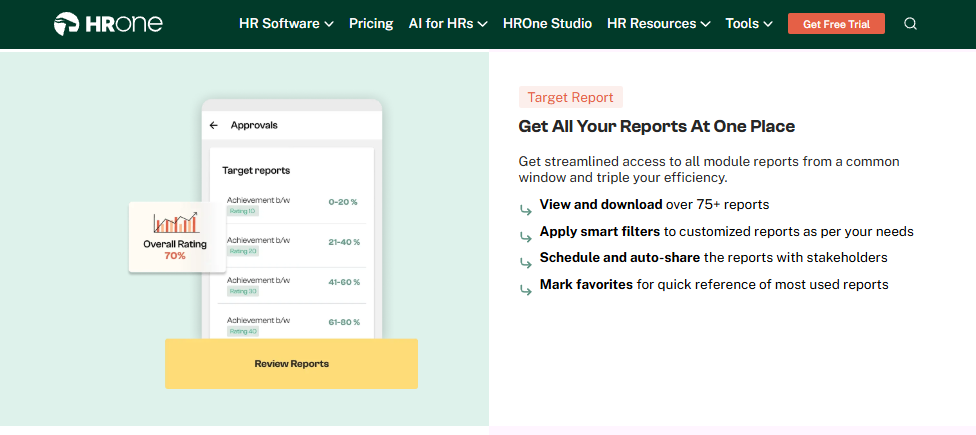
- Super Inbox surfaces every pending task, request, and approval in a single Gmail-like screen through the HR inbox, so HR closes 110+ tasks in three clicks instead of juggling five tabs and email threads.
- 127 pre-built workflows define who does what and by when across onboarding, confirmation, transfer, promotion, and exit clearance, so HR stops chasing managers over email.
- Payroll engine automates PF, ESI, TDS, PT, and LWF calculations with an auto-scheduler and group payout validation, cutting month-end reconciliation errors and salary delays.
- One AI Suite scores resume relevancy, parses expense receipts, and runs an employee AI agent, removing manual recruiter and finance labor.
- India’s first inbuilt ROI Dashboard calculates lifetime hours saved against average HR salary, so a CHRO walks into a board review with rupee-term savings already quantified.
- HRV Studio, a low-code builder for custom apps like visitor or vendor management, without raising a developer ticket.
- Mobile-first architecture, offline attendance and geo-fenced GPS punch for field and remote teams through the mobile HR app, syncing biometric data in real time.
🇮🇳 India-Specific Compliance and Localization
- PF / ESI / TDS: Yes (automated calculation, filing, and reconciliation).
- Labour law compliance: Strong (state-wise PT, LWF, and Bonus slabs maintained).
- Payroll localization: Yes (Form 16, Form 12BB, arrear and FFS settlement handled natively).
- Multi-state compliance: Yes (OU filters, or organizational-unit filters, apply the right slab per entity and location).
✅ Who This Is Built For
- Payroll Manager firefighting CTC-revision arrears and state-wise slab errors every month-end.
- HR Ops lead manually reconciling biometric attendance management exports against a separate leave portal.
- CHRO who cannot answer, at a board review, how many days it takes on average to close a confirmation letter.
⚠️ Who Should Skip This
- Very small teams or early-stage startups wanting lightweight, spreadsheet-like payroll without structured workflows.
- Buyers who need a fully self-serve, zero-configuration tool and will not invest in a guided onboarding phase.
💰 Pricing Structure
- Plan Type(s): Modular hire-to-retire bundles (Core HR, Workforce, Time Office, Payroll, Performance, Engage, Recruit).
- Starting Price: Flat PEPM (per employee per month), exact rate not publicly disclosed, request a quote on the pricing page.
- Tier-wise Breakdown: Priced by module bundle and headcount, not publicly published per tier.
- Incremental Cost Drivers: Add-on modules and AI Suite, per-entity configuration for multi-legal-entity setups.
- Implementation Fee: Not publicly disclosed, request a quote. Commercially, subscription meters only after go-live.
- Cost at 200 Employees: Not publicly disclosed, request a quote | Cost at 500 Employees: Not publicly disclosed, request a quote.
🛎️ Implementation and Support Reality
- Go-live achievable in as little as 30 days for mid-market rollouts, per HROne customer references.
- Support runs through a dedicated prior-HR onboarding SPOC who understands the domain, not a technical PM reading a checklist.
- Data migration is vendor-led, with reviewers reporting ERP data transfers completed in hours.
- Claimed 9.8 NPS on onboarding support [INSERT HRONE DATA to confirm current NPS].
We built the Super Inbox because the real failure in most HR stacks is not a missing feature; it is the handoff between tools where grievances, leakage, and blindness multiply. When we ran payroll logic for thousands of customer organizations, the pattern was always the same: the tools worked in isolation and broke at the seams. I might be wrong for your specific context, but from what surfaces when you actually run mid-market HR, the platform that connects every workflow and then proves the savings back to the board is the one that turns HR from a cost center into a strategic function.
Reviews
“The Inbox-for-HR is a game-changer, centralizing every HR task into one simple inbox, cutting down administrative time by 60-70% and preventing tasks from falling through the cracks. The initial setup was surprisingly straightforward.”
— Waldon S., HR Professional HROne G2 – Verified Review
“Certain features take time to understand, and without enough guided support, the learning curve can feel quite steep. With a little more hand-holding during onboarding, the experience would feel far more reassuring.”
— Nijanthan R., HR HROne G2 – Verified Review
1.2 greytHR
greytHR, a long-standing, compliance-first payroll engine for cost-conscious SMB teams.
Overview
greytHR is one of India’s oldest cloud HR and payroll platforms, widely adopted by small and mid-size businesses for statutory payroll and payslip processing. It is best known for a dependable payroll core and a free tier for very small teams. In practice, it is primarily used by SMB teams that need reliable monthly payroll and leave management on a tight budget, and it caps out when a multi-entity or shift-based manufacturing reality appears. For a direct feature breakdown, see our HROne vs greytHR comparison.
Core Services
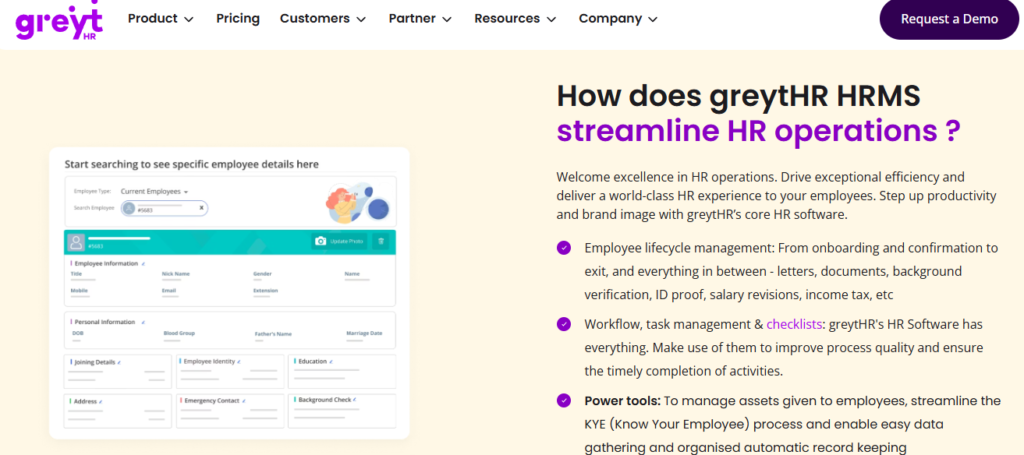
- Payroll processing automates salary, PF, ESI, PT, and TDS with statutory payslip generation, reducing manual month-end calculation.
- Leave and attendance tracks leave balances and attendance, though several reviewers report the leave module sitting awkwardly under an attendance tab.
- Employee self-service lets employees pull payslips, apply for leave, and declare taxes without going through HR.
- Tax declaration supports multiple tax regimes and employee-side declarations, easing annual filing.
- Statutory reports and challans generates compliance reports, though TDS revision and challan mapping draw complaints.
🇮🇳 India-Specific Compliance and Localization
- PF / ESI / TDS: Yes (core statutory payroll supported).
- Labour law compliance: Moderate (works well for single-entity SMB, rigid for complex multi-entity setups).
- Payroll localization: Yes (payslips, PT, statutory filing).
- Multi-state compliance: Partial (reviewers report customization limits on policies and slabs).
✅ Who This Is Built For
- Payroll Manager at a single-entity SMB wanting a proven, low-cost statutory payroll run.
- HR generalist at a small firm needing self-service payslips and tax declarations without heavy configuration.
⚠️ Who Should Skip This
- HR ops leads at multi-legal-entity or shift-based manufacturing firms needing deep, flexible workforce management.
- Teams that want ROI instrumentation to prove time and cost savings, which greytHR does not natively provide.
💰 Pricing Structure
- Plan Type(s): Free tier plus paid tiers (published as per-employee monthly pricing by module).
- Starting Price: Free up to 25 employees, paid tiers priced per employee per month, confirm current rate on the vendor pricing page.
- Tier-wise Breakdown: Higher tiers add payroll, leave, and performance add-ons, exact per-tier rates set on the pricing page.
- Incremental Cost Drivers: Paid add-on modules beyond the free core.
- Implementation Fee: Not publicly disclosed, request a quote.
- Cost at 200 Employees: Not publicly disclosed, request a quote | Cost at 500 Employees: Not publicly disclosed, request a quote.
🛎️ Implementation and Support Reality
- Self-serve to light-touch setup for small teams, heavier configuration draws dependency on the greytHR team.
- Support is ticket and email based, with reviewers reporting call-backs within 1-2 hours but escalation gaps.
- Data migration is largely self-serve or vendor-assisted for paid tiers.
- No publicly reported NPS.
Where greytHR leads is longevity and a straightforward SMB payroll core, and that deserves credit. The gap opens on the daily operating model. To close a single task you often move between multiple tabs and email threads, and there is no built-in way to measure the ROI after setup. That is the exact contrast we designed against: HROne surfaces those same tasks in one Super Inbox and quantifies time and cost saved on an inbuilt ROI Dashboard, which you can preview with our ROI calculator, so the CHRO is not guessing at the payoff.
Reviews
“GreytHR is not much good at customizing based on our requirements. From implementation onwards, there were issues with leave balance. Many times we were manually correcting the leave balance of employees.”
— Verified User in IT and Services greytHR G2 – Verified Review
“The app is not as user-friendly as advertised, with frequent glitches and slow load times. Simple tasks, like logging attendance or approving leaves, take longer than they should due to the app freezing.”
— Shreeya V. greytHR G2 – Verified Review
1.3 Keka
Keka, design-led HRMS with polished UX for modern startups and growing teams.
Overview
Keka is a Hyderabad-based HR and payroll platform founded in 2015, known for a clean, modern interface and strong employee-experience design. It serves startups and growing SMBs across India, with payroll, attendance, and performance modules. It is primarily used by teams that value UI polish and self-service, though several users report friction during implementation and support. For a side-by-side breakdown, see our HROne vs Keka comparison.
Core Services
- Payroll and compliance automates salary, PF, ESI, and TDS processing with statutory payslips, reducing manual month-end calculation.
- Attendance and leave tracks shifts, leave, and attendance with a mobile app, cutting manual regularization work.
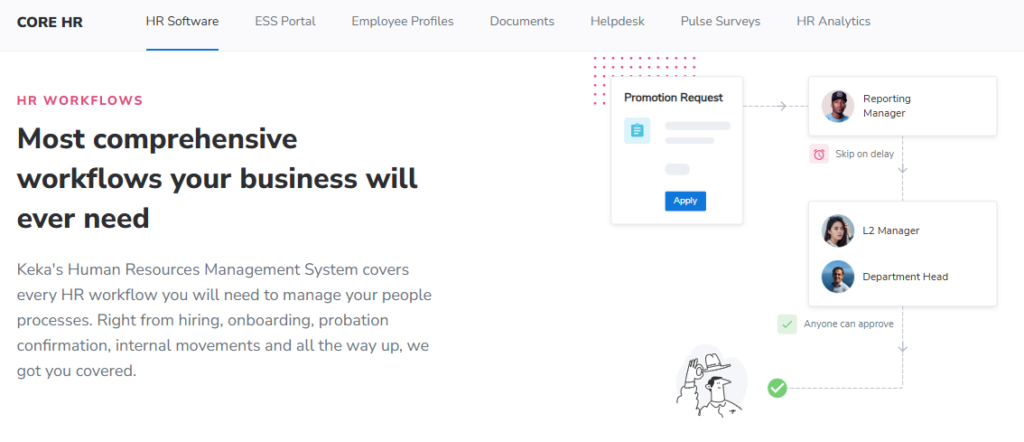
- Performance (PMS) runs OKRs, goals, and reviews, though reviewers find the module confusing to configure.
- Hiring (Keka Hire) manages requisitions, offer letters, and hiring workflows, automating approval routing.
- Employee self-service lets staff pull payslips and apply for leave through web and mobile.
🇮🇳 India-Specific Compliance and Localization
- PF / ESI / TDS: Yes (automated calculation and statutory filing).
- Labour law compliance: Moderate to Strong (solid for standard setups, less flexible for niche IT-consulting rules).
- Payroll localization: Yes (payslips, statutory deductions).
- Multi-state compliance: Partial (some location-specific configuration draws support dependency).
✅ Who This Is Built For
- HR lead at a design-conscious startup wanting a modern, low-friction employee experience.
- People-ops manager firefighting manual attendance and leave tracking on spreadsheets.
⚠️ Who Should Skip This
- Multi-legal-entity mid-market firms needing deep, fast configuration and weekend support cover.
- IT-consulting or shift-heavy teams needing location-specific rules changed quickly.
💰 Pricing Structure
- Plan Type(s): Tiered plans (Foundation, Strength, Growth) published per employee per month.
- Starting Price: Per-employee/month, billed with a minimum headcount commitment, confirm current rate on the vendor pricing page.
- Tier-wise Breakdown: Higher tiers unlock performance, hiring, and advanced payroll, exact rates on the pricing page.
- Incremental Cost Drivers: Add-on modules and higher-tier upgrades.
- Implementation Fee: Not publicly disclosed, request a quote.
- Cost at 200 Employees: Not publicly disclosed, request a quote | Cost at 500 Employees: Not publicly disclosed, request a quote.
🛎️ Implementation and Support Reality
- Onboarding can run slow, with reviewers reporting months-long, stalled implementations.
- Support is email and chat based, with reported gaps on weekends and complex requests.
- Data migration is vendor-assisted during setup.
- No publicly reported NPS.
Keka’s UI is genuinely a strength, and for a young team that wants a polished portal, it lands well. The gap I keep hearing about is the operating model behind that polish. When implementation stalls and support runs through slow email threads, a mid-market payroll team gets stuck at exactly the wrong moment. That is why we pair HROne with a prior-HR onboarding process SPOC (a single point of contact who has actually done HR work), so migration does not become a ticket you chase for months.
Reviews
“We started working with Keka HRMS in August, and to this day, we have been unable to implement the tool due to their consistently delayed responses and poor coordination between their internal teams.”
— Divya P. Keka G2 – Verified Review
“Strong payroll and compliance, automate salary and attendance processing with PF, ESI, TDS. Responsive support team. PMS module is confusing and needs to be simpler and easier to use.”
— Kiran B. Keka G2 – Verified Review
1.4 Zoho People
Zoho People, HR module inside the broader Zoho ecosystem, best for existing Zoho users.
Overview
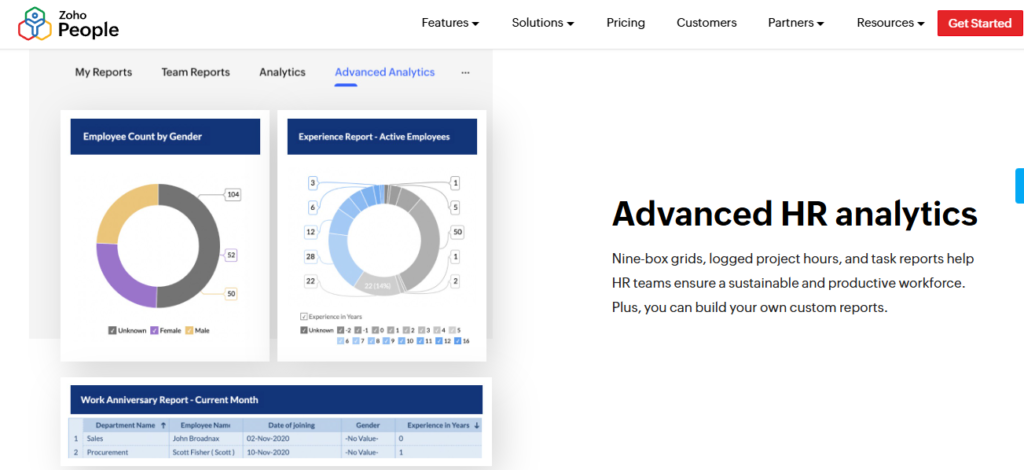
Zoho People is the HR product within Zoho’s large business-software suite, serving teams that already use Zoho Recruit, Books, or Payroll. It offers attendance, leave, and core HR at an accessible price point. It is primarily used by companies wanting HR that plugs into their existing Zoho stack, though users note shallow feature depth and slow support. For a deeper contrast, see our HROne vs Zoho People comparison.
Core Services
- Attendance and leave digital tracking with manager approvals, cutting email coordination.
- Core HR records stores employee data organized by business unit, easing reporting.
- Onboarding lets candidates self-enter data, completing onboarding within a day.
- Zoho ecosystem integration connects to Zoho Recruit and Zoho Payroll, streamlining hire-to-pay.
- Employee self-service leave balances and requests visible to employees, cutting HR emails.
🇮🇳 India-Specific Compliance and Localization
- PF / ESI / TDS: Partial (payroll is a separate India product, Zoho Payroll).
- Labour law compliance: Moderate (global generalist, India depth relies on add-on).
- Payroll localization: Partial (statutory handled via Zoho Payroll, bought separately).
- Multi-state compliance: Partial (depends on Zoho Payroll configuration).
✅ Who This Is Built For
- HR lead at a company already running Zoho Recruit and Books wanting a connected HR layer.
- People-ops manager wanting affordable digital leave management.
⚠️ Who Should Skip This
- Compliance-heavy manufacturing or BFSI teams needing deep India-native payroll in one product.
- HR ops leads who need fast, reliable support during payroll-critical windows.
💰 Pricing Structure
- Plan Type(s): Tiered per-user/month plans (Essential HR to People Plus).
- Starting Price: Low per-user/month rate, India payroll priced separately via Zoho Payroll, confirm on the vendor pricing page.
- Tier-wise Breakdown: Higher tiers add performance and case management, exact rates on the pricing page.
- Incremental Cost Drivers: Zoho Payroll add-on, higher-tier upgrades.
- Implementation Fee: Not publicly disclosed, request a quote.
- Cost at 200 Employees: Not publicly disclosed, request a quote | Cost at 500 Employees: Not publicly disclosed, request a quote.
🛎️ Implementation and Support Reality
- Self-serve setup aided by instructional videos, reviewers call onboarding easy.
- Support is email and ticket based, with repeated reports of slow response times.
- Data migration is largely self-serve.
- No publicly reported NPS.
If your company already lives inside Zoho, People is a reasonable, low-cost extension, and the ecosystem integration is real. My honest read is that the depth runs thin once Indian payroll complexity shows up, because statutory payroll sits in a separate product you buy on top. For a 500-person firm juggling CTC revisions and state-wise slabs, that split is where the manual reconciliation creeps back in. HROne keeps payroll, attendance, and compliance in one connected core HCM, so there is no second product to stitch.
Reviews
“Features are shallow and there is no depth in each application.”
— Verified User in IT and Services Zoho People G2 – Verified Review
“The integration with other Zoho apps, such as Zoho Recruit and Zoho Payroll, streamlines both recruitment and monthly payroll. The biggest drawback has been the lack of customer support.”
— Dhana C., HR Professional Zoho People G2 – Verified Review
1.5 Zimyo
Zimyo, cost-conscious modular HRMS for SMB-to-mid-market crossovers.
Overview
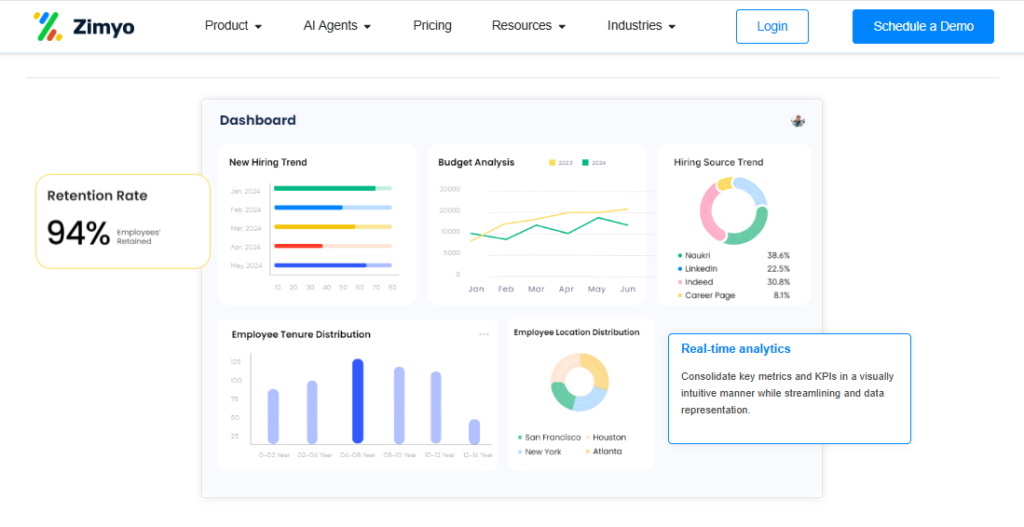
Zimyo is an India-focused HR and payroll platform offering a modular suite across core HR, payroll, and engagement. It targets budget-conscious SMBs and growing mid-market teams wanting affordable, pick-and-choose modules. It is primarily used by teams that want a solid HR and engagement core without paying enterprise prices, with a smaller enterprise footprint than incumbents. For a feature-level view, see our HROne vs Zimyo comparison.
Core Services
- Payroll engine automates PF, ESI, PT, and TDS with statutory payslips, reducing manual reconciliation.
- Core HR and records centralizes employee data and org structure, easing reporting.
- Attendance and leave mobile attendance and leave tracking, cutting manual entry.
- Employee engagement surveys, rewards, and feedback tools to lift participation.
- Performance management goal and review cycles for structured appraisals.
🇮🇳 India-Specific Compliance and Localization
- PF / ESI / TDS: Yes (automated statutory calculation).
- Labour law compliance: Moderate to Strong (solid for SMB and growing mid-market).
- Payroll localization: Yes (payslips, PT, statutory deductions).
- Multi-state compliance: Partial (supported, less battle-tested at large scale).
✅ Who This Is Built For
- HR generalist at a budget-conscious SMB wanting an affordable core plus engagement.
- People-ops lead at a growing firm wanting modular pricing to add features over time.
⚠️ Who Should Skip This
- Large enterprises needing a deeply proven, high-scale multi-entity deployment.
- Teams needing extensive brand-name references before signing.
💰 Pricing Structure
- Plan Type(s): Modular per-employee tiers.
- Starting Price: Per employee per month, exact rate not publicly disclosed, request a quote.
- Tier-wise Breakdown: Priced by module selection and headcount, confirm on the vendor pricing page.
- Incremental Cost Drivers: Additional modules and add-ons.
- Implementation Fee: Not publicly disclosed, request a quote.
- Cost at 200 Employees: Not publicly disclosed, request a quote | Cost at 500 Employees: Not publicly disclosed, request a quote.
🛎️ Implementation and Support Reality
- Light-touch setup for SMB deployments.
- Support runs through email and chat.
- Data migration is vendor-assisted.
- No publicly reported NPS.
Zimyo does the affordable-modular thing well, and for a cost-sensitive SMB adding engagement on top of payroll, it is a fair pick. Where I would pause is scale: the moment you run several legal entities on one instance, the demands change fast. Asia Healthcare Holdings, for example, runs 20 pan-India units on a single HROne instance with multi-legal-entity configuration, which is the kind of load that separates a growing SMB tool from a mid-market operating system.
1.6 Qandle
Qandle, configurable, pick-and-choose modular HR for small and growing teams.
Overview
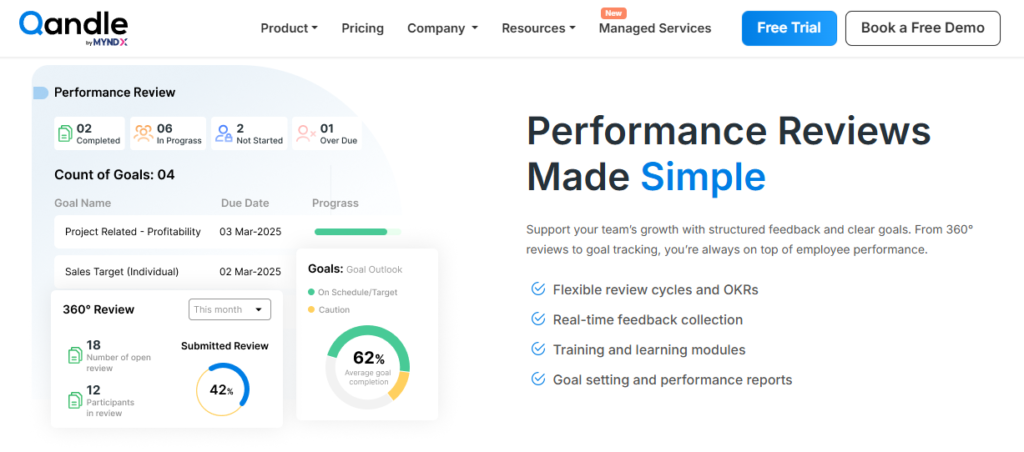
Qandle is an India-based HR platform built around configurable, modular deployment, letting teams switch on only the modules they need. It serves small businesses and growing teams wanting flexibility without a full suite commitment. It is primarily used by companies that want to start lean on core HR and add modules as they scale. For a direct match-up, see our HROne vs Qandle comparison.
Core Services
- Core HR and payroll automates statutory payroll (PF, ESI, TDS) and employee records, reducing manual work.
- Attendance and leave configurable tracking with mobile support, cutting regularization effort.
- Performance goal and review cycles for structured appraisals.
- Onboarding digital onboarding checklists to reduce paperwork.
- Expense and travel claim management, reducing manual approval routing.
🇮🇳 India-Specific Compliance and Localization
- PF / ESI / TDS: Yes (automated statutory calculation).
- Labour law compliance: Moderate (solid for standard SMB setups).
- Payroll localization: Yes (payslips, statutory deductions).
- Multi-state compliance: Partial (supported with configuration).
✅ Who This Is Built For
- HR lead at a small firm wanting to start with core HR and add modules later.
- People-ops manager wanting configurable workflows without heavy setup.
⚠️ Who Should Skip This
- Teams wary of add-on costs stacking as they scale module by module.
- Large multi-entity enterprises needing a deeply proven high-scale deployment.
💰 Pricing Structure
- Plan Type(s): Modular per-employee tiers (Core, Growth, Enterprise style).
- Starting Price: Per employee per month, exact rate not publicly disclosed, request a quote.
- Tier-wise Breakdown: Priced by module bundle and headcount, confirm on the vendor pricing page.
- Incremental Cost Drivers: Per-module add-ons that accumulate with scale.
- Implementation Fee: Not publicly disclosed, request a quote.
- Cost at 200 Employees: Not publicly disclosed, request a quote | Cost at 500 Employees: Not publicly disclosed, request a quote.
🛎️ Implementation and Support Reality
- Light-touch, configurable setup for SMB teams.
- Support runs through email and chat.
- Data migration is vendor-assisted.
- No publicly reported NPS.
The modular, pick-your-parachute approach is smart in principle, and I genuinely like giving teams the option to turn on only what they need. The catch, from what surfaces when you actually run these rollouts, is that add-on pricing quietly stacks as you grow. HROne uses the same modular philosophy but pairs it with flat PEPM pricing and billing that starts only after go-live, so the cost stays predictable as you switch modules on.
1.7 Pocket HRMS
Pocket HRMS, AI-assisted payroll and HR for micro and small businesses.
Overview
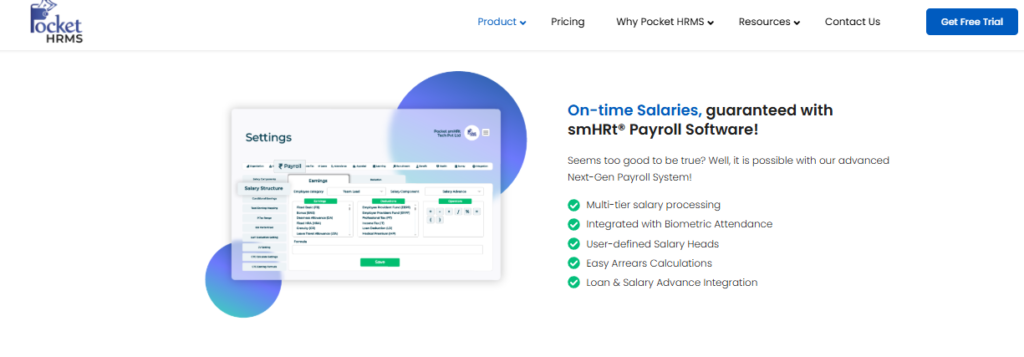
Pocket HRMS is a cloud HR and payroll platform serving micro and small Indian businesses, known for its smHRt AI assistant and straightforward payroll. It offers core HR, attendance, and statutory payroll at accessible pricing. It is primarily used by small teams wanting simple, compliant payroll without heavy configuration. For a feature comparison, see our HROne vs Pocket HRMS page.
Core Services
- Payroll engine automates PF, ESI, PT, and TDS with statutory payslips, reducing manual calculation.
- smHRt AI assistant answers employee HR queries, cutting routine HR workload.
- Attendance and leave cloud and mobile tracking, reducing manual entry.
- Core HR records centralized employee data and documents.
- Employee self-service payslip and leave access, cutting HR emails.
🇮🇳 India-Specific Compliance and Localization
- PF / ESI / TDS: Yes (automated statutory calculation and payslips).
- Labour law compliance: Moderate to Strong (solid for small-business payroll).
- Payroll localization: Yes (payslips, PT, statutory deductions).
- Multi-state compliance: Partial (supported, depth limited for complex setups).
✅ Who This Is Built For
- Payroll manager at a micro or small business wanting simple, compliant salary runs.
- HR generalist wanting AI-assisted self-service to cut routine query load.
⚠️ Who Should Skip This
- Mid-market or enterprise teams needing deep multi-entity workflows.
- Teams needing extensive performance and engagement depth.
💰 Pricing Structure
- Plan Type(s): Tiered per-employee plans.
- Starting Price: Per employee per month, exact rate not publicly disclosed, request a quote.
- Tier-wise Breakdown: Higher tiers add modules, confirm on the vendor pricing page.
- Incremental Cost Drivers: Add-on modules and higher tiers.
- Implementation Fee: Not publicly disclosed, request a quote.
- Cost at 200 Employees: Not publicly disclosed, request a quote | Cost at 500 Employees: Not publicly disclosed, request a quote.
🛎️ Implementation and Support Reality
- Light-touch setup for small teams.
- Support runs through email and chat.
- Data migration is vendor-assisted.
- No publicly reported NPS.
Pocket HRMS nails the small-business use case, and the smHRt assistant is a sensible way to cut routine query load. The honest limit is depth: as headcount and legal entities grow, simple payroll runs into the nitty-gritty of state-wise slabs and arrears. That is the exact seam where HROne’s OU filters (organizational-unit filters that apply the right statutory slab per entity and location) keep a growing team’s payroll solution accurate without manual patching.
1.8 factoHR
factoHR, mobile-first attendance and payroll for manufacturing and field teams.
Overview
factoHR is an India-based HR and payroll platform with strong mobile-first attendance, serving manufacturing, logistics, and field-heavy teams. It offers payroll, attendance, and core HR with a well-regarded mobile app. It is primarily used by companies with distributed or shop-floor workforces needing reliable attendance capture. For a direct match-up, see our HROne vs FactoHR comparison.
Core Services
- Mobile attendance GPS and geo-fenced punch for field teams, cutting manual attendance collation.
- Payroll engine automates PF, ESI, PT, TDS, and LWF with statutory payslips, reducing reconciliation errors.
- Leave and shift management configurable shifts and leave, easing shop-floor scheduling.
- Core HR records centralized employee data and documents.
- Employee self-service payslip and leave access via mobile.
🇮🇳 India-Specific Compliance and Localization
- PF / ESI / TDS: Yes (automated statutory calculation and filing).
- Labour law compliance: Strong (solid for manufacturing and multi-location).
- Payroll localization: Yes (payslips, PT, LWF, statutory deductions).
- Multi-state compliance: Yes (supported for multi-location setups).
✅ Who This Is Built For
- HR ops lead at a manufacturing firm needing reliable shop-floor and field attendance, served well by dedicated manufacturing HR.
- Payroll manager handling shift-based, multi-location statutory payroll.
⚠️ Who Should Skip This
- Teams whose priority is deep performance and engagement maturity.
- Design-first startups wanting a heavily polished employee-experience layer.
💰 Pricing Structure
- Plan Type(s): Tiered per-employee plans.
- Starting Price: Per employee per month, exact rate not publicly disclosed, request a quote.
- Tier-wise Breakdown: Priced by module and headcount, confirm on the vendor pricing page.
- Incremental Cost Drivers: Add-on modules and higher tiers.
- Implementation Fee: Not publicly disclosed, request a quote.
- Cost at 200 Employees: Not publicly disclosed, request a quote | Cost at 500 Employees: Not publicly disclosed, request a quote.
🛎️ Implementation and Support Reality
- Vendor-led setup for attendance-heavy deployments.
- Support runs through phone and email.
- Data migration is vendor-assisted.
- No publicly reported NPS.
factoHR earns its reputation on mobile attendance, and for a manufacturing or logistics team that lives on the shop floor, that focus is a real asset. Where the picture shifts is the full hire-to-retire path, from requisition to FFS settlement (full-and-final settlement when an employee exits). HROne connects that entire path in one system, and MR DIY India, a retail operator with distributed teams, cut its payroll cycle from 10 days to 5-6 days after moving over, as detailed in the MRDIY case study. Attendance is the start of the chain, not the whole chain.
1.9 Darwinbox
Darwinbox, enterprise-brand HCM with broad module breadth for larger organizations.
Overview
Darwinbox is a well-known enterprise HCM founded in 2015, carrying strong brand recognition across large Indian and Asian organizations. It offers a broad suite spanning core HR, payroll, performance, and a widely used mobile app. It is primarily used by larger enterprises wanting brand-name breadth, though reviewers report tab-juggling for daily tasks and support inconsistency. For a detailed match-up, see our HROne vs Darwinbox comparison.
Core Services
- Core HR and payroll automates statutory payroll and employee records across the lifecycle.
- Performance and talent goals, reviews, and succession for larger org structures.
- Mobile app leave, attendance, and payslip actions on the go.
- Recruitment requisition-to-offer hiring workflows.
- Engagement and analytics surveys and workforce reporting.
🇮🇳 India-Specific Compliance and Localization
- PF / ESI / TDS: Yes (India payroll supported).
- Labour law compliance: Moderate to Strong (built for enterprise scale).
- Payroll localization: Yes (statutory deductions and payslips).
- Multi-state compliance: Yes (supported for large multi-entity setups).
✅ Who This Is Built For
- Large-enterprise HR head wanting a recognized brand-name HCM with broad modules.
- People-analytics lead needing enterprise-scale workforce reporting.
⚠️ Who Should Skip This
- Lean 100-500 employee teams wary of day-one billing during long implementations.
- Teams wanting three-click daily task closure without tab-juggling, the exact problem our HR inbox was built to solve.
💰 Pricing Structure
- Plan Type(s): Quote-based enterprise plans.
- Starting Price: Not publicly disclosed, request a quote (typically multi-year contracts).
- Tier-wise Breakdown: Not publicly published, priced by scope and headcount.
- Incremental Cost Drivers: Module scope, multi-year commitments.
- Implementation Fee: Not publicly disclosed, request a quote, billing reported to start from day one of purchase.
- Cost at 200 Employees: Not publicly disclosed, request a quote | Cost at 500 Employees: Not publicly disclosed, request a quote.
🛎️ Implementation and Support Reality
- Enterprise implementations can be lengthy, with reviewers reporting difficult transitions.
- Support is ticket and email based, with mixed reports.
- Data migration is vendor-led.
- No publicly reported NPS.
Darwinbox brings real enterprise brand weight, and for the largest organizations, that breadth and recognition matter. The friction shows up in daily operations and commercials: users report juggling tabs to close everyday tasks, billing that starts from day one while implementation drags, and no built-in way to prove ROI to the board. HROne takes the opposite stance for the 100-5,000 sweet spot: every task surfaces in one Super Inbox, subscription meters only after go-live, and India’s first inbuilt ROI Dashboard quantifies savings in rupee terms, which you can model using our ROI calculator.
Reviews
“Bad implementation experience, bad UI UX, configurations getting broken in production on its own due to product deployments, terrible customer service. Basically everything.”
— Verified User in Computer Software Darwinbox G2 – Verified Review
“Darwinbox has made HR processes much smoother by bringing everything together on one platform. Pages sometimes load slowly and there is limited customization in reports.”
— Saksham A. Darwinbox G2 – Verified Review
Q2. How Did We Score and Rank These HRMS Tools?
We scored each tool across five criteria totalling 100%: Indian Statutory Depth (25%), Implementation and Go-Live Reality (25%), Cross-Module Consistency (20%), Pricing Transparency (15%), and User Reviews (15%). Tools scoring 0-20 get 1 star, rising to 5 stars at 81-100. HROne scores 5 stars on statutory depth and implementation. Legacy tools lose points on the implementation trap and tab-juggling.
⚠️ The Credibility Gap in Most HRMS Lists
Here is the honest problem with most “best HRMS” listicles. The vendor writing the list ranks itself first. Look at SalaryBox or Pocket HRMS comparison pages, and the author’s own product always wins. Our own HROne vs Pocket HRMS page lays the criteria out openly instead.
So I want to be transparent about our weights before you read another word. You should be able to argue with the rubric. If you disagree with a weight, adjust it and re-rank the tools yourself.
📊 The Weighted Rubric, Fully Disclosed
We weighted implementation at a heavy 25% for one reason. A payroll manager once described the classic trap to me: you pay the implementation fees, then discover the system cannot do what you were sold. That is an ERP ghost town, budget spent, tool unused. A structured onboarding process is what prevents it.
📋 HRMS Scoring Rubric and HROne’s Score
| Criterion | Weight | What It Measures | HROne Score |
|---|---|---|---|
| Indian Statutory Depth | 25% | PF, ESI, PT, LWF, TDS, multi-state slabs | ⭐⭐⭐⭐⭐ |
| Implementation and Go-Live Reality | 25% | Go-live speed, SPOC quality, billing timing | ⭐⭐⭐⭐⭐ |
| Cross-Module Consistency | 20% | Do modules talk, or leave you reconciling exports | ⭐⭐⭐⭐⭐ |
| Pricing Transparency | 15% | Published PEPM (per employee per month), lock-in, hidden fees | ⭐⭐⭐⭐ |
| User Reviews | 15% | Verified G2 sentiment on support and accuracy | ⭐⭐⭐⭐⭐ |
🇮🇳 Why Implementation Carries So Much Weight
Buying an HRMS is a bit like buying a Ferrari you cannot drive off the lot for six months. The sticker looks great; the reality stalls. That is why we score go-live billing directly, a principle reflected in our pricing.
HROne earns 5 stars here because its subscription meters only after go-live, not from day one of purchase. Its India’s first inbuilt ROI Dashboard then measures the implementation-reality criterion after you are live, calculating lifetime hours saved against average HR salary, which you can preview with our ROI calculator. You can literally check whether the tool delivered.
“The initial setup of HROne was surprisingly straightforward, much lighter than expected for a full HRMS.”
— Waldon S., HR Professional HROne G2 – Verified Review
“We started working with Keka HRMS in August, and to this day, we have been unable to implement the tool due to their consistently delayed responses.”
— Divya P. Keka G2 – Verified Review
Q3. HRIS vs HCM vs HRMS: What Does an Indian SMB Actually Need?
HRIS stores employee data. HRMS adds operational workflows like attendance, leave, and payroll. HCM adds strategic talent functions like workforce planning. Most Indian SMBs need HRMS-plus: an HRMS core with switch-on HCM modules. The features that move the needle are integrated attendance-to-payroll, multi-level approvals, mobile self-service, and analytics, not the longest checklist.
🍜 Decoding the Alphabet Soup
HRIS, HCM, HRMS. It really is alphabet soup, and vendors love the confusion because it sells bigger tiers. Let me define them plainly. Our guide on HCM vs HRIS vs HRMS goes deeper if you want it.
- HRIS (Human Resource Information System): the database of record, storing employee data.
- HRMS (Human Resource Management System): HRIS plus the daily operating workflows, attendance, leave, and payroll.
- HCM (Human Capital Management): HRMS plus strategic layers like workforce planning and succession.
The bread and butter is core HR, workforce, time office, and payroll. That is the base for any organization. Everything above it is a nice-to-have you switch on later.
🪂 The Parachute Way to Buy
Think of it like a parachute: you pull only the cords you need, when you need them. You should buy an HRMS core and activate HCM modules as you grow, not pay upfront for features you will not touch for two years. HROne works this way, with modular activation and 127+ pre-built workflows sitting ready inside its core HCM.
The value is not feature count. It is whether a workflow actually removes manual pain. Integrated attendance-to-payroll matters because the industry has patented exactly this link, biometric attendance feeding payroll software automatically.
📱 Mobile Self-Service Is the Baseline, Not a Bonus
Roughly 70% of mid-market Indian employees access HR on a mid-range Android phone. So mobile employee self-service (ESS), where staff pull payslips and apply for leave themselves through a mobile HR app, is table stakes now. Predictive analytics on attrition and workforce vitality has also moved from luxury to standard, again reflected in patents from major payroll players.
✅ Two Demo Tests You Can Run on Monday
Here is a real workflow we tested. At CGS, employees were getting overtime without proof of presence. We built a gate: mark your attendance first, and only then does HROne generate overtime through connected attendance management. That single rule closed a leakage nobody could see in spreadsheets.
When you sit through any demo, apply two tests.
- The 3-Click Rule: can any routine task, like approving leave, be done in three clicks or fewer?
- The 2-Level Approval Rule: can you route a request through two approvers without a developer or a support ticket?
If a tool fails these, the longest feature list will not save your HR team’s Monday.
Q4. How Much Does SMB HRMS Cost in India, and What’s the Real TCO?
Indian SMB HRMS pricing runs Rs 30 to 300 per employee per month, but the sticker PEPM (per employee per month) hides the real bill. A 100-employee firm should model base licence, statutory add-ons, implementation, and support. Keka starts near Rs 9,999 per month, Zoho People sells payroll separately, and greytHR is free to 25 then paid add-ons. The non-negotiable: subscription starts after you go-live.
💰 Sticker Price Is Not the Bill
The number on the pricing page is rarely what you pay. Add-ons, per-entity charges, and implementation fees stack quietly. This matters because payroll mistakes are expensive in trust, not just rupees; surveys suggest nearly half of employees consider leaving after two payroll errors. Our note on HR software pricing transparency unpacks this.
So model the full picture before you sign. Here is a worked Total Cost of Ownership (TCO) view for a 100-person firm.
📊 100-Employee TCO, Worked Across Vendors
📋 100-Employee HRMS Total Cost of Ownership Across Vendors
| Vendor | Published Starting Price | Payroll Included | Notable Cost Driver |
|---|---|---|---|
| Keka | Rs 9,999 to 15,999 / 100 employees / month, 25-employee floor | Yes | Implementation fee, add-on stacking |
| greytHR | Free to 25 employees, then Rs 2,495/month tier upward | Yes (core) | Expense and add-on modules priced separately |
| Zoho People | Low per-user/month | No (Zoho Payroll bought separately) | Payroll is a second product |
| HROne | Flat PEPM, quote-based | Yes | Billing starts only after go-live |
Numbers come from each vendor’s pricing page; confirm current rates before budgeting. The pattern is clear: two tools bundle payroll, one splits it out, and hidden fees live in implementation and add-ons. Our how to choose payroll software guide helps you weigh these.
⏰ The Go-Live Billing Script for Monday
Here is the one tactic I would fight for in every contract. Never sign “subscription starts from day one of purchase.” Insist on “flat pricing, no lock-in, subscription starts after we go-live.”
That single clause protects your cash during the risky implementation window. HROne built its commercials around exactly this, flat PEPM, no lock-in, and billing that meters only after go-live through its payroll solution. If a vendor will not agree, that tells you how confident they are in their own onboarding.
“Biggest issue is how much they have increased prices and continue to do so. They know that switching HRMS is painful.”
— Josh A. BambooHR G2 – Verified Review
“I love HROne for its cost efficiency and holistic approach, which is why I prefer it over other vendors like Workday.”
— Priyanka S., HR Professional HROne G2 – Verified Review
Q5. Can These HRMS Handle Indian Statutory Compliance and 2026 Labour Codes?
A credible Indian SMB HRMS must automate PF, ESI, LWF, PT, TDS, and Bonus, maintain state-wise slabs, and apply OU filters (organizational-unit filters that pick the right rule per entity and location) for salary processing. In 2026 it must also be ready for the Code on Wages’ unified wage definition and the DPDP Act’s biometric-consent rules. Generic global tools need bolt-ons; India-first platforms handle state-wise minimum wages natively.
🇮🇳 The State-Wise Slab Nightmare
Here is the requirement everyone underestimates. India does not have one minimum wage; it has hundreds, varying by state, skill level, and industry. A tool that cannot apply the right slab per location will miscalculate salaries every single month, which is why statutory compliance payroll depth matters.
India’s four labour codes took effect on 21 November 2025, and the Central Rules were notified on 8 May 2026. The Code on Wages now uses a unified wage definition, roughly the 50% rule, which reshapes PF, gratuity, and bonus math. Your HRMS must recompute all of this automatically, a shift explained in our note on navigating labor laws.
⚠️ The 30-Layer GL Trap
There is a quieter failure I keep seeing. Accounting codes for payroll can run 30 layers deep across cost centres and entities. Many payroll systems cannot bridge that depth, and worse, cannot even export the data in a meaningful format, which is where a capable payroll software earns its keep.
So a compliance checklist should read like this. Ask any vendor to prove, live, that it does each item.
- PF, ESI, LWF, PT, TDS, Bonus: fully automated calculation, filing, and reconciliation.
- State-wise slabs: applied per location without manual overrides.
- OU-filtered salary processing: the right entity’s rules on the right employees.
- DPDP Act 2023 readiness: biometric-attendance data captured with employee consent, per the rules notified in November 2025.
- GL export depth: clean journal exports that map to your accounting layers.
The 2026 codes also add electronic wage slips, standardized appointment letters, and vacancy reporting, all now on the HRMS to handle.
✅ Why India-First Architecture Matters Here
This is where global generalists struggle. Tools built for many countries often bolt on Indian statutory handling as an afterthought, so state-wise minimum wages become the single most-missed requirement.
We built HROne around these hooks natively. It applies state-wise slabs through OU filters, runs PF, ESI, LWF, PT, TDS, and Bonus automatically, and exports GL-ready data through its payroll solution. A payroll manager once told me that fixing state slabs manually ate two full days each cycle; native handling gives those days back.
Q6. Why Do HRMS Implementations Fail, and How Do You Roll Out Without Burning Your Team?
Most HRMS implementations fail because buyers believed “plug and play” was real. It is not; it is plug, practice, play. Roll out in phases: start with the four bread-and-butter modules, design two-level approvals before you migrate, and copy salary structures straight from offer letters. Insist on trainer enablement, and start billing only after go-live.
💸 The ERP Ghost Town
Let me start with the failure, because it is expensive. A firm pays hefty implementation fees, then discovers the system cannot do what they were sold. The tool becomes an ERP ghost town, budget spent, logins abandoned. Our list of HRIS buyer pitfalls maps these traps.
I have watched teams do a three-system pivot in 18 months, hopping vendors and re-migrating data each time. Behind it are spreadsheet scars: years of Excel habits nobody documented. Research on micro and small firms confirms informal, undocumented HR is a real adoption barrier.
⏰ The Nitty-Gritty Demo Sink
Here is the complication most buyers miss. A serious HRMS demo is not 30 minutes; it is 2 to 2.5 hours, roughly 1.5 hours per module across 10 to 11 settings. If a vendor rushes it, they are hiding the configuration depth. When you are ready, you can book a demo and time it yourself.
That depth is exactly why “plug and play” is a myth. The honest version is plug, practice, play. You configure, you rehearse with real data, then you go live.
✅ A Phased Rollout That Does Not Burn People
Here is the order I would use, tested across many go-lives. It front-loads the modules that matter and defers the rest, anchored on a solid core HCM.
- Start with the four bread-and-butter modules: core HR, workforce, time office, and payroll.
- Design two-level approvals first: map who approves what before you migrate a single record.
- Import salary structures directly: copy CTC components from offer letters instead of re-keying, using the salary-revision shortcut.
- Add HCM layers later: performance and engagement come after the base is stable.
Roster and attendance reconciliation is fiddly enough to have its own patents, so do not treat it as trivial, and lean on proper attendance management to handle it.
🏎️ The Ferrari Nobody Trained You to Drive
The last piece is enablement. Buying a powerful HRMS without trainer support is like getting a Ferrari and never learning the clutch. You stall in the parking lot.
We pair HROne rollouts with a prior-HR onboarding process SPOC (single point of contact who has actually done HR), module-by-module training, and go-live billing so the meter starts only when you are live. A clean go-live should feel like strategic HR from day one, not another migration scramble. My honest question: what would your team do with the two days a month a clean payroll run gives back?
Q7. greytHR vs Keka vs Zoho People vs Zimyo vs HROne: Which Fits Your Team, and What ROI Can You Prove?
Pick greytHR for compliance-first payroll if you can tolerate tab-juggling. Pick Keka for design-led startups. Pick Zoho People if you already live in Zoho. Pick Zimyo for budget-conscious engagement. Choose HROne for 100+ mid-market teams needing deep statutory automation, a single-screen Inbox for HR, and India’s first inbuilt ROI dashboard, because most tools give you no way to measure the payoff you were promised.
⚖️ The Five, Matched to Real Scenarios
Each tool has a genuine sweet spot. Here is where each one earns its place, and where I would pause.
- greytHR, best for single-entity, compliance-first SMB payroll. Watch-out: rigid customization and tab-juggling across screens. See our HROne vs greytHR comparison.
- Keka, best for design-led startups wanting polished UX. Watch-out: slow, stalled implementations reported by users. See our HROne vs Keka comparison.
- Zoho People, best if you already run Zoho Recruit and Books. Watch-out: shallow depth and payroll bought as a separate product.
- Zimyo, best for budget-conscious teams wanting engagement. Watch-out: smaller enterprise footprint at high scale.
- HROne, best for 100 to 5,000 employee mid-market teams. Watch-out: full-suite depth means a real, not instant, rollout.
📊 The Decision Line by Size and Industry
If you run one legal entity under 100 people, greytHR or Zimyo can work well. If you are a Zoho-native startup, Zoho People is the low-friction pick.
Once you cross 100 employees, multiple entities, or shift-based manufacturing HR, the math changes. That is HROne’s territory, where Asia Healthcare Holdings runs 20 pan-India units on a single instance.
💰 The ROI Blind Spot Nobody Talks About
Here is the honest gap in this whole category. After you buy greytHR, Keka, or most tools, there is no built-in way to track ROI. You assume the payoff; you cannot prove it, though our ROI calculator lets you model it upfront.
That blind spot matters because payroll errors are costly; surveys suggest nearly half of employees consider leaving after two payroll mistakes. HROne closes the gap two ways: the HR inbox surfaces your 110+ tasks on one screen before deadlines, and India’s first inbuilt ROI dashboard measures cost and time saved in rupee terms. A system will not replace your HR people; at best it optimizes them, and then shows the board the proof.
“The system acts as per its own whims and gives error reports. We have to spend time manually to find errors. Not one month has passed where we have not raised a ticket.”
— Maheshkumar J. greytHR G2 – Verified Review
“The Inbox-for-HR is a game-changer, centralizing every HR task into one simple inbox, cutting down administrative time by 60-70%.”
— Waldon S., HR Professional HROne G2 – Verified Review
So here is what I am still sitting with. If every HRMS could prove its own ROI on day 90, would we see fewer three-system pivots, or would buyers finally hold vendors to the outcome they sold? I would genuinely like to hear how your last rollout measured up.













 Secures Top Spot in
