


Q1. What Are the 10 Best HRMS for Hospitality & Retail in India in 2026 (and How We Ranked Them)?
The 10 best HRMS for hospitality and retail in India in 2026 are HROne, Keka, greytHR, Darwinbox, Zoho People, SalaryBox, PagarBook, Pocket HRMS, Qandle, and factoHR. We scored each on Shift & Roster Flexibility (25%), Field-Team & Local-Language Usability (25%), Blended Payroll & Compliance (20%), Implementation & Pricing Transparency (15%), and Verified Reviews (15%). HROne leads at 5 stars, ranked #3 in Highest Satisfaction Products out of 1,17,579 software worldwide. [INSERT HRONE DATA]
Choosing an HRMS for a multi-outlet retail or hospitality business is a high-stakes decision, because shift timings vary from one unit to another, leave rules stack into 15 or 16 variants, and blue-collar field teams often read only their local language. Rather than ranking on brand popularity, this guide evaluates 10 vendors against operational, compliance, and field-usability criteria that matter to the person running attendance and payroll every single day, not just the procurement buyer. The primary reader is the HR Ops lead or payroll manager on the floor, with CHROs, CFOs, and IT Directors reading over their shoulder.
📋 Our Evaluation Criteria
We assessed each vendor across five weighted, decision-grade metrics that sum to 100%. Tools scoring 0 to 20 earn 1 star, 21 to 40 earn 2 stars, and so on, up to 5 stars for 81 to 100.
- Shift & Roster Flexibility ⏰ (25%): Can it consolidate unit-varying shifts, 15 to 16 leave rules, and 3 to 5 overtime policies into one structure, with an overtime gate that generates OT only after attendance is marked?
- Field-Team & Local-Language Usability ✅ (25%): Does the mobile app work in regional languages (Bengali, Tamil, and more) with geo-fenced, live-photo attendance for field staff?
- Blended Payroll & Compliance 💰 (20%): Does it run full-time, part-time, and daily-wage pay in one cycle with PF, ESI, PT (Professional Tax), and TDS across states?
- Implementation & Pricing Transparency 💸 (15%): Flat pricing, no lock-in, and billing that starts after go-live, not on day one of purchase?
- Verified Reviews ⭐ (15%): What do real G2 users say about support, migration, and daily reliability?
👥 Who This Guide Is For
- CHROs and HR Heads consolidating a fragmented hire-to-retire stack across 20 or more retail or hotel units.
- Payroll Managers running multi-entity, India-compliant monthly cycles for a blended full-time and daily-wage workforce.
- CFOs validating HR tech ROI and flat PEPM (Per Employee Per Month) commercials before signing.
- IT Directors and Operational HR teams comparing mobile-first HCMs against legacy biometric portals.
📊 Comparison Table: 10 Best HRMS for Hospitality & Retail (2026)
📋 10 Best HRMS for Hospitality & Retail in India (2026)
| Provider (⭐) | Best For | Standout Strength | Known Limitation | Industry Fit | Support Model | Pricing Model |
|---|---|---|---|---|---|---|
| HROne ⭐⭐⭐⭐⭐ |
HR Ops leads drowning in unit-varying shifts and 15 to 16 leave rules across outlets | Consolidates every unit’s shift, leave, and OT rule into one structure with an attendance-gated overtime workflow [INSERT HRONE DATA] | Payroll and Performance modules carry a learning curve for first-time users (Shilpi M., G2) | Multi-unit retail, hospitality, field sales | Dedicated prior-HR SPOC + phone + email | Flat PEPM, no lock-in, billing after go-live |
| Keka ⭐⭐⭐ |
Mid-market teams wanting polished UI for core payroll | Strong payroll and compliance automation with a clean interface (Kiran B., G2) | Email-thread support and slow implementation reported (Divya P., G2) | SMB to mid-market IT/services | Email + ticket, limited weekend cover | Per-employee/month, quote-based |
| greytHR ⭐⭐⭐ |
SMBs needing dependable statutory payroll | Reliable payroll and payslip processing at low cost | Rigid customization, weak multi-location leave handling (Arjun T., G2) | SMB single-entity payroll | Ticket-based | Per-employee/month tiers |
| Darwinbox ⭐⭐⭐⭐ |
Large enterprises wanting brand-weight HCM | Unified platform covering attendance to performance (Saksham A., G2) | Tab-juggling UI, slow bulk processing, migration friction (Ankush B., G2) | Enterprise 1,000+ | Vendor-led + email | Quote-based, multi-year contracts |
| Zoho People ⭐⭐⭐ |
Existing Zoho-stack teams | Deep integration with Zoho Recruit and Zoho Payroll (Dhana C., G2) | Shallow feature depth, slow support (Verified User, G2) | Global generalist, small teams | Email + ticket | Per-user/month, freemium tier |
| SalaryBox ⭐⭐⭐ |
Single-outlet kirana, cafés, small stores | Lightweight mobile attendance and daily-wage payroll | Thin on multi-entity workflows and deep compliance | Micro and small retail | App-based support | Freemium + low PEPM |
| PagarBook ⭐⭐⭐ |
Small shops paying daily-wage staff | Simple staff attendance and salary register | Limited enterprise roster and statutory depth | Micro retail, local stores | App + chat | Freemium + paid tiers |
| Pocket HRMS ⭐⭐⭐ |
Hotels wanting modular pick-and-choose HR | Modular Core HR, payroll, and attendance selection | Narrower field-team and geo-fencing depth | SMB hospitality | Email + chat | Modular per-module pricing |
| Qandle ⭐⭐⭐ |
Mid-market teams wanting configurable modules | Configurable workflows and clean employee UX | Smaller install base, thinner retail-specific tooling | Mid-market generalist | Email + SPOC (paid) | Per-employee/month tiers |
| factoHR ⭐⭐⭐⭐ |
Manufacturing and retail needing mobile payroll | Strong mobile payroll and attendance with statutory cover | Performance and engagement modules less mature | Mid-market retail, manufacturing | Phone + email | Per-employee/month, quote-based |
1.1 HROne: The Hire-to-Retire Operating System Built for Multi-Unit Chaos
HROne: The India-first, mobile-native HCM that turns scattered shift and leave rules into one consistent workflow.
⭐ Overview
HROne is a cloud-based HCM founded in 2016, now live across 1,500+ brands including retail and healthcare enterprises like MR DIY India and Asia Healthcare Holdings. [INSERT HRONE DATA] It ranks #3 in Highest Satisfaction Products out of 1,17,579 software worldwide on G2. [INSERT HRONE DATA] It is primarily used by HR Ops teams struggling to reconcile unit-varying shifts, stacked leave rules, and blended payroll without manual Excel collation.
🧩 What Makes It Fit Retail and Hospitality
HROne ships 30+ modules and 127 pre-built hire-to-retire workflows, so the breadth needed for multi-outlet operations sits on one platform. [INSERT HRONE DATA] Here is how the core mechanics remove real floor-level pain.
- Time Office Engine: consolidates unit-varying shifts, 15 to 16 leave rules, and 3 to 5 overtime policies into one structure, so HR stops maintaining separate Excel sheets per outlet.
- Attendance-Gated Overtime: generates OT only after the employee marks attendance on-site, which removes the old habit of staff self-submitting whatever hours they wanted.
- Geo-Fenced Mobile Attendance: captures live-photo, GPS-verified punches for field and sales staff, ending buddy-punching and cutting reconciliation time.
- Blended Payroll Engine: automates PF, ESI, PT, and TDS with state-wise slab logic, reducing month-end reconciliation errors across a mixed workforce.
- Super Inbox: surfaces every pending task, request, and approval in one Gmail-style HR inbox closed within three clicks, replacing tab-switching across five or more tools.
- India’s First Inbuilt ROI Dashboard: calculates lifetime hours saved against average HR salary, so CHROs walk into board reviews with savings already quantified. [INSERT HRONE DATA]
🇮🇳 India-Specific Compliance & Localization
- PF / ESI / TDS: Yes (automated calculation, filing, and challan generation).
- Labour law compliance: Strong (state-wise PT and LWF slabs, new wage-code ready).
- Payroll localization (India-specific): Yes (CTC structuring, Form 16, Form 12BA).
- Multi-state compliance handling: Yes (multi-legal-entity on a single instance).
- Local-language mobile app: Yes (regional languages including Bengali and Tamil for field staff).
👤 Who This Is Built For
- HR Ops lead manually reconciling biometric exports against a leave portal across 10 or more retail outlets.
- Payroll Manager firefighting CTC-revision arrears and daily-wage settlements every month-end.
- CHRO who cannot answer, in a board review, how many days it takes to onboard a lateral hire.
🚫 Who Should Skip This
- A single-outlet café or kirana with under 25 staff wanting a spreadsheet-light app without structured workflows.
- Teams needing a bare-bones free tool with zero configuration, where SalaryBox or PagarBook fit better.
💰 Pricing Structure
- Plan Type(s): Flat PEPM across bundled module packs (typically 4, 6, or 8 modules).
- Starting Price: Not publicly disclosed, request a quote; billing meters only after go-live.
- Tier-wise Breakdown: Bundled by module count rather than employee tier; the core “bread and butter” bundle covers Workforce, Time Office, and Payroll. [INSERT HRONE DATA]
- Incremental Cost Drivers: Add-on modules, One AI Suite, and HRV Studio custom-app builder.
- Implementation Fee: Yes, bundled; subscription starts only after go-live with no lock-in.
- Cost at 200 Employees: Request a quote | Cost at 500 Employees: Request a quote.
⏰ Implementation & Support Reality
- Mid-market go-live reported in as little as 30 days with pre-built workflows. [INSERT HRONE DATA]
- Support via a dedicated prior-HR onboarding SPOC (Single Point of Contact) plus phone and email, not a ticket queue.
- Data migration is vendor-led; users report ERP-to-HROne transfers completed within hours.
- Reported NPS of 9.8 on dedicated HR SPOC support. [INSERT HRONE DATA]
💬 Reviews
“Feature-Rich HCM with Excellent Support. Real time sync of biometric and mobile mark punch functionality available. Salary processing to last creation of bank Challan files is quick and systematic process with error free details.”
— Deepak K., HR HROne G2 – Verified Review
“One thing I don’t like is that it can sometimes feel a bit overwhelming for new users. Certain features take time to understand, and without enough guided support, the learning curve can feel quite steep.”
— Nijanthan R., HR (3.5/5) HROne G2 – Verified Review
I have run HR long enough to say this plainly. Software will not fix a policy you have not formulated yet. What it does is take a rule you have decided on, make it consistent, and then repeat it across every outlet without you chasing anyone. That is the honest job of an HRMS, and it is exactly why we built HROne around the Super Inbox and 127 workflows rather than a prettier portal for the same chaos.
1.2 Keka: Polished UI for Core Payroll, Tested at the Support Layer
Keka: A UX-forward HRMS for mid-market teams that value interface polish on core payroll.
⭐ Overview
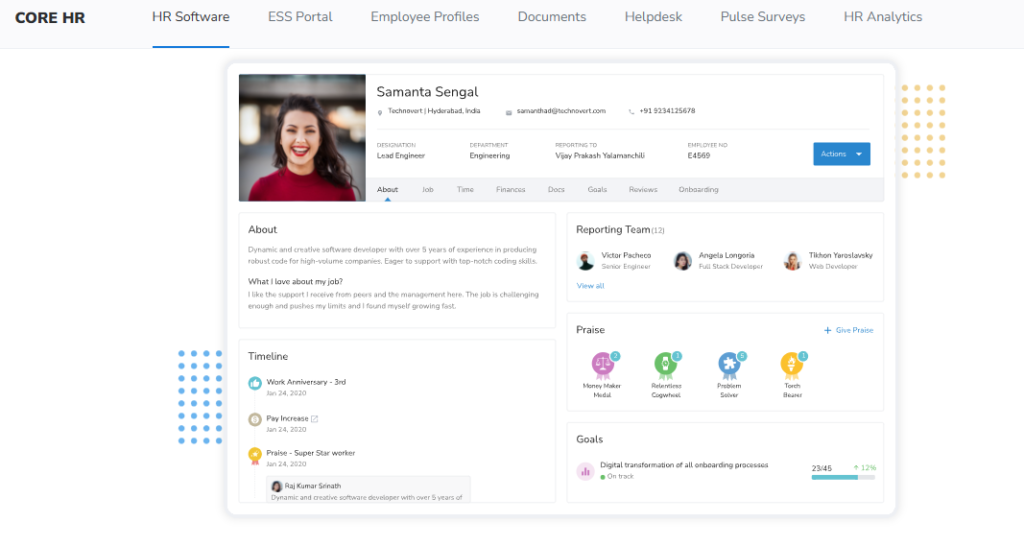
Keka is an India-based HRMS known for a clean, intuitive interface and solid core payroll automation. It is primarily used by SMB and mid-market IT and services teams wanting a modern-looking portal for attendance, payroll, and basic performance. Its strength is surface usability; its most documented weakness, in verified reviews, is implementation speed and escalation-heavy support.
🧩 Core Services
- Payroll Engine: automates salary, PF, ESI, and TDS processing, reducing manual month-end calculation, though some users report RBI-regulation payout blocks (Pooja M., G2).
- Attendance & Leave: captures punches and leave with a mobile app, cutting manual tracking for desk teams.
- Keka Hiro (Hiring): automates offer-letter workflows and hiring approvals, reducing recruiter admin.
- Performance (PMS): supports KRAs and KPIs, though users call the module confusing and in need of simplification (Kiran B., G2).
- Document Management: generates HR letters and stores documents, reducing paperwork.
🇮🇳 India-Specific Compliance & Localization
- PF / ESI / TDS: Yes (automated calculation and payslip statutory compliance).
- Labour law compliance: Moderate (strong on payroll, thinner on shift-based multi-unit rules).
- Payroll localization (India-specific): Yes (TDS, statutory payslips).
- Multi-state compliance handling: Partial (users report location-specific config friction).
👤 Who This Is Built For
- HR lead in an IT or services firm wanting a polished self-service portal for desk employees.
- Payroll manager automating standard PF, ESI, and TDS runs without heavy shift complexity.
🚫 Who Should Skip This
- A shift-based retail or manufacturing chain needing fast, structured, multi-unit implementation.
- Teams that need weekend or emergency phone support during a live payroll crunch.
💰 Pricing Structure
- Plan Type(s): Foundation, Strength, and Growth tiers (as published by Keka).
- Starting Price: Not publicly disclosed at a flat rate, request a quote; per-employee/month billing.
- Tier-wise Breakdown: Higher tiers unlock performance, hiring, and analytics modules.
- Incremental Cost Drivers: Module upgrades and add-ons.
- Implementation Fee: Yes, typically separate; billing generally starts from purchase, not go-live.
- Cost at 200 Employees: Request a quote | Cost at 500 Employees: Request a quote.
⏰ Implementation & Support Reality
- Go-live timelines vary; multiple users report delays and stalled setups.
- Support is largely email and ticket-based, with limited weekend availability (Prem K., G2).
- Data migration is vendor-assisted but reported as inconsistent during onboarding.
💬 Reviews
“We started working with Keka HRMS in August, and to this day, we have been unable to implement the tool in our company due to their consistently delayed responses and poor coordination between their internal teams.”
— Divya P., HR (0/5) Keka G2 – Verified Review
“Strong payroll and compliance, automate salary and attendance processing with PF, ESI, TDS. Responsive support team. Mobile app available. PMS module is confusing and needs to be simpler.”
— Kiran B., HR (3.5/5) Keka G2 – Verified Review
Here is the contrast that matters for a retail operator. Keka’s interface is genuinely pleasant, and for a desk-heavy IT firm that is often enough. But when your reality is 20 outlets, varying shifts, and a payroll run that cannot slip, the support model becomes the product. When we run payroll for retail chains at HROne, the dedicated SPOC exists precisely so a stalled configuration never becomes a missed payday, because nearly half of employees think about leaving after just two payroll mistakes. [INSERT HRONE DATA]
1.3 greytHR: Dependable SMB Payroll That Strains on Multi-Unit Complexity
greytHR: A long-standing SMB payroll and compliance tool for single-entity teams.
⭐ Overview
greytHR is one of India’s oldest HR and payroll platforms, widely used by small and mid-sized businesses for statutory payroll and payslips. It is primarily used by teams that need dependable PF, ESI, and PT (Professional Tax) processing at a low price point. Its reliability on core payroll is well documented, but users report friction the moment multi-location leave rules or heavy customization enter the picture.
🧩 Core Services
- Payroll Engine: automates salary, PF, ESI, and PT, reducing manual month-end math for single-entity SMBs.
- Leave & Attendance: logs leave and attendance, though users report manual leave-balance corrections (Verified User, G2).
- Employee Self-Service: lets staff pull payslips and declare taxes without going through HR.
- Statutory Compliance: generates challans and statutory reports, easing filing for standard cases.
- Tax Declaration: supports multiple tax regimes at employee login, simplifying declarations.
🇮🇳 India-Specific Compliance & Localization
- PF / ESI / TDS: Yes (core payroll strength, though TDS revision is limited per users).
- Labour law compliance: Moderate (strong SMB payroll, rigid on shift-based multi-unit rules).
- Payroll localization (India-specific): Yes (PF, ESI, PT slabs).
- Multi-state compliance handling: Partial (users cite limited multi-location leave flexibility).
👤 Who This Is Built For
- Payroll manager at a single-location SMB wanting steady statutory payroll without heavy configuration.
- HR generalist needing employee self-service for payslips and tax declarations.
🚫 Who Should Skip This
- A multi-unit retail or hospitality chain juggling unit-varying shifts and 15 to 16 leave rules.
- Teams that need managers to mark leave for direct reports as a basic function.
💰 Pricing Structure
- Plan Type(s): Welcome (free), Regular, and higher tiers as published by greytHR.
- Starting Price: Free tier for very small teams; paid tiers per employee/month.
- Tier-wise Breakdown: Higher tiers unlock more workflows and expanded compliance.
- Incremental Cost Drivers: Add-on modules and higher employee bands.
- Implementation Fee: Typically minimal for SMB self-serve setup.
- Cost at 200 Employees: Request a quote | Cost at 500 Employees: Request a quote.
⏰ Implementation & Support Reality
- Fast for small single-entity setups; longer when custom leave logic is needed.
- Support is ticket-based; response quality is a common complaint in reviews.
- Data migration is largely self-serve or lightly assisted.
💬 Reviews
“The system acts as per its own whims and gives error reports. We have to spend time manually to find errors. Not one month has passed where we have not raised a ticket.”
— Maheshkumar J., HR (0.5/5) greytHR G2 – Verified Review
“GreytHR is fine software for payroll processing and I have been using since 10 years. Better UI, simplicity. Reporting configuration, TDS filing, revising of TDS is not possible.”
— Krishnanand B., HR (3/5) greytHR G2 – Verified Review
greytHR earns its long innings for a reason. For a single-location SMB running clean monthly payroll, it does the job. But the moment your reality becomes different shifts per outlet and leave rules that refuse to fit one template, rigid configuration starts costing you manual hours. That is the exact gap we designed HROne’s leave management and Time Office engine to close, by consolidating every unit’s rules into one structure instead of leaving them on your plate.
1.4 Darwinbox: Enterprise Brand Weight With a Tab-Juggling Trade-Off
Darwinbox: A large-enterprise HCM with broad module coverage and strong brand recognition.
⭐ Overview
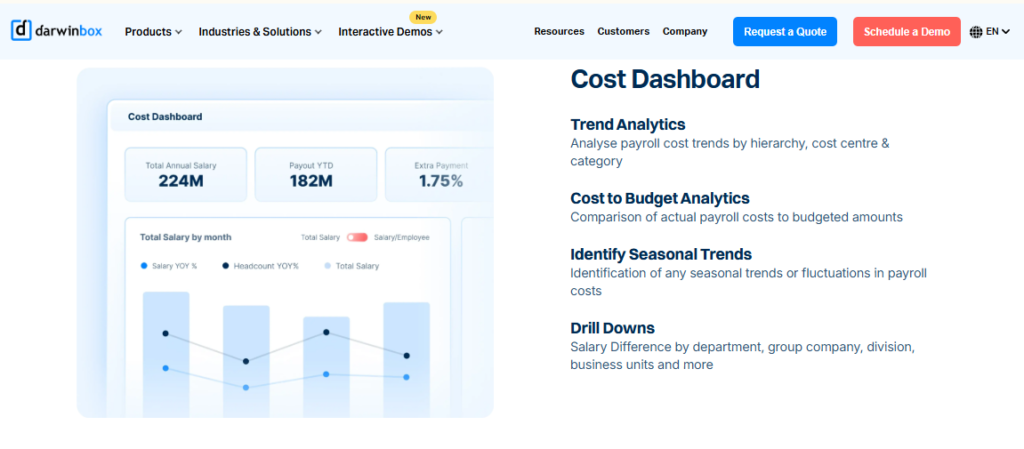
Darwinbox is a well-known enterprise HCM used by large organizations across Asia for a unified suite spanning attendance, payroll, and performance. It is primarily used by big teams that want brand-weight coverage on one platform. Reviews credit its breadth, while flagging tab-heavy navigation, slow bulk processing, and migration friction as recurring pain points.
🧩 Core Services
- Core HR & Attendance: centralizes employee data and attendance, cutting scattered manual tracking (Saksham A., G2).
- Payroll: processes salary and statutory items across a large workforce.
- Performance Management: supports reviews, though users say it needs training to use well (Mohit V., G2).
- Mobile App: enables leave, attendance, and payslip actions, useful but less smooth than desktop.
- Custom Workflows: configurable flows, though bulk data can slow the system.
🇮🇳 India-Specific Compliance & Localization
- PF / ESI / TDS: Yes (enterprise payroll coverage).
- Labour law compliance: Strong (built for large Indian and Asian enterprises).
- Payroll localization (India-specific): Yes (statutory processing).
- Multi-state compliance handling: Yes (enterprise multi-entity capable).
👤 Who This Is Built For
- CHRO at a 1,000+ employee enterprise wanting one recognized platform across functions.
- HR team standardizing scattered legacy tools onto a single enterprise suite.
🚫 Who Should Skip This
- A 100 to 500 employee retail chain wanting quick go-live without multi-year lock-in.
- Teams that need to close daily tasks in a few clicks without juggling tabs and emails.
💰 Pricing Structure
- Plan Type(s): Enterprise, quote-based packages.
- Starting Price: Not publicly disclosed, request a quote; typically multi-year.
- Tier-wise Breakdown: Configured per enterprise scope and module set.
- Incremental Cost Drivers: Module add-ons and implementation phases.
- Implementation Fee: Yes, separate; billing often starts from purchase, not go-live.
- Cost at 200 Employees: Request a quote | Cost at 500 Employees: Request a quote.
⏰ Implementation & Support Reality
- Longer, phased implementation typical of enterprise rollouts.
- Support is vendor-led plus email; some users report it as unsupportive during transition.
- Data migration is vendor-led, with reported friction moving off legacy systems.
💬 Reviews
“Bad implementation experience, bad UI UX, configurations getting broken in production on its own due to product deployments, terrible customer service. Basically everything.”
— Verified User in Computer Software (0/5) Darwinbox G2 – Verified Review
“Transitioning from the old system to Darwinbox is quite difficult. User interface of Darwinbox is very outdated. Darwinbox Support team is not supportive.”
— Ankush B., HR (4/5) Darwinbox G2 – Verified Review
Darwinbox carries genuine enterprise credibility, and for a very large org that weight matters. My honest read, though, is that brand size does not fix a daily-task problem. When closing a routine approval means juggling multiple tabs and emails, HR loses hours it never gets back. We built HROne’s Super Inbox to collapse every pending task into one Gmail-style view closed in three clicks, and pair it with an ROI Dashboard so the spend actually proves itself to the board.
1.5 Zoho People: Integrated Global Generalist, Thin on India Depth
Zoho People: A global HR generalist that shines inside the wider Zoho ecosystem.
⭐ Overview
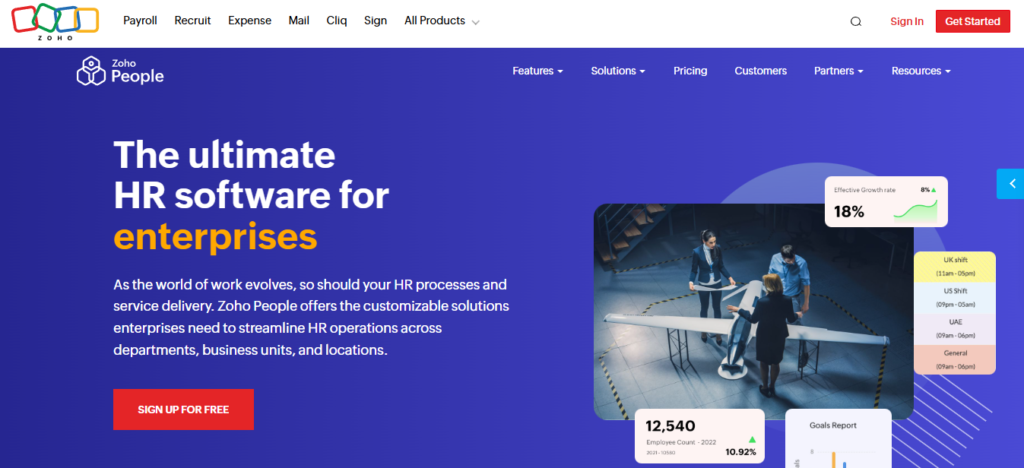
Zoho People is part of the broad Zoho software suite, used worldwide for attendance, leave, and core HR. It is primarily used by teams already invested in Zoho apps who want tight integration with Zoho Recruit and Zoho Payroll. Its integration and breadth are real strengths; reviews flag shallow feature depth and slow support as its main weaknesses.
🧩 Core Services
- Attendance & Leave: manages requests digitally with direct approve or reject, easing admin (Anshul M., G2).
- Onboarding: lets candidates self-enter data, completing onboarding within a day (Dhana C., G2).
- Zoho Ecosystem Integration: connects to Zoho Recruit and Payroll, streamlining hire-to-pay.
- Time Tracking: logs hours and timesheets, though users report slow entry.
- Business-Unit Views: organizes data by unit for easier segmentation.
🇮🇳 India-Specific Compliance & Localization
- PF / ESI / TDS: Partial (fuller compliance sits in separate Zoho Payroll).
- Labour law compliance: Moderate (global generalist, lighter on India-specific depth).
- Payroll localization (India-specific): Partial (depends on Zoho Payroll pairing).
- Multi-state compliance handling: Partial.
👤 Who This Is Built For
- HR lead at a Zoho-first company wanting HR data connected to Recruit and Payroll.
- Small team wanting easy self-service onboarding and digital leave management.
🚫 Who Should Skip This
- A compliance-heavy Indian retail or BFSI operation needing deep CTC and statutory handling.
- Teams that need fast, reliable support during live payroll or migration errors.
💰 Pricing Structure
- Plan Type(s): Essential HR, Professional, Premium, and Enterprise tiers.
- Starting Price: Per-user/month, with a freemium tier for very small teams.
- Tier-wise Breakdown: Higher tiers add performance, cases, and advanced workflows.
- Incremental Cost Drivers: Add-on Zoho apps and higher tiers.
- Implementation Fee: Generally low or self-serve.
- Cost at 200 Employees: Request a quote | Cost at 500 Employees: Request a quote.
⏰ Implementation & Support Reality
- Quick self-serve setup, aided by instructional videos.
- Support is email and ticket-based; slow response is a recurring complaint.
- Data migration is largely self-serve within the Zoho ecosystem.
💬 Reviews
“The biggest drawback for me has been the lack of customer support. There were days when I was stuck with errors and couldn’t find a solution. The mobile application is quite limited.”
— Dhana C., HR (4/5) Zoho People G2 – Verified Review
“Features are shallow and there is no depth in each application.”
— Verified User in IT and Services (2.5/5) Zoho People G2 – Verified Review
If you already live inside Zoho, People slots in neatly, and that integration is a fair reason to consider it. Where I would pause, for an Indian retail chain, is depth. CTC revisions, FBP (Flexible Benefit Plan) declarations, and new wage-code settlement rules are not edge cases here; they are Tuesday. We tuned HROne’s payroll software India-first precisely so those live natively, not as a second Zoho Payroll subscription bolted on afterward.
1.6 SalaryBox: Lightweight Mobile Attendance for Micro-Retail
SalaryBox: A simple, mobile-first attendance and daily-wage payroll app for small stores.
⭐ Overview
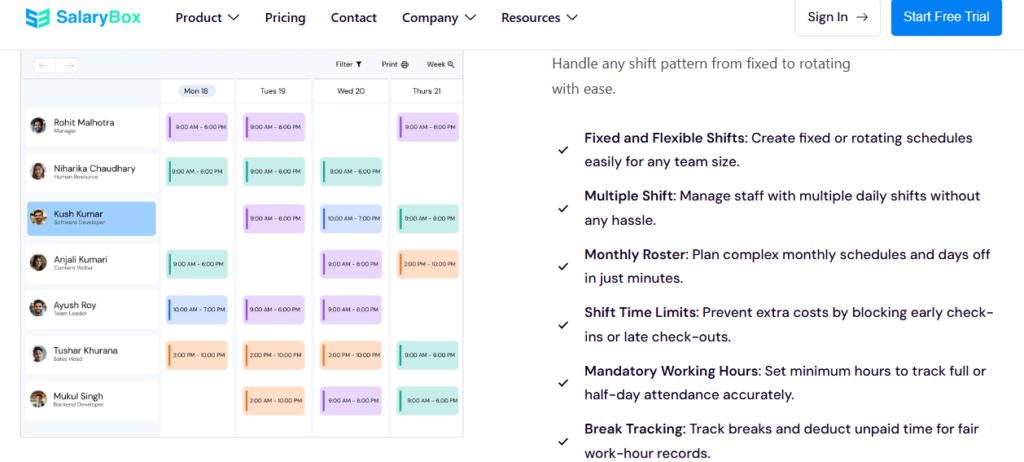
SalaryBox is a mobile-first staff management app aimed at single-outlet stores, cafés, and small retail businesses in India. It is primarily used by owner-managers who need quick attendance and daily-wage salary tracking on a phone. Its strength is simplicity and speed to start; it is not built for multi-entity workflows or deep statutory compliance.
🧩 Core Services
- Mobile Attendance: captures staff punches on a phone, removing paper registers.
- Daily-Wage Payroll: calculates pay for hourly and daily staff, easing small-store payouts.
- Advance & Loan Tracking: logs staff advances, reducing manual ledger work.
- Basic Reports: shows attendance and salary summaries for quick owner review.
🇮🇳 India-Specific Compliance & Localization
- PF / ESI / TDS: Partial (light statutory support).
- Labour law compliance: Limited (built for micro and small businesses).
- Payroll localization (India-specific): Yes (daily-wage focus).
- Multi-state compliance handling: No.
👤 Who This Is Built For
- Store owner managing a single outlet’s daily-wage staff attendance on a phone.
- Café or kirana owner wanting simple salary and advance tracking without complexity.
🚫 Who Should Skip This
- A multi-outlet chain needing consolidated shift rules and structured workflows.
- HR teams needing deep PF, ESI, and multi-state statutory automation.
💰 Pricing Structure
- Plan Type(s): Free and paid subscription tiers.
- Starting Price: Freemium, with low PEPM (Per Employee Per Month) paid plans.
- Tier-wise Breakdown: Paid tiers add payroll and reporting features.
- Incremental Cost Drivers: Higher staff counts and premium features.
- Implementation Fee: No, self-serve app setup.
- Cost at 200 Employees: Request a quote | Cost at 500 Employees: Not the target segment.
⏰ Implementation & Support Reality
- Instant self-serve setup via the app.
- Support is app and chat-based.
- Data migration is self-serve.
1.7 PagarBook: Simple Staff Registers for Local Shops
PagarBook: A no-frills staff attendance and salary register app for small Indian businesses.
⭐ Overview
PagarBook is a mobile app built for small shops and local businesses to track staff attendance and salaries. It is primarily used by owners paying daily-wage or hourly staff who want a digital replacement for a paper salary register. Its strength is ease of use for micro-teams; it is not designed for enterprise roster or compliance depth.
🧩 Core Services
- Staff Attendance: records daily presence on a phone, replacing paper registers.
- Salary Register: auto-calculates monthly pay for hourly and daily staff.
- Advance Management: tracks staff advances and deductions, easing owner bookkeeping.
- Payment Records: logs payouts for a simple audit trail.
🇮🇳 India-Specific Compliance & Localization
- PF / ESI / TDS: Limited.
- Labour law compliance: Limited (micro-business focus).
- Payroll localization (India-specific): Yes (daily-wage salary register).
- Multi-state compliance handling: No.
👤 Who This Is Built For
- Local shop owner replacing a paper salary register with a phone app.
- Small business paying daily-wage staff who wants quick attendance and advance tracking.
🚫 Who Should Skip This
- A growing retail chain needing multi-unit shift consolidation and statutory payroll.
- HR teams needing structured hire-to-retire workflows.
💰 Pricing Structure
- Plan Type(s): Free and paid premium tiers.
- Starting Price: Freemium, with affordable paid plans.
- Tier-wise Breakdown: Premium unlocks advanced attendance and payroll features.
- Incremental Cost Drivers: Staff count and premium add-ons.
- Implementation Fee: No, self-serve.
- Cost at 200 Employees: Request a quote | Cost at 500 Employees: Not the target segment.
⏰ Implementation & Support Reality
- Instant app-based setup.
- Support is app and chat-based.
- Data migration is self-serve.
1.8 Pocket HRMS: Modular Pick-and-Choose HR for SMB Hospitality
Pocket HRMS: A modular cloud HRMS letting SMB hotels and stores pick only the modules they need.
⭐ Overview
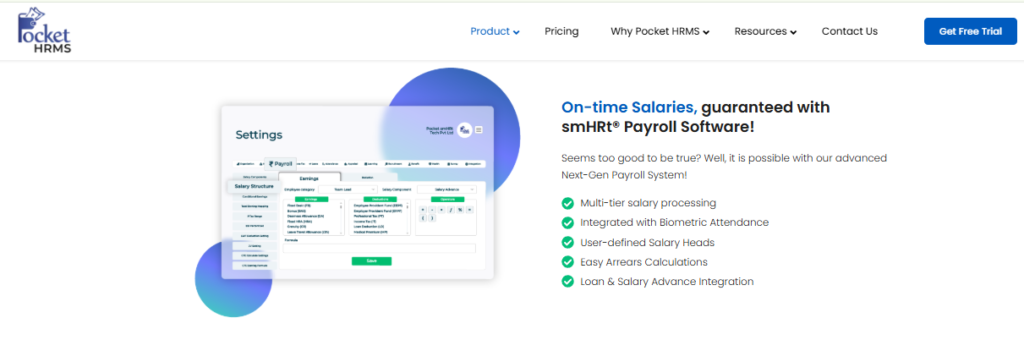
Pocket HRMS is a cloud HR and payroll platform offering modular Core HR, payroll, attendance, and recruitment. It is primarily used by SMB hospitality and retail teams that want to select specific modules rather than a full suite. Its strength is modular flexibility and a hospitality-focused offering; its field-team and geo-fencing depth is narrower than field-first tools.
🧩 Core Services
- Core HR: maintains employee records, centralizing scattered data.
- Payroll: automates salary and statutory processing, easing month-end runs.
- Attendance: tracks time with biometric and mobile options.
- Recruitment: manages hiring pipelines, reducing manual tracking.
🇮🇳 India-Specific Compliance & Localization
- PF / ESI / TDS: Yes (automated payroll compliance).
- Labour law compliance: Moderate.
- Payroll localization (India-specific): Yes.
- Multi-state compliance handling: Partial.
👤 Who This Is Built For
- SMB hotel HR lead wanting to pick only payroll and attendance modules.
- Small retail team preferring pay-for-what-you-use modular HR.
🚫 Who Should Skip This
- A field-heavy chain needing deep geo-fencing and local-language field attendance.
- Enterprises wanting one fully integrated hire-to-retire suite with ROI instrumentation.
💰 Pricing Structure
- Plan Type(s): Modular, pick-your-module plans.
- Starting Price: Not publicly disclosed, request a quote; per-module pricing.
- Tier-wise Breakdown: Priced by selected modules.
- Incremental Cost Drivers: Additional modules and employee count.
- Implementation Fee: Varies by module scope.
- Cost at 200 Employees: Request a quote | Cost at 500 Employees: Request a quote.
⏰ Implementation & Support Reality
- Setup scales with the number of modules selected.
- Support is email and chat-based.
- Data migration is vendor-assisted.
1.9 Qandle: Configurable Modules for Mid-Market Generalists
Qandle: A configurable, clean-UX HRMS for mid-market teams wanting modular workflows.
⭐ Overview
Qandle is a modern HR platform used by mid-market Indian companies for configurable HR, payroll, and performance workflows. It is primarily used by teams that value a clean employee experience and flexible module configuration. Its strength is configurability and UX; its retail-specific tooling and install base are smaller than category leaders.
🧩 Core Services
- Core HR & Onboarding: digitizes records and onboarding, cutting paperwork.
- Payroll: processes salary and statutory items with configurable logic.
- Attendance & Leave: manages time with flexible policy setup.
- Performance: supports goals and reviews for structured appraisals.
- Configurable Workflows: adapts flows to team processes without heavy dev work.
🇮🇳 India-Specific Compliance & Localization
- PF / ESI / TDS: Yes (payroll compliance supported).
- Labour law compliance: Moderate.
- Payroll localization (India-specific): Yes.
- Multi-state compliance handling: Partial.
👤 Who This Is Built For
- Mid-market HR lead wanting configurable modules and a clean employee UX.
- Team needing flexible workflows without deep developer involvement.
🚫 Who Should Skip This
- A field-first retail chain needing proven local-language, geo-fenced field attendance at scale.
- Teams wanting the largest install base and deepest retail-specific tooling.
💰 Pricing Structure
- Plan Type(s): Foundation, Growth, and higher tiers.
- Starting Price: Per-employee/month, quote-based for larger teams.
- Tier-wise Breakdown: Higher tiers unlock more modules and configuration.
- Incremental Cost Drivers: Module upgrades and employee bands.
- Implementation Fee: Varies by scope.
- Cost at 200 Employees: Request a quote | Cost at 500 Employees: Request a quote.
⏰ Implementation & Support Reality
- Setup scales with configuration depth.
- Support is email plus paid SPOC options.
- Data migration is vendor-assisted.
1.10 factoHR: Mobile Payroll Strength for Retail and Manufacturing
factoHR: A mobile-first HR and payroll platform strong on statutory processing for blue-collar teams.
⭐ Overview
factoHR is an Indian HR and payroll platform used across retail, manufacturing, and services for mobile payroll and attendance. It is primarily used by teams needing reliable statutory payroll for a mixed workforce. Its strength is mobile payroll and attendance with solid compliance; its performance and engagement modules are less mature than its payroll core.
🧩 Core Services
- Payroll Engine: automates PF, ESI, and TDS, reducing month-end reconciliation for blended teams.
- Mobile Attendance: captures GPS and biometric punches, easing field and shop-floor tracking.
- Leave & Shift Management: handles shifts and leave for blue-collar workforces.
- Statutory Compliance: generates filings and challans across states.
- Employee Self-Service: lets staff access payslips and requests on mobile.
🇮🇳 India-Specific Compliance & Localization
- PF / ESI / TDS: Yes (strong automated statutory processing).
- Labour law compliance: Strong (built for manufacturing and retail).
- Payroll localization (India-specific): Yes.
- Multi-state compliance handling: Yes.
👤 Who This Is Built For
- Payroll manager running blended payroll for retail and manufacturing shop-floor staff.
- HR lead needing mobile attendance and statutory filing for blue-collar teams.
🚫 Who Should Skip This
- Teams prioritizing deep performance and engagement modules over payroll strength.
- Companies wanting the widest AI suite and inbuilt ROI instrumentation.
💰 Pricing Structure
- Plan Type(s): Per-employee/month tiers, quote-based for larger teams.
- Starting Price: Not publicly disclosed, request a quote.
- Tier-wise Breakdown: Higher tiers add modules and analytics.
- Incremental Cost Drivers: Module add-ons and employee count.
- Implementation Fee: Varies by scope.
- Cost at 200 Employees: Request a quote | Cost at 500 Employees: Request a quote.
⏰ Implementation & Support Reality
- Reasonable go-live for payroll-focused rollouts.
- Support is phone and email.
- Data migration is vendor-assisted.
Q2. Why Is HR for Hospitality & Retail a Completely Different Beast?
Retail and hospitality HR breaks generic systems because a single chain runs shift timings that vary unit-to-unit, 15 to 16 leave rules, and 3 to 5 overtime policies. Add a blended workforce of full-time, part-time, and daily-wage field staff who often read only their local language. Layer on festive hiring surges and state-wise Shops and Establishment Act slabs, and Excel collapses. You end up running around people asking, “Did you update this?”
🔄 The Attendance Fetch Routine Nobody Talks About
Most HR software demos skip the ugly part. The month-end reality in a retail chain is chasing people for missing data.
Someone forgot to log a shift swap. A store manager never approved last week’s overtime. The daily-wage entries for one outlet are blank. So HR spends days reconciling, not managing people.
⚠️ Why Generic HRMS Cracks Here
A standard HRMS assumes everyone works one shift pattern under one leave policy. Retail and hospitality do not work that way.
- Unit-varying shifts: A quick-service restaurant runs split shifts (a morning block, a break, then an evening block), while a store runs simple opening and closing shifts.
- Stacked leave rules: A single chain can carry 15 to 16 leave rules across roles and states, not one clean policy.
- Multiple overtime policies: 3 to 5 overtime rules coexist, depending on the unit, the role, and the state.
- Blended workforce: Full-time, part-time, and daily-wage staff sit in one payroll cycle.
- Local-language field staff: Frontline workers often read only Bengali, Tamil, or their regional tongue.
🇮🇳 Festive Spikes and State-Wise Slabs
Then Diwali arrives. A chain onboards 20 to 30 seasonal hires a week, and every state adds its own Professional Tax (PT) and Shops and Establishment slab.
Now multiply that by 20 outlets across five states. The person maintaining this in spreadsheets is not doing HR anymore; they are doing manual data reconciliation.
✅ What “One Structure” Actually Buys You
Here is the contrarian bit I have come to believe. Standardization is often the enemy of stability. The honest goal is to design HR for equity, not forced equality, because units genuinely differ.
A good system should hold different rules per unit without pretending they are the same. This is where HROne’s OU (Organizational Unit) filters and state-wise slab handling matter, alongside structured leave management. They consolidate unit-varying rules into one structure, so a Tamil Nadu outlet keeps its rules and a Bengal outlet keeps its own, without HR collating anything by hand.
What that buys the reader is simple. You stop chasing missing data, and you start trusting the numbers you present to the board.
Q3. How Do You Master Shift, Roster & Seasonal Staffing Chaos Across Multiple Units?
You master multi-unit shift chaos by consolidating every unit’s timings, 15 to 16 leave rules, and 3 to 5 overtime policies into one engine. Then you add an overtime gate: staff must actually mark attendance before overtime generates. Forecast-based rostering matters here; one 200-store study cut labour costs 11.3% and understaffing 47%. For festive spikes, self-serve mobile onboarding absorbs 20 to 30 new hires a week without breaking payroll.
🔧 Start Where the Leakage Starts: Overtime
Before workflows, overtime was a guessing game. Employees would submit however many hours they felt they had worked.
There was no gate, so payroll paid claims nobody verified. That is money leaking out every single month.
⏰ The Four-Step Fix
Here is the sequence I would run on Monday morning.
- Consolidate the rules. Load every unit’s shifts, leave rules, and overtime policies into one engine, so no outlet lives in a separate sheet.
- Add the overtime gate. In HROne, staff must mark attendance first; only then does the system generate overtime, which kills self-reported inflation.
- Apply a two-level junior approval rule. Junior staff overtime routes through two approvers, so no single manager rubber-stamps costs.
- Use a three-click, single-screen roster. Build the week’s roster on one screen in a few clicks, using structured workforce management, instead of emailing spreadsheets between managers.
📊 Why Forecasting Beats Gut-Feel Rostering
Most managers roster on instinct. The research says instinct is expensive.
One machine-learning shift-scheduling study across a 200-store retailer cut labour costs 11.3% and reduced understaffing incidents 47% using demand forecasts. Separate work on store traffic data shows scheduling to predicted footfall, not habit, materially improves labour efficiency, and modern time tracking makes that data usable.
🤖 One Honest Caveat on AI
I want to be careful here. There is a real difference between a rules engine and learning-based scheduling.
Rules engines apply your policies consistently, which is most of the daily win. Learning-based AI forecasts demand, but it is tactical relief, not a strategy. A system cannot replace an HR professional’s judgment; it just clears the tactical clutter off your desk.
🎉 Absorbing the Festive Surge Without Breaking Payroll
Seasonal hiring is where chains quietly bleed. Twenty to thirty new joiners a week is normal during festive peaks.
Two things save you. Self-serve mobile onboarding lets new hires enter their own details, so HR is not typing 30 forms. And copying salary structures directly from offer letters means payroll setup takes seconds, not a spreadsheet each. This is the difference between a system that processes transactions and one that gets tactical work out of your way.
Q4. Can an HRMS Verify Blue-Collar Field Teams in Their Local Language and Stop Buddy Punching?
Yes, but only if the mobile app speaks the worker’s language. Field teams mark attendance correctly when the app is in Bengali, Tamil, or their local tongue. Buddy-punching (marking attendance for an absent colleague) stops with live-photo, geo-fenced check-ins that typically cut payroll leakage 3 to 5%. Beyond attendance, field workforce management should handle merchandisers, promoters, and riders with GPS check-ins and mobile expense claims, so no one calls corporate for their own data.
📍 The Situation: A Unit That Only Speaks Tamil
Here is a real scene. One outlet’s frontline staff interacted with the app only when it appeared in their language.
We had a unit in Bengal where staff needed Bengali, and one in Tamil Nadu where only Tamil worked. If the screen is in English, a blue-collar worker simply will not use it.
⚠️ The Complication: Proxy Attendance and Leakage
Then comes buddy-punching. One worker marks attendance for three absent friends, and payroll pays all four.
This is quiet, steady leakage. Across a large field team, it commonly drains 3 to 5% of payroll before anyone notices.
🛠️ The Resolution: Language, Live Photo, and Geo-Fencing
The fix is three things working together in the HROne mobile HR app. Local language gets workers to actually use it.
- Live-photo attendance: the worker snaps a selfie at punch-in, so proxy marking stops cold.
- Geo-fencing: attendance only registers inside the store or site boundary, not from a friend’s couch, through robust attendance management.
- GPS field check-ins: merchandisers, promoters, and riders mark attendance from their route, with mobile expense and reimbursement claims attached.
🤝 Why This Is Really About Trust
Correct attendance is not a surveillance win. It is a pay win. Right attendance means the right paycheque, which is the foundation of frontline trust.
There is a deeper point I hold firmly. A worker has a right to their own data around the clock, not only during office hours. Locking a rider out of their own attendance and payslip until they call corporate is not policy; it is a dignity failure the category quietly tolerates.
💬 What Users Say
“The best part about HROne is its mobile application. Marking attendance with geofencing is extremely smooth and accurate.”
— Priti D., HR (4.5/5) HROne G2 – Verified Review
“My most liked feature is the GPS-based login and logout with pinpoint accuracy. It helps me track my on-field employees’ status.”
— Krunal S., HR (4/5) HROne G2 – Verified Review
“Mobile mark attendance is great for employees who are working from a remote location. Real time sync of biometric and mobile mark punch functionality available.”
— Deepak K., HR (5/5) HROne G2 – Verified Review
Q5. Will This HRMS Get Blended Payroll and Statutory Compliance Right?
A retail-ready HRMS runs full-time, part-time, and daily-wage staff in one payroll cycle. It auto-applies PF, ESI, Professional Tax (PT), TDS, and state-wise slabs, while staying current with the Code on Wages 2019 and each state’s Shops and Establishment Act. This matters more than any feature. Nearly 50% of employees consider leaving after just two payroll mistakes, so accuracy across a blended, multi-state workforce is a retention lever, not admin.
💰 Payroll Errors Are an Attrition Problem
Let me put my thesis plainly. Payroll mistakes do not just annoy people; they push them out the door.
When someone’s paycheque is wrong twice, trust breaks. About half of employees start thinking about leaving after that second error. For a retail chain paying hundreds of frontline staff, that is a churn engine hiding inside your payroll run.
✅ Blended Payroll in One Run
Here is what “getting it right” actually requires. Full-time, part-time, and daily-wage staff must run in a single cycle, not three, on reliable payroll software.
- PF and ESI: auto-calculated and reconciled, so no manual challan math.
- Professional Tax (PT): applied per state, since slabs differ across states.
- TDS: computed on CTC with Form 16 generation built in.
- State-wise slabs: handled through Organizational Unit (OU) filters, so each outlet keeps its own rules.
🇮🇳 Compliance That Updates Itself
Now the part payroll managers actually worry about. Statutory rules keep moving.
The Code on Wages 2019 consolidated four older wage laws into one framework. On top of that, each state’s Shops and Establishment Act sets its own overtime and weekly-off rules. Your system must auto-update these, or you are manually tracking gazette notifications, which is exactly the risk that strong statutory compliance in payroll removes.
📊 Proving Accuracy to the CFO
This is where HROne earns its keep. Blended payroll runs in one cycle, slabs apply automatically, and errors drop.
The India-first inbuilt ROI Dashboard then calculates lifetime hours saved against average HR salary. So you walk into the board review with a rupee figure, not a vague “it’s working.”
💬 What Users Say
“I like HROne for its zero-touch payroll and compliance automation. It handles salary calculations, statutory deductions PF, ESI, taxes, and filings automatically.”
— Waldon S., HR (4/5) HROne G2 – Verified Review
“Proper calculation of PF and ESI was a pain area for us before, but now with the HROne automated calculation process, results are up to the mark and following Indian tax compliances properly.”
— Ajay K., HR (5/5) HROne G2 – Verified Review
My honest prediction is this. In the next two years, payroll accuracy will be judged not by “did salaries go out” but by “can you prove zero leakage to the board.” That shift is already starting.
Q6. How Do You Avoid the “Implementation Trap” and Prove Fit Before You Sign?
Avoid the implementation trap by never signing subscriptions that start on day one. Demand flat pricing, no lock-in, and billing that starts after you go-live. Then make the demo prove your hardest scenario, not a generic tour. Going deep can take two to three full days across 10 to 11 settings per module, so have the vendor configure your unit-varying shifts, local-language field attendance, and a live payroll run first.
💸 The ₹300,000 Ghost Town
I have watched companies spend serious money on software nobody touches. One firm dropped around 300,000 dollars on an ERP that never got used.
The tool worked fine. The people never embraced it, so it became a ghost town. That is the implementation trap, and it is a cash decision, not a tech one.
⚠️ Never Pay Before You Go Live
Here is the contrarian rule I hold. Do not sign anything that bills you from the day of purchase.
Implementation can drag for months, and paying during that gap is pure waste. HROne meters subscription only after go-live, with flat pricing and no lock-in. Treat that as a baseline demand, not a perk.
🪂 The Parachute Model: Bundle or Pick-and-Choose?
Now for genuinely contested ground. Vendors say “pick only the modules you need,” while practitioners often bundle.
My honest take is “it depends.” Start with your bread-and-butter modules, then add the rest like a parachute you deploy when needed.
- Bread-and-butter base: Core HR, Time Office, and Payroll, because every chain needs these live first.
- Parachute layer: Performance, Engage, and expenses, added once the base is stable.
- Why it matters: you avoid paying for modules you will not configure for months.
✅ Demo Your Worst Scenario, Not a Tour
Here is the checklist I would run before signing.
- Make the vendor configure your unit-varying shifts live, not a clean sample, ideally on proven retail HR tooling.
- Test the mobile app in your field team’s actual language (Bengali, Tamil, or whatever they read).
- Run a live payroll cycle with your real slabs and a daily-wage worker.
- Go into the nitty-gritty; expect 10 to 11 settings per module and two to three full days to test properly.
The payoff is confidence. A system only makes consistent what you have already formulated, so surface the complexity before money changes hands, not after. When you are ready, book a demo and put your hardest scenario on the table.
I am still sitting with one open question. If demos took worst-case scenarios seriously, would the ghost-town ERP even exist? I suspect not.
Q7. Why Do Teams Leave Tools Like Darwinbox & greytHR, and Which HRMS Fits Your Size?
Teams leave heavier tools for three structural reasons: “tab juggle” interfaces where closing daily tasks means endless tabs, no built-in way to measure ROI after setup, and ticket-based support that traps you in email threads. So pick by scenario. A single-outlet kirana or café fits SalaryBox or PagarBook, while growing multi-unit retail or hospitality chains of 100 to 5,000 staff fit HROne, for single-screen three-click workflows, an inbuilt ROI dashboard, and a dedicated SPOC (Single Point of Contact).
🔄 The Tab Juggle Nobody Signs Up For
The most common complaint I hear is not about features. It is about the daily grind of closing simple tasks.
On heavier platforms, one routine approval means juggling multiple tabs and emails. It never quite ends. That friction, repeated 50 times a day, is why teams start looking elsewhere, and it is what the HROne HR inbox was built to end.
⚠️ The ROI Blind Spot and Email-Thread Support
Two more structural gaps push teams out. First, most tools give no built-in way to measure ROI after setup, so you cannot prove value.
Second, support often lives in tickets and email threads. When a payroll run is stuck, waiting on an email chain is not support; it is abandonment.
“Bad implementation experience, bad UI UX, configurations getting broken in production on its own due to product deployments, terrible customer service.”
— Verified User in Computer Software (0/5) Darwinbox G2 – Verified Review
“The system acts as per its own whims and gives error reports. We have to spend time manually to find errors. Not one month has passed where we have not raised a ticket.”
— Maheshkumar J., HR (0.5/5) greytHR G2 – Verified Review
🧭 Which HRMS Fits Your Size?
I will not route you by budget alone. Route by your real setup: outlets, workforce mix, and leave rules.
📋 Best-Fit HRMS by Business Reality
| Your Reality | Best-Fit Direction | Why |
|---|---|---|
| Single kirana or café, under 25 staff | SalaryBox or PagarBook | Lightweight daily-wage tracking, no heavy workflows |
| Multi-unit retail or hospitality, 100 to 5,000 staff | HROne | Single-screen three-click workflows, inbuilt ROI dashboard, dedicated SPOC |
| Large enterprise, 1,000+, brand-first | Darwinbox | Enterprise breadth and brand weight, if you accept tab-heavy daily tasks |
| Zoho-stack SMB | Zoho People | Native integration, if India-depth is secondary |
🤝 So, What’s Your Setup?
Here is where HROne’s shape answers each failure directly. The Super Inbox collapses the tab juggle into a three-click close, the ROI Dashboard removes the measurement blind spot, and a prior-HR SPOC replaces the email-thread wait, backed by structured workforce management.
I would rather have a real conversation than pitch a demo. Tell me how many units you run, your leave-rule count, and whether your field staff need a local-language app, or just contact us. That is the honest starting point for a right-fit answer, and it is the question the category keeps skipping.












 Secures Top Spot in
