








Q1. What are the 10 best employee onboarding software in India in 2026, and how were they scored?
The 10 best employee onboarding software in India for 2026 are HROne, greytHR, Keka, Darwinbox, ZingHR, factoHR, PeopleStrong, Zoho People, Pocket HRMS, and SAP SuccessFactors. Each was scored on five weighted criteria: India Statutory Automation (25%), Workflow Depth and Automation Count (25%), Setup and Usability (20%), User Reviews and Support (15%), and Pricing Transparency (15%). HROne leads with 5 stars. Choosing onboarding process software is a high-stakes call for any Indian HR team, because the wrong pick means chasing missing documents, delayed statutory enrollments, and idle new hires on Day 1. This guide evaluates the 10 platforms most Indian mid-market and enterprise teams shortlist, judged on how much manual “run-around” each one actually removes between the offer letter and Day-90.
📋 Our Evaluation Criteria
We scored every vendor against six operator-relevant metrics, not generic feature checklists. Here is what each measures and its weight.
- India Statutory Automation (25%) 🇮🇳 auto-enrollment for PF (Provident Fund), ESI (Employee State Insurance), PT (Professional Tax), UAN (Universal Account Number) generation, and PoSH (Prevention of Sexual Harassment) induction at joining.
- Workflow Depth and Automation Count (25%) ⚙️ how many pre-built onboarding workflows the tool ships, and whether it defines “who does what by when” without email chasing.
- Setup and Usability (20%) ⏰ implementation speed, clarity of the interface, and how few clicks a task takes.
- User Reviews and Support (15%) 💬 verified G2 ratings, support channels, and reported responsiveness.
- Pricing Transparency (15%) 💰 whether pricing is published, and whether billing starts at purchase or after go-live.
- Best-Fit Segment the specific persona and workforce type each tool serves best.
We banded scores into stars: 0 to 20 earns ⭐, 21 to 40 earns ⭐⭐, 41 to 60 earns ⭐⭐⭐, 61 to 80 earns ⭐⭐⭐⭐, and 81 to 100 earns ⭐⭐⭐⭐⭐.
👥 Who This Guide Is For
This guide helps the people who live inside the onboarding workflow every day, plus the buying committee that signs off.
- CHRO solutions buyers and HR Heads consolidating a fragmented hire-to-retire stack into one platform.
- Payroll Managers running multi-entity, India-compliant monthly cycles who need clean joiner data from Day 1.
- CFOs validating HR-tech ROI and flat PEPM (Per Employee Per Month) commercials.
- IT Directors and HR Ops teams comparing mobile-first HCMs against legacy portals.
⭐ The 10 Best Onboarding Software: At a Glance
| Provider | Best For | Standout Strength | Known Limitation | Onboarding/AI Depth | Support Model | Pricing Model |
|---|---|---|---|---|---|---|
| HROne ⭐⭐⭐⭐⭐ |
HR Ops leads drowning in multi-entity onboarding and the “manual run-around” | 127 pre-built hire-to-retire workflows plus a single Super Inbox that closes tasks in three clicks | Payroll and Performance modules carry a first-time learning curve, per a verified G2 review | Onboarding checklists, e-KYC, AI resume relevancy scoring, One AI Suite | Phone, email, and prior-HR SPOC (dedicated single point of contact) | Flat PEPM, billing after go-live, no lock-in |
| greytHR ⭐⭐⭐ |
Compliance-heavy SMEs needing dependable payroll and statutory filings | Strong, long-standing India payroll and statutory compliance engine | Rigid customization and reported support gaps on complex configs, per verified G2 reviews | Onboarding automation, self-service portal | Ticket plus limited phone | Per-employee tiers, published |
| Keka ⭐⭐⭐ |
Employee-experience-led mid-market teams wanting polished UX | Clean, intuitive interface and strong payroll compliance automation | Slow, email-heavy implementation and support reported in verified G2 reviews | Hiro recruitment, document generation, offer-letter workflows | Email-led support | Per-employee/month, published |
| Darwinbox ⭐⭐⭐⭐ |
Large enterprises needing brand-weight and configurable workflows | Broad, customizable enterprise HR suite on one platform | Tab and email juggling, slow performance on bulk data, per verified G2 reviews | Customizable onboarding workflows, mobile app | Vendor-led, ticket-based | Quote-based |
| ZingHR ⭐⭐⭐ |
Blue-collar and high-volume hiring across locations | Hire-to-retire breadth with blue-collar and multilingual support | Dated UI and delayed support reported in verified G2 reviews | Onboarding, e-KYC, multilingual workflows | Ticket-based | Quote-based |
| factoHR ⭐⭐⭐⭐ |
Payroll-tight SMEs wanting mobile-first automation | Solid payroll and attendance automation with a strong mobile app | Thinner workflow depth for complex enterprise onboarding | Onboarding workflows, payroll-linked | Phone and email | Per-employee/month, published |
| PeopleStrong ⭐⭐⭐⭐ |
Enterprise teams managing the full talent life cycle | Mobile-friendly, India-tuned enterprise talent platform | Feature overload; desktop version can feel cluttered, per verified G2 review | Onboarding, AI assistant (Jinie), talent workflows | Vendor-led | Quote-based |
| Zoho People ⭐⭐⭐ |
Budget-conscious small teams already in the Zoho suite | Self-serve candidate data entry and tight Zoho app integration | Shallow feature depth and slow support, per verified G2 reviews | Self-serve onboarding, Zoho Recruit integration | Email and ticket | Per-user/month, published, freemium tier |
| Pocket HRMS ⭐⭐⭐ |
Small teams needing entry-level, low-cost automation | Affordable, quick-to-start payroll and onboarding basics | Limited depth for multi-entity or shift-heavy realities | Basic onboarding, payroll-linked | Email and phone | Per-employee/month, published, low entry |
| SAP SuccessFactors ⭐⭐⭐ |
Global multinationals standardizing across countries | Deep global HR functionality and multi-country coverage | Costly, needs developers for changes, reported freezes in verified G2 reviews | Global onboarding module, ATS | Partner-delivered | Quote-based, enterprise |
Now let us get into each platform in detail, starting with the two at the top of the list.
1.1 HROne, best for ending the manual run-around across mid-market and enterprise
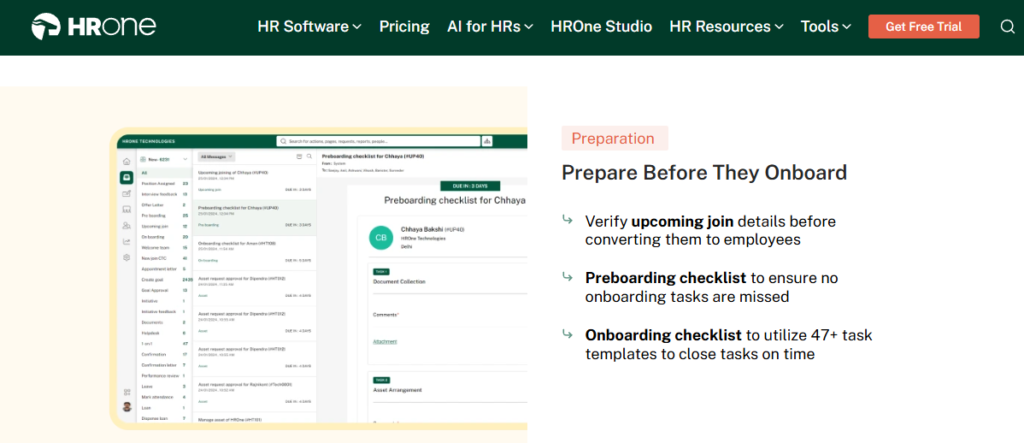
HROne, the full hire-to-retire operating system built for 100 to 5,000-employee Indian companies.
🎯 Why HROne Sits at the Top
Most onboarding tools promise “paperless.” That word means almost nothing now, because everyone is paperless. What I keep coming back to is a different test: does the tool stop HR from chasing people for missing information? That is the real pain. I have watched HR leads spend a full week pinging managers and IT just to get one lateral hire productive.
HROne is built around that exact frustration. Every pending task, request, and approval lands in one HR inbox that looks like Gmail and closes a task in three clicks, so HR stops switching between five tools. The platform ships 127 pre-built hire-to-retire workflows that define who does what, and by when, across onboarding, confirmation, transfer, and exit. That “who does what by when” logic is the connective tissue that most single-point tools simply do not have.
⚙️ Core Services
- Super Inbox surfaces every onboarding task, approval, and reminder in one screen, cutting the tab-switching that eats HR hours.
- 127 Pre-Built Workflows automates onboarding, induction, buddy assignment, and checklists so no joiner task falls through the cracks.
- e-KYC and Background Verification lets candidates upload documents with automated email reminders, removing the hard-copy collection scramble.
- One AI Suite stacks the most relevant CVs on top with a relevancy score and parses receipts, so recruiters and finance stop doing manual sorting.
- Payroll Auto-Scheduler runs statutory PF, ESI, and TDS (Tax Deducted at Source) calculations with group payout validations to prevent salary delays.
- ROI Dashboard India’s first inbuilt dashboard that calculates lifetime hours saved against average HR salary, so CHROs walk into board reviews with rupee figures.
🇮🇳 India-Specific Compliance and Localization
- PF / ESI / TDS support: Yes (automated calculation, filing, and reconciliation).
- Labour law compliance: Strong (multi-legal-entity, single-instance handling).
- Payroll localization (India-specific): Yes (LWF, PT, and state-wise slabs).
- Multi-state compliance handling: Yes (built for pan-India operations).
👤 Who This Is Built For
- HR Ops lead running onboarding across multiple legal entities and manually reconciling joiner data at month-end.
- Payroll Manager who needs clean, statutory-ready new-hire records before the first payday.
- CHRO who has to answer, in a board review, how many days it takes on average to onboard a lateral hire.
🚫 Who Should Skip This
- Very small teams under 30 people who want a lightweight, spreadsheet-style tool without structured workflows.
- Teams outside India that do not need PF, ESI, or multi-state statutory automation.
💰 Pricing Structure
- Plan Type(s): Flat PEPM (Per Employee Per Month), tiered by module depth.
- Starting Price: Not publicly disclosed as a fixed rate, request a quote via pricing; billing meters only after go-live.
- Incremental Cost Drivers: Add-on modules and AI suite depth; no separate mobile-app fee.
- Implementation Fee: Not publicly disclosed, request a quote.
- Cost at 200 Employees: Not publicly disclosed, request a quote. Cost at 500 Employees: Not publicly disclosed, request a quote.
⏰ Implementation and Support Reality
- Go-live: mid-market deployments can go live in as little as 30 days with a dedicated SPOC.
- Support channels: phone, email, and a prior-HR onboarding SPOC who understands the domain, not a checklist reader.
- Data migration: vendor-led, with reported ERP transfers completed in hours.
- Reported satisfaction: 9.8 NPS on dedicated support; G2 rank #3 for satisfaction.
💬 Reviews
“The best functionality of the product is the onboarding module and time office module. With onboarding checklist it is quite systematic to manage the details for new joiners and tracking becomes easy what all tasks are pending.”
— Komal S., HR User HROne G2 Verified Review
“It can sometimes feel a bit overwhelming for new users. Certain features take time to understand, and without enough guided support, the learning curve can feel quite steep.”
– Nijanthan R., HR User (3.5/5) HROne G2 – Verified Review
I include that second review on purpose. HROne is deep, and depth has a cost: a few users feel the learning curve early. From what surfaces when you actually run an implementation, the SPOC model is what flattens that curve, but I would be honest with any buyer that week one asks something of you. For teams weighing options, our why HROne breakdown covers the trade-offs in more depth.
1.2 greytHR, best for compliance-heavy SMEs
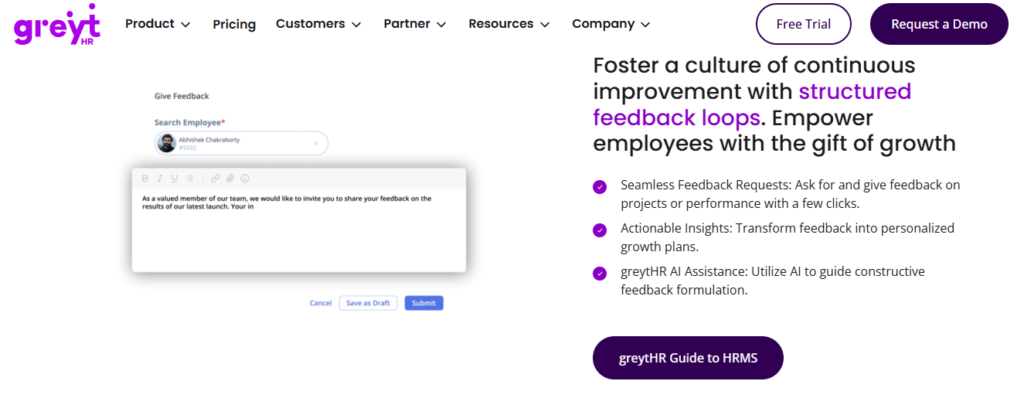
greytHR, a long-running India payroll and compliance workhorse for small and mid-sized businesses.
🎯 Where greytHR Fits
greytHR has earned its place through years of dependable payroll and statutory filing for Indian SMEs. If your core need is clean PF, ESI, and PT processing with employee self-service on top, it does that job. The trade-off shows up the moment your reality gets complex, like a multi-legal-entity setup or shift-based manufacturing, where users report rigid configuration and support that leans on their team to customize.
⚙️ Core Services
- Payroll Engine automates PF, ESI, and TDS with statutory filing, reducing month-end reconciliation work.
- Onboarding Automation digitizes new-joiner data collection and document handling.
- Employee Self-Service lets staff access payslips, apply for leave, and view tax details without going through HR.
- Leave and Attendance tracks leave balances and attendance, though users report customization limits.
🇮🇳 India-Specific Compliance and Localization
- PF / ESI / TDS support: Yes (core strength, automated filing).
- Labour law compliance: Moderate (strong on payroll, weaker on complex multi-entity).
- Payroll localization (India-specific): Yes.
- Multi-state compliance handling: Partial (users report configuration gaps).
👤 Who This Is Built For
- Payroll Manager at a single-entity SME who needs reliable statutory filing without heavy customization.
- HR generalist wanting employee self-service to cut routine payslip and leave queries.
🚫 Who Should Skip This
- HR Ops leads at multi-legal-entity or shift-based manufacturing firms needing flexible workflow configuration.
- Teams that expect fast, escalation-ready support during payroll emergencies.
💰 Pricing Structure
- Plan Type(s): Tiered per-employee plans, published on their site.
- Starting Price: Published per-employee tiers; confirm current rate on the greytHR pricing page.
- Incremental Cost Drivers: Add-on modules beyond core payroll.
- Implementation Fee: Not clearly disclosed, request a quote.
- Cost at 200 Employees: Not publicly fixed, request a quote. Cost at 500 Employees: Not publicly fixed, request a quote.
⏰ Implementation and Support Reality
- Go-live: varies; users report configuration rounds during setup.
- Support channels: ticket-based with reported response-time variance.
- Data migration: vendor-assisted, with reported leave-balance correction issues.
- Reported satisfaction: mixed; several verified reviews flag support and customization.
💬 Reviews
“GreytHR is not much good at customizing based on our requirements. For our case, from implementation onwards, there were issues with leave balance. Many times we were manually correcting the leave balance of employees.”
– Verified User in IT and Services (2/5) greytHR G2 – Verified Review
“Employee onboarding is the primary process that is automated using this tool in our company. The initiation and the management is taken care of the HR and the Admin and finance teams manage a few information.”
– Naveen K., HR User (2.5/5) greytHR G2 – Verified Review
Here is where the contrast with HROne lands, and I will keep it fair. greytHR handles SMB payroll software adequately, and that is genuinely valuable. But the pattern in reviews is manual correction and configuration rounds, which is exactly the “run-around” the better-instrumented workflow engines are built to kill. If you will stay single-entity and simple, that gap may never bite you. If you are scaling, it will, and our HROne vs greytHR comparison walks through where the two diverge for manufacturing HR teams with multi-entity realities.
1.3 Keka, best for experience-led mid-market teams
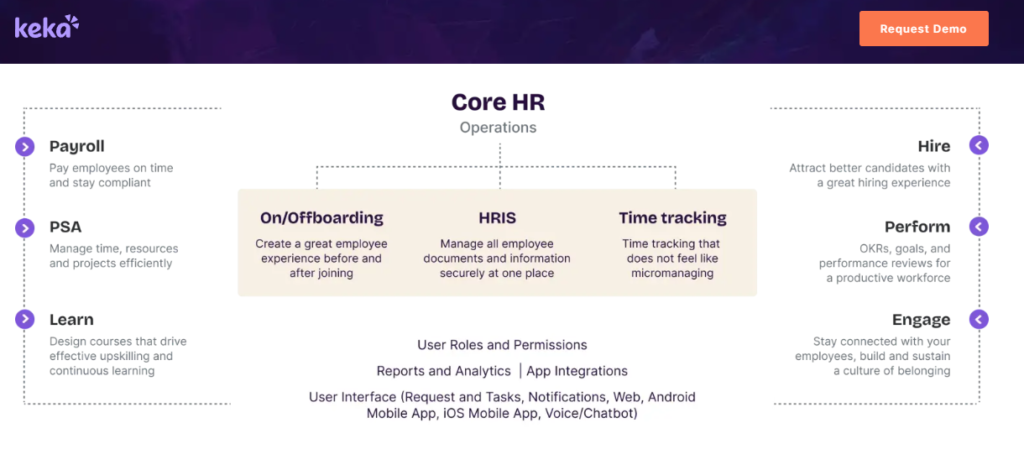
Keka, a polished, employee-experience-focused HRMS popular with growing mid-market teams.
🎯 Where Keka Fits
Keka earns real love for its interface. If your priority is a clean, modern employee experience with solid payroll and attendance, Keka delivers on the surface. The recurring theme in verified reviews is a slow, email-heavy implementation and support that struggles to escalate, which is exactly where a mid-market team feels the pain during migration.
⚙️ Core Services
- Payroll and Compliance automates salary, attendance, PF, ESI, and TDS processing with statutory payslips.
- Keka Hiro handles recruitment, offer-letter workflows, and hiring approvals.
- Document Generation produces most HR documents digitally, cutting paperwork.
- Mobile App covers day-to-day attendance and self-service on the go.
🇮🇳 India-Specific Compliance and Localization
- PF / ESI / TDS support: Yes (strong payroll compliance automation).
- Labour law compliance: Moderate.
- Payroll localization (India-specific): Yes.
- Multi-state compliance handling: Partial (users report location-config friction).
👤 Who This Is Built For
- Mid-market HR teams prioritizing a polished, self-service employee experience.
- Growing companies that want strong payroll plus a capable mobile app.
🚫 Who Should Skip This
- IT consulting firms and complex configs, where reviewers report support gaps.
- Teams needing fast, weekend-available support during payroll emergencies.
💰 Pricing Structure
- Plan Type(s): Per-employee/month tiers, published on their site.
- Starting Price: Published tiers; confirm current rate on the Keka pricing page.
- Incremental Cost Drivers: Add-on modules like Hiro and PSA.
- Implementation Fee: Not clearly disclosed, request a quote.
- Cost at 200 Employees: Not publicly fixed, request a quote. Cost at 500 Employees: Not publicly fixed, request a quote.
⏰ Implementation and Support Reality
- Go-live: reviewers report multi-month setup phases with glitches.
- Support channels: chat and email; escalation flagged as weak in several reviews.
- Data migration: mixed reports, especially on complex configs.
- Reported satisfaction: strong UI praise, offset by service and implementation complaints.
“Strong payroll and compliance, automate salary and attendance processing with PF, ESI, and TDS. Responsive support team. Mobile app available. PMS module is confusing and needs to be simpler and easier to use.”
– Kiran B., HR User (3/5) Keka G2 – Verified Review
“The UI of Keka is very intuitive and easy to navigate. I have been a Keka user since 2021, and the service is decreasing day by day. TAT on customer requests on features is bad. Keka is not built to service IT consulting firms.”
– Verified User in Consulting (2.5/5) Keka G2 – Verified Review
Here is the honest contrast, and I will keep it fair. Keka’s UI is genuinely a strength, and buyers who value polish are right to shortlist it. But the pattern of slow setup and weak escalation is the “run-around” moving from onboarding into support, which is why we weight the dedicated SPOC model so heavily. Teams weighing the two can read our HROne vs Keka breakdown before deciding.
1.4 Darwinbox, best for large enterprises wanting brand weight
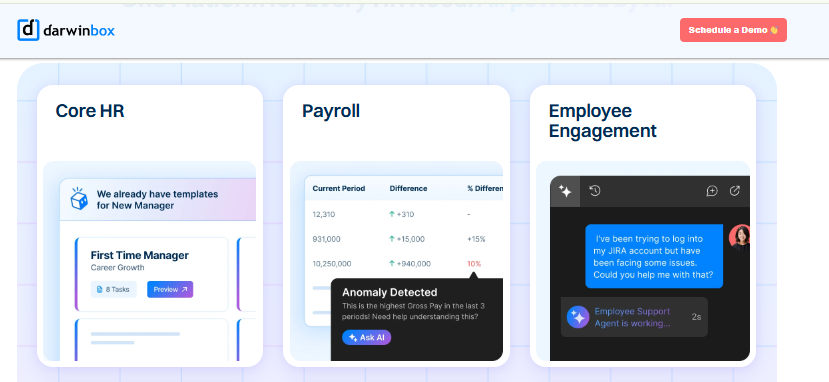
Darwinbox, a configurable enterprise HR suite with strong brand recognition across large Indian organizations.
🎯 Where Darwinbox Fits
Darwinbox carries genuine enterprise credibility, and users like consolidating scattered tools onto one platform. The trade-offs reviewers raise are slow performance on bulk data, occasional tab and email juggling for daily tasks, and modules like performance and recruitment that need training to master.
⚙️ Core Services
- Unified HR Platform brings attendance, leave, payroll, and performance onto one system.
- Customizable Workflows adapt to internal processes with limited technical intervention.
- Mobile App allows quick leave, attendance, and payslip actions.
- Organizational Structure View maps reporting lines and employee directories.
🇮🇳 India-Specific Compliance and Localization
- PF / ESI / TDS support: Yes.
- Labour law compliance: Strong (enterprise-grade).
- Payroll localization (India-specific): Yes.
- Multi-state compliance handling: Yes.
👤 Who This Is Built For
- Large enterprises needing configurable workflows and a recognized brand.
- Teams consolidating Excel and legacy tools into one platform.
🚫 Who Should Skip This
- Cost-sensitive mid-market firms wary of quote-based pricing and long contracts.
- Teams needing fast daily task closure without tab-switching.
💰 Pricing Structure
- Plan Type(s): Quote-based, enterprise.
- Starting Price: Not publicly disclosed, request a quote.
- Incremental Cost Drivers: Module count and headcount.
- Implementation Fee: Not publicly disclosed, request a quote.
- Cost at 200 Employees: Not publicly fixed, request a quote. Cost at 500 Employees: Not publicly fixed, request a quote.
⏰ Implementation and Support Reality
- Go-live: enterprise timelines; some reviewers report bumpy implementation.
- Support channels: vendor-led, ticket-based, with mixed reviews.
- Data migration: reported as challenging transitioning from old systems.
- Reported satisfaction: strong on consolidation, mixed on speed and support.
“Darwinbox has helped us digitize and streamline our HR operations, from onboarding and attendance to payroll and performance management. Earlier, we used a mix of Excel sheets and legacy tools, now everything is centralized. It’s reduced manual intervention and improved data accuracy.”
– Mohit V. (4/5) Darwinbox G2 – Verified Review
“Bad implementation experience, bad UI and UX, configurations getting broken in production on its own due to product deployments, and terrible customer service. Basically everything.”
– Verified User in Computer Software (0/5) Darwinbox G2 – Verified Review
Let me be fair here. Darwinbox earns its enterprise reputation, and the consolidation win is real. The architectural gap is tab and email juggling for everyday tasks, plus billing that starts at purchase while implementation drags, which is precisely what a single HR inbox and post-go-live billing are designed to fix. Our HROne vs Darwinbox page details the operating-model difference.
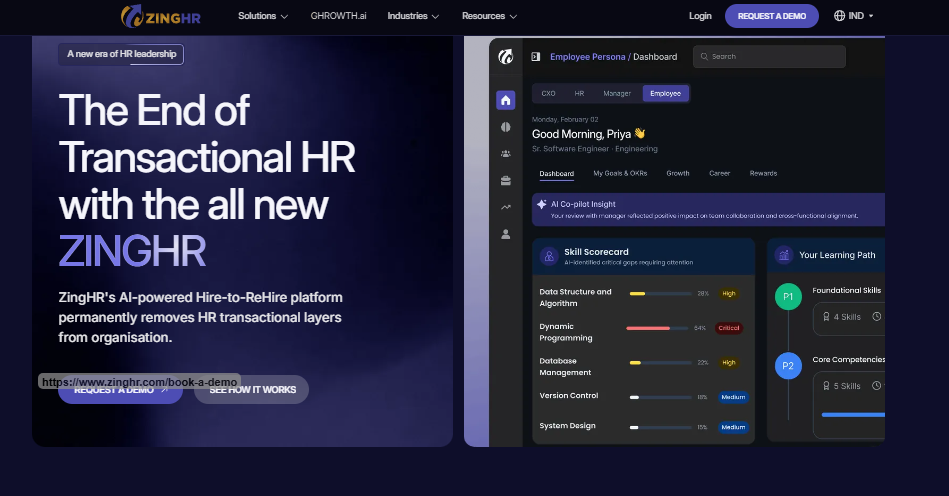
1.5 ZingHR, best for blue-collar and high-volume hiring
ZingHR, a hire-to-retire platform built for high-volume and blue-collar workforces across locations.
🎯 Where ZingHR Fits
ZingHR covers the full lifecycle and suits high-volume, multi-location hiring. The consistent reviewer critique is a dated interface, slow performance, and delayed support, which hurts most during payroll-critical moments.
⚙️ Core Services
- Hire-to-Retire Modules span recruitment, payroll, learning, and performance.
- Payroll and Tax Tools include a tax simulator, NPS, and automated payslips.
- Helpdesk tracks HR queries in one place.
- Multi-Workstream Setup handles calendar, payroll, and learning together.
🇮🇳 India-Specific Compliance and Localization
- PF / ESI / TDS support: Yes.
- Labour law compliance: Moderate to strong.
- Payroll localization (India-specific): Yes.
- Multi-state compliance handling: Yes.
👤 Who This Is Built For
- Manufacturing and field-heavy firms with high-volume, blue-collar hiring.
- Teams needing multilingual, multi-location workforce management.
🚫 Who Should Skip This
- Teams that prioritize a modern, fast UI and quick support turnaround.
- Firms needing painless custom integrations without heavy cost.
💰 Pricing Structure
- Plan Type(s): Quote-based.
- Starting Price: Not publicly disclosed, request a quote.
- Incremental Cost Drivers: Customization and integration needs.
- Implementation Fee: Not publicly disclosed, request a quote.
- Cost at 200 Employees: Not publicly fixed, request a quote. Cost at 500 Employees: Not publicly fixed, request a quote.
⏰ Implementation and Support Reality
- Go-live: reviewers report drawn-out implementation.
- Support channels: ticket-based, with delays flagged.
- Data migration: vendor-led.
- Reported satisfaction: mixed, with UI and support as recurring cons.
“The fact that the system has multiple capabilities of being an integrated system to support an organization from its hire to retire stages. Learning, Performance Management. System implementation experience was horrible, in 6 months the implementation was barely completed to 40%. Support is never on time.”
– Sanmeet S. (2/5) ZingHR G2 – Verified Review
“Ability to create multiple workstreams like calendar, payroll, learning, etc. ZingHR has all that is needed to manage your day to day activities. Outdated UI and UX. Customization is difficult and tech support is not great.”
– Parth B. (3.5/5) ZingHR G2 – Verified Review
Here is the fair read. ZingHR’s blue-collar breadth is a genuine fit for the right workforce. Where it slips is UI, speed, and support turnaround, which is why mobile-first architecture with offline attendance matters so much for field teams. Our HROne vs ZingHR comparison and workforce management page cover this in detail.
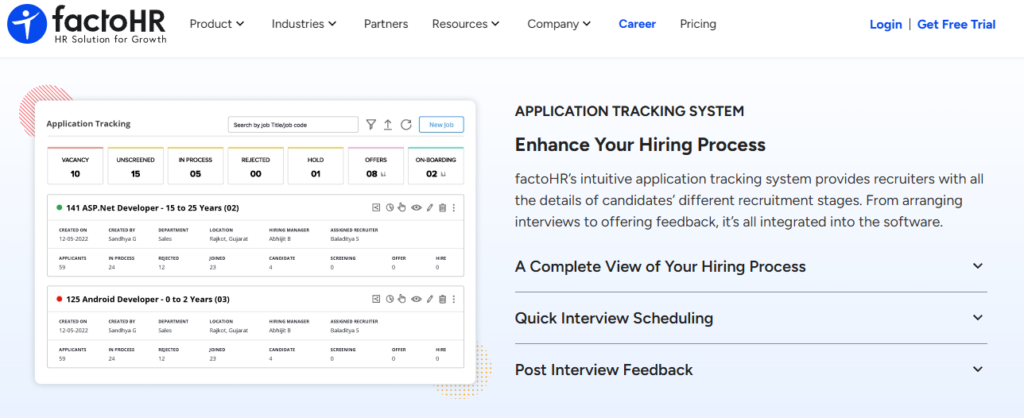
1.6 factoHR, best for payroll-tight SMEs
factoHR, a mobile-first payroll and attendance platform for cost-conscious small and mid-sized businesses.
🎯 Where factoHR Fits
factoHR is a solid, affordable choice when payroll and attendance are your core needs and you want a strong mobile app. Its workflow depth for complex enterprise onboarding is thinner than the enterprise suites, so multi-entity teams should test carefully.
⚙️ Core Services
- Payroll Automation handles statutory calculations and payslips.
- Attendance and Leave tracks time with mobile punch-in.
- Onboarding Workflows cover core new-joiner steps.
- Mobile App is a consistent strength for day-to-day use.
🇮🇳 India-Specific Compliance and Localization
- PF / ESI / TDS support: Yes.
- Labour law compliance: Moderate.
- Payroll localization (India-specific): Yes.
- Multi-state compliance handling: Partial.
👤 Who This Is Built For
- SMEs wanting affordable, mobile-first payroll and attendance.
- Teams with straightforward, single-entity structures.
🚫 Who Should Skip This
- Multi-entity or shift-heavy enterprises needing deep workflow configuration.
💰 Pricing Structure
- Plan Type(s): Per-employee/month, published.
- Starting Price: Published tiers; confirm current rate on the factoHR site.
- Incremental Cost Drivers: Add-on modules.
- Implementation Fee: Not clearly disclosed, request a quote.
- Cost at 200 Employees: Not publicly fixed, request a quote. Cost at 500 Employees: Not publicly fixed, request a quote.
For SMEs weighing budget tools against a deeper platform, our HROne vs FactoHR page and attendance management overview help frame the trade-off between price and workflow depth.
1.7 PeopleStrong, best for enterprise talent life cycle
PeopleStrong, an India-tuned enterprise talent platform with a strong mobile experience.
🎯 Where PeopleStrong Fits
PeopleStrong is mobile-friendly and covers the enterprise talent life cycle well. Reviewers note the feature volume can make the desktop version feel cluttered, since multiple paths exist to complete a single task.
⚙️ Core Services
- Talent Life Cycle Modules span attendance, leave, KRAs, taxes, and reimbursements.
- Jinie AI Assistant supports employee self-service.
- Mobile App puts most HR actions one tap away.
- Reimbursement and Payslip Tracking centralizes claims with clear status.
🇮🇳 India-Specific Compliance and Localization
- PF / ESI / TDS support: Yes.
- Labour law compliance: Strong.
- Payroll localization (India-specific): Yes.
- Multi-state compliance handling: Yes.
👤 Who This Is Built For
- Enterprises managing the full talent life cycle on mobile.
- Teams that value a capable self-service app.
🚫 Who Should Skip This
- Teams wanting a lean, uncluttered desktop experience.
💰 Pricing Structure
- Plan Type(s): Quote-based.
- Starting Price: Not publicly disclosed, request a quote.
- Incremental Cost Drivers: Module and headcount.
- Implementation Fee: Not publicly disclosed, request a quote.
- Cost at 200 Employees: Not publicly fixed, request a quote. Cost at 500 Employees: Not publicly fixed, request a quote.
“It’s mobile-friendly, unlike the one we used before, this is mobile friendly and can be accessed, most of the HR-related info is 1 tap away. It has way too many features and the desktop version isn’t very useful because of the multiple options to get 1 job done.”
– Nikhil S. (4/5) PeopleStrong G2 – Verified Review
“What I like most about PeopleStrong is how easy it is to manage reimbursements and claims, and to access my payslips all in one place. One thing I dislike is that the reimbursement and claims process can feel a bit slow at times, especially when approvals take longer than expected.”
– Anusha (5/5) PeopleStrong G2 – Verified Review
The fair contrast is UX density versus focus. PeopleStrong leads on mobile, and that is a real strength for enterprise teams. Where a three-click Super Inbox differs is in collapsing “multiple options to get one job done” into a single path, and our HROne vs PeopleStrong page walks through that difference for finance HR and BFSI teams.
1.8 Zoho People, best for budget-conscious teams in the Zoho suite
Zoho People, an affordable, integration-friendly HR tool for small teams already using Zoho apps.
🎯 Where Zoho People Fits
Zoho People is attractive on price and integrates tightly with Zoho Recruit and Zoho Payroll. Reviewers praise self-serve onboarding but flag shallow feature depth, slow support, and confusing pricing at purchase.
⚙️ Core Services
- Self-Serve Onboarding lets candidates enter their own data, closing onboarding within a day.
- Attendance and Leave handles digital approvals and holiday lists.
- Zoho Integrations connect Recruit and Payroll for end-to-end flow.
- Business-Unit Organization segments employee data cleanly.
🇮🇳 India-Specific Compliance and Localization
- PF / ESI / TDS support: Partial (deeper via Zoho Payroll).
- Labour law compliance: Moderate.
- Payroll localization (India-specific): Partial.
- Multi-state compliance handling: Partial.
👤 Who This Is Built For
- Budget-conscious small teams already invested in Zoho.
- Firms wanting quick, self-serve onboarding.
🚫 Who Should Skip This
- Mid-market and enterprise teams needing deep, India-specific statutory depth.
- Teams that depend on fast, reliable customer support.
💰 Pricing Structure
- Plan Type(s): Per-user/month, published, with a freemium tier.
- Starting Price: Low; confirm current rate on the Zoho People site.
- Incremental Cost Drivers: Added Zoho apps and higher tiers.
- Implementation Fee: Typically self-serve.
- Cost at 200 Employees: Not publicly fixed, request a quote. Cost at 500 Employees: Not publicly fixed, request a quote.
“As an HR professional, what I appreciate most about Zoho People is its onboarding process. Candidates can enter their own information, making the onboarding process smooth. The biggest drawback for me has been the lack of customer support. Whenever I try to reach out, it often takes a long time to get a response.”
– Dhana C. (4/5) Zoho People G2 – Verified Review
“The breadth of applications and the price of it. Features are shallow and there is no depth in each application.”
– Verified User in Information Technology and Services (2.5/5) Zoho People G2 – Verified Review
The fair read is a global generalist that under-serves India-specific depth. Zoho People’s self-serve onboarding and price are genuine wins for small teams. Where it thins out is India-specific CTC, FBP, and statutory workflows, which is the gap our HROne vs Zoho People page and onboarding process module address for compliance-heavy firms.
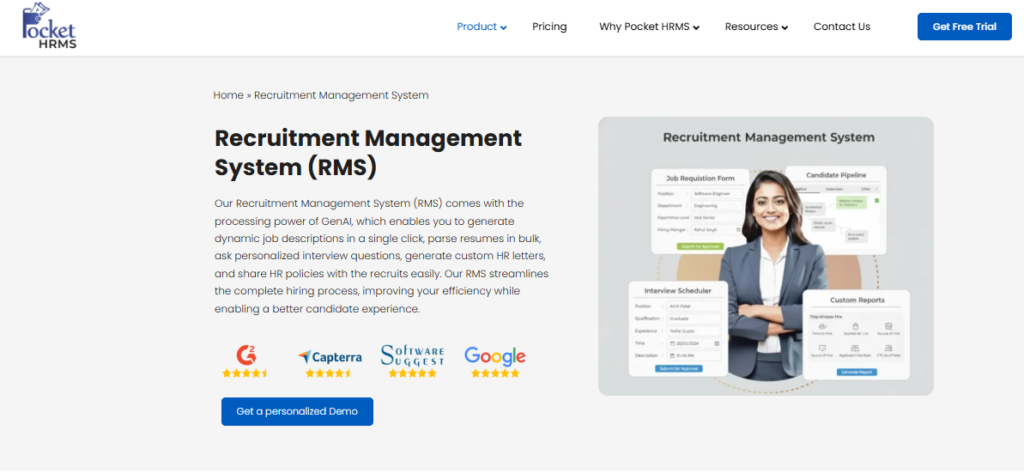
1.9 Pocket HRMS, best for entry-level, low-cost automation
Pocket HRMS, an affordable, quick-start HRMS for small teams taking their first step off spreadsheets.
🎯 Where Pocket HRMS Fits
Pocket HRMS is a low-cost entry point for small teams that want basic payroll and onboarding without heavy setup. Its depth is limited for multi-entity or shift-heavy realities, so it fits simpler structures best.
⚙️ Core Services
- Payroll Basics automate salary and statutory calculations.
- Onboarding covers core new-joiner steps.
- Attendance and Leave handle day-to-day tracking.
- Employee Self-Service for payslips and requests.
🇮🇳 India-Specific Compliance and Localization
- PF / ESI / TDS support: Yes (basics).
- Labour law compliance: Basic.
- Payroll localization (India-specific): Yes.
- Multi-state compliance handling: Partial.
👤 Who This Is Built For
- Small teams moving off Excel for the first time.
- Cost-sensitive firms needing payroll basics.
🚫 Who Should Skip This
- Multi-entity mid-market and enterprise firms needing deep workflows.
💰 Pricing Structure
- Plan Type(s): Per-employee/month, published, low entry.
- Starting Price: Low; confirm current rate on the Pocket HRMS site.
- Incremental Cost Drivers: Add-on modules.
- Implementation Fee: Not clearly disclosed, request a quote.
- Cost at 200 Employees: Not publicly fixed, request a quote. Cost at 500 Employees: Not publicly fixed, request a quote.
For teams comparing entry-level tools against a system that scales, our HROne vs Pocket HRMS page and payroll solution overview lay out where the depth difference starts to matter.
1.10 SAP SuccessFactors, best for global multinationals
SAP SuccessFactors, a deep, multi-country enterprise HCM for global organizations standardizing across borders.
🎯 Where SAP SuccessFactors Fits
SAP SuccessFactors offers deep global functionality and multi-country coverage that big multinationals need. Reviewers consistently flag cost, developer dependency for changes, system freezes, and unfriendly usability, which weigh heavily against the 100 to 5,000-employee India sweet spot.
⚙️ Core Services
- Global HR Modules cover multi-country workforce management.
- Applicant Tracking handles recruitment and offer management.
- Learning Management supports compliance training.
- Custom Career Site APIs enable extensive integration.
🇮🇳 India-Specific Compliance and Localization
- PF / ESI / TDS support: Partial (config and vendor-led).
- Labour law compliance: Config-dependent.
- Payroll localization (India-specific): Partial.
- Multi-state compliance handling: Config-dependent.
👤 Who This Is Built For
- Global multinationals standardizing HR across countries.
- Enterprises with in-house technical teams for configuration.
🚫 Who Should Skip This
- Mid-market Indian firms without back-end developers to make changes.
- Teams needing fast go-live and India-tuned statutory automation out of the box.
💰 Pricing Structure
- Plan Type(s): Quote-based, enterprise.
- Starting Price: Not publicly disclosed, request a quote.
- Incremental Cost Drivers: Third-party vendors for customization.
- Implementation Fee: Typically significant; partner-delivered.
- Cost at 200 Employees: Not publicly fixed, request a quote. Cost at 500 Employees: Not publicly fixed, request a quote.
“Covers a wide range of HR modules in theory, but it’s not user friendly, no AI driven. System often freezes. Customization requires third-party vendors, every change is costly. Extremely expensive for what it delivers. Ferrari price, Trabant value.”
– Janka Z. (0/5) SAP SuccessFactors G2 – Verified Review
The fair read is over-engineering for this segment. SAP’s global depth is real and matters for true multinationals. For 100 to 5,000-employee Indian firms, the developer dependency and cost outweigh the depth, which is the case our HROne vs SAP page and core HCM overview make for an India-first, ROI-instrumented alternative.
Q2. What is employee onboarding software, and why does it decide whether a hire stays past Day-90?
Employee onboarding software automates a hire’s journey from offer-letter acceptance through Day-90: pre-boarding, Aadhaar eKYC (electronic Know Your Customer verification), e-signatures, statutory PF/ESI/PT enrollment, UAN (Universal Account Number) generation, PoSH (Prevention of Sexual Harassment) induction, and buddy assignment. It matters because attrition is front-loaded. Roughly a third of new hires leave within 90 days, and structured onboarding sharply lifts early retention.
🧩 What It Actually Is
Think of onboarding software as the bridge between “offer accepted” and “productive employee.” It replaces the scramble of emails, forms, and hard-copy documents with one guided flow.
In India, that flow carries an extra statutory layer. The tool must auto-enroll PF (Provident Fund) and ESI (Employee State Insurance), generate the UAN, and trigger PoSH induction before Day 1. Core HR just stores records; a full core HCM system runs the whole lifecycle.
🚶 One Hire, Offer to Day-90
Picture a lateral hire accepting on Monday. Pre-boarding sends her document checklist with automated reminders, so nobody chases her over email.
She completes Aadhaar eKYC and e-signs her appointment letter from her phone. The system generates her employee code, enrolls her in PF and ESI, assigns a buddy, and schedules induction. By Day 1, she logs in and starts working, not waiting. A structured onboarding process makes this the norm, not the exception.
📊 Why Day-90 Decides Everything
Attrition is not spread evenly. It clusters early, which is why the first 90 days carry outsized weight.
Structured onboarding maps to the SHRM Foundation’s “Four C’s” from Bauer’s framework: Compliance, Clarification, Culture, and Connection. Research consistently links a strong first 90 days to higher retention and faster time-to-productivity, with the gap widening over multiple years. This is exactly why we treat employee engagement as part of onboarding, not a separate afterthought.
✅ What to Measure on Monday
Do not measure “is it paperless.” Everyone is paperless now, so that bar is meaningless.
Measure the metrics that map to Bauer’s C’s, like time-to-first-login, statutory enrollment completion rate, and 90-day retention. Those numbers tell you whether onboarding is actually working, or just looking tidy.
At HROne, this is why we built onboarding to run natively in single-instance, multi-legal-entity environments, so a firm with 20 units does not stitch together 20 setups. The buddy, induction, and social-intro workflows map directly to Bauer’s Connection and Culture C’s, which are the two that quietly drive the retention curve. My current thinking is that the compliance C is table stakes, and the real retention edge lives in Connection. For firms scaling across entities, our workforce management module carries this connective tissue through the full lifecycle.
Q3. Which features actually end the “manual run-around” in onboarding?
The features that end the manual run-around are automated pre-boarding with reminders, Aadhaar eKYC and background verification (BGV), e-signatures, statutory PF/ESI/PT auto-enrollment, checklists that assign “who does what by when,” permanent employee-code assignment on Day 1, and AI document parsing that auto-fills forms. The real test is not “is it paperless.” It is whether HR stops chasing people for missing information.
😩 The “Chase” State
Here is the state most HR teams live in. Data comes in inconsistent, half the fields are blank, and someone has to ping the new hire, the manager, and IT to fill the gaps.
That chase is the real tax on onboarding. It is not the printing, it is the running around asking, “did you update this yet?” A pretty portal does not fix that if the workflow still leaks.
⚙️ The Automation Stack That Fixes It
The fix is a stack where each feature removes a specific bottleneck. AI document parsing matters most here.
Patented approaches for machine-learning document classification and named-entity extraction let software read a document and auto-fill the right fields, cutting manual data entry. That is the difference between a form you type and a form that fills itself. Our HROne AI suite applies exactly this to resume relevancy scoring and receipt parsing.
🔧 Bottleneck to Feature Map
| Bottleneck | Feature That Removes It |
|---|---|
| Chasing hires for documents | Automated pre-boarding with reminders |
| Manual identity checks | Aadhaar eKYC and background verification |
| Printing and signing delays | E-signatures |
| Missed statutory enrollment | PF/ESI/PT auto-enrollment plus UAN generation |
| “Who does what” confusion | Checklists that assign owner and deadline |
| Day-1 access delays | Permanent employee-code assignment on Day 1 |
| Retyping form data | AI document parsing that auto-fills fields |
💡 The Real UX Bar
Forget “seamless integration” and “paperless.” Those are platitudes every vendor claims.
The real bar is zero main intervention and a three-click rule: any core task should close in three clicks. Rigid workflow tools break the moment a template changes, and then HR is back to manual work.
At HROne, we designed for this with a single-screen HR inbox, where every pending task, request, and approval surfaces in one Gmail-like view and closes within three clicks. The One AI Suite adds relevancy stacking, so the most relevant CVs sort to the top with a relevancy score, and receipts auto-parse. HR users describe the effect plainly.
“The best functionality of the product is the onboarding module. With onboarding checklist it is quite systematic to manage the details for new joiners and tracking becomes easy what all tasks are pending.”
– Komal S., HR User HROne G2 – Verified Review
“It can sometimes feel a bit overwhelming for new users. Certain features take time to understand, and without enough guided support, the learning curve can feel quite steep.”
– Nijanthan R., HR User (3.5/5) HROne G2 – Verified Review
I will be honest about that second quote. Depth costs you a small learning curve in week one, and I would not pretend otherwise. Our recruitment software pairs with onboarding so the relevancy stacking starts before the offer is even out.
Q4. How do the 10 tools compare on price, statutory automation, and verified user reviews?
SME tools like Pocket HRMS and Zoho People start low, around Rs 2,995 to 3,000 per month for entry tiers, mid-market platforms like greytHR and HROne sit higher with deeper statutory automation, and enterprise suites like Darwinbox, ZingHR, PeopleStrong, and SAP SuccessFactors are quote-based. Verified reviews praise HROne for intuitive UI and support, while enterprise suites draw implementation-time complaints, and budget tools can lack statutory depth.
📋 The 10 Tools, Side by Side
| Tool | Star Score | Price Signal | Statutory Automation | Best For | Verified Review Signal |
|---|---|---|---|---|---|
| HROne | ⭐⭐⭐⭐⭐ | Flat PEPM, billed after go-live | Strong (PF/ESI/TDS auto) | 100-5,000 multi-entity firms | High UI and support praise |
| greytHR | ⭐⭐⭐ | Published per-employee tiers | Strong (core payroll) | Compliance-heavy SMEs | Support and config gaps |
| Keka | ⭐⭐⭐ | Published per-employee/month | Yes | Experience-led mid-market | UX praised, setup slow |
| Darwinbox | ⭐⭐⭐⭐ | Quote-based | Strong | Large enterprises | Consolidation good, support mixed |
| ZingHR | ⭐⭐⭐ | Quote-based | Yes | Blue-collar, high-volume | Slow, support flagged |
| factoHR | ⭐⭐⭐⭐ | Published per-employee/month | Yes | Payroll-tight SMEs | Positive on mobile |
| PeopleStrong | ⭐⭐⭐⭐ | Quote-based | Strong | Enterprise talent life cycle | Mobile strong, desktop cluttered |
| Zoho People | ⭐⭐⭐ | Low, per-user/month plus free tier | Partial | Budget-conscious small teams | Cheap, depth and support thin |
| Pocket HRMS | ⭐⭐⭐ | Low entry, per-employee/month | Yes (basics) | Entry-level automation | Adequate for basics |
| SAP SuccessFactors | ⭐⭐⭐ | Quote-based, enterprise | Partial (config-led) | Global multinationals | Deep but costly, freezes |
Confirm live pricing on each vendor’s page, since tiers shift; the figures above are directional signals, not quotes. Our pricing page explains the flat PEPM (Per Employee Per Month) model in full.
👍 Where Praise Clusters
The consistent praise pattern for HROne is a clean interface and responsive, human support. That shows up across dozens of verified G2 reviews.
“I really like how HROne has a very easy and intuitive UI, making navigation across the platform simple. Having the entire visibility at one place makes it easy for me to lead my team.”
– Naman G., HR User HROne G2 – Verified Review
By contrast, enterprise suites cluster praise around consolidation, not daily ease. Darwinbox users like having one platform after years of Excel.
“Earlier, we used a mix of Excel sheets and legacy tools, now everything is centralized. It’s reduced manual intervention and improved data accuracy.”
– Mohit V. (4/5) Darwinbox G2 – Verified Review
⚠️ Where the Trade-offs Bite
Honesty matters here, so I will name the cons too. Enterprise suites draw implementation-time and cost complaints, and budget tools can hand statutory complexity back to HR.
“Covers a wide range of HR modules in theory, but it’s not user friendly. Customization requires third-party vendors, every change is costly.”
– Janka Z. (0/5) SAP SuccessFactors G2 – Verified Review
Here is my read on choosing. You do not want to buy the whole hog if you are not going to eat the whole hog, so match the tool to your pace of growth. HROne’s own trade-off is a first-week learning curve on deeper modules, which is exactly why the dedicated prior-HR SPOC (single point of contact) matters, because a domain expert flattens that curve instead of a checklist reader. For teams weighing options, our why HROne page and payroll software overview lay out the statutory depth behind the 5-star rating.
Q5. How much time and money does onboarding automation actually save?
Onboarding automation collapses a multi-hour, multi-email manual process into minutes of hands-off execution. It frees HR ops to redeploy roughly a third of their time to strategic work. One HROne deployment cut manual tracking effort by around 70% after moving off spreadsheets, and automated workflows can build folders, draft contracts, and trigger welcome emails without anyone touching them. That is the difference between “the chase” and zero main intervention.
😮💨 The “Before” State
Let me paint the old way, because most HR teams still live in it. A single onboarding eats close to two hours of scattered work.
You email the offer, chase the documents, create the folder, draft the contract, and set up IT access. Then one email gets forgotten, and the new hire shows up on Day 1 with no laptop and no login. A structured onboarding process is what closes those gaps before they happen.
⚡ The “After” State
Now picture the automated version. The offer is accepted, and four minutes later, without anyone touching anything, the project folder is built, the contract is drafted, and a welcome email sits ready in drafts.
That is not a small tidy-up. It is a structural shift in where HR spends its hours, and it maps directly to faster time-to-productivity for the new hire. This is the same logic behind our wider workforce management automation.
💰 What the Numbers Actually Mean
Here is a real reclaim I keep coming back to. One HROne deployment running at 150% occupancy, meaning HR was drowning, brought that manual load down by around 70% after leaving spreadsheets behind.
The felt result was blunt. The HR lead said she still had 30% of her time free for other activities, work that used to be impossible.
I will hedge one thing. The exact percentage varies by team size and messiness of the old process, so treat 70% as a strong signal, not a guarantee. But from what surfaces when you actually run this, the direction is never in doubt: automation buys back real hours you can point to. At HROne, we made that reclaim visible with an inbuilt ROI calculator that converts lifetime hours saved into rupee terms, so a CHRO can show the board the savings, not just claim them. For the wider financial picture, our payroll software ties these reclaimed hours to zero-delay pay cycles.
Q6. How do you choose the right onboarding software for your company?
Choose by matching four things: your headcount and scaling pace, your workforce mix (white-collar versus blue-collar, single versus multi-location), your statutory complexity (single versus multiple legal entities), and how much you will actually use. Do not buy the “whole hog” if you will not eat it. Pick a system that grows at your pace. For 100 to 5,000-employee Indian firms needing deep compliance without bloat, HROne fits.
🧭 The Four Questions That Decide It
Skip the feature-count arms race. Ask these four questions instead, in order.
- Pace: at what speed are you scaling? Fast growth justifies a more robust system now, since re-platforming later hurts.
- Workforce: are your hires white-collar, blue-collar, single-site, or spread across locations? This dictates mobile and multilingual needs.
- Statutory complexity: one legal entity, or many? Multi-entity firms need single-instance handling, not stitched-together setups.
- Usage depth: will you truly use the deep modules, or pay for shelfware?
🎯 Two Scenarios, Two Right Answers
The right choice is fit-to-pace, not most-features. Two quick scenarios show why.
A 200-person IT firm on a single entity needs clean workflows, strong self-service, and fast go-live, not a global enterprise suite. A multi-location manufacturing firm hiring blue-collar workers needs multilingual onboarding, offline mobile attendance, and multi-state statutory handling. Our ITES HR and manufacturing HR pages map each fit in detail.
Here is a practical, non-negotiable detail I have learned the hard way. Assign a permanent employee code on the day of joining, not a temporary one, or your database fragments and payroll gets messy later. And remember the one thing that defines a great implementation: people’s rents and mortgages depend on payroll running on time, so weight statutory reliability heavily. Our attendance management module handles the offline, multi-location reality that blue-collar teams face.
This is exactly the ICP HROne was built for: 100 to 5,000-employee Indian companies in IT, BFSI (Banking, Financial Services, and Insurance), Manufacturing, and Logistics, running single-instance, multi-legal-entity compliance without suite bloat. My current thinking is that most buyers overweight features and underweight fit-to-pace, and it costs them a painful migration two years in. If you sit in BFSI or logistics, our finance HR and logistics HR pages show how the fit plays out.
Q7. What does a Day-1-ready onboarding rollout look like from offer letter to Day-90?
A Day-1-ready rollout runs in four phases: pre-boarding (offer acceptance to joining) with eKYC (electronic Know Your Customer verification), e-sign, and IT/asset triggers; Day 1 with permanent employee-code assignment, induction, and buddy pairing; Days 2 to 30 covering role clarification and statutory enrollment confirmation; and Days 31 to 90 with check-ins and a retention gate. The goal is zero main intervention and a red-carpet arrival, not a paperwork scramble.
📦 Phase 1: Pre-boarding (Offer to Joining)
This is where the chase usually starts, so automate it hard. The moment the offer is accepted, trigger the document checklist with reminders, Aadhaar eKYC, and e-signatures.
In parallel, fire IT and asset requests so the laptop and login are ready. This phase satisfies Bauer’s Compliance C, getting the statutory and paperwork basics done before Day 1. Our recruitment software hands this stage off cleanly from the offer.
🎉 Phase 2: Day 1 (The Red Carpet)
Day 1 should feel like a welcome, not a form-filling ordeal. Assign the permanent employee code immediately, not a temporary one, to prevent database fragmentation later.
Then run induction and pair the hire with a buddy. This covers Bauer’s Connection and Culture C’s, the two that quietly drive whether someone stays. Our employee engagement tools keep that connection alive past the first day.
📅 Phase 3: Days 2 to 30 (Clarification)
The first month is about clarity, which maps to Bauer’s Clarification C. Confirm the role, goals, and reporting lines so the hire knows what “good” looks like.
Also confirm statutory enrollment landed correctly, including PF, ESI, and UAN generation. A quick audit here prevents a nasty surprise at the first payroll run, which our payroll solution guards against with group payout validations.
🎯 Phase 4: Days 31 to 90 (The Retention Gate)
The 90-day mark is your retention checkpoint, since early attrition clusters here. Run structured check-ins to catch drift before it becomes a resignation.
At HROne, each of these phases runs as a pre-built workflow that assigns who does what, and by when, across preboarding, permanent-code assignment, induction, buddy assignment, and the Day-90 check-in. The whole arc executes with zero main intervention, so HR stops chasing and starts welcoming. Every pending task surfaces in one HR inbox that closes in three clicks.
Here is the question I am sitting with, and I would genuinely like your read on it. If Connection and Culture drive retention more than Compliance, why do most onboarding rollouts still spend 80% of their energy on paperwork and almost none on the buddy relationship? I might be wrong, but I think the next two years belong to teams that flip that ratio. If you want to pressure-test your own rollout, book a book a demo and we can walk your offer-to-Day-90 arc together.















 Secures Top Spot in
