








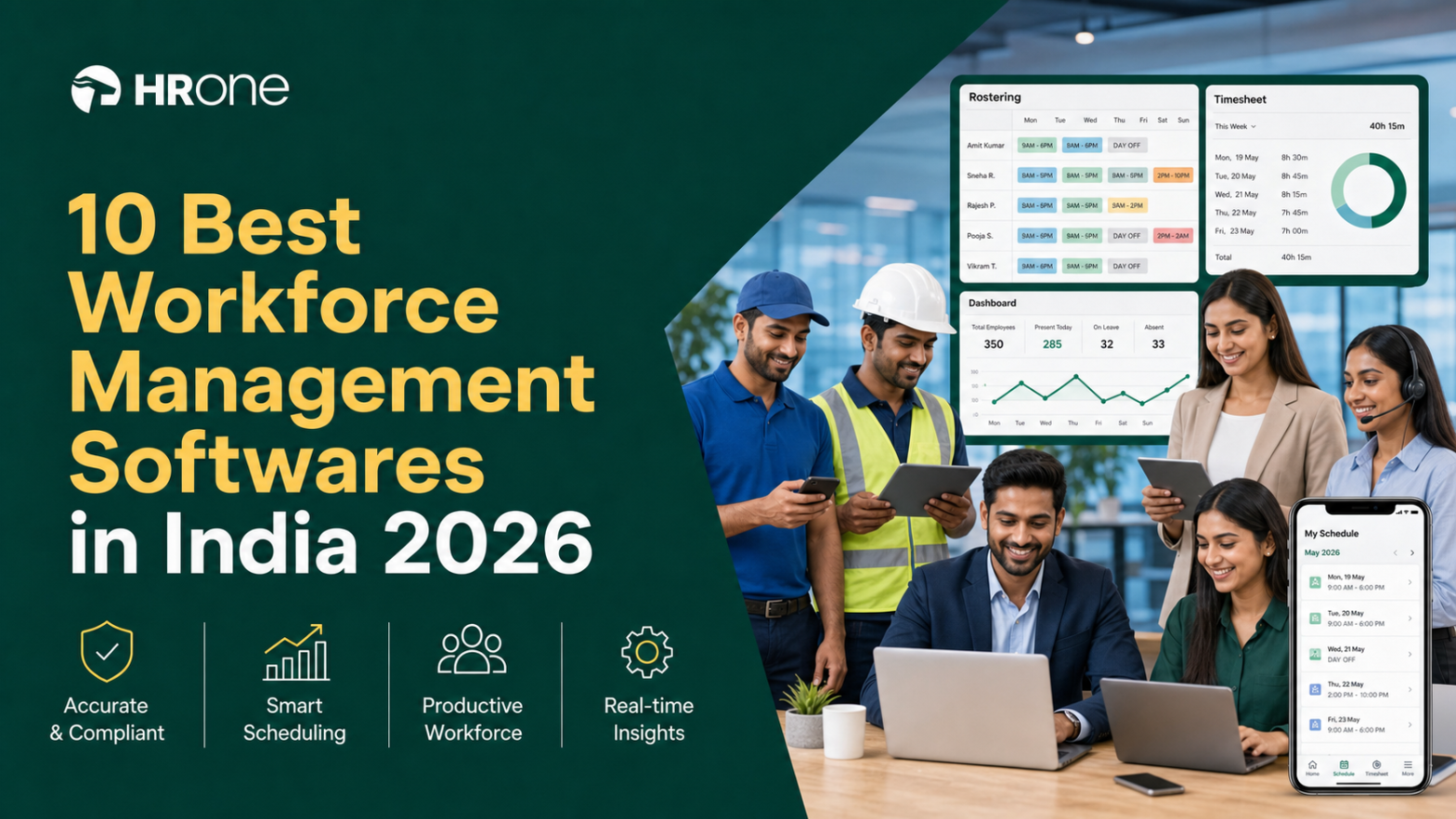
Q1. What Are the 10 Best Workforce Management Software Tools for Field & Shift Teams in India in 2026?
The 10 best workforce management software tools in India for 2026 are HROne, Keka, greytHR, Zoho People, factoHR, Darwinbox, ZingHR, Zimyo, Truein, and Pocket HRMS. We ranked them for field and shift teams on offline attendance, geofenced and GPS punch-in, roster and overtime automation, timesheet-to-payroll sync, and Indian statutory compliance (PF, ESI, PT, and the Code on Wages, 2019).
Choosing a workforce management platform is a high-stakes call for any Indian company running shift or field teams, where a single roster-to-payroll sync failure can trigger wrong paydays and quiet attrition. For this guide, we evaluated 10 India-focused vendors against operational, compliance, and commercial criteria that matter to the person using the software daily, the HR ops lead reconciling biometric exports, not just the procurement buyer signing the cheque. The shadow readers are the CHRO, the CFO checking ROI, and the IT Director judging mobile-native fit against legacy portals.
📋 Our Evaluation Criteria
Each vendor was assessed across six operator-relevant criteria, weighted toward what breaks first on the field:
- Field-Team Readiness ⏰ (25%): Offline attendance management, in low or no connectivity zones, GPS and geofenced punch-in, and anti-backdating controls.
- Shift, Roster & Overtime Automation (25%): Rule or demand-based rostering, comp-off logic, and statutory overtime calculation.
- Timesheet-to-Payroll & Compliance 💰 (20%): Clean sync from attendance to payroll software, plus PF, ESI, PT, and TDS handling.
- Setup & Usability (15%): Go-live speed, mobile app depth, and how much training the daily user needs.
- Pricing Transparency (15%): Flat, published pricing versus quote-only opacity, and lock-in terms.
Scores of 0 to 20 earn 1 star, 21 to 40 earn 2 stars, 41 to 60 earn 3 stars, 61 to 80 earn 4 stars, and 81 to 100 earn 5 stars.
👥 Who This Guide Is For
- CHROs and HR Heads consolidating a fragmented hire-to-retire stack into one system of record.
- Payroll Managers running multi-entity, India-compliant monthly cycles with shift and overtime inputs.
- CFOs validating HR-tech ROI and flat per-employee-per-month (PEPM) commercials.
- IT Directors and operational HR teams weighing mobile-first HCMs against legacy on-premise portals.
⭐ Comparison Table: 10 Best WFM Software in India 2026
| Provider (⭐ rating) | Best For | Standout Strength | Known Limitation | Field-Team Fit | Support Model | Pricing Model |
|---|---|---|---|---|---|---|
| HROne ⭐⭐⭐⭐⭐ | HR ops leads drowning in manual attendance-to-payroll reconciliation across field sites | 127 pre-built hire-to-retire workflows plus the Super Inbox that closes tasks in three clicks | Modules like Payroll and Performance carry a first-time learning curve | Strong: real-time biometric and mobile punch sync for field staff | Phone, email, and a prior-HR onboarding SPOC | Flat PEPM, no lock-in, meters after go-live |
| Keka ⭐⭐⭐ | Mid-market teams wanting polished UI for core payroll and attendance | Strong payroll and compliance automation (PF, ESI, TDS) with an intuitive interface | Email-thread support with weekend gaps and slow escalation during setup | Moderate: mobile app present, but login gaps for email-less field users | Email and ticket-based | Per-employee/month, quote-based tiers |
| greytHR ⭐⭐⭐ | SMBs needing dependable statutory payroll and payslips | Mature payroll and compliance engine for straightforward setups | Rigid customization and managers cannot mark leave for reports | Moderate: attendance across units, but mobile lags on features | Ticket-based, callback within hours | Tiered subscription, per-employee |
| Zoho People ⭐⭐⭐ | Companies already inside the Zoho ecosystem | Deep integration with Zoho Payroll and Recruit; easy self-onboarding | Shallow feature depth and slow, hard-to-reach support | Moderate: digital attendance and leave, limited mobile | Email and community-based | Per-user/month, published tiers |
| factoHR ⭐⭐⭐⭐ | Manufacturing and field teams needing mobile-first attendance | Strong biometric, geofenced attendance and payroll automation (G2 4.6) | Advanced analytics and reporting depth still maturing | Strong: geofencing and mobile-first design | Phone, email, and chat | Quote-based PEPM |
| Darwinbox ⭐⭐⭐⭐ | Large enterprises wanting brand-heavy, unified HCM | Comprehensive module suite with a well-liked mobile app | Tab-and-email juggling, slow bulk processing, multi-year lock-in | Moderate: solid app, but sync can be inconsistent | Vendor-led, account-managed | Quote-based, multi-year contracts |
| ZingHR ⭐⭐ | Enterprises wanting a hire-to-retire spread on a budget | Broad module coverage across payroll, learning, and performance | Slow servers, dated UI, and delayed support responses | Moderate: attendance and payroll, unstable mobile app | Email and ticket-based | Quote-based PEPM |
| Zimyo ⭐⭐⭐ | Cost-conscious SMB-to-mid-market crossovers | Modular HRMS with affordable, transparent pricing | Depth thins out at complex, multi-entity scale | Moderate: mobile attendance and geo-tracking | Email and chat | Flat PEPM, published |
| Truein ⭐⭐⭐⭐ | Contractual and field workforces needing face-based attendance | Face-recognition and geofenced attendance built for deskless teams | Attendance-only focus; not a full HCM | Strong: face-map storage, no separate device needed | Email and chat | Per-user/month, published |
| Pocket HRMS ⭐⭐⭐ | SMBs wanting a lightweight, AI-assisted HR portal | smHRt AI assistant and simple payroll for smaller teams | Limited depth for shift-heavy, multi-entity operations | Moderate: mobile attendance, lighter roster logic | Email and phone | Tiered subscription |
Star ratings are directional, blending our weighted criteria with publicly documented G2 satisfaction signals and the operator pain points surfaced in verified reviews.
1.1 HROne
HROne: The complete hire-to-retire operating system, not another HR portal.
🏢 Overview
HROne is a cloud-based, mobile-native HCM founded in 2016, built for Indian mid-market and enterprise teams in the 100 to 5,000 employee range. It runs live across 1,500+ brands, including MR DIY India and Asia Healthcare Holdings, and holds a strong G2 satisfaction position among India-first HR platforms. It is primarily used by HR ops teams tired of spending a full week every month fetching attendance out of Excel and biometric exports.
🔑 Why It Leads for Field & Shift Teams
Most HR tools stop at gathering data. HROne is built to act on it, which is the exact gap field-team HR feels at month-end. The system ships 30+ modules and 127 pre-built workflows, so the path from roster assignment to full-and-final settlement is defined, not improvised. You can see the full breadth on the core HCM module.
⚙️ Core Services
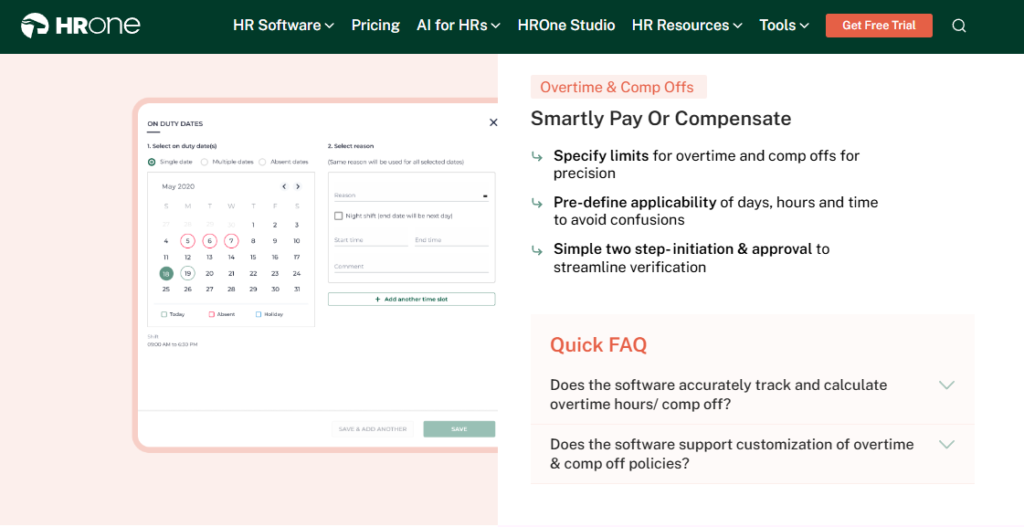
- Time Office Module: automates shift management, comp-off, and overtime with accurate paid-day and arrear calculation, removing manual attendance reconciliation at payroll time.
- Real-Time Attendance Sync: pulls biometric and mobile-app punches live, so HR sees who is present at a given instant without chasing reporting managers.
- GPS & Geofenced Punch-In: verifies field-employee location on marking attendance, cutting proxy punching for sales and on-field staff. This pairs with the mobile HR app.
- Super Inbox (InboxforHR): centralizes every pending task, request, and approval into one Gmail-like screen, closing tasks in three clicks instead of tab-switching across tools. Explore the HR inbox.
- Zero-Touch Payroll: auto-calculates PF, ESI, PT, and TDS with bank challan generation, reducing salary errors and audit anxiety.
- One AI Suite: stacks resume relevancy scoring, receipt parsing, and an AI employee agent so recruiters and finance stop doing manual labour. See HROne AI.
🇮🇳 India-Specific Compliance & Localization
- PF / ESI / TDS: Yes (automated calculation, deduction, and challan generation).
- Labour law compliance: Strong (comp-off, overtime, and PT/LWF slab logic).
- Payroll localization (India-specific): Yes (Form 16, Form 12BA, arrear-day handling).
- Multi-state compliance handling: Yes (state-wise PT and LWF slabs).
🎯 Who This Is Built For
- Payroll Manager firefighting biometric-versus-leave reconciliation across multiple field sites every month-end.
- HR ops lead who needs live location tracking for sales staff without pinging reporting managers daily.
- CHRO who has to walk into a board review with quantified HR savings, not a status update. See CHRO solutions.
⚠️ Who Should Skip This
- Very small teams (under 25 people) wanting a lightweight, spreadsheet-like tool without structured workflows.
- Buyers who need heavy performance-management depth on mobile, since some power-user features still favour the web version.
💰 Pricing Structure
- Plan Type(s): Flat PEPM across integrated modules.
- Starting Price: Not publicly disclosed, request a quote. Check current pricing. [INSERT HRONE DATA]
- Incremental Cost Drivers: AI add-ons and per-module upgrades; no charge until go-live.
- Implementation Fee: [INSERT HRONE DATA, confirm bundled vs separate].
- Cost at 200 Employees: [INSERT HRONE DATA] | Cost at 500 Employees: [INSERT HRONE DATA].
🛠️ Implementation & Support Reality
- Go-live in as little as 30 days for mid-market rollouts, versus the multi-month drag common in enterprise HCM.
- Support via phone, email, and a dedicated prior-HR onboarding SPOC who understands HR reality, not just a technical checklist.
- Vendor-led data migration, with reviewers reporting old-ERP-to-HROne transfers in hours.
💬 Reviews
“Real time sync of biometric and mobile mark punch functionality available… Mobile mark attendance is great for employee working from remote location. Salary processing to last creation of bank Challan files is quick and systematic process with error free details.”
— Deepak K., HR, 5/5 HROne – G2 Verified Review
“What I like most about HROne is how it blends smart HR technology with a genuine human touch… one thing I don’t like is that it can sometimes feel a bit overwhelming for new users. Certain features take time to understand.”
— Nijanthan R., HR, 3.5/5 HROne – G2 Verified Review
1.2 Keka
Keka: Polished, UI-first HRMS for mid-market payroll and attendance.
🏢 Overview
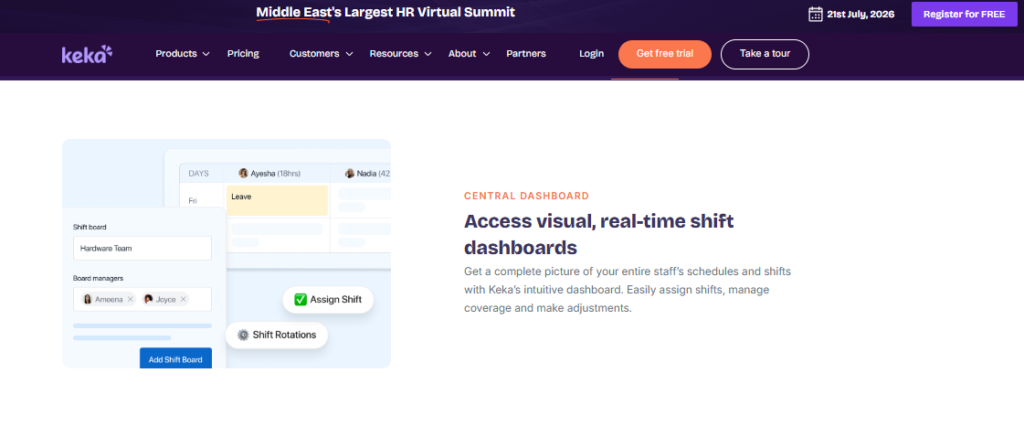
Keka is a well-known Indian HRMS built for mid-market companies wanting a clean, modern interface over core HR, payroll, and attendance. It has strong brand recognition and a genuinely intuitive design that daily users praise. It is primarily used by HR teams that value surface polish and standard payroll automation, though implementation experiences vary widely. For a direct look, see HROne vs Keka.
⚙️ Core Services
- Payroll Engine: automates salary, PF, ESI, and TDS processing with statutory compliance, reducing month-end manual reconciliation.
- Attendance & Time Tracking: captures punches with a mobile app, though users without an email ID struggle with access.
- Performance (PMS): supports KRA and KPI tracking, but reviewers find the module confusing to configure.
- Hiring (Keka Hiro): automates offer-letter workflows and hiring approvals to reduce recruiter admin.
- Document Management: generates HR letters and stores documents, cutting paperwork.
🇮🇳 India-Specific Compliance & Localization
- PF / ESI / TDS: Yes (automated calculation and filing support).
- Labour law compliance: Moderate (RBI regulation edge cases reported in payroll).
- Payroll localization (India-specific): Yes, though CTC and PT display gaps are reported.
- Multi-state compliance handling: Partial (zone and location-level config limits noted).
🎯 Who This Is Built For
- HR lead prioritising a clean, low-training interface for a desk-based workforce.
- Payroll manager at a stable, single-entity company with straightforward statutory needs.
⚠️ Who Should Skip This
- Field teams with staff who lack email IDs, since user access breaks for them. Compare against HROne’s time tracking.
- Companies needing weekend or emergency phone support during payroll crunch.
💰 Pricing Structure
- Plan Type(s): Tiered per-employee/month plans (Foundation, Strength, Growth as published by Keka).
- Starting Price: Not publicly disclosed here, request a quote.
- Incremental Cost Drivers: Per-module upgrades and add-ons.
- Implementation Fee: Reported separately during onboarding.
🛠️ Implementation & Support Reality
- Go-live can stretch, with reviewers reporting six-month setups still incomplete.
- Support is largely email and ticket-based, with a widely cited weekend gap.
- Vendor-led migration, though coordination between internal teams draws criticism.
💬 Reviews
“Strong payroll and compliance, automate salary and attendance processing with PF, ESI, TDS… PMS module is confusing and needs to be simpler. User access is difficult for employees who do not have an email ID.”
— Kiran B., HR, 3/5 Keka – G2 Verified Review
“From Friday evening 6PM to Monday morning 10AM there is no source of support from KEKA. Telephonic communication to a POC during emergency is not possible. Customisation required as per company policy finding difficult to incorporate.”
— Prem K., HR, 2.5/5 Keka – G2 Verified Review
1.3 greytHR
greytHR: Dependable statutory payroll engine for SMBs and straightforward setups.
🏢 Overview
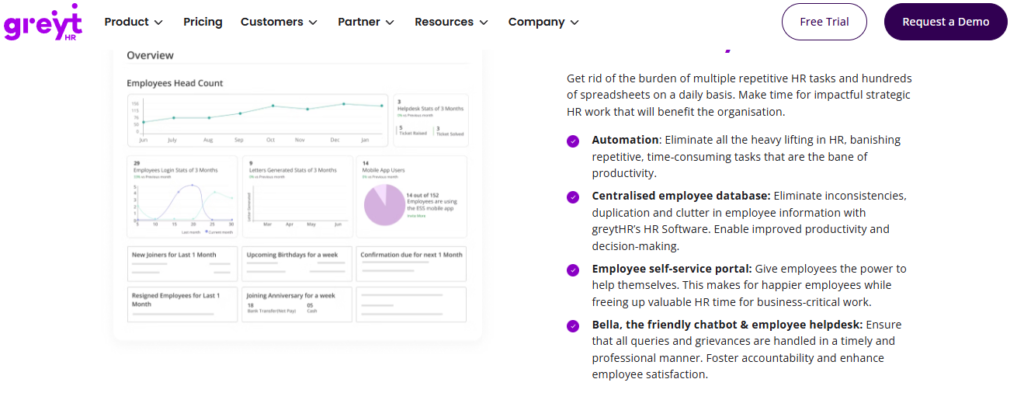
greytHR is one of India’s oldest cloud HR and payroll platforms, widely adopted by small and mid-size businesses for statutory payroll, payslips, and leave management. It has a large India install base and a mature compliance core. It is primarily used by teams that want reliable monthly payroll without heavy customization, and it shows its limits the moment shift-based or multi-entity complexity appears. See how it stacks up on HROne vs greytHR.
⚙️ Core Services
- Payroll & Statutory Engine: automates salary, PF, ESI, and PT filing, reducing month-end statutory work for single-entity firms.
- Leave & Attendance: logs attendance and leave, though managers cannot mark leave for their reports.
- Employee Self-Service: lets staff pull payslips and tax details without HR, increasing transparency.
- Ticketing Workflow: structured ticket acknowledgement and status updates for query tracking.
- Tax Declaration: employee-side regime selection and declarations to ease TDS filing.
🇮🇳 India-Specific Compliance & Localization
- PF / ESI / TDS: Yes (core statutory strength).
- Labour law compliance: Moderate (rigid config limits policy fit).
- Payroll localization (India-specific): Yes, though CTC visibility gaps reported.
- Multi-state compliance handling: Partial (customization dependency).
🎯 Who This Is Built For
- Payroll manager at an SMB wanting stable monthly payroll and payslips without deep configuration.
- HR ops lead handling a single-location, desk-based team with simple leave management rules.
⚠️ Who Should Skip This
- Manufacturing or field teams needing shift rosters and manager-side leave marking.
- Multi-legal-entity firms needing flexible, self-serve customization.
💰 Pricing Structure
- Plan Type(s): Tiered subscription (as published by greytHR).
- Starting Price: Not publicly disclosed here, request a quote.
- Incremental Cost Drivers: Add-on modules and employee-count tiers.
- Implementation Fee: Varies by tier.
🛠️ Implementation & Support Reality
- Faster setup for simple payroll, slower where custom policies are involved.
- Ticket-based support, with reviewers reporting callbacks within a couple of hours.
- Vendor-assisted migration with a documented dependency on the greytHR team.
💬 Reviews
“It is a user friendly platform compared to other tools. Customer care support is comparatively better as they will call us in 1 to 2 hours when we raise a ticket… GreytHR is not much good at customizing based on our requirements… Many times we were manually correcting the leave balance of employees.”
— Verified User in IT, 2/5 greytHR – G2 Verified Review
“Managers can’t mark leaves on behalf of their direct reports, unlike other HR tools where they cover this as a basic feature.”
— Verified User in IT, 2/5 greytHR – G2 Verified Review
1.4 Zoho People
Zoho People: Ecosystem-native HR for teams already living inside Zoho.
🏢 Overview
Zoho People is the HR module within Zoho’s broad business suite, built for companies that already run Zoho Recruit, Payroll, or CRM. Its biggest draw is tight in-suite integration and self-onboarding. It is primarily used by teams wanting attendance, leave, and onboarding under one login, though reviewers flag shallow feature depth and slow support. For a direct look, see HROne vs Zoho People.
⚙️ Core Services
- Attendance & Leave: digital approval and rejection of requests, easing daily admin.
- Self-Onboarding: candidates enter their own data, cutting onboarding to a day.
- Zoho Suite Integration: connects to Zoho Recruit and Payroll, streamlining hire-to-pay.
- Timesheets: logs time, though users report slow, click-heavy entry.
- Business-Unit Views: organizes employee data by unit for easier reporting.
🇮🇳 India-Specific Compliance & Localization
- PF / ESI / TDS: Partial (via Zoho Payroll integration).
- Labour law compliance: Moderate (global-generalist design).
- Payroll localization (India-specific): Partial (depends on Zoho Payroll).
- Multi-state compliance handling: Partial.
🎯 Who This Is Built For
- HR lead at a company already standardized on the Zoho ecosystem.
- Ops team wanting quick self-onboarding for desk-based hires via a smooth onboarding process.
⚠️ Who Should Skip This
- Compliance-heavy manufacturing or BFSI teams needing deep India statutory logic.
- Field teams needing a full-featured mobile app, since mobile is limited.
💰 Pricing Structure
- Plan Type(s): Per-user/month tiers (as published by Zoho).
- Starting Price: Published on Zoho’s pricing page; confirm current India rates.
- Incremental Cost Drivers: Add-on Zoho apps and higher tiers.
- Implementation Fee: Typically self-serve.
🛠️ Implementation & Support Reality
- Quick self-serve setup aided by instructional videos.
- Support is email and community-based, with reviewers citing slow responses.
- Self-serve migration inside the Zoho ecosystem.
💬 Reviews
“Its onboarding process… candidates can enter their own information… The biggest drawback for me has been the lack of customer support. Whenever I try to reach out, it often takes a long time to get a response.”
— Dhana C., HR, 4/5 Zoho People – G2 Verified Review
“The breadth of applications and the price of it… Features are shallow and there is no depth in each application.”
— Verified User in IT, 2.5/5 Zoho People – G2 Verified Review
1.5 factoHR
factoHR: Mobile-first attendance and payroll built for manufacturing and field teams.
🏢 Overview
factoHR is an India-focused HR and payroll platform with strong adoption among manufacturing and field-heavy organizations, carrying 150+ reviews on G2. Its strength is mobile-first, geofenced attendance paired with payroll automation. It is primarily used by ops teams managing distributed shift staff who need reliable punch capture before payroll. Compare it via HROne vs FactoHR.
⚙️ Core Services
- Geofenced Mobile Attendance: captures punches within a set radius, cutting proxy attendance for field staff.
- Payroll Engine: automates PF, ESI, and TDS, reducing month-end reconciliation errors.
- Biometric Integration: syncs device punches for factory-floor accuracy.
- Shift & Roster Management: assigns and tracks shifts for manufacturing schedules.
- Employee Self-Service: mobile access to payslips and leave to cut HR queries.
🇮🇳 India-Specific Compliance & Localization
- PF / ESI / TDS: Yes (automated calculation and filing).
- Labour law compliance: Strong (manufacturing-oriented).
- Payroll localization (India-specific): Yes.
- Multi-state compliance handling: Yes.
🎯 Who This Is Built For
- Ops lead in manufacturing managing shift rosters across factory sites, a fit for purpose-built manufacturing HR.
- Payroll manager needing geofenced field attendance flowing into payroll.
⚠️ Who Should Skip This
- Teams wanting deep, board-level workforce analytics and reporting depth.
- Very small desk-only teams that do not need geofencing.
💰 Pricing Structure
- Plan Type(s): Quote-based PEPM tiers.
- Starting Price: Not publicly disclosed, request a quote.
- Incremental Cost Drivers: Per-module add-ons and device integrations.
- Implementation Fee: Confirm with vendor.
🛠️ Implementation & Support Reality
- Vendor-led onboarding for factory and multi-site rollouts.
- Support via phone, email, and chat.
- Vendor-led data migration from legacy attendance systems.
1.6 Darwinbox
Darwinbox: Brand-heavy enterprise HCM with a well-liked mobile app.
🏢 Overview
Darwinbox is a large-enterprise HCM with strong brand recognition across Asian markets and a comprehensive module suite. Its mobile app and unified platform draw genuine praise. It is primarily used by large organizations consolidating scattered HR tools, though reviewers cite tab-and-email juggling, slow bulk processing, and multi-year lock-in. See HROne vs Darwinbox.
⚙️ Core Services
- Unified HCM Suite: brings attendance, payroll, and performance onto one platform, cutting tool sprawl.
- Mobile App: supports quick leave, attendance, and payslip actions on the go.
- Configurable Workflows: adapts to internal processes with limited technical input.
- Performance Management: structured reviews, though reviewers find it non-intuitive at first.
- Employee Directory & Org View: maps reporting structures for large headcounts.
🇮🇳 India-Specific Compliance & Localization
- PF / ESI / TDS: Yes.
- Labour law compliance: Strong (enterprise-grade).
- Payroll localization (India-specific): Yes.
- Multi-state compliance handling: Yes.
🎯 Who This Is Built For
- CHRO at a large enterprise consolidating multiple HR tools into one brand-recognized suite.
- HR ops team wanting a polished mobile app for a distributed workforce.
⚠️ Who Should Skip This
- Mid-market teams (100 to 500 employees) wary of multi-year lock-in and day-one billing.
- Teams needing fast, everyday task closure without juggling tabs and emails, where an HR inbox approach helps.
💰 Pricing Structure
- Plan Type(s): Quote-based enterprise contracts.
- Starting Price: Not publicly disclosed, request a quote.
- Incremental Cost Drivers: Multi-year commitments and module add-ons.
- Implementation Fee: Reported separately; implementation can drag while billing starts early.
🛠️ Implementation & Support Reality
- Enterprise rollouts run longer, with reviewers noting difficult transitions.
- Vendor-led, account-managed support.
- Vendor-led migration, though some report inconsistent sync.
💬 Reviews
“Darwinbox has made HR processes much smoother by bringing everything together on one platform… Pages sometimes load slowly. Limited customization in reports. Sync with other systems can be inconsistent.”
— Saksham A., HR, 4/5 Darwinbox – G2 Verified Review
“Transitioning from the old system to Darwinbox is quite difficult. User interface of Darwinbox is very outdated. Darwinbox Support team is not supportive.”
— Ankush B., HR, 4/5 Darwinbox – G2 Verified Review
1.7 ZingHR
ZingHR: Broad hire-to-retire spread for enterprises on a budget.
🏢 Overview
ZingHR is an India-based enterprise HCM covering a wide module range from payroll to learning and performance. Its appeal is breadth at a competitive price point for large teams. It is primarily used by enterprises wanting end-to-end coverage, though reviewers report server slowness, a dated interface, and delayed support. See HROne vs ZingHR.
⚙️ Core Services
- Payroll & Compliance: automates statutory payroll across PF, ESI, and TDS.
- Attendance Management: captures punches, though the mobile app can be unstable.
- Learning Management: delivers training modules within the suite.
- Performance Management: structures goals and appraisals.
- Recruitment: manages requisition-to-onboarding flows.
🇮🇳 India-Specific Compliance & Localization
- PF / ESI / TDS: Yes.
- Labour law compliance: Strong.
- Payroll localization (India-specific): Yes.
- Multi-state compliance handling: Yes.
🎯 Who This Is Built For
- Enterprise HR head wanting broad module coverage without top-tier pricing.
- Ops team standardizing payroll and learning on one HR software platform.
⚠️ Who Should Skip This
- Field teams needing a fast, stable mobile app for daily punching.
- Teams prioritizing quick support turnaround during payroll crunch.
💰 Pricing Structure
- Plan Type(s): Quote-based PEPM.
- Starting Price: Not publicly disclosed, request a quote.
- Incremental Cost Drivers: Module add-ons and headcount tiers.
- Implementation Fee: Confirm with vendor.
🛠️ Implementation & Support Reality
- Vendor-led enterprise onboarding.
- Email and ticket-based support.
- Vendor-led data migration.
1.8 Zimyo
Zimyo: Cost-conscious modular HRMS for SMB-to-mid-market crossovers.
🏢 Overview
Zimyo is an India-based modular HRMS aimed at growing SMBs and mid-market crossovers wanting affordable, transparent pricing. Its draw is modularity, so teams pay for what they use. It is primarily used by cost-sensitive teams scaling past spreadsheets, though depth thins out at complex multi-entity scale. See HROne vs Zimyo.
⚙️ Core Services
- Core HR & Payroll: automates statutory payroll to cut manual reconciliation.
- Mobile Attendance: captures punches with geo-tagging for hybrid teams.
- Leave Management: configurable leave policies with self-service.
- Performance Management: goal and review tracking.
- Employee Engagement: surveys and recognition modules.
🇮🇳 India-Specific Compliance & Localization
- PF / ESI / TDS: Yes.
- Labour law compliance: Moderate.
- Payroll localization (India-specific): Yes.
- Multi-state compliance handling: Partial.
🎯 Who This Is Built For
- HR lead at a growing SMB moving off spreadsheets on a tight budget.
- Ops manager wanting modular pricing to control HR-tech spend, tracked through performance management too.
⚠️ Who Should Skip This
- Large, multi-legal-entity firms needing deep configuration.
- Shift-heavy manufacturing teams needing advanced roster logic.
💰 Pricing Structure
- Plan Type(s): Flat PEPM tiers (as published by Zimyo).
- Starting Price: Published on Zimyo’s pricing page; confirm current rates.
- Incremental Cost Drivers: Per-module upgrades.
- Implementation Fee: Confirm with vendor.
🛠️ Implementation & Support Reality
- Faster setup for SMB-scale rollouts.
- Support via email and chat.
- Self-serve to vendor-assisted migration.
1.9 Truein
Truein: Face-recognition attendance built for contractual and distributed teams.
🏢 Overview
Truein is a Pune-based, face-recognition time-and-attendance product designed specifically for contractual and distributed workforces. It runs on any tablet or mobile and pairs a policy engine with payroll-ready outputs. It is primarily used by teams needing device-free, proxy-proof attendance across multiple sites to stop revenue leakage. Its focus contrasts with full-suite time tracking.
⚙️ Core Services
- Face-Recognition Attendance: marks attendance via face-map, removing shared-device buddy punching.
- Geofenced Capture: ties punches to approved locations for multi-site staff.
- Policy Engine: automates shift and overtime rules for payroll calculation.
- Contract-Labour Tracking: manages contractor headcount across sites.
- Payroll-Ready Exports: feeds clean attendance data to payroll systems.
🇮🇳 India-Specific Compliance & Localization
- PF / ESI / TDS: Partial (attendance feeds payroll, not a full payroll engine).
- Labour law compliance: Moderate (shift and overtime rules).
- Payroll localization (India-specific): Partial.
- Multi-state compliance handling: Partial.
🎯 Who This Is Built For
- Ops lead managing contract labour across multiple sites with proxy-punching leakage.
- Site manager needing device-free attendance on a shared tablet.
⚠️ Who Should Skip This
- Teams wanting a full hire-to-retire HCM, since Truein focuses on attendance.
- Desk-only teams that do not need face-based capture.
💰 Pricing Structure
- Plan Type(s): Per-user/month (as published by Truein).
- Starting Price: Published on Truein’s pricing page; confirm current rates.
- Incremental Cost Drivers: Per-site and per-user scaling.
- Implementation Fee: Confirm with vendor.
🛠️ Implementation & Support Reality
- Quick setup on existing tablets or phones, no dedicated hardware.
- Support via email and chat.
- Self-serve to vendor-assisted rollout.
1.10 Pocket HRMS
Pocket HRMS: Lightweight, AI-assisted HR portal for SMBs.
🏢 Overview
Pocket HRMS is a Mumbai-based, cloud HR and payroll platform known for its smHRty AI chatbot and, more recently, an agentic AI HR solution. Its draw is AI-assisted simplicity for smaller teams. It is primarily used by SMBs wanting easy payroll and attendance with a conversational AI layer, rather than deep shift-heavy roster logic. Compare its AI depth with the HROne AI suite.
⚙️ Core Services
- smHRt AI Assistant: answers HR queries and performs tasks in plain language, cutting repetitive HR work.
- Payroll Engine: automates statutory payroll for smaller teams.
- Mobile Attendance: captures punches for hybrid staff.
- Leave Management: self-service leave with approvals.
- Interactive Dashboards: real-time HR reporting.
🇮🇳 India-Specific Compliance & Localization
- PF / ESI / TDS: Yes.
- Labour law compliance: Moderate.
- Payroll localization (India-specific): Yes.
- Multi-state compliance handling: Partial.
🎯 Who This Is Built For
- HR generalist at an SMB wanting AI help for routine queries via an employee AI agent.
- Small-team payroll manager needing simple, compliant monthly runs.
⚠️ Who Should Skip This
- Shift-heavy, multi-entity operations needing deep roster logic.
- Large enterprises needing board-level ROI instrumentation.
💰 Pricing Structure
- Plan Type(s): Tiered subscription (as published by Pocket HRMS).
- Starting Price: Published on Pocket HRMS’s pricing page; confirm current rates.
- Incremental Cost Drivers: AI add-ons and higher tiers.
- Implementation Fee: Confirm with vendor.
🛠️ Implementation & Support Reality
- Lighter setup suited to SMB scale.
- Support via email and phone.
- Self-serve to vendor-assisted migration.
Where This Leaves the Shortlist
Here is what surfaces when you actually run this comparison across field and shift teams: most of these tools are strong at one slice, attendance capture, statutory payroll, or a clean app, and then hand the other nine problems back to the HR ops lead. greytHR and Pocket HRMS anchor the SMB end, factoHR and Truein own field and contractor attendance, and Darwinbox and ZingHR carry enterprise breadth with lock-in trade-offs.
Working with 2,000+ HR teams, what I have felt is that the real cost is not the license, it is the manual reconciliation between systems that cannot talk to each other. That is the exact gap HROne is built to close. We connect Core HR, Workforce, Payroll, and Performance through one Super Inbox and 127 pre-built workforce management workflows, so a field punch flows to payroll without a week of month-end Excel work, and the ROI calculator shows the CHRO the hours saved in rupee terms.
Q2. How Did We Score These Tools? Our Weighted Selection Criteria & Star Ratings
We scored every tool out of 100 across five weighted criteria: Field-Team Readiness (offline plus GPS attendance) 25%, Shift/Roster and Overtime Automation 25%, Timesheet-to-Payroll and Compliance 20%, Setup and Usability 15%, and Pricing Transparency 15%. Scores of 0 to 20 earn 1 star, 21 to 40 earn 2, 41 to 60 earn 3, 61 to 80 earn 4, and 81 to 100 earn 5. HROne scores 5 stars.
🧮 Why These Five Criteria, Weighted This Way
Most “best HRMS” lists lead with ease of use. I think that gets it backwards for field teams. A pretty portal does not help when a punch fails at a factory gate with no signal.
So we weighted the two things that break first on the ground, field readiness and roster or overtime automation, at 25% each. Here is what each criterion measures:
- Field-Team Readiness (25%) ⏰: Offline attendance management, in low or no connectivity zones, GPS and geofenced punch-in, and anti-backdating controls.
- Shift, Roster & Overtime Automation (25%): Rule or demand-based rosters, comp-off logic, and statutory overtime math.
- Timesheet-to-Payroll & Compliance (20%) 💰: Clean attendance-to-payroll sync, plus PF, ESI, PT, and TDS handling.
- Setup & Usability (15%): Go-live speed and how much training the daily user needs.
- Pricing Transparency (15%): Published, flat pricing versus quote-only opacity and lock-in terms.
⭐ How the Star Bands Work
The scoring reflects a lesson I have heard from HR heads for years. One payroll manager described needing GL and job-costing codes to go “30 layers deep,” and watching the HR system fail to bridge and export that data meaningfully. That kind of depth is exactly what our compliance and roster criteria test.
The same goes for punch rules. Some teams need dual punches per day, others need just one, so configurability matters more than raw feature count.
HROne earns 5 stars here for a specific reason. Its real-time biometric and mobile sync, offline capture, and configurable single or dual-punch handling map directly onto our two heaviest criteria. We built the rubric around field reality, and then scored against it honestly, trade-offs included. You can see the full breadth in our workforce management module.
💬 What Users Say on Field Attendance
“My most liked feature is the GPS-based login and logout with pinpoint accuracy. It helps me track my on-field employees status, like where they are currently.”
— Krunal S., HR, 4/5 HROne – G2 Verified Review
“Mobile application don’t work properly while capturing live location. Geofencing radius not work properly.”
— Manna S., HR, 4.5/5 HROne – G2 Verified Review
That second review is why our rubric is not a marketing exercise. Even a strong field-attendance tool has rough edges, and an honest score names them.
Q3. What Exactly Is Workforce Management Software, and How Is It Different from HRMS?
Workforce management software schedules shifts, tracks time and attendance, manages rosters and timesheets, and feeds payroll-ready data while keeping you labour-law compliant. HRMS (Human Resource Management System) covers broad HR tasks like recruiting, onboarding, and records. WFM is the operational, frontline layer that runs your deskless and shift workforce. Many Indian platforms bundle both, but WFM is where field-team accuracy is won or lost.
🧩 The Concept, in Plain Terms
Think of HRMS as the system of record and WFM as the system of motion. HRMS holds who someone is: their profile, salary structure, and documents. WFM handles what they do today: which shift, which site, how many hours, and how much overtime.
An HRIS (Human Resource Information System) is essentially a database. It stores and reports. A true HCM (Human Capital Management) platform goes further, turning that data into action and analytics, as our core HCM does.
🏪 A Retail Example You Will Recognize
Picture a retail chain with 40 stores. HRMS knows every employee’s name and CTC (Cost to Company, the full salary package). But it cannot tell the area manager who clocked in late at Store 12 this morning.
WFM can. It captures the geofenced punch, applies the shift rule, flags the late mark, and pushes accurate hours to payroll. That is the difference between a record and a real-time operating layer, and it matters most in retail HR.
✅ What to Check Before You Buy
The mistake I see most often is buying a database when you needed an operating system. As one HR leader put it, it is like moving from an apple to an orange, something with juice, not just a swap of the same thing.
A system cannot replace an HR professional. It should optimize them by clearing tactical work off the plate. So before you sign, ask one question: does this tool just store attendance, or does it act on it?
HROne sits on the HCM side of that line. It does not merely log punches; it turns roster and attendance data into manager-ready analytics and payroll-ready outputs, which is the whole point of solid time tracking for field teams.
Q4. How Do You Stop Buddy Punching and Fix Attendance for Field Teams?
Stop buddy punching by moving field teams to selfie or facial-recognition punch-in tied to GPS and geofencing, so a punch only counts at the right location. For India’s low-connectivity sites, insist on offline attendance that marks locally and syncs on reconnection, plus strict controls blocking backdated or future-dated entries. Any biometric or facial data must carry DPDP Act 2023 consent.
🚨 The Problem: The Month-End Attendance Grind
Buddy punching, where one worker clocks in for another, quietly inflates payroll every cycle. Add manual attendance, and it gets worse.
One HR team told me they spent a full week each month, with two or three people, just fetching attendance out of Excel. That is not an edge case. It is the default reality for field-heavy operations across India, especially in manufacturing HR.
🛰️ The Fix: Match the Capture Method to the Field
Different sites need different capture methods. Here is how the main options compare for distributed teams:
| Capture Method | Stops Buddy Punching? | Best For |
|---|---|---|
| Facial recognition | Yes, ties punch to a face-map | Contract and shared-device sites |
| GPS + geofencing | Yes, punch only counts in-zone | Sales and on-field staff |
| Offline attendance | Yes, marks locally, syncs later | Low or no-connectivity sites |
| Biometric device | Yes, but device-bound | Fixed factory gates |
One caution on facial and biometric data. Under the DPDP Act 2023 (Digital Personal Data Protection Act), you must take employee consent and secure that data, so confirm your vendor stores face-maps, not raw images.
✅ Your Monday-Morning Checklist
- Turn on GPS-verified punch-in so a manager can confirm the person actually visited the location.
- Enable offline capture that marks attendance without signal and syncs on reconnection, through the mobile HR app.
- Set strict controls that block backdated and future-dated attendance marking.
- Collect and log DPDP consent for any biometric or facial capture.
This is where HROne is built for the field. It offers real-time biometric and mobile-punch sync, GPS-enabled verification, and offline capability, so sales and remote staff mark attendance without pinging their reporting manager daily. The clean output then feeds straight into payroll software.
💬 What Users Say About Field Attendance
“Real time sync of biometric punch details of employees working at field locations… Managing the sales employee attendance becomes easy with mobile punch facility available. Now no need to asking their reporting managers every time.”
— Manna S., HR, 4.5/5 HROne – G2 Verified Review
“Auto approval of geofencing mark attendance request. OT works are up to the mark and pay amount is exactly matching.”
— Sanjeev K., HR, 5/5 HROne – G2 Verified Review
Q5. Can WFM Software Actually Automate Shifts, Rosters, Overtime, and Protect Payroll?
Yes. Strong workforce management (WFM) software builds rosters from rules or demand forecasts, lets managers act for field staff without logins, and auto-calculates overtime at India’s statutory rate, at least twice the normal wage under the Code on Wages, 2019. Clean timesheet-to-payroll sync matters because roughly half of employees would consider leaving after just two payroll mistakes. That single link between attendance and pay is where retention is quietly won or lost.
🔁 What Automation Actually Covers
Good WFM does three jobs on the roster side. It assigns shifts by rule or demand, it lets employees swap and view their own schedule, and it pushes changes automatically.
Shift visibility is not a nice-to-have. Employees have a right to know their working hours, so a system that surfaces the roster 24/7 stops HR from chasing people over WhatsApp. A dedicated workforce management layer makes this the default.
📊 The Proof: Overtime and Roster Math
The statutory anchor is firm. Under Section 14 of the Code on Wages, 2019, overtime must be paid at not less than twice the normal wage, and this now covers contractual and casual workers too, not just salaried staff. Getting this wrong is underpayment, and underpayment is a compliance risk.
Demand-matched rostering also pays back operationally. When shifts line up with actual footfall or workload, teams run leaner without burning people out, which is exactly the point of automating the roster instead of guessing in Excel.
🧩 Applying It on the Ground
A few practical moves I have seen work for field teams:
- Use a “shadow” or delegate admin so a manager can act on behalf of login-less field staff.
- Turn on schedule-push so roster changes reach people without manual follow-up via the mobile HR app.
- Configure prorated leave and restricted-holiday rules for mid-cycle new joiners, so their first payslip is correct, using flexible leave management.
💸 Why the Payroll Link Is the Real Stakes
Here is the part vendors gloss over. When your attendance tool and payroll tool cannot talk to each other, someone re-keys data at month-end, and that is where wrong paydays creep in.
Wrong paydays are not a small irritant. With about 49% of employees willing to walk after two payroll errors, a broken timesheet-to-payroll loop is a retention problem wearing a spreadsheet costume.
This is where HROne closes the loop. Its Time Office module feeds validated attendance, comp-off, and overtime straight into payroll software, so hours flow through without manual re-keying, and salary processing runs in a simpler three-step flow.
💬 What Users Say
“OT works are up to the mark and pay amount is exactly matching… Salary processing along with deduction slabs are working perfectly as per Indian tax compliances, previously there are lot of mess in this section.”
— Sanjeev K., HR, 5/5 HROne – G2 Verified Review
“The workflows are pretty handy as they allow us to map our policies automatically… automatically process payroll after attendance approval.”
— Rishiraj R., HR, 4/5 HROne – G2 Verified Review
I keep coming back to one question: if payroll accuracy drives retention this directly, why do most tools still treat attendance and payroll as separate products?
Q6. Is Your WFM Tool Compliant with Indian Labour Laws (Code on Wages, PF, ESI, DPDP)?
A compliant WFM tool in India must auto-handle PF, ESI, state-wise Professional Tax (PT), and TDS, calculate overtime at a minimum of twice the normal wage under the Code on Wages, 2019, and secure DPDP Act 2023 consent for any biometric or facial-recognition attendance data. It should apply these rules to contractual and field workers too, not just salaried staff, with a clean audit trail. Miss any of these, and you are carrying silent risk.
⚖️ The Compliance Load Field-Team HR Carries
The situation for Indian HR is heavier than most global tools assume. You are not just running payroll; you are applying statutory rules across a mixed workforce of permanent, contractual, and field staff.
The Code on Wages, 2019 now covers all employees, including part-time, casual, and contractual workers, so overtime and minimum-wage rules apply to your gate staff, not only your head office. This is where India-tuned payroll solution depth matters.
🇮🇳 Mapping Each Statute to a Software Capability
Here is how the main obligations should map to features:
- Code on Wages, 2019: Auto-calculate overtime at twice the normal rate, applied to all worker categories.
- PF and ESI: Automated deduction, calculation, and challan generation each cycle.
- Professional Tax (PT): State-wise slab logic, since PT differs across states.
- TDS: Automated tax computation with Form 16 generation, aided by a TDS calculator.
- DPDP Act 2023: Recorded consent and secured storage for biometric or facial data.
One technical trap worth naming. If your system cannot bridge attendance to GL and job-costing codes and export it cleanly, your compliance reporting breaks, because you cannot prove what you paid and why.
✅ The Test to Run Before You Sign
Before signing any WFM contract, put the vendor through this quick compliance check:
- Does it calculate overtime at 2x for contractual and casual workers, not just salaried?
- Does it handle state-wise PT and generate PF, ESI, and TDS filings automatically?
- Does it capture and log DPDP consent for biometric or facial attendance?
- Can it produce an audit-ready trail on demand?
HROne is built for this whole-workforce reality. It applies statutory PF, ESI, PT, and TDS logic across permanent and field staff alike, generates challans and Form 16, and keeps records audit-ready, which is exactly where global generalists underdeliver in India. That depth suits manufacturing HR and compliance-heavy teams.
Q7. How Do You Choose the Right Tool Without Getting Trapped by Hidden Costs?
Choose by workforce shape, not brand hype. Deskless, multi-location teams need offline plus GPS attendance and roster self-service, while mid-market firms (100 to 5,000 employees) need depth without enterprise lock-in, since giants like Workday mostly sell to 3,000-plus headcount. Then budget the real cost, implementation fees, biometric devices, add-ons, and adoption time, and vet capability before signing to avoid the multi-switch cycle.
🎯 Match the Tool to Your Workforce Shape
The situation most buyers get wrong is starting with brand names instead of their own workforce. A retail chain and a BFSI back office need very different things.
So match by shape:
- Deskless, multi-site teams: Prioritize offline attendance, GPS punch, and roster self-service, a fit for retail HR.
- Manufacturing and shift-heavy: Prioritize overtime automation and multi-legal-entity payroll.
- Mid-market (100 to 5,000): Prioritize depth plus fast go-live, without enterprise lock-in.
💰 The Hidden-Cost Iceberg
Here is the complication. The license price is the tip; the real cost sits below the waterline.
Watch for these traps:
- Implementation fees paid upfront, then a system that cannot do what you were sold.
- Day-one billing while a long, multi-month rollout drags on.
- Add-ons and biometric hardware quietly stacking on top of the quote. A transparent pricing model helps you avoid this.
I have heard the “you can’t switch payroll providers mid-year” line used to scare buyers into staying put. Honestly, that is mostly a myth. The bigger risk is signing a 36-month scope for a tool you outgrow in six.
✅ Resolve It Before You Sign
Two questions settle most decisions. First, is support a dedicated SPOC (single point of contact) who knows HR, or an email thread that leaves you stuck mid-migration? Second, how fast is real go-live?
This is where I would put HROne on a mid-market shortlist. It targets the 100 to 5,000 range that enterprise giants ignore, pairs a prior-HR onboarding SPOC (9.8 NPS) with the HR inbox single-screen workflow, and has gone live in as little as one month against the multi-month norm. You can size the return with the ROI calculator.
💬 What Users Say
“The support team is always ready to help us with any issues… Their onboarding process was thorough, with helpful training sessions for the whole team.”
— Rishiraj R., HR, 4/5 HROne – G2 Verified Review
“From Friday evening 6PM to Monday morning 10AM there is no source of support from KEKA. Telephonic communication to a POC during emergency is not possible.”
— Prem K., HR, 2.5/5 Keka – G2 Verified Review
The question I am sitting with: as new joiners increasingly expect one-month go-lives, how long can vendors keep selling 36-month implementation scopes as “enterprise-grade”?














 Secures Top Spot in
