







Q1. What Are the 9 Best ZingHR Alternatives (HRMS Platforms) in India for 2026?
The nine best ZingHR alternatives in India for 2026 are HROne, Keka, Darwinbox, greytHR, Zoho People, PeopleStrong, Zimyo, Qandle, and SAP SuccessFactors. HROne leads for mid-market teams (100 to 5,000 employees) wanting a single-screen consistency engine with deep Indian statutory automation. Enterprises with complex multi-entity ledgers weigh Darwinbox or SAP SuccessFactors, while lean SMBs lean toward Zoho People or Zimyo.
Choosing an HRMS is a high-stakes call for any Indian mid-market or enterprise firm running multi-entity payroll, shift attendance, and statutory filings on a monthly clock. Rather than ranking by popularity, this guide evaluates nine vendors against operational, compliance, and commercial criteria, written first for the HR ops lead and payroll manager who live inside the tool daily, with the CHRO, CFO, and IT Director reading over their shoulder as the buying committee.
🧮 Our Evaluation Criteria
We scored each of the nine platforms across five weighted criteria that sum to 100%. The weighting is deliberate: in India, payroll and statutory depth is the base layer, so it carries the most weight, tied with analytics.
- Statutory and Payroll Depth ⚖️ (25%): automated PF (Provident Fund), ESI (Employees’ State Insurance), TDS (Tax Deducted at Source), and multi-state, multi-entity handling via robust payroll software.
- Cross-Functional Intelligence / Analytics 📊 (25%): whether the system turns payroll data into forward-looking insight, not just historical reports.
- Setup and Usability ⏰ (20%): onboarding speed and the “3-click rule”: can a user finish a task in three clicks?
- Pricing Transparency and TCO 💰 (20%): flat, published pricing, no lock-in, and billing that starts after go-live.
- User Reviews ⭐ (15%): verified G2 sentiment on support, migration, and reliability.
Star ratings follow the score: 0 to 20 = 1 star, 21 to 40 = 2 stars, 41 to 60 = 3 stars, 61 to 80 = 4 stars, and 81 to 100 = 5 stars.
👥 Who This Guide Is For
- CHROs and HR Heads consolidating a fragmented hire-to-retire stack into one platform, a common goal in our CHRO solutions.
- Payroll Managers running multi-entity, India-compliant monthly payroll cycles with regional PF and PT (Professional Tax) slabs.
- CFOs validating HR tech ROI and flat PEPM (Per Employee Per Month) commercials.
- IT Directors and operational HR teams weighing mobile-first HCMs against legacy portals.
The unspoken anxiety runs through every demo: “Will I spend lakhs on implementation only to find the system can’t handle my complex regional PF slabs and multi-entity policies?” This table is built to answer that before you book a single sales call.
📋 ZingHR Alternatives: At-a-Glance Comparison
| Provider (★ rating) | Best For | Standout Strength | Known Limitation | India Compliance Depth | Support Model | Pricing Model |
|---|---|---|---|---|---|---|
| HROne ⭐⭐⭐⭐⭐ | HR ops leads drowning in multi-entity payroll and letter workflows | Super Inbox closes HR tasks in three clicks; 127 pre-built workflows | Some payroll and performance modules have a first-time learning curve | Yes: automated PF, ESI, PT, LWF, Form-16 | Phone plus email plus dedicated HR SPOC | Flat PEPM, no lock-in, bills after go-live |
| Keka ⭐⭐⭐ | Mid-market teams wanting polished UI for core payroll and attendance | Intuitive interface and strong core payroll automation | Slow, poorly coordinated implementation; weekend support gaps | Partial to strong: PF, ESI, TDS, but rigid config | Email-led, limited weekend cover | Per-employee/month, quote-based tiers |
| Darwinbox ⭐⭐⭐⭐ | Large enterprises needing one platform across geographies | Feature-rich, customizable enterprise-grade workflows | Slow load on bulk data; tab-and-email juggling for daily tasks | Strong for enterprise India payroll | Vendor-led, mixed support reviews | Quote-based, multi-year contracts |
| greytHR ⭐⭐⭐ | SMBs wanting affordable, dependable statutory payroll | Solid core payroll, payslips, and tax declarations | Rigid customization; support and error-handling complaints | Strong for SMB PF, ESI, PT | Ticket-based, variable TAT | Per-employee/month, freemium tier |
| Zoho People ⭐⭐⭐ | Zoho-ecosystem SMBs needing leave and attendance basics | Deep integration with Zoho Recruit and Zoho Payroll | Shallow module depth; slow support responses | Partial: needs Zoho Payroll add-on | Email/ticket, slow response | Low per-user/month, add-on modules |
| PeopleStrong ⭐⭐⭐⭐ | Indian enterprises wanting a mobile-first hire-to-retire suite | Strong mobile app for attendance, claims, payslips | Desktop version cluttered; occasional lag | Strong for India enterprise payroll | Vendor-led / partner-delivered | Quote-based, enterprise contracts |
| Zimyo ⭐⭐⭐ | Cost-conscious SMB-to-mid-market crossovers | Modular pricing; buy only what you need | Thinner enterprise depth and integrations | Yes: PF, ESI, TDS for India SMBs | Email plus chat | Modular per-employee/month |
| Qandle ⭐⭐⭐ | Growing SMBs wanting configurable, modular HR | Flexible module configuration for smaller teams | Smaller install base; fewer enterprise references | Yes: India statutory basics | Email plus ticket | Modular per-employee/month |
| SAP SuccessFactors ⭐⭐ | Global enterprises standardizing HR across countries | Broad global module coverage and scale | Costly, developer-dependent changes; not user-friendly | Moderate: India needs configuration | Partner-delivered, ticketing | Quote-based, high TCO |
Reviews reflect verified G2 users and are cited per section; ratings map to our weighted rubric, not raw star averages.
1.1 HROne
HROne: The full hire-to-retire operating system for India’s mid-market.
Overview
HROne is a cloud-based, mobile-native HCM founded in 2016, now live across 1,500+ brands including MR DIY India and Asia Healthcare Holdings. It holds a G2 rank of #3 for satisfaction in its category and is built for Indian firms of 100 to 5,000 employees in IT/ITeS, BFSI, manufacturing, logistics, and healthtech. It is primarily used by HR ops teams tired of stitching payroll, attendance, and letters across five disconnected tools.
Core Services
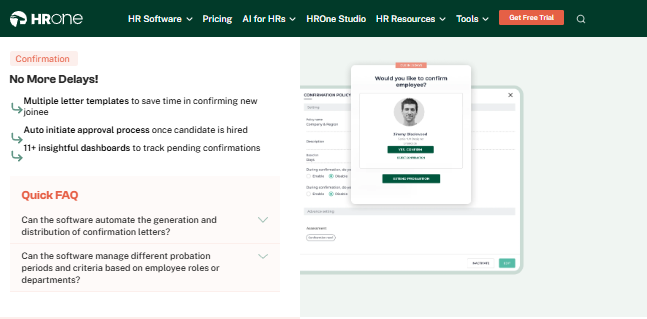
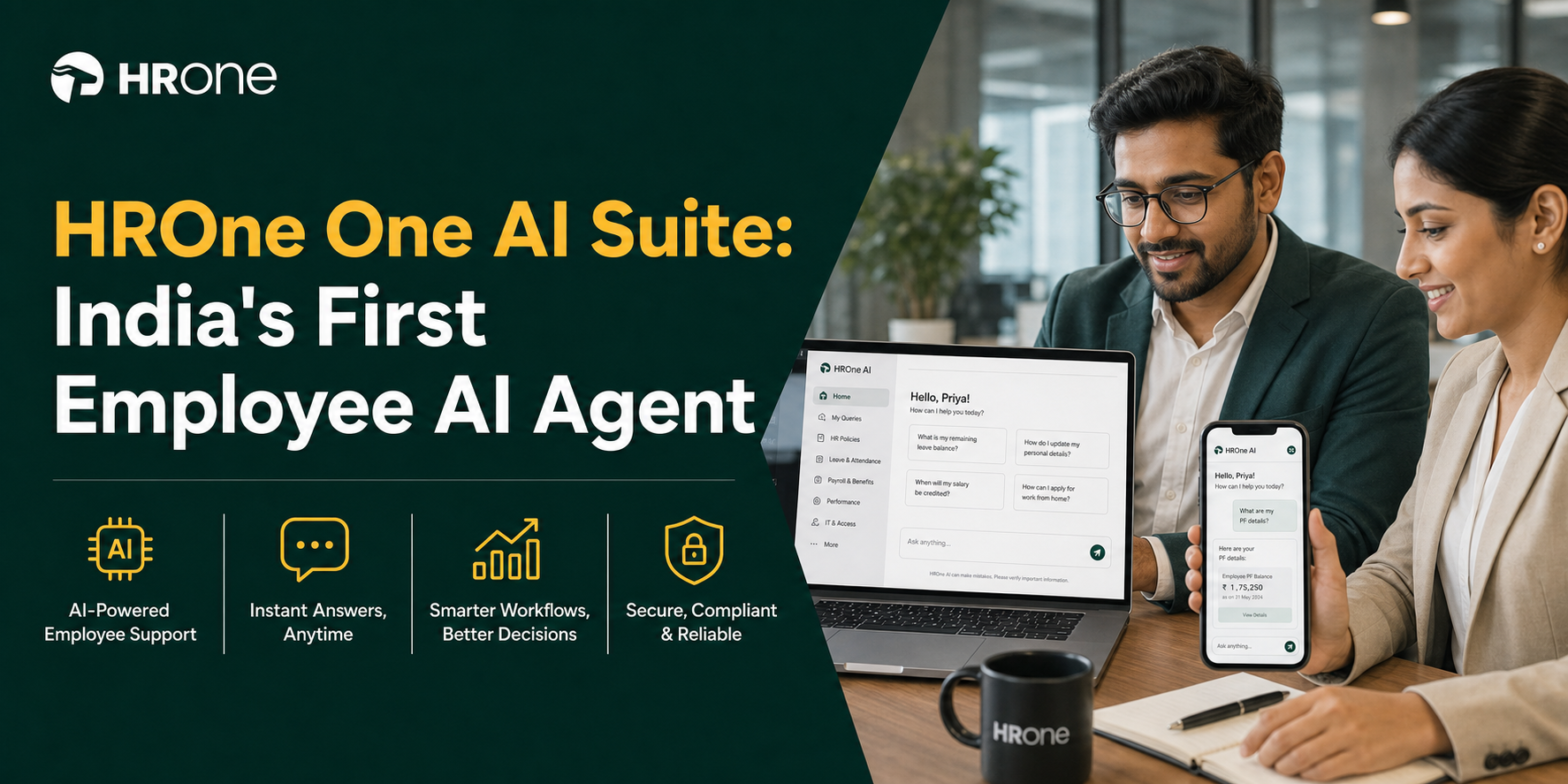
- Super Inbox: surfaces every pending task, request, and approval in one Gmail-style screen, closing each in three clicks, so HR stops juggling tabs and chasing managers over email. See the HR inbox.
- 127 pre-built workflows: define who does what and by when across onboarding, confirmation, transfer, and exit, removing manual follow-up.
- Payroll engine: automates PF, ESI, TDS, PT, and LWF (Labour Welfare Fund) with bank challan generation, cutting month-end reconciliation errors.
- One AI Suite: resume relevancy scoring and a receipt parser strip manual labour from recruitment and expense checks, powered by HROne AI.
- ROI Dashboard: India’s first inbuilt dashboard calculating lifetime hours saved against average HR salary, so CHROs walk into board reviews with a rupee figure.
- HRV Studio: a low-code builder for custom apps like visitor management without raising a developer ticket.
🇮🇳 India-Specific Compliance and Localization
- PF / ESI / TDS: Yes (automated calculation, filing, and challans).
- Labour law compliance: Strong (PT, LWF, multi-state slabs handled).
- Payroll localization: Yes (Form-16, Form 12-B, arrear-day logic).
- Multi-state compliance: Yes (multi-legal-entity on a single instance).
Who This Is Built For
- Payroll Manager firefighting CTC-revision arrears and regional PF slabs every month-end.
- HR ops lead manually reconciling biometric exports against a standalone leave portal, solved by attendance management.
- CHRO who cannot answer, in a board review, how many days a confirmation letter takes to close.
Who Should Skip This
- Very small teams (under 30 employees) wanting lightweight, spreadsheet-style payroll without structured workflows.
- Teams needing deep performance analytics only on mobile, since some advanced modules are richer on desktop.
Pricing Structure
- Plan Type(s): Modular bundles (pick-and-choose across 30+ modules).
- Starting Price: Flat PEPM; exact figure not publicly disclosed, request a quote.
- Incremental Cost Drivers: Additional modules or AI add-ons; no day-one billing.
- Implementation Fee: Bundled, and critically, subscription meters only after go-live with no lock-in.
- Cost at 200 or 500 employees: Not publicly disclosed, request a quote.
Implementation and Support Reality
- Go-live in as little as 30 days for mid-market rollouts.
- Support via phone, email, and a dedicated prior-HR onboarding SPOC (Single Point of Contact) with a reported 9.8 NPS.
- Data migration is vendor-led; one reviewer moved data “from old server to HROne in fraction of hours.”
- The SPOC understands HR, not just software, which is the antidote to the email-thread black hole competitors leave clients stuck in.
Reviews
The InboxforHR is a game-changer, centralizing every HR task into one simple inbox, cutting down administrative time by 60-70% and preventing tasks from falling through the cracks. The initial setup of HROne was surprisingly straightforward, much lighter than expected for a full HRMS.
— Waldon S., Verified User HROne G2 – Verified Review
Proper calculation of PF and ESI was a pain area for us before, but now with the HROne automated calculation process, results are up to the mark and following Indian tax compliances properly.
— Ajay K., Verified User HROne G2 – Verified Review
Notice the pattern our rubric rewards: HROne earns its 5 stars not on UI alone, but because payroll accuracy, statutory automation, and the Super Inbox all connect. In our experience building for 2,000+ HR teams, that connective tissue is what turns HR from a backlog into a function that compounds, which is exactly the “consistency engine” a ZingHR switcher is hunting for. Compare the two directly on our HROne vs ZingHR page.
1.2 Keka
Keka: Polished, UI-first HRMS for mid-market teams that value interface over depth.
Overview
Keka is a Hyderabad-founded HRMS known for a clean, intuitive interface and strong core payroll. It serves a broad Indian mid-market base and is widely recognized for design polish. It is primarily used by teams that want an approachable portal for attendance, payroll, and basic performance, though buyers repeatedly flag implementation and support as the friction point.
Core Services
- Payroll engine: automates salary, PF, ESI, and TDS processing with statutory payslips, easing month-end runs.
- Attendance and leave: mobile-app tracking with core approval flows for daily HR management.
- Keka Hiro (hiring): tracks requisitions and automates offer-letter workflows to cut recruiter admin.
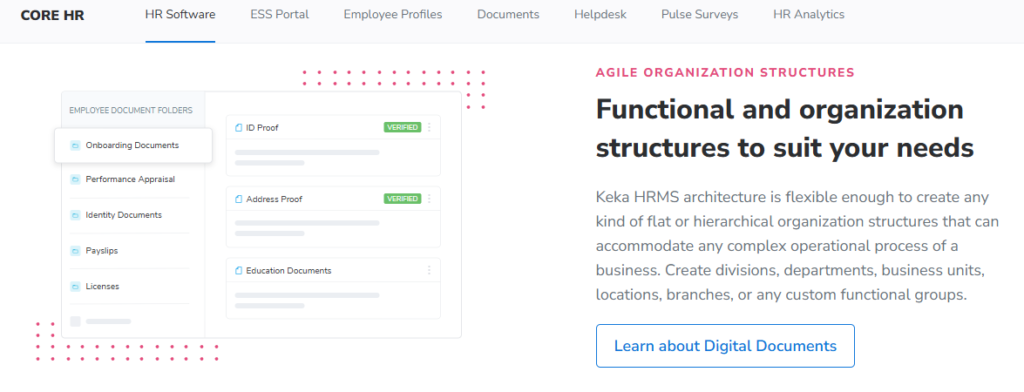
- Document management: generates HR letters and stores documents to reduce paperwork.
- Performance (PMS): goal and review tracking, though reviewers find it confusing to configure.
🇮🇳 India-Specific Compliance and Localization
- PF / ESI / TDS: Yes (core statutory automation).
- Labour law compliance: Moderate (rigid configuration for complex cases).
- Payroll localization: Partial (some CTC and incentive handling gaps reported).
- Multi-state compliance: Partial (caps out for complex multi-entity or shift-based setups).
Who This Is Built For
- HR generalist at a single-entity firm wanting a good-looking portal for standard payroll and attendance.
- Recruiter who wants offer-letter workflows tied to a clean applicant tracker, an area covered by dedicated recruitment software.
Who Should Skip This
- HR ops leads at multi-legal-entity or shift-heavy manufacturing firms needing deep configuration, better served by manufacturing HR.
- IT consulting firms and teams that need reliable weekend support during critical payroll windows.
Pricing Structure
- Plan Type(s): Tiered per-employee/month plans (Foundation, Strength, Growth as published by Keka).
- Starting Price: Per-employee/month; exact current figure not publicly disclosed, request a quote.
- Incremental Cost Drivers: Higher tiers unlock performance and hiring modules.
- Implementation Fee: Reported as part of onboarding; billing typically starts near purchase, not go-live.
- Cost at 200 or 500 employees: Not publicly disclosed, request a quote.
Implementation and Support Reality
- Onboarding is frequently reported as slow, with coordination gaps between internal teams.
- Support is email-and-chat led, with reviewers noting no weekend cover and slow feature TAT (turnaround time).
- Data migration is vendor-led but has drawn “not a great experience” feedback.
- Keka ranks well below HROne on G2 overall satisfaction, largely on these service gaps.
Reviews
We started working with Keka HRMS in August, and to this day, we have been unable to implement the tool in our company due to their consistently delayed responses and poor coordination between their internal teams.
— Divya P., Verified User Keka G2 – Verified Review
Strong payroll and compliance, automate salary and attendance processing with PF, ESI, TDS. Responsive support team. PMS module is confusing and needs to be simpler.
— Kiran B., Verified User Keka G2 – Verified Review
Keka genuinely leads on interface polish, and I would not pretend otherwise. But the recurring migration and weekend-support complaints are exactly the gap our SPOC model was built to close, as you can see on our HROne vs Keka comparison. When we onboard a mid-market team, a prior-HR SPOC owns the go-live, and the meter only starts after you go live, so a stalled implementation does not quietly bill you for months.
1.3 Darwinbox
Darwinbox: Enterprise-grade, mobile-first HCM for large, multi-geography organizations.
Overview
Darwinbox is a Hyderabad-founded HCM (Human Capital Management) platform, widely recognized as an enterprise brand across Asia. It serves large organizations that need one system spanning attendance, payroll, and performance. It is primarily used by big teams replacing a mix of Excel sheets and legacy tools, though buyers report cost and configuration complexity as real friction.
Core Services
- Unified HCM suite: brings attendance, leave, payroll, and performance onto one platform, cutting the manual tracking that scatters across tools.
- Customizable workflows: adapts to internal processes with limited technical intervention, so HR configures approvals without heavy IT tickets.
- Mobile app: handles leave, attendance, and payslip access on the go, easing everyday employee self-service.
- Performance management: structures reviews and goals, though reviewers note it needs training to use fully.
- Organizational directory: maps reporting structure and employee data so managers see their team at a glance.
🇮🇳 India-Specific Compliance and Localization
- PF / ESI / TDS: Yes (built for Indian enterprise payroll).
- Labour law compliance: Strong (enterprise-scale statutory handling).
- Payroll localization: Yes (India-first origin).
- Multi-state compliance: Yes (multi-geography support).
Who This Is Built For
- CHRO at a large enterprise consolidating scattered HR tools into one record, a goal our core HCM is built to serve.
- HR ops lead who needs configurable workflows without raising constant IT tickets.
Who Should Skip This
- Small and mid-sized teams with limited budgets, since reviewers flag high cost.
- Teams needing fast, snappy performance on bulk data during peak load.
Pricing Structure
- Plan Type(s): Enterprise plans, quote-based.
- Starting Price: Not publicly disclosed, request a quote.
- Incremental Cost Drivers: Modules, customization, and third-party configuration.
- Implementation Fee: Typically bundled into enterprise contracts; billing commonly starts near purchase.
- Cost at 200 or 500 employees: Not publicly disclosed, request a quote.
Implementation and Support Reality
- Go-live varies by scope; transitions from legacy systems are reported as difficult.
- Support is vendor-led, with mixed reviews on responsiveness.
- Data migration is vendor-led.
- Performance can slow during bulk processing or peak usage.
Reviews
Darwinbox has made HR processes much smoother by bringing everything together on one platform. From attendance to payroll and performance tracking, it saves time and reduces manual effort.
— Saksham A., Verified User Darwinbox G2 – Verified Review
Transitioning from the old system to Darwinbox is quite difficult. User interface of Darwinbox is very outdated. Darwinbox support team is not supportive.
— Ankush B., Verified User Darwinbox G2 – Verified Review
Darwinbox genuinely carries enterprise weight, and I would never wave that away. But here is where the standard read gets it backwards: brand size does not mean daily tasks close faster. When you actually run it, users still juggle tabs and emails to finish routine work, which is exactly the friction our HR inbox was built to collapse into three clicks. See the full HROne vs Darwinbox breakdown.
1.4 greytHR
greytHR: Dependable, budget-friendly payroll and compliance for Indian SMBs.
Overview
greytHR is a long-established Indian HR and payroll platform, popular with small and mid-sized businesses. It is known for handling core payroll, payslips, and statutory filings at an accessible price. It is primarily used by lean HR teams that want reliable monthly payroll, though reviewers repeatedly flag rigid customization and support gaps.
Core Services
- Payroll engine: automates salary, payslips, and statutory calculations, easing routine month-end runs.
- Leave and attendance: tracks leave balances and holidays, reducing manual spreadsheet upkeep.
- Employee self-service: lets staff pull payslips and tax details without going through HR, boosting transparency.
- Tax declarations: supports multiple tax regimes from the employee login, simplifying declaration season.
- Onboarding: digitizes new-joiner data collection to cut paperwork.
🇮🇳 India-Specific Compliance and Localization
- PF / ESI / TDS: Yes (core statutory payroll).
- Labour law compliance: Moderate (rigid for complex policies).
- Payroll localization: Yes (built for India SMBs).
- Multi-state compliance: Partial (limited for complex multi-entity setups).
Who This Is Built For
- HR generalist at an SMB wanting affordable, reliable statutory payroll.
- Small-team HR lead who needs employee self-service for payslips and tax.
Who Should Skip This
- HR ops leads needing deep customization to map company-specific policies.
- Multi-legal-entity or shift-based manufacturing HR teams with complex workflow needs.
Pricing Structure
- Plan Type(s): Tiered plans with a freemium entry option, as published by greytHR.
- Starting Price: Per-employee/month; exact current figure not publicly disclosed, request a quote.
- Incremental Cost Drivers: Higher tiers unlock added modules.
- Implementation Fee: Varies by plan; commonly bundled.
- Cost at 200 or 500 employees: Not publicly disclosed, request a quote.
Implementation and Support Reality
- Go-live is generally quick for SMB payroll setups.
- Support is ticket-based, with variable turnaround reported by users.
- Data migration is largely self-serve or lightly vendor-assisted.
- Customization depends heavily on the greytHR team, per reviewers.
Reviews
GreytHR is not much good at customizing based on our requirements. For our case, from implementation onwards, there were issues with leave balance. Many times we were manually correcting the leave balance of employees.
— Verified User in IT and Services greytHR G2 – Verified Review
The best part of this tool is the bday reminder. Ability to declare taxes from the employees login itself. The UI is not very appealing and looks like an outdated legacy system.
— Naveen K., Verified User greytHR G2 – Verified Review
greytHR does the SMB payroll job at a fair price, and for a 40-person shop that may be enough. But from what surfaces when a firm hits multi-entity or shift-based reality, rigid configuration starts costing HR hours in manual corrections. That handoff back to manual work is exactly the trap 127 pre-built workflows are designed to close, so nobody firefights leave balances by hand. Compare them on the HROne vs greytHR page.
1.5 Zoho People
Zoho People: Affordable, integrated HR for teams already inside the Zoho ecosystem.
Overview
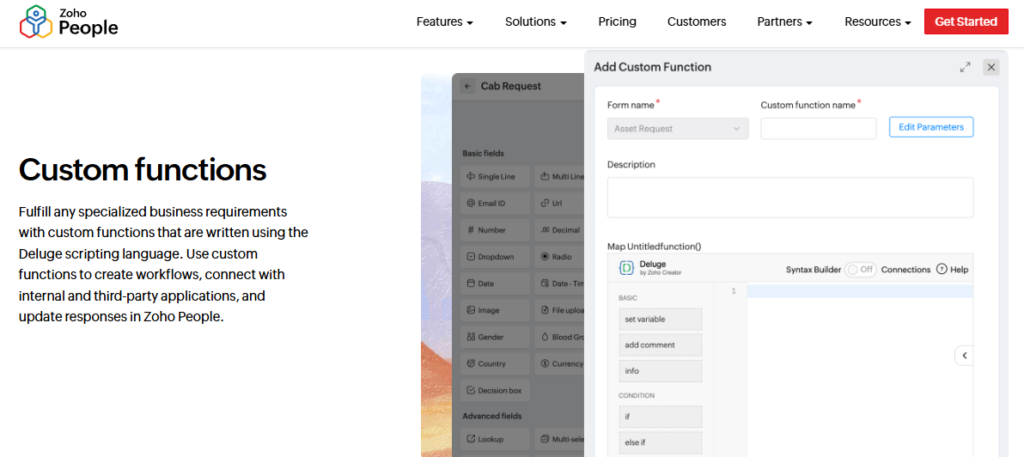
Zoho People is the HR module within the broader Zoho software suite. It appeals to cost-conscious SMBs that already use Zoho apps. It is primarily used by teams wanting leave, attendance, and onboarding basics that plug into Zoho Recruit and Zoho Payroll, though reviewers cite shallow module depth and slow support.
Core Services
- Attendance and leave: digitizes requests and approvals, cutting administrative back-and-forth.
- Onboarding: lets candidates self-enter data, completing onboarding within a day.
- Zoho ecosystem integration: connects to Zoho Recruit and Zoho Payroll, streamlining recruitment-to-payroll flow.
- Business-unit organization: segments employee data by unit for cleaner reporting.
- Manager self-service: handles attendance approvals directly, reducing HR coordination.
🇮🇳 India-Specific Compliance and Localization
- PF / ESI / TDS: Partial (needs Zoho Payroll add-on).
- Labour law compliance: Moderate (generalist, not India-deep).
- Payroll localization: Partial (via separate Zoho Payroll).
- Multi-state compliance: Partial (limited depth for complex cases).
Who This Is Built For
- SMB HR lead already standardized on the Zoho suite.
- HR generalist wanting fast, self-service onboarding for new joiners, streamlined by a structured onboarding process.
Who Should Skip This
- Teams needing deep, India-specific payroll and compliance in one platform.
- HR ops leads who depend on responsive support during critical windows.
Pricing Structure
- Plan Type(s): Tiered per-user/month plans, as published by Zoho.
- Starting Price: Low per-user/month; exact current figure not publicly disclosed, request a quote.
- Incremental Cost Drivers: Add-on modules and Zoho Payroll subscription.
- Implementation Fee: Typically none; self-serve setup.
- Cost at 200 or 500 employees: Not publicly disclosed, request a quote.
Implementation and Support Reality
- Go-live is fast, aided by instructional videos and self-serve setup.
- Support is email and ticket-based, with slow response times reported.
- Data migration is largely self-serve.
- Mobile app is reported as limited versus the web version.
Reviews
What I appreciate most about Zoho People is its onboarding process. Candidates can enter their own information. The biggest drawback has been the lack of customer support. When our firm was considering Zoho People, we found the pricing confusing.
— Dhana C., HR Professional Zoho People G2 – Verified Review
The breadth of applications and the price of it. Features are shallow and there is no depth in each application.
— Verified User in IT and Services Zoho People G2 – Verified Review
Zoho People wins on price and ecosystem fit, and if you already live in Zoho, that pull is real. My current thinking, though, is that “shallow but cheap” quietly costs more once India-specific CTC revisions and FBP (Flexible Benefit Plan) declarations pile up. Depth in Indian statutory handling is precisely where a purpose-built payroll software earns its keep, because thin modules push the hard work back onto payroll. See the HROne vs Zoho People comparison.
1.6 PeopleStrong
PeopleStrong: Mobile-first, hire-to-retire HCM for Indian enterprises.
Overview
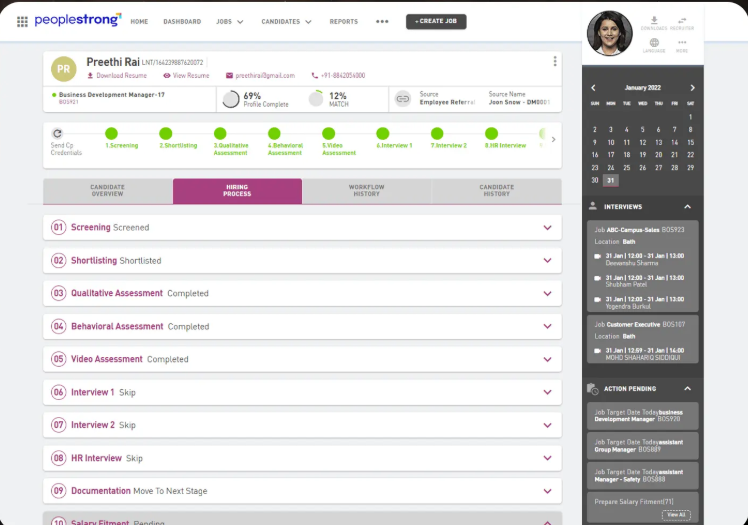
PeopleStrong is an established Indian HCM known for a strong mobile experience across the employee lifecycle. It serves mid-to-large Indian enterprises. It is primarily used by teams that want reimbursements, payslips, attendance, and KRAs (Key Result Areas) accessible in one mobile app, though reviewers note the desktop version feels cluttered.
Core Services
- Reimbursements and claims: centralizes submission and tracking, replacing long email threads.
- Payslip and tax access: puts salary details and documents one tap away, reducing HR queries.
- Attendance and leave: handles punch in/out and leave applications on mobile, easing daily self-service.
- Performance (KRAs): tracks quarterly goals in-app, structuring reviews.
- Mobile-first design: surfaces most HR info in one tap, unlike legacy desktop portals.
🇮🇳 India-Specific Compliance and Localization
- PF / ESI / TDS: Yes (Indian enterprise payroll).
- Labour law compliance: Strong (built for India enterprise scale).
- Payroll localization: Yes (India-origin platform).
- Multi-state compliance: Yes (enterprise multi-location support).
Who This Is Built For
- Field or distributed employee needing attendance, leave, and claims on a mobile HR app.
- HR ops lead at an enterprise wanting reimbursements tracked in one place.
Who Should Skip This
- Power users who prefer a streamlined desktop experience over mobile.
- Small teams that do not need enterprise-scale breadth.
Pricing Structure
- Plan Type(s): Enterprise plans, quote-based.
- Starting Price: Not publicly disclosed, request a quote.
- Incremental Cost Drivers: Modules and enterprise configuration.
- Implementation Fee: Typically bundled into enterprise contracts.
- Cost at 200 or 500 employees: Not publicly disclosed, request a quote.
Implementation and Support Reality
- Go-live varies by enterprise scope.
- Support is vendor-led or partner-delivered.
- Data migration is vendor-led.
- Reviewers report occasional interface lag.
Reviews
What I like most about PeopleStrong is how easy it is to manage reimbursements and claims, and to access my payslips all in one place. The reimbursement and claims process can feel a bit slow at times, especially when approvals take longer than expected.
— Anusha, Verified User PeopleStrong G2 – Verified Review
It has way too many features and the desktop version isn’t very useful because of the multiple options to get one job done. It can be simplified further for a smoother desktop experience.
— Nikhil S., Verified User PeopleStrong G2 – Verified Review
PeopleStrong nails mobile, and for field-heavy teams that matters a lot. But I might be wrong to call it minor: reviewers say the desktop side gets cluttered, with too many paths to one task. Our own bet is the opposite, one Super Inbox where a task closes in three clicks on any screen, because HR should not hunt for the same action twice. See the HROne vs PeopleStrong comparison.
1.7 Zimyo
Zimyo: Cost-conscious, modular HRMS for SMB-to-mid-market crossovers.
Overview
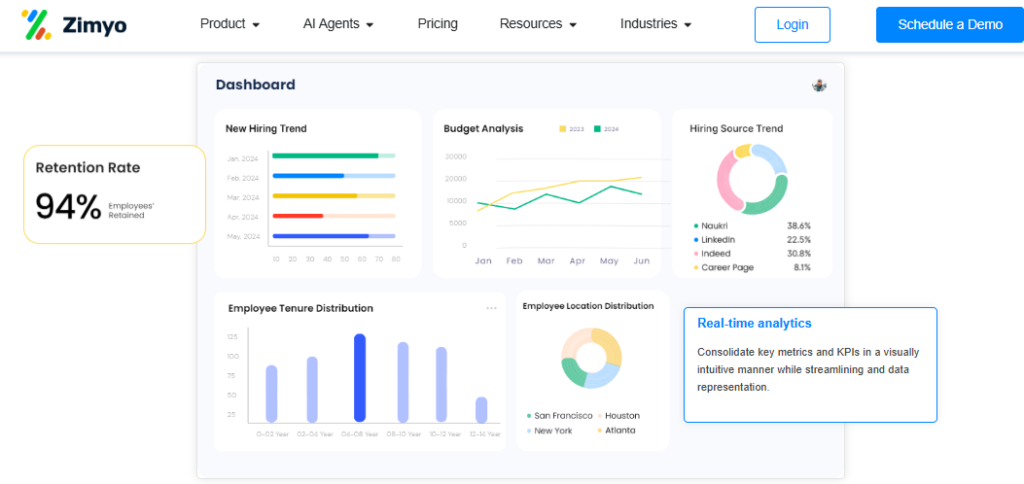
Zimyo is an Indian HRMS built around modular, affordable pricing. It targets growing SMBs and mid-market crossovers that want to buy only the modules they need. It is primarily used by cost-sensitive teams standing up structured HR for the first time, though its enterprise depth and integration breadth are thinner than the larger players.
Core Services
- Modular HRMS: lets teams pick and pay for only needed modules, controlling spend as they grow.
- Payroll engine: automates PF, ESI, and TDS for Indian SMBs, reducing manual reconciliation.
- Attendance and leave: handles core tracking and approvals, cutting spreadsheet work.
- Employee self-service: provides payslips and requests, easing HR load.
- Performance basics: supports goal and review tracking for smaller teams.
🇮🇳 India-Specific Compliance and Localization
- PF / ESI / TDS: Yes (India SMB payroll).
- Labour law compliance: Moderate (SMB-focused).
- Payroll localization: Yes (India-built).
- Multi-state compliance: Partial (lighter for complex setups).
Who This Is Built For
- Cost-sensitive SMB HR lead standing up structured HR for the first time.
- Growing team wanting to add modules only as headcount rises.
Who Should Skip This
- Large enterprises needing deep integrations and multi-entity complexity.
- Teams requiring extensive reference-able enterprise deployments.
Pricing Structure
- Plan Type(s): Modular per-employee/month tiers, as published by Zimyo.
- Starting Price: Per-employee/month; exact current figure not publicly disclosed, request a quote.
- Incremental Cost Drivers: Additional modules as you scale.
- Implementation Fee: Varies by plan.
- Cost at 200 or 500 employees: Not publicly disclosed, request a quote.
Implementation and Support Reality
- Go-live is generally quick for SMB scope.
- Support is email and chat-based.
- Data migration is self-serve or lightly assisted.
- Publicly reported NPS or CSAT: not available.
Zimyo’s pick-your-modules pricing is genuinely smart for a team watching every rupee, and I respect that discipline. Where I would pump the brakes is scale: modular can turn into a patchwork the moment you cross into multi-entity payroll. The whole point of a connected operating system is that every module already talks to the next, so growth does not mean re-stitching your stack. See the HROne vs Zimyo comparison.
1.8 Qandle
Qandle: Configurable, modular HR for growing small and mid-sized teams.
Overview
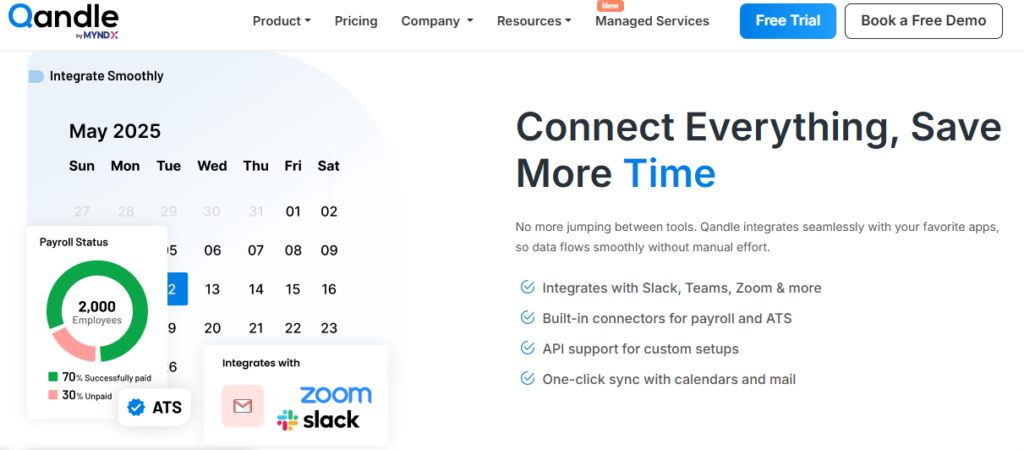
Qandle is an Indian HR platform built around configurable modules for growing teams. It targets SMBs that want flexibility without enterprise cost. It is primarily used by smaller organizations formalizing HR processes, though it carries a smaller install base and fewer enterprise references than the category leaders.
Core Services
- Configurable modules: lets teams switch on the HR functions they need, adapting as they grow.
- Payroll engine: automates Indian statutory calculations, reducing manual month-end work.
- Attendance and leave: tracks core time and leave data, cutting spreadsheet upkeep.
- Onboarding: digitizes new-joiner formalities to reduce paperwork.
- Performance management: structures goals and reviews for smaller teams.
🇮🇳 India-Specific Compliance and Localization
- PF / ESI / TDS: Yes (India statutory basics).
- Labour law compliance: Moderate (SMB-focused).
- Payroll localization: Yes (India-built).
- Multi-state compliance: Partial (lighter for complex setups).
Who This Is Built For
- Growing SMB HR lead formalizing processes for the first time.
- Team wanting configurable modules without enterprise overhead, an alternative to full performance management suites.
Who Should Skip This
- Large enterprises needing deep, referenceable multi-entity deployments.
- Teams that require a large partner and support ecosystem.
Pricing Structure
- Plan Type(s): Modular per-employee/month tiers, as published by Qandle.
- Starting Price: Per-employee/month; exact current figure not publicly disclosed, request a quote.
- Incremental Cost Drivers: Additional modules as needs grow.
- Implementation Fee: Varies by plan.
- Cost at 200 or 500 employees: Not publicly disclosed, request a quote.
Implementation and Support Reality
- Go-live is generally quick for SMB scope.
- Support is email and ticket-based.
- Data migration is self-serve or lightly assisted.
- Publicly reported NPS or CSAT: not available.
Qandle’s configurability is a real strength for a team that wants to shape its own workflows. My honest hesitation is the depth of references at scale, since a thinner install base means fewer peers to reference-check before you commit. When we onboard a mid-market team, a prior-HR SPOC owns the go-live, which is the kind of hand-holding that de-risks exactly this “will it hold at scale?” worry. See the HROne vs Qandle comparison.
1.9 SAP SuccessFactors
SAP SuccessFactors: Global enterprise HCM for standardizing HR across countries.
Overview
SAP SuccessFactors is a global enterprise HCM suite from SAP, built for very large, multi-country organizations. It offers broad module coverage across the HR lifecycle. It is primarily used by global enterprises standardizing HR across geographies, though reviewers repeatedly flag high cost, dated usability, and heavy dependence on third-party vendors for changes.
Core Services
- Global HCM suite: spans core HR, payroll, and talent across countries, standardizing multinational operations.
- Recruitment (ATS): manages hiring workflows, though reviewers find reporting hard to set up.
- Learning (LMS): tracks compliance training, with users citing dated UI.
- Performance and goals: structures reviews across a global workforce.
- Configurable hiring processes: sets unique steps per department for large, diverse orgs.
🇮🇳 India-Specific Compliance and Localization
- PF / ESI / TDS: Partial (India needs configuration).
- Labour law compliance: Moderate (global generalist, not India-tuned).
- Payroll localization: Partial (often via configuration or add-ons).
- Multi-state compliance: Partial (depends on setup).
Who This Is Built For
- Global enterprise HR leader standardizing HR across many countries.
- Large org already invested in the SAP ecosystem.
Who Should Skip This
- Mid-market Indian firms (100 to 5,000 employees) needing fast, India-tuned setup.
- Teams that cannot afford developer-dependent changes and long implementations.
Pricing Structure
- Plan Type(s): Enterprise plans, quote-based.
- Starting Price: Not publicly disclosed, request a quote.
- Incremental Cost Drivers: Customization via third-party vendors; each change is costly.
- Implementation Fee: Substantial; typically separate and vendor-led.
- Cost at 200 or 500 employees: Not publicly disclosed, request a quote.
Implementation and Support Reality
- Go-live is long, often spanning many months for enterprise scope.
- Support is partner-delivered and ticket-based.
- Data migration is vendor-led and can be slow, per reviewers.
- Changes typically require back-end developers or third-party vendors.
Reviews
Not user-friendly, system often freezes. Customization requires third-party vendors, every change is costly. Extremely expensive for what it delivers. Ferrari price, Trabant value.
— Janka Z., Verified User SAP SuccessFactors G2 – Verified Review
Features supporting the diversity of a large, quickly growing international company. The most basic functionality is missing or severely flawed. If I could, I would take back our decision to implement the software.
— Verified User in Internet SAP SuccessFactors G2 – Verified Review
SAP SuccessFactors earns its global footprint, and for a 50-country enterprise that scale is the point. But the standard read gets it backwards for the Indian mid-market: over-engineering is not strength when you need a developer just to change a leave policy. In our experience with 100 to 5,000 employee firms, subscription fees bleeding through a long implementation is the fastest way to sour a CFO on HR tech, which is why our pricing meter starts only after go-live. See the HROne vs SAP comparison.
Q2. Why Do Companies Actually Switch Away From ZingHR?
Companies leave ZingHR mainly for four reasons: rigidity forcing manual work-arounds, hidden implementation and integration costs surfacing after purchase, shallow reporting and ROI visibility, and slow support. The deeper issue is buying a “digital filing cabinet” that stores data instead of a consistency engine that enforces process. That gap leaves HR “running around people to say did you update this.”
🗄️ The “Digital Filing Cabinet” Trap
Most teams think they are switching for missing features. I think they are wrong. The real trigger is a system that stores data but never enforces the process behind it.
A tool that just files records still leaves HR chasing managers over email. You formulate a policy, but nobody applies it consistently. So the “software” quietly becomes another place to re-enter what you already knew, which is why a structured HR inbox matters.
💸 Hidden Costs and the Support Black Hole
The second trigger is money you did not see coming. Rigidity forces custom integrations, and those bills surface only after the contract is signed. Operators describe an integration trap where costs stay invisible until the system is already bought.
The third trigger is support. Endless email threads leave teams stuck, especially during migration and month-end payroll software runs. Competitor reviews show this pattern plainly across the category.
I have been Keka user since 2021, and the service is decreasing day by day. TAT on customer request on features is bad.
— Verified User in Consulting Keka G2 – Verified Review
Lack of timely, responsive, and easily reachable customer support. There is no escalation matrix.
— Verified User in IT and Services greytHR G2 – Verified Review
⚙️ Reframe: Buy Enforcement, Not More Modules
Here is the reframe I would offer. Systems do not fix your process. They enforce a process once you have formulated it.
So the switch is not a feature chase. It is a decision to buy consistency and analytics, not another portal. This is where HROne is built differently: 127 pre-built workflows define who does what and by when, so HR stops running around for updates. A dedicated prior-HR SPOC (Single Point of Contact), reported at 9.8 NPS (Net Promoter Score), replaces the email black hole, and you can compare the two on our HROne vs ZingHR page. That combination is the antidote to the two triggers that push most teams out the door.
Q3. How Do the 9 Alternatives Compare on Features, Analytics, and Fit?
This table compares all nine alternatives across statutory depth, analytics, usability, and best-fit size. HROne and greytHR lead on Indian statutory automation. Darwinbox and SAP SuccessFactors suit complex enterprise GL (General Ledger) needs, while Keka and Zoho People fit lean mid-market teams. Look beyond features to whether analytics turn payroll data into forward-looking insight, not just historical reports.
📑 What Actually Separates These Nine
Comparing HRMS tools across ten browser tabs is its own kind of pain. So here is one scannable matrix. I have added a “multi-entity polish engine” column, meaning how well each tool handles diverse regional Indian policies on one instance.
Analytics depth matters more than most buyers admit. Modern payroll engines can now OCR (Optical Character Recognition) documents and auto-extract data, per granted patents. Workforce systems increasingly forecast staffing, not just log it, which is why strong workforce management matters.
📋 Nine ZingHR Alternatives Compared on Features, Analytics, and Fit
| Platform | Best For | Key Advantage | Key Limitation | Analytics Depth | Multi-Entity Polish |
|---|---|---|---|---|---|
| HROne | Mid-market wanting a consistency engine | 127+ workflows, 3-click Super Inbox | Some modules have a learning curve HROne G2 | High: inbuilt ROI Dashboard | Strong: single-instance multi-entity |
| Keka | Lean mid-market wanting polished UI | Intuitive interface | Slow implementation, weekend support gaps Keka G2 | Moderate | Moderate |
| Darwinbox | Complex enterprise GL needs | Enterprise-scale suite | Tab-juggling, slow on bulk data Darwinbox G2 | High | Strong |
| greytHR | SMB statutory payroll | Reliable core payroll | Rigid customization greytHR G2 | Low to Moderate | Limited |
| Zoho People | Zoho-ecosystem SMBs | Deep Zoho integration | Shallow module depth Zoho People G2 | Moderate | Partial |
| PeopleStrong | Indian enterprise, mobile-first | Strong mobile app | Cluttered desktop | Moderate to High | Strong |
| Zimyo | Cost-conscious SMBs | Modular pricing | Thinner enterprise depth | Moderate | Partial |
| Qandle | Growing SMBs | Configurable modules | Smaller install base | Moderate | Partial |
| SAP SuccessFactors | Global multi-country enterprise | Broad global coverage | Developer-dependent changes | High | Strong |
Ratings reflect verified G2 sentiment; each limitation is sourced to a cited review.
🎯 Two Scenario Picks
For a 500-employee firm running payroll across three legal entities, HROne or Darwinbox fit best. Both hold data on one instance, so month-end reconciliation stops living in Excel. See the HROne vs Darwinbox comparison.
For a lean 120-person team already inside Zoho, Zoho People or Keka is the pragmatic pick. The tiebreaker is whether analytics look forward or backward. HROne’s inbuilt ROI Dashboard calculates lifetime hours saved against average HR salary, which is the forward-looking view most tables miss, and you can model it with our ROI calculator.
Q4. Which ZingHR Alternative Is Best for Indian Statutory and Payroll Compliance?
For Indian statutory compliance, HROne and greytHR lead on automated EPFO, ESIC, and Code on Wages 2019 handling with correct regional PF (Provident Fund) slab computation. Any alternative must also cover POSH Act committee workflows, the Maternity Benefit 26-week leave rule, and DPDP Act 2023 data residency. Test whether the system computes multi-entity slabs automatically or leaves you patching Excel.
⚖️ Why Payroll Accuracy Is Really Retention
Compliance sounds like a legal chore. In plain terms, it is trust. When a paycheck is wrong, an employee stops trusting the company, not just the software.
Payroll mistakes drive attrition, which makes accuracy a retention lever, not a back-office nicety. Automated tax computation now exists in granted patents, where OCR extracts form data and applies statutory constraint tables to reduce human error. So “we do it in Excel” is no longer a defensible answer in any demo, especially given tightening statutory compliance in payroll.
🇮🇳 Statute-by-Statute Readiness
Here is a concrete example. A manufacturing firm with plants in three states faces three different PF and PT (Professional Tax) slabs. A rigid system forces manual patching every month-end, unlike purpose-built manufacturing HR.
Run this checklist in any demo before you sign.
📋 Indian Statutory Readiness Checklist for HRMS Demos
| Indian Statute | What It Requires | Test Question |
|---|---|---|
| Code on Wages 2019 | Uniform wage, timely payment | Does it auto-apply new wage-code FFS (Full and Final Settlement) rules? |
| EPFO / ESIC | Automated PF and ESI filing | Does it compute regional slabs automatically? |
| Maternity Benefit (Amendment) Act 2017 | 26-week paid leave | Is the leave rule pre-configured? |
| POSH Act 2013 | Committee and complaint workflow | Does it run a POSH (Prevention of Sexual Harassment) workflow? |
| DPDP Act 2023 | Data residency, consent | Is employee data stored and processed in India? |
✅ How to Test It Fast
Ask the vendor to compute a multi-state PF slab live during the demo. If the answer is “we configure that later,” treat it as a risk, and use our salary calculator to sanity-check the output.
This is exactly where HROne is built for Indian ground reality. It automates multi-entity PF-slab computation and ships configurable statutory workflows across states, so payroll stays accurate without Excel patchwork, backed by a leave management engine that pre-configures statutory rules. When accuracy holds, trust holds, and people stay.
Q5. What Does an HRMS Switch Really Cost, and Should You Buy Modular or Bundled?
The real cost of an HRMS is rarely the subscription. It is implementation, integration, and change management. Buyers get burned by day-one billing instead of go-live, and by an integration trap that surfaces only after purchase. Insist on flat pricing, no lock-in, and go-live billing. Buy modular when priorities are clear, and bundle only for true end-to-end needs.
💸 The ₹300 Lakh Ghost Town
Picture a frugal CEO running the whole company on Excel. She finally approves a big HCM (Human Capital Management) purchase. The team spends the equivalent of ₹300 lakh expecting it to do everything.
Then nobody adopts it. The system becomes a ghost town, because people never embraced the change. TCO (Total Cost of Ownership) is not the sticker price. It is the cost of the software nobody uses, which is why transparency in HR software pricing matters.
⏰ The Guardrails That Protect Your Cash
Here is what I have learned watching this play out. The subscription is the small number. Integration and change management are the big ones.
So protect your money with three contract guardrails.
- Go-live billing: the meter starts after you go live, not on the day you sign.
- No lock-in: you can leave if it fails, so the vendor stays honest.
- ROI visibility: the tool tracks turnover versus expenditure, so you see savings.
Many teams get none of these. Billing starts at purchase while implementation drags for months.
🪂 Modular or Bundled? The Parachute Test
Now the contested question: modular or bundled? Honestly, it depends. I will not pretend otherwise.
Buy modular when your priorities are sharp and narrow. Bundle only when you genuinely need the full hire-to-retire path. Think of it like a parachute: you carry the whole kit, but you only deploy what you need, and you only pay for what you use.
This is exactly how HROne is set up. Billing meters only after go-live, there is no lock-in, and modules come in pick-and-choose bundles of four, six, or eight, as shown on our pricing page. Its inbuilt ROI Dashboard shows turnover against expenditure, so the savings are visible, not assumed, and you can model them with our ROI calculator.
I love HROne for its cost efficiency and holistic approach, which is why I prefer it over other vendors like Workday.
— Priyanka S., HR Professional HROne G2 – Verified Review
Its user-friendly interface and automation simplify HR tasks. Its cost effective too. Users report occasional glitches affecting payroll processing.
— Gunjan M., Verified User Keka G2 – Verified Review
My open question: will more vendors move to go-live billing in the next two years, or keep charging from day one? I would love to hear what your last contract actually looked like.
Q6. How Do You Migrate From ZingHR Without Breaking Payroll?
Migrate in four moves: export and map your data, run parallel payroll for one cycle to validate, set two-level approval guardrails before cutover, and schedule downtime around a non-payroll week. Reject the myth that payroll goes live in days. Plug-and-play needs practice. Clone salary structures directly from offer letters to cut manual entry errors.
🔁 Why “Plug and Play” Is a Myth
I have seen teams change HR systems three times in under four years. The reason is almost always a rushed migration. Most people believe payroll can go live in a few days.
That belief breaks payroll. The honest phrase is plug, practice, play. You need one full cycle to build muscle memory before you trust it, which is where reliable payroll software proves itself.
⏰ The Four-Move Migration Playbook
Here is the sequence that keeps paydays safe.
- Export and map data. Pull employee master, CTC (Cost to Company), and leave balances. Map every field before importing, so nothing lands in the wrong column.
- Run parallel payroll. Process one cycle on both the old and new system. Compare outputs to the rupee before you switch off the old tool.
- Set approval guardrails. Configure levels before cutover. Junior approvals go two-level (manager, then HOD or Head of Department), while senior roles can self-approve.
- Time the cutover. Schedule any downtime in a non-payroll week, so a glitch never delays salaries.
✅ The Detail That Saves Hours
One small tactic saves the most manual work. Clone salary structures directly from offer letters into the new system.
This avoids re-keying CTC components by hand, where most errors hide. This is where a guided rollout earns its fee. HROne assigns a prior-HR SPOC (Single Point of Contact) who runs the parallel cycle with you and helps clone structures, so a first-time migration does not become your third system change in four years, backed by a structured onboarding process and a tight statutory compliance in payroll setup.
The question I keep sitting with: why does the SERP explain what to migrate, but never how to run the parallel cycle safely? What tripped you up last time?
Q7. Which ZingHR Alternative Fits Your Company Size and Industry?
Match the tool to your reality. Lean SMBs suit Zoho People or Zimyo. Mid-market teams of 100 to 500 fit HROne or Keka for statutory depth plus usability. Large enterprises with complex GL (General Ledger) suit Darwinbox or SAP SuccessFactors. Industry matters too: manufacturing and logistics need shift and overtime automation, while BFSI needs airtight compliance and audit trails.
🏭 The Overtime “Scot Free” Problem
Let me ground this in a real workflow. Before automation, a plant manager emailed an Excel sheet of overtime hours. Employees who never marked attendance still got paid overtime, basically scot free.
An automated system fixes this. It only generates overtime when attendance is actually marked. That single rule can cut inflated overtime cost sharply, and one operator brought excess occupancy down by 70 percent, the kind of result strong attendance management delivers.
📐 Fit Map by Size
Company size is the first filter. Here is the honest split.
- Lean SMBs (under 100): Zoho People or Zimyo, for affordable basics.
- Mid-market (100 to 500): HROne or Keka, for statutory depth with usable design.
- Large enterprise (500+, complex GL): Darwinbox or SAP SuccessFactors, for multi-country scale.
🎯 Fit Map by Industry
Industry decides the second filter, because pain differs by sector.
- Manufacturing and logistics: need shift, overtime, and geofenced attendance automation, served by purpose-built manufacturing HR.
- BFSI: needs airtight statutory compliance and clean audit trails, matched by finance HR.
- IT/ITeS: needs fast onboarding and self-service for distributed teams, addressed by ITES HR.
- Healthtech: needs multi-unit, multi-entity handling across locations, covered by healthcare HR.
This is the sweet spot HROne was built for. It runs automated overtime and shift workflows for manufacturing and logistics, holds multi-entity data on one instance for healthtech, and pairs statutory depth with a three-click Super Inbox for mid-market IT and BFSI.
Tracking employee movement for sales department was a tough task, but now employees can mark their attendance from the HROne mobile application. Salary process is fast, error less, as per Indian tax compliances.
— Sachin K., Verified User HROne G2 – Verified Review
Strong payroll and compliance, automate salary and attendance processing with PF, ESI, TDS. PMS module is confusing and needs to be simpler.
— Kiran B., Verified User Keka G2 – Verified Review
The prediction I am sitting with: shift-heavy industries will drive the next wave of HRMS switches, not IT. Which sector are you buying for?












 Secures Top Spot in
