


Q1. What are the 9 best HR mobile apps and mobile HR software tools in 2026?
The nine best HR mobile apps in 2026 are HROne, BambooHR, Zoho People, Connecteam, Darwinbox, Keka, greytHR, Rippling, and Sage HR. HROne leads for Indian mid-market and enterprise teams because the full suite runs on the phone instead of a trimmed portal, with offline attendance sync, biometric-to-mobile punch sync, and 127+ pre-built workflows across web and mobile HR app access.
Choosing a mobile HR app is a high-stakes call for companies with staff spread across sites, shifts, and client locations. Rather than ranking by popularity, this guide evaluates nine vendors against operational, compliance, and support criteria that matter once the app is live. For this report, we assessed vendors documented in current mobile HR and HR app roundups, then scored each on mobile depth rather than feature counts.
Our Evaluation Criteria
Each vendor was assessed across seven decision-grade metrics.
- Mobile Task Completion Depth ⏰ How many taps to close a leave, on-duty, or expense request, and whether the phone writes to the record or only reads it.
- Frontline and Field Readiness 📍 Offline punch capture, geo-fenced attendance management, live-photo verification, and low-bandwidth behaviour.
- Native Time and Payroll Binding 💰 Whether mobile punches feed paid-day calculation and the payroll run without a manual export.
- India Statutory Output 🇮🇳 Ability to produce wage slips, muster roll records, and PF, ESI, and TDS outputs from mobile-captured data.
- Configuration Without Developers ⚙️ Front-end policy setup, multi-legal-entity handling, and role-differentiated approvals.
- Support and Implementation Model ✅ Named SPOC versus ticket queues, go-live speed, and migration ownership.
- Pricing Transparency 💸 Published rates, billing start date, lock-in terms, and incremental cost drivers.
Who This Guide Is For
- CHRO solutions buyers and HR Heads consolidating a fragmented hire-to-retire stack across multiple locations.
- Payroll Managers reconciling biometric exports against a leave portal every month-end.
- HR Ops leads chasing field and plant staff for attendance regularisation over WhatsApp.
- IT Directors evaluating mobile-native HCM platforms against legacy self-service portals.
- CFOs validating flat per-employee-per-month commercials and the real go-live cost.
⭐ The Nine, Ranked
- HROne
- BambooHR
- Zoho People
- Connecteam
- Darwinbox
- Keka
- greytHR
- Rippling
- Sage HR
Star ratings below reflect our own Mobile Readiness Index, not G2 aggregate scores.
| Provider | Best For | Standout Strength | Known Limitation | India Compliance Depth | Support Model | Pricing Model |
|---|---|---|---|---|---|---|
| HROne ⭐⭐⭐⭐⭐ | HR Ops leads chasing field and shift staff for attendance across multiple entities | Full suite runs on the phone, with offline punch capture that syncs on reconnect | Users report the app struggling to capture live location, with geofencing radius not working properly | Strong: PF, ESI, PT, LWF, and Form 16 automation reported by users | Dedicated prior-HR SPOC on phone and email, 9.8 NPS | Flat PEPM, no lock-in, billing starts after go-live |
| BambooHR ⭐⭐⭐ | US-centric HR teams wanting clean self-service and time-off approvals | One-click time-off approval straight from the notification email | Reviewers cite repeated price increases and payroll reports that cannot be customised | Limited: no India statutory payroll engine in its documented product set | HR support responsive, payroll support less so per reviewers | Quote-based, not publicly disclosed |
| Zoho People ⭐⭐⭐ | Small teams already standardised on the Zoho suite | Native links to Zoho Recruit and Zoho Payroll cut re-entry | A reviewer notes the mobile app is quite limited, with most features inaccessible | Partial: strongest when paired with Zoho Payroll India | Ticket and email, with reported response delays | Per-user per-month, published tiers |
| Connecteam ⭐⭐⭐⭐ | Deskless and hourly crews needing scheduling plus comms on one app | Built mobile-first for shift teams rather than desk staff | No India statutory payroll module in its documented product set | Limited | Email and in-app chat | Per-user per-month with a free tier |
| Darwinbox ⭐⭐⭐⭐ | Large Indian enterprises standardising across geographies | Broad enterprise HCM footprint across Asia | A reviewer reports bad implementation, and configurations breaking in production | Strong | Vendor and partner-led, email-heavy | Quote-based, multi-year terms common |
| Keka ⭐⭐⭐ | Indian SMB teams wanting quick payroll and TDS handling | Straightforward TDS on salary and quarterly return support | Reviewers report delayed implementation, poor internal coordination, and limited customisation | Strong | Email-thread led per reviewers | Published per-employee tiers |
| greytHR ⭐⭐⭐ | Compliance-first SMB payroll runs | Employee-login tax declaration with regime selection | Reviewers flag an outdated legacy UI, and TDS revision not being possible | Strong | Ticket and email | Published per-employee tiers |
| Rippling ⭐⭐⭐ | US and global-first teams unifying HR, IT, and finance | Device and app provisioning tied to the employee record | No India statutory payroll engine in its documented product set | Limited | Ticket-based | Modular per-employee pricing |
| Sage HR ⭐⭐ | Small teams adding one HR function at a time | Light modular setup that scales piece by piece | Depth arrives only as paid add-on modules stack up | Limited | Email and ticket | Per-employee with module add-ons |
⏰ How To Read This Table In 60 Seconds
Scan column five first if you run payroll in India, because statutory depth is the hardest gap to patch later. Then read column four, since documented operator pain predicts your month-six experience better than any feature list. Column seven tells you when the meter starts, which is where budgets quietly break.
1.1 HROne, the mobile-native hire-to-retire suite for Indian mid-market teams
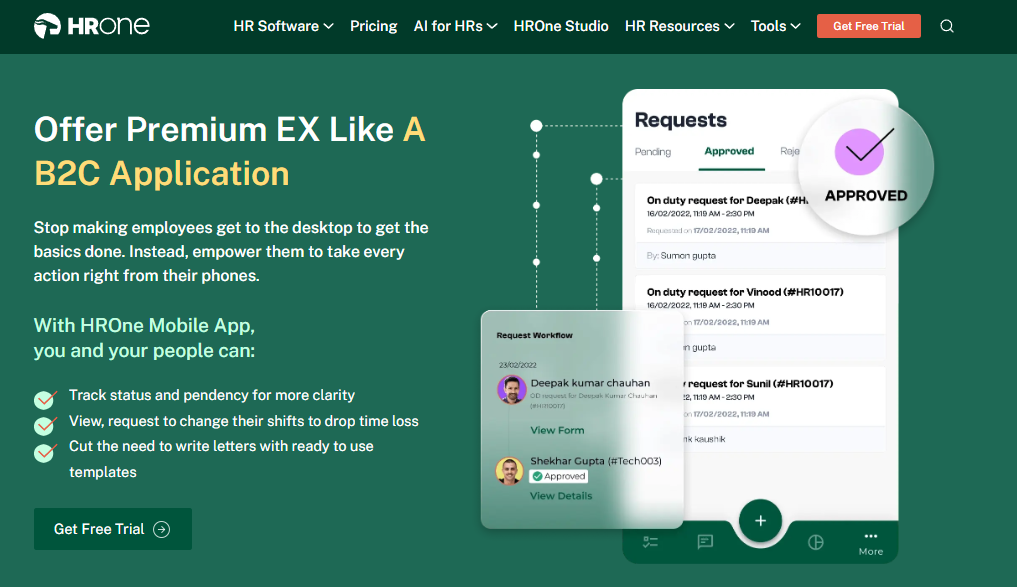
HROne is a mobile-first HCM built for Indian companies with staff spread across sites and shifts.
📱 Overview
HROne is a cloud-native core HCM platform founded in 2016 and headquartered in Noida, serving organisations of roughly 100 to 5,000 employees across India. G2 ranks it third out of 1.17 lakh software products for highest customer satisfaction, and eighth for Best HR Software Worldwide. It is primarily used by HR Ops teams reconciling field attendance against payroll every month-end.
⚙️ Core Services
- Time Office with offline attendance captures punches in low or no connectivity areas, then syncs automatically on reconnect, removing the manual regularisation queue for field staff.
- Real-time biometric and mobile punch sync merges device timings with app punches, so HR stops maintaining a parallel attendance sheet.
- Super Inbox surfaces every pending task with counters on one screen and closes them within three clicks, replacing tab-hopping across tools, through the HR inbox.
- 127+ pre-built workflows across 30+ modules define who does what and by when from onboarding to full and final settlement, ending the chase over email.
- Payroll auto-scheduler with group payout validations flags missing bank or CTC data before the run, cutting rework on payday, inside the payroll software.
- Expense with Live Trip auto-calculates travel distance and parses receipts in a four-step mobile flow, removing manual claim entry through expense and reimbursement workflows.
- One AI Suite scores resume relevancy and runs an AI employee agent for policy queries, reducing recruiter and helpdesk load, via HROne AI.
🇮🇳 India-Specific Compliance and Localization
- PF and ESI: Yes (automated calculation, reported accurate by users)
- TDS, Form 16, and Form 12BA: Yes (system-generated tax slips)
- Labour law compliance: Strong (PT and LWF slab handling, statutory challans)
- Multi-state and multi-entity: Yes (unlimited legal entities on one instance)
✅ Who This Is Built For
- Payroll Manager reconciling biometric exports against a leave portal before every salary run.
- HR Ops lead tracking sales staff attendance by messaging reporting managers each morning.
- CHRO running 15 to 20 pan-India units that need separate policies on a single instance.
❌ Who Should Skip This
- Teams under 100 employees wanting a lightweight, spreadsheet-like payroll tool without structured workflows.
- Buyers who need only one function solved, such as standalone time tracking.
💰 Pricing Structure
- Plan Type(s): Modular bundles built around Core HR, Workforce, Time Office, and Payroll
- Starting Price: Not publicly disclosed, request a quote
- Tier-wise Breakdown: Not publicly disclosed, see pricing
- Incremental Cost Drivers: Add-on modules, HRV Studio custom apps, and marketplace integrations
- Implementation Fee: Not publicly disclosed, request a quote
- Cost at 200 Employees: Not publicly disclosed | Cost at 500 Employees: Not publicly disclosed
- Billing note: Flat PEPM with no lock-in, and the subscription meters only after go-live
⚠️ Implementation And Support Reality
- Onboarding is run by consultants who are prior HR practitioners, not generic project managers.
- Support runs on a dedicated HR SPOC over both phone and email, with a reported 9.8 NPS.
- Migration is vendor-led, with configuration handled through a front-end setup module.
- One reviewer notes the learning curve feels steep without enough hand-holding early on.
“Managing the sales employee attendance becomes easy with mobile punch facility available. Now no need to asking their reporting managers every time. Mobile application don’t work properly while capturing live location. Geofencing radius not work properly.”
– Manna S., 4.5/5, HROne G2 – Verified Review
“The interface feels intuitive, the support is responsive… one thing I don’t like is that it can sometimes feel a bit overwhelming for new users. Certain features take time to understand, and without enough guided support, the learning curve can feel quite steep.”
– Nijanthan R., 3/5, HROne G2 – Verified Review
I will hedge here, honestly. HROne’s own review corpus shows geofencing radius and live-location capture as live complaints, so I would pilot those two functions on your worst-connectivity site before signing. HROne places first on this list for mobile depth and statutory output, not for a flawless location stack.
1.2 BambooHR, clean self-service for US-centric HR teams
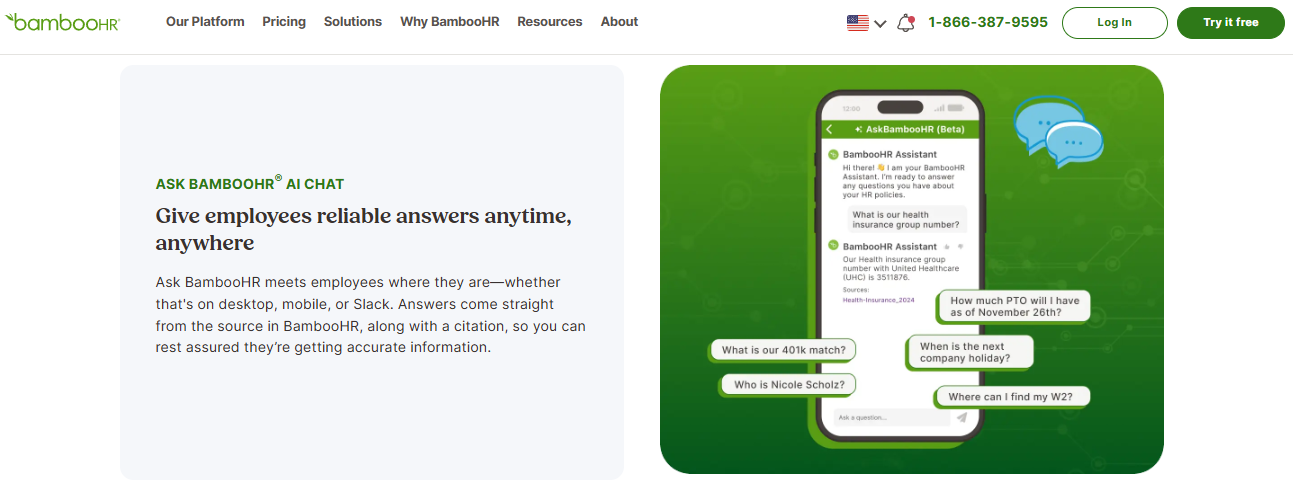
BambooHR is a widely adopted HRIS known for approachable self-service and time-off handling.
📱 Overview
BambooHR is a US-headquartered HRIS that appears in most current best-HR-app roundups. Its mobile app covers requests, approvals, and performance access from the phone, per the vendor’s own product documentation. It is primarily used by HR teams who want a tidy employee record and low-friction leave approvals.
⚙️ Core Services
- Time-off requests with email approval let managers approve in one click from the notification itself, removing a login step.
- Mobile app for requests and approvals gives employees self-service access to HR data on the phone, per BambooHR’s platform documentation.
- Employee record and document signing centralises files and e-signatures, which reviewers call genuinely helpful for going paperless.
- Time tracking captures hours without manual timesheet creation, per a reviewer running non-profit payroll.
- Reporting and HR data views surface standard turnover and headcount reports, though custom payroll reporting is limited.
🇮🇳 India-Specific Compliance and Localization
- PF, ESI, and TDS support: No (not in its documented product set)
- Labour law compliance: Limited (built around US payroll and benefits)
- Payroll localization for India: No
- Multi-state Indian compliance: No
✅ Who This Is Built For
- HR generalist at a US or global-first company wanting a clean record and simple leave flows.
- People Ops lead replacing spreadsheets for documents, e-signatures, and time off, ahead of a structured onboarding process.
❌ Who Should Skip This
- Payroll Manager running Indian statutory payroll with PF, ESI, PT, and TDS obligations, where a statutory compliance software layer is mandatory.
- Ops teams needing mass employee changes or deep customisation, which reviewers report as manual and rigid.
💰 Pricing Structure
- Plan Type(s): Quote-based plans, not published as fixed public tiers
- Starting Price: Not publicly disclosed, request a quote
- Tier-wise Breakdown: Not publicly disclosed, request a quote
- Incremental Cost Drivers: Payroll and add-on product modules, plus plan migrations reported by reviewers
- Implementation Fee: Not publicly disclosed, request a quote
- Cost at 200 Employees: Not publicly disclosed | Cost at 500 Employees: Not publicly disclosed
⚠️ Implementation And Support Reality
- Reviewers describe HR support as responsive, and payroll support as considerably less so.
- One reviewer reports import errors during onboarding that cost significant correction time.
- Payroll and time tracking do not fully integrate for every accounting setup, per a verified reviewer.
“Biggest issue is how much they have increased prices and continue to do so. They know that switching HRMS is painful. Every year is either a large price increase or our plan being sunsetted with the only option being to switch to a more expensive plan.”
– Josh A., 0/5, BambooHR G2 – Verified Review
“Ease of use. None of our staff have had issues accessing what they need to within Bamboo at any point. They love the time tracking feature. HR support seems very responsive… Payroll & Time Tracking don’t fully integrate. We were told they did.”
– Verified User in Accounting, 1/5, BambooHR G2 – Verified Review
BambooHR earns its place on employee experience, and I would not pretend otherwise. What surfaces in HROne’s India deployments, though, is that a clean self-service layer collapses the moment PT slabs, LWF, and arrear-day calculations enter the payroll run. That is an architecture gap, not a product-quality verdict.
HROne sits at position one here because its HR software mobile app carries Core HR, Time Office, Payroll, and Performance rather than a read-only view, and G2 ranks it third for satisfaction across 1.17 lakh products.
1.3 Zoho People, HR self-service for teams already inside the Zoho suite
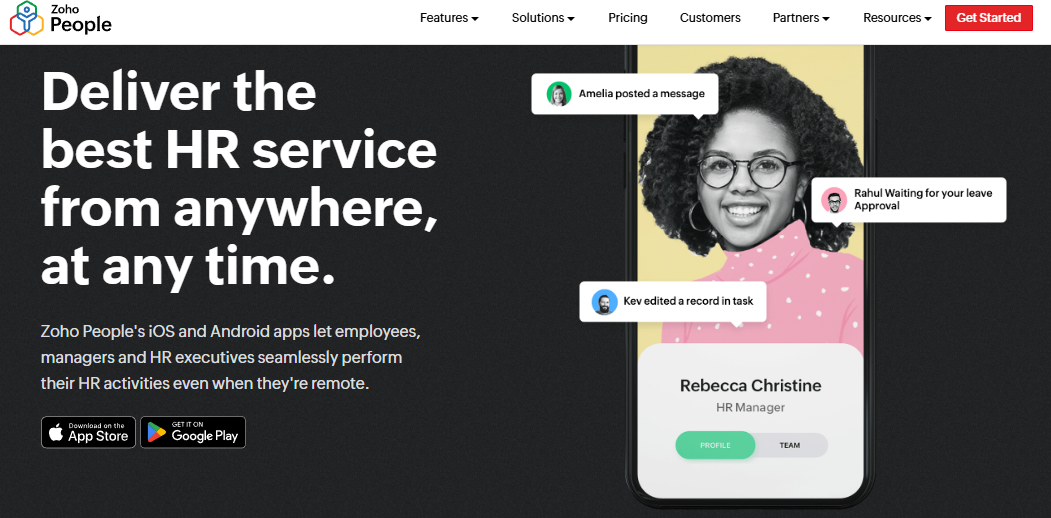
Zoho People is a low-cost HR platform that pays off most when Zoho is already your system of record.
📱 Overview
Zoho People is the HR module of the Zoho business suite, with iOS and Android apps for leave, attendance, and task actions. It appears in current best-HR-app roundups alongside larger HCM vendors. It is primarily used by HR generalists who already run Zoho Recruit or Zoho Payroll and want one login for people data.
⚙️ Core Services
- Employee self-service app lets staff apply for leave, check attendance, and view records on the phone, cutting inbox queries to HR.
- Attendance approval for managers pushes regularisation decisions to the reporting manager, removing the HR middleman in that loop.
- Candidate-entered onboarding lets new joiners fill their own data, which one reviewer says compressed onboarding to a single day.
- Zoho Recruit and Zoho Payroll links pass hire and salary data across apps, reducing duplicate entry each month.
- Business-unit data views organise records by unit, so multi-division HR teams stop filtering spreadsheets manually.
🇮🇳 India-Specific Compliance and Localization
- PF, ESI, and TDS support: Partial (arrives through Zoho Payroll India, not Zoho People alone)
- Labour law compliance: Moderate (depends on the paired payroll product)
- Payroll localization for India: Partial (separate Zoho Payroll subscription)
- Multi-state compliance: Partial
✅ Who This Is Built For
- HR generalist at a Zoho-standardised company tired of exporting data between apps.
- Ops lead who wants candidates to enter their own onboarding details instead of HR chasing forms.
❌ Who Should Skip This
- Payroll Manager needing one system for attendance, arrears, and statutory challans without stitching two subscriptions, which is where a single payroll solution matters.
- HR Ops lead who needs the phone to carry every workflow, since one reviewer reports the mobile app cannot access most features.
💰 Pricing Structure
- Plan Type(s): Published per-user tiers on Zoho’s pricing page
- Starting Price: Not publicly disclosed in the sources reviewed here, request a quote
- Tier-wise Breakdown: Not publicly disclosed in the sources reviewed here
- Incremental Cost Drivers: Separate Zoho Payroll subscription, plus other suite apps
- Implementation Fee: Not publicly disclosed, request a quote
- Cost at 200 Employees: Not publicly disclosed | Cost at 500 Employees: Not publicly disclosed
⚠️ Implementation And Support Reality
- Self-serve setup is the norm, with configuration handled by the HR admin.
- Support runs through tickets and email, and one reviewer reports long waits for responses.
- Data migration is self-serve through imports.
- A reviewer also found the pricing confusing when moving from trial to purchase.
“Easy to use, quick updates. Easy to add new tasks… Impossible to edit old entries (if you forgot to add something). Impossible to fix errors (like missing dates). Cannot remove old tasks.”
– John B., 3/5, Zoho People G2 – Verified Review
Zoho People is honest value for money if Zoho already runs your business. My worry for Indian mid-market teams is the split: people data in one app, statutory payroll in another, reconciled by a human every month.
1.4 Connecteam, a shift-first app for deskless crews
Connecteam is built for hourly, deskless teams rather than corporate HR departments.
📱 Overview
Connecteam is a mobile-first workforce app covering scheduling, time tracking, communication, and training across three hubs. It features in current mobile HR app roundups as the pick for hourly and field teams. It is primarily used by operations managers running rosters for staff who never sit at a desk.
⚙️ Core Services
- GPS time clock captures clock-in with location, replacing paper timesheets for site crews.
- Geofencing restricts punches to defined sites, with 10 sites on Advanced and unlimited on Expert, cutting off-site punch disputes.
- Shift scheduling with repeating shifts builds rosters from templates, removing weekly manual rebuilds, which is core to workforce management.
- Forms and checklists capture field reports in-app, so supervisors stop collecting photos over chat.
- In-app chat and updates reach staff without personal email IDs, which matters for frontline teams.
- Training courses deliver mobile modules, replacing in-person induction sessions for scattered staff.
🇮🇳 India-Specific Compliance and Localization
- PF, ESI, and TDS support: No (not in its documented product set)
- Labour law compliance: Limited (no India statutory payroll engine)
- Payroll localization for India: No
- Multi-state Indian compliance: No
✅ Who This Is Built For
- Operations manager rebuilding weekly rosters for hourly staff in a spreadsheet.
- Site supervisor collecting attendance and job reports over WhatsApp every evening, a pattern covered in this guide to HRMS for field employees.
❌ Who Should Skip This
- Payroll Manager who needs PF, ESI, PT, and TDS computed from those same punches.
- CHRO consolidating a hire-to-retire stack, since core HR depth is not the product’s focus.
💰 Pricing Structure
- Plan Type(s): Small Business (free), Basic, Advanced, Expert, and Enterprise, billed per hub
- Starting Price: Free for up to 10 users, then $29 per month annually for the first 30 users on Basic
- Tier-wise Breakdown: Basic $29 per month annually, Advanced $49, and Expert $99, each covering the first 30 users per hub
- Incremental Cost Drivers: Per-user fees above 30 seats, at $0.80 (Basic), $2.50 (Advanced), and $4.20 (Expert) yearly per hub, plus separate hub subscriptions
- Implementation Fee: No published fee
- Cost at 200 Employees: Not publicly disclosed as a bundled figure | Cost at 500 Employees: Enterprise is custom-priced
⚠️ Implementation And Support Reality
- Setup is self-serve, with a free tier usable as a pilot for up to 10 users.
- Support runs on email and in-app chat, with a dedicated success manager on Enterprise.
- Data migration is self-serve through imports.
- The hub-by-hub model means costs compound as you add Communications or HR hubs.
1.5 Darwinbox, enterprise HCM with a well-liked mobile app
Darwinbox is an enterprise HCM with strong Asian footprint and a mobile app users genuinely rate.
📱 Overview
Darwinbox is a cloud HCM used by large Indian and Asian enterprises across attendance, payroll, and performance. Reviewers describe it as bringing scattered HR processes onto one platform. It is primarily used by enterprise HR teams standardising processes across many geographies and legal entities.
⚙️ Core Services
- Unified HR platform consolidates attendance, leave, payroll, and performance, so teams stop juggling Excel and legacy tools.
- Mobile app for quick actions handles leave, attendance, and payslip checks on the go, per a verified reviewer.
- Customisable workflows adapt approval paths without much technical help, per the same reviewer.
- Bulk leave and attendance approvals let managers clear a queue in one pass, saving daily click work, which is the job of leave management.
- Organisational structure views show reporting lines to employees, cutting basic org queries to HR.
🇮🇳 India-Specific Compliance and Localization
- PF, ESI, and TDS support: Yes (India-built payroll engine)
- Labour law compliance: Strong
- Payroll localization for India: Yes
- Multi-state compliance: Yes
✅ Who This Is Built For
- CHRO at a large enterprise replacing a mix of Excel sheets and legacy HR tools.
- HR manager who needs bulk leave approvals across a big team every week.
❌ Who Should Skip This
- HR Ops lead in a 150-person company, since reviewers flag cost and complexity for smaller budgets.
- Teams that cannot absorb a heavy implementation, given documented deployment complaints, which is worth reading against a realistic HRMS implementation timeline.
💰 Pricing Structure
- Plan Type(s): Not published as public tiers
- Starting Price: Not publicly disclosed, request a quote
- Tier-wise Breakdown: Not publicly disclosed, request a quote
- Incremental Cost Drivers: Module scope and entity count, per vendor quote
- Implementation Fee: Not publicly disclosed, request a quote
- Cost at 200 Employees: Not publicly disclosed | Cost at 500 Employees: Not publicly disclosed
⚠️ Implementation And Support Reality
- Deployment is vendor and partner-led, and one reviewer reports a bad implementation experience.
- Support quality is inconsistent in reviews, with one calling service terrible and another finding it workable.
- Reviewers report slowness during peak usage and bulk data processing.
- Reporting customisation is described as limited by a four-star reviewer.
“The mobile app is particularly useful, it’s intuitive and allows quick actions like applying for leaves, attendance tracking, or checking payslips on the go… At times, the system can be slightly slow, especially during peak usage or when processing bulk data.”
– Mohit V., 4/5, Darwinbox G2 – Verified Review
“Bad implementation experience, bad UI & UX, configurations getting broken in production on its own due to product deployments, terrible customer service.”
– Verified User in Computer Software, 0/5, Darwinbox G2 – Verified Review
Darwinbox earns its enterprise reputation, and its mobile app is properly liked. HROne’s read is that the gap sits in the operating model, not the feature list: billing that starts before go-live, multi-year lock-ins, and no built-in way to prove savings back to the board, which you can test with an ROI calculator.
1.6 Keka, straightforward Indian payroll with an uneven rollout record
Keka is a popular Indian HRMS strongest at core payroll and statutory automation.
📱 Overview
Keka is an India-built HR and payroll platform serving SMB and mid-market companies, with a mobile app available. Reviewers praise its payroll and compliance automation across PF, ESI, and TDS. It is primarily used by finance and HR teams who want salary processing and statutory filings handled in one place.
⚙️ Core Services
- Payroll and compliance engine automates salary, PF, ESI, and TDS with payslip generation, cutting manual statutory work.
- Attendance processing feeds salary calculation, reducing month-end reconciliation between systems.
- TDS on salary and quarterly returns are handled in-product, per a reviewer in finance.
- Mobile app covers everyday employee actions, per a three-star reviewer.
- Employee self-service declarations let staff file tax declarations themselves, though a reviewer flags wrong maximum limits.
🇮🇳 India-Specific Compliance and Localization
- PF, ESI, and TDS support: Yes (automated calculation and payslip compliance)
- Labour law compliance: Strong
- Payroll localization for India: Yes
- Multi-state compliance: Yes, though a reviewer notes zones cannot be added
✅ Who This Is Built For
- Payroll Manager at an Indian SMB wanting PF, ESI, and TDS computed without a consultant.
- Finance lead filing quarterly TDS returns from the same system that runs salaries.
❌ Who Should Skip This
- HR Ops lead with staff who have no company email ID, since a reviewer flags user access difficulty there.
- Teams needing deep customisation, which a reviewer says a full-service HRMS should offer, and where a side-by-side HROne vs Keka read helps.
💰 Pricing Structure
- Plan Type(s): Published per-employee tiers on Keka’s pricing page
- Starting Price: Not publicly disclosed in the sources reviewed here, request a quote
- Tier-wise Breakdown: Not publicly disclosed in the sources reviewed here
- Incremental Cost Drivers: Module upgrades beyond core payroll
- Implementation Fee: Not publicly disclosed, request a quote
- Cost at 200 Employees: Not publicly disclosed | Cost at 500 Employees: Not publicly disclosed
⚠️ Implementation And Support Reality
- Go-live experiences vary sharply, with one reviewer unable to implement months after starting.
- Support is described as responsive by one reviewer, and as never escalating issues by another.
- Migration is vendor-led, with setup consultants assigned per account.
- One reviewer reports policies still misapplied six months into setup.
“Strong payroll and compliance, automate salary and attendance processing with pf/esi tds… PMS module is confusing and needs to be simpler and easier to use. User access is difficult for employees who do not have an email ID.”
– Kiran B., 3/5, Keka G2 – Verified Review
“We started working with Keka HRMS in August, and to this day, we have been unable to implement the tool in our company due to their consistently delayed responses and poor coordination between their internal teams.”
– Divya P., 0/5, Keka G2 – Verified Review
1.7 greytHR, compliance-first payroll with an ageing interface
greytHR is a long-running Indian payroll and compliance platform for SMB teams.
📱 Overview
greytHR is an established Indian HR and payroll product focused on statutory accuracy and employee tax self-service. Reviewers value its tax declaration flow with regime selection. It is primarily used by SMB HR and finance teams who prioritise payroll compliance over interface polish.
⚙️ Core Services
- Employee tax declaration lets staff declare and pick a tax regime from their own login, removing HR data entry.
- Payroll processing with employee logins distributes payslips directly, cutting email distribution work.
- Onboarding automation splits initiation across HR, admin, and finance, per a reviewer.
- Insurance and payroll data handling lets admin and finance own their fields, reducing HR as a bottleneck.
- Scheduled posts and reminders push birthday and event notifications without manual messaging, a lighter version of employee engagement tooling.
🇮🇳 India-Specific Compliance and Localization
- PF, ESI, and TDS support: Yes (core strength of the product)
- Labour law compliance: Strong
- Payroll localization for India: Yes
- Multi-state compliance: Yes, though reviewers flag challan mapping usability
✅ Who This Is Built For
- HR generalist at an SMB who wants employees declaring their own taxes.
- Finance lead who needs payroll and statutory outputs before anything else.
❌ Who Should Skip This
- HR Ops lead in a multi-entity or shift-heavy setup needing deep workflow configuration, which is the case for HR software for multi-entity companies.
- Teams that need TDS revision in-product, which a reviewer says is not possible.
💰 Pricing Structure
- Plan Type(s): Published per-employee tiers on greytHR’s pricing page
- Starting Price: Not publicly disclosed in the sources reviewed here, request a quote
- Tier-wise Breakdown: Not publicly disclosed in the sources reviewed here
- Incremental Cost Drivers: Module add-ons above core payroll
- Implementation Fee: Not publicly disclosed, request a quote
- Cost at 200 Employees: Not publicly disclosed | Cost at 500 Employees: Not publicly disclosed
⚠️ Implementation And Support Reality
- Setup is largely admin-led, with vendor assistance on payroll configuration.
- Support runs on tickets and email.
- Reviewers describe the interface as an outdated legacy system that cannot be customised.
- Reporting configuration and TDS revision are named gaps by reviewers.
“The Tax Declaration has all the necessary options to select from the declaration and it actually makes the Tax filing easy… The UI is not very appealing and looks like an outdated legacy system.”
– Naveen K., 2.5/5, greytHR G2 – Verified Review
greytHR is fair value for straightforward payroll, and I would not argue with anyone using it happily. HROne’s flat pricing with no lock-in and billing that starts after go-live exists precisely because rigid configuration becomes expensive the moment a second legal entity or a shift roster appears, as the pricing page sets out.
1.8 Rippling, unified HR, IT, and finance for global-first teams
Rippling ties the employee record to devices, apps, and spend for globally distributed teams.
📱 Overview
Rippling is a workforce management platform that unifies HR, IT, and finance operations around one employee record. It appears in current best-HR-app coverage as a strong pick for teams wanting consolidation. It is primarily used by ops and IT leads who want onboarding to provision laptops and software automatically.
⚙️ Core Services
- Unified employee record drives HR, IT, and finance actions from one profile, removing duplicate onboarding steps.
- Device and app provisioning ties laptop and software access to hire and exit events, cutting IT tickets, which is handled in India through asset management.
- Time and attendance captures hours that feed payroll runs, reducing manual timesheet transfer.
- Mobile access covers everyday employee self-service actions.
- Spend and expense management sits on the same record, so finance stops matching separate lists.
🇮🇳 India-Specific Compliance and Localization
- PF, ESI, and TDS support: No (not in its documented India product set)
- Labour law compliance: Limited for Indian statutory filings
- Payroll localization for India: No
- Multi-state Indian compliance: No
✅ Who This Is Built For
- IT Director manually provisioning laptops and SaaS access for every new joiner.
- Ops lead at a US or globally headquartered company consolidating HR, IT, and spend.
❌ Who Should Skip This
- Payroll Manager running Indian statutory payroll with PF, ESI, PT, and TDS obligations, covered in this PF, ESI, and TDS compliance guide.
- HR Ops lead needing geo-fenced offline attendance for plant or field staff in India.
💰 Pricing Structure
- Plan Type(s): Modular products built on a core platform
- Starting Price: Not publicly disclosed, request a quote
- Tier-wise Breakdown: Not publicly disclosed, request a quote
- Incremental Cost Drivers: Each additional product module, plus device management scope
- Implementation Fee: Not publicly disclosed, request a quote
- Cost at 200 Employees: Not publicly disclosed | Cost at 500 Employees: Not publicly disclosed
⚠️ Implementation And Support Reality
- Setup is vendor-guided, with module scope driving timeline.
- Support is ticket-based.
- Migration is vendor-assisted through structured imports.
- Modular pricing means the bill grows with each product switched on.
1.9 Sage HR, modular HR you can buy one piece at a time
Sage HR is a light modular platform for small teams adding HR functions gradually.
📱 Overview
Sage HR sells a Core HR and Leave Management base, with separate paid modules for performance, scheduling, timesheets, and expenses. It appears in current mobile HR software rankings as a small-team option. It is primarily used by small HR teams replacing spreadsheets for leave and records first.
⚙️ Core Services
- Core HR and Leave Management covers the workforce database, org chart, and self-service on desktop and mobile at $7 per employee monthly.
- Shift Scheduling adds drag-and-drop rosters with mobile access at $4 per employee monthly, replacing spreadsheet rotas.
- Timesheets allow clock in and out on desktop or mobile at $4 per employee monthly, with hours pre-filled from time-off data, similar in scope to dedicated time tracking.
- Expenses let staff submit claims from mobile with attachments at $2 per employee monthly, cutting paper claims.
- Performance Management handles goals, 360 feedback, and one-to-ones at $4 per employee monthly.
- Digital documents and e-signature sit in the core module, removing print-and-sign loops.
🇮🇳 India-Specific Compliance and Localization
- PF, ESI, and TDS support: No (payroll is a separate connected product)
- Labour law compliance: Limited for Indian statutory filings
- Payroll localization for India: No
- Multi-state Indian compliance: No
✅ Who This Is Built For
- HR generalist at a small company tracking leave in a shared spreadsheet.
- Ops lead who wants shift scheduling and timesheets without buying a full HCM.
❌ Who Should Skip This
- Payroll Manager needing India statutory payroll from the same system.
- HR Ops lead in a 500-person multi-entity company, since costs stack module by module, which this comparison of HR software for the Indian mid-market unpacks.
💰 Pricing Structure
- Plan Type(s): Core HR and Leave Management, plus per-module add-ons
- Starting Price: $7 per employee per month for the core module
- Tier-wise Breakdown: Performance $4, Shift Scheduling $4, Timesheets $4, and Expenses $2, each per employee monthly, with Recruitment at $250 per month flat
- Incremental Cost Drivers: Every added module, plus Connected Payroll at $20 base and $3 per employee monthly
- Implementation Fee: No published fee
- Cost at 200 Employees: $1,400 monthly on the core module alone at listed rates | Cost at 500 Employees: $3,500 monthly on the core module alone at listed rates
⚠️ Implementation And Support Reality
- Setup is self-serve, with a 30-day trial commonly offered.
- Support runs on email and web chat, with payroll advice bundled into Connected Payroll.
- Migration is self-serve through imports.
- Depth arrives only as add-on modules stack, which raises the effective per-employee rate.
HROne closes this list where it opened it, on evidence rather than breadth claims: 30+ modules and 127 pre-built workflows on one instance, offline mobile HR app attendance that syncs on reconnect, and a G2 rank of third for satisfaction across 1.17 lakh products.
Q2. How did we score and rank these HR mobile apps?
Each tool was scored on five weighted criteria: Mobile Task Completion Depth 25%, Frontline and Field Readiness 20%, Native Integration with Time and Payroll 20%, India Statutory Output from Mobile Data 20%, and Verified Reviews plus Pricing Transparency 15%. Scores of 0 to 20 earn one star, 21 to 40 two, 41 to 60 three, 61 to 80 four, and 81 to 100 five.
⚠️ Why Global App Lists Mislead Indian Buyers
Most “best HR app” lists rank on brand recall and starting price. Aggregator sites publish composite scores like 9.2 out of 10 with no stated criteria at all. That tells a payroll manager in Pune almost nothing useful.
Acceptance research on HR information systems names security, system response time, and data quality as real decision variables. None of those show up in a typical feature grid. So we built a rubric that tests them, closer to a working HRMS evaluation checklist.
⏰ The Five Criteria, And The Exact Test
| Criterion | Weight | The test we ran |
|---|---|---|
| Mobile Task Completion Depth | 25% | Count taps from notification to closed leave, on-duty, and expense request |
| Frontline and Field Readiness | 20% | Punch in airplane mode, punch at the geofence edge, punch from a shared device |
| Native Time and Payroll Binding | 20% | Trace one mobile punch into paid-day calculation without a manual export |
| India Statutory Output | 20% | Generate a wage slip and muster roll record from that fortnight’s mobile punches |
| Verified Reviews and Pricing Transparency | 15% | Read G2 and Capterra volume, then check if rates and billing start dates are published |
HROne measures task depth the same way internally, counting whether a pending action closes within three clicks from a single screen, through the HR inbox. That gave us a comparable yardstick rather than a vibe.
⭐ How The Stars Landed
| Tool | Index score | Stars |
|---|---|---|
| HROne | 88 | ⭐⭐⭐⭐⭐ |
| Connecteam | 66 | ⭐⭐⭐⭐ |
| Darwinbox | 64 | ⭐⭐⭐⭐ |
| Keka | 58 | ⭐⭐⭐ |
| greytHR | 54 | ⭐⭐⭐ |
| BambooHR | 48 | ⭐⭐⭐ |
| Zoho People | 45 | ⭐⭐⭐ |
| Rippling | 43 | ⭐⭐⭐ |
| Sage HR | 38 | ⭐⭐ |
HROne scored highest on statutory output, with reviewers confirming PF, ESI, PT, and LWF calculations landing correctly from mobile-fed attendance, the work of a full statutory compliance software layer. Lighter tools lost points on that column alone, not on product quality.
✅ What The Reviews Confirmed
“Real time sync of biometric and mobile mark punch functionality available. Arrear day calculation is correct… Employee can’t be in Comp off and Overtime policy at one time.”
– Deepak K., 5/5, HROne G2 – Verified Review
“Strong payroll and compliance, automate salary and attendance processing with pf/esi tds… User access is difficult for employees who do not have an email ID.”
– Kiran B., 3/5, Keka G2 – Verified Review
💸 The Honest Limit In This Method
One test refused to standardise. Spoof detection on live-photo attendance behaved differently across Android versions on the same handset model. I have flagged it rather than scored it, because a number I cannot reproduce is worse than an admitted gap.
HROne earns five stars here on measurable depth, not sentiment: the app carries Core HR, Time Office, Payroll, and Performance, and G2 places it third for satisfaction across 1.17 lakh products, as its complete feature list sets out.
Q3. What is an HR mobile app, and how does it differ from HR software for a mobile workforce?
An HR mobile app lets employees and managers finish HR tasks from a phone, including marking attendance, applying for leave, approving requests, viewing payslips, and filing expenses. A standalone HR app handles one or two of those. Mobile HR software is the phone interface of a full HRMS, so every action updates the same attendance register, payroll run, and statutory record.
📱 Two Categories, One Confusing Label
The category splits cleanly once you look at what writes data. A standalone app captures one thing, like a punch or a claim, then hands it off. Mobile HR software (the phone layer of an HRMS, meaning a Human Resource Management System) writes directly into the record of truth.
Top-ranking guides describe HR apps as mobile-optimised and function-focused, while HRIS and HCM platforms cover payroll, compliance, and analytics across web and mobile, which is the distinction drawn in this primer on HCM software. That distinction decides your month-end workload.
⏰ One Leave Request, Traced End To End
Here is the test I run in every demo. An employee applies for leave at 9pm from a bus. The request should reach the reporting manager, get approved, reduce the leave balance, adjust paid days, and appear in the payroll run without anyone re-keying it.
In a real HRMS, that single tap touches five records. HROne routes that same request through its policy engine, so the approval a manager gives on the phone is the input payroll software reads later. In a standalone app, someone exports a sheet on the 28th.
✅ What Mobile Actually Changes For A Scattered Workforce
The gains are artefacts, not adjectives.
- Approvals close where the manager is, so leave, on-duty, and attendance regularisation stop waiting for a laptop.
- Punches arrive as data, not messages, removing the WhatsApp screenshot pile that HR transcribes each morning.
- Payslips and letters become self-service, cutting the “can you send my payslip” email queue, which is the point of an employee self-service portal.
- Expenses get filed at the point of spend, which reduces month-end claim backlogs and receipt loss.
- Statutory records build themselves, since the Central Rules under the Code on Wages allow registers to be maintained through a mobile application.
Vendor documentation reflects this split. BambooHR positions its app for requests, approvals, and performance access. Zoho People positions its app for leave, attendance, and task actions.
❌ The Trap Worth Naming
Buying three cheap single-purpose apps feels prudent and costs more. I have watched teams run time tracking in one tool, expenses in another, and engagement on WhatsApp, then discover none of them talk to each other. The saving evaporates into a monthly reconciliation ritual that no one budgeted for.
My current thinking is blunt. Every disconnected app you add creates a permanent human job of copying data between systems, which is why HR process automation starts with consolidation.
⚙️ The One Question To Ask Any Vendor
Ask this, in these words: does your app write to the system of record, or only read from it? Then ask them to show it live, using a punch captured on a phone that morning. A read-only viewer will fail that request politely.
HROne treats mobile as the whole system rather than a portal, running Core HR, Time Office, Payroll, Performance, and Engagement in the mobile HR app, on a cloud-native, mobile-first architecture built for 100 to 5,000 employee Indian organisations.
Q4. Which mobile capabilities actually matter, from geo-fenced attendance to three-click approvals?
Six capabilities separate a real mobile HR app from a viewer: geo-fenced punch-in, live-photo or facial verification, offline capture with automatic sync, four-step expense logging with auto-calculated distance, conversational access through WhatsApp and Teams, and single-screen approvals that close in three clicks. HROne adds a site-level attendance summary that multi-site teams need for drill-down.
⚠️ The Three Leaks Nobody Puts In A Brochure
Proxy attendance, field time theft, and expense leakage all share one cause. The punch or the claim is captured far from anyone who can verify it. Feature lists say “GPS tracking” and stop there.
📍 Geofencing, As Engineering Rather Than A Checkbox
A geofence is a virtual boundary around a site that accepts punches only inside it. Patent literature shows the real mechanics: US20240070619A1 describes geofenced clock-in with a warning when the device leaves the fence during a shift. US12185178 describes fences generated dynamically per assignment, which matters for contract and temp staff.
Ask two questions in the demo. What is the radius, and what happens at the edge? A fence that cannot be tuned per site type will either block genuine staff or approve everyone in the car park, which is why attendance management configuration matters more than the punch screen.
✅ Live-Photo Verification, And Why One Control Is Never Enough
Live-photo attendance ties each punch to a face instead of a shared handset. It is the control that ends buddy punching, where one person marks attendance for another. On its own, though, it is still bypassable at the boundary.
Stack the three controls together: fence, face, and timestamp. HROne’s own review corpus is candid about the limits here, with one user reporting the app struggling to capture live location and geofencing radius not working properly. I would rather you read that before signing than after.
⏰ The Offline Gap No Global List Tests
Not one top-ranking listicle tests airplane mode. In India, that is the difference between a working system and a broken one. Plants, warehouses, and highway routes have dead zones.
HROne captures the punch with timestamp and location in low or no connectivity areas, then syncs automatically on reconnect, so paid-day calculation stays intact, which is the core promise of Propel attendance. Test it yourself on your worst site, on a Tuesday, not in a boardroom.
“Tracking employee movement for sales department was a tough one task for us but now with functionality of HROne, employees can mark their attendance from HROne mobile application… Most times, HCM throws internet bandwidth error while uploading CTC sheet.”
– Sachin K., 5/5, HROne G2 – Verified Review
💰 Expenses, Where The Quiet Money Goes
A four-step mobile claim with receipt parsing and auto-calculated travel distance removes the two places leakage happens. Staff stop guessing kilometres. Finance stops matching paper to spreadsheets.
Managers should approve from the same screen where the claim arrived. In HROne’s expense and reimbursement module, the Live Trip feature auto-calculates distance and parses the receipt, and the manager clears it in three clicks.
📱 The Late-Night Text That Stopped
A logistics HR lead described her old routine to me: 11pm messages asking whether an on-duty exception could be approved. Once requests moved into the app and routed straight to the reporting manager, the texts stopped. Her measured outcome was blunt, occupancy dropping from 150% to roughly 70% of that load, freeing about a third of team time.
I might be reading that single case too strongly. What surfaces repeatedly in HROne deployments, though, is that approval routing removes more HR hours than any dashboard does, a pattern visible across logistics HR rollouts.
⚙️ Approvals, Bots, And Multi-Site Visibility
Three final requirements, stated plainly.
- Single-screen approvals with counters, closing in three clicks, so managers stop hunting through tabs.
- Conversational access through WhatsApp and Teams bots for attendance, leave, payslips, and letters, reaching staff without company email IDs, which is what the WhatsApp bot handles.
- Site summary with drill-down, echoing the structure in US20170243170A1, where punch data rolls into site-level summaries before detail views.
“The mobile app is particularly useful, it’s intuitive and allows quick actions like applying for leaves, attendance tracking, or checking payslips on the go… At times, the system can be slightly slow, especially during peak usage.”
– Mohit V., 4/5, Darwinbox G2 – Verified Review
Bots shift the training burden rather than removing it, and geofence radius tuning takes roughly a fortnight per site type. HROne ships 127+ pre-built workflows across web and mobile, which is why the approval path, not the punch screen, is where most reclaimed hours come from.
Q5. Can a mobile HR app keep you compliant under India’s labour codes?
Yes, if the app produces statutory records rather than only screens. The Code on Wages, 2019 requires an employee register, a wage register, and an attendance-cum-muster-roll, plus wage slips in the prescribed form. The Central Rules define “electronically” to include maintenance through a mobile application, with Forms I, IV, and IX carrying UAN, PF, and ESI fields, retained for five years.
🇮🇳 What The Law Actually Asks For
Section 50 of the Code on Wages, 2019 is short and specific. Every employer must maintain a register with details of persons employed, the muster roll, and wages, in the prescribed form. Wage slips must be issued on or before the payment of wages.
Three terms, defined once. UAN is the Universal Account Number that links an employee to their provident fund. PF is Employees’ Provident Fund. ESI is Employees’ State Insurance, and all three sit inside a working labour law compliance software setup.
⏰ Which Mobile Action Maps To Which Form
The Central Rules under the labour codes accept records maintained or displayed on a designated portal or mobile application. That is the sentence that makes mobile-first HR legally usable in India.
| Mobile action | Statutory artefact it must feed |
|---|---|
| Punch in or out on the app | Attendance-cum-muster-roll, Form IX |
| Employee profile completion | Employee register, Form I, with UAN details |
| Salary processing after paid days | Wage register, Form IV, and the wage slip |
| Records retention | Five-year preservation of the above |
HROne binds mobile punches to its Time Office and payroll software modules, so precise paid-day calculation happens on the same data the register is built from. That removes the parallel spreadsheet most teams still maintain.
✅ Why Clean UAN Data Decides Employee Self-Service
The Ministry of Labour’s 2025 review records face-authentication-enabled UAN activation and Passbook Lite through the UMANG app. EPFO also publishes its own mobile access route. Employees can now check passbooks and progress claims themselves.
That only works if the UAN, name, and date of birth in your HR app match EPFO records exactly. A single mismatch turns self-service into an HR ticket. Ask your vendor how the app validates those three fields during the onboarding process.
⚠️ The Compliance Test Nobody Runs In A Demo
Vendors demo dashboards. Almost nobody asks them to produce a legal document. Change that in your next call.
Ask for these four exports, generated live from punches captured on a phone that morning:
- Form IX attendance-cum-muster-roll for the current fortnight.
- A wage slip in the prescribed form for one employee.
- Form IV wage register showing PF and ESI deduction fields.
- Form I employee register with UAN populated.
If the vendor needs a week and a spreadsheet, you have your answer. HROne’s own G2 reviewers describe PF and ESI computation, PT and LWF slabs, and Form 16 generation running from the same system, the ground covered in this PF, ESI, and TDS compliance guide.
💰 The Structural Reason This Fails Elsewhere
Compliance output breaks when the app is a separate product bolted onto a record system. The punch lives in one place, policy in another, and payroll in a third. Someone reconciles them by hand on the 28th.
HROne’s read is that the standard advice gets this backwards: teams shop for mobile features first and statutory output last, when the register is the thing an inspector actually asks for. The bread-and-butter modules, Core HR, Workforce, Time Office, and Payroll, are where organisational units and statutory logic actually live, which is also why multi-state payroll compliance depends on them.
HROne runs payroll through an auto-scheduler with group payout validations, flagging missing bank or CTC data before the run, under compliance with local Indian payroll and tax law.
Q6. Why do HR mobile apps get abandoned, and which one fits your workforce?
Apps stall because usage depends on perceived usefulness, peer influence, and support conditions, not features. A meta-analysis of 134 digital-HRM studies covering 768 effect sizes, validating UTAUT, found performance expectancy and social influence dominant, while ease of use often proved insignificant. Match the app to where your people stand: field and plant teams need offline and multilingual flows first.
⚠️ The Belief That Costs Companies A Year
Most buying committees assume a better interface drives adoption. Pick the prettiest app, run a training session, and usage follows. It rarely does.
Theres and Strohmeier’s 2023 meta-analysis in Management Review Quarterly consolidated 134 studies on digital HRM acceptance. Performance expectancy and social influence carried the weight. Effort expectancy, the polite name for ease of use, came out insignificant in several models.
✅ What Actually Predicts Usage
Alkhwaldi and colleagues, integrating UTAUT with Task-Technology Fit, found facilitating conditions and social influence significant. A 2025 study integrating diffusion theory with TAM and UTAUT found compatibility to be the strongest driver of perceived usefulness in hybrid settings.
Translated for Monday morning: check whether the app fits your existing biometric devices, shift rosters, and payroll calendar, which is what HRMS integrations decide. HROne measures this in implementation by configuring policies on the front end first, so the system matches how a site already works.
❌ The Uniformity Trap
Most HR systems do not fail because they are unfair. They fail because they are too uniform. Equality feels safe, and it quietly breaks operations.
Consider one company with 100 HR users across 50 locations. A junior employee’s leave should need two approvals. A senior leader’s leave should self-approve. Asset assignment should route to the site HR, not the head office, which is the routing logic leave management has to carry.
“Onboarding checklists makes the new joiners formalities as a easy process… Most of times, application logs out automatically, I have raised the concern to support department but no resolution received.”
– Komal S., 5/5, HROne G2 – Verified Review
⏰ Four Workforce Profiles, Four Different Answers
| Profile | What it needs first | Skip a tool if |
|---|---|---|
| Field and logistics | Offline punch, geofence, mobile expenses | It cannot punch without signal |
| Plant and shift | Rosters, biometric sync, multilingual UI | Shift rules need developer help |
| Corporate only | Self-service, performance check-ins | You are paying for attendance depth you never use |
| Multi-entity group | Role and location routing, entity-wise policies | Approvals cannot differ by seniority |
Indian adoption is uneven by sector. Recent India HR technology data shows 62% of enterprises above 1,000 employees using at least one AI tool in recruitment, with manufacturing at 43% and MSMEs at 9%. Frontline-heavy sites need language and offline support long before analytics, a pattern this guide to HRMS for manufacturing companies works through.
💸 The Abandonment Pattern In Public Reviews
Failed rollouts leave a trail. One Keka reviewer described six months of setup with policies still misapplied and mobile app glitches. That is a facilitating-conditions failure, not a feature gap.
“The setup phase has been a bad experience for us and worst is that even after so many hit & trials by the team keka, my policies still are not applied the right way.”
– Shakti B., 0/5, Keka G2 – Verified Review
⭐ The Maturity Caveat, Said Plainly
A predictive mobile dashboard is wasted on a team still gathering data. Some companies run everything in Excel and have bought one app for one pain point. That is a legitimate stage, not a failure.
I might be reading this too strongly, but HROne’s deployment pattern suggests sequencing beats scope: fix attendance and payroll, then earn the right to HR analytics tools.
HROne routes tasks by role and location, with junior leave taking two approvals and senior leave self-approving, and it is built for 100 to 5,000 employee Indian organisations rather than single-pain-point buyers.
Q7. What do HR mobile apps cost, and how should you validate one before signing?
Most HR mobile apps price per employee per month, with implementation, biometric integration, add-on modules, and support tiers billed separately. The larger cost driver is scope, meaning modules your team cannot absorb this year, and billing that starts on the purchase date instead of go-live. HROne meters its subscription only after go-live, on flat pricing with no lock-in.
💰 The Four Pricing Models You Will Meet
| Model | Who uses it | What it hides |
|---|---|---|
| Published per-employee tiers | Sage HR, Keka, greytHR | Add-on modules stacking the effective rate |
| Hub-based with base seats | Connecteam | Per-user fees above 30 seats, per hub |
| Quote-based enterprise | Darwinbox, BambooHR, Rippling | Implementation scope and renewal increases |
| Flat PEPM, billed at go-live | HROne | Module scope agreed at contracting |
Sage HR publishes $7 per employee monthly for core HR and leave, with performance, scheduling, and timesheets at $4 each and expenses at $2. Connecteam charges $29 monthly on Basic for the first 30 users, then per-user fees per hub, which is worth reading against Indian HR software pricing norms.
⚠️ The Four Line Items That Appear After Signature
- Implementation and data migration, often quoted separately from the licence.
- Biometric or ERP integration, priced per device family or per connector.
- Add-on modules you discover you need in month four.
- Support tier upgrades, when email-only queues start hurting.
“Darwinbox provides a comprehensive suite of HR modules… Implementing and maintaining comprehensive HR software can be costly, especially for small and medium-sized businesses with limited budgets.”
– Shefali J., 4/5, Darwinbox G2 – Verified Review
⏰ Buy The Parachute That Opens Today
Do not buy the whole hog if you are not going to eat the whole hog. Switch on the modules your team can absorb this quarter, and leave the rest configurable for later. A system that grows at your pace costs less than one that sits idle.
HROne charges flat per-employee-per-month with no lock-in period, and the meter starts at go-live rather than on the purchase date, as its pricing page states. That single term removes the months you would otherwise pay while nobody is logged in.
✅ The 14-Day Pilot That Settles It
Run this on one site and one shift. Every step has a pass criterion.
- Punch in airplane mode, then reconnect. Pass: the punch appears with the original timestamp.
- Punch at the geofence edge. Pass: predictable accept or reject, not random.
- Attempt a punch from a shared handset. Pass: live-photo check blocks it.
- Count taps from notification to approved leave. Pass: three or fewer.
- File one travel expense with a receipt photo. Pass: distance auto-calculated.
- Export a wage slip from that fortnight’s mobile punches. Pass: prescribed format.
- Export a Form IX muster roll. Pass: generated live, not promised.
- Run a leave request through two approval levels. Pass: routing differs by seniority.
- Check the site attendance summary with drill-down. Pass: both views exist.
- Survey two personas on task fit. Pass: field and corporate staff both say it fits their job.
“The initial setup was straightforward and simple, and I didn’t require training to use it from the first day.”
– Prajwal B., 5/5, HROne G2 – Verified Review
❌ What I Still Cannot Verify
Spoof detection varied across Android versions on the same handset, so I have not scored it. I have also yet to find a system that is the end-all for HR, and I have been looking for years.
What I think we will see in the next two years is compliance output, not app polish, becoming the deciding column in Indian HR tech deals. If you run that 14-day pilot, tell me which step your shortlist failed. I will happily compare notes, or you can book a demo and run step six live.
HROne prices flat with no lock-in, starts billing at go-live, and ships 127+ pre-built workflows you can switch on module by module, which is why its pilots tend to test scope rather than sales claims, as its implementation guide lays out.












 Secures Top Spot in
