



Q1. What Are the 9 Best HR Software Platforms for Construction in 2026?
The nine best HR software platforms for construction in 2026 are HROne, Arcoro, hh2, Miter, Foundation Software, greytHR, Keka, PeopleStrong, and ADP Workforce Now. HROne leads for Indian contractors running multi-site labour under BOCW, CLRA, and day-one ESIC, pairing offline-first geo-fenced attendance management with 127 pre-built hire-to-retire workflows that end the manual chase between attendance, payroll, and hiring.
Choosing HR software for construction is a high-stakes call, because a wrong attendance figure becomes a wrong wage the same week. Rather than ranking vendors by popularity, this guide evaluates nine platforms against operational, compliance, and commercial criteria that matter on a live site. Nine vendors were assessed across two jurisdictions, since a US prevailing-wage contractor and an Indian multi-site builder do not need the same winner. The primary reader is the person inside the system daily, usually the payroll manager or HR ops lead reconciling site musters. The shadow readers are the CHRO, the CFO, and the IT Director signing off.
📊 Our Evaluation Criteria
Each platform was assessed across seven decision-grade metrics:
- Certified Payroll & Statutory Depth ⚖️ Native Form WH-347 output with a signed Statement of Compliance in the US, and BOCW, CLRA, PF, ESI, PT, and LWF register generation in India, the same ground covered by dedicated statutory compliance software.
- Attendance Integrity 📍 Geo-fence accuracy, live-photo verification, and whether punches queue offline when the site loses network.
- Contractor Labour Coverage 👷 Whether sub-contractor workers sit inside the same attendance and document system as payroll staff.
- Job Costing & ERP Flow 🔗 Hours tagged to cost code and phase, plus sync with Sage, Viewpoint Vista, or LCPTracker.
- Credential Expiry Tracking ⏰ Alert windows for licences, safety training, and equipment certifications.
- Implementation & Support Model 🤝 Go-live timeline, support channels, and who owns migration.
- Pricing Transparency 💰 Published rates, billing trigger, and incremental cost drivers.
👥 Who This Guide Is For
- CHROs and HR Heads consolidating attendance, payroll, and hiring that currently sit in three disconnected systems.
- Payroll Managers running multi-site, multi-entity wage cycles with daily-wage and contract labour mixed in, the reality mapped in this guide to HR software for multi-entity companies.
- CFOs validating HR tech spend against project labour cost and flat PEPM commercials.
- IT Directors evaluating mobile-first, offline-capable HCMs against legacy on-premise portals.
- Compliance leads answering BOCW registration and cess questions during a labour inspection.
The 9 Platforms at a Glance
- HROne
- Arcoro
- hh2
- Miter
- Foundation Software
- greytHR
- Keka
- PeopleStrong
- ADP Workforce Now
| Provider | Best For | Standout Strength | Known Limitation | Jurisdiction Fit | Support Model | Pricing Model |
|---|---|---|---|---|---|---|
| HROne ⭐⭐⭐⭐⭐ | HR ops leads reconciling site attendance against payroll across multiple entities | Offline-first geo-fenced attendance feeding 127 pre-built workflows through a three-click Super Inbox | Reviewers report slow load times on attendance marking and login, plus occasional OTP failures | India-first: BOCW, CLRA, PF, ESI, PT, LWF | Phone, email, and a prior-HR onboarding SPOC | Flat PEPM, no lock-in, meters after go-live |
| Arcoro ⭐⭐⭐⭐ | US contractors needing HR, safety, and certified payroll in one modular suite | Construction-built module stack spanning hiring, safety, and time | Modular pricing means core needs often span several paid modules | US: Davis-Bacon, prevailing wage | Email and ticket, partner-assisted implementation | Quote-based, per module |
| hh2 ⭐⭐⭐⭐ | Contractors whose field data never reaches the back office cleanly | Field-to-office sync built around construction ERP workflows | Narrower HR breadth outside time, payroll, and AP | US only | Email and ticket | Quote-based |
| Miter ⭐⭐⭐⭐ | Payroll managers filing certified payroll and multi-state taxes weekly | Automated WH-347 with LCPTracker integration and Davis-Bacon support | Newer entrant, so long-run enterprise references are limited | US: Davis-Bacon, multi-state | Email and in-app | Quote-based |
| Foundation Software ⭐⭐⭐⭐ | Contractors wanting accounting and payroll on one construction ledger | Deep union and job-cost accounting heritage | Interface and setup are heavier than modern cloud tools | US: unions, prevailing wage | Phone and email | Quote-based |
| greytHR ⭐⭐⭐ | Small Indian contractors needing basic payroll and payslips | Established India payroll and statutory filing base | Verified users report limited customisation and manual leave-balance corrections | India: PF, ESI, TDS | Ticket-led, phone callback | Published per-employee tiers |
| Keka ⭐⭐⭐ | Office-heavy Indian firms with light field headcount | Clean interface with strong payroll and compliance automation | Reviewers report delayed implementation and poor internal coordination | India: PF, ESI, TDS | Email-led ticketing | Published per-employee tiers |
| PeopleStrong ⭐⭐⭐ | Enterprise HR teams standardising self-service across large headcounts | Mobile-friendly self-service for attendance, claims, and payslips | Users report slow approvals and occasional interface lag | India, plus SEA footprint | Enterprise account management | Quote-based |
| ADP Workforce Now ⭐⭐⭐ | Multi-state US contractors wanting payroll, HR, and time from one vendor | Certified payroll reporting inside a full HR and time suite | Construction-specific job costing usually needs added modules or integration | US: multi-state | Phone, email, assigned representative | Quote-based |
⚠️ Read the Table by Jurisdiction, Not by Score
Stars here are not a single global ranking. Arcoro, hh2, Miter, Foundation, and ADP win on US certified payroll. HROne, greytHR, Keka, and PeopleStrong win on Indian statutory reality, and only one of them was built mobile-first for sites.
That split is the whole reason this list exists. Most roundups quietly assume every contractor files a WH-347.
1.1 HROne
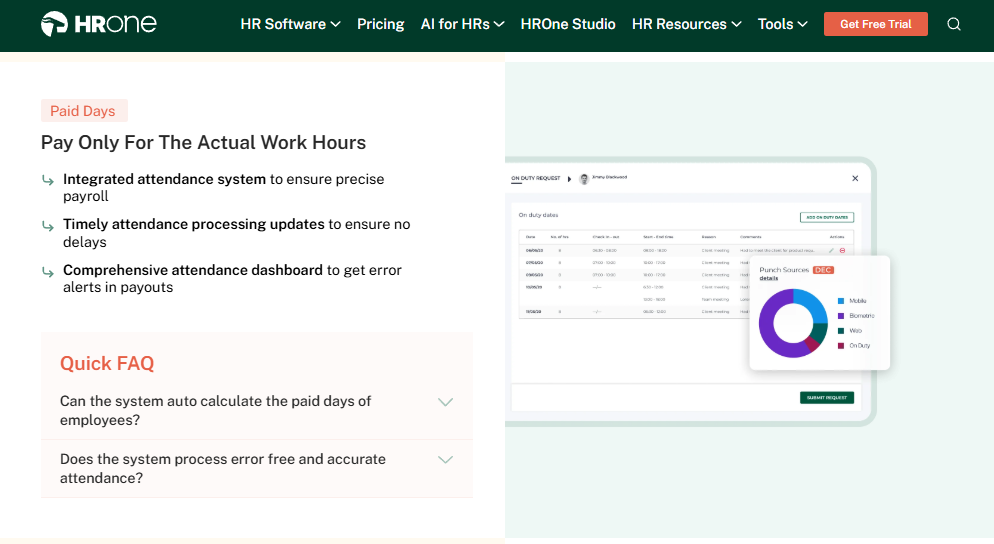
HROne, an India-first hire-to-retire operating system for site-heavy workforces.
🏗️ Overview
HROne is a cloud HCM founded in 2016, built for Indian mid-market and enterprise organisations between 100 and 5,000 employees. The platform is live across 1,500+ brands, including MR DIY India and Asia Healthcare Holdings, and holds a 4.8 out of 5 average across 2,100+ verified HROne reviews on G2. It ranks #3 in Highest Satisfaction Products globally on G2. Construction, real estate, and infrastructure teams typically arrive with the same pain: attendance in one system, payroll in another, hiring in a third.
I have watched that pain up close. A payroll manager once told me she spent every Thursday asking fourteen supervisors whether they had updated their muster.
🧰 Core Services
- Offline-First Geo-Fence Attendance captures GPS, Wi-Fi, and cell-tower signals for 10 to 30 metre accuracy, queues punches locally during 2G drops, and reconciles on next sync, which removes the “network was down, so payroll was wrong” cycle.
- Live Photo Punch attaches a face to every mark-in inside the geo-fence, which ends buddy punching and proxy attendance on labour-heavy sites, a pattern covered in depth in this guide to HRMS for field employees and blue-collar teams.
- Super Inbox surfaces every pending approval, regularisation, and request on one Gmail-style screen, closing tasks within three clicks, so supervisors stop maintaining a shadow register. See how the HR inbox works in practice.
- 127 Pre-Built Workflows define who does what and by when across onboarding, confirmation, transfer, and exit clearance, which stops HR chasing managers over email.
- Payroll Auto-Scheduler runs group payout validations before disbursal and auto-calculates arrears from attendance corrections and salary revisions, cutting month-end reconciliation errors inside the payroll software engine.
- Statutory Engine generates PF, ESI, PT, LWF, and TDS challans and registers from the same attendance data, so the compliance pack is a by-product of payroll, not a separate scramble.
- Document Expiry Alerts notify ahead of licence and certification lapse dates, which matters when an expired safety certificate can stop a crew.
- HRV Studio lets HR build small apps such as visitor or vendor management without raising a developer ticket.
🇮🇳 India-Specific Compliance & Localization
- PF / ESI / TDS: Yes (automated calculation, challan generation, and reconciliation).
- Labour law compliance: Strong (statutory registers, day-one ESIC configuration for hazardous work).
- Payroll localization: Yes (CTC revisions, FBP declarations, wage-code FFS rules).
- Multi-state compliance: Yes (state-wise minimum wage and PT slabs across entities).
- Certified payroll (US WH-347): No. HROne does not produce Form WH-347, and Indian contractors bidding US federal work should look at Miter or Foundation instead.
👷 Who This Is Built For
- Payroll Manager firefighting daily-wage arrears and CTC revisions across six site locations every month-end.
- HR Ops lead manually reconciling biometric exports against a separate leave portal before every wage cycle.
- CHRO running 20-plus pan-India units where each legal entity carries a different policy set.
❌ Who Should Skip This
- Contractors bidding US federal or state prevailing-wage projects who need native WH-347 filing.
- Teams of under 50 employees wanting spreadsheet-light payroll without structured workflows.
💰 Pricing Structure
- Plan Type(s): Flat PEPM (per employee per month) across module bundles. Current plan structures are listed on the HROne pricing page.
- Starting Price: Not publicly disclosed, request a quote.
- Tier-wise Breakdown: Not publicly disclosed, request a quote.
- Incremental Cost Drivers: Additional legal entities, AI suite add-ons, and module upgrades.
- Implementation Fee: Not publicly disclosed. Subscription meters only after go-live, so phased site rollouts are not penalised.
- Cost at 200 Employees: Not publicly disclosed | Cost at 500 Employees: Not publicly disclosed.
🤝 Implementation & Support Reality
- Mid-market go-lives run in as little as 30 days when data is clean, a sequence broken down in this HRMS implementation timeline.
- Support runs on phone, email, and a dedicated onboarding SPOC who has previously worked in HR.
- Migration is vendor-led, with a parallel payroll cycle recommended at one pilot site before cutover.
- Reported NPS on the SPOC model is 9.8.
⭐ Reviews
“The things I like about HROne are the TimeOffice module, where we can check in through the web or mobile app, and the option to enable geofencing. With a defined location, employees are able to mark their attendance.”
– Verified User, HR HROne G2 – Verified Review
“It helps to avoid manual calculation in attendance, salary and statutory tax. Sometimes it fails to generate OTP while resetting password, and sometimes importing data takes a lot of time to upload.”
– Verified User, 5/5 HROne G2 – Verified Review
🔎 My Read on Where HROne Fits
HROne’s data points to attendance integrity being the real unlock on sites, not payroll features, though I might be reading that too strongly from Indian deployments alone. What surfaces in HROne’s client engagements is simpler than any feature list. Once the punch is trustworthy, the wage cycle stops being an argument.
Most contractors buy a bouquet, biometrics plus payroll, and hope the two talk. What they actually need is a garden, where every module triggers the next, which is why the mobile HR app and the payroll engine share one record.
HROne sits at position one here because it is the only platform on this list that ships digital muster rolls, BOCW-ready statutory registers, and offline-first geo-fenced site attendance inside one payroll engine, rather than bolting a compliance vendor onto a US-built certified payroll module.
1.2 Arcoro

Arcoro, a modular US HR suite built specifically for the construction trades.
🧱 Overview
Arcoro is a US HR technology provider focused on construction, contracting, and other field-based industries. It appears consistently across construction HR software roundups as one of the few suites designed around contractor workflows rather than office ones. The product is sold as connected modules covering hiring, onboarding, time tracking, safety, and payroll compliance. Teams usually arrive after outgrowing a generic HRIS that could not handle prevailing wage or certification tracking.
The appeal is coherence. One vendor covers the hiring-to-safety chain that most contractors stitch together from three tools.
🧰 Core Services
- Applicant Tracking & Onboarding digitises trade hiring and paperwork, which removes repeat data entry when a laid-off worker is rehired next season.
- Time & Attendance captures field hours with mobile and kiosk punching, cutting the paper timecard trip to the office.
- Certified Payroll Support helps contractors meet Davis-Bacon and prevailing-wage reporting obligations on government-funded work.
- Learning & Safety Management tracks required training and safety certifications, so an expired credential surfaces before it stops a crew.
- Core HR Records holds a single employee record across modules, reducing the duplicate-identity problem that churn creates.
- Performance & Compensation adds review and pay-planning workflows for salaried staff alongside hourly crews.
🇮🇳 India-Specific Compliance & Localization
- PF / ESI / TDS: No (built for US statutory frameworks).
- Labour law compliance: Limited for India, strong for US federal and state wage rules.
- Payroll localization (India): No.
- Multi-state compliance: Yes (US multi-state wage and tax handling).
👷 Who This Is Built For
- US contractor HR lead tracking OSHA training and trade certifications that expire mid-project.
- Payroll manager filing prevailing-wage reports on federally funded jobs each week.
❌ Who Should Skip This
- Indian contractors needing BOCW registers, CLRA compliance, or PF and ESI filing.
- Small crews wanting one simple tool, since value here depends on buying several connected modules.
💰 Pricing Structure
- Plan Type(s): Modular, bundled by capability group.
- Starting Price: Not publicly disclosed, request a quote.
- Tier-wise Breakdown: Not publicly disclosed, request a quote.
- Incremental Cost Drivers: Each added module, and employee-count tiers.
- Implementation Fee: Not publicly disclosed, request a quote.
- Cost at 200 Employees: Not publicly disclosed | Cost at 500 Employees: Not publicly disclosed.
🤝 Implementation & Support Reality
- Go-live timelines are not publicly published and vary by module count.
- Support runs primarily on email and ticketing, with implementation often partner-assisted.
- Data migration is vendor-led or partner-led depending on scope.
- No publicly reported NPS or CSAT figure is available.
🔎 Where Arcoro Wins and Where It Does Not
Arcoro’s honest strength is that it never pretends to be an office HRIS. Certification tracking and prevailing-wage reporting are first-class here, not afterthoughts.
The trade-off is scope creep in the quote. Buy three modules and the flat comparison against an all-in platform stops being flat, which is worth checking against a full HR software buyer checklist.
HROne’s read is that the standard advice gets modular pricing backwards for construction, because seasonal headcount swings punish per-module billing hardest exactly when site activity peaks.
1.3 hh2
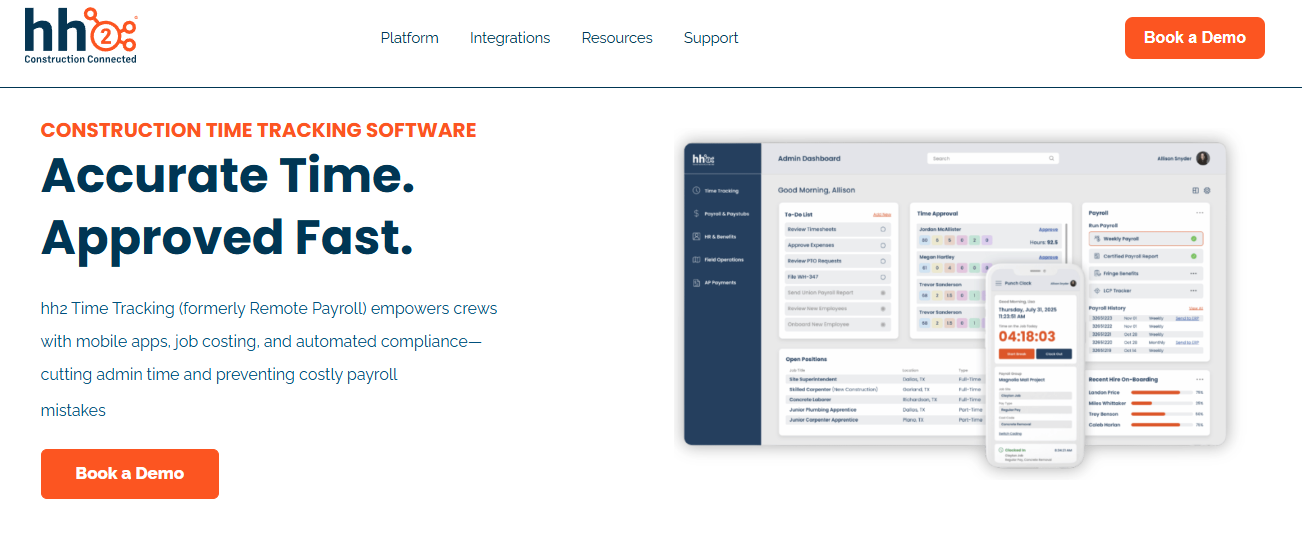
hh2, remote payroll and time capture that connects the field to the construction back office.
🔗 Overview
hh2 is a US construction software provider built around one problem: field data that never reaches the office cleanly. The platform covers HR, payroll processing, time tracking, and accounts payable for contractors. Its time tracking works on any device and functions offline, which suits crews on sites without stable signal. Teams usually adopt it after months of retyping paper timecards into an accounting system.
The product is narrower than a full HRMS by design. That focus is the point.
🧰 Core Services
- Remote Payroll captures crew time on mobile or tablet and pushes approved hours into your construction accounting system, which removes the paper-timecard-to-payroll retype.
- Offline Time Tracking stores punches on the device when the site has no network, so a dead zone stops becoming a manual muster sheet. This is the same capability benchmarked in this review of attendance management software in India.
- Job Costing Fields tag hours to job, phase, and cost code at entry, giving project managers labour cost without a month-end rebuild.
- Subcontractor Management tracks sub-contractor documents and records inside the same system, reducing the email chase for compliance paperwork.
- Accounts Payable Automation routes invoice approvals digitally, which cuts the physical folder trip between site and office.
- ERP Sync feeds construction accounting platforms directly, eliminating double entry between payroll and the general ledger.
🇮🇳 India-Specific Compliance & Localization
- PF / ESI / TDS: No (built for US payroll frameworks).
- Labour law compliance: Limited for India, moderate for US wage rules.
- Payroll localization (India): No.
- Multi-state compliance: Yes (US multi-state payroll processing).
👷 Who This Is Built For
- Payroll clerk retyping paper timecards from six sites into accounting every Monday.
- Project manager who cannot see labour cost per phase until the month closes.
❌ Who Should Skip This
- Indian contractors needing BOCW registers, PF, ESI, or CLRA compliance.
- HR teams wanting recruitment, performance, and engagement in the same platform, a breadth question covered in this guide to payroll software versus a full HRMS.
💰 Pricing Structure
- Plan Type(s): Monthly base fee plus active-user scaling.
- Starting Price: Reported base fee from around $199 per month, scaling with active users. Vendor lists pricing on request.
- Tier-wise Breakdown: Not publicly disclosed, request a quote.
- Incremental Cost Drivers: Active user volume and added modules.
- Implementation Fee: Reported as none, with no sign-up or termination penalties.
- Cost at 200 Employees: Not publicly disclosed | Cost at 500 Employees: Not publicly disclosed.
🤝 Implementation & Support Reality
- Go-live timelines are not publicly published and depend on ERP scope.
- Support runs on email and ticketing.
- Migration is vendor-led, anchored to the existing accounting system.
- No publicly reported NPS or CSAT figure is available.
⏰ Where hh2 Earns Its Place
Seasonal billing is the quiet strength here. A contractor whose headcount halves after monsoon is not paying for empty seats.
The trade-off is scope. HROne’s read is that a field-only tool solves the punch and leaves hiring, appraisal, and exit clearance sitting on the HR manager’s desk.
1.4 Miter
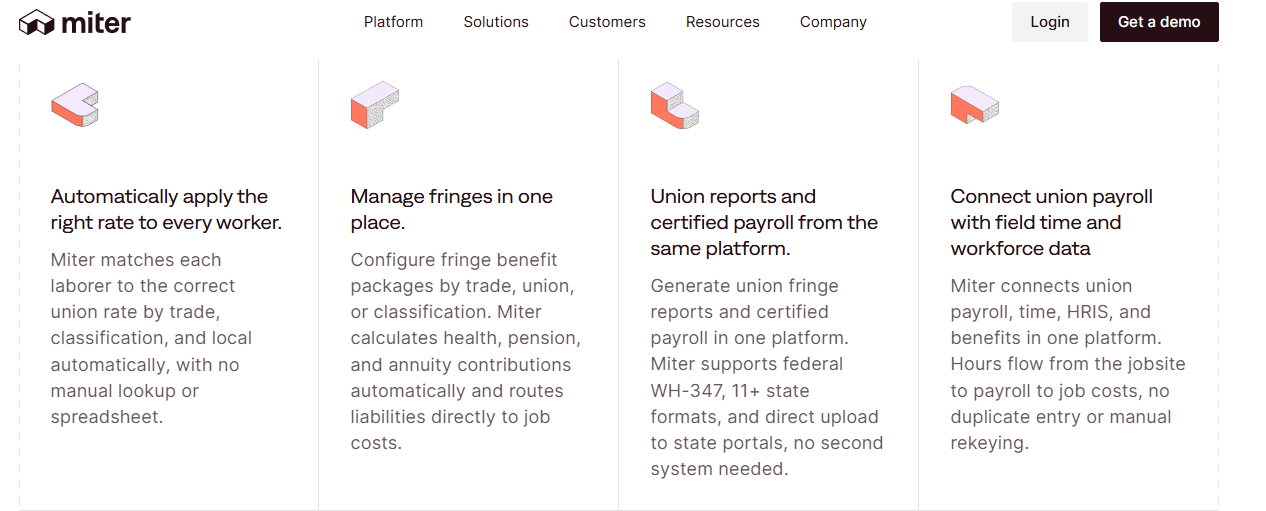
Miter, a modern construction HCM where certified payroll is a core feature, not an add-on.
🏛️ Overview
Miter is a San Francisco-based construction HCM covering payroll, HR, expenses, and field operations. Certified payroll, prevailing wage, and union fringe reporting sit at the core of the product rather than in a bolt-on module. It automates Form WH-347 and state reports, and integrates with LCPTracker for public-sector filings. Contractors typically move to it after failing an audit or missing a weekly certified payroll filing.
I like the honesty of its positioning. It does not claim to be a global HRIS.
🧰 Core Services
- Certified Payroll Automation generates WH-347 and state reports in minutes with LCPTracker integration, which removes the weekly spreadsheet rebuild.
- Prevailing Wage & Union Engine applies the correct prevailing wage, union, fringe, and tax rate per worker and per job automatically, cutting rate-lookup errors.
- Multi-State Tax Filing calculates and files across states, which simplifies quarterly compliance for contractors crossing state lines. The Indian equivalent of this problem is unpacked in this guide to multi-state payroll compliance.
- Mobile Time & Geofencing offers mobile punching, kiosk clock-in, and crew scheduling with SMS alerts, closing the paper-timesheet gap.
- Daily Reports & Safety Logs capture photos, e-signatures, inspections, and incidents, so site documentation stops living in WhatsApp.
- Expense Management handles reimbursements, per diems, and corporate cards with automatic job costing, removing manual allocation.
🇮🇳 India-Specific Compliance & Localization
- PF / ESI / TDS: No (US statutory focus only).
- Labour law compliance: Limited for India, strong for Davis-Bacon and state prevailing wage.
- Payroll localization (India): No.
- Multi-state compliance: Yes (automated filings across US states).
👷 Who This Is Built For
- Payroll manager filing weekly certified payroll across four public-sector jobs in two states.
- Field ops lead reconciling per-diem claims against job codes by hand, a task usually handled by expense and reimbursement automation.
❌ Who Should Skip This
- Indian contractors needing BOCW, CLRA, PF, or ESI filing.
- Enterprises wanting long-run reference customers, since Miter is a newer entrant.
💰 Pricing Structure
- Plan Type(s): Bundled by product area, quoted after demo.
- Starting Price: Not published by the vendor. Sage Intacct Marketplace lists $15 to $50 per user per month, depending on size and modules.
- Tier-wise Breakdown: Not publicly disclosed, request a quote.
- Incremental Cost Drivers: Headcount, module count, and product mix.
- Implementation Fee: Not publicly disclosed, request a quote.
- Cost at 200 Employees: Not publicly disclosed | Cost at 500 Employees: Not publicly disclosed.
🤝 Implementation & Support Reality
- Go-live timelines are not publicly published.
- Support runs on email and in-app channels.
- Migration is vendor-led following a demo and scoping call.
- No publicly reported NPS or CSAT figure is available.
1.5 Foundation Software
Foundation Software, construction accounting and union payroll on a single job-costed ledger.
📚 Overview
Foundation Software builds FOUNDATION, a construction accounting platform with job costing, payroll, project management, and equipment modules. It also sells Payroll4Construction, a cloud payroll service focused on prevailing wage and multi-state tax filing. The payroll module processes multi-state, multi-union, and multi-trade timecards without re-entering rates. Contractors choose it when union and prevailing wage rate tables have outgrown spreadsheets.
This is the veteran option on the list. Depth beats polish here.
🧰 Core Services
- Multi-Union Payroll handles as many rate tables as you use, applying prevailing wage, union, fringe, and tax rates per project automatically.
- Automatic Fringe Calculation computes fringes and deductions on regular, overtime, or special rates, and sets automatic fringe reductions.
- Certified Payroll Reporting creates print or electronic certified payroll reports for federal, state, and local agencies instantly.
- Job Cost Tie-Out posts a single transaction to both job cost reporting and the general ledger, ending double entry.
- Mobile Timecard Sync imports data from timekeeping and field log apps, so field hours land without retyping. Indian teams solve the same sync problem through HRMS integrations with Tally, SAP, and biometric devices.
- Compliance Reporting tracks workers’ compensation, new hire reporting, EEO data, and ACA requirements in one place.
- hrHQ Module automates onboarding forms and benefits tracking with employee self-service.
🇮🇳 India-Specific Compliance & Localization
- PF / ESI / TDS: No (US frameworks only).
- Labour law compliance: Limited for India, strong across US states and union jurisdictions.
- Payroll localization (India): No.
- Multi-state compliance: Yes (payroll tax filing across all 50 states).
👷 Who This Is Built For
- Controller maintaining dozens of union rate tables across multiple trades and states.
- Accounting lead who wants labour cost and the general ledger to reconcile without journal rework.
❌ Who Should Skip This
- Indian contractors needing BOCW cess tracking or PF and ESI challans, which fall under labour law compliance software.
- Teams wanting a light, mobile-first interface, since setup here is heavier than modern cloud tools.
💰 Pricing Structure
- Plan Type(s): FOUNDATION modules and Payroll4Construction, both quote-based.
- Starting Price: Custom quote only.
- Tier-wise Breakdown: Module-based quotes covering job costing, payroll, purchase orders, and receivables.
- Incremental Cost Drivers: Module selection, deployment type, and user count.
- Implementation Fee: Not publicly disclosed, request a quote.
- Cost at 200 Employees: Not publicly disclosed | Cost at 500 Employees: Not publicly disclosed.
🤝 Implementation & Support Reality
- Go-live timelines are not publicly published and vary by module scope.
- Support runs on phone and email.
- Migration is vendor-led, usually anchored to the accounting cutover.
- No publicly reported NPS or CSAT figure is available.
1.6 greytHR
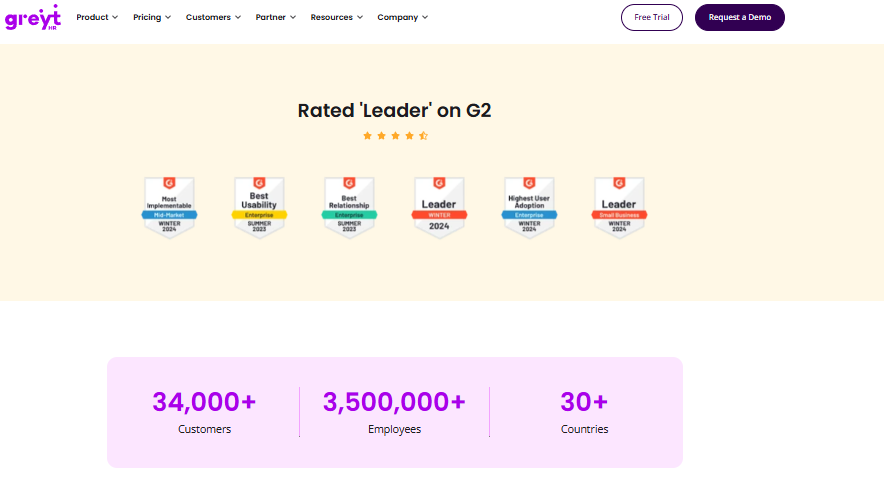
greytHR, established India payroll and compliance for smaller contractor back offices.
🇮🇳 Overview
greytHR is an India-focused HR and payroll platform widely used by small and mid-size businesses. Its strength is statutory payroll: payslips, tax declarations, and employee self-service for attendance and leave. Verified G2 reviewers value the price point and the ticket acknowledgement flow. Construction users typically arrive from Excel and want payslips and PF filing handled first. A side-by-side breakdown sits in this greytHR review.
The honest read is that it covers the office, not the site.
🧰 Core Services
- Statutory Payroll automates salary processing with PF, ESI, and TDS calculations, removing manual statutory maths at month-end.
- Employee Self-Service lets staff pull payslips, apply for leave, and view tax details without routing through HR.
- Tax Declaration Module allows regime selection and declaration entry from the employee login, which cuts HR data entry.
- Leave & Holiday Management tracks balances and approvals in one place, though users report manual balance corrections.
- Attendance Monitoring covers daily attendance across location units, with mobile gaps reported by reviewers.
🇮🇳 India-Specific Compliance & Localization
- PF / ESI / TDS: Yes (core statutory payroll strength). The employer obligations behind these are set out in this PF, ESI, and TDS compliance guide.
- Labour law compliance: Moderate (payroll statutes covered, BOCW and CLRA depth not documented).
- Payroll localization (India): Yes.
- Multi-state compliance: Partial (reviewers report configuration limits on complex policies).
👷 Who This Is Built For
- HR generalist at a small contractor who needs payslips and PF filing before anything else.
- Finance lead wanting employees to self-serve tax declarations instead of emailing forms.
❌ Who Should Skip This
- Contractors running shift-based, multi-legal-entity site operations that need flexible policy configuration.
- Teams whose workforce lives on mobile, given reported app glitches and desktop-only features.
💰 Pricing Structure
- Plan Type(s): Tiered plans published on the vendor pricing page.
- Starting Price: Verify current rates directly with the vendor.
- Tier-wise Breakdown: Not verified in this research pass, request a quote.
- Incremental Cost Drivers: Add-on modules and employee-count bands.
- Implementation Fee: Not publicly disclosed, request a quote.
- Cost at 200 Employees: Not publicly disclosed | Cost at 500 Employees: Not publicly disclosed.
🤝 Implementation & Support Reality
- Reviewers report high dependency on the vendor team for customisation.
- Support runs on ticketing with phone callbacks, reported within one to two hours by one reviewer.
- Migration is vendor-led, with reviewers citing leave-balance issues from implementation onward.
- No publicly reported NPS or CSAT figure is available.
⭐ Reviews
“It is a user friendly platform compared to other tools. Customer care support is comparatively better as they will call us in 1 to 2 hours when we raise a ticket. greytHR is not much good at customizing based on our requirements. Many times we were manually correcting the leave balance of employees.”
– Verified User in IT and Services, 2/5 greytHR G2 – Verified Review
“All the HR activities at a single point. Lag while login and logging out. No flexible customization. Automatic log out while marking attendance. Some features are only available in desktop mode, not in mobile application.”
– Arjun T., 2.5/5 greytHR G2 – Verified Review
1.7 Keka
Keka, interface-led Indian HRMS with solid payroll for office-weighted teams.
🖥️ Overview
Keka is an Indian HRMS known for a clean interface and strong payroll compliance automation. Reviewers credit it with automating salary and attendance processing alongside PF, ESI, and TDS. The same reviewers flag confusing performance modules and access problems for employees without email IDs. That last detail matters a lot on construction sites, and it surfaces repeatedly in this Keka HRMS review.
A site worker rarely has a corporate email address. Keep that in mind during the demo.
🧰 Core Services
- Payroll & Compliance Engine automates salary, PF, ESI, and TDS with statutory payslip generation, cutting manual reconciliation.
- Attendance Processing ties attendance data into payroll runs, reducing separate reconciliation steps.
- Mobile App gives employees payslip and leave access on phone, though reviewers report glitches during setup phases.
- Performance Module supports review cycles, described by reviewers as confusing and needing simplification.
- Expense & Travel Claims handles reimbursements, with reviewers noting no department-wise budget allocation.
🇮🇳 India-Specific Compliance & Localization
- PF / ESI / TDS: Yes (automated calculation and payslip compliance).
- Labour law compliance: Moderate (payroll statutes covered, site-specific statutes not documented).
- Payroll localization (India): Yes, though reviewers report CTC and PT display gaps.
- Multi-state compliance: Partial (zone configuration limits reported).
👷 Who This Is Built For
- HR lead at a contractor with a large office team and a small field crew.
- Payroll manager wanting statutory automation with a friendlier interface than legacy tools.
❌ Who Should Skip This
- Site-heavy contractors whose workers have no email ID, given reported access constraints.
- Teams needing a fast, tightly coordinated implementation, based on documented delays. Buyers in this position often review Keka alternatives in India before signing.
💰 Pricing Structure
- Plan Type(s): Tiered plans published on the vendor pricing page.
- Starting Price: Verify current rates directly with the vendor.
- Tier-wise Breakdown: Not verified in this research pass, request a quote.
- Incremental Cost Drivers: Module tiers and employee bands.
- Implementation Fee: Not publicly disclosed, request a quote.
- Cost at 200 Employees: Not publicly disclosed | Cost at 500 Employees: Not publicly disclosed.
🤝 Implementation & Support Reality
- Reviewers report implementations stretching six months or more, with policies still misapplied.
- Support runs primarily on email and ticketing, with escalation gaps reported.
- Migration is vendor-led, with coordination issues between internal teams cited.
- No publicly reported NPS or CSAT figure is available.
⭐ Reviews
“Strong payroll and compliance, automated salary and attendance processing with PF, ESI, TDS, payslip statutory compliance. Responsive support team. PMS module is confusing and needs to be simpler. User access is difficult for employees who do not have an email ID.”
– Kiran B., 3/5 Keka G2 – Verified Review
“We started working with Keka HRMS in August, and to this day, we have been unable to implement the tool in our company due to their consistently delayed responses and poor coordination between their internal teams.”
– Divya P., 0/5 Keka G2 – Verified Review
1.8 PeopleStrong
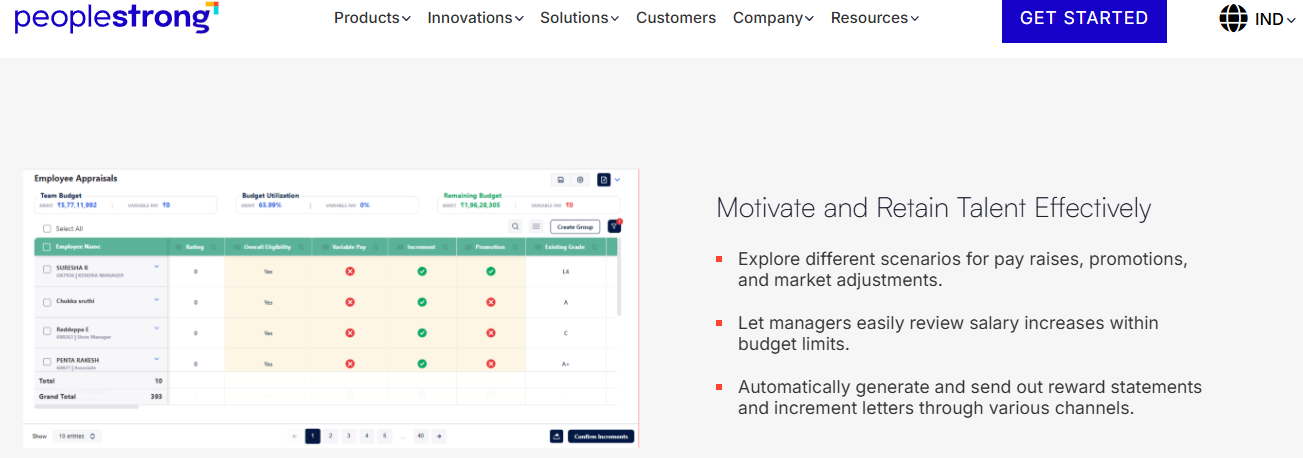
PeopleStrong, enterprise-scale Indian HR tech with strong mobile self-service.
📱 Overview
PeopleStrong is an Indian enterprise HR technology provider with a footprint across India and South East Asia. Verified reviewers praise its mobile-first access for attendance, leave, reimbursements, and payslips. One reviewer noted it is mobile-friendly unlike their previous system, with most HR information one tap away. Large contractors with dispersed staff often shortlist it for that reason, alongside other enterprise HRMS options for 1,000+ employees.
Scale is the story here. So is interface bloat.
🧰 Core Services
- Mobile Self-Service delivers attendance punch, leave, KRAs, tax, and reimbursement submission on phone, cutting desktop dependency.
- Reimbursement & Claims consolidates submissions and tracking in one platform, replacing long email threads.
- Payslip Access gives employees salary details on demand, reducing HR query volume through a standard employee self-service portal.
- Attendance & Leave covers punch in and out plus leave application, with weekly-off regularisation gaps reported.
- Performance Tracking supports quarterly KRA cycles inside the same app.
🇮🇳 India-Specific Compliance & Localization
- PF / ESI / TDS: Yes (India payroll and statutory support).
- Labour law compliance: Moderate (enterprise payroll statutes covered; site statutes not documented).
- Payroll localization (India): Yes.
- Multi-state compliance: Yes (enterprise multi-location deployments).
👷 Who This Is Built For
- HR ops lead standardising self-service across thousands of dispersed employees.
- Finance approver drowning in email-based reimbursement requests.
❌ Who Should Skip This
- Mid-size contractors wanting a lean interface, given reported feature overload on desktop.
- Teams needing fast approval turnaround, since reviewers report slow claim approvals.
💰 Pricing Structure
- Plan Type(s): Enterprise, quote-based.
- Starting Price: Not publicly disclosed, request a quote.
- Tier-wise Breakdown: Not publicly disclosed, request a quote.
- Incremental Cost Drivers: Module scope and headcount.
- Implementation Fee: Not publicly disclosed, request a quote.
- Cost at 200 Employees: Not publicly disclosed | Cost at 500 Employees: Not publicly disclosed.
🤝 Implementation & Support Reality
- Go-live timelines are not publicly published and scale with enterprise scope.
- Support runs through enterprise account management.
- Migration is vendor-led.
- No publicly reported NPS or CSAT figure is available.
⭐ Reviews
“What I like most about PeopleStrong is how easy it is to manage reimbursements and claims, and to access my payslips all in one place. One thing I dislike is that the reimbursement and claims process can feel a bit slow at times. The interface can also lag occasionally.”
– Anusha, 5/5 PeopleStrong G2 – Verified Review
“It’s mobile-friendly, unlike the one we used before. It has way too many features and the desktop version isn’t very useful because of the multiple options to get 1 job done.”
– Nikhil S., 4/5 PeopleStrong G2 – Verified Review
1.9 ADP Workforce Now
ADP Workforce Now, one-vendor payroll, HR, and time for multi-state US contractors.
🏦 Overview
ADP offers payroll and HR software tailored to the construction industry, backed by its broader workforce platform. Workforce Now bundles payroll, HR, time tracking, and talent in a single suite. ADP also documents certified payroll reporting and how Form WH-347 supports Davis-Bacon compliance. Contractors pick it for vendor consolidation and payroll tax scale rather than construction-native depth.
Breadth is the selling point. Job costing depth is where you should push during evaluation.
🧰 Core Services
- Payroll Processing runs multi-state payroll with tax filing at scale, removing in-house tax calculation risk.
- Certified Payroll Reporting supports Davis-Bacon and prevailing wage documentation via WH-347 workflows.
- Time & Attendance captures hours across sites and feeds payroll directly, cutting manual timesheet transfer through time tracking that posts straight into the pay run.
- HR & Talent Modules cover onboarding, benefits, and talent management on one platform.
- Compliance Support provides regulatory guidance and filings across jurisdictions, easing multi-state exposure.
🇮🇳 India-Specific Compliance & Localization
- PF / ESI / TDS: Not applicable in this Workforce Now context (US product line).
- Labour law compliance: Strong for US federal and state wage rules.
- Payroll localization (India): No for this product.
- Multi-state compliance: Yes (core strength).
👷 Who This Is Built For
- Payroll manager consolidating payroll, HR, and time under one vendor across several US states.
- CFO who wants payroll tax liability handled by a large, established provider.
❌ Who Should Skip This
- Indian contractors needing BOCW, CLRA, PF, or ESI filing.
- Contractors needing deep job costing, which typically requires added modules or integration.
💰 Pricing Structure
- Plan Type(s): Workforce Now bundles, quote-based.
- Starting Price: Not publicly disclosed, request a quote.
- Tier-wise Breakdown: Not publicly disclosed, request a quote.
- Incremental Cost Drivers: Module bundles, headcount, and add-on services.
- Implementation Fee: Not publicly disclosed, request a quote.
- Cost at 200 Employees: Not publicly disclosed | Cost at 500 Employees: Not publicly disclosed.
🤝 Implementation & Support Reality
- Go-live timelines vary by bundle and are not publicly published.
- Support runs on phone, email, and an assigned representative.
- Migration is vendor-led.
- No publicly reported NPS or CSAT figure is available for this product line.
How to Shortlist From These Nine
🧭 Split the List by Jurisdiction First
If you file certified payroll, your shortlist is Miter, Foundation, Arcoro, hh2, and ADP. If you file BOCW registers and PF challans, it is a different list entirely.
Mixing the two produces a comparison table nobody can act on. That is the flaw in most roundups on this keyword.
📉 Then Filter by Where the Data Breaks
Ask where your current pain actually sits. If the punch is unreliable, buy attendance integrity first, because payroll accuracy is downstream of it. This sequencing logic is laid out in this guide on how to improve payroll accuracy.
If your rate tables are the problem, buy the payroll engine first. Sequence matters more than feature count.
HROne is the reference point in this list for Indian site-heavy operations, running offline-first geo-fenced attendance, statutory registers, and 127 pre-built workflows on one instance, with subscription metering only after go-live.
Q2. How Were These 9 Construction HR Platforms Scored?
Each platform scored out of 100 across five weighted criteria: Certified Payroll and Statutory Compliance Depth (30%), Field Time and Attendance Integrity (25%), Contractor and Sub-Labour Coverage (15%), Implementation and Site Support (15%), and Pricing Transparency (15%). Scores convert to stars in 20-point bands. HROne scores 92 (5 stars). Arcoro 78, hh2 74, Miter 72, and Foundation 70 land at 4 stars. greytHR 58, Keka 56, PeopleStrong 54, and ADP 52 land at 3 stars.
Why Published Weights Matter
Most construction software roundups never show their weights. So every ranking reads as arbitrary, and a reader cannot tell whether “best” meant cheapest or most compliant.
Vendor feature pages make this worse. One vendor indexes on “Core HR” while buyers search for HCM, so the same capability appears under three different labels. This labelling gap is unpacked in this explainer on HCM software and human capital management software.
🔍 What Each Criterion Actually Tested
Scores came from artefacts, not marketing claims. Here is what was checked:
- Certified Payroll & Statutory Depth (30%): a signed Statement of Compliance from a live payroll run, not a blank template, since weekly certified payroll is mandatory under 29 CFR 5.5. On the India side, Form V and Form XII contractor register output, plus BOCW cess and registration handling under the Code on Social Security, 2020. Indian buyers usually test this against a dedicated statutory compliance software checklist.
- Field Time & Attendance Integrity (25%): an offline punch sync log showing records queued during network loss and reconciled later.
- Contractor & Sub-Labour Coverage (15%): whether sub-contractor workers sit inside the same attendance and document system as payroll staff.
- Implementation & Site Support (15%): published go-live timelines, support channels, and who owns data migration.
- Pricing Transparency (15%): published rates, the billing trigger, and named incremental cost drivers.
⏰ Onboarding Was Scored Against Churn, Not Features
Construction turnover runs 30% to 50% a year. So onboarding speed was scored as throughput, meaning how fast a rehired worker gets a code, a punch, and a payslip. That throughput depends almost entirely on employee onboarding automation.
HROne measures this through temporary-to-permanent employee code assignment on the joining day itself, which prevents duplicate identities piling up across seasons. That single design choice moved its score more than any feature count did.
⚠️ Where the Rubric Penalised HROne
HROne scored 92, driven by compliance depth and attendance integrity, and lost points on non-Indian jurisdictions. It does not generate US Form WH-347, and I would rather state that plainly than hide it behind a checkmark.
There is a limitation worth naming. Pricing transparency scores are capped for every vendor here, because most publish no rates at all, which is why an independent view of HR software pricing is worth reading before any quote call.
💰 Re-Weight It for Your Own Project Mix
You do not need to inherit these weights. A contractor bidding federal work should push certified payroll to 45% and drop the India column entirely.
A private Indian developer should do the reverse and raise attendance integrity to 35%. Buy the modules you will actually run, not the vendor’s full suite, because paying for the whole hog when you will eat half of it is just cash sitting idle. Run your own weights through this HRMS evaluation checklist before shortlisting.
⭐ What Reviewers Say About Scoring Inputs
“The things I like about HROne are the TimeOffice module, where we can check in through the web or mobile app, and the option to enable geofencing. With a defined location, employees are able to mark their attendance.”
– Verified User, HR HROne G2 – Verified Review
“All the HR activities at a single point. Lag while login and logging out. No flexible customization. Some features are only available in desktop mode, not in mobile application.”
– Arjun T., 2.5/5 greytHR G2 – Verified Review
HROne is ranked #3 in Highest Satisfaction Products across 1,17,579 software products on G2, and holds 4.8 out of 5 from 2,100+ verified reviews. Those inputs fed the implementation and support criterion, alongside the reported 9.8 NPS on its onboarding SPOC model.
Q3. Why Does Construction Break Ordinary HR Software?
Construction breaks ordinary HR software on four fronts: annual turnover of 30% to 50%, 60% to 70% of site headcount sitting with sub-contractors rather than on your payroll, policies that differ by site and legal entity, and attendance captured where mobile networks fail. Generic HRIS assumes a stable, single-policy, connected office workforce. On a live site, all four of those assumptions are false.
The Monday Morning Nobody Puts in a Demo
Picture a payroll manager on Monday, calling fourteen site supervisors. She is not asking anything strategic. She is asking whether they updated the muster.
That chase is the real product experience. One HR leader described the pain precisely: attendance from one source, payroll from another, recruitment from a third, and none of the three able to talk to each other. This is the fragmentation mapped in this piece on payroll problems in Indian companies.
📉 The Four Structural Conditions
- Churn at 30% to 50% a year. Onboarding is not an annual event on a site, it is a weekly one.
- Contractor-heavy headcount. Around 60% to 70% of Indian site workers sit with sub-contractors, outside your payroll, while you carry principal-employer liability.
- Policy divergence. Different sites and legal entities carry different shift rules, wage grades, and approval chains, the exact scenario covered in this guide to HR software for multi-entity companies.
- Dead zones. A punch that fails at 7 a.m. becomes a paper register by 9 a.m., and a wage dispute by month-end.
💰 Admin Drag Is a Margin Problem
This is not a hygiene issue. McKinsey Global Institute found seven levers could lift construction productivity by 50% to 60%, with technology the largest of them, and roughly 1.6 trillion dollars of annual value at stake.
Read that against your own site. Every hour spent reconciling musters is an hour not spent on sequencing, safety, or subcontractor coordination. Quantify it with an ROI calculator before you build the business case.
⚠️ The Real Killer Is Uniformity, Not Unfairness
Here is the part the category gets backwards. Most HR systems did not fail because they were unfair. They failed because they were too uniform.
Equality feels safe to configure. One leave policy, one shift pattern, one approval chain, applied everywhere. Then a labour colony in Nagpur and a head office in Gurgaon get the same rules, and both break.
HROne handles this through per-site and per-entity configuration of policy sets, shift rotations, and approval chains, so 20-plus units can run different rules inside one payroll cycle. I have watched teams discover that flexibility only after their third failed rollout.
✅ Two Questions to Ask Before Any Demo
Ask these before you look at a single screen:
- Show me a punch that survives no network. Ask the vendor to switch the device to airplane mode, punch, then reconnect. Watch the sync log, not the slide.
- Show me two entities with two different policies in one payroll run. If that needs a developer ticket, your policy changes will always be slow.
There is a third question I now ask, and I might be over-indexing on it. Ask how a rehired worker gets their old code back, because seasonal churn quietly fragments every site database.
🧭 The Cost of Getting This Wrong
Inconsistent data does not just slow reporting. It removes your ability to trust any number you present, which is the whole premise behind modern HR analytics tools.
One HR leader put it bluntly, saying they had to run around asking people whether they had updated this or that, and were never sure the analytics that followed were appropriate.
HROne was built for exactly this divergence, with mobile-first, offline-capable attendance feeding 127 pre-built workflows on one instance. The point is not module count. It is that a site punch and a payslip stop being two separate stories.
Q4. How Do Certified Payroll, Prevailing Wage and Union Rules Work in Practice?
Certified payroll is the weekly wage report contractors on government-funded projects must file, usually on Form WH-347, listing each worker’s classification, hours, rate, gross wages, deductions, and fringe benefits, with a signed Statement of Compliance. Foundation, Arcoro, hh2, Miter, and ADP generate it natively. Gusto and Rippling do not. HROne, greytHR, Keka, and PeopleStrong serve the Indian equivalent instead: digital muster rolls and Form V, XII, and XIII registers.
What Prevailing Wage Actually Means
Prevailing wage is the minimum hourly rate set for a trade classification on a specific public project. It has two parts: a base cash rate and a fringe benefit rate.
The obligation comes from the Davis-Bacon and Related Acts, with certified payroll submission required under 29 CFR 5.5(a)(3)(ii) and the Copeland Act. Form WH-347 exists for convenience, but the weekly filing itself is not optional.
🧮 One Worker, Two Classifications, One Week
Take a worker who spends 24 hours as an electrician and 16 hours as a labourer on the same project. Each block gets its own base rate and its own fringe rate.
Overtime is calculated on the classification actually worked. Get the split wrong and you have underpaid a protected wage, which is a very different problem from a bookkeeping error. A well-configured payroll software engine applies the split at entry rather than at review.
🏛️ Why Union Payroll Breaks Standard Engines
Union pay is tied to a collective bargaining agreement, or CBA, which is the negotiated contract between an employer and a trade union. Rates attach to classification, not to the employee record.
That means four moving parts at once: CBA pay scales, shift differentials, dues deductions, and fringe contributions routed to separate benefit funds with per-fund remittance reports. Standard payroll engines carry one structure per employee, so contractors end up maintaining a parallel spreadsheet, which is the exact failure pattern described in this comparison of HR software versus Excel.
⚠️ Audit Defence Beats Report Generation
Here is where most buyers evaluate the wrong thing. A wage export is not an audit artefact.
The signed Statement of Compliance is what survives inspection, and weekly filing continues even when work is temporarily halted. Ask the vendor to produce one from a live run, not a blank form.
| Capability | Foundation | Miter | Arcoro | hh2 | ADP | HROne |
|---|---|---|---|---|---|---|
| Native WH-347 output | Yes | Yes | Yes | Yes | Yes | No |
| Prevailing wage engine | Yes | Yes | Yes | Partial | Yes | No |
| Union CBA and fringe funds | Yes | Yes | Partial | Partial | Partial | No |
| India statutory registers | No | No | No | No | No | Yes |
🇮🇳 The India Parallel Nobody Documents
India has no WH-347. It has state-notified minimum wages by skill grade under the Code on Wages, 2019, plus contractor registers under CLRA and BOCW obligations, all of which sit inside labour law compliance software.
A mason and a helper on the same site are paid against different notified rates. HROne runs payroll off skill-grade and state-wise wage configuration, so that split happens inside the payroll engine rather than in a side sheet.
✅ Your Vendor Interrogation Script
Ask these four questions in writing:
- Produce a signed Statement of Compliance from a live payroll run.
- Show fringe crediting per benefit fund, with the remittance report.
- Show a CBA amendment being applied without a developer ticket.
- For India, show Form XII output and BOCW cess reconciled against project labour cost.
On that third question, I stay honest about the trade-off. Rigid field mapping works until the agreement changes, while AI document parsing is messier but bends more easily.
HROne does not produce Form WH-347, and Indian contractors bidding US federal work should shortlist Miter or Foundation instead. What HROne does own is the statutory equivalent, generating muster rolls, wage registers, and PF, ESI, PT, and LWF challans from the same attendance data that runs payroll.
Q5. How Should Field Time Flow From the Site Into Payroll and Job Costs?
Field time needs three things at capture: a geo-fence so punches register only inside the site boundary, live-photo verification so a face attaches to every punch, and offline-first sync so records queue on the device and upload when connectivity returns. Downstream, hours must post to a cost code and flow into your ERP, whether that is Sage, Viewpoint Vista, or LCPTracker, so labour cost per project stays current instead of being rebuilt at month-end.
The Punch Is Where Payroll Accuracy Starts
Proxy attendance is the quiet leak. One supervisor marking six absent workers present inflates a shift by a full crew, and nobody catches it until wages are already out.
HROne’s live-photo punch attaches a face to every mark-in inside the geo-fence, which closes the buddy-punching route directly. I used to think biometric devices solved this. They solve it at the gate, not across twelve scattered sites.
📍 The Three Capture Mechanics
- Geo-fence: a virtual boundary drawn around the site, so a punch outside the radius simply does not register. This removes gate-adjacent and car-park punching. It is the core mechanic in modern attendance management.
- Live photo: a timestamped selfie at punch, which removes proxy marking by a supervisor.
- Offline-first sync: punches queue on the device during network loss, then reconcile on reconnect. This removes the paper register that appears every time 2G drops.
🔁 Kill the Double Entry Next
Capture is only half the job. Without field-to-office flow, someone retypes the muster into payroll, then retypes it again into the project cost sheet.
Two retypes mean two chances to be wrong, and no way to tell which version is true. hh2 built its whole product around removing exactly this gap for US contractors, and the Indian version of the fix is covered in this guide to HR process automation.
💰 Tag Hours to Cost Codes, Not Just Days
Job costing means allocating each hour to a project, phase, and cost code at entry. A worker who splits a day across two towers should generate two allocations, not one lump.
Get this right and your project manager sees labour cost weekly. Get it wrong and the cost sheet becomes an accounting reconstruction after the money is spent. Site-level allocation of this kind usually sits inside project management and payroll working together.
🔗 Integration Is the Shortlist Filter
For mid-size US contractors, ERP sync usually decides the vendor. Foundation posts a single transaction to both job cost and the general ledger. Miter carries LCPTracker integration for public-sector filings. Indian teams face the same question through integrations with Tally, SAP, and biometric hardware.
| Platform | Field capture | Job cost tagging | ERP or filing sync |
|---|---|---|---|
| HROne | Offline geo-fence, live photo | Project and entity level | India payroll and statutory outputs |
| hh2 | Offline, any device | Job, phase, cost code | Construction accounting sync |
| Miter | Mobile, kiosk, geofencing | Automatic on expenses | LCPTracker, Sage Intacct |
| Foundation | Timecard import | Single-post to GL | Native accounting ledger |
⏰ A Five-Step Rollout You Can Start This Week
- Draw the geo-fence around one pilot site, not all of them.
- Set a tolerance radius that matches the site, usually 10 to 30 metres.
- Run week one in parallel with the paper muster.
- Reconcile the two registers line by line.
- Treat variance under 2% as clean, and investigate anything above it.
HROne measures attendance integrity through that reconciliation gap, and what surfaces in its deployments is that supervisors abandon the shadow register once approvals sit on one screen. The three-click rule matters here. If regularising attendance takes longer than that, the paper sheet comes back.
⭐ What Users Report
“It helps to avoid manual calculation in attendance, salary and statutory tax. Sometimes it fails to generate OTP while resetting password, and sometimes importing data takes a lot of time to upload.”
– Verified User, 5/5 HROne G2 – Verified Review
“Daily attendance monitoring at different location units. Automatic log out while marking attendance. Some features are only available in a desktop mode, not in mobile application.”
– Arjun T., 2.5/5 greytHR G2 – Verified Review
Q6. Which Compliance and Credential Obligations Must the Platform Carry?
Indian construction HR software must handle BOCW registration for establishments with ten or more workers, welfare cess of 1% to 2% of construction cost, worker beneficiary registration, CLRA licensing with principal-employer liability, and ESIC from employee one because construction is hazardous work. It must also track expiry dates for contractor licences, safety training, and equipment certifications. Verify it generates the registers and challans, not just a wage report.
What an Inspector Actually Asks For
A labour inspection does not ask for your dashboard. It asks for the site’s BOCW registration certificate, the muster roll, the wage register, and proof of cess payment.
That is the test your software has to pass. HROne generates PF, ESI, PT, and LWF challans and statutory registers from the same attendance and payroll data, so the pack exists before anyone asks for it.
⚖️ The Obligations, Stated Plainly
| Obligation | Source | What it means for you |
|---|---|---|
| BOCW registration | BOCW (RECS) Act, 1996 | Register every establishment employing 10 or more construction workers |
| Welfare cess | Code on Social Security, 2020, Section 100 | Pay 1% to 2% of construction cost into the welfare fund |
| Cess timing | Section 103 | Self-assess and pay within 60 days of work completion |
| Worker registration | Section 106 | Register workers as welfare board beneficiaries |
| Contract labour | CLRA Act, 1970 | Licence contractors, carry principal-employer liability |
| ESIC coverage | OSHWC Code, 2020 | Construction is hazardous work, so cover from employee one |
🩺 The ESIC Exception Most Teams Miss
ESIC, the Employees’ State Insurance scheme, normally applies at ten employees. Construction is classified as hazardous work, so coverage starts at employee one. The rate mechanics are set out in this PF, ESI, and TDS employer guide.
Contribution runs at 3.25% employer and 0.75% employee on gross wages up to ₹21,000. Ask HROne to configure day-one enrolment for site codes, because the default ten-employee logic will quietly under-cover you.
👷 The Contractor Labour Blind Spot
Between 60% and 70% of a typical Indian site’s headcount sits with sub-contractors, outside your payroll. As principal employer, you still carry joint and several liability for their wages, PF, and ESI.
So contractor workers belong inside the same attendance system as your own staff. Require monthly wage sheets and challan uploads per contractor, then reconcile quarterly. Running that reconciliation across entities is exactly what workforce management is meant to absorb.
⏰ Credential Expiry Stops Crews Too
An expired safety certificate halts a crew as effectively as a wrong payslip. Licences, trade certifications, and mandatory training all need alert windows, usually 30 and 7 days out.
HROne tracks document expiry for contractor workers alongside payroll staff, which is what makes a single audit trail possible. Most HRIS treats this as a document upload field, not a workflow, a gap worth testing against any employee management system you shortlist.
✅ Three Things to Do on Monday
- Pull the BOCW registration certificate for every active site and check the expiry.
- Reconcile cess accrual against project labour cost, project by project.
- Run a quarterly principal-employer wage audit across your top five contractors.
There is a design point underneath all of this. HROne assigns a permanent employee code on the joining day itself, replacing the temporary code, so seasonal rehires do not fragment into duplicate identities across contractors.
I would frame compliance as a configuration problem first. Twenty units pan-India means twenty policy sets, and no filing engine saves you if the configuration is uniform where reality is not. This is the same divergence handled by manufacturing HR deployments running shift-based, multi-plant operations.
Q7. What Does It Cost, and How Do You Roll It Out Across Sites Without Stopping Payroll?
Construction HR software is priced per employee per month, and most vendors publish nothing. Verified reference points: Miter is listed at $15 to $50 per user per month depending on size and modules, and hh2 reports a base fee from around $199 per month with no sign-up or termination charge. Negotiate three clauses. Then roll out in four phases, running payroll in parallel at one pilot site before any cutover.
The Quote That Stops Being Cheap
A per-employee rate looks fine at 180 workers. Then a project ramps, headcount hits 400, and the invoice doubles mid-quarter.
Seasonal construction headcount punishes rigid billing hardest exactly when cash is tied up in materials. HROne bills flat PEPM with no lock-in, and the subscription meters only after go-live, which is the clause that matters most for phased site rollouts. Current plan structures sit on the pricing page.
💰 What the Nine Actually Publish
| Platform | Published pricing | Billing model |
|---|---|---|
| HROne | Not publicly disclosed | Flat PEPM, meters after go-live, no lock-in |
| Miter | $15 to $50 per user per month via marketplace listing | Module-based quote |
| hh2 | Base from around $199 per month | Active-user scaling, no implementation fee |
| Foundation | Custom quote only | Module-based |
| Arcoro, ADP, PeopleStrong | Not publicly disclosed | Quote-based |
| greytHR, Keka | Tiered plans on vendor site | Verify current rates directly |
💸 The Three Clauses to Negotiate
- Billing trigger. Subscription starting at signature versus go-live is the difference between paying for twelve sites and paying for the two that are live.
- Headcount flex. Ask what happens when headcount halves after a project closes.
- Module unbundling. Buy what you will run. Paying for the whole hog when you will eat half of it is cash sitting idle. Benchmark the number against published payroll software prices in India.
⚠️ The Migration Trap Is Historical Data
Every rollout stalls in the same place. Someone asks for three years of payroll history, and go-live slides past the wage date.
Historical payroll data is not the success criterion. People’s rents and mortgages getting paid on time is, so migrate the current financial year and move on. This sequencing is spelled out in this HRMS migration guide.
⏰ The Four-Phase Sequence
- Parallel run. One pilot site, one full cycle, both systems live.
- Migrate current-year payroll only. Archive the rest as read-only files.
- Extend attendance in batches. Three to five sites at a time, not all at once.
- Switch on appraisals and analytics last. They can wait a cycle.
Speed is possible once the sequence is right. Shanti Kumar of Pena4 Tech completed a full 360-degree appraisal with manager ratings in 15 days, across four companies, which tells you the bottleneck is usually configuration order rather than software capability. More cutover detail sits in this HRMS implementation timeline.
✅ Your Two-Week Reconciliation Checklist
- Match net pay, line by line, old system against new.
- Check PF, ESI, PT, and LWF challan totals against the previous month.
- Confirm attendance variance against the paper muster stays under 2%.
- Verify arrear calculations on any mid-cycle wage revision.
HROne runs a parallel payroll cycle at a pilot site before cutover, supported by a prior-HR onboarding SPOC rather than a technical project manager, with a reported 9.8 NPS on that model. Interrogate that number when your rollout spans a dozen sites and a monsoon.
⭐ What Buyers Report About Implementation
“The things I like about HROne are the TimeOffice module, where we can check in through the web or mobile app, and the option to enable geofencing.”
– Verified User, HR HROne G2 – Verified Review
“We started working with Keka HRMS in August, and to this day, we have been unable to implement the tool due to consistently delayed responses and poor coordination between their internal teams.”
– Divya P., 0/5 Keka G2 – Verified Review
Here is what I am still sitting with. If offline geo-fenced punching becomes standard across every Indian HRMS in two years, the differentiator moves to who can prove rupee savings to a board. Tell me which of those two your CFO would fund first.













 Secures Top Spot in
