


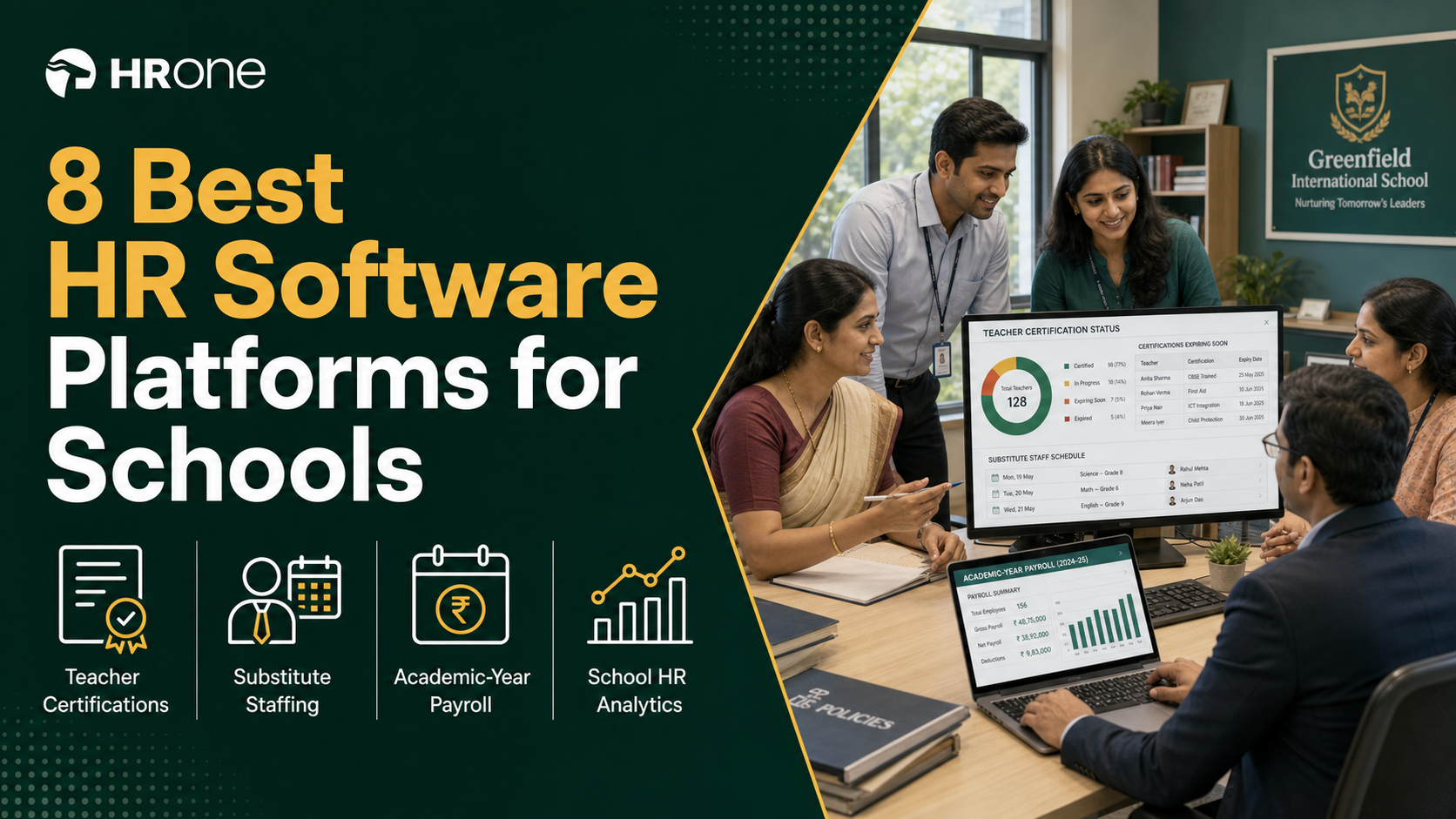
Q1. What Are the 8 Best HR Software Platforms for Schools in 2026?
The eight best HR software platforms for schools in 2026 are HROne, edumerge, ShikshaSuite, PowerSchool SmartFind Express, Workzoom, greytHR, Keka, and Zoho People. HROne leads for Indian school trusts because it runs unlimited legal entities in a single instance at no extra charge, so every branch keeps its own leave and pay policy without a second subscription.
Choosing HR software for a school or a school trust is a high-stakes call, because the same system has to survive a board inspection, a substitute crisis at 8:05 in the morning, and a session-start increment that lands three months late. Rather than ranking vendors by popularity, this guide evaluates eight platforms against operational, statutory, and architectural criteria that matter to the person using the system daily. G2 currently lists 119 products in its Education HR category with an average rating of 4.12 out of 5, so a shortlist is more useful than a catalogue. Every platform here was assessed on published documentation, pricing pages, and verified user reviews.
Our Evaluation Criteria
Each platform was assessed across seven decision-grade metrics.
- Statutory Payroll Depth 💰 Automated PF, ESI, TDS, professional tax, and gratuity handling for both teaching and non-teaching staff, plus arrears and retrospective pay revisions.
- Substitute and Cover Logic ⏰ Whether absence triggers a ranked, qualification-aware cover assignment at the period level, and whether those hours reach payroll without re-entry.
- Certification and Document Compliance ✅ Storage of NCTE-recognised qualifications, CTET or state TET certificates, expiry alerts, and an exportable staff qualification statement.
- Multi-Entity Architecture 📊 Support for several trusts, branches, or campuses in one instance, with branch-level policy variance.
- Time to Value ⏰ Published or reference-checked go-live timeline, data migration model, and how quickly a payroll manager runs the first clean cycle.
- Support Model 💬 Phone, email, chat, or a named single point of contact, and whether the vendor escalates when something breaks mid-cycle.
- Pricing Transparency 💸 Billing unit (per employee, per student, per module), implementation fees, and whether the subscription clock starts at purchase or at go-live.
Who This Guide Is For
- School trust HR heads consolidating attendance, payroll, and personnel files that currently sit in three unconnected systems
- Payroll managers running academic-year cycles with DA, TA, and exam-duty allowances alongside monthly PF and ESI filings
- Principals and vice-principals who need same-day cover for an absent teacher without opening a WhatsApp group
- Trust CFOs and accountants preparing PF, ESI, gratuity, and qualification records for a CBSE or state audit
- IT coordinators evaluating mobile-first cloud HR platforms against legacy on-premise school ERP portals
🎒 The Bouquet Problem Every School Trust Recognises
Most schools did not choose a fragmented stack. They accumulated one. Attendance came from a biometric machine with its own portal, payroll came from an outsourced vendor, and fee and staff records lived in a school ERP.
None of those three talk to each other. What follows is a month-end where someone reconciles exports by hand, and a principal who cannot answer how many teaching hours went uncovered last term. In HROne’s implementations, that pattern shows up as a specific complaint: attendance from different sources, payroll from different sources, and a lot of manual run around between them. I have come to think of it as buying a bouquet when you needed a garden.
🌱 The Eight Platforms, Ranked
- HROne for Indian school trusts running several branches on one payroll engine
- edumerge for single Indian schools wanting an education-native HRMS
- ShikshaSuite for schools that want automatic substitute assignment tied to staff records
- PowerSchool SmartFind Express for large districts automating substitute callouts at scale
- Workzoom for institutions on collective-agreement pay grids with credential tracking
- greytHR for small Indian schools that mainly need payslips and statutory filings
- Keka for schools prioritising employee-facing interface polish over statutory edge cases
- Zoho People for schools already standardised on the Zoho suite
| Provider | Best For | Standout Strength | Known Limitation | Education Fit | Support Model | Pricing Model |
|---|---|---|---|---|---|---|
| HROne ⭐⭐⭐⭐⭐ | Trust HR heads reconciling multi-branch payroll and personnel files by hand | Unlimited legal entities in one instance with branch-level policy variance, no per-entity charge | Not built as an education-native product, so timetable-level substitute logic needs configuration | Strong for multi-entity trusts, needs configuration for period-level cover | Phone, email, and a prior-HR onboarding SPOC | Flat PEPM, subscription starts after go-live |
| edumerge ⭐⭐⭐⭐ | Single-school HR leads wanting education-native records without corporate HR bloat | Purpose-built for Indian educational institutions rather than adapted from corporate HR | Pricing and enterprise-scale trust deployments not publicly documented | Education-native, India-focused | Not publicly disclosed | Not publicly disclosed, request a quote |
| ShikshaSuite ⭐⭐⭐ | Principals assigning cover manually every time a teacher marks leave | Automatic substitute assignment when a teacher is absent, tied to staff records, leave, and payroll | Narrower statutory payroll depth than dedicated Indian payroll platforms | Education-native, India-focused | Not publicly disclosed | Not publicly disclosed, request a quote |
| PowerSchool SmartFind Express ⭐⭐⭐⭐ | District staffing coordinators filling dozens of daily absences | Automated callouts with a free mobile app where substitutes find and accept jobs | Substitute and absence focused, not a full hire-to-retire HR system | Strong for K-12 districts, no Indian statutory payroll | Vendor-led, enterprise district model | Quote-based |
| Workzoom ⭐⭐⭐⭐ | Institutions running union pay grids and tracking staff credentials on one record | Collective-agreement pay grids, substitute management, and credential tracking on a single record | Built around North American employment structures | Strong for education, no Indian statutory payroll | Vendor-led | From $4 per employee per month |
| greytHR ⭐⭐⭐ | Small school admins who mainly need payslips, leave, and statutory filings | Employees self-serve payslips, leave, attendance, and tax details without going through HR | Users report limited customisation and manual leave-balance corrections after implementation | Generalist, India statutory | Ticket-based with acknowledgement flow | Per employee per month, tiered |
| Keka ⭐⭐⭐ | Schools prioritising a clean employee interface for teaching staff | Strong payroll and compliance automation with PF, ESI, and TDS on payslips | Reviewers report slow, poorly coordinated implementations and payroll reporting gaps | Generalist, India statutory | Largely email and ticket threads | Per employee per month, tiered |
| Zoho People ⭐⭐⭐ | Schools already standardised on Zoho for mail and finance | Low-friction fit inside an existing Zoho stack | Global generalist, thinner on India-specific CTC revisions and academic-year pay logic | Generalist | Email, chat, paid premium support | Per user per month |
📖 How to Read This List by School Type
A single school with 40 staff and one campus should weight education-native fit and simplicity highest. A trust running six branches under two legal entities should weight statutory payroll and multi-entity architecture highest, because that is where manual reconciliation actually eats the month.
A large district with daily absence volume should weight substitute dispatch above everything else. Read the table in that order and the shortlist narrows to two or three fast.
1.1 HROne
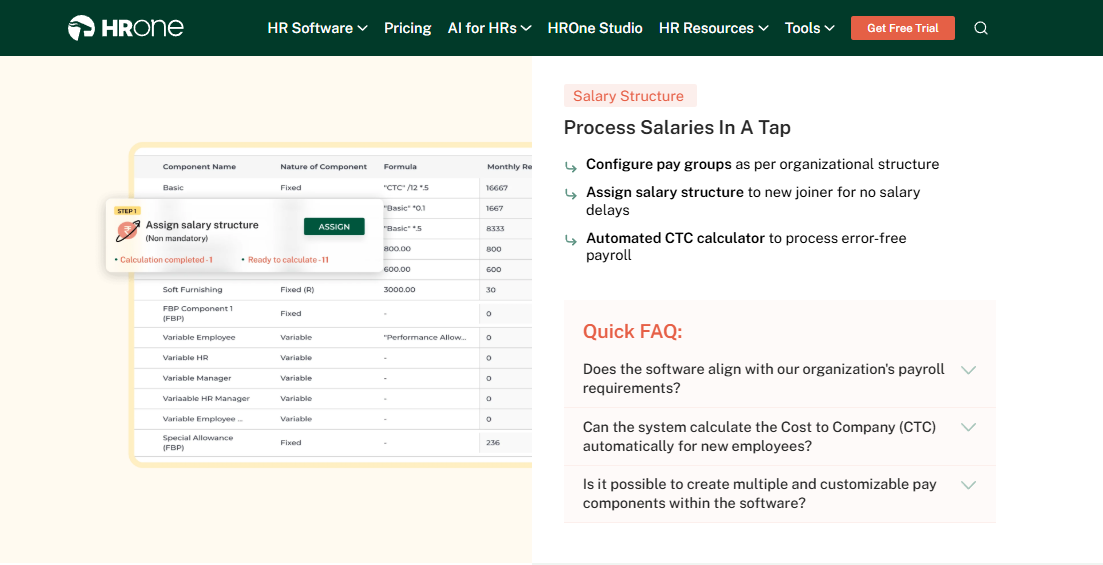
HROne Full hire-to-retire HR operating system for Indian school trusts running multiple entities
🏫 Overview
HROne is a cloud HCM platform founded in 2016, built for Indian mid-market and enterprise organisations in the 100 to 5,000 employee range, including education. The platform is live with 1,500-plus brands and ships 30-plus modules with 127 pre-built hire-to-retire workflows. It is primarily used by HR teams struggling with fragmented stacks, where attendance, payroll, and personnel records sit in systems that never reconcile. HROne ranks #3 for highest satisfaction on G2 and reports a 9.8 NPS on its onboarding support.
⚙️ Core Services
- Super Inbox surfaces every pending approval, request, and task in a Gmail-style queue so a principal or HR lead closes items within three clicks, removing the tab-switching across five separate portals. See how the HR inbox is structured.
- Payroll engine with auto-scheduler automates PF, ESI, TDS, and professional tax with group payout validations, removing the month-end spreadsheet reconciliation between biometric exports and salary registers.
- Multi-legal-entity configuration runs unlimited entities in one instance with branch-level policy sets, so a senior-secondary branch and a pre-primary branch keep different leave rules without a second subscription.
- Letter generation with digital acknowledgment issues appointment, confirmation, and exit letters straight to the employee Inbox, killing the physical signature chase before an inspection window.
- Document and compliance repository holds qualification and certificate records against each staff profile, which is what a CBSE affiliation staff statement is actually assembled from.
- One AI Suite includes resume relevancy scoring, a receipt parser, and an AI Employee Agent, so recruiters and accounts staff stop doing manual data entry during hiring season. The full One AI Suite breakdown covers each agent.
- Inbuilt ROI Dashboard calculates lifetime hours saved against average HR salary, so a trust CFO sees the saving in rupee terms rather than in feature bullets.
🇮🇳 India-Specific Compliance and Localization
- PF / ESI: Yes (automated computation, filing, and reconciliation), as detailed in this PF, ESI, and TDS employer guide
- TDS: Yes (salary TDS with declarations and projections)
- Labour law compliance: Strong (new wage code, gratuity, full and final settlement rules)
- Payroll localization: Yes (CTC revisions, FBP declarations, arrears)
- Multi-state compliance: Yes (state-wise professional tax and shop-and-establishment variance), covered further in this multi-state payroll compliance guide
👥 Who This Is Built For
- Trust HR heads manually consolidating staff data across four branch offices before every board meeting
- Payroll managers firefighting session-start arrears and CTC revisions every academic year
- Principals chasing managers over email to close confirmation and transfer paperwork
🚫 Who Should Skip This
- Single schools with 25 staff wanting spreadsheet-simple payroll without structured workflows
- Districts whose only requirement is period-level substitute dispatch with no payroll or personnel scope
💸 Pricing Structure
- Plan Type(s): Flat per-employee-per-month subscription, tiered by module scope, as listed on the HROne pricing page
- Starting Price: Not publicly disclosed, request a quote
- Tier-wise Breakdown: Not publicly disclosed, request a quote
- Incremental Cost Drivers: No charge for additional legal entities in a single instance, AI add-ons available separately
- Implementation Fee: Subscription meters only after go-live, so no billing during the implementation phase
- Cost at 200 Employees: Not publicly disclosed, request a quote | Cost at 500 Employees: Not publicly disclosed, request a quote
🛠️ Implementation and Support Reality
- Mid-market go-live in as little as 30 days with a prior-HR onboarding SPOC rather than a technical project manager, as set out in the HROne implementation guide
- Support channels: phone, email, and a named single point of contact
- Data migration is vendor-led, with the first accurate salary run prioritised over exhaustive history import
- Reported 9.8 NPS on dedicated onboarding support
HROne’s read is that the standard migration advice gets this backwards. Trusts spend six weeks arguing about importing five years of payroll history, when the only thing that matters on day one is that every teacher’s salary hits the right account on the right date. I might be weighting that too heavily, but I have never met an HR lead who was thanked for a clean data archive.
HROne is the section’s proof point on architecture, not on education-native design: unlimited legal entities in a single instance, at no per-entity charge, with branch-level policy variance, which is exactly the shape a multi-school trust already has on paper.
1.2 edumerge
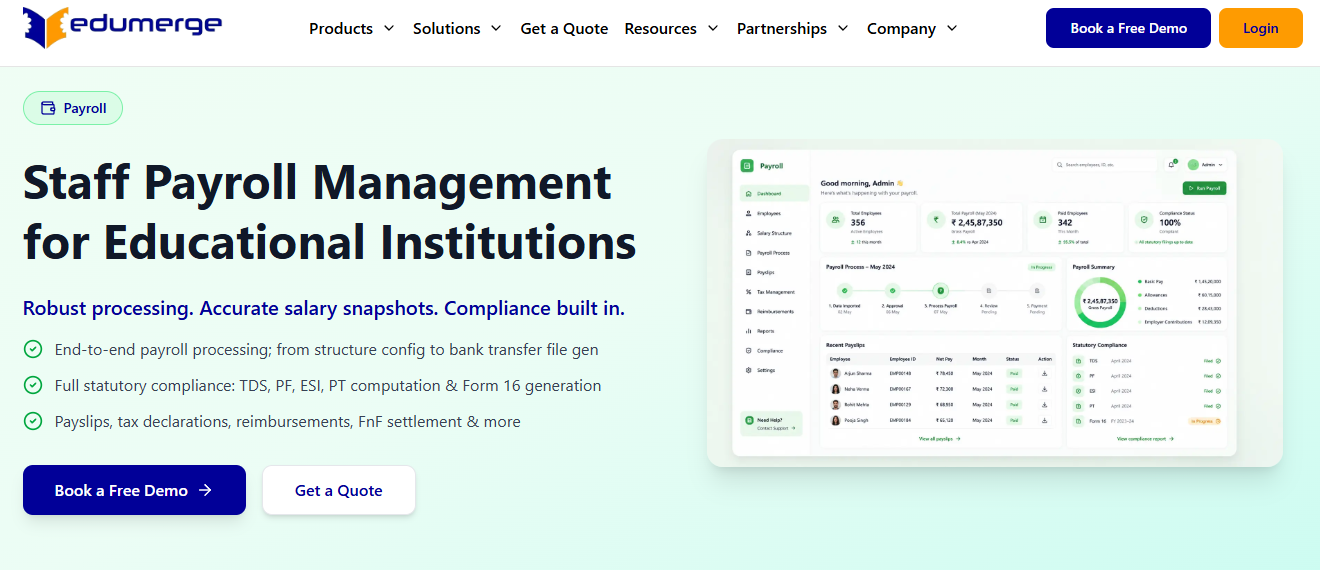
edumerge Education-native HRMS built specifically for Indian schools
🎓 Overview
edumerge positions itself as a purpose-built HRMS for educational institutions in India, rather than a corporate HR product adapted for schools. Its own 2026 comparison grid scores platforms on two axes that matter here, Indian compliance and education-native design, and it is the only entry on that list built solely for schools. It is primarily used by single-campus schools and small groups that want staff records, leave, and payroll to follow the academic calendar rather than the corporate one.
⚙️ Core Services
- Education-native staff records hold teaching and non-teaching profiles in one structure, removing the workaround of forcing teacher qualifications into generic corporate fields.
- Academic-calendar leave management maps leave to terms, vacations, and working Saturdays, so leave balances stop needing manual correction after every session change. Compare this against a standard leave management configuration.
- Teacher payroll processes salary for teaching and non-teaching staff with Indian statutory components, reducing parallel Excel workings at month-end.
- Mobile access lets staff apply for leave and view payslips without an HR desk visit.
- Institution-focused reporting produces staff-level records aimed at school administration rather than corporate HR analytics.
🇮🇳 India-Specific Compliance and Localization
- PF / ESI: Yes (positioned as Indian-compliance ready on the vendor’s own comparison grid)
- TDS: Yes (salary TDS as part of Indian payroll scope)
- Labour law compliance: Moderate (education-focused, less documented on multi-state variance)
- Payroll localization: Yes (built for Indian school payroll structures)
- Multi-state compliance: Not publicly documented
👥 Who This Is Built For
- Single-school HR administrators maintaining teacher records in Excel alongside a school ERP, a trade-off examined in this HR software versus Excel comparison
- School accountants running teacher and support-staff salaries with academic-calendar leave rules
🚫 Who Should Skip This
- Trusts running several legal entities that need consolidated multi-entity payroll on one instance
- Districts whose primary requirement is high-volume automated substitute callouts
💸 Pricing Structure
- Plan Type(s): Not publicly disclosed, request a quote
- Starting Price: Not publicly disclosed, request a quote
- Tier-wise Breakdown: Not publicly disclosed, request a quote
- Incremental Cost Drivers: Not publicly disclosed
- Implementation Fee: Not publicly disclosed
- Cost at 200 Employees: Not publicly disclosed, request a quote | Cost at 500 Employees: Not publicly disclosed, request a quote
🛠️ Implementation and Support Reality
- Go-live timeline not publicly published, confirm during reference checks against a benchmark HRMS implementation timeline
- Support channels not publicly disclosed, ask for the escalation matrix in writing
- Data migration model not publicly documented
- No publicly reported NPS or CSAT
Here is the honest tension with education-native tools, and I say this as someone whose own product sits on the other side of it. A school-built HRMS understands your calendar on day one. What you should test hard is the statutory layer underneath, because PF, ESI, and TDS computation is the part you cannot bolt on later with a spreadsheet.
HROne’s deployments surface the opposite trade-off, where statutory depth and multi-entity consolidation arrive first and school-specific calendar logic gets configured, which is why the choice tracks branch count more than it tracks school type.
1.3 ShikshaSuite
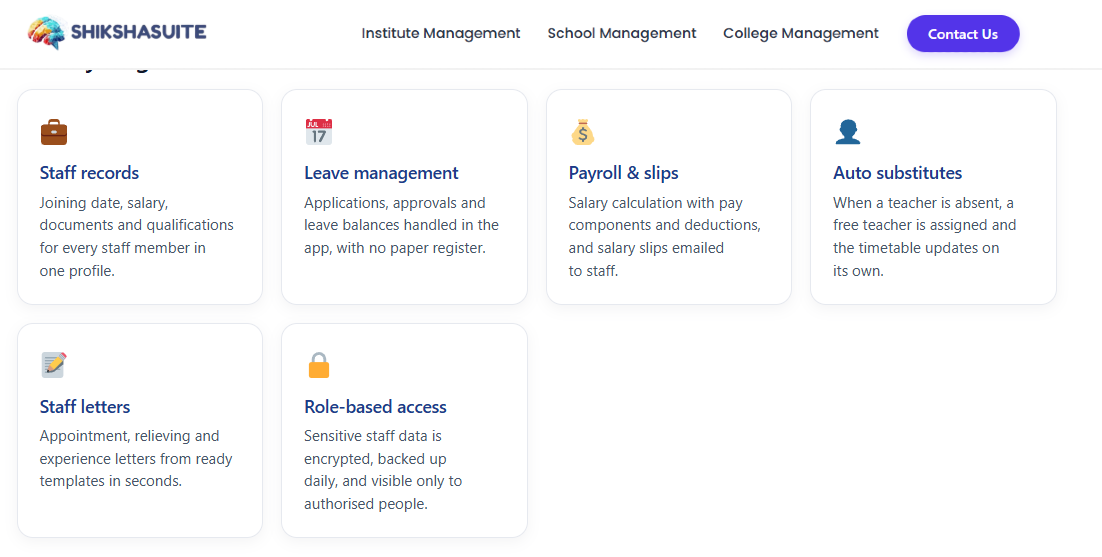
ShikshaSuite School staff management with automatic substitute assignment built in
🧑🏫 Overview
ShikshaSuite is an Indian school software suite whose staff and HR module keeps records, leave, and payroll in one place. Its documented differentiator is behaviour, not a feature list: when a teacher is marked absent, the system assigns a substitute automatically. It is primarily used by single-campus schools where the vice-principal currently rebuilds the day’s timetable by hand every time someone calls in sick.
⚙️ Core Services
- Staff records module holds teaching and non-teaching profiles alongside leave and payroll data, removing the second spreadsheet most schools keep for staff files.
- Automatic substitute assignment triggers cover the moment a teacher is marked absent, which removes the morning scramble on the staff WhatsApp group.
- Leave management links approved leave to the substitute engine, so one action covers both the approval and the classroom. Compare the mechanics against a full leave management system.
- Payroll for school staff processes salaries from the same staff record, cutting re-entry between attendance and salary sheets.
🇮🇳 India-Specific Compliance and Localization
- PF / ESI: Partial (payroll included, statutory filing depth not publicly documented)
- TDS: Not publicly documented
- Labour law compliance: Moderate (school-focused rather than statute-led)
- Payroll localization: Yes (built for Indian school staff payroll)
- Multi-state compliance: Not publicly documented
👥 Who This Is Built For
- Vice-principals manually reassigning periods every time a teacher marks leave
- School administrators keeping staff records, leave, and salary in three separate files
🚫 Who Should Skip This
- Trusts needing consolidated payroll and statutory filings across multiple legal entities
- Payroll managers who need audited TDS projections and multi-state professional tax handling
💸 Pricing Structure
- Plan Type(s): Not publicly disclosed, request a quote
- Starting Price: Not publicly disclosed, request a quote
- Tier-wise Breakdown: Not publicly disclosed, request a quote
- Incremental Cost Drivers: Not publicly disclosed
- Implementation Fee: Not publicly disclosed
- Cost at 200 Employees: Not publicly disclosed, request a quote | Cost at 500 Employees: Not publicly disclosed, request a quote
🛠️ Implementation and Support Reality
- Go-live timeline not publicly published, so ask for two reference schools of similar size
- Support channels not publicly disclosed, request the escalation path in writing
- Data migration model not publicly documented
- No publicly reported NPS or CSAT
1.4 PowerSchool SmartFind Express
PowerSchool SmartFind Express Substitute management at district scale, with a free app for substitutes
📞 Overview
SmartFind Express is PowerSchool’s substitute management product, built to automate callouts and fill openings quickly. Substitutes browse and accept assignments on a free mobile app, which shifts the work of filling a vacancy from the office to the substitute pool. It is primarily used by districts handling dozens of daily absences, where phoning down a list is a full-time job.
⏰ The Patent Point Worth Knowing
Automated substitute dispatch is not a new idea. A 1998 patent, US6334133B1, already described a central system that ranks candidate substitutes and contacts them one by one until someone accepts. A 2006 filing added online scheduling plus substitute professional development.
So when a vendor pitches auto-dispatch as innovation, treat it as table stakes. The real question is whether the engine checks subject qualification before it offers the job.
⚙️ Core Services
- Automated callouts contact available substitutes without office staff dialling, removing the 6am phone tree.
- Free substitute mobile app lets substitutes find and accept jobs themselves, which cuts unfilled openings caused by missed calls. A comparable mobile HR app handles the same self-service pattern for staff requests.
- Absence management records staff absences centrally so cover history is auditable rather than remembered.
- Payroll-ready assignment data exports who worked which dates and hours, removing manual timesheet rebuilding.
🇮🇳 India-Specific Compliance and Localization
- PF / ESI: No (built for North American district payroll structures)
- TDS: No
- Labour law compliance: Limited for Indian statute
- Payroll localization: No
- Multi-state compliance: Not applicable to Indian states
👥 Who This Is Built For
- District staffing coordinators filling 30-plus absences before first period
- Principals tracking which classes went uncovered last term
🚫 Who Should Skip This
- Indian schools needing PF, ESI, and TDS computation in the same system, as set out in this PF, ESI, and TDS employer guide
- Trusts wanting one platform for hiring, payroll, and exit paperwork
💸 Pricing Structure
- Plan Type(s): Quote-based, part of the PowerSchool product family
- Starting Price: Not publicly disclosed, request a quote
- Tier-wise Breakdown: Not publicly disclosed, request a quote
- Incremental Cost Drivers: Not publicly disclosed
- Implementation Fee: Not publicly disclosed
- Cost at 200 Employees: Not publicly disclosed, request a quote | Cost at 500 Employees: Not publicly disclosed, request a quote
🛠️ Implementation and Support Reality
- Vendor-led district implementation, timeline not publicly published
- Support is enterprise and district-account based
- Data migration is vendor-led
- No publicly reported NPS or CSAT
1.5 Workzoom
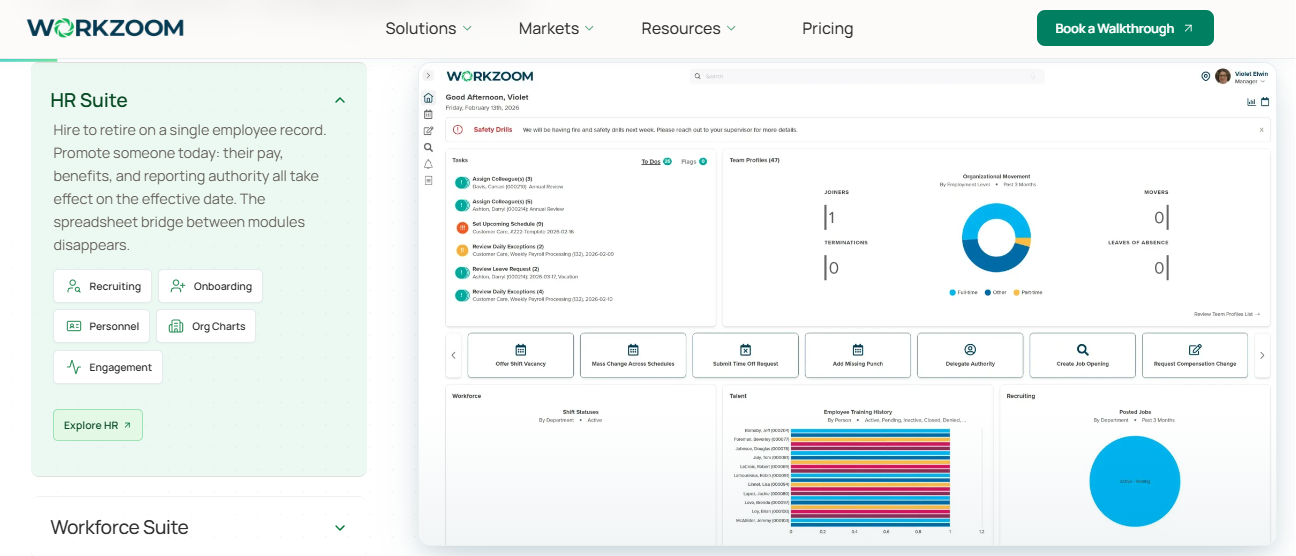
Workzoom Education HR for institutions on union pay grids, with credential tracking on one record
📋 Overview
Workzoom’s education product runs collective-agreement pay grids, manages substitutes, and tracks credentials on a single employee record, with pricing published from $4 per employee per month. A collective agreement is a negotiated pay structure with fixed steps, where increments follow service years rather than manager discretion. It is primarily used by institutions where salary is rule-driven and expiring credentials create real risk.
✅ Why the Credential Piece Matters in India Too
Credential tracking sounds like a nice-to-have until inspection week. CBSE affiliation rules require an up-to-date statement of names, qualifications, and dates of birth for the principal and every teacher, with teaching allotment attached. Certificates must be verified and originals returned to the teacher, with attested copies kept on file.
The state audit format goes further and asks for qualification verification alongside PF, ESI, and gratuity records. A platform with expiry alerts turns that from a two-week paperwork sprint into an export, which is the same principle behind statutory compliance software.
⚙️ Core Services
- Collective-agreement pay grids compute step-based salary automatically, removing manual grid lookups each session.
- Substitute management tracks cover assignments on the same record as the employee, cutting duplicate entry.
- Credential tracking flags expiring certifications before they lapse, removing the pre-inspection certificate chase.
- Single employee record keeps pay, cover, and credentials together so reports do not need reconciliation, the same single-record logic used in an employee management system.
🇮🇳 India-Specific Compliance and Localization
- PF / ESI: No (North American employment model)
- TDS: No
- Labour law compliance: Limited for Indian statute
- Payroll localization: No
- Multi-state compliance: Not applicable to Indian states
👥 Who This Is Built For
- HR leads managing step-based salary grids where one wrong step triggers arrears
- Compliance staff tracking teaching credentials that expire mid-session
🚫 Who Should Skip This
- Indian trusts needing EPF and ESIC computation with monthly challan generation
- Schools wanting a single India-compliant payroll run across branches, which is the core case for payroll software built for India
💸 Pricing Structure
- Plan Type(s): Per employee per month, published entry price
- Starting Price: From $4 per employee per month
- Tier-wise Breakdown: Not publicly disclosed beyond the entry price, request a quote
- Incremental Cost Drivers: Module scope, not publicly itemised
- Implementation Fee: Not publicly disclosed
- Cost at 200 Employees: From $800 per month at the published entry rate | Cost at 500 Employees: From $2,000 per month at the published entry rate
🛠️ Implementation and Support Reality
- Go-live timeline not publicly published
- Support is vendor-led with a free demo offered before purchase
- Data migration is vendor-led
- No publicly reported NPS or CSAT
1.6 greytHR
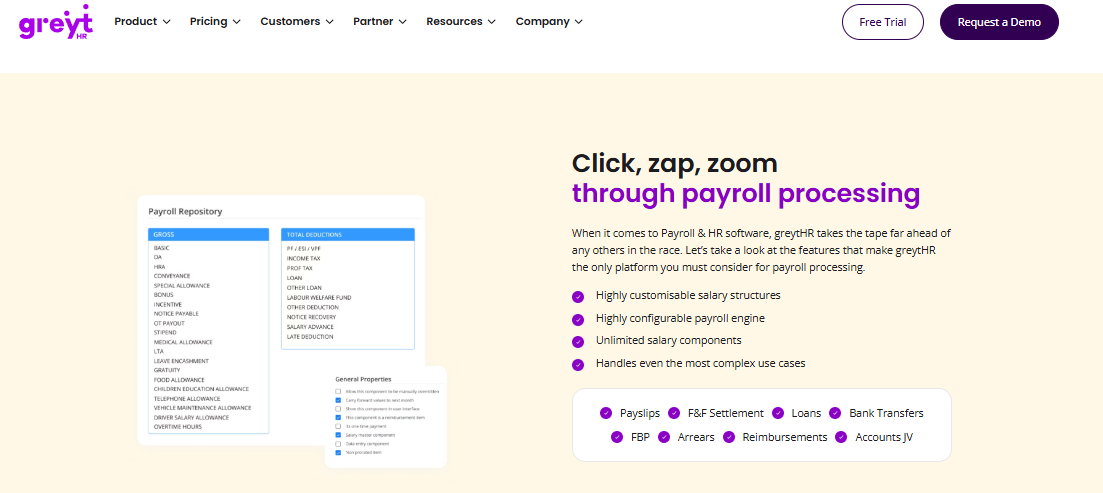
greytHR Budget Indian payroll and self-service payslips for small school offices
🧾 Overview
greytHR is an Indian HR and payroll platform widely used by smaller organisations for payslips, leave, attendance, and statutory filings. Its documented strength is employee self-service: staff pull payslips, leave balances, and tax details without going through the HR desk. It is primarily used by school offices where one administrator handles all of HR and needs teachers to stop asking for salary slips by email.
⚠️ Where Reviewers Report Friction
Configuration flexibility is the recurring theme in verified reviews. Several users describe manual leave-balance corrections after implementation, and limits on applying their own policies. Others report that some functions work on desktop but not in the mobile app.
For a school, mobile matters more than most vendors assume. A teacher between periods will not open a laptop to approve anything. Trusts weighing a move often start with this greytHR alternatives comparison.
⚙️ Core Services
- Payroll processing runs monthly salary with Indian statutory components, reducing manual salary register preparation.
- Employee self-service exposes payslips, leave, attendance, and tax details directly to staff, cutting HR desk queries.
- Leave and holiday management tracks balances and holiday calendars centrally.
- Attendance monitoring covers multiple location units for daily tracking, comparable to a dedicated attendance management module.
- Ticket-based support flow acknowledges tickets, then sends working and status updates.
🇮🇳 India-Specific Compliance and Localization
- PF / ESI: Yes (standard Indian payroll statutory scope)
- TDS: Partial (a reviewer reports TDS revision and challan mapping gaps)
- Labour law compliance: Moderate
- Payroll localization: Yes (built for India)
- Multi-state compliance: Partial (verify state professional tax scope during demo)
👥 Who This Is Built For
- Single-school administrators answering payslip requests from 40 teachers by email
- Accountants who need statutory payroll basics without a workflow layer
🚫 Who Should Skip This
- Trusts running multi-entity payroll with branch-specific leave policies, a scenario covered in this guide to HR software for multi-entity companies
- HR leads who need heavy customisation without vendor dependency
💸 Pricing Structure
- Plan Type(s): Tiered per-employee-per-month subscription
- Starting Price: Not publicly disclosed in sources reviewed here, request a quote
- Tier-wise Breakdown: Not publicly disclosed, request a quote
- Incremental Cost Drivers: Module add-ons, not publicly itemised
- Implementation Fee: Not publicly disclosed
- Cost at 200 Employees: Not publicly disclosed, request a quote | Cost at 500 Employees: Not publicly disclosed, request a quote
🛠️ Implementation and Support Reality
- Implementation issues with leave balances are reported by verified users
- Support is ticket-based, with one reviewer reporting callbacks within one to two hours
- Data migration is vendor-assisted, with reviewers noting high dependency on the vendor team for customisation
- No publicly reported NPS or CSAT
“Better UI, simplicity and time for support. Reporting configuration, TDS filing, revising of TDS is not possible.”
– Krishnanand B., Rating 3/5, greytHR G2 – Verified Review
“GreytHR is not much good at customizing based on our requirements. For our case, from implementation onwards, there were issues with leave balance and all. Many times we were manually correcting the leave balance of employees.”
– Verified User in Information Technology and Services, Rating 2/5, greytHR G2 – Verified Review
1.7 Keka
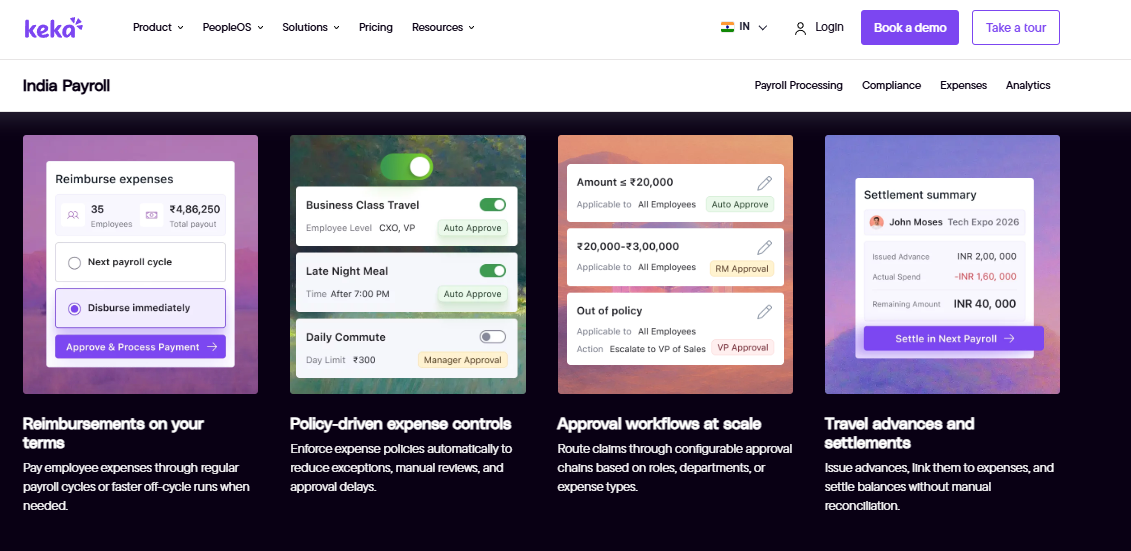
Keka Interface-led Indian HRMS with solid payroll basics and a slower setup
💻 Overview
Keka is an Indian HR platform known for a clean, user-friendly interface across payroll, attendance, and employee self-service. Verified reviewers credit strong payroll and compliance automation covering PF, ESI, and TDS on payslips, plus a responsive support team and a mobile app. It is primarily used by organisations that want staff to enjoy using the system, and where payroll edge cases are relatively simple.
⚠️ The Implementation Risk Reviewers Flag
The consistent complaint is not the product, it is the setup. One reviewer reports being unable to implement Keka months after starting, citing delayed responses and poor internal coordination. Another describes a six-month setup where policies were still not applied correctly.
For a school, that timing risk is sharper than for most buyers. If go-live slips past March, you are migrating payroll mid-financial-year and mid-session at once. Benchmark any promise against a realistic HRMS implementation timeline.
⚙️ Core Services
- Payroll and compliance automation processes salary and attendance with PF, ESI, and TDS on payslips, cutting manual statutory computation.
- Attendance processing feeds salary directly, reducing biometric-to-payroll reconciliation.
- Employee self-service and mobile app gives staff access to payslips and requests without HR mediation.
- Performance module is available, though reviewers describe it as confusing and in need of simplification. Feature-level expectations are set out in this note on performance management software features.
- Declarations and tax module handles employee tax declarations, with reviewers reporting incorrect maximum limits in some cases.
🇮🇳 India-Specific Compliance and Localization
- PF / ESI: Yes (automated with payslip statutory compliance)
- TDS: Yes (with quarterly return filing support noted by reviewers)
- Labour law compliance: Moderate
- Payroll localization: Yes (built for India)
- Multi-state compliance: Partial (reviewers report zone configuration limits)
👥 Who This Is Built For
- HR leads whose teaching staff abandon clunky portals and need a simple interface
- Payroll administrators who want statutory basics automated with quarterly return support
🚫 Who Should Skip This
- Schools with a hard go-live date tied to the academic session start
- Trusts needing structured incentive, insurance, or ESOP handling inside payroll
💸 Pricing Structure
- Plan Type(s): Tiered per-employee-per-month subscription
- Starting Price: Not publicly disclosed in sources reviewed here, request a quote
- Tier-wise Breakdown: Not publicly disclosed, request a quote
- Incremental Cost Drivers: Module tiers, not publicly itemised
- Implementation Fee: Not publicly disclosed
- Cost at 200 Employees: Not publicly disclosed, request a quote | Cost at 500 Employees: Not publicly disclosed, request a quote
🛠️ Implementation and Support Reality
- Reviewers report setup phases running six months and longer, with policies still misconfigured
- Support is largely email and ticket-based, with reviewers noting weak escalation
- Data migration is vendor-led during implementation, and this HRMS migration guide lists the sequencing questions to ask
- No publicly reported NPS or CSAT
“Strong payroll and compliance automate salary and attendance processing with pf/esi tds. Responsive support team. PMS module is confusing and needs to be simpler and easier to use. User access is difficult for employees who do not have an email ID.”
– Kiran B., Rating 3/5, Keka G2 – Verified Review
“We started working with Keka HRMS in August, and to this day, we have been unable to implement the tool in our company due to their consistently delayed responses and poor coordination between their internal teams.”
– Divya p., Rating 0/5, Keka G2 – Verified Review
⭐ One Detail Schools Should Test First
The email-ID limitation matters more in education than in IT services. Support staff, drivers, and housekeeping often have no work email, yet they are the group most likely to fall under ESIC because their wages sit below the Rs 21,000 ceiling.
If they cannot log in, their attendance stays manual. That defeats the point of buying the system, which is exactly the gap addressed by HRMS design for field and blue-collar staff.
1.8 Zoho People
Zoho People Familiar HR module for schools already standardised on the Zoho suite
🔗 Overview
Zoho People is the HR product inside the wider Zoho business suite, and it appears on education HR shortlists as a general-purpose platform rather than a school-built one. Its practical advantage is adjacency: if a school already runs Zoho for mail, books, or forms, staff data and logins sit in a stack the IT coordinator already administers. It is primarily used by institutions optimising for consolidation of vendors, not for education-specific workflows.
⚙️ Core Services
- Core HR records centralise employee data so staff information stops living in departmental spreadsheets.
- Leave and attendance tracking captures time and absence in one place, reducing register-based tracking.
- Employee self-service lets staff raise requests and view records without an HR intermediary.
- Zoho ecosystem integration connects HR data to other Zoho apps already in use, removing duplicate master data. Schools with biometric or accounting systems should also review available integrations.
🇮🇳 India-Specific Compliance and Localization
- PF / ESI: Partial (India payroll available as a separate product, verify scope for your state)
- TDS: Partial (confirm salary TDS and declaration handling during demo)
- Labour law compliance: Moderate
- Payroll localization: Partial (global product with India configuration)
- Multi-state compliance: Verify during demo, using this multi-state payroll compliance guide as the checklist
👥 Who This Is Built For
- IT coordinators already administering Zoho who want one fewer vendor to manage
- HR administrators replacing spreadsheet-based leave tracking with self-service
🚫 Who Should Skip This
- Payroll managers needing academic-year arrears and pay-revision bills computed in-system
- Trusts needing branch-level policy variance across multiple legal entities
💸 Pricing Structure
- Plan Type(s): Per-user-per-month plans, published as part of the Zoho suite
- Starting Price: Not publicly disclosed in sources reviewed here, request a quote
- Tier-wise Breakdown: Not publicly disclosed, request a quote
- Incremental Cost Drivers: India payroll is a separate product, premium support is chargeable
- Implementation Fee: Not publicly disclosed
- Cost at 200 Employees: Not publicly disclosed, request a quote | Cost at 500 Employees: Not publicly disclosed, request a quote
🛠️ Implementation and Support Reality
- Largely self-serve configuration, faster to start and slower to fit unusual policies
- Support is email and chat, with paid premium tiers
- Data migration is self-serve with import templates
- No publicly reported NPS or CSAT for the education segment
💰 How I Would Shortlist From These Six
Match the tool to the bottleneck, not to the brand. If your pain is the 8am cover scramble, look at ShikshaSuite or SmartFind Express first. If it is credential expiry and step-based pay, Workzoom earns the demo.
If it is statutory payroll across branches, the Indian platforms carry that load. And read the limitation column before the strength column, because that is the part you live with.
HROne sits at the multi-entity end of that split, running unlimited legal entities in a single instance with branch-level policy variance, which is why trust-scale buyers evaluate it against consolidation rather than against substitute dispatch.
Q2. How Did We Score and Select These 8 Platforms?
We scored each platform on five weighted criteria: Statutory Payroll Depth (25%), Substitute and Timetable Cover (20%), Certification and Document Compliance (20%), Multi-Campus Architecture (20%), and User Reviews and Support (15%). Scores of 0 to 20 earn one star, 21 to 40 two, 41 to 60 three, 61 to 80 four, and 81 to 100 five. HROne scored five stars on this rubric.
📊 Why a Disclosed Rubric Matters Here
Most school software lists rank the publisher’s own product first and never show the maths. That is not a ranking. It is a brochure with numbers on it.
So the weights come first, before the results. If you disagree with a weight, you can re-score the table yourself in five minutes, much like working through an HRMS evaluation checklist.
💰 The Five Weights, and Why Each Carries That Number
Statutory Payroll Depth takes the heaviest weight at 25%. A missed salary date is not a metric, it is somebody’s rent. HROne’s implementation approach reflects the same priority, treating the first accurate salary run as the real go-live test rather than a complete history import.
Substitute and Timetable Cover sits at 20%, because uncovered periods are the daily failure schools actually feel. Certification and Document Compliance also takes 20%, since CBSE affiliation requires an up-to-date staff qualification statement on demand.
⏰ Architecture, Reviews, and the Star Bands
Multi-Campus Architecture takes 20%. A single trust with six branches has six policy sets, and every extra instance is another reconciliation. That structural problem is unpacked further in this guide to HR software for multi-entity companies. User Reviews and Support takes the remaining 15%, benchmarked against the G2 Education HR category average of 4.12 out of 5 across 119 products.
Verified reviews carry weight because they expose setup risk that demos hide. Two examples from the shortlist show what that looks like in practice.
“GreytHR is not much good at customizing based on our requirements. For our case, from implementation onwards, there were issues with leave balance and all.”
– Verified User in Information Technology and Services, Rating 2/5, greytHR G2 – Verified Review
“Strong payroll and compliance automate salary and attendance processing with pf/esi tds. Responsive support team. PMS module is confusing and needs to be simpler and easier to use.”
– Kiran B., Rating 3/5, Keka G2 – Verified Review
⭐ The Scores
| Platform | Statutory 25 | Cover 20 | Certification 20 | Multi-Campus 20 | Reviews 15 | Total | Stars |
|---|---|---|---|---|---|---|---|
| HROne | 23 | 13 | 17 | 20 | 15 | 88 | ⭐⭐⭐⭐⭐ |
| edumerge | 18 | 15 | 17 | 12 | 10 | 72 | ⭐⭐⭐⭐ |
| Workzoom | 8 | 18 | 19 | 15 | 10 | 70 | ⭐⭐⭐⭐ |
| PowerSchool SmartFind Express | 6 | 20 | 16 | 14 | 10 | 66 | ⭐⭐⭐⭐ |
| ShikshaSuite | 14 | 17 | 12 | 10 | 5 | 58 | ⭐⭐⭐ |
| Keka | 19 | 6 | 12 | 12 | 6 | 55 | ⭐⭐⭐ |
| greytHR | 18 | 6 | 11 | 11 | 6 | 52 | ⭐⭐⭐ |
| Zoho People | 14 | 5 | 11 | 12 | 6 | 48 | ⭐⭐⭐ |
✅ Re-Weight It for Your Own School
A single school with one campus should drop Multi-Campus Architecture to 5% and push Reviews and Support to 30%. Do that, and the education-native tools climb.
A six-branch trust should do the opposite. My honest caution: cover scoring is the softest column here, because very few vendors publish period-level fill rates.
HROne earned its five stars on statutory payroll and multi-entity architecture, not on education-native design, and the table shows exactly where those 12 lost points sit.
Q3. Why Does School HR Software Need a Different Architecture Than Corporate HRMS?
School HR software differs in four ways: staff records must carry regulator-recognised teaching qualifications, absence must be covered period-by-period rather than approved day-by-day, pay follows the academic calendar with exam-duty and DA or TA components, and one trust runs several branches with different rules on one payroll. Education-native tools win on substitutes and credentials, while Indian HCM platforms win on statutory payroll and multi-entity trusts.
🏫 The Four Structural Differences
A corporate HRMS assumes one workplace, one calendar, and one policy set. A school breaks all three assumptions on the first Monday.
Qualification data is regulatory, not decorative. Cover is a timetable problem, not a leave problem. Pay follows a session, not a financial year. And a trust is legally several employers wearing one name, which is why core HCM architecture matters more than module count.
⏰ One Absent Teacher, Four System Questions
Take a Class 9 maths teacher who leaves for exam duty on a Tuesday. Who covers period three, and are they qualified to teach that subject?
Is that cover paid, and does it reach payroll as substitute pay? Does the timetable update, and can the trust office see which periods went uncovered? A corporate leave module answers none of those four, which is the gap workforce management is built to close.
🌱 What Education-Native Tools Genuinely Do Better
Purpose-built education platforms encode school reality on day one. Workzoom runs collective-agreement pay grids and tracks credentials on the same employee record. That means step-based salary, where increments follow service years rather than a manager’s judgement.
ShikshaSuite assigns a substitute automatically when a teacher is marked absent. edumerge builds its own comparison around two axes, Indian compliance and education-native design, which is the honest way to frame this choice.
❌ Where the Standard Advice Gets It Backwards
The common view says buy the education-native tool, because it understands schools. My view is different, and I will own it.
Statutory computation is the layer you cannot bolt on later. EPF applies at 20 or more employees, and ESIC at 10 or more in notified areas for wages up to Rs 21,000. Get that wrong and you are not fixing it with a spreadsheet, as this PF, ESI, and TDS employer guide sets out.
⚠️ Rigid Automation Breaks Every Session
There is a second trap. Teams often patch gaps with scripted workflows that map field to field, then the template changes and the whole chain breaks.
Certification formats change. State circulars change. My current thinking is that configurable policy beats scripted glue in any system that must survive an annual academic cycle, a point developed further in this piece on HR process automation.
✅ A Decision Rule You Can Apply Today
Count branches first, then staff. One campus under 60 staff means weight education-native fit highest. Two or more legal entities under a trust means weight statutory payroll and multi-entity architecture highest.
Then run a three-item architecture check on any shortlisted vendor.
- Branch-level policy variance, where one branch runs different leave rules from another inside one instance
- Kiosk and mobile attendance that works for drivers, housekeeping, and lab assistants who have no work email, the exact scenario covered in this guide to HRMS for field and blue-collar staff
- One consolidated payroll run across all entities, with a single statutory filing pack per entity
🔗 The Parachute Rule for Buying
Do not buy the whole system before you can absorb it. Buy the core that removes your worst manual loop, then extend.
I have watched trusts license eight modules and use three. That is real money sitting idle, and it also delays the go-live that mattered.
HROne handles the multi-unit half through organisation units, where staff in one branch sit on entirely different leave and attendance policies from staff in another, inside a single instance and with no per-entity charge.
Q4. How Should Software Track Teacher Certifications and Board-Inspection Documents?
Your HR system should hold each teacher’s NCTE-recognised qualification, CTET or state TET certificate, date of birth, and teaching allotment, and generate the affiliation staff statement on demand. CBSE bye-laws require originals to be returned to the teacher within a month, with attested copies in the personal file, so digital custody with expiry alerts is the compliant pattern.
📋 What the Regulator Actually Asks For
CBSE inspection expects an up-to-date statement of names, qualifications, and dates of birth for the principal and every teacher, with teaching work allotment attached. Teacher qualifications must match Appendix VII of the Affiliation Bye-Laws.
CTET or a state TET is mandatory for classes I to VIII under CBSE Circular No. 19 of 2012. Schools must not retain original certificates, and originals shown for verification are returned within a month.
⚠️ The Chase Is the Real Cost
Nobody fails an inspection because a certificate does not exist. They fail because it lives in a WhatsApp forward from 2023.
What surfaces in HROne’s deployments is a specific pattern: inconsistent data with missing fields, and HR running around asking people whether they updated this or that. Digitising the folder does not fix that. Ending the chase does.
✅ The Five Fields to Map, and What Each Feeds
Map these against your HR system before the demo ends.
- Qualification and NCTE recognition feeds the Appendix VII match at inspection
- CTET or state TET certificate with number feeds the classes I to VIII eligibility check
- Date of birth and teaching allotment feed the affiliation staff statement
- Document custody flag with return date proves originals were returned within a month
- PF, ESI, and gratuity records per staff member feed the state audit submission pack, which is where statutory compliance software earns its place
📊 Board-Inspection Readiness Scorecard
| Platform | Qualification fields | Expiry alerts | Document custody | One-click staff statement |
|---|---|---|---|---|
| HROne | Yes, on employee master | Yes, configurable | Yes, with digital acknowledgment | Yes, via custom report export |
| edumerge | Yes, education-native fields | Not publicly documented | Not publicly documented | Not publicly documented |
| ShikshaSuite | Yes, staff records module | Not publicly documented | Not publicly documented | Not publicly documented |
| Workzoom | Yes, credentials on one record | Yes, credential expiry alerts | Yes, single record custody | Not India-specific |
| PowerSchool SmartFind Express | Partial, substitute focused | Not documented for credentials | No | No |
| greytHR | Partial, document upload | Not publicly documented | Partial | No |
| Keka | Partial, document upload | Not publicly documented | Partial | No |
| Zoho People | Yes, custom fields | Partial, via custom reminders | Partial | No |
⏰ Your Monday Action
Build one saved export that contains name, date of birth, qualification, TET number, and teaching allotment. Name it after your board, not after a module.
Then set expiry alerts at 90, 60, and 30 days on every certification field. That single change converts inspection week from a paperwork sprint into a download, and the reporting layer in HR analytics tools is what makes that export repeatable.
💸 Why Custody Beats Storage
Storage means you have a scan. Custody means you can prove when the original was received, verified, and returned.
Auditors ask the second question, not the first. Letter generation with digital acknowledgment closes that loop, because the acknowledgment carries a timestamp the file scan never had, the same trail that a structured onboarding process creates for joining paperwork.
HROne generates appointment, confirmation, and exit letters straight into the employee HR inbox with digital acknowledgment, which removes the physical signature chase in the weeks before an inspection window closes.
Q5. How Do Substitute and Absence Cover Workflows Actually Work?
The teacher marks leave; the system checks who is free that period and qualified for the subject; the substitute is notified and the timetable updates; hours flow to payroll as substitute pay. Automated ranked dispatch was patented in 1998 under US6334133B1, so treat auto-contact-until-accepted as table stakes rather than innovation.
⏰ It Is 8:05 and Two Teachers Just Called In
Three classes have no adult in front of them. The vice-principal is scrolling a WhatsApp group, guessing who has a free period.
That is not a staffing problem. It is a data problem wearing a staffing costume, and it is the exact gap that attendance management is supposed to close.
✅ The Four-Step Mechanic
Here is the sequence a working cover engine follows.
- Absence is recorded by the teacher or the office, with a reason attached
- Availability and qualification are checked for that specific period, so a PE teacher is not sent to cover Class 12 physics
- Cover is offered and accepted, with the timetable updating for students and staff
- Hours reach payroll as substitute pay, with name, dates, hours, and assignment type intact
HROne routes the leave request, the cover approval, and the resulting attendance regularisation into one Inbox, so the day’s exceptions clear from a single screen instead of five tabs.
📄 The Patent Lineage Nobody Mentions
US6334133B1, filed in 1998, already described a central system that ranks candidate substitutes and contacts them by phone or internet until one accepts. A 2006 filing, US20080008985A1, added online scheduling plus substitute professional development.
PowerSchool’s SmartFind Express is the modern commercial form of that idea, with a free app where substitutes accept jobs themselves. So when a vendor sells auto-dispatch as new, ask instead about subject-qualification blocking, and check how it sits inside your workforce management setup.
⚠️ The Research Turn: Absence Is Mostly Planned
Here is where the standard framing breaks. A nationally representative Indian study found 25% of teachers absent during unannounced visits, with only about 45% actively teaching.
Yet fieldwork across 619 schools and 2,861 teachers in six states found absence “without reason” is just 2.5%. Most absence is exam duty, training, or election duty. It is plannable.
💰 What That Changes About Your Software Choice
Attendance policing is the wrong first purchase. World Bank audits did show attendance incentives lifting teacher presence by about 15 percentage points.
But if 97 percent of your absence has a stated reason, the win is scheduling cover in advance. HROne’s read is that most schools buy monitoring when they needed a reason taxonomy, which starts with how a leave management system classifies absence in the first place.
⭐ Your Monday Configuration
Do these three things before you shortlist another vendor.
- Build the leave-reason list: exam duty, training, election duty, medical, casual leave, and earned leave
- Publish a cover rate measured at period level, not day level, so uncovered periods become visible
- Test qualification blocking in the demo by trying to assign an unqualified teacher and confirming the system refuses
Navigation is where most of this dies, and I say that as a design failure, not a user failure. If an HR lead has to hunt for the task, the task will not get done.
HROne applies a three-click rule to exactly these tasks, where approving a teacher’s leave or closing the resulting cover assignment completes inside three clicks from the HR inbox.
What I am still unsure about is cover-rate benchmarking. No Indian school network I know publishes a period-level fill rate, so if yours does, I would genuinely like to compare notes.
Q6. How Does Academic-Year Payroll and Statutory Compliance Work for Schools?
Academic-year payroll splits from the April to March financial year: increments land at session start, arrears run retrospectively, and heads like exam-duty allowance, DA, and TA vary monthly. On compliance, EPF applies at 20 or more employees at 12% each side, and ESIC at 10 or more in notified areas for wages up to Rs 21,000, at 3.25% employer and 0.75% employee.
💸 The June Increment That Is Effective From April
A trust approves teacher increments in June, backdated to April. TDS projections for the year are already filed and running.
Now payroll owes two months of arrears, plus a corrected tax projection, plus a revised salary structure. Most schools solve this with a spreadsheet, and that spreadsheet becomes the system of record, which is the failure pattern described in this piece on payroll problems in Indian companies.
⚙️ How a Correct Arrears Run Looks
Take a teacher moving from Rs 48,000 to Rs 52,000 gross, effective 1 April, approved in June.
- Arrears due: Rs 4,000 for April plus Rs 4,000 for May, paid in the June cycle
- PF impact: recomputed on the revised wage for both back months, not just June
- TDS impact: annual projection revised so the remaining months absorb the change
- Record produced: a supplementary paybill showing the revision, similar to state pay-revision arrear formats
HROne runs these retrospective arrears and revised paybills inside the same payroll software engine that files PF, ESI, and TDS returns, so the correction never needs a parallel spreadsheet.
📋 Variable Heads That Change Every Month
School pay is not flat. Indian school HRMS products build for DA and TA components, academic-calendar leave, and exam duty allowances specifically.
Those heads originate in attendance and duty rosters, not in the salary master. If the two systems are separate, someone is retyping numbers each month, which is precisely what improving payroll accuracy depends on removing.
✅ The Statutory Thresholds, Stated Plainly
| Obligation | Trigger | Rate or rule |
|---|---|---|
| EPF | 20 or more employees, teaching and non-teaching | 12% employee, 12% employer |
| ESIC | 10 or more employees in notified areas | Wages up to Rs 21,000, 3.25% employer, 0.75% employee |
| TDS on salary | All salaried staff above exemption | Monthly deduction, quarterly returns |
| Professional tax | State-notified employers | State-wise slabs, monthly or annual |
| Gratuity | 5 years continuous service | Provision and payout on exit |
Schools with 20 or more employees are typically required to register for PF, and ESI follows the 10-employee trigger.
⚠️ The ESIC Blind Spot Schools Keep Falling Into
Here is the mistake I see most. A principal checks teacher salaries, sees everyone above Rs 21,000, and concludes ESIC does not apply.
But drivers, housekeeping staff, lab assistants, and security guards usually sit below that ceiling. They are the covered group, and they are the ones missing from the challan, a risk this PF, ESI, and TDS employer guide spells out.
💰 Compliance Is Workflow, Not a Checklist
A module list tells you nothing about who acts when. What matters is which person closes which task, by when, and what happens when they do not.
HROne ships 127 pre-built workflows that define exactly that ownership across the employee lifecycle. My honest caveat is that workflows only help if you assign real names to them, not designations.
⏰ Three Things to Do This Week
- Audit non-teaching wages against the Rs 21,000 ESIC ceiling, staff member by staff member
- Confirm monthly ECR challan generation and keep the payroll, PF, ESI, and gratuity pack audit-ready, since state audit formats ask for exactly that, which is the job of labour law compliance software
- Give budget owners a screen where a principal proposes session raises digitally, instead of mailing an Excel to the trust office
What I think we will see in the next two years is arrears becoming a compliance flashpoint, not just an accounting one. If your trust has already been asked for a retrospective PF reconciliation, that conversation interests me.
Q7. What Does It Cost, and What Should You Verify Before You Sign?
School HR software is priced per employee per month (Workzoom from $4), per student per year (DayReady at $9 with toggleable modules), or per module in Indian subscriptions. Before signing, make the vendor complete four tasks live: assign a qualified substitute for period three, flag a certificate expiring in 60 days, run a retrospective arrears bill, and export the affiliation staff statement.
💸 Three Quotes That Cannot Be Compared
The trap is not the rate. It is the billing unit.
Workzoom publishes from $4 per employee per month. DayReady publishes $9 per student per year with eight toggleable modules. Those two numbers answer different questions, which is why HR software pricing is best normalised before comparison.
💰 Normalise Every Quote First
Convert everything to annual cost per staff member before you compare.
- Per employee per month: rate multiplied by 12
- Per student per year: total student fee divided by staff headcount
- Per module: sum only the modules you will actually switch on
Then add the hidden lines: implementation fees, per-entity charges, support tiers, and any billing that starts before go-live. HROne meters its subscription only after go-live, which removes the pay-while-you-wait gap during implementation, and the published pricing page sets out how the flat model works.
⚠️ What Reviewers Report After Switching
Verified reviews expose setup risk that pricing pages hide. The G2 Education HR category averages 4.12 out of 5 across 119 products, so treat that as a floor.
“We started working with Keka HRMS in August, and to this day, we have been unable to implement the tool in our company due to their consistently delayed responses and poor coordination between their internal teams.”
– Divya p., Rating 0/5, Keka G2 – Verified Review
“All the HR activities at a single point. Workflow assignment and monitoring. Lag while login and logging out. Some features are only available in a desktop mode, not in mobile application.”
– Arjun T., Rating 2.5/5, greytHR G2 – Verified Review
⏰ Why Slipped Timelines Hurt Schools More
A corporate buyer losing two months loses momentum. A school losing two months migrates payroll mid-session and mid-financial-year at once, so test every promise against a documented HRMS implementation timeline.
In HROne’s deployments, one Pena4 Tech implementation closed a full 360-degree appraisal cycle across four companies in 15 days. That is the pace worth benchmarking against, though appraisal speed is easier to compress than payroll migration, and I would not pretend otherwise.
✅ The Four Live Demo Tasks
Make the vendor do these on a screen share, not in a slide.
- Assign a qualified substitute for period three, and confirm the system blocks an unqualified teacher
- Flag a certificate expiring in 60 days, with the alert visible to the right person
- Run a retrospective arrears bill for an April-effective increment approved in June
- Export the affiliation staff statement with name, date of birth, qualification, and teaching allotment
If any task needs a support ticket, you have your answer. Ask one more question about AI, because Gartner’s 2026 higher-education survey shows 18 to 24% of IT budgets now going to AI tools, up from roughly 9% two years earlier, so press for specifics on what the HROne AI style of agent actually removes from an HR desk.
📋 The Migration Call That Decides Go-Live
Schools lose weeks arguing about importing five years of payroll history. My view is that this is the wrong fight, and this HRMS migration guide sequences the decision differently.
The only thing that matters in month one is that every teacher’s salary lands correctly, on the date promised. HROne reports a 9.8 NPS on its dedicated onboarding support, which is the metric I would interrogate hardest during reference calls.
If you run a trust with branches under different legal entities, I would genuinely like to hear how you are handling arrears today. That structure is where most advice quietly stops being useful.













 Secures Top Spot in
