



Q1. What Are the 9 Best Compensation Management Software Tools for Pay Banding, Merit Cycles & Pay Equity in 2026?
The nine best compensation management software tools for 2026 are HROne, Darwinbox, CompUp, Compport, Keka, greytHR, PeopleStrong, Workday Compensation, and Payscale. HROne leads for Indian mid-market and enterprise teams because the merit decision, the salary appraisal letter, and the statutory payslip sit on one instance with no cap on legal entities. An increment approved on Monday reaches payroll without a re-upload.
Choosing compensation software is a high-stakes decision for Indian companies running annual increment cycles across multiple legal entities. Rather than ranking vendors by popularity, this guide evaluates nine platforms against operational, statutory, and commercial criteria. For this report, we assessed tools offering pay band design, merit matrix workflows, budget delegation to line managers, pay equity analysis, and India-specific payroll software handoff. The primary reader is the HR ops lead or payroll manager who actually runs the cycle. The shadow readers are the CHRO signing the budget, the CFO validating spend, and the IT director reviewing integration load.
Our Evaluation Criteria
- Merit Cycle & Budget Control ⏰
Budget allocation by cost centre, merit matrix tied to performance ratings, manager proposal screens, exception routing, and approval trail depth. - India Statutory & Multi-Entity Fit 🇮🇳
PF, ESI, PT, LWF, and TDS handling, Code on Wages wage slip generation, and multi-legal-entity configuration on a single instance. - Pay Equity & Banding Depth 📊
Band and midpoint design, compa-ratio visibility, normalisation, bell curve calibration, and remediation cost modelling. - Appraisal to Payslip Traceability 🔁
Whether a revised structure flows to payroll with correct arrear days, without a manual CTC sheet upload. - Setup, Usability & Support 🤝
Go-live timeline, clicks to complete a routine task, support channel quality, and named implementation ownership. - Pricing Transparency 💰
Published rate cards, per-entity charges, implementation fees, lock-in terms, and when billing actually starts. - Merit Budget Calibration 💸
Whether default templates suit a 9 percent Indian pool or a 3.5 percent US one. Aon projects 9.1 percent average India increases for 2026, up from 8.9 percent actual in 2025.
Who This Guide Is For
- CHROs and HR heads moving increment cycles out of Excel into a governed workflow
- Payroll managers reconciling CTC revisions and arrear days at month end
- HR ops leads chasing managers over email for increment recommendations
- CFOs validating merit budget spend against a fixed pool
- IT directors assessing HRIS and payroll sync load across multiple entities
⭐ The Comparison Table at a Glance
| Provider | Best For | Standout Strength | Known Limitation | Go-Live Timeline | Support Model | Pricing Model |
|---|---|---|---|---|---|---|
| HROne ⭐⭐⭐⭐⭐ | HR ops leads reconciling increments across multiple legal entities | Merit decision, appraisal letter, and compliant payslip on one instance | Payroll and Performance modules carry a learning curve for first-time users | Reported as light for a full HRMS | Phone, email, and dedicated prior-HR SPOC | Flat band plus per user, billed after go-live |
| Darwinbox ⭐⭐⭐⭐ | Enterprise CHROs standardising HR across countries | Broad enterprise module coverage on one suite | Slow page loads and limited report customisation | Quote dependent, contract from day one | Account manager plus ticketing | Quote-based PEPM, one to three-year contracts |
| CompUp ⭐⭐⭐⭐ | Rewards leads building bands from scratch | Purpose-built band and benchmarking workflows | Narrow scope outside compensation | Weeks | Email and onboarding support | Quote based |
| Compport ⭐⭐⭐⭐ | Total rewards teams running complex bonus plans | Published implementation timelines | Compensation only, no core HR | Vendor published | Vendor led | Quote based |
| Keka ⭐⭐⭐ | Mid-market HR teams wanting simple UX | Clean employee-facing interface | Reviewers report delayed implementation coordination | Reported as slow by some users | Email led | Quote based |
| greytHR ⭐⭐⭐ | SMB payroll managers with single-entity setups | Deep Indian payroll compliance base | Limited workflow configurability at multi-entity scale | Weeks | Email and partner | Base fee plus per employee |
| PeopleStrong ⭐⭐⭐ | Large Indian enterprises with in-house HR tech teams | Enterprise scale and Indian statutory grounding | No public rate card | Quote dependent | Account managed | Quote based |
| Workday Compensation ⭐⭐⭐⭐ | Global groups whose primary reporting sits outside India | Mature scenario modelling and analytics | Configuration changes often need specialist help | Multi-month | Partner delivered | Quote based |
| Payscale ⭐⭐⭐ | Comp analysts who need market data first | Benchmarking dataset depth | Thin on Indian statutory execution | Weeks | Email and portal | Quote based |
💰 How to Read This Table
Read it by entity count, not headcount. A 400-person company with four legal entities has a harder compensation problem than a 1,200-person single-entity firm. Policy variance, not scale, is what breaks a merit cycle.
That is also why eight of these nine tools need calibration before use in India. Most default merit matrices assume a 3.5 to 3.9 percent pool. Indian budgets sit near 9 percent, with manufacturing and automotive at 9.5 percent.
1.1 HROne: Merit Decision to Payslip on One Instance
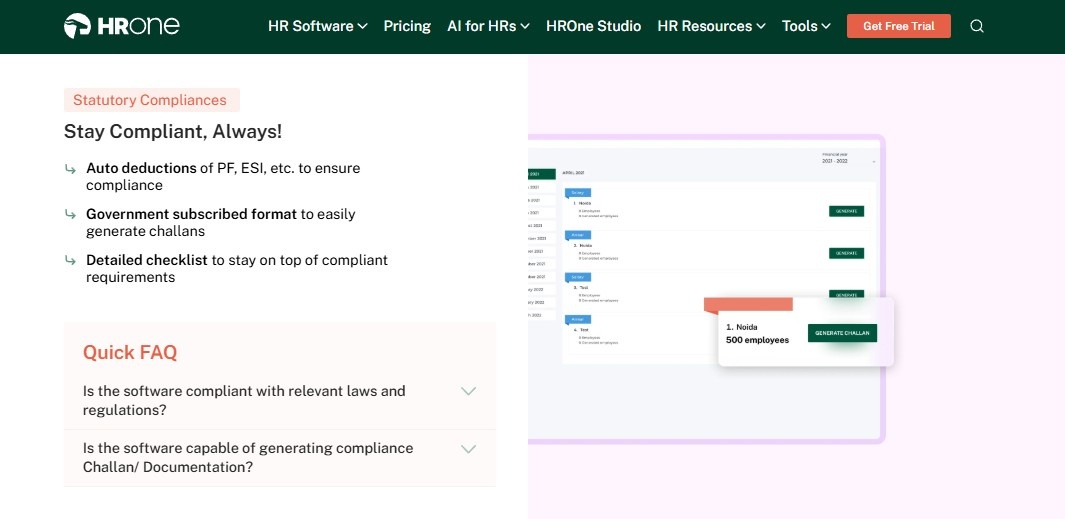
HROne – India-first hire-to-retire HCM where the increment decision and the payslip share one record
🏆 Overview
HROne is a cloud-native, mobile-first HCM founded in 2016 and headquartered in Noida, built for Indian organisations between 100 and 5,000 employees. The platform ranks third out of 1,17,579 software products for highest customer satisfaction on G2, and reports 1,500+ brands live. It is primarily used by HR ops teams stuck reconciling appraisal outcomes against payroll inputs every month end.
I have watched this specific failure repeat for years. The increment sheet is right on Friday and wrong by Tuesday. Somebody re-uploaded a CTC file and nobody knows which version is live.
⚙️ Core Capabilities
- Performance module structures goal setting, reviews, and appraisals, then pushes the revised structure into Payroll, removing the manual salary revision upload. See how performance management connects to pay.
- Payroll engine automates PF, ESI, and TDS calculations along with PT and LWF, with arrear day handling, cutting month-end reconciliation errors.
- Super Inbox surfaces every pending increment, approval, and letter in one Gmail-style queue, closing tasks within three clicks and ending the email chase, which is the core of the HR inbox design.
- Letter automation generates salary appraisal, confirmation, and PIP letters from the same record, so the employee gets the letter that matches the payslip, which is standard behaviour in employee appraisal software.
- Core HR with multi legal entity support lets one instance carry different band and policy logic per company, without a parallel system.
- 127 pre-built workflows across 30+ modules define who does what and by when, from requisition through full and final settlement.
- Reports and dashboards expose paid days, arrears, and deduction slabs before the payout run, not after.
🇮🇳 India-Specific Compliance and Localization
- PF / ESI / TDS support: Yes (automated calculation plus challan file generation)
- Labour law compliance: Strong (PT and LWF slabs, Form 16, Form 12BB release)
- Payroll localization: Yes (CTC component mapping, arrear day computation)
- Multi-state compliance handling: Yes (state-wise PT and LWF configuration)
👥 Who This Is Built For
- Payroll managers firefighting CTC revision arrears every month end
- HR ops leads chasing line managers by email for increment recommendations
- CHROs running one increment policy across four or more legal entities
⚠️ Who Should Skip This
- Global groups whose primary compensation reporting sits outside India
- Comp analysts who need a market benchmarking dataset as the core product, not a workflow engine
💸 Pricing Structure
- Plan Type(s): Basic, Professional, and Enterprise
- Starting Price: ₹4,950 per month for 50 users, billed monthly, no lock-in, per the published pricing page
- Tier-wise Breakdown: Basic at ₹4,950 for 50 users plus ₹99 per additional user, covering Core HR with multi legal entity, Time Office, Payroll, mobile app, and dashboards. Professional at ₹6,500 for 50 users plus ₹130 per additional user, adding Workforce for confirmation, transfer, and separation. Enterprise is quote based and adds Recruitment, Performance, Engagement, Assets, and Helpdesk
- Incremental Cost Drivers: Per-user charges beyond 50 users, and module upgrades for Performance and Recruitment
- Implementation Fee: Not publicly disclosed, request a quote
- Cost at 200 Employees: ₹19,800 per month on Basic, ₹26,000 on Professional | Cost at 500 Employees: ₹49,500 on Basic, ₹65,000 on Professional
🤝 Implementation and Support Reality
- Reviewers describe setup as lighter than expected for a full HRMS, with training sessions for the whole team, which tracks with the typical HRMS implementation timeline in India
- Support runs through phone, email, and a dedicated prior-HR SPOC model reporting a 9.8 NPS
- Data migration is vendor led, with API and ERP integration used to move legacy records
- Subscription meters only after go-live, so you do not pay for shelfware during configuration
Releasing misc. category letters like warning, PIP, salary appraisal is systematic and sorted now. Salary processing has been done in simpler 3 steps without error. Arrear day calculation is correct.
– Ajay K., HR user, HROne G2 – Verified Review
Some modules, especially Payroll and Performance, have a learning curve and require more detailed guidance for first-time users. Certain workflows involve many steps, which can make simple tasks slightly time-consuming.
– Shilpi M., HR user, HROne G2 – Verified Review
HROne ranks first here for one structural reason. The merit recommendation, the appraisal letter, and the statutory payslip live on the same instance, and reviewers independently confirm arrear day accuracy and three-step salary processing. Our read is that traceability, not dashboard depth, is what survives an audit.
1.2 Darwinbox: Enterprise Breadth With a Configuration Trade-Off
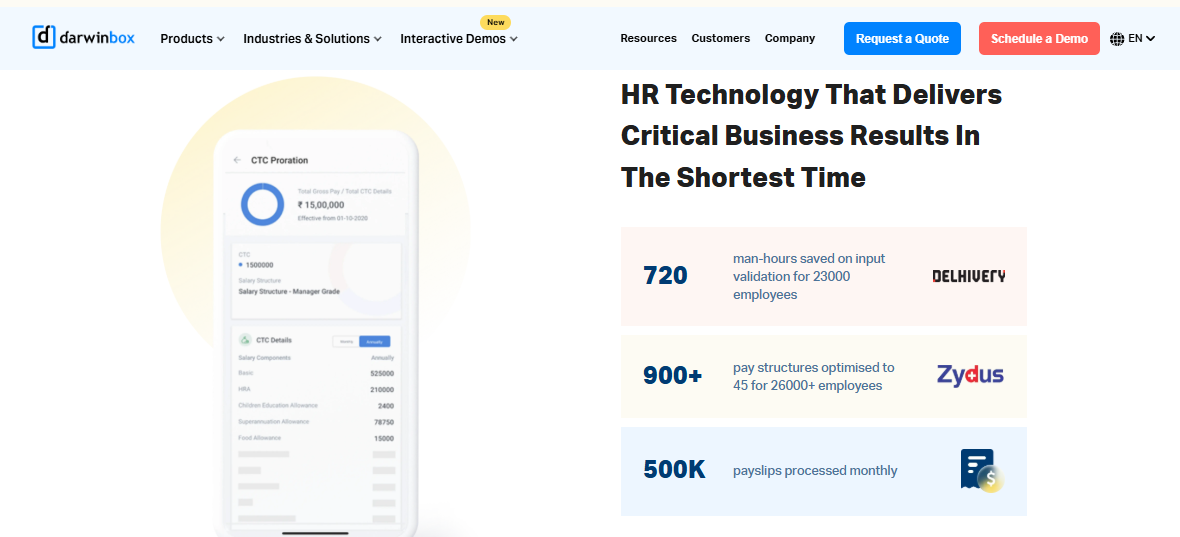
Darwinbox – Enterprise HCM suite for large Indian and Asian groups standardising HR across geographies
🌐 Overview
Darwinbox is an enterprise-focused HCM covering Core HR, Payroll, Talent, LMS, Engagement, and its Darwin AI layer. It carries genuine brand weight with large Indian and Southeast Asian enterprises, and sells on one, two, or three-year contracts. It is typically used by groups replacing several regional HR systems at once.
Credit where due. Darwinbox solved the enterprise credibility problem for Indian HR tech. The trade-off shows up in daily task velocity, not in the demo.
⚙️ Core Capabilities
- Core HR holds the employee master across geographies, removing duplicate records between country systems.
- Payroll module runs multi-country payroll as a bundled add-on, reducing dependence on local outsourced vendors.
- Talent and performance covers goals, reviews, and succession, so appraisal outcomes stay inside the suite.
- Configurable workflows let teams adapt approval paths without heavy technical work, per user reports.
- Mobile app supports leave, attendance, and payslip access on the go.
- Darwin AI adds assistive features as a priced module, lifting PEPM by 40 to 80 percent.
🇮🇳 India-Specific Compliance and Localization
- PF / ESI / TDS support: Yes (bundled in the India payroll module)
- Labour law compliance: Strong (built for Indian enterprise statutory needs)
- Payroll localization: Yes (India payroll sold as a module, priced separately)
- Multi-state compliance handling: Yes (enterprise configuration, quote dependent)
👥 Who This Is Built For
- CHROs standardising HR processes across India and Southeast Asia on one suite
- HR tech leads at 5,000+ employee groups with in-house configuration capacity
⚠️ Who Should Skip This
- Mid-market teams needing a published rate card before an RFP
- HR ops leads who cannot absorb a multi-year commitment while implementation runs
💸 Pricing Structure
- Plan Type(s): Module bundles (Core HR, Payroll, Talent, LMS, Engagement, and Darwin AI), no published plan names
- Starting Price: Not publicly disclosed, request a quote. Reported Indian bands sit between ₹200 and ₹600 PEPM in 2026, as broken down in this Darwinbox pricing analysis
- Tier-wise Breakdown: Indicative Core HR plus Payroll PEPM runs ₹450 at 200 employees, ₹380 at 500, ₹340 at 1,000, and ₹220 at 5,000
- Incremental Cost Drivers: Talent, LMS, Engagement, or Darwin AI add-ons raise PEPM by 40 to 80 percent
- Implementation Fee: Yes, quoted separately and reported at 5,000 to 50,000 US dollars
- Cost at 200 Employees: roughly ₹90,000 per month, or ₹10.8 lakh annually | Cost at 500 Employees: roughly ₹1.9 lakh per month, or ₹22.8 lakh annually
🤝 Implementation and Support Reality
- Go-live is quote dependent, and billing commonly starts at contract signature rather than go-live
- Support runs through account management and ticketing, with mixed user reports on responsiveness
- Data migration is vendor or partner led on enterprise deployments
- No publicly reported NPS or CSAT figure is available
Darwinbox has made HR processes much smoother by bringing everything together on one platform. From attendance to payroll and performance tracking, it saves time and reduces manual effort.
– Saksham A., HR user, Darwinbox G2 – Verified Review
Bad implementation experience, bad UI & UX, configurations getting broken in production on its own due to product deployments, terrible customer service.
– Verified User in Computer Software, Darwinbox G2 – Verified Review
HROne differs from Darwinbox on two commercial mechanics that matter to a payroll manager. HROne publishes its lower tier rates and starts the subscription only after go-live, with no lock-in, as set out in this HROne vs Darwinbox comparison. Our experience is that this removes the months of paid shelfware that stall enterprise rollouts.
1.3 CompUp: Band Design and Benchmarking as the Core Product
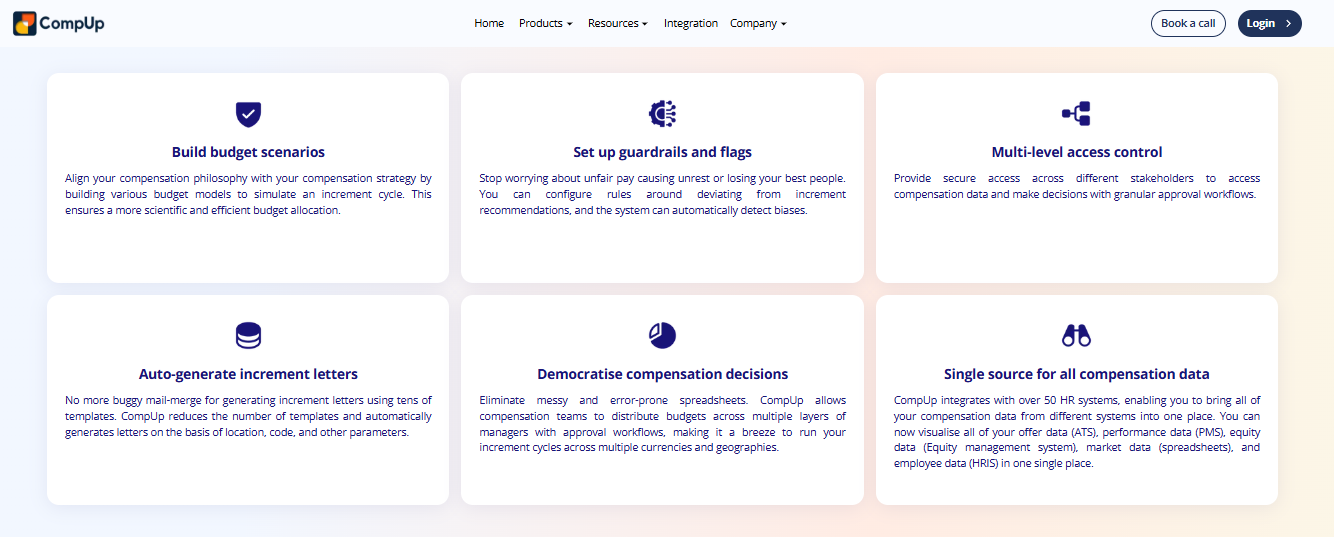
CompUp – Purpose-built compensation platform for rewards teams building bands from scratch
📊 Overview
CompUp is a dedicated compensation management platform, not a full HCM. It centralises pay data and automates salary reviews, band design, and benchmarking access in one workflow. It is typically used by rewards leads who inherited a spreadsheet of offers and no defined band structure.
The scope choice cuts both ways. You get depth on banding logic. You do not get attendance, leave, or payroll in the same system.
⚙️ Core Capabilities
- Band builder maps role families to market percentiles, removing the manual midpoint math rewards teams redo every cycle.
- Benchmarking access pulls survey data into the same screen as your bands, so analysts stop toggling between files.
- Review cycles run merit and bonus rounds with manager proposal screens, cutting the email back and forth.
- Total rewards statements generate per employee communication, removing the annual PDF assembly job.
- Approval workflows route exceptions upward, so out-of-band offers leave an audit trail.
🇮🇳 India-Specific Compliance and Localization
- PF / ESI / TDS support: No (planning tool, not a payroll engine)
- Labour law compliance: Limited (no statutory filing layer)
- Payroll localization: No (integrates with payroll instead)
- Multi-state compliance handling: No (PT and LWF stay with your multi-state payroll compliance system)
👥 Who This Is Built For
- Rewards lead building a first band structure with no historical framework
- Comp analyst reconciling offer letters against inconsistent market data
⚠️ Who Should Skip This
- Payroll managers who need statutory execution, not just planning output
- Teams unwilling to run and integrate a second system alongside their HRMS
💸 Pricing Structure
- Plan Type(s): Benchmarking, Growth, and Enterprise
- Starting Price: Benchmarking is free per year. Enterprise starts at 3.00 US dollars per employee per year
- Tier-wise Breakdown: Benchmarking is free and suits survey participation only. Growth is quote based, positioned for 200 to 1,000 employees. Enterprise starts at 3.00 US dollars per employee annually, positioned above 1,000 employees with custom workflows
- Incremental Cost Drivers: Market data and benchmarking access reported at 1,000 to 15,000 US dollars per year, plus training programmes
- Implementation Fee: Yes, reported at 2,000 to 20,000 US dollars depending on complexity, quoted separately
- Cost at 200 Employees: Not publicly disclosed, request a quote | Cost at 500 Employees: Not publicly disclosed, request a quote
🤝 Implementation and Support Reality
- Go-live runs in weeks, since there is no payroll cutover to manage
- Support is email and onboarding led, with no published SPOC model
- Data migration is largely self-serve through employee and pay data uploads
- No publicly reported NPS or CSAT figure is available
1.4 Compport: Complex Bonus and Incentive Plan Modelling
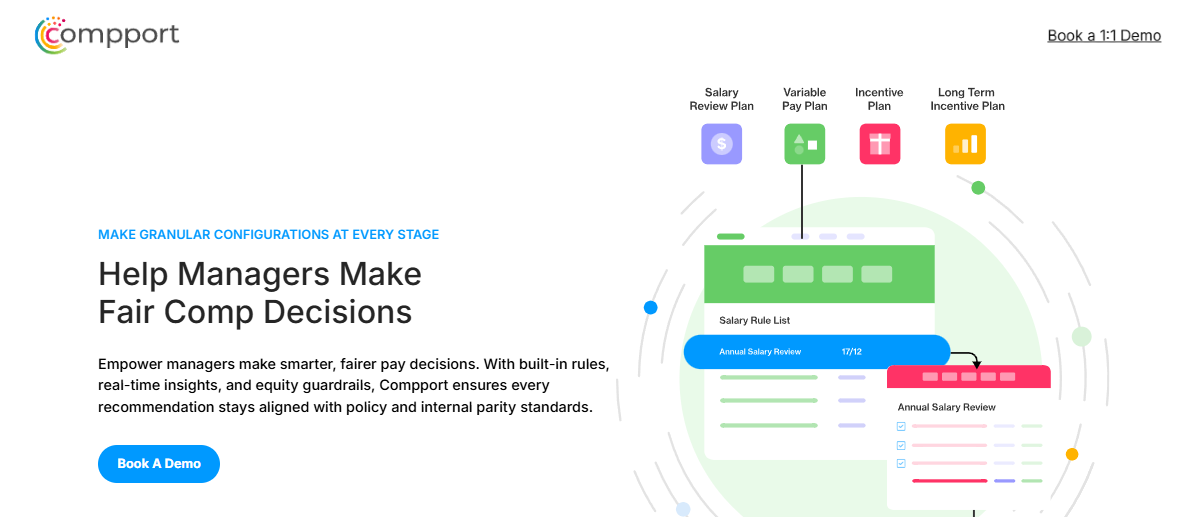
Compport – Total rewards platform for teams running layered bonus and incentive plans
🎯 Overview
Compport is a compensation and total rewards platform serving enterprise rewards teams. It publishes real implementation timelines, which is unusual in this category. It is generally used by teams whose bonus rules are too layered for a merit matrix alone.
Sales incentives, deferred bonuses, and multi-plan eligibility break most HRMS comp modules. That is the gap this product exists to fill.
⚙️ Core Capabilities
- Merit and bonus cycle engine handles multiple simultaneous plans, removing the parallel spreadsheet per plan type.
- Eligibility and proration rules apply automatically to joiners and leavers, cutting manual exception lists.
- Budget allocation cascades pools down the hierarchy, so managers see only their own envelope.
- Pay equity analysis flags gaps before payout, not after the letters go out.
- Total rewards communication compiles statements per employee, removing the annual mail merge.
- Approval routing captures every override with a reason code for audit purposes.
🇮🇳 India-Specific Compliance and Localization
- PF / ESI / TDS support: No (rewards planning layer only)
- Labour law compliance: Limited (no Indian statutory filing, unlike dedicated statutory compliance software)
- Payroll localization: No (outputs feed your payroll system)
- Multi-state compliance handling: No (handled downstream)
👥 Who This Is Built For
- Total rewards manager running three or more bonus plans in one cycle
- Comp lead who needs override reason codes for an internal audit trail
⚠️ Who Should Skip This
- Mid-market teams whose entire comp problem is one annual increment round
- HR ops leads who need attendance and payroll in the same platform
💸 Pricing Structure
- Plan Type(s): Not publicly disclosed, request a quote
- Starting Price: Not publicly disclosed, request a quote
- Tier-wise Breakdown: Not publicly disclosed, request a quote
- Incremental Cost Drivers: Module scope and number of bonus plan types configured
- Implementation Fee: Not publicly disclosed, request a quote
- Cost at 200 Employees: Not publicly disclosed, request a quote | Cost at 500 Employees: Not publicly disclosed, request a quote
🤝 Implementation and Support Reality
- Vendor publishes indicative implementation timelines, which helps procurement planning
- Support is vendor led through account teams
- Data migration is vendor led during configuration
- No publicly reported NPS or CSAT figure is available
1.5 Keka: Clean Interface With Configuration Ceilings
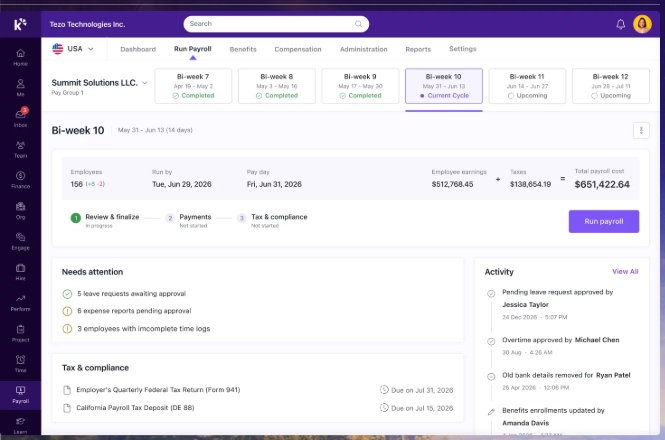
Keka – Mid-market HRMS with strong employee-facing UX and a lighter comp layer
🖥️ Overview
Keka is an Indian HRMS covering core HR, payroll, attendance, performance, and hiring. It is widely adopted in the mid-market and is often shortlisted for interface quality. It is commonly used by HR teams replacing a first-generation payroll portal.
Reviewers consistently praise the interface. The friction shows up in configuration depth and support turnaround, as set out in this Keka HRMS review.
⚙️ Core Capabilities
- Payroll and compliance automates salary, attendance, PF, ESI, and TDS processing with statutory payslips, cutting manual computation.
- Performance module manages KRAs and KPIs, though users report it needs simplification.
- Attendance and leave handles regular shift patterns and links to payroll inputs.
- Hiring workflows automate offer letter approvals through Keka Hiro.
- Document generation produces most HR letters in system, reducing paperwork.
- Mobile app covers routine employee self-service actions.
🇮🇳 India-Specific Compliance and Localization
- PF / ESI / TDS support: Yes (automated salary and statutory processing)
- Labour law compliance: Moderate (users report PT display and CTC report gaps)
- Payroll localization: Yes (India-first payroll engine)
- Multi-state compliance handling: Partial (reviewers cite location-specific policy config friction)
👥 Who This Is Built For
- HR generalist wanting a clean self-service portal employees will actually open
- Payroll manager in a single-entity setup with standard shift patterns
⚠️ Who Should Skip This
- Comp leads who need incentive and ESOP components modelled inside the system
- IT consulting or project-based firms, per reviewer feedback on fit
💸 Pricing Structure
- Plan Type(s): Not publicly disclosed for compensation scope, request a quote
- Starting Price: Not publicly disclosed, request a quote, though indicative bands appear in this Keka pricing breakdown
- Tier-wise Breakdown: Not publicly disclosed, request a quote
- Incremental Cost Drivers: Module additions such as performance and hiring
- Implementation Fee: Not publicly disclosed, request a quote
- Cost at 200 Employees: Not publicly disclosed, request a quote | Cost at 500 Employees: Not publicly disclosed, request a quote
🤝 Implementation and Support Reality
- Some reviewers report long setup phases with policies still misapplied months in
- Support runs primarily through chat and email, with weekend gaps reported
- Data migration is vendor led, with mixed reference feedback
- No publicly reported NPS or CSAT figure is available
Strong payroll and compliance, automate salary and attendance processing with PF/ESI TDS. PMS module is confusing and needs to be simpler and easier to use. No budget feature for travel claims; department-wise budget allocation is needed.
– Kiran B., HR user, Keka G2 – Verified Review
No option to add monthly incentive separately, needs to be added as Adhoc payment in monthly salary. Also if any figures are added, they get added to the CTC which in turn changes the CTC figure. ESOPs cannot be added on the system.
– Pooja M., HR user, Keka G2 – Verified Review
1.6 greytHR: Transparent Pricing, Workflow Ceiling at Scale
greytHR – India’s most widely deployed SMB payroll platform with published rate cards
💰 Overview
greytHR is a long-established Indian HR and payroll platform with deep statutory grounding. It is one of very few vendors in this list that publishes a full rate card. It is mostly used by payroll-led teams under 500 employees on a single entity.
Price transparency deserves real credit here. Most buyers in this category cannot get a number without three calls, which is why we track HR software pricing models separately.
⚙️ Core Capabilities
- Payroll processing automates PF, ESI, PT, and TDS with statutory payslips, removing manual computation at month end.
- Leave and attendance covers shifts, overtime, permissions, and geo-fencing on the Growth plan.
- Employee self-onboarding lets joiners fill their own data, cutting HR data entry.
- Tax declarations let employees choose regimes and declare from their own login.
- NAVOS AI assistant answers routine employee queries inside the Essential plan.
- Confirmation workflows trigger on the Growth plan for probation closure.
🇮🇳 India-Specific Compliance and Localization
- PF / ESI / TDS support: Yes (core strength of the platform)
- Labour law compliance: Strong for standard payroll, with reported TDS revision gaps
- Payroll localization: Yes (built India first)
- Multi-state compliance handling: Partial (Premium tier is positioned for multi-entity)
👥 Who This Is Built For
- Payroll manager in a 100 to 250 person single-entity firm needing predictable monthly cost
- HR lead who wants employees declaring their own taxes instead of emailing proofs
⚠️ Who Should Skip This
- Multi-entity groups needing different band and policy logic per company
- Comp teams needing merit matrix and normalisation workflows inside the same tool
💸 Pricing Structure
- Plan Type(s): Starter, Essential, Growth, and Premium
- Starting Price: ₹2,495 per month base for the first 50 employees, billed monthly or annually, plus 18 percent GST
- Tier-wise Breakdown: Starter is free for up to 25 employees. Essential is ₹2,495 base plus ₹45 per employee above 50, covering payroll, leave, self-onboarding, and helpdesk. Growth is ₹4,495 base plus ₹85 per employee above 50, adding advanced attendance, shifts, overtime, and geo-fencing. Premium is custom quoted for 500 plus and multi-entity, as detailed in this greytHR pricing guide
- Incremental Cost Drivers: Recruit ATS at ₹2,500 per recruiter per month, plus 18 percent GST on everything
- Implementation Fee: Not publicly disclosed, request a quote
- Cost at 200 Employees: ₹9,245 per month on Essential, ₹17,245 on Growth, before GST | Cost at 500 Employees: ₹22,745 on Essential, ₹42,745 on Growth, before GST, though most 500 plus buyers move to Premium
🤝 Implementation and Support Reality
- Go-live typically runs in weeks for standard single-entity payroll
- Support is ticket and email led, with reviewers reporting frequent ticket raising
- Data migration is largely self-serve with vendor assistance
- No publicly reported NPS or CSAT figure is available
Reporting configuration, TDS filing, revising of TDS is not possible. UI for mapping of challans, visibility of income considered for TDS filing.
– Naveen k., HR user, greytHR G2 – Verified Review
The system acts as per its own whims and gives error reports. We have to spend time manually to find errors. Not one month has passed where we have not raised ticket.
– Maheshkumar J., HR user, greytHR G2 – Verified Review
1.7 PeopleStrong: Enterprise Scale With In-House Config Load
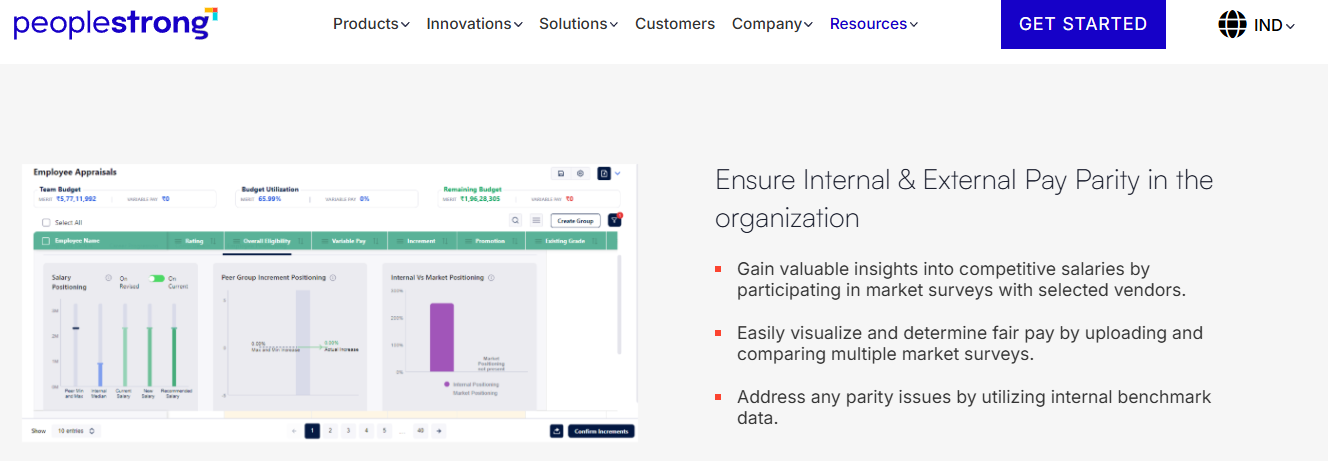
PeopleStrong – Large enterprise Indian HCM for groups with internal HR tech capacity
🏢 Overview
PeopleStrong is an established Indian enterprise HCM covering core HR, payroll, claims, and talent. It is deployed at large Indian organisations with dedicated HR technology teams. It is typically used by groups consolidating several legacy regional systems.
Employee-facing basics get consistent praise. Reviewers also flag interface lag and slow approval movement, a pattern examined in this PeopleStrong review.
⚙️ Core Capabilities
- Claims and reimbursements run in one place with status tracking, removing long email approval chains, which is the core promise of expense and reimbursement automation.
- Payslip access sits in the same portal as claims, cutting repeat HR queries.
- Payroll engine handles Indian statutory computation at enterprise headcount.
- Attendance and leave support punch in, regularisation, and quarterly KRA tracking.
- Mobile app delivers most routine HR actions in one tap, per reviewer feedback.
- Jinie assistant handles routine employee requests, though reviewers report intermittent behaviour.
🇮🇳 India-Specific Compliance and Localization
- PF / ESI / TDS support: Yes (enterprise Indian payroll engine)
- Labour law compliance: Strong (built for large Indian employers)
- Payroll localization: Yes (India-first architecture)
- Multi-state compliance handling: Yes (enterprise configuration, quote dependent)
👥 Who This Is Built For
- CHRO at a large Indian group replacing several disconnected regional HR systems
- HR tech lead with internal capacity to own ongoing configuration
⚠️ Who Should Skip This
- Mid-market teams that need a published rate card before an RFP
- HR ops leads who want fewer clicks on the desktop version, per reviewer feedback
💸 Pricing Structure
- Plan Type(s): Not publicly disclosed, request a quote
- Starting Price: Not publicly disclosed, request a quote
- Tier-wise Breakdown: Not publicly disclosed, request a quote
- Incremental Cost Drivers: Module scope and entity count
- Implementation Fee: Not publicly disclosed, request a quote
- Cost at 200 Employees: Not publicly disclosed, request a quote | Cost at 500 Employees: Not publicly disclosed, request a quote
🤝 Implementation and Support Reality
- Go-live is quote dependent and typically runs over multiple months at enterprise scale
- Support is account managed with ticketing
- Data migration is vendor or partner led
- No publicly reported NPS or CSAT figure is available
What I like most about PeopleStrong is how easy it is to manage reimbursements and claims, and to access my payslips all in one place. One thing I dislike is that the reimbursement and claims process can feel a bit slow at times.
– Anusha, employee user, PeopleStrong G2 – Verified Review
It has way too many features and the desktop version isn’t very useful because of the multiple options to get 1 job done. It can be simplified further for a smoother desktop version experience.
– Nikhil S., employee user, PeopleStrong G2 – Verified Review
1.8 Workday Compensation: Mature Modelling, Global Calibration
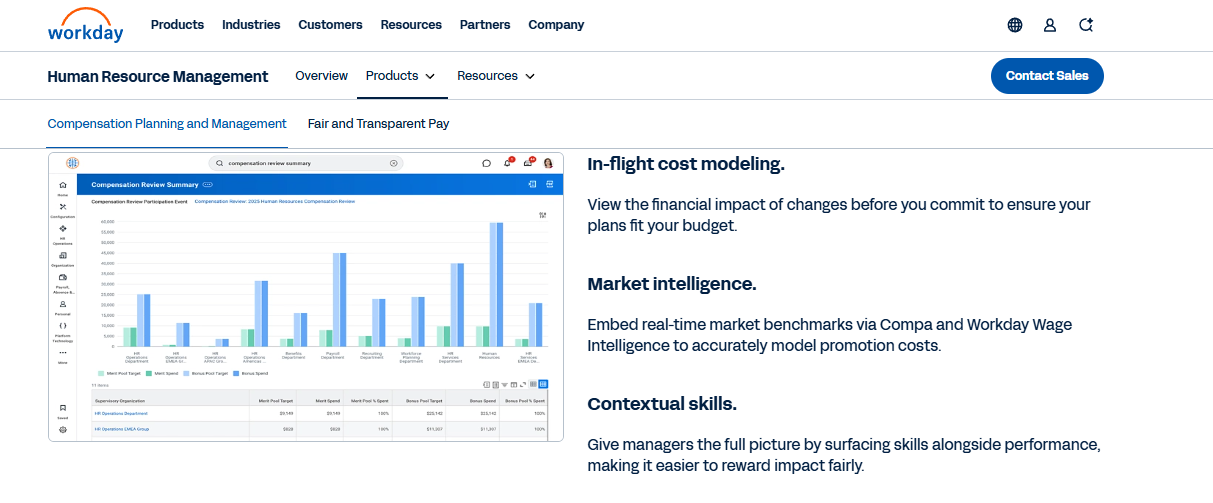
Workday Compensation – Global enterprise comp planning for groups reporting outside India
🌍 Overview
Workday Compensation is the comp planning module inside the broader Workday HCM suite. Gartner’s category definition centres pay intelligence, pay equity, and predictive analytics, and Workday is a long-standing entrant in that market. It is used by multinational groups whose primary compensation governance sits outside India.
The modelling depth is real. So is the specialist dependency for configuration changes.
⚙️ Core Capabilities
- Compensation plans support base, bonus, and equity in one cycle, removing separate plan spreadsheets.
- Scenario modelling tests budget outcomes before commitment, cutting rework in calibration meetings.
- Pay equity analytics surface gaps across the global population, not one country at a time.
- Budget cascade delegates pools down the management chain with visibility controls.
- Total rewards statements generate from the same record as the plan data.
- Audit trail captures every proposal and override for compliance review.
🇮🇳 India-Specific Compliance and Localization
- PF / ESI / TDS support: Partial (often paired with a local payroll partner)
- Labour law compliance: Moderate for India (global architecture, local extensions needed)
- Payroll localization: Partial (India payroll frequently handled by a partner, or through payroll outsourcing)
- Multi-state compliance handling: Partial (PT and LWF usually sit with the local provider)
👥 Who This Is Built For
- Global rewards lead running one calibration model across several countries
- CHRO whose India entity is one of many, with statutory work already outsourced
⚠️ Who Should Skip This
- Indian mid-market teams needing policy changes without specialist help
- Payroll managers who need PT and LWF slabs handled inside the same system
💸 Pricing Structure
- Plan Type(s): Not publicly disclosed, request a quote
- Starting Price: Not publicly disclosed, request a quote
- Tier-wise Breakdown: Not publicly disclosed, request a quote
- Incremental Cost Drivers: Additional modules, partner implementation, and local payroll providers
- Implementation Fee: Not publicly disclosed, request a quote
- Cost at 200 Employees: Not publicly disclosed, request a quote | Cost at 500 Employees: Not publicly disclosed, request a quote
🤝 Implementation and Support Reality
- Go-live typically runs over multiple months and is partner delivered
- Support is partner and account managed
- Data migration is partner led
- No publicly reported NPS or CSAT figure is available
1.9 Payscale: Market Data First, Execution Elsewhere
Payscale – Benchmarking-led compensation platform for data-driven comp analysts
📈 Overview
Payscale is a compensation platform known primarily for market data depth rather than workflow execution. It appears consistently across the top-ranking comparisons in this category. It is used by comp analysts whose first problem is defensible market reference points.
If your bands are wrong because your data is wrong, this is where to start. If your problem is the increment cycle itself, it is not.
⚙️ Core Capabilities
- Market data library supplies survey benchmarks, removing reliance on informal recruiter intel.
- Band and range design builds structures against percentile targets in one workspace.
- Pay equity reporting identifies gaps for remediation planning, which pairs with broader HR analytics tools.
- Compensation review cycles support merit rounds with manager input screens.
- Job matching maps internal roles to survey jobs, cutting analyst guesswork.
🇮🇳 India-Specific Compliance and Localization
- PF / ESI / TDS support: No (not a payroll engine)
- Labour law compliance: Limited (no Indian statutory layer)
- Payroll localization: No (outputs integrate with payroll)
- Multi-state compliance handling: No (handled downstream)
👥 Who This Is Built For
- Comp analyst defending offer ranges to hiring managers with real survey data
- Rewards lead correcting bands built on outdated or anecdotal benchmarks
⚠️ Who Should Skip This
- Indian payroll managers needing arrear and statutory execution in the same tool
- Teams without an analyst to own data mapping and job matching
💸 Pricing Structure
- Plan Type(s): Not publicly disclosed, request a quote
- Starting Price: Not publicly disclosed, request a quote
- Tier-wise Breakdown: Not publicly disclosed, request a quote
- Incremental Cost Drivers: Survey data package scope and module add-ons
- Implementation Fee: Not publicly disclosed, request a quote
- Cost at 200 Employees: Not publicly disclosed, request a quote | Cost at 500 Employees: Not publicly disclosed, request a quote
🤝 Implementation and Support Reality
- Go-live runs in weeks, with data mapping as the main effort
- Support is email and portal led
- Data migration is self-serve through employee and job data uploads
- No publicly reported NPS or CSAT figure is available
⭐ What the Nine Tools Tell You Together
Two of these nine publish a full rate card. Seven require a call before you see a number. That alone tells you where procurement time goes in this category.
The deeper pattern is calibration. Most default merit templates here assume a 3.5 to 3.9 percent pool, while Indian budgets sit near 9 percent. My honest read is that entity count, not employee count, decides which of these nine survives your second cycle.
HROne sits first on this list for a narrow, checkable reason. The merit decision, the appraisal letter, and the compliant payslip share one record, and G2 reviewers independently confirm arrear day accuracy and three-step salary processing, as catalogued in these HROne reviews. We publish lower tier rates and start billing after go-live, which is rarer here than it should be.
Q2. How Did We Score These 9 Tools? Our Selection Criteria and Star Method
We scored each tool on five weighted criteria: Merit Cycle and Budget Control (25%), India Statutory and Multi-Entity Fit (25%), Pay Equity and Banding Depth (20%), Setup, Usability and Support (15%), and Pricing Transparency (15%). Scores of 0 to 20 earn one star, 21 to 40 earn two, rising to 81 to 100 for five. HROne scores five stars. Global-first platforms lose points on statutory fit, not raw capability.
⚖️ Why Statutory Fit Carries a Full Quarter
Most global comparisons treat Indian compliance as a footnote. That gets the risk backwards for a 100 to 5,000 person Indian company.
Under the Code on Wages, 2019, wage slips must be issued before payment, registers maintained, and wage records kept for three years. A comp tool that cannot feed that evidence chain shifts the work back to your payroll manager, which is exactly what labour law compliance software is meant to prevent. So statutory fit gets 25 points, the same weight as the merit cycle itself.
📊 How Each Criterion Was Tested
Every score came from four evidence types. Vendor documentation for capability claims. Published rate cards for pricing transparency. Verified G2 and Gartner Peer Insights reviews for support and usability reality. Published implementation timelines where vendors disclose them, as Compport does.
| Score Band | Stars | What It Means |
|---|---|---|
| 81 to 100 | ⭐⭐⭐⭐⭐ | Runs the full cycle and the statutory handoff |
| 61 to 80 | ⭐⭐⭐⭐ | Strong on planning, gaps in India execution |
| 41 to 60 | ⭐⭐⭐ | Solid single-purpose fit, ceilings at scale |
| 21 to 40 | ⭐⭐ | Narrow scope, heavy manual workaround |
| 0 to 20 | ⭐ | Not viable for an Indian merit cycle |
🐖 The Whole Hog Test
One criterion is deliberately commercial. A tool scored higher if you could deploy the compensation piece without buying every adjacent module.
You do not want to buy the whole hog if you are not going to eat the whole hog. I have watched buyers pay for LMS and engagement modules they never switched on. HROne measures this through tiered plans where the compensation and payroll software layer sits in the Basic and Professional bands, with talent modules priced separately.
⏰ Where the Rubric Is Honest About Its Own Bias
This scoring under-rates pure benchmarking specialists. CompUp and Payscale lose statutory points for something they never claimed to do. If your only problem is bad market data, re-weight banding depth to 40% and drop statutory fit to 10%.
Single-entity teams should also re-weight. Multi-entity configuration is worth almost nothing if you run one legal entity in one state, though it becomes decisive for multi-entity companies. Move those 25 points into setup and support instead.
💸 Why Pricing Transparency Is a Scored Criterion, Not a Complaint
Seven of the nine vendors here publish no rate card. That is not a minor irritation. It costs a procurement cycle to discover whether a tool fits your budget at 500 employees.
HROne publishes its Basic tier at ₹4,950 per month for 50 users and Professional at ₹6,500, with per-user rates above that on the pricing page. My read is that published pricing correlates with shorter sales cycles, though I might be over-reading a small sample.
HROne earns its five stars on two scored dimensions, not on breadth. The statutory handoff is verified in G2 reviews citing PF, ESI, PT, and LWF slab accuracy, and support runs through a dedicated prior-HR SPOC model reporting a 9.8 NPS. Billing starts after go-live, so the pricing score reflects real spend, not shelfware.
Q3. What Is Compensation Management Software, and Which Capabilities Actually Decide a Merit Cycle?
Compensation management software is a planning system that centralises pay data and automates the decisions made before payroll runs: salary band design, benchmarking, merit and bonus allocation, pay equity checks, scenario modelling, approval flows, and audit trails. Payroll executes the number. An HRIS, meaning your core employee record system, stores it. Compensation software is where the budget is set, delegated to managers, and defended in an audit.
🧩 The Boundary Nobody Draws Clearly
Skip the alphabet soup debate about HRIS versus HCM versus HRMS. The useful question is which system owns the decision, a distinction we unpack in this guide to HCM software.
Compensation planning is genuinely different from a compensation bullet point inside an HRIS. In a planning system, you can ask how budgets are set up, who holds which pool, and how a rating maps to a percentage. In an HRIS, you can usually only ask what somebody earns today.
💰 One 9% Pool, Three Managers, Three Logics
Picture a 400-person company with a 9% increment pool. One manager rewards tenure. One rewards last quarter’s output. One spreads it evenly to avoid conflict.
Payroll cannot catch that, because payroll only sees the final number. Without a planning layer, the CFO funds three different pay philosophies and calls it one policy.
✅ The Capability Checklist That Actually Matters
- Salary band design with role families, midpoints, and range width
- Market benchmarking attached to the same screen as your bands
- Merit matrix mapping performance ratings to increment percentages
- Budget allocation by cost centre, entity, and manager
- Manager proposal screens with visible remaining budget
- Exception and approval routing with reason codes captured
- Proration and arrear handling for joiners, leavers, and mid-cycle promotions
- Pay equity view before payout, not after letters go out
- Scenario modelling to test the pool before you commit
- Audit trail covering every override and approval
⏰ The Three-Click Velocity Test
Capability lists do not predict adoption. Task velocity does. If a manager cannot propose an increase within three clicks, they revert to email and your workflow dies.
HROne built its Super Inbox on that constraint, surfacing every pending increment, approval, and letter in one Gmail-style queue that closes actions within three clicks, which is the whole premise of the HR inbox. Navigation is a design failure in my view. If HR has to hunt for the task, the tool already lost.
The InboxforHR is a game-changer, centralizing every HR task into one simple inbox, cutting down administrative time by 60-70% and preventing tasks from falling through the cracks.
– Waldon S., HR user, HROne G2 – Verified Review
⚠️ What to Demo-Test Before You Sign
Ask for three specific things in the demo. Push a revised structure through to a payslip and check the arrear days. Promote someone mid-cycle and see whether proration recalculates. Then route an out-of-band offer and check the reason code lands in the audit log.
Reviewers of HROne confirm arrear day calculation runs correctly, while also flagging that arrear days lack a dedicated payslip column. Both facts belong in your HRMS evaluation checklist.
Some modules, especially Payroll and Performance, have a learning curve and require more detailed guidance for first-time users.
– Shilpi M., HR user, HROne G2 – Verified Review
HROne sits in both lanes by design. The performance management module holds goals, reviews, and appraisals, then pushes revised structures into Payroll for statutory processing on the same instance. We built it that way because the handoff between planning and payroll is where Indian teams lose a week every cycle.
Q4. How Do You Build Salary Bands and Merit Matrices That Survive a 9% Increment Year?
Build bands from role families and market percentiles, then pressure-test them against your real pool. Aon projects 9.1% average India increases for 2026, up from 8.9% actual in 2025, while US merit budgets sit near 3.5 to 3.9%. Bands imported from US-built templates drift out of range within roughly two cycles unless midpoints are re-based annually and differentiated by sector.
📈 The Band Drift Problem, Stated Plainly
Most comp tools ship with default merit matrices. Those defaults assume a 3.5% pool, because that is what the US market runs.
Feed a 9.1% Indian pool through a matrix built for 3.5% and the top of your range breaks first. Your best performers hit the band ceiling, exceptions pile up, and the structure becomes advisory. Two cycles later, nobody trusts the band.
🧮 The Mechanics You Cannot Skip
Four numbers carry a band structure. Role families group similar jobs. The midpoint is your market target, usually the 50th or 75th percentile.
Compa-ratio is salary divided by midpoint, so 0.9 means paid below target. Range penetration shows position between minimum and maximum. Review both before you allocate, not after, ideally alongside your HR analytics tools.
🏭 Why One Company-Wide Percentage Fails
Sector variance inside India is larger than most policies allow for. Mercer’s survey of 1,500-plus companies puts 2026 increases at 9%, with manufacturing and automotive at 9.5% and global capability centres at 9%.
If you run a plant and a corporate office under one policy, one of them is mispriced. Most HR systems did not fail because they were unfair. They failed because they were too uniform.
HROne handles this at the entity level, using multi-legal-entity structures, organisational unit hierarchies, and position codes on a single instance, which matters most in manufacturing HR setups. So ask HROne to hold a 9.5% manufacturing band and a separate corporate band without a parallel system.
🎯 Protecting Top Talent Inside a Fixed Pool
A fixed pool forces a choice. Spread it evenly and your top quartile gets a below-market raise, then leaves for a 10% offer elsewhere.
Model it before you announce. Run two scenarios: flat allocation, then differentiated allocation weighted to your top two rating bands. The rupee difference for retention is usually smaller than managers assume, and it is cheaper than the cost to reduce employee attrition after the fact.
Budget delegation is the other half. Push the pool to the operational leader’s desk, let them propose digitally, and route it to the approver. That removes the reconciliation email chain entirely.
⏰ Your Band Re-Basing Checklist Before the Cycle Opens
- Pull actual increases granted last cycle by role family, not company average.
- Compare each midpoint against current market data and re-base where drift exceeds 5%.
- Set separate pools per entity and sector, using published sector benchmarks.
- Recalculate compa-ratios post re-basing and list everyone above 1.15 or below 0.85.
- Build the merit matrix against your real pool, not the vendor default.
- Run the differentiated scenario and check the cost of your exceptions.
- Lock the audit trail before the first manager proposal goes out.
I would hedge one thing here. HROne’s deployment data points toward entity count driving band complexity more than headcount, though the sample skews Indian mid-market. Test it against your own structure before you accept it.
HROne keeps the band, the merit proposal, and the resulting salary structure on one record, with Core HR carrying entity-specific policy logic, the same architecture behind its employee appraisal software. Reviewers confirm CTC components map during onboarding, then payroll processes automatically after attendance approval. That closes the gap where re-based bands usually get lost.
Q5. What Does Pay Equity Actually Require in India, Statute, Remediation, and What the Research Says?
India’s Code on Wages, 2019 mandates equal pay for the same or similar work, wage slips issued before payment, maintained registers, and three-year record retention, with first-offence penalties reaching ₹50,000. There is no mandatory gender pay-gap report and no rule requiring salary ranges in job ads. Obligations are register and inspection based, so your tooling must produce evidence, not dashboards.
⚖️ The Statute, Stated Flatly
The Code on Wages, 2019 consolidates four earlier laws, including the Equal Remuneration Act, 1976. It prohibits gender-based wage discrimination in both recruitment and pay for the same or similar work.
Section 50(3), read with Rule 34, requires wage slips before or on the payment date, in physical or electronic form. Records must be retained for three years. Register failures alone attract fines up to ₹10,000, which is why statutory compliance software earns its place in the stack.
💰 The 50% Wage Definition Rule Nobody Budgeted For
The Code redefines “wages” so that excluded allowances cannot exceed 50% of total remuneration. If they do, the excess counts back as wages.
That single clause resets PF, gratuity, and full and final settlement liabilities. Audit your CTC structures before the next merit cycle, not after. HROne’s reviewers note CTC components map at onboarding, then payroll software processes automatically once attendance is approved.
Proper calculation of PF and ESI was a pain area for us before, but now with the HROne automated calculation process, results are up to the mark and following Indian tax compliances properly.
– Ajay K., HR user, HROne G2 – Verified Review
✅ Remediation Is a Workflow, Not a Dashboard
Skip the moral framing. Equity gets enforced by three mechanics, and none of them is a chart.
Normalisation reconciles rating inflation across managers before money moves. Nine-box calibration places people on performance and potential axes so exceptions get argued in a room, not in a spreadsheet, which is core to how employee appraisal software should behave. Remediation-cost modelling then prices the fix, so the CFO sees a rupee figure and not a percentage.
⚠️ The Research Twist Most Vendors Skip
Here is where the standard advice gets uncomfortable. Transparency does close gaps, but not the way pitch decks imply.
The UK’s mandate on firms above 250 employees closed roughly 19% of the gender pay gap. Reviews of transparency policies find the narrowing comes largely from slower male wage growth, not faster female wage growth. Cullen (2024) documents that 71% of OECD countries adopted such policies since 2000.
⏰ The Trade-Off, and the Right Sequence
One more finding deserves airtime. Measured productivity dipped under transparency mandates while firm profits held. Gap reduction also ran partly through more promotions for women, not just pay adjustments.
So run the compression simulation first. Publish bands second. Audit promotion velocity alongside pay in the same system, because promotions are doing more work than the pay table suggests.
None of this is legal advice. Get your CTC restructuring reviewed by counsel before you file, and cross-check your registers against a multi-state payroll compliance baseline.
Salary processing along with exact calculation of LWF and PT slabs makes the work more convenient process.
– Komal S., HR user, HROne G2 – Verified Review
HROne automates the compliance tail Indian teams actually get inspected on. Verified reviewers cite accurate PF, ESI, PT, and LWF slab calculation, bank challan file generation, and Form-16 released directly to the employee letter section. Evidence beats dashboards when an inspector asks for three years of wage records.
Q6. How Well Does It Connect to Your HRIS, Payroll and ATS, and Can You Audit Its AI?
Validate sync in both directions before signing. Employee master, cost centre, performance rating, and revised structure must flow without a CSV round-trip. Then audit the AI. Patent filings for machine-learning salary recommendation methods describe models trained on candidate samples that output element influence factors, so ask which features drive the range, whether gender or tenure proxies are excluded, and how overrides are logged.
🔌 The Integration Checklist, Not the Logo Wall
Most buyers check whether an integration exists. The better question is which direction data moves and how often, a point we cover in this guide to HRMS integrations.
Test five paths in the demo. Employee master from your HRIS. Cost centre and GL codes from finance. Ratings from performance. Revised structures into payroll. Offers from your ATS, meaning your applicant tracking system.
HROne’s reviewers report ERP integration moved legacy server data across in a fraction of hours, with API management and MS-SQL support available.
Integration with ERP software is great, we have transferred our data from old server to HROne in fraction of hours. Application cant be customizable in any prospect, some reports we have keep in our formatting but HROne demands more commercials for the same.
– Ruhi G., HR user, HROne G2 – Verified Review
🏢 What Breaks at Entity Three
Two entities hide most architectural problems. Entity three exposes them.
Ask whether the vendor runs one instance or stitches several together. Stitched instances mean duplicate masters, separate policy trees, and manual consolidation at year end. HROne supports multi-legal-entity environments with organisational unit structures and position codes on a single instance, the architecture examined in this piece on HR software for multi-entity companies.
Company A genuinely needs a different policy from Company B. That is a configuration requirement, not an edge case.
🤖 Five Questions to Audit an AI Pay Recommendation
- Which input features drive the recommended range?
- Are gender, marital status, or tenure proxies excluded from those features?
- What training data underpins the model, and from which years?
- Can a manager override the recommendation, and where is that logged?
- Does the vendor expose confidence or influence factors per recommendation?
Patent CN112381510A describes exactly this pattern: a salary model trained on candidate samples, producing element influence factors and a recommended range. A recommendation is a trained output, not a fact.
⚠️ Rigid Mapping Versus Model-Driven Flexibility
This is honestly contested ground. Hard field-mapped workflows are predictable, and they break the moment a template changes.
Model-driven approaches read the template like a human would, then fill it in. They flex better and audit worse. HROne scopes its One AI Suite to document and screening work, including resume relevancy scoring and HR document generators, rather than the increment decision itself.
So when I was using that platform, there was no AI assistant available at that time. If AI features like AI command prompts could be added as a functionality, it would be a significant incremental improvement.
– Naman G., manager, HROne G2 – Verified Review
💸 What to Put in the RFP
Ask for sync frequency in minutes, not “real time”. Ask which fields are read-only versus writable. Ask for the override audit log as a sample export. Then ask what report customisation costs, because that line item surprises Indian buyers often.
HROne treats integration as a scored capability rather than a checkbox, with reviewers confirming JV integration and GL code logic in live payroll runs. My read is that GL mapping, not headcount, decides how painful your first year-end will be, so put it high on your HR software buyer checklist.
Q7. What Do Implementation and Total Cost Really Look Like, and Which Tool Fits Your Situation?
Plan in weeks, not days, and treat historical payroll data as non-negotiable. Without it, arrears, prorations, and mid-year promotions calculate wrong. Most vendors price per employee per month and publish nothing. The costs that surprise Indian buyers are per-entity charges, migration fees, report customisation, and billing that starts at signature instead of go-live. Ask for a three-year total including a second entity.
📉 The Situation Most Teams Start From
I have sat with HR leaders who built their entire people function in Excel and Word. Frugal CEO, supportive CFO, no HRIS at all.
It works until it does not. The moment you add a second entity or a real increment cycle, the sheets stop agreeing with each other, which is the whole argument in HR software vs Excel.
⚠️ The Complication Is Data, Not Software
The bottleneck is rarely the product. It is inconsistent master data and missing fields.
You end up running around asking people whether they updated a column, then doubting your own analytics. HROne’s implementation teams see this pattern repeatedly, which is why data readiness gets scoped before configuration begins, as set out in this HRMS migration guide. Every customer is its own snowflake, so meeting them where they are matters more than a template plan.
✅ What Good Looks Like Once Data Is Clean
One services group, Pena4 Tech, completed full 360-degree appraisals with manager ratings across almost four companies in 15 days. Manual involvement dropped by roughly 90%.
That number is not magic. It is what happens when ratings, bands, and letters share one record. The payoff a payroll manager described to me was simpler: sleeping at night knowing the data is correct.
The initial setup of HROne was surprisingly straightforward, much lighter than expected for a full HRMS. The InboxforHR is a game-changer, cutting down administrative time by 60-70%.
– Waldon S., HR user, HROne G2 – Verified Review
💰 Where the Money Actually Goes
| Cost Driver | What to Ask |
|---|---|
| Base subscription | Published rate or quote only? |
| Per-entity charges | Does entity two cost extra? |
| Implementation | Bundled or separate, and what range? |
| Report customisation | Charged per custom format? |
| Billing start | Signature date or go-live date? |
| Lock-in | Annual, or multi-year commitment? |
HROne publishes Basic at ₹4,950 per month for 50 users and Professional at ₹6,500, with subscription metering only after go-live, per the published pricing page. Darwinbox, by contrast, is quote based with reported Indian bands of ₹200 to ₹600 per employee monthly, as broken down in this Darwinbox pricing analysis.
Most of times, HCM throws internet bandwidth error while uploading CTC sheet for employees. No option to add arrear days in pay slip.
– Sachin K., HR user, HROne G2 – Verified Review
⏰ Which Fit Matches Your Situation
Sophistication does not track with size. I have seen 10-person firms deep in analytics and 500-person firms still emailing spreadsheets.
- Single entity, simple annual cycle: an integrated HCM covers it
- Multi-entity with sector-specific bands: you need per-company policy configuration
- Global reporting outside India: pair a global planner with a local statutory engine
HROne fits the middle case, running multi-entity policy logic on one instance with a dedicated prior-HR SPOC model reporting a 9.8 NPS, and you can sanity-check the payback using the ROI calculator. We meter billing after go-live because paying for shelfware during configuration is the most common waste I see.
What I am still sitting with is this. If Indian increment pools stay near 9% for another two cycles, band drift becomes the default state, not the exception. Tell me how your last cycle actually ran, and I will tell you where it will crack first.













 Secures Top Spot in
