


Q1. What Are the 8 Best Absence Management Software Tools in 2026?
HROne, Rippling, Sparrow, e-days, Keka, greytHR, Vacation Tracker, and TeamSense are the eight strongest absence management tools for 2026. HROne leads for Indian mid-market and enterprise teams because leave sits inside the same Time Office base that runs payroll software, so accruals, short leave, comp-off, and attendance arrears resolve in one system instead of three.
Choosing absence software is a high-stakes call for any company running payroll under Indian statutory law. Get it wrong, and every month-end turns into a reconciliation exercise. For this guide, eight vendors were evaluated against defined operational, compliance, and commercial criteria. The primary reader here is the HR ops lead who opens this tool daily, not the procurement head who signs the contract. The shadow readers matter too. CHROs need absence trends, CFOs need the cost per employee, and IT Directors need to know what breaks at 500 users. Popularity did not decide the order. Configuration depth did.
⚖️ Our Evaluation Criteria
Each vendor was assessed across seven decision-grade metrics.
- Policy and Accrual Depth 📋
Proration by joining date, auto lapse of unused leave before the next credit cycle, prorated request limits, and restricted-holiday rules for mid-cycle joiners. - Payroll and Time Office Integration 💰
Whether approved leave feeds paid-day calculation directly, and whether arrears recalculate when attendance is corrected after payroll closes. - India Statutory Compliance 🇮🇳
PF, ESI, and TDS handling, plus accrual logic that matches Section 32 of the OSH Code, 2020 (one leave day per 20 days worked, 30-day carry-forward cap). See this PF, ESI, and TDS compliance guide for the employer view. - Frontline and Field Usability 📱
Offline attendance capture, geo-tagged mobile punch, and proxy entry so a manager can apply leave for a crew without terminals. - Time to Value ⏰
Published go-live timeline, configuration ownership after launch, and whether HR can change a leave policy without raising a developer ticket. - Verified User Reviews ⭐
G2 satisfaction scores, ease of setup, and quality of support, read against documented operator complaints. - Pricing Transparency 💸
Published per-user rates, lock-in terms, implementation fees, and when the subscription clock actually starts.
👥 Who This Guide Is For
- CHROs and HR Heads consolidating leave, attendance, and payroll after years of separate portals.
- Payroll Managers firefighting CTC-revision arrears and prorated leave errors every month-end.
- HR Ops leads manually reconciling biometric exports against a standalone leave sheet.
- CFOs validating flat PEPM commercials and asking what the absence spend actually returns.
- IT Directors evaluating mobile-first, multi-entity HCMs against legacy on-premise portals.
| Provider | Best For | Standout Strength | Known Limitation | Go-Live Timeline | Support Model | Pricing Model |
|---|---|---|---|---|---|---|
| HROne ⭐⭐⭐⭐⭐ | HR ops leads reconciling multi-branch leave against one payroll cycle | Auto arrear calculation and paid-day accuracy inside the same Time Office base | Depth takes time to learn, and onboarding can feel overwhelming without hand-holding | 30 to 60 days for mid-market | Phone, email, and a dedicated prior-HR SPOC | Flat plan pricing, billed after go-live, no lock-in |
| Rippling ⭐⭐⭐⭐ | Global teams wanting HR, IT, payroll, and absence in one place | Location-based labour-law policies applied automatically across geographies | Feature density overwhelms new users, and load times slow during peak payroll | 2 to 6 weeks reported | Email and in-app, plus paid HR advisory add-on | Per employee per month, quote-based |
| Sparrow ⭐⭐⭐ | US and Canada teams handling FMLA, parental, and medical leave | Dedicated human case manager tracking every filing and deadline | Scope boundaries with internal HR and insurers confuse some users | Kick-off can feel slow to start | Named leave specialists | Custom quote only |
| e-days ⭐⭐⭐ | UK and EU teams facing the 2026 day-one SSP change | Bradford Factor scoring and return-to-work workflows out of the box | Built for UK and EU statute, not Indian PF, ESI, or TDS | Not publicly disclosed | Email and ticket | Per user per month, tiered |
| Keka ⭐⭐⭐⭐ | Mid-market teams wanting mobile leave with payroll sync | Configurable approval workflows with replacement approvers and skips | Location-specific leave configuration and support TAT draw complaints | Reported delays of several months | Email threads, weekend gaps reported | Per user per month |
| greytHR ⭐⭐⭐ | India and Middle East teams prioritising statutory payroll | PF, ESI, and TDS run each cycle with little manual input | Dated UI, and manual leave-balance corrections reported by users | Not publicly disclosed | Ticket-based | Per employee per month |
| Vacation Tracker ⭐⭐ | Small desk-based teams booking time off inside Slack or Teams | Leave requests never leave the chat tool employees already use | No accrual proration depth, no Indian payroll link | Same-day setup | Email and chat | Per user per month, freemium tier |
| TeamSense ⭐⭐ | Manufacturing plants tracking hourly absence by text message | Text-based call-off for workers with no company email or app | Narrow scope, not a leave policy engine | Days, not weeks | Email and ticket | Quote-based |
1.1 HROne
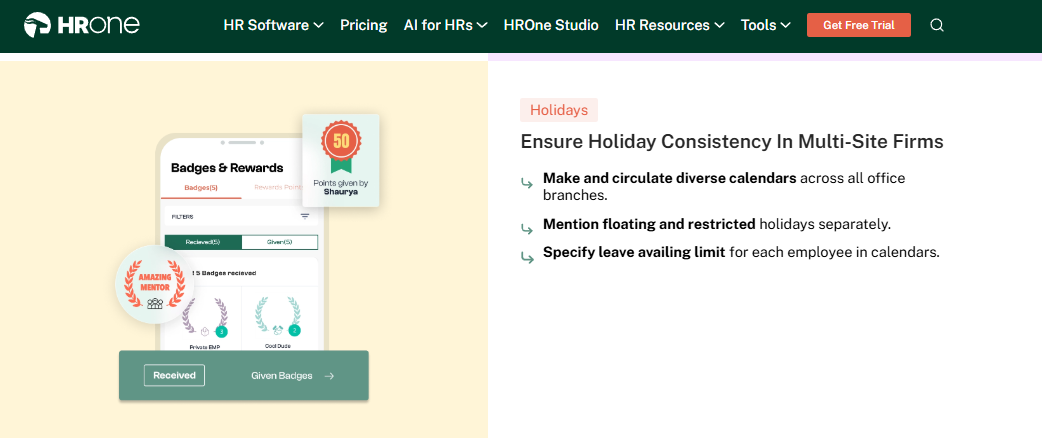
HROne is the India-first hire-to-retire HCM where absence lives inside the payroll engine, not beside it.
🏢 Overview
HROne is a cloud-based HCM founded in 2016 and headquartered in Noida, serving organisations in the 100 to 5,000 employee range. It holds a 4.8 out of 5 rating on G2, with 100% of reviewers awarding four or five stars, and scores 97% on ease of use, ease of setup, and quality of support. It is primarily used by teams reconciling biometric attendance, multi-branch leave management policies, and statutory payroll across several legal entities.
🔧 Core Services
- Time Office leave engine credits leave by tenure and joining date automatically, removing manual proration for mid-cycle joiners.
- Auto attendance arrears recalculates pay when an attendance correction lands after payroll closes, so no retro run is needed.
- Short leave and grace timing policies set late-arrival and early-exit boundaries together, stopping minor tardiness from becoming a payroll dispute.
- Comp-off and overtime rules generate comp-off on weekly-off working, with amounts flowing straight into salary.
- Multi-location holiday calendars attach distinct calendars to each branch inside a multi-legal-entity org structure, which is why HR software for multi-entity companies is a separate buying question.
- Offline attendance with auto-sync captures punches in low-connectivity areas, then syncs when the device reconnects, backed by attendance management rules.
- Front-end policy engine lets HR configure a new leave policy without a developer ticket, across 30+ modules and 127 pre-built workflows.
🇮🇳 India-Specific Compliance and Localization
- PF/ESI: Yes (automated calculation, challan and filing support)
- TDS and Form 16: Yes (system-generated tax slips and Form 12B)
- Labour law compliance: Strong (PT and LWF slab handling, statutory letters)
- Payroll localization: Yes (CTC revisions, FBP, arrear-day logic)
- Multi-state compliance: Yes (state-wise slabs across entities, as covered in this multi-state payroll compliance breakdown)
✅ Who This Is Built For
- Payroll Manager firefighting arrear-day calculations every month-end after late attendance corrections.
- HR Ops lead running distinct leave and holiday calendars across factory, branch, and corporate units.
- CHRO in a 100 to 5,000 employee firm who needs absence trends without exporting three reports, which is the core of these CHRO solutions.
❌ Who Should Skip This
- Teams of 30 who want a lightweight time-off calendar and nothing else.
- Global-first companies with no Indian entity, where statutory depth adds no value.
💰 Pricing Structure
- Plan Types: Basic, Professional, and Enterprise, as listed on the HROne pricing page.
- Starting Price: ₹4,950 per month for 50 users, additional users at ₹99 per month.
- Tier-wise Breakdown: Basic at ₹4,950 per month for 50 users covers Core HR (multi-legal entity), Time Office (geo-fencing, selfie attendance, and offline attendance), Payroll, mobile app, and dashboards. Professional at ₹6,500 per month for 50 users adds Workforce (confirmation, transfer, and separation) and digital acknowledgement of letters, with additional users at ₹130. Enterprise is quote-based and adds Recruitment, Performance, Engagement, Expense, Asset, and Helpdesk.
- Incremental Cost Drivers: WhatsApp Bot, Teams Bot, Work Plan, Business Intelligence, Workforce Planning, and payroll outsourcing are add-ons.
- Implementation Fee: No standard fee, though implementation cost may apply for enterprise-level clients.
- Cost at 200 Employees: ₹19,800 per month on Basic, ₹26,000 on Professional | Cost at 500 Employees: ₹49,500 per month on Basic, ₹65,000 on Professional
⏰ Implementation and Support Reality
- Go-live for mid-market rollouts typically runs 30 to 60 days, with configuration handled by a delivery consultant. This HRMS implementation timeline for India sets the benchmark.
- Support covers phone, email, and a designated support expert post-implementation, with sub-24-hour response committed.
- Billing starts only when you go live, and there is no contractual lock-in, though two months’ notice applies on exit.
- The dedicated HR SPOC model carries a reported 9.8 NPS, and 300+ product enhancements ship annually.
“The best and useful module is the timeoffice module where exactly calculation of actual paid days achieved and arrear calculation is also working fine, Relief is when biometric sync is perfectly working.”
– Sachin K., 5/5, HROne G2 – Verified Review
“While HROne does a great job overall, one thing I don’t like is that it can sometimes feel a bit overwhelming for new users. Certain features take time to understand, and without enough guided support, the learning curve can feel quite steep.”
– Nijanthan R., 3/5, HROne G2 – Verified Review
🧭 My Read On Where HROne Fits
HROne’s data points to arrear accuracy as the real differentiator here, though I might be reading that too strongly. What surfaces repeatedly in HROne deployments is that teams do not switch tools because leave requests are hard. They switch because paid-day maths broke once, in front of the CFO.
Skip HROne if your entire workforce is desk-based, single-entity, and under 50 people.
1.2 Rippling
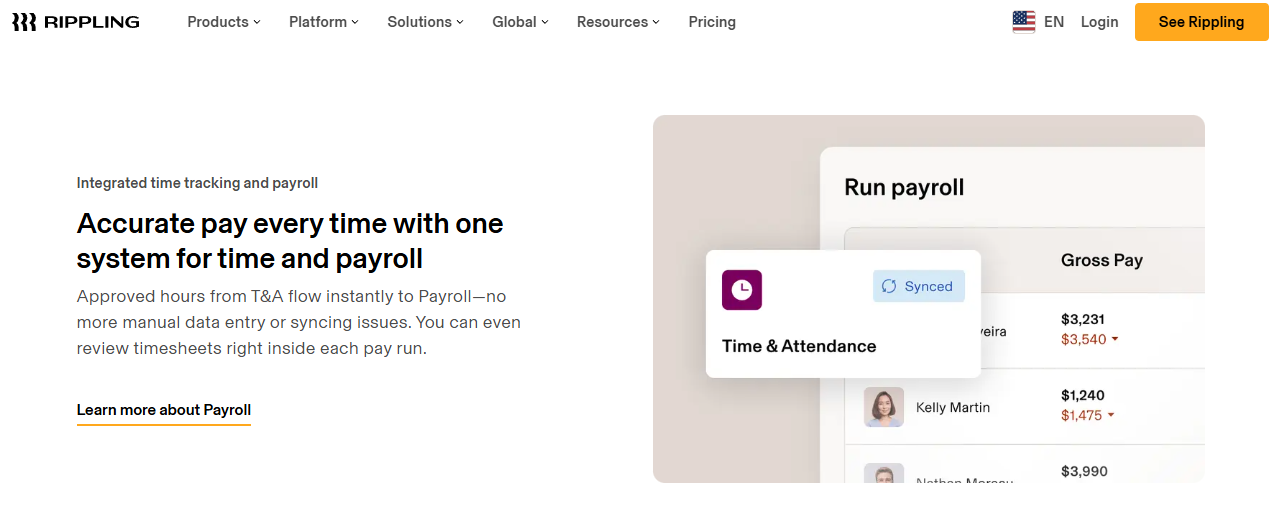
Rippling is the unified HR, IT, and payroll platform where absence rides on the same rails as device provisioning.
🏢 Overview
Rippling is a US-headquartered platform that merges HR, IT, finance, and absence management into one employee record. Its user base splits 28% small business, 64% mid-market, and 8% enterprise, and it holds a 4.8 out of 5 G2 rating with 99% of users rating it four or five stars. It is primarily used by teams tired of onboarding an employee in one tool and provisioning their laptop in another.
🔧 Core Services
- Unified time-to-payroll flow pushes approved hours and leave straight into the pay run, removing spreadsheet handoffs.
- Location-based policy library applies pre-built labour-law rules by jurisdiction, cutting manual compliance tracking for distributed teams.
- Automation engine triggers alerts for unapproved timesheets and missed clock-outs before they reach payroll.
- AI operational insights surface gaps during onboarding and daily HR workflows, reducing manager follow-ups.
- Single onboarding workflow sets up apps, benefits, devices, and leave policy in one pass.
- Role-based controls score above 94% on performance, mobility, and security in G2’s feature ratings.
🇮🇳 India-Specific Compliance and Localization
- PF/ESI: Partial (available via EOR and global payroll, not a native India HRMS depth)
- TDS and Form 16: Partial (not the platform’s documented India strength)
- Labour law compliance: Moderate (strong multi-jurisdiction library, US-centric depth)
- Payroll localization: Partial (global payroll coverage rather than India-tuned CTC and FBP logic)
- Multi-state compliance: Yes (strongest across US states)
✅ Who This Is Built For
- IT Director provisioning apps and devices for new hires while HR sets leave policy in a separate tool.
- People Ops lead managing time off across several countries with different statutory rules.
- Finance manager who wants approved hours to hit payroll without a manual import.
❌ Who Should Skip This
- Indian mid-market teams whose core need is PF, ESI, TDS, and arrear-day accuracy under local statute. Compare the shortlist in this guide to the best HR software for the Indian mid-market.
- Small teams of 25 who will use one tenth of the platform and still absorb the learning curve.
💰 Pricing Structure
- Plan Types: Core Rippling Platform (required), plus individually purchased products such as Payroll, Time and Attendance, Benefits, and Device Management.
- Starting Price: Not publicly disclosed, request a quote. G2 also lists Rippling as custom pricing.
- Tier-wise Breakdown: No published tiers. Each product is priced separately alongside the mandatory platform fee. For a like-for-like Indian benchmark, see this HR software pricing breakdown.
- Incremental Cost Drivers: Every additional module, plus monthly base fees on some products.
- Implementation Fee: Not publicly disclosed.
- Cost at 200 Employees: Not publicly disclosed, request a quote | Cost at 500 Employees: Not publicly disclosed, request a quote
⏰ Implementation and Support Reality
- Most reviewers describe implementation as quick, with a few weeks needed before navigation feels natural.
- Payroll migration is vendor-led, picking up year-to-date data mid-year rather than at year end. This HRMS migration guide covers the cut-off mechanics.
- Support runs through email and in-app channels, with certified HR advisors available as a paid add-on.
- Ease of use scores 96% and ease of setup 94%, both above category average.
“Rippling feels like an all-in-one platform, not just an HR tool. It handles payroll, HR, IT, expense management, automated onboarding workflow mechanism, and app access in one place. Rippling’s automation engine is probably the most valuable intelligent aspect of the platform.”
– Phanindra N., Rippling G2 – Verified Review
“The system can suffer from occasional slow loading times during peak payroll cycles, and the massive density of its interconnected features can make the interface feel overwhelming for smaller teams.”
– Aditi P., Rippling G2 – Verified Review
🧭 My Read On Where Rippling Fits
Rippling wins the breadth argument outright, and pretending otherwise would be dishonest. HROne’s read is that breadth across geographies and depth inside one statutory regime are different purchases, and Indian buyers keep conflating them. Both platforms sit at 4.8 on G2, so the tiebreaker is which regime your payroll actually runs under.
Skip Rippling if PF, ESI, and TDS accuracy is the reason you are shopping.
1.3 Sparrow
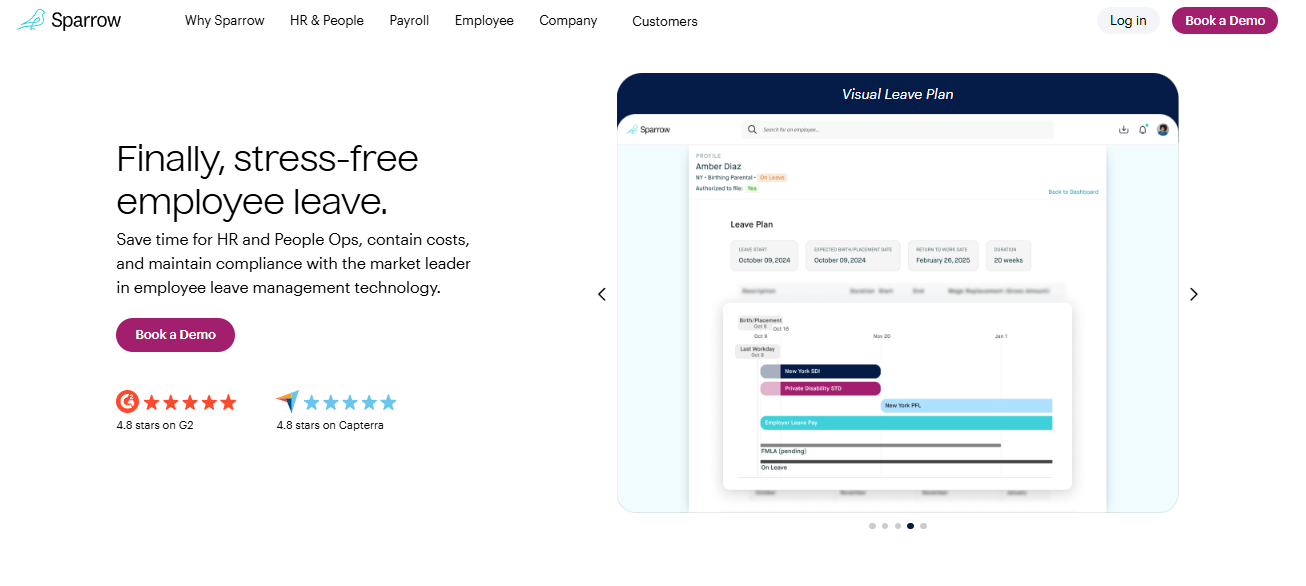
Sparrow is a leave-only case management service for US and Canada statutory leaves.
🏢 Overview
Sparrow handles just one thing: major life-event leaves like medical, parental, and caregiving in the US and Canada. It scores 95% on ease of use, 97% on ease of setup, and 97% on quality of support, with 69% of its user base in mid-market companies. It is used by teams drowning in state-by-state leave filings that no HRIS handles for them.
🔧 Core Services
- Automated statutory filings submit federal, state, and local leave paperwork, removing hours of jurisdiction research per case.
- Eligibility calculator determines entitlement automatically, so HR stops interpreting overlapping leave laws by hand.
- Job protection dashboard tracks protected leave time in one view, replacing spreadsheet trackers.
- Dedicated case manager owns every form and deadline, cutting the back-and-forth between employee, insurer, and HR.
- Payroll and HRIS file feed pushes leave data into existing systems, including third-party insurance carriers.
🇮🇳 India-Specific Compliance and Localization
- PF/ESI: No (US and Canada scope only)
- TDS and Form 16: No (not built for Indian tax)
- Labour law compliance: Strong for US and Canada, not applicable to India
- Payroll localization: No (India payroll not supported)
- Multi-state compliance: Yes (US state-level filings are its core strength)
✅ Who This Is Built For
- HR Manager tracking FMLA eligibility manually across employees in six US states.
- People Ops lead fielding anxious questions from an employee starting parental leave next month.
❌ Who Should Skip This
- Any India-based team, since Sparrow does not touch PF, ESI, or TDS. Indian buyers should start with statutory compliance software built for local law.
- Teams wanting one system for annual leave, attendance, and payroll together.
💰 Pricing Structure
- Plan Types: Not publicly published as named tiers.
- Starting Price: Not publicly disclosed, request a quote. G2 lists Sparrow as custom pricing.
- Tier-wise Breakdown: Not publicly disclosed, request a quote.
- Incremental Cost Drivers: Not publicly disclosed.
- Implementation Fee: Not publicly disclosed.
- Cost at 200 Employees: Not publicly disclosed, request a quote | Cost at 500 Employees: Not publicly disclosed, request a quote
⏰ Implementation and Support Reality
- Setup scores 97% on G2, though several reviewers describe the initial kick-off as slow to start.
- Support runs through named leave specialists rather than a ticket queue.
- Integration with payroll and HRIS happens via file feed, not deep API sync. Indian buyers comparing connector depth can review these HRMS integrations for Tally, SAP, and biometric devices.
- Quality of support sits at 97%, its highest-rated dimension.
“It organized all the forms I needed to submit and confirmed my leave timeline with HR, helping me get my leave approved without stress. I really appreciated communicating with a real person, Sarah.”
– Faithe Z., Sparrow G2 – Verified Review
“There are certain things that I needed to go to TriNet for that Sparrow didn’t support. It was a little confusing understanding what Sparrow supports versus what I had to figure out on my own.”
– Esmeralda M., Sparrow G2 – Verified Review
1.4 e-days
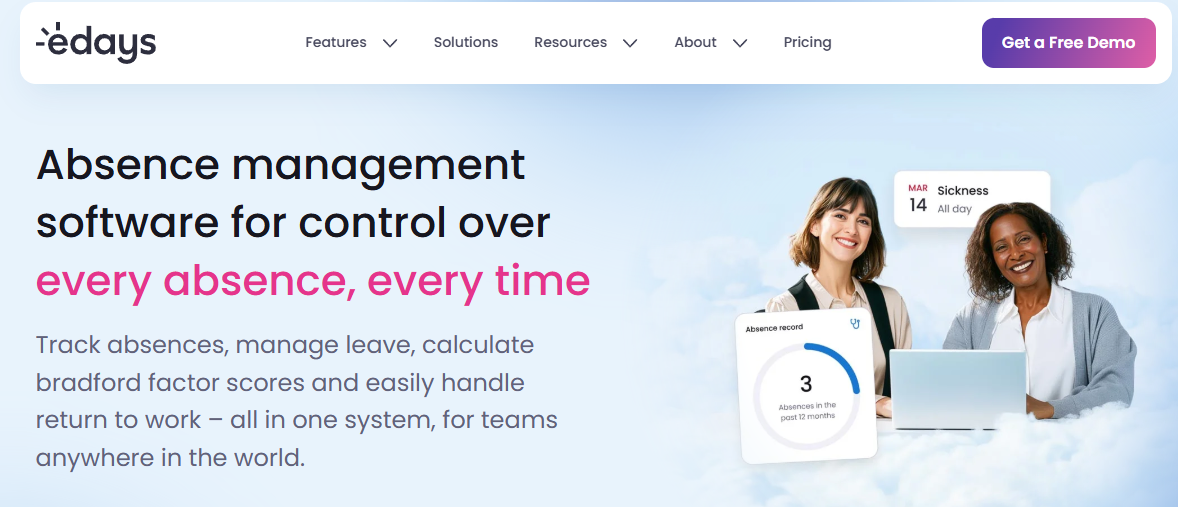
e-days is a UK-built absence platform where sickness management is the product, not a module.
🏢 Overview
e-days (edays) treats absence as foundational, and every customer buys it before any add-on. Core HR, Time and Attendance, and Scheduling sit on top as optional modules. It suits UK and EU teams preparing for the April 2026 Statutory Sick Pay change, where SSP becomes payable from day one.
🔧 Core Services
- Sickness management with triggers flags absence patterns automatically, so managers act before a pattern becomes a problem.
- Country-specific templates apply local leave rules per country, removing manual policy rebuilds for each entity.
- Custom workflow builder routes approvals without developer help, cutting configuration lead time.
- Shared team calendars show coverage gaps before approval, reducing double-booked absences.
- Advanced people insights turn absence history into reportable trends for HR reviews, comparable to a dedicated HR analytics tool.
- Overtime and TOIL tracking sits in the Time and Attendance add-on, linking extra hours to time off in lieu.
🇮🇳 India-Specific Compliance and Localization
- PF/ESI: No (no documented Indian statutory engine)
- TDS and Form 16: No (not an Indian payroll product)
- Labour law compliance: Strong for UK and EU, Limited for India
- Payroll localization: No (absence platform, not Indian payroll)
- Multi-state compliance: No for India, country-level templates instead
✅ Who This Is Built For
- UK HR lead reconfiguring sick pay rules before the April 2026 day-one SSP change.
- HR ops manager running distinct leave entitlements across UK, Ireland, and EU entities.
❌ Who Should Skip This
- Indian mid-market teams needing PF, ESI, and TDS accuracy in the same system, which is the core promise of an India-tuned payroll solution.
- Teams wanting a free trial before committing, since e-days offers demos only.
💰 Pricing Structure
- Plan Types: Absence (mandatory), plus Core HR, Time and Attendance, and Scheduling add-ons.
- Starting Price: Not publicly disclosed, request a quote. Charged annually and payable by invoice.
- Tier-wise Breakdown: Not publicly disclosed. Price depends on modules, employee count, and number of locations or countries.
- Incremental Cost Drivers: Each add-on module, additional licences, extra countries or locations, and Professional Services training.
- Implementation Fee: Not publicly disclosed.
- Cost at 200 Employees: Not publicly disclosed, request a quote | Cost at 500 Employees: Not publicly disclosed, request a quote
⏰ Implementation and Support Reality
- Minimum term is 12 months, with charges upfront and no exit fees at renewal.
- Support runs through a portal with a knowledge base, escalating to ticket or video call.
- Customers above 200 licences get a dedicated Customer Success Manager, and those below join a Tech-Touch programme.
- No free trial is offered, only a personalised demo. Buyers weighing commercial terms can compare flat plan pricing that starts after go-live.
1.5 Keka
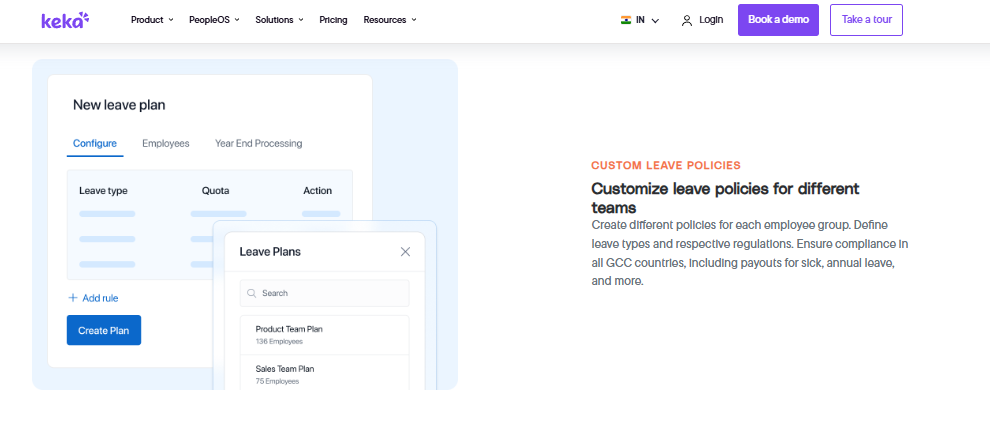
Keka is a mobile-first Indian HRMS with leave wired into payroll calculations.
🏢 Overview
Keka is an India-based cloud HRMS with strong mobile self-service for leave, work-from-home, and comp-off requests. It holds a 4.5 out of 5 G2 rating, with 94% ease of use and 92% ease of setup, and lists at $105 per month for 100 users. Its base is 22% small business, 75% mid-market, and 3% enterprise.
🔧 Core Services
- Mobile leave and comp-off requests let employees apply and check balances on the app, cutting HR follow-ups.
- Custom approval workflows support replacement approvers and skips for delayed actions, so requests do not stall.
- Automated arrear adjustments apply predefined rules during payroll, reducing manual reconciliation.
- Tax form generation produces filing documents automatically, saving finance time each year.
- Attendance and payroll sync pushes PF, ESI, and TDS calculations through each cycle.
- Alerts and notifications score 90% on G2, flagging pending approvals before they age.
🇮🇳 India-Specific Compliance and Localization
- PF/ESI: Yes (automated salary and attendance processing with statutory deductions)
- TDS and Form 16: Yes (automated tax form generation)
- Labour law compliance: Strong (statutory payslip compliance reported by users)
- Payroll localization: Yes (built for Indian payroll)
- Multi-state compliance: Partial (users report gaps configuring location-specific leave)
✅ Who This Is Built For
- HR ops lead whose field staff need leave and comp-off from a phone, not a desktop.
- Payroll manager who wants arrear adjustments applied by rule instead of by hand.
❌ Who Should Skip This
- IT consulting firms, since one long-term reviewer states Keka is not built to service them. Teams in that position often shortlist Keka alternatives in India.
- Teams needing location-specific leave types configured quickly with live support.
💰 Pricing Structure
- Plan Types: Tier names not verified from a primary source for this guide.
- Starting Price: $105 per month for 100 users, per G2’s 2026 category report.
- Tier-wise Breakdown: Not publicly disclosed here, request a quote. This Keka pricing breakdown for India covers the tier structure in detail.
- Incremental Cost Drivers: Not publicly disclosed here, request a quote.
- Implementation Fee: Not publicly disclosed.
- Cost at 200 Employees: Not publicly disclosed, request a quote | Cost at 500 Employees: Not publicly disclosed, request a quote
⏰ Implementation and Support Reality
- Ease of setup scores 92% on G2, though several reviewers report implementations stalling for months.
- Support is largely email and chat based, with one reviewer reporting no coverage from Friday evening to Monday morning.
- Migration is vendor-led, and one reviewer describes policies still misapplied after repeated attempts.
- Feature request turnaround is described as slow by a long-term user. For a side-by-side view, see this HROne vs Keka comparison.
“Strong payroll and compliance automate salary and attendance processing with pf/esi tds. Responsive support team. PMS module is confusing and needs to be simpler and easier to use.”
– Kiran B., 3/5, Keka G2 – Verified Review
“The other day I was trying to configure menstrual leave only for Bangalore location and needed some help, the chat was not at all helpful. Most of the times folks behind the chat window is not fully aware of the functionality.”
– Verified User in Consulting, 2.5/5, Keka G2 – Verified Review
1.6 greytHR
greytHR is a statutory payroll workhorse for India and Middle East teams.
🏢 Overview
greytHR runs PF, ESI, and TDS automatically each cycle, with a self-service portal for payslips, leave, and attendance. It holds a 4.4 out of 5 G2 rating and lists at $26 per month for 50 employees. Its user base is 25% small business, 64% mid-market, and 11% enterprise.
🔧 Core Services
- Automated statutory payroll processes PF, ESI, and TDS each cycle with minimal manual input.
- Employee self-service portal handles payslips, leave applications, and tax form downloads without HR tickets, much like a standard employee self-service portal in Indian HR software.
- Multi-regime tax declaration lets employees pick a tax regime and file declarations themselves.
- Attendance monitoring across units tracks daily attendance at different location units.
- Workflow assignment and monitoring gives each department visibility into its own employee records.
🇮🇳 India-Specific Compliance and Localization
- PF/ESI: Yes (automated calculation each payroll cycle)
- TDS and Form 16: Yes (declarations and tax filing supported, though TDS revision is limited)
- Labour law compliance: Strong (statutory compliance is the platform’s core)
- Payroll localization: Yes (built for India and the Middle East)
- Multi-state compliance: Yes (state-wise statutory handling)
✅ Who This Is Built For
- Payroll manager in a budget-constrained firm who needs statutory filings to just run.
- HR lead monitoring daily attendance across several location units in one portal.
❌ Who Should Skip This
- Teams needing managers to apply leave on behalf of direct reports, which reviewers report is missing. Proxy actions matter most in HRMS deployments for field and blue-collar teams.
- Companies with non-standard leave policies, since reviewers report customisation limits and manual balance fixes.
💰 Pricing Structure
- Plan Types: Tier names not verified from a primary source for this guide.
- Starting Price: $26 per month for 50 employees, per G2’s 2026 category report.
- Tier-wise Breakdown: Not publicly disclosed here, request a quote. This greytHR pricing guide for India sets out the published tiers.
- Incremental Cost Drivers: Not publicly disclosed here, request a quote.
- Implementation Fee: Not publicly disclosed.
- Cost at 200 Employees: Not publicly disclosed, request a quote | Cost at 500 Employees: Not publicly disclosed, request a quote
⏰ Implementation and Support Reality
- Implementation is vendor-led, and one reviewer reports leave balance issues from go-live onwards.
- Support is ticket-based, with response times reported anywhere from two hours to unresolved.
- Reviewers report high dependency on the greytHR team for customisation.
- One reviewer notes there is no escalation matrix for unresolved tickets. Teams at that stage often read up on switching from greytHR in India.
“We are using GreytHR for leave and holiday management of the company. Many times we were manually correcting the leave balance of employees. We cannot properly implement our company policies due to the limitations of greytHR.”
– Verified User in IT and Services, 2/5, greytHR G2 – Verified Review
“Better UI, simplicity and time for support. Reporting configuration, TDS filing, revising of TDS is not possible.”
– Krishnanand B., 3/5, greytHR G2 – Verified Review
1.7 Vacation Tracker
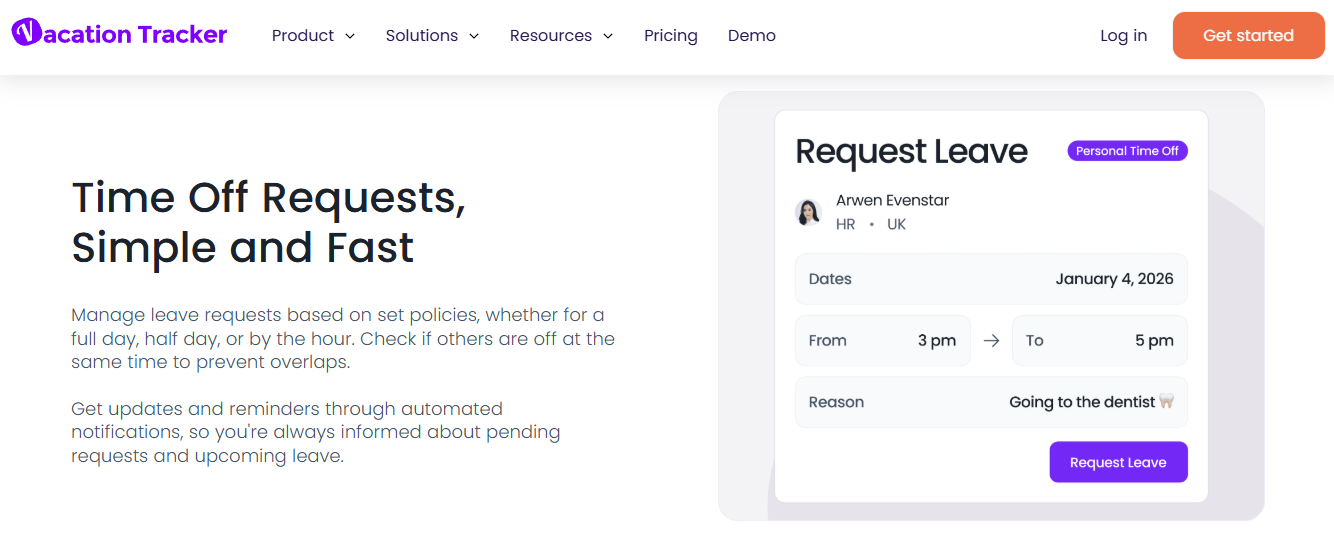
Vacation Tracker is leave booking that lives inside Slack, Teams, and Google Workspace.
🏢 Overview
Vacation Tracker keeps time-off requests inside the chat tools employees already open daily. Over 3,500 companies use it, and setup runs through existing workspace logins with no new passwords. It suits desk-based teams that never want to open a separate HR portal.
🔧 Core Services
- In-chat leave requests let employees book time off from Slack or Teams, removing portal logins entirely. HROne offers a comparable route through its Teams bot for leave and attendance actions.
- Pro-rated leave quotas adjust entitlement automatically for mid-year joiners.
- PTO accruals with caps calculate balances by policy, so HR stops maintaining a sheet.
- Seven automations cover probation periods, blackout dates, maximum users away, and seniority entitlement.
- Location-specific policies apply local holidays and rules, with three locations on Core and unlimited on Complete.
- TOIL and hourly leave tracking record time off in lieu and part-day absence on the Complete plan.
🇮🇳 India-Specific Compliance and Localization
- PF/ESI: No (not a payroll product)
- TDS and Form 16: No (no Indian tax handling)
- Labour law compliance: Limited (policy engine only, no statutory templates for India)
- Payroll localization: No (syncs employee ID to external payroll instead)
- Multi-state compliance: No (location policies are manual, not statutory)
✅ Who This Is Built For
- People ops lead in a 60-person remote team where nobody opens an HR portal. This overlaps with HR software for remote and hybrid teams in India.
- Manager who wants team availability visible before approving overlapping leave.
❌ Who Should Skip This
- Indian teams needing leave to drive PF, ESI, and paid-day calculations.
- Manufacturing or field teams whose staff have no Slack or Teams account. Plants usually need manufacturing HR capability instead.
💰 Pricing Structure
- Plan Types: Free, Core, and Complete.
- Starting Price: Core at $2 per user per month billed monthly, $50 minimum, with a 14-day free trial.
- Tier-wise Breakdown: Core at $2 per user monthly covers 3 locations, 10 departments, unlimited leave policies, balance reports, ADP, Zapier, OpenAPI, and MCP integrations. Complete at $4 per user monthly adds unlimited locations, all 7 automations, accruals, hourly tracking, TOIL, multi-level and substitute approvals, shared calendars, and priority support. Annual billing drops these to $1 and $3 per user monthly.
- Incremental Cost Drivers: Plan minimums of $50 on Core and $100 on Complete, and tiered annual rates by headcount band.
- Implementation Fee: No
- Cost at 200 Employees: $400 per month on Core, $800 on Complete (monthly billing) | Cost at 500 Employees: $1,000 per month on Core, $2,500 on Complete (monthly billing)
⏰ Implementation and Support Reality
- Setup runs same-day through automatic user import from your workspace directory.
- Support covers helpdesk, live chat, email, and office-hours webinars, with priority support on Complete.
- Migration is self-serve, with leave history imported directly.
- Cancellation is allowed anytime with no minimum term and no fees.
1.8 TeamSense
TeamSense is text-based absence reporting for frontline workers without company email.
🏢 Overview
TeamSense records plant absences by text message and IVR, so workers need no app and no laptop. It is SOC 2 certified, and customers typically see returns within 12 weeks. It suits manufacturing and frontline operations where no-call no-shows create immediate downtime.
🔧 Core Services
- Call-off via text and IVR records an absence in under a minute, removing awkward phone calls to supervisors.
- Points and balances shown before call-off give employees visibility that changes behaviour at the moment of decision.
- Instant supervisor alerts notify leads immediately, cutting shift-start scrambling.
- Timestamped audit trail logs every call-off for later disputes or audits.
- Attendance insights and broadcast comms surface patterns and push plant-wide messages with translation.
- Points system automation applies attendance policy rules without manual tracking on the Enterprise plan.
🇮🇳 India-Specific Compliance and Localization
- PF/ESI: No (absence reporting only)
- TDS and Form 16: No (no payroll engine)
- Labour law compliance: Limited (attendance policy tool, not statutory)
- Payroll localization: No (integrates with HRIS and payroll instead)
- Multi-state compliance: No
✅ Who This Is Built For
- Plant HR manager tracking no-call no-shows across shifts with no company email for workers.
- Operations lead who needs to know staffing gaps before the shift starts, not after. Shift-heavy sites usually pair this with workforce management capability.
❌ Who Should Skip This
- Teams needing leave accrual, proration, and statutory leave policy logic, which sits inside a full leave management system.
- Indian mid-market firms where absence must feed PF, ESI, and paid-day calculations.
💰 Pricing Structure
- Plan Types: Visibility, Action, and Enterprise.
- Starting Price: Not publicly disclosed, request a quote. Pricing is per employee and tailored to workforce size and number of sites.
- Tier-wise Breakdown: Visibility covers text and IVR call-off, audit trail, points visibility, supervisor alerts, and free inbound integrations. Action adds attendance insights, broadcast communication, an employee portal, and two forms. Enterprise bundles every add-on, including Employee Answers, the points system, outbound integrations, and SSO.
- Incremental Cost Drivers: Outbound integrations, SSO, additional forms, and per-site scaling.
- Implementation Fee: Not publicly disclosed.
- Cost at 200 Employees: Not publicly disclosed, request a quote | Cost at 500 Employees: Not publicly disclosed, request a quote
⏰ Implementation and Support Reality
- Rollout runs in days, since employees need no app download or work email.
- Onboarding, rollout support, and ongoing customer success are included.
- Integrations connect to leading HRIS, payroll, and scheduling systems, confirmed during the demo.
- Reported outcomes include 50% fewer no-call no-shows within 45 days and 60% fewer unplanned absences in the first months.
“Employees see their points before calling out; that visibility changes behavior.”
– Kate Dixon, Senior HR Manager, AGCO, TeamSense Customer Quote
🧭 What This Spread Actually Tells You
Six of these eight tools were built for a statutory regime that is not India’s. That is not a criticism of their engineering. It is a scoping fact that Indian buyers keep discovering three months into implementation.
HROne holds position one here for a narrow, checkable reason. Leave, attendance arrears, and paid-day calculation resolve in the same core HCM base, which is why G2 records 97% on ease of setup and a 4.8 rating from Indian mid-market reviewers.
Q2. How Did We Score and Rank These Absence Management Tools?
Each tool was scored out of 100 across six weighted criteria: Policy and Accrual Depth (25%), Payroll and Time Office Integration (20%), India Statutory Compliance (20%), Frontline and Field Usability (15%), Verified User Reviews (10%), and Pricing Transparency (10%). Scores of 81 to 100 earn 5 stars, 61 to 80 earn 4, 41 to 60 earn 3, 21 to 40 earn 2, and 0 to 20 earn 1.
⚠️ Why Most Absence Software Lists Cannot Be Trusted
Most “best absence software” lists never publish their criteria. You cannot tell whether a tool ranked first because it performed well or because it paid well. The two credible non-vendor pages in this category do publish rubrics, and one applies a 65% inclusion threshold before a tool even makes the list.
So the rubric here is public. Re-weight it if your reality differs. That is the point of showing the maths. If you want a ready-made version, start with this HRMS evaluation checklist for India.
📊 The Six Criteria and What a Full Score Requires
| Criterion | Weight | What a full score actually requires |
|---|---|---|
| Policy and Accrual Depth | 25% | Proration by individual joining date, auto lapse of unused leave before the next credit cycle, prorated request limits, and restricted-holiday rules for mid-cycle joiners |
| Payroll and Time Office Integration | 20% | Approved leave drives paid-day calculation, and arrears recalculate when attendance is corrected after payroll closes |
| India Statutory Compliance | 20% | PF, ESI, and TDS handling, plus accrual logic matching Section 32 of the OSH Code, 2020 (one leave day per 20 days worked) |
| Frontline and Field Usability | 15% | Offline attendance capture, geo-tagged mobile punch, and proxy entry by a reporting manager |
| Verified User Reviews | 10% | G2 satisfaction, ease of setup, and support scores read against documented complaints, not marketing pages |
| Pricing Transparency | 10% | Published rates, no lock-in, no billing before go-live, and disclosed implementation fees |
⚖️ The Bias Baked Into These Weights
Accrual logic outranks interface polish here, deliberately. A clunky screen annoys people once a week. A broken proration rule leaks money every single payroll cycle, quietly, for years, which is exactly how most payroll problems at Indian companies begin.
Verified reviews carry only 10% for a reason. G2’s own category analysis rests on more than 1,000 reviews, which is useful signal, though reviews describe satisfaction rather than configuration depth.
🧮 How the Star Bands Landed
HROne scored 5 stars on native proration by joining date, auto lapse of unused leave before the next credit cycle, restricted-holiday rules for mid-cycle joiners, and automatic attendance arrear recalculation. Keka scored 4 on strong statutory payroll with location-configuration gaps. Vacation Tracker and TeamSense scored 2 because both are excellent at a narrow job and carry no Indian statutory engine.
There is a buying principle underneath this. Do not pay for enterprise leave features you will never switch on. You do not want the whole hog if you are not going to eat the whole hog.
🔧 Re-Weight It For Your Own Workforce
Run the rubric yourself before your next demo. Three moves make it yours.
- No field or plant staff? Move that 15% into Policy and Accrual Depth.
- No Indian entity? Drop the 20% compliance weight and redistribute to integration.
- Payroll outsourced and staying that way? Cut Integration to 10% and raise Reviews. This comparison of payroll software versus outsourcing in India covers that trade-off.
HROne publishes 127 pre-built workflows spanning onboarding to offboarding, and our scoring counted only the leave and attendance ones that a buyer can actually configure from the front end. Breadth claims are easy. Deployed depth is what shows up in the payroll register. The full HROne feature list sets out what is configurable where.
Q3. What Is Absence Management Software, and How Does It Differ From an Absence Tracker or an Absence Manager?
Absence management software records, approves, and reports every type of employee absence, including annual leave, sick leave, maternity leave, and unplanned time off. It automates requests and approvals, calculates accruals and balances, flags absence patterns, and syncs approved leave to payroll. A tracker only shows a shared calendar. An absence manager adds case-managed statutory filings.
📖 The Plain-English Version
Gartner defines this category by what it replaces: paper forms and spreadsheets used to manage requests, define absence types, report, and handle multi-geography compliance. That definition is doing quiet work. Notice it says define and report, not display.
A calendar shows you who is out. A management system decides whether they were allowed to be out, and what that costs. If spreadsheets are still your baseline, this breakdown of HR software versus Excel in India is the honest starting point.
🧩 The Three Tiers Nobody Draws For You
Here is the taxonomy that matters when you are shortlisting.
| Tier | What it does | Named example |
|---|---|---|
| Absence tracker | Books time off inside a shared calendar or chat tool, shows balances | Vacation Tracker (in Slack and Teams) |
| Absence management module | Runs accrual engines, conditional approvals, absence triggers, and payroll sync | HROne (leave inside the Time Office and payroll base) |
| Absence manager (case-managed) | Handles regulated leave filings and eligibility with a named human handler | Sparrow (US and Canada statutory leaves) |
HROne sits in the middle tier by design. Leave logic is defined inside Core HR’s org units and multi-legal-entity structures. So a request already knows the employee’s branch, shift, and payroll cycle before anyone clicks approve.
⚠️ What Breaks When a Tracker Pretends To Be a Module
A tracker is a database with a friendly front end. It shows you what someone keyed in. It cannot decide anything.
That gap creates three predictable failures. Balances need manual correction. Payroll needs a manual bridge. And nobody can prorate a mid-cycle joiner without a spreadsheet.
Timetastic is a clean example of scope honesty. It carries no Bradford Factor scoring, no time and attendance, and no payroll integration. That is not a flaw. It is a tier. For the module-level view, see how a full leave management module handles the same job.
❌ The Three Questions That Reveal Your Tier
Answer these before you look at a single pricing page.
- Does approved leave need to change someone’s pay? If yes, you need a module, not a tracker.
- Do different sites or entities need different leave rules? If yes, you need org-structure inheritance, which is the core of HR software for multi-entity companies in India.
- Do you file statutory leave paperwork with a regulator? If yes, you need case management alongside your module.
One yes on question one already rules out most calendar tools. Two out of three means you are shopping in the wrong aisle entirely.
💰 Where the Money Actually Leaks
The tier mistake is expensive in a way that hides well. Licence fees look cheap on a tracker. The reconciliation labour does not appear on any invoice.
A 500-person firm doing manual leave-to-payroll reconciliation burns hours every cycle. That cost sits in your HR salary line, not your software line. This is why HROne’s read is that the category’s standard advice gets this backwards. Buyers are told to compare features when they should first be comparing tiers. The ROI calculator puts a rupee figure on that reclaimed time.
HROne’s Time Office module inherits org units, entities, shifts, and holiday calendars from Core HR, so a leave request carries its own context. That inheritance is the actual difference between a module and a calendar. Everything else is interface.
Q4. Which Features and Integrations Actually Stop Leave-to-Payroll Leaks?
HROne’s Time Office module closes seven leave-to-payroll leak points natively, including automatic attendance arrear recalculation when a correction lands after payroll has closed. The full checklist includes a leave request portal, conditional approval workflows, custom leave types, an absence calendar, real-time accrual calculation, absence-pattern reporting, notifications, a timestamped audit trail, and mobile self-service.
🎫 The Ticket That Never Stops Coming
“My leave balance is wrong.” Every HR ops lead knows this ticket. It arrives on the 3rd of the month, usually from someone who joined mid-quarter.
That ticket is almost never a bug. It is a configuration gap that nobody closed at setup.
✅ The 10-Item Feature Checklist
- Leave request portal for self-service applications
- Conditional approval workflows with escalation and substitute approvers
- Custom leave types including sick, casual, comp-off, and short leave
- Absence calendar showing coverage before approval
- Real-time accrual and balance calculation
- Absence-pattern reporting for trends and triggers
- Policy and compliance configuration from the front end
- Notifications and reminders on pending approvals
- Timestamped audit trail for every action
- Mobile self-service including offline capability, delivered through a mobile HR app
💸 The Seven Leak Points and Their Exact Settings
| Leak | The setting that closes it |
|---|---|
| Mid-quarter joiner gets a full year’s leave | Customise leave policies by individual joining date |
| Unused leave carries forward past its cap | Auto lapse of unused leave before the next credit cycle |
| Employee applies beyond their prorated entitlement | Limit leave requests by prorated configuration |
| New joiner claims a full-year restricted holiday quota | Restricted-holiday applicability rules for mid-cycle joiners |
| Ten-minute late arrivals become half-day disputes | Short leave policy plus grace time to come late and go early |
| Extra hours worked never convert to time off | Comp-off generation on weekly-off working, linked to overtime |
| Attendance corrected after payroll closes | Auto attendance arrears recalculation |
Each row is a checkbox someone forgot. That last row is the one buyers almost never ask about in demos.
🇮🇳 What “Syncs With Payroll” Should Actually Mean
Every vendor claims payroll sync. Ask what crosses the bridge. Approved leave days, or paid-day counts with statutory deductions attached?
In India, the difference is PF, ESI, TDS, and PT slab handling on corrected days. G2’s 2026 analysis puts payroll non-compliance cost above $845 per employee per year, which reframes this from a convenience feature to a risk control. This guide on how to improve payroll accuracy covers the controls that actually hold.
“Arrear day calculation is correct. Comp off generation on working day is working fine. Real time sync of biometric and mobile mark punch functionality available.”
– Deepak K., 5/5, HROne G2 – Verified Review
“For our case, from implementation onwards, there were issues with leave balance and all. Many times we were manually correcting the leave balance of employees.”
– Verified User in IT and Services, 2/5, greytHR G2 – Verified Review
🔒 The Trust Layer Buyers Skip
Absence data includes sickness reasons. That makes role-based access control a privacy requirement, not an admin nicety. Define who can view a reason code before you define who approves the leave. This walkthrough of HR software permissions shows how to scope it.
A timestamped audit trail matters for the same reason. When a balance is disputed six months later, you need the log, not memory.
“The ability to manage attendance and leave requests digitally simplifies administrative tasks significantly, with options to approve or reject requests directly through the platform.”
– Anshul M., 4/5, Zoho People G2 – Verified Review
⏰ Your 30-Minute Audit For Monday
Open your current system and test three things. Create a test employee joining on the 18th of this month. Check their leave credit. Then correct a past attendance record and see if arrears move.
If the credit is wrong or the arrears sit still, you found your leak. Pair the test with an attendance management review so both sides of the calculation get checked.
HROne configures dual or single punch policies, weekly rosters, short leave, and grace timing inside one front-end policy engine, with access rights set in Core HR. G2 records 97% on ease of setup for it. Configuration ownership stays with HR, not a support queue.
Q5. How Do Indian and Global Leave Laws Change What Your Absence Software Must Do?
Under Section 32 of the OSH Code, 2020, a worker qualifies for annual leave after 180 days worked and accrues one day for every 20 days worked. Carry-forward is capped at 30 days, with the excess encashed. ESIC sickness benefit pays 70% of average daily wages for up to 91 days, requires 78 contribution days, and pays nothing for the first two days of a spell.
⚠️ The Flat 18 Days Mistake
Most Indian HR teams configure annual leave as a flat number. Eighteen days, credited on 1 January, done. That single decision quietly breaks statutory accrual for anyone who joined mid-year or worked fewer than 180 days.
Statutory leave is earned, not granted. Your software has to compute it, not store it. That computation is the whole point of labour law compliance software.
📋 OSH Code, Section 32: The Accrual Maths
Annual leave with wages requires 180 days worked in a calendar year. Accrual then runs at one day per 20 days worked, or one per 15 for adolescents and below-ground mine workers.
Here is the part systems get wrong. Layoff days, maternity leave up to 26 weeks, and annual leave itself all count toward the 180-day qualification. None of them earn fresh leave.
Carry-forward stops at 30 days. Anything above that must be encashed at the year’s end, automatically, not on request. Use the leave encashment calculator to sanity-check the payout maths.
🩺 ESIC Sickness Benefit: Certification Is Not Optional
Sickness benefit sits at 70% of average daily wages, payable up to 91 days across two consecutive benefit periods. Eligibility needs 78 days of contribution in the relevant period.
Two rules break most sick-leave workflows. Nothing is payable for the first two days of a spell, unless a fresh spell begins within 15 days. And abstention must be certified by an Insurance Medical Officer, so employee self-declaration is invalid. This PF, ESI, and TDS employer guide sets out the contribution mechanics behind it.
👶 Maternity, and the UK Rule For Global Teams
The Maternity Benefit (Amendment) Act, 2017 gives 26 weeks for the first two children, with a maximum of 8 weeks before delivery. It drops to 12 weeks from the third child onward. Eligibility needs 80 days worked in the preceding 12 months, plus 30 extra days for pregnancy-related sickness.
Anyone employing UK staff has a separate deadline. From 6 April 2026, Statutory Sick Pay is payable from day one, and the lower earnings limit is removed.
✅ Statute to Setting, Line by Line
| Statutory rule | The setting it demands |
|---|---|
| 180-day qualification, 1 day per 20 worked | Accrual engine driven by days actually worked, not calendar tenure |
| 30-day carry-forward cap | Auto lapse plus automatic encashment of the excess |
| ESIC two-day waiting period | Waiting-period rule applied per spell, with 15-day linkage |
| IMO certification for sickness | Mandatory certificate upload before approval |
| 26 weeks maternity, first two children | Leave type keyed to surviving-children count |
🇮🇳 Which of the Eight Tools Handle Indian Statute
| Tool | India statutory engine |
|---|---|
| HROne | Yes (PF, ESI, TDS, PT and LWF slabs, location-wise holiday calendars, multi-legal entity) |
| Keka, greytHR | Yes (PF, ESI, TDS, with reported gaps in location-specific leave configuration) |
| Rippling | Partial (global payroll coverage, not India-tuned CTC and FBP depth) |
| Sparrow, e-days, Vacation Tracker, TeamSense | No (US, UK, or scope-limited by design) |
Uniform leave rules are the real failure mode here. A plant worker and a corporate manager sit under different statutes, different shifts, and different holiday calendars. Design your leave policy for equity, not equality. Multi-site teams should also read this guide to multi-state payroll compliance in India.
HROne carries Indian statutory logic inside the same Time Office and payroll base, including PT and LWF slab handling and multi-company org structures. That is not a compliance module bolted on. It is why accrual follows the statute instead of a US template.
Q6. How Do You Measure Absence, and What Is It Actually Costing You?
The Bradford Factor scores absence disruption as B = S² × D, where S is the number of separate absence spells in a rolling 12 months and D is total working days lost. Typical triggers run 0 to 99 monitor, 100 to 199 informal review, 200 to 299 written warning, 300 to 399 final warning, and 400 plus dismissal consideration. Cost each absent day at a 1.97 wage multiplier, not one.
❌ Your Least Useful Metric
“Total leave days taken” tells you almost nothing. Two people can lose ten days each. One took a single planned holiday. The other took ten separate Mondays.
Those are different operational problems. Only one of them disrupts a shift roster.
📊 Bradford Factor, and Its Honest Flaw
The formula squares frequency, so it punishes many short spells much harder than one long absence. Ten one-day absences score 1,000. One ten-day absence scores 10.
That is the design intent, and also the risk. Chronic illness produces frequent short spells. So set your first trigger at 100 for a welfare conversation, never a warning. Trigger reporting sits naturally inside HR analytics tools.
🩹 Presenteeism Is the Bigger Number
Absence you can see is the smaller half. Across ten health conditions, presenteeism accounted for 18% to 60% of total health-related costs.
One prevalence study found 45.5% of workers reported absenteeism averaging 6.5 days, while 75.9% reported presenteeism costing 10.7 hours each. Your dashboard probably captures the first group only.
HROne treats short leave as a first-class absence type with its own grace-time boundaries, so partial-day losses appear in the same reports as full-day leave. That is where presenteeism measurement actually begins. Partial-day capture depends on the underlying time tracking rules.
💰 The Wage Multiplier Nobody Uses
One absent day does not cost one day’s wage. Peer-reviewed work recommends multipliers of 1.97 for absenteeism, 1.70 for acute presenteeism, and 1.54 for chronic presenteeism.
The multiplier covers what the absence actually triggers. Team output drops, a colleague covers badly, and a deadline slips.
🧮 A Worked Example At 500 Employees
Take 500 employees, an average daily wage of ₹2,000, and 6.5 absent days each per year.
- Absent days: 3,250
- Naive cost: ₹65 lakh
- Cost at a 1.97 multiplier: ₹1.28 crore
That ₹63 lakh gap is the number your CFO has never seen. Run this with your own wage data before your next budget conversation. This breakdown of the ROI of HR software in India gives you the second half of that slide.
⚠️ Do Not Import Foreign Benchmarks
Absence costs vary wildly by country. One eight-country study found annual absenteeism cost per person ranging from $181 in South Korea to $2,674 in Japan. Presenteeism ran higher still.
So localise. A US per-employee absence benchmark applied to an Indian workforce produces a number nobody in the room will believe.
📈 Frame It As Prevalence, Not Totals
Recent research models wellbeing spend as a strategic investment, driven by the prevalence of mental-health absence and its marginal productivity cost. That framing travels better in a board review than a leave-days chart.
Add reason codes too. Musculoskeletal absence and mental-health absence need completely different interventions. Absence patterns also feed directly into work on reducing employee attrition with HR data.
I might be over-reading the measurement gap here. What surfaces in HROne deployments, though, is that teams rarely switch tools because reporting is thin. They switch after one payroll error, then discover the reporting was thin all along.
HROne records short leave, comp-off, overtime, and attendance arrears inside one Time Office base, so absence trends and paid-day impact sit in the same dataset. Reports stop needing three exports and a pivot table.
Q7. How Do You Choose, Price, and Roll Out the Right Absence Management Software?
HROne fits organisations of 100 to 5,000 employees running multiple Indian locations, and bills only after go-live with no lock-in. Choose by workforce shape, not headcount. Trackers run roughly $1 to $4 per user monthly. Under 50 desk-based staff in one location, a tracker is enough. With shift or field workers across entities, choose a module where leave, attendance, and payroll share one base.
🧭 The Four-Question Triage
Answer these before you book a single demo.
- How many locations and legal entities?
- How many staff have no company laptop or email?
- Where does payroll run, and who owns it?
- Which statutes apply, India only or India plus others?
Two or more locations plus deskless staff rules out every calendar tool immediately. Mid-sized buyers can pressure-test the shortlist with this HR software buyer checklist for mid-sized firms.
💸 What These Tools Actually Cost
| Tool | Published price | Billing flag |
|---|---|---|
| HROne | ₹4,950 per month for 50 users, ₹99 per extra user | Billing starts after go-live, no lock-in |
| Vacation Tracker | $2 per user monthly on Core, $50 minimum | 14-day trial, cancel anytime |
| Keka | $105 per month for 100 users | Tiers not publicly detailed |
| greytHR | $26 per month for 50 employees | Tiers not publicly detailed |
| Rippling, Sparrow, e-days, TeamSense | Not publicly disclosed | Quote-based, e-days has a 12-month minimum |
Three hidden costs to ask about directly: implementation fees, per-module add-ons, and whether billing starts at signature or at go-live. Compare the Indian benchmark on payroll software price in India before you sign anything.
“When our firm was considering Zoho People, we started with the trial pack, but when we were ready to purchase, we found the pricing confusing and struggled to find the right fit for our business size.”
– Dhana C., 4/5, Zoho People G2 – Verified Review
⏰ Building a Multi-Location Conditional Workflow
Configure in this order, or you will rebuild it twice.
- Define org units and legal entities first.
- Attach a holiday calendar to each location.
- Create leave types with role-conditional eligibility.
- Set short leave and grace-time boundaries per shift pattern.
- Route approvals conditionally, with an escalation matrix behind them.
Two conditions get forgotten every time. Restricted holidays for mid-cycle joiners, and who approves when the reporting manager is themselves on leave. Approval routing is where HR process automation in India either holds or collapses.
📱 The Deskless Reality Most Tools Ignore
Field and plant staff often have no terminal. So managers apply leave on their behalf from their own dashboard. Different industries expect the opposite defaults here, which is why proxy entry has to be configurable. These manager solutions assume the manager owns the dashboard.
Offline attendance capture matters just as much. So does a WhatsApp bot or Teams bot for leave requests.
“Managers can’t mark leaves on behalf of their direct reports, unlike other HR tools where they cover this as a basic feature.”
– Verified User in IT and Services, 2/5, greytHR G2 – Verified Review
✅ Migration and the Timeline Nobody Publishes
Export balances as of a fixed cut-off date. Run one parallel payroll cycle before switching off the old sheet. Budget four to eight weeks for a mid-market rollout.
Then name the person who owns configuration after go-live. Skipping that step is how implementations stall. The HROne implementation guide sets out who owns what at each stage.
“We started working with Keka HRMS in August, and to this day, we have been unable to implement the tool in our company due to their consistently delayed responses.”
– Divya P., Keka G2 – Verified Review
⭐ Make the Demo Do Real Work
Ask the vendor to configure three things live, on screen. A mid-cycle joiner with a prorated restricted holiday. A short leave with a ten-minute grace window. An attendance correction after payroll has closed.
If any of those needs a follow-up call, you have your answer. When you are ready, book a demo and run those three tests yourself.
HROne bills only after go-live, carries no lock-in, and lets HR reconfigure leave policies from the front end rather than through a support queue. G2 records 97% on quality of support for it, against a category where email threads are the norm.
What I keep wondering is whether absence software should predict coverage gaps before approvals, not after. If you have tried that, tell me what broke.













 Secures Top Spot in
