


Q1. What Are the 10 Best HR Software Platforms for Restaurants in 2026?
The 10 best HR software platforms for restaurants in 2026 are HROne, 7shifts, Homebase, Zimyo, Keka, greytHR, Salarybox, Connecteam, Restaurant365, and Zoho People. HROne leads for Indian multi-outlet groups because it configures multiple legal entities in a single instance, links geo-fenced selfie attendance directly to payroll, and covers 127+ HR processes on one platform.
Choosing HR software for a restaurant group is a high-stakes call, because a single roster error rolls straight into wrong paid days and a wrong payday. Rather than ranking vendors by popularity, this guide evaluates 10 platforms against operational criteria that matter when outlets sit across states and legal entities. The primary reader is the person inside the system daily, the HR ops lead or outlet manager approving swaps and regularisations. The shadow readers are the CHRO signing the contract, the CFO checking cost per outlet, and the IT director asking about integrations, offline data, and access control.
Our Evaluation Criteria
⏰ Time to Value
Published go-live timeline, configuration effort for multi-outlet rosters, and how fast the first clean payroll run happens.
🏛️ India Statutory Depth
PF, ESI, TDS, professional tax, and state-wise minimum wage handling, plus how wage-code rules are applied. Our full PF, ESI, and TDS compliance guide breaks down each obligation.
🗺️ Multi-Entity and Multi-Location Logic
Whether separate legal entities run in one instance, and whether the vendor charges extra per entity.
📲 Frontline Attendance Verification
Selfie capture, geo-fencing, biometric sync, and offline punching for basement kitchens with weak signal.
💰 Tip, Service Charge, and Multi-Rate Pay
Ability to configure a distributed service-charge component and different rates for the same person across roles.
📊 Labour Cost Visibility
Roster-to-sales forecasting, labour cost as a percentage of sales, and outlet-level reporting.
💸 Pricing Transparency
Published prices, per-entity or per-location cost drivers, implementation fees, and when billing actually starts. We benchmark these against current HR software pricing patterns.
⭐ Verified User Sentiment
G2 and Capterra reviews read in full, including the critical ones, not just the highlights.
Who This Guide Is For
- CHROs and HR heads consolidating a fragmented stack of biometric portals, an outsourced payroll vendor, and Excel rosters
- Payroll managers running monthly cycles across multiple registrations, states, and professional tax slabs
- HR ops leads manually reconciling outlet attendance exports against leave records before the 7th
- CFOs validating cost per outlet, entity charges, and whether billing starts at signature or go-live
- IT directors assessing mobile-first apps, offline data capture, and POS or ERP integration paths
🍽️ Garden versus bouquet
Most restaurant groups I meet own a bouquet, not a garden. One tool for rosters, one for payroll, one biometric portal, none of them talking to each other.
Karan’s whole-hog rule applies here. Do not buy features you will never eat, and do not buy a system that cannot grow into your entity map. If you are still shortlisting, our HRMS evaluation checklist covers the questions that surface hidden cost later.
| Provider | Best For | Standout Strength | Known Limitation | India Statutory Fit | Support Model | Pricing Model |
|---|---|---|---|---|---|---|
| HROne ⭐⭐⭐⭐⭐ | HR ops leads reconciling attendance and payroll across outlets under several registrations | Multi-legal-entity Core HR with geo-fenced selfie and offline attendance feeding payroll directly | New users report a steep learning curve without guided onboarding | Strong (PF, ESI, TDS, PT built in) | Phone, email, and dedicated prior-HR SPOC | Flat band plus per-user, billed after go-live |
| 7shifts ⭐⭐⭐⭐ | Outlet managers who want rosters built from sales data | Restaurant-only scheduling with tip pooling and POS-linked labour forecasts | Per-location billing, so three outlets on Pro cost roughly $240 a month regardless of headcount | Limited (US and Canada payroll focus) | Email and chat, phone on higher tiers | Per location per month, free single-outlet tier |
| Homebase ⭐⭐⭐⭐ | Single-outlet cafés needing free scheduling and time clocks | Genuinely usable free tier for one location | Built for all small businesses, so restaurant compliance depth is thinner than 7shifts | Limited (US-centric) | Email and chat | Per location per month, from about $30 |
| Zimyo ⭐⭐⭐½ | Indian SMB chains buying HRMS modules one at a time | Modular Indian HRMS with restaurant-focused positioning | Module-by-module buying can fragment the workflow chain | Strong | Email and account manager | Per employee per month |
| Keka ⭐⭐⭐ | Mid-market HR teams prioritising interface polish | Clean employee-facing UX and self-service | Operators publicly report stalled implementations and slow coordination | Strong | Email-led ticketing | Per employee per month |
| greytHR ⭐⭐⭐ | Small chains wanting low-cost statutory payroll | Long-standing Indian payroll and payslip engine | Reviewers cite rigid customisation and manual leave-balance fixes | Strong | Ticket-based | Per employee per month |
| Salarybox ⭐⭐⭐ | Single-outlet owners paying daily-wage staff from a phone | Mobile-first, low-cost attendance and wage tracking | Thin depth for multi-entity or enterprise workflows | Moderate | In-app and email | Freemium plus low-cost tiers |
| Connecteam ⭐⭐⭐ | Frontline teams needing communication plus scheduling | Strong deskless communication and task layer | Payroll depends on integrations rather than native runs | Limited | Email and chat | Per user tiers, free small-team plan |
| Restaurant365 ⭐⭐⭐ | US operators wanting accounting, inventory, and HR together | Restaurant accounting and workforce in one suite | Not built for Indian statutory payroll | Not applicable | Vendor-led onboarding | Quote-based |
| Zoho People ⭐⭐⭐ | Teams already standardised on the Zoho suite | Cheap entry point and wide app ecosystem | Reviewers call the features broad but shallow in depth | Moderate | Email and community | Per employee per month |
1.1 HROne
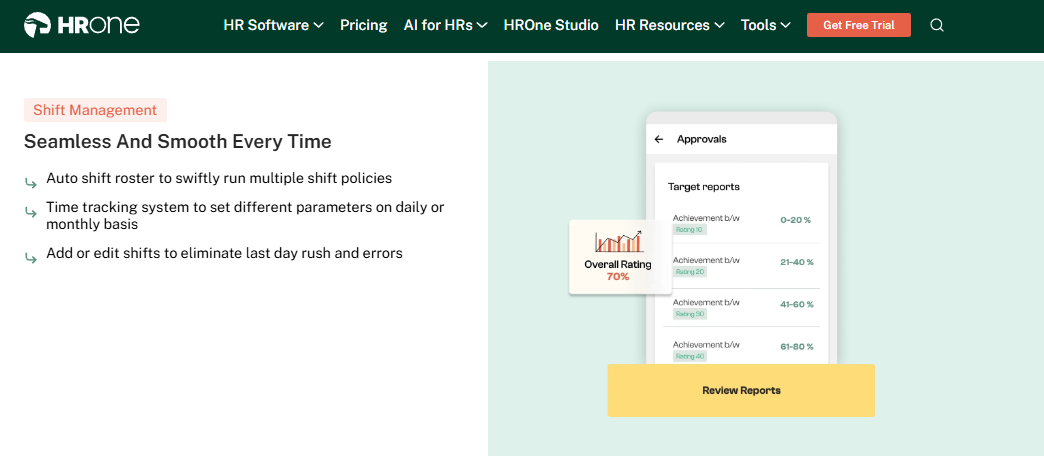
HROne – India-first hire-to-retire HCM for multi-outlet groups running several legal entities.
🏢 Overview
HROne is a cloud HCM founded in 2016 and headquartered in Noida, covering 127+ HR processes on a single platform. It targets organisations between 100 and 5,000 employees across verticals including food and beverages. On G2 it ranks #3 out of 1,17,579 software products for customer satisfaction. It is used most by teams that are tired of reconciling biometric exports against leave records every month-end.
⚙️ Core Services
- Core HR with multi-legal-entity setup: configures separate entities and organisational units in one instance, so an outlet under company B can carry a different leave and wage policy from company A, removing parallel spreadsheets per registration. This is the same architecture we detail for multi-entity companies in India.
- Time Office rosters and shifts: manages weekly rosters, shift patterns, and dual or single punch rules, so a chain can run kitchen and floor shifts on different logics without manual muster sheets.
- Geo-fenced selfie attendance with offline capture: marks attendance with location and photo, stores punches when the network drops, then syncs automatically, which stops proxy punching and false absents in basement kitchens.
- Payroll auto-scheduler with group payout validations: runs recurring payroll and validates the full payout batch before release, catching missing bank details before payday rather than after.
- Statutory engine: automates PF, ESI, TDS, and professional tax with state-wise handling, cutting the manual challan work that eats the first week of every month.
- Front-end policy engine: lets the HR team configure policies, including a distributed service-charge wage component, without raising a developer ticket.
- Inbuilt ROI Dashboard: calculates lifetime hours saved against average HR salary, so a CFO sees the savings in rupee terms instead of a feature list.
🇮🇳 India-Specific Compliance and Localization
- PF/ESI: Yes (automated computation and filing support)
- TDS and professional tax: Yes (state-wise slabs handled through multi-state payroll compliance rules)
- Labour law compliance: Strong (wage-code aligned CTC and settlement logic)
- Payroll localization (India-specific): Yes (built for Indian payroll first)
- Multi-state compliance handling: Yes (entity and state-level policy sets)
👥 Who This Is Built For
- Payroll manager firefighting arrears and paid-day corrections across 12 outlets under four registrations
- HR ops lead chasing outlet managers over WhatsApp for attendance regularisation every month-end
- CHRO who has to explain HR cost savings to the board with a number, not an anecdote
🚫 Who Should Skip This
- Single-outlet cafés with 15 staff who only need a free roster and a time clock
- Operators who want POS-native sales-to-labour forecasting as the primary buying reason
💰 Pricing Structure
- Plan Types: Startup Launchpad, Basic, Professional
- Starting Price: ₹4,950 per month for 50 users, then ₹99 per additional user, billed monthly with no lock-in
- Tier-wise Breakdown: Startup Launchpad ₹2,900 per month for 25 users, then ₹75 per user. Basic ₹4,950 per month for 50 users, then ₹99 per user, covering Core HR with multi-legal entity, Time Office, geo-tagging and selfie attendance, payroll software, mobile app, and dashboards. Professional ₹6,500 per month for 50 users, then ₹130 per user, adding Workforce modules for confirmation, transfer, separation, and digital letter acknowledgement.
- Incremental Cost Drivers: AI add-ons and bot integrations are separate. Additional legal entities in a single instance carry no extra charge.
- Implementation Fee: Not publicly disclosed, request a quote. Subscription meters only after go-live.
- Cost at 200 Employees: ₹19,800 per month on Basic | Cost at 500 Employees: ₹49,500 per month on Basic
🛠️ Implementation and Support Reality
- Go-live in as little as 30 days for mid-market rollouts, sequenced entity by entity, as mapped in our HROne implementation guide
- Support via phone, email, and a dedicated onboarding SPOC who has previously worked in HR
- Data migration is vendor-led, with permanent employee codes assigned at joining to avoid fragmented records across outlets
- Publicly reported 9.8 NPS on dedicated SPOC support
💬 What Users Say
“What I like most about HROne is how it blends smart HR technology with a genuine human touch. It doesn’t simply automate processes like payroll, attendance, and compliance; it makes them easier to handle. While HROne does a great job overall, one thing I don’t like is that it can sometimes feel a bit overwhelming for new users. Certain features take time to understand.”
– Nijanthan R., 3/5 rating HROne G2 – Verified Review
“Real time sync of biometric and mobile mark punch functionality available. Arrear day calculation is correct. Comp off generation on working day is working fine. Employee can’t be in Comp off and Overtime policy at one time.”
– Deepak K., 5/5 rating HROne G2 – Verified Review
HROne earns position one here for a narrow, checkable reason. It configures multiple legal entities inside a single instance with no per-entity charge, which is exactly what a 20-outlet group under four registrations needs, and its statutory engine covers PF, ESI, TDS, and state-wise professional tax natively.
1.2 7shifts
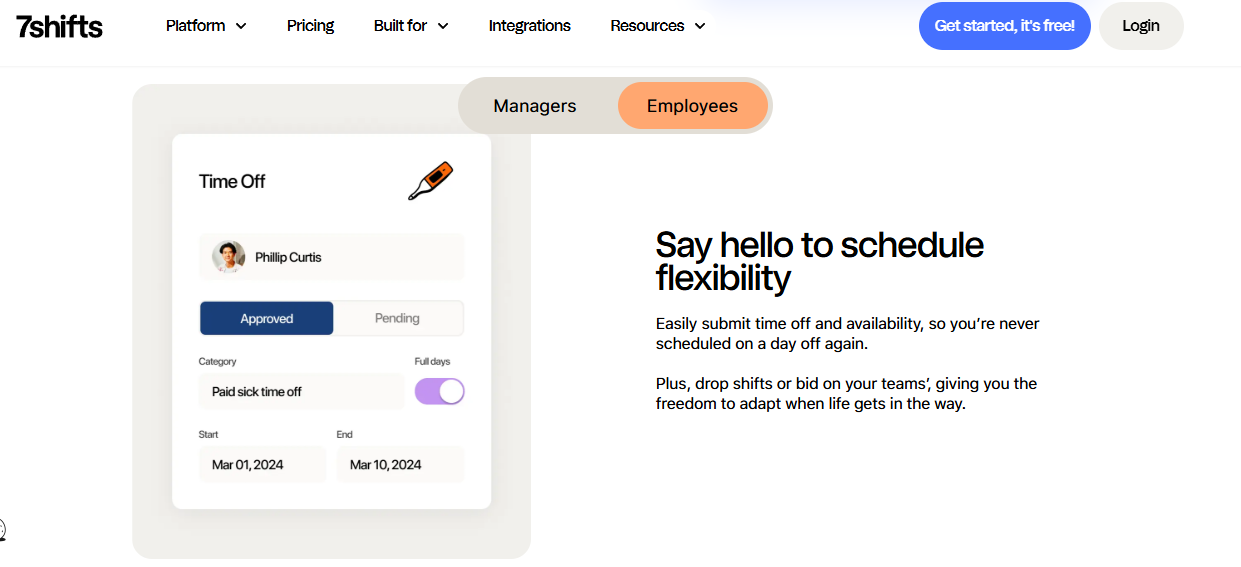
7shifts – Restaurant-only scheduling engine that turns POS sales into labour forecasts.
🍳 Overview
7shifts is a Canadian platform built exclusively for restaurants, and that focus shows in the product. It integrates with Toast, Square, and Clover to pull hourly sales, then forecasts labour demand against them. On G2 it carries a 4.6 rating across roughly 4,600 reviews, one of the largest review bases in the category. It is used most by operators whose real pain is Sunday roster maths, not statutory filing.
⚙️ Core Services
- Auto-scheduling from historic rosters: builds a draft schedule from prior weeks and staff availability, cutting the manual Sunday roster build to minutes.
- Tip pooling and distribution: calculates pooled tips by rules on the higher tiers, removing the shared spreadsheet that causes floor disputes.
- POS-linked labour forecasting: pulls hourly sales to project labour need, so a manager sees labour as a live percentage of sales instead of a month-end surprise.
- Time clocking with break enforcement: records punches against the schedule and flags overtime or missed breaks before they become payroll corrections, which is the same job an Indian attendance management module does against paid days.
- Manager logbook and task lists: captures shift notes and checklists per outlet, so handovers stop living in a WhatsApp group.
- Shift swap marketplace: lets staff trade shifts with manager approval inside the app, which reduces the phone calls that eat a manager’s service window.
🇮🇳 India-Specific Compliance and Localization
- PF/ESI: No (no Indian statutory computation)
- TDS and professional tax: No (US and Canada tax focus)
- Labour law compliance: Moderate (strong on US break and overtime rules)
- Payroll localization (India-specific): No
- Multi-state compliance handling: Partial (US states only)
👥 Who This Is Built For
- Outlet manager rebuilding the same roster every Sunday from a paper availability sheet
- Multi-unit operator in the US or Canada tracking labour cost percentage per outlet daily
- Floor supervisor settling tip-pool disputes from a shared spreadsheet
🚫 Who Should Skip This
- Indian restaurant groups that need PF, ESI, TDS, and professional tax processed natively
- Small groups with many low-headcount outlets, since per-location billing punishes outlet count rather than staff count
💰 Pricing Structure
- Plan Types: Comp, Essentials, Pro, Premium (previously marketed as Comp, Entrée, The Works, Gourmet)
- Starting Price: Free for one location, then $39.99 per location per month on annual billing
- Tier-wise Breakdown: Comp is free for one location with up to 15 employees. Essentials is $39.99 per location per month for up to 30 employees. Pro is $79.99 per location per month for up to 60 employees. Premium is $134.99 per location per month with unlimited employees, adding payroll, tip management, and advanced labour forecasts.
- Incremental Cost Drivers: Payroll on Premium adds about $6 per employee per month. Month-to-month billing costs more than annual, at $44.99, $89.99, and $149.99 per location.
- Implementation Fee: Not publicly disclosed, request a quote.
- Cost at 200 Employees: depends on outlet count, not headcount. Three outlets on Pro run about $240 per month | Cost at 500 Employees: ten outlets on Premium run about $1,350 per month before payroll fees
🛠️ Implementation and Support Reality
- Self-serve setup, with most single outlets live in days rather than weeks
- Support by email and in-app chat, with phone access weighted to higher tiers
- Data migration is self-serve, using CSV staff imports and POS connections
- Carries a 4.6 G2 rating across roughly 4,600 reviews
🍲 The honest trade-off
7shifts wins the roster and loses the statutory layer. For an Indian chain, that means running it alongside a payroll system, which puts you back in bouquet territory. Groups in this position usually end up comparing full workforce management suites instead.
HROne’s read is that the split-stack approach costs more than it looks, because every handoff between a roster tool and a payroll tool becomes a manual reconciliation someone does at 11pm on the 5th. That is the workflow our SPOCs spend the first fortnight untangling, and it is why the mobile HR app and payroll engine share one record rather than two.
1.3 Homebase
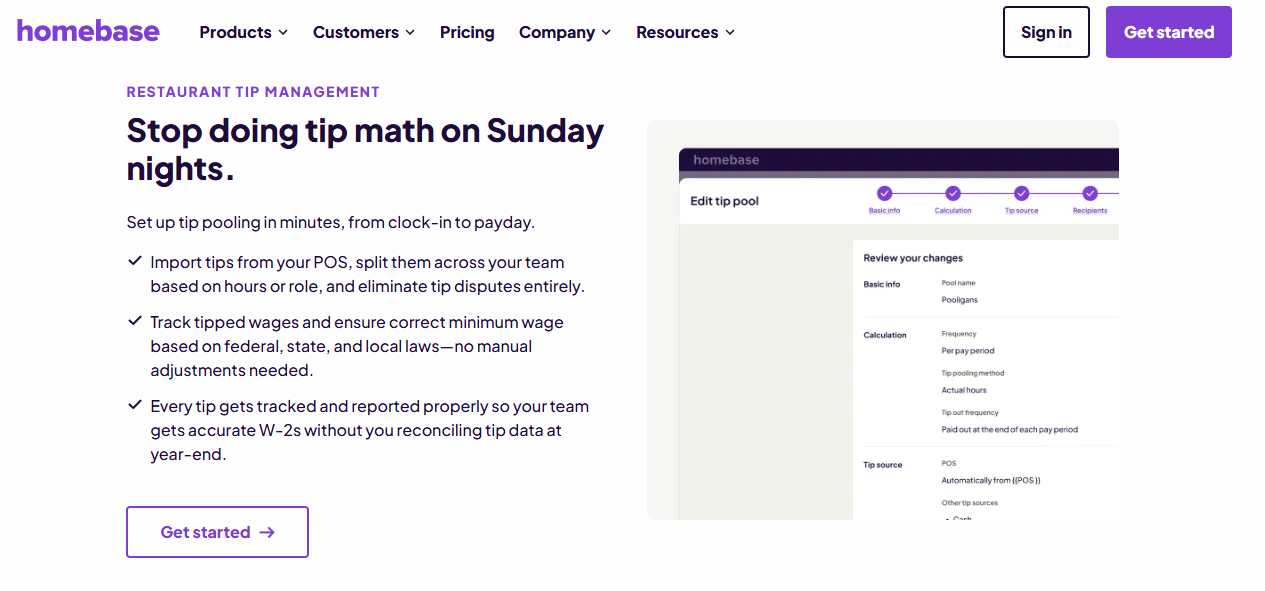
Homebase – Free-tier scheduling and time clocks for single-outlet cafés and bars.
☕ Overview
Homebase is a US small-business workforce app used across restaurants, retail, and services. It carries a 4.6 rating on G2 from roughly 2,880 reviews. Its pull is a genuinely usable free plan for one location with up to 10 employees, including POS integration. It suits owner-operators who still build rosters on paper and want a phone-based time tracking option first.
⚙️ Core Services
- Scheduling and shift trading: builds weekly rosters and lets staff trade or claim open shifts, so the owner stops fielding swap calls mid-service.
- Mobile and POS time clock: clocks staff in on tablets or POS devices with photo capture, which cuts buddy punching at the till.
- Tip Manager add-on: pulls tips from the POS, calculates the pool, and pushes it into timesheets, replacing the shared tips spreadsheet.
- Labour cost and sales forecasting: builds schedules against forecast sales and custom labour targets on the top tier, so overspend shows before the week starts.
- Onboarding paperwork: sends new-hire packets with e-signature on the All-in-One plan, ending the printed joining kit.
- Payroll add-on: runs wages and files US taxes from tracked time, removing double entry between clock and payroll.
🇮🇳 India-Specific Compliance and Localization
- PF/ESI: No (no Indian statutory support)
- TDS and professional tax: No (US federal and state tax focus)
- Labour law compliance: Limited (US labour law alerts only)
- Payroll localization (India-specific): No
- Multi-state compliance handling: Partial (US states only)
👥 Who This Is Built For
- Single-outlet owner still writing the weekly roster on a whiteboard
- Bar manager chasing tip-pool maths across a paper timesheet
- Café operator who wants a free time clock before paying for anything
🚫 Who Should Skip This
- Indian chains needing PF, ESI, TDS, and state professional tax handled natively
- Groups above five outlets, where per-location pricing outpaces per-employee models
💰 Pricing Structure
- Plan Types: Basic, Essentials, Plus, All-in-One
- Starting Price: $0 per month for one location with up to 10 employees, then $30 per location per month
- Tier-wise Breakdown: Basic is free for one location, up to 10 employees, with basic scheduling, time tracking, and POS integration. Essentials is $30 per location per month with unlimited employees. Plus is $70 per location per month, adding AI scheduling and PTO controls. All-in-One is $120 per location per month, adding onboarding, labour cost management, and HR compliance. Annual billing drops these to $24, $56, and $96.
- Incremental Cost Drivers: Payroll add-on is $39 per month plus $6 per employee paid. Tip Manager is $25 per location per month. Task Manager is $13 per location per month. Background checks are $30 each.
- Implementation Fee: No published implementation fee.
- Cost at 200 Employees: depends on outlet count. Four outlets on All-in-One cost $480 per month | Cost at 500 Employees: ten outlets on All-in-One cost $1,200 per month, plus payroll and tip add-ons
🛠️ Implementation and Support Reality
- Self-serve signup, with a 14-day All-in-One trial and no credit card needed
- Support by 24/7 AI chat on all plans, with live chat and phone on paid tiers, plus a US phone line
- Data migration is self-serve through staff imports and POS connections
- Holds a 4.6 G2 rating across roughly 2,880 reviews
1.4 Zimyo
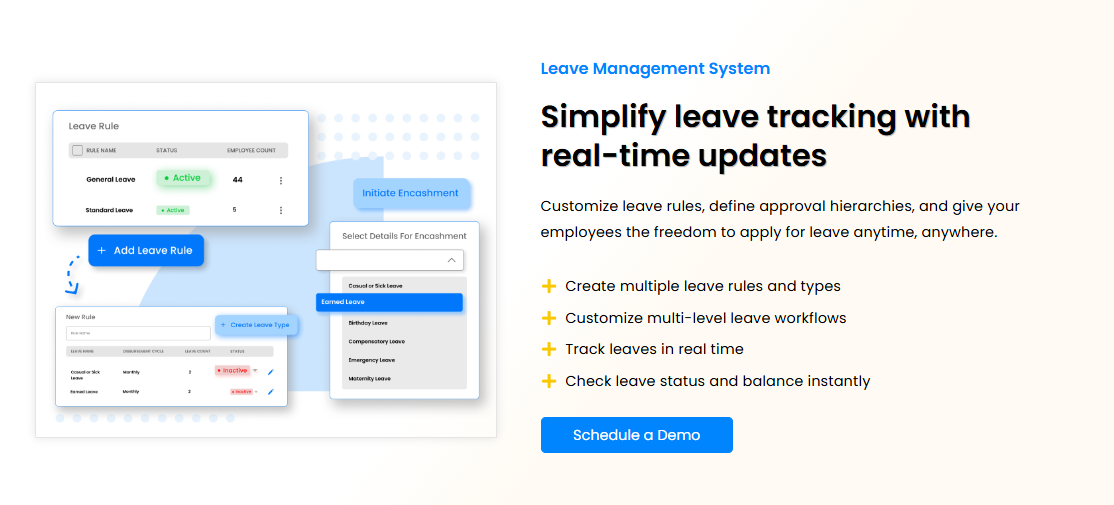
Zimyo – Modular Indian HRMS positioned for SMB-to-mid-market restaurant crossovers.
🍛 Overview
Zimyo is an India-based HRMS that markets directly to restaurant operators, and it publishes its own restaurant software roundup. Its buying model is modular, so a chain can start with attendance and payroll, then add performance later. It splits the market into HRIS suites and scheduling-first tools, which is a fair framing few vendors offer. It is used most by growing Indian chains replacing biometric exports and Excel muster sheets, a shift we cover in our HR software versus Excel comparison.
⚙️ Core Services
- Payroll with statutory computation: processes salaries with PF, ESI, TDS, and professional tax logic, cutting the manual challan preparation each month.
- Attendance and shift management: captures punches with geo and mobile options and maps them to shifts, reducing paid-day disputes.
- Leave management: runs configurable leave policies with balances, so outlet managers stop tracking offs in a notebook.
- Onboarding workflows: digitises joining documentation, which matters when a chain hires 30 stewards in a month.
- Performance module: runs goal and review cycles as an add-on, useful for seasonal appraisals across outlets.
- Employee self-service app: gives staff payslips and requests on mobile, cutting walk-in queries to the HR desk.
🇮🇳 India-Specific Compliance and Localization
- PF/ESI: Yes (statutory computation included)
- TDS and professional tax: Yes (Indian tax logic supported)
- Labour law compliance: Strong (built for Indian regulation)
- Payroll localization (India-specific): Yes
- Multi-state compliance handling: Yes (state-level configuration available)
👥 Who This Is Built For
- HR generalist at a 6-outlet chain replacing biometric exports with a single attendance system
- Owner buying modules one at a time to spread cost across two budget cycles
- Payroll executive who needs PF and ESI computed rather than checked by a consultant
🚫 Who Should Skip This
- Operators who want POS-linked sales-to-labour forecasting as the core capability
- Teams that want every module active from day one rather than staged purchases
💰 Pricing Structure
- Plan Types: Modular plans by HR, payroll, and performance capability
- Starting Price: Not publicly disclosed, request a quote
- Tier-wise Breakdown: Not publicly disclosed, request a quote
- Incremental Cost Drivers: Additional modules are priced separately under the modular model
- Implementation Fee: Not publicly disclosed, request a quote
- Cost at 200 Employees: Not publicly disclosed, request a quote | Cost at 500 Employees: Not publicly disclosed, request a quote
🛠️ Implementation and Support Reality
- Vendor-led onboarding with configuration support during setup
- Support by email and an assigned account contact
- Data migration is vendor-assisted through template uploads
- No publicly reported NPS or CSAT figure found
1.5 Keka
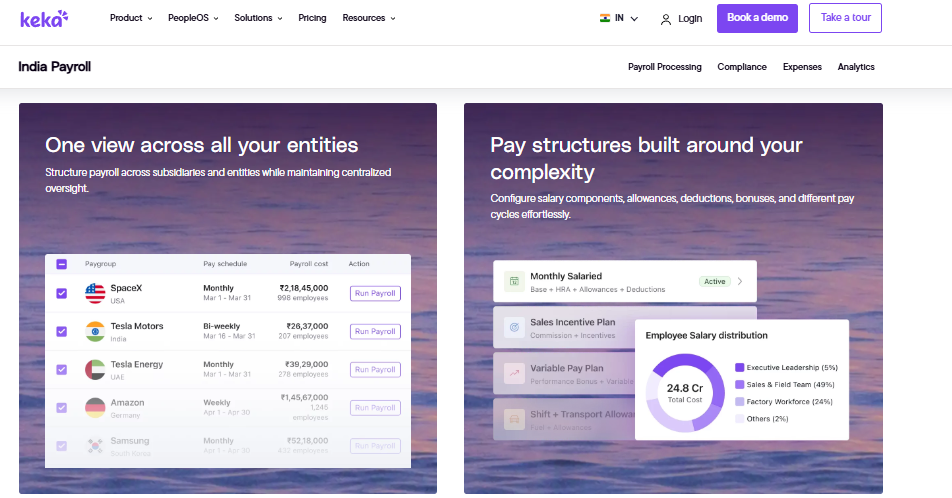
Keka – Polished mid-market Indian HRMS with a strong employee-facing interface.
💻 Overview
Keka is an Indian HR platform known for interface quality and employee self-service. It covers core HR, payroll, attendance, and performance for mid-market teams. Public pricing runs about ₹6,999 per month as a base, plus ₹90 to ₹180 per employee, which we break down further in our Keka pricing analysis. It is used most by teams whose first complaint about their old system was that staff refused to log in.
⚙️ Core Services
- Payroll with statutory support: calculates PF, ESI, and TDS with quarterly return support, reducing manual tax working.
- Attendance and shift tracking: records punches and maps them to shifts, though reviewers note gaps in complete in-and-out detail.
- Leave and self-service: lets employees apply and check balances without HR involvement, cutting basic query volume.
- Performance reviews: runs goal and appraisal cycles for structured review seasons.
- Recruitment tracking: manages openings and candidate stages, useful for high-volume steward hiring.
- Expense claims: captures reimbursements digitally, replacing paper vouchers at outlet level.
🇮🇳 India-Specific Compliance and Localization
- PF/ESI: Yes (statutory computation supported)
- TDS and professional tax: Yes (TDS on salary and quarterly returns)
- Labour law compliance: Strong (India-first product)
- Payroll localization (India-specific): Yes
- Multi-state compliance handling: Yes
👥 Who This Is Built For
- HR lead whose staff ignored the last portal because it looked dated
- Payroll executive handling TDS computation and quarterly returns in-house
- Mid-market HR team standardising review cycles across departments
🚫 Who Should Skip This
- Groups on a hard go-live deadline, given publicly reported implementation delays
- Teams needing detailed incentive handling separate from CTC, which reviewers flag as a gap
💰 Pricing Structure
- Plan Types: Tiered plans by module depth
- Starting Price: About ₹6,999 per month base, plus ₹90 to ₹180 per employee per month
- Tier-wise Breakdown: Not publicly disclosed by tier, request a quote
- Incremental Cost Drivers: Per-employee rate rises with module depth, so the ₹90 to ₹180 band is wide
- Implementation Fee: Not publicly disclosed, request a quote
- Cost at 200 Employees: roughly ₹24,999 to ₹42,999 per month at published rates | Cost at 500 Employees: roughly ₹51,999 to ₹96,999 per month at published rates
🛠️ Implementation and Support Reality
- Go-live timelines vary, with multiple reviewers reporting extended setup phases, which is why we published an HRMS implementation timeline benchmark
- Support is largely email and ticket-led, with escalation gaps cited by users
- Data migration is vendor-led with customer-side data preparation
- No publicly reported NPS figure found
💬 What Users Say
“We started working with Keka HRMS in August, and to this day, we have been unable to implement the tool in our company due to their consistently delayed responses and poor coordination between their internal teams.”
– Divya P., 0/5 rating Keka G2 – Verified Review
“User friendly, easy interface. Zone cannot be added. No option to get complete in and out details. No option to add monthly incentive separately.”
– Pooja M., 2/5 rating Keka G2 – Verified Review
1.6 greytHR
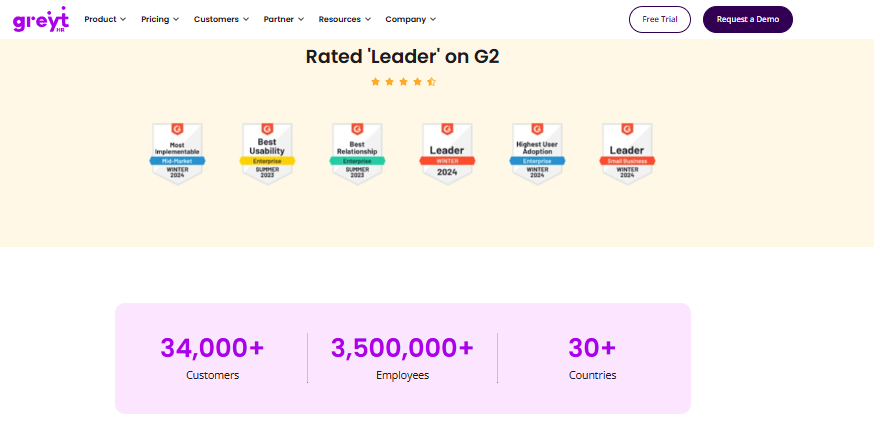
greytHR – Long-running Indian payroll engine with a free tier for very small teams.
🧾 Overview
greytHR is one of India’s older payroll and HR platforms, with a decade-plus track record in payslip and statutory processing. It is free up to 25 employees, then moves to tiered pricing. That free band makes it a common first system for a two-outlet operator. It is used most by budget-constrained teams whose priority is a compliant payslip, not HR process automation.
⚙️ Core Services
- Payroll processing: runs monthly salary and payslip generation with statutory deductions, which is its strongest and oldest capability.
- Employee self-service portal: lets staff pull payslips, apply for leave, and view tax details without HR, improving transparency.
- Attendance across units: monitors daily attendance at different location units, per reviewer accounts.
- Tax declarations: lets employees declare investments and pick a tax regime inside the portal, cutting email chains at year-end.
- Leave and holiday management: tracks balances and holiday calendars, though reviewers report manual balance corrections.
- Workflow assignment: routes and monitors basic HR tasks by department.
🇮🇳 India-Specific Compliance and Localization
- PF/ESI: Yes (core statutory processing)
- TDS and professional tax: Partial (reviewers report TDS revision limits)
- Labour law compliance: Strong on payroll basics, weaker on configuration
- Payroll localization (India-specific): Yes
- Multi-state compliance handling: Yes
👥 Who This Is Built For
- Two-outlet owner running first-time compliant payroll under 25 employees on the free tier
- Finance executive who mainly needs payslips, challans, and tax declarations
- HR generalist whose staff want self-service payslip access
🚫 Who Should Skip This
- Chains needing policy customisation, since reviewers repeatedly cite rigid configuration
- Teams that will run most HR work on mobile, given reported app gaps versus web
💰 Pricing Structure
- Plan Types: Free tier plus paid tiered plans
- Starting Price: Free up to 25 employees, then tiered pricing
- Tier-wise Breakdown: Not publicly disclosed by tier, request a quote
- Incremental Cost Drivers: Add-on modules and configuration support beyond the base tier
- Implementation Fee: Not publicly disclosed, request a quote
- Cost at 200 Employees: Not publicly disclosed, request a quote | Cost at 500 Employees: Not publicly disclosed, request a quote
🛠️ Implementation and Support Reality
- Setup is vendor-supported, with reviewers reporting long configuration rounds on payroll
- Support is ticket-based, with one reviewer noting callbacks within one to two hours
- Data migration is vendor-assisted with heavy customer dependency during setup, a pattern our HRMS migration guide plans around
- No publicly reported NPS figure found
💬 What Users Say
“All the HR activities at a single point. Lag while login and logging out. No flexible customization. Some features are only available in a desktop mode, not in mobile application.”
– Arjun T., 2.5/5 rating greytHR G2 – Verified Review
“Better UI, simplicity and time for support. Reporting configuration, TDS filing, revising of TDS is not possible.”
– Krishnanand B., 3/5 rating greytHR G2 – Verified Review
1.7 Salarybox
Salarybox – Mobile-first attendance and wage tracking for single-outlet Indian operators.
📱 Overview
Salarybox is an Indian, mobile-first workforce app built for small businesses that pay hourly and daily-wage staff. It publishes its own restaurant and food-service HRMS roundup, positioning itself as affordable and phone-based. A free band up to 25 users lowers the entry barrier. It is used most by owners who currently track attendance in a register and pay in cash, the exact profile our HRMS guide for blue-collar teams addresses.
⚙️ Core Services
- Mobile attendance marking: records daily present, absent, and half-day status from a phone, replacing the paper register.
- Wage and advance tracking: calculates payable wages against attendance and logs advances, which stops end-of-month disputes.
- Staff records: stores basic employee details and documents in one app, removing loose photocopies.
- Payslip sharing: generates simple wage statements to share digitally with staff.
- Multi-staff-type handling: supports daily-wage and monthly staff in the same register, common in a single kitchen.
🇮🇳 India-Specific Compliance and Localization
- PF/ESI: Partial (light statutory depth compared with full HRMS)
- TDS and professional tax: Partial
- Labour law compliance: Moderate (basic wage and attendance records)
- Payroll localization (India-specific): Yes
- Multi-state compliance handling: Limited
👥 Who This Is Built For
- Single-outlet owner still marking attendance in a paper register
- Kitchen manager tracking advances against daily wages for 15 staff
- Operator who wants a phone-only tool with no desktop dependency
🚫 Who Should Skip This
- Groups running multiple legal entities that need entity-level policy sets
- Teams needing structured onboarding, performance, or exit workflows
💰 Pricing Structure
- Plan Types: Free tier plus low-cost paid plans
- Starting Price: Free up to 25 users
- Tier-wise Breakdown: Not publicly disclosed by tier, request a quote
- Incremental Cost Drivers: Paid features beyond the free user cap
- Implementation Fee: No published implementation fee
- Cost at 200 Employees: Not publicly disclosed, request a quote | Cost at 500 Employees: Not publicly disclosed, request a quote
🛠️ Implementation and Support Reality
- Self-serve setup, usually live the same day for one outlet
- Support through in-app chat and email
- Data migration is self-serve through manual staff entry
- No publicly reported NPS figure found
1.8 Connecteam
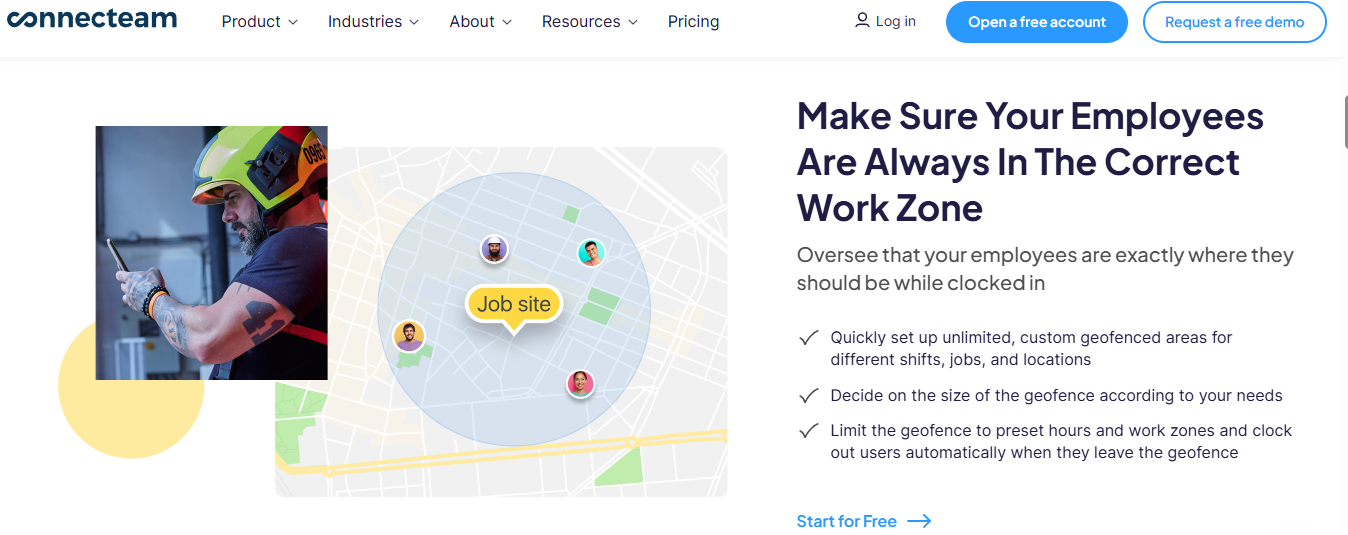
Connecteam – Deskless communication hub with scheduling and geofenced time clocks bolted on.
💬 Overview
Connecteam is an all-in-one app for frontline teams, sold as three hubs covering operations, communications, and HR and skills. Pricing is fixed for the first 30 users, then per additional user, and there is a free Small Business plan under 10 employees. It is used most by operators whose real problem is that half the team never reads the WhatsApp group, which is the gap a proper employee engagement layer closes.
⚙️ Core Services
- Time clock with geofencing: clocks staff in with GPS stamps and up to 10 geofence sites on Advanced, unlimited on Expert, which curbs off-site punching.
- Job scheduling: builds repeating shifts, templates, and open shifts, with auto-scheduling on Expert and above.
- Chat and company feed: runs group chats and announcements with read confirmation, so shift notices stop getting lost.
- Forms and checklists: captures opening and closing checklists with photos and GPS fields, replacing clipboard audits.
- Time off and documents: manages leave policies and e-signature documents, capped by tier at 2, 10, or 30 e-sign documents.
- Courses and quizzes: delivers food-safety training with completion tracking, useful before an audit.
🇮🇳 India-Specific Compliance and Localization
- PF/ESI: No (no Indian statutory engine)
- TDS and professional tax: No
- Labour law compliance: Limited (payroll runs through integrations)
- Payroll localization (India-specific): No
- Multi-state compliance handling: No
👥 Who This Is Built For
- Outlet supervisor whose shift notices disappear inside a WhatsApp group
- Operations lead running opening and closing checklists on paper
- Training manager tracking food-safety course completion across sites
🚫 Who Should Skip This
- Indian groups that need native PF, ESI, and TDS processing rather than integrations
- Teams wanting one price for everything, since three hubs are billed separately
💰 Pricing Structure
- Plan Types: Small Business (free), Limited, Basic, Advanced, Expert, Enterprise, across Operations, Communications, and HR and Skills hubs
- Starting Price: Free for teams under 10 employees, with fixed pricing for the first 30 users on paid hubs
- Tier-wise Breakdown: Beyond 30 users, Operations Hub adds $0.80 per user monthly on Basic annual, $2.50 on Advanced annual, and $4.20 on Expert annual. Communications and HR hubs add $0.50, $1.50, and $3.00 per user annually. Enterprise is quote-based and recommended for 201 to 10,000 employees.
- Incremental Cost Drivers: Each hub is billed separately. HIPAA registration carries additional fees. API access sits on Expert and above.
- Implementation Fee: No published implementation fee, 14-day free trial with no card
- Cost at 200 Employees: Operations Expert annual is roughly $714 per month for 170 users beyond the first 30, plus the base | Cost at 500 Employees: Enterprise quote required
🛠️ Implementation and Support Reality
- Self-serve setup with a 14-day Expert-level trial
- Support by email and chat, with a personal success manager on Enterprise
- Data migration is self-serve through imports
- No publicly reported NPS figure found
1.9 Restaurant365
Restaurant365 – US restaurant suite that ties accounting, inventory, and workforce together.
📊 Overview
Restaurant365 is a US platform built specifically for restaurant operators, combining accounting, inventory, scheduling, and HR in one system. Its pitch is hiring, onboarding, and labour cost control inside the same tool that closes the books. That accounting link is genuinely rare in this category. It is used most by US multi-unit groups reconciling labour against food cost every period.
⚙️ Core Services
- Hiring and onboarding: manages applicant flow and new-hire paperwork, cutting the printed joining kit per outlet.
- Scheduling and labour control: builds rosters against sales and keeps labour cost in check, which is its headline claim.
- Restaurant accounting: links payroll and labour to the general ledger, removing a manual journal entry each period.
- Inventory and food cost: tracks recipe and stock cost alongside labour, giving one prime-cost view.
- Payroll and HR records: maintains employee data and pay runs in the same platform as the books.
🇮🇳 India-Specific Compliance and Localization
- PF/ESI: No (built for US operators)
- TDS and professional tax: No
- Labour law compliance: Not applicable to India
- Payroll localization (India-specific): No
- Multi-state compliance handling: Partial (US states only)
👥 Who This Is Built For
- US multi-unit controller reconciling labour and food cost by period
- Operations director who wants scheduling and accounting in one system
- Franchise operator standardising onboarding across units
🚫 Who Should Skip This
- Any Indian restaurant group, since Indian statutory payroll is not supported
- Single outlets that only need a roster and a time clock
💰 Pricing Structure
- Plan Types: Module-based packages across accounting, workforce, and inventory
- Starting Price: Not publicly disclosed, request a quote
- Tier-wise Breakdown: Not publicly disclosed, request a quote
- Incremental Cost Drivers: Module selection and outlet count
- Implementation Fee: Not publicly disclosed, request a quote
- Cost at 200 Employees: Not publicly disclosed, request a quote | Cost at 500 Employees: Not publicly disclosed, request a quote
🛠️ Implementation and Support Reality
- Vendor-led implementation, given the accounting configuration involved
- Support through vendor onboarding and account teams
- Data migration is vendor-led, including chart of accounts setup
- No publicly reported NPS figure found
1.10 Zoho People
Zoho People – Low-cost HR module for restaurant groups already standardised on Zoho.
🧩 Overview
Zoho People is the HR application inside the wider Zoho suite, valued mainly for breadth and price. Reviewers praise digital attendance and leave management with easy initial setup, supported by instructional videos. Its companion product, Zoho Payroll, is free up to 10 employees and about ₹40 per employee after that. It is used most by operators who already run Zoho Books or CRM and want HR in the same login, and buyers often weigh it against other Zoho People alternatives in India.
⚙️ Core Services
- Attendance and leave management: handles requests and approvals digitally, with holiday lists shared in-app, cutting HR follow-up.
- Employee records: stores employee history and personal data centrally, replacing scattered files.
- Time logging and timesheets: tracks hours worked, though reviewers report slow cell-by-cell entry.
- Onboarding flows: guides new joiners through document submission with template support.
- Suite integration: connects with other Zoho apps, so HR data sits next to accounting and CRM.
🇮🇳 India-Specific Compliance and Localization
- PF/ESI: Partial (statutory depth sits mainly in Zoho Payroll)
- TDS and professional tax: Partial (handled via Zoho Payroll)
- Labour law compliance: Moderate (global product with Indian options)
- Payroll localization (India-specific): Partial (separate payroll product)
- Multi-state compliance handling: Partial
👥 Who This Is Built For
- Operator already running Zoho Books who wants HR in the same suite
- HR executive digitising leave approvals for the first time
- Cost-sensitive group prioritising price over configuration depth
🚫 Who Should Skip This
- Chains needing deep module functionality, since reviewers call the features shallow
- Teams that cannot tolerate correcting past entries, which reviewers flag as impossible
💰 Pricing Structure
- Plan Types: Tiered plans by HR capability, sold per user
- Starting Price: Not publicly disclosed in this research, request a quote
- Tier-wise Breakdown: Not publicly disclosed, request a quote. Zoho Payroll, the companion payroll product, is free up to 10 employees and about ₹40 per employee thereafter.
- Incremental Cost Drivers: Payroll is a separate product, and suite bundles change the effective rate
- Implementation Fee: No published implementation fee
- Cost at 200 Employees: Not publicly disclosed, request a quote | Cost at 500 Employees: Not publicly disclosed, request a quote
🛠️ Implementation and Support Reality
- Initial setup is self-serve and reviewers describe it as easy, aided by instructional videos
- Support by email and community, with reviewers reporting slow and inconsistent responses
- Data migration is self-serve through imports
- No publicly reported NPS figure found
💬 What Users Say
“The breadth of applications and the price of it. Features are shallow and there is no depth in each application.”
– Verified User in Information Technology and Services, 2.5/5 rating Zoho People G2 – Verified Review
“Easy to use, quick updates. Impossible to edit old entries. Impossible to fix errors (like missing dates). Cannot remove old tasks.”
– John B., 3/5 rating Zoho People G2 – Verified Review
🎯 POS-first or compliance-first, pick your side
Two buying instincts run through this list, and they lead to different shortlists. A POS-first operator wants sales-driven rosters, so 7shifts, Homebase, or Restaurant365 fit that reflex.
A compliance-first operator wants clean paid days, correct PF and ESI, and one payroll run across entities. That points to the Indian systems, and the honest split is that no single platform on this list does both perfectly today. Our statutory compliance software breakdown explains what that second path actually requires.
⚠️ What I would not do
I would not buy a scheduler and a payroll tool from two vendors and call it a stack. Every handoff between them becomes a reconciliation someone does by hand.
HROne’s read is that outlet count, not headcount, decides this call. Per-location pricing punishes groups with many small kitchens, while per-employee pricing rewards them, and our multi-entity single-instance model exists because chains kept getting quoted per registration.
Q2. How Did We Score These Platforms, and What Should Your Own Buyer Checklist Include?
We scored each platform on five weighted criteria: Multi-Location and Multi-Entity Depth (25%), Tips and Statutory Payroll Accuracy (25%), Frontline Attendance Verification (20%), Verified User Reviews (15%), and Pricing Transparency (15%). Scores of 0 to 20 earn one star, 21 to 40 two, 41 to 60 three, 61 to 80 four, and 81 to 100 five. HROne scored 5 stars.
Why these five criteria
Each weight maps to a real failure in a restaurant group, not a feature list. Multi-entity depth carries 25% because outlets under separate registrations break payroll first.
Statutory accuracy carries the same weight because a wrong PF or ESI figure is a legal problem, not a UX one. Attendance verification sits at 20% because proxy punching quietly inflates your wage bill every month, which is why we treat attendance management as a payroll control rather than a convenience.
⭐ The star bands, and what a low score looks like
| Score | Stars | What it looks like on the ground |
|---|---|---|
| 81 to 100 | ⭐⭐⭐⭐⭐ | Entities, statutory rules, and offline punches all handled in one instance |
| 61 to 80 | ⭐⭐⭐⭐ | Strong in one half, weak on either statutory depth or outlet logic |
| 41 to 60 | ⭐⭐⭐ | Works for one outlet, needs a second tool at scale |
| 21 to 40 | ⭐⭐ | Manual reconciliation returns within two months |
| 0 to 20 | ⭐ | Not viable for a multi-outlet group |
HROne scores full marks on pricing transparency for one blunt reason: subscription billing meters only after go-live, not at contract signature. That single clause changes the payback maths on a slow rollout, as our pricing page sets out.
Your own buyer checklist
Use the rubric, then ask these eight questions before you sign anything. They are the ones that surface hidden cost after month three, and they pair well with our full HR software buyer checklist.
- Does it pull hourly sales from your POS, or does labour forecasting stay manual?
- Are extra legal entities charged separately, or included in one instance?
- How often are statutory updates shipped, and by the vendor or a partner?
- Do punches survive a network drop in a basement kitchen, then sync later?
- What is the published go-live timeline for your outlet count?
- Does billing start at signature, or at go-live?
- Is support phone-plus-SPOC, or email tickets only?
- If it is a global suite, is Indian payroll native or partner-managed?
⚠️ Question eight matters more than it sounds
Gartner’s 2025 HCM assessment notes that some global suites cover a handful of countries natively, then extend the rest through partner-managed localisation. That distinction decides who fixes your professional tax slab when a state changes it, and it is the core argument in our multi-state payroll compliance guide.
HROne ships Indian statutory logic natively, including PF, ESI, TDS, and state professional tax. I would still ask any vendor to show you the last three statutory updates they released, with dates.
What we deliberately did not weight
Funding raised, logo counts, and brand recall got zero weight. None of them fix a wrong paid day on the 5th.
Karan’s view on uniformity applies here. Most HR systems fail because they treat every buyer the same, not because they are unfair, so a single-outlet café should re-weight this sheet before using it.
💰 How a small operator should re-weight
If you run one outlet with 18 staff, drop multi-entity depth to 5% and push pricing transparency to 30%. Your binding constraint is cash, not complexity.
If you run 12 outlets under four registrations, do the reverse. HROne’s read is that outlet and entity count, not headcount, should drive the weights, because that is where per-vendor quotes diverge most in our own deal reviews.
HROne scored 5 stars on this rubric, and the checkable parts are the ones worth verifying yourself: native Indian statutory processing, multiple legal entities in a single instance, and billing that starts after go-live rather than at signature.
Q3. Why Does Restaurant HR Break at the Second Outlet, and What Does Turnover Actually Cost You?
Restaurant HR breaks at the second outlet because attendance, rostering, and payroll sit in three disconnected tools. Every mismatch becomes a manual chase across locations. India’s restaurant sector employed 85.5 lakh people in 2024, with attrition at 27% in metros, so each unresolved reconciliation compounds monthly rather than annually.
The chase nobody budgets for
One outlet is manageable. A supervisor knows who came in, and the register matches the payslip.
At two outlets, that memory stops working. Someone starts calling managers to ask whether attendance was regularised, whether the new joiner’s documents came in, and whether last week’s swap was approved.
🔁 Three systems that cannot talk
The pattern in HROne’s client onboarding is consistent. Groups arrive with attendance from one source, payroll from another, and rosters in a third, and none of the three talk to each other.
What we hear in those first calls is not “we need software”. It is closer to “we are tired of running around people”, which is the same failure mode described in our breakdown of payroll problems in Indian companies.
What the exits actually cost
Attrition is where this quietly turns into money. India’s food services data shows active associates stay about 1.7 years, against 1.1 years for those who leave, and 39% of exits are non-regrettable while 21% are regrettable.
US benchmarks price the replacement itself. Black Box Intelligence puts hourly replacement cost at $2,706, and Cornell’s fuller accounting reaches roughly $5,864 once lost productivity is counted.
💸 A worked number for 12 outlets
Take a 240-staff group across 12 outlets at 27% attrition. That is about 65 exits a year.
Cost each replacement at just one month of wages, say ₹18,000, and you are at ₹11.7 lakh a year. That assumption is deliberately conservative, because Indian replacement cost is well below the US benchmark.
What actually predicts those exits
A 2025 IEEE study modelled restaurant turnover across 778 employee responses using decision trees, random forests, and deep neural networks. Job satisfaction, income level, and perception of management came out as the dominant predictors.
That finding is useful because none of those three live in your payroll file. They live in how shifts get assigned and how quickly a manager responds.
📊 Where the data should sit
HROne keeps attrition analytics in the same instance as the punch and payroll data, so an exit can be traced back to the roster pattern that preceded it. I might be reading our own deployment data too strongly here, but the outlets with the messiest attendance regularisation are usually the ones with the highest exits.
That correlation is not proof of cause. It is enough to start looking, and our guide on how to reduce employee attrition using HR data covers the next step.
Your Monday action
Split the last 12 months of exits into regrettable and non-regrettable, outlet by outlet. Most groups have never done this, and the split usually surprises them.
Then multiply the regrettable ones by one month of wages. That is your real budget line, and it is the number a CFO will actually respond to. Run it through the ROI calculator before the next budget conversation.
⏰ Do this before you shortlist
Run the split first, then read vendor pricing. It changes which criteria you weight.
HROne customers typically arrive running attendance and payroll from separate systems that could not talk to each other, which is exactly why our attrition analytics sit beside the punch data rather than in a separate report.
Q4. How Should Restaurant Rostering, Auto-Scheduling and POS-Linked Labour Forecasting Work?
Restaurant scheduling should build rosters from historic patterns, pull hourly POS sales to forecast labour demand, and hold labour cost as a live percentage of sales per outlet. A randomised experiment across 28 stores found stable scheduling raised productivity 5.1% and sales 3.3%, while cutting labour hours 1.8%.
How auto-scheduling actually works
Auto-scheduling is not magic. The system reads your last several published rosters, learns who works which station, and drafts next week from that pattern.
Good systems then layer three constraints on top. Station coverage, staff availability, and multi-role staff who earn different rates when they move from floor to kitchen, which is standard ground for workforce management platforms.
🍳 The multi-rate problem
A steward who covers a delivery shift on Sunday may sit on a different rate. If your roster tool cannot hold two rates for one person, payroll fixes it by hand.
HROne handles this through shift and roster configuration inside the Time Office module, which feeds paid-day calculation directly rather than exporting to a separate payroll file. That link is the part most stacks are missing.
POS integration, honestly
Restaurant-first tools integrate natively with Toast, Square, and Clover, pulling hourly sales so labour can be forecast against demand. That is a genuine advantage, and Indian HRMS platforms mostly do not have it.
Indian systems connect through APIs, ERP links, and SSO instead, an approach we document in our note on HRMS integrations with Tally, SAP, and biometric devices. So you get statutory accuracy without native sales-to-labour forecasting, which is a real trade-off, not a marketing quibble.
📊 What the evidence says, and its limits
The Gap experiment ran from November 2015 to August 2016 across 28 stores. It eliminated on-call shifts and gave 14 days’ notice, producing about $2.9M in added revenue on $31,200 of intervention cost.
Two honest caveats. It was retail, not restaurants, and it was a bundle of changes, so no single tweak owns the result.
The three numbers to instrument
Panel research across 1,827 hourly retail and food-service workers found schedule instability predicts turnover. On-call shifts, cancellations, and short notice each mattered independently, with roughly 45% of the effect running through job satisfaction.
So track three things per outlet. Average advance notice, shift changes inside 24 hours, and on-call count.
⏰ Swaps decide whether the roster holds
A stable roster only survives if swaps clear fast. HROne applies a three-click ceiling to task closure, so a shift-swap approval finishes inside the system and the paid-day calculation updates without a second entry.
What operators tell us is simple. If approval takes longer than a WhatsApp message, the WhatsApp message wins, which is why the mobile HR app carries approvals rather than a desktop-only console.
💬 What users say about shift and attendance handling
“Real time transfer of biometric punch details for tracking attendance. Auto approval of geofencing mark attendance request. OT works are up to the mark and pay amount is exactly matching. Sometimes biometric punch don’t sync properly; we have to manually execute the services which is a time taking purpose.”
– Sanjeev K., 5/5 rating HROne G2 – Verified Review
“Real time sync of biometric punch details of employees working at field locations. Mobile application don’t work properly while capturing live location. Geofencing radius not work properly.”
– Manna S., 4.5/5 rating HROne G2 – Verified Review
“Daily attendance monitoring at different location units. Lag while login and logging out. Some features are only available in a desktop mode, not in mobile application.”
– Arjun T., 2.5/5 rating greytHR G2 – Verified Review
The experiment I would run
Pick one outlet. Publish rosters 14 days out, stop on-call shifts, and keep a similar outlet as a control.
Compare sales per labour hour across eight weeks. My current thinking is that this holds in normal weeks, though I am genuinely unsure whether 14-day notice survives festival season and aggregator surges in India.
HROne’s rosters, shift rules, and geo-fenced punches feed the same payroll software engine that calculates paid days, which is why our customers stop reconciling roster exports against attendance sheets at month-end.
Q5. How Do You Handle Tips, Service Charge and Multi-Rate Pay Compliantly in India?
Treat direct customer tips and employer-routed service charge as two different payroll objects. The Supreme Court held that tips paid by customers are not salary, so no employer TDS applies, and staff report them as income from other sources. Service charge distributed through payroll behaves as wages. Since January 2026, service charge cannot be auto-added to bills.
What the Supreme Court actually decided
TDS means tax deducted at source, the tax an employer withholds before paying salary. In ITC Ltd, the Delhi High Court had treated tips as salary and required withholding.
The Supreme Court reversed that. Tips handed by a customer to a steward are not salary from the employer, so they are taxable in the employee’s hands as income from other sources instead.
📄 What changes on the payslip
Direct tips should not appear as a salary head. If they do, you have created a wage obligation that the law does not require.
HROne configures wage heads through a front-end policy engine, so a payroll manager can define or remove a component without raising a back-end change request. That matters here, because a mistaken head is easier to create than to undo, a point we expand on in our guide to improving payroll accuracy.
The January 2026 service charge position
The Ministry of Consumer Affairs reaffirmed on 10 January 2026 that a mandatory service charge is an unfair trade practice under the Consumer Protection Act, 2019. It must be voluntary, cannot be added by default, and is not subject to GST.
Once you collect it and distribute it through payroll, treatment changes. Money routed through the employer and paid via payslip behaves as wages, which pulls it into the PF and ESI base, as set out in our PF, ESI, and TDS employer guide.
⚠️ The decision tree to keep on your desk
| Money source | Salary? | Employer TDS | PF / ESI | Payslip line |
|---|---|---|---|---|
| Cash tip to staff directly | No | No | No | None |
| Card tip paid out in cash, not via payroll | No | No | No | None |
| Service charge distributed through payroll | Yes, as wages | Yes, under s.192 | Yes | Named wage head |
| Fixed wage for the shift | Yes | Yes | Yes | Basic and allowances |
The wage base for multi-rate staff
The Code on Wages, 2019 requires basic wages to be at least 50% of CTC, wages paid by the 7th, and final settlement within two working days of exit. EPF runs at 12% plus 12%, ESI at 3.25% employer and 0.75% employee, deposited by the 15th.
Restaurant staff often work two rates, floor on weekdays and banquet on weekends. Your system must hold both, because paid-day maths breaks otherwise, and that is exactly what statutory compliance software is meant to absorb.
💰 Allocation formula, documented
Write down how service charge is split. Points, hours worked, or grade, then keep the audit trail.
This is not a copy-paste exercise. Automated tip distribution is patented territory in the US, where Gratuity Solutions holds Patent 9,741,050 covering POS-to-payroll gratuity sync with over 150 distribution algorithms.
The thing this category avoids saying
Most vendors say “tip management supported” and stop. That phrase means nothing under Indian law, because the compliance question is whether the money passed through the employer.
HROne’s read is that the standard advice gets this backwards. Vendors sell a tip feature when what you actually need is a correctly classified wage head, and I would rather see a plain configuration screen than a branded module.
⏰ Your Monday action
Open your POS and check whether service charge is added by default. If it is, remove the default and mark it voluntary.
Then split your chart of accounts into direct tips and distributed service charge. HROne’s payroll software treats each configured head as a separate statutory object, which is what makes the split auditable rather than cosmetic.
Q6. What Do Multi-Entity Payroll and Frontline Attendance Verification Require Across Outlets?
Multi-outlet payroll needs organisational-unit structures where each legal entity carries its own policy set, covering different minimum wages, professional tax slabs, and shop-and-establishment rules. On the floor, pair live-photo capture with geo-fencing per outlet and offline attendance that syncs on reconnect. HROne configures multiple legal entities in a single instance with no per-entity charge.
What an organisational unit actually means
An organisational unit, or OU, is how a system models your company structure. Think of it as a folder that holds its own rules.
Position codes sit inside those folders and map a role to a person. So a steward at Outlet 4 under Company B inherits Company B’s leave and wage rules, not Company A’s, which is the design principle behind core HCM configuration.
🏢 A 20-outlet configuration in practice
Staff in Company A can carry a completely different policy from staff in Company B, in the same login. That is the whole point of entity-level policy sets.
HROne runs this pattern at scale, including a TPG-promoted healthcare group that configured 20-plus units pan-India with varying state laws in one instance. What we hear from those teams is that state variance, not headcount, was the hard part.
The commercial question to ask first
Some vendors charge per legal entity. That quietly turns growth into a price increase every time you add a registration.
Ask two questions before signing. Is there a cap on entities in a single instance, and is each one billed separately? Our note on HR software for multi-entity companies explains why this line item decides the total cost.
💸 Why this line item hides
Per-entity charges rarely appear on a pricing page. They surface in the quote, after the demo.
HROne does not charge for maintaining multiple entities in a single instance, and sets no limit on entity count. I would still ask any vendor, including us, to put that in writing on the order form.
The three verification controls
Attendance fraud in restaurants is usually proxy punching, one staffer clocking in for another. Three controls stop most of it.
- Live-photo capture at punch-in, which ties the punch to a face.
- Geo-fencing per outlet, which rejects punches outside the site boundary.
- Biometric sync, which pulls device punches into the same record, usually through biometric and ERP integrations.
⚠️ The failure mode nobody writes about
Basement kitchens lose signal. Without offline capture, that becomes a false absent, which becomes a wrong paid day on the 7th.
HROne marks attendance in low or no connectivity areas and syncs automatically on reconnect, which is the control that protects paid days rather than just catching cheats. The same mechanics power our Propel attendance marking system.
💬 What users say about geo-fencing and attendance
“The best part about HROne is its mobile application. Marking attendance with geofencing is extremely smooth and accurate. Sometimes the mobile app takes a bit longer to load, especially when the internet connectivity is low.”
– Priti D., 4.5/5 rating HROne G2 – Verified Review
“Best part of the portal is to track the live attendance of employees along with the geo-fencing functionality. Application cant be customizable in any prospect, some reports we have keep in our formatting but HROne demands more commercials for the same.”
– Ruhi G., 5/5 rating HROne G2 – Verified Review
Your rollout sequence
Go entity by entity, not module by module. One registration live and clean beats five half-configured.
Also remember the register obligation. The OSH Code, 2020 allows registers and returns to be maintained electronically, which only helps if each outlet’s data actually lands in the system.
⏰ Week one, outlet one
Set the geo-fence radius, test a punch inside and outside, then test with mobile data switched off. That third test is the one people skip.
HROne pushes each verified punch straight into paid-day calculation, so a corrected geo-fence exception does not need a second entry in payroll. That single link is what removes the month-end reconciliation file, and it is why our attendance management module sits inside the same instance as payroll.
Q7. What Will It Cost, How Long Will Rollout Take, and Which Platform Fits Your Outlet Count?
Scheduling-only tools start free for one outlet and run roughly $30 to $40 per location monthly, with restaurant-specific tiers reaching $135. Indian HCM suites price per employee instead, which usually favours chains with many small outlets. HROne bills only after go-live, and only for modules switched on.
The maths for 12 outlets and 240 staff
Per-location pricing ignores headcount. Twelve outlets on a mid restaurant tier at $79.99 each is about $960 a month, whether each kitchen has 8 staff or 40.
Per-employee pricing flips it. At ₹99 per employee on a published Indian plan, 240 staff costs ₹23,760 a month, roughly a third of the per-location figure at current rates, a pattern our payroll software price guide tracks across vendors.
💸 Four line items that hide
Watch these before you sign. They are where quotes drift.
- Implementation fees, often quoted separately from subscription.
- Per-entity charges, applied per registration rather than per instance.
- Module minimums, which force bundles you will not use.
- Billing start date, at signature or at go-live.
HROne meters subscription only after go-live, which removes the dead months a chain normally pays during a staged rollout. The full commercial structure sits on our pricing page.
The rollout that actually goes wrong
Picture a payroll manager going live mid-quarter. Four registrations, inconsistent employee codes across outlets, and five years of payroll history someone wants migrated.
The history chase is what delays go-live. Meanwhile, the only deadline that matters is that mortgages and rents get paid on time.
⏰ What I would sequence instead
Migrate only the history you need for statutory filings and settlements. Everything else can sit in an archive, a sequence our HRMS migration guide lays out step by step.
Assign a permanent employee code on joining day, replacing the temporary one immediately. HROne customers who do this avoid the duplicate-record mess that shows up when a steward transfers between outlets.
Which platform for your outlet count
| Your setup | What to buy | Why |
|---|---|---|
| 1 outlet, under 20 staff | Free scheduler and time clock | Cash is the constraint, not complexity |
| 3 to 8 outlets, one state | Restaurant scheduler plus Indian payroll | You need forecasting and statutory accuracy |
| 9+ outlets, multiple entities | Single-instance Indian HCM | Entity-level policy sets and one payroll run |
| US or Canada operations | Restaurant-first suite | Native POS and local tax handling |
✅ When to deliberately buy less
Karan’s whole-hog rule applies. Do not buy modules you will not use this year, because unused modules become the reason people stop logging in.
HROne’s customers report finishing a full 360-degree appraisal cycle across nearly four companies in 15 days, which is the cadence a chain needs for seasonal reviews. That capability only matters once your attendance and payroll are already clean, so treat performance management as a phase two purchase.
💬 What users say about implementation and support
“I also appreciate how HROne has streamlined our payroll management by allowing me to map various components of CTC during onboarding. Their onboarding process was thorough, with helpful training sessions for the whole team.”
– Rishiraj R., 4/5 rating HROne G2 – Verified Review
“Some modules, especially Payroll and Performance, have a learning curve and require more detailed guidance for first-time users. Certain workflows involve many steps.”
– Shilpi M., 5/5 rating HROne G2 – Verified Review
“We had to go in rounds and spend so many man hours to configure our payroll and later found so many gaps for which we are running in rounds to get it fixed.”
– Verified User in Information Technology and Services, 1/5 rating greytHR G2 – Verified Review
What I am still sitting with
My current thinking is that per-location pricing will keep losing to per-employee pricing in India, because our outlet sizes are smaller than US ones. I might be wrong if POS-native forecasting turns out to matter more than statutory depth.
So tell me your outlet count, entity count, and states. HROne’s rubric weights from this guide can be re-run against your actual structure, and I would rather argue about the weights with you than hand you a verdict.












 Secures Top Spot in
