


Q1: What Are the 12 Best Employee Attendance Apps in 2026?
The 12 best employee attendance apps in 2026 are HROne, Jibble, Connecteam, Truein, greytHR, Keka, factoHR, Zoho People, SalaryBox, PagarBook, Hubstaff, and Clockify. HROne leads for Indian mid-market and enterprise teams because attendance marks five-plus ways, through mobile, web, offline, WhatsApp bot, and Teams bot, then flows into payroll software through 127 pre-built workflows.
Choosing an attendance app is a high-stakes call for companies running shift, field, and hybrid teams across multiple states, because the output feeds payroll and statutory registers directly. For this guide, 12 vendors were evaluated against verification integrity, payroll and compliance sync, adoption friction, pricing transparency, and verified user reviews. The primary reader is the HR ops lead who reconciles punches before payroll cut-off, with the CHRO, CFO, and IT Director reading over their shoulder.
The Shortlist
- HROne
- Jibble
- Connecteam
- Truein
- greytHR
- Keka
- factoHR
- Zoho People
- SalaryBox
- PagarBook
- Hubstaff
- Clockify
Comparison Table
| Provider | Best For | Standout Strength | Known Limitation | Go-Live Timeline | Support Model | Pricing Model |
|---|---|---|---|---|---|---|
| HROne ⭐⭐⭐⭐⭐ | HR ops leads reconciling multi-entity attendance against payroll every month-end | Punches from mobile, web, offline, WhatsApp, and Teams land in one payroll-ready ledger | New users report a steep learning curve without guided onboarding | As little as 30 days for mid-market rollouts | Phone, email, and a prior-HR onboarding SPOC at 9.8 NPS | Flat PEPM, no lock-in, subscription meters after go-live |
| Jibble ⭐⭐⭐⭐ | Small teams wanting face and GPS attendance without a licence budget | Free forever for unlimited users, including GPS and face recognition | Payroll depth is thin for Indian statutory registers and CTC structures | Self-serve, same-day setup | Chat and email, self-serve docs | Freemium, paid tiers per user per month |
| Connecteam ⭐⭐⭐⭐ | Ops managers running deskless shift teams with scheduling plus punch in one app | Combines time clock, scheduling, and team chat for non-desk staff | Built for US and global labour rules, not Indian wage-code registers | Self-serve, days | Chat, email, help centre | Per-plan monthly, free tier up to 10 users |
| Truein ⭐⭐⭐⭐ | Plant HR teams tracking contract and multi-site staff at the gate | Face attendance built for contractual and distributed site workforces | No free plan, so pilots need a paid commitment | Vendor-led, weeks | Email and account manager | Quote-based per employee |
| greytHR ⭐⭐⭐ | Finance-led SMB teams wanting payroll with attendance attached | Established India payroll and statutory filing base | Users report recurring attendance and tax calculation errors needing manual fixes | Weeks | Ticket-led support | Tiered per employee per month |
| Keka ⭐⭐⭐ | Growing IT teams wanting a clean self-service portal | Strong payroll and compliance automation with a usable mobile app | Users report slow implementation and unescalated support threads | Reported delays past agreed timelines | Email-thread led | Tiered per employee per month |
| factoHR ⭐⭐⭐ | Manufacturing HR teams pairing biometric devices with mobile punch | Device plus mobile attendance coverage for factory floors | Interface depth varies by module | Weeks | Email and partner-led | Quote-based |
| Zoho People ⭐⭐⭐ | IT-led teams already standardised on the Zoho suite | Deep integration across an existing Zoho stack | Global generalist, so India-specific CTC and FBP handling is thinner | Self-serve to weeks | Ticket and email | Per user per month |
| SalaryBox ⭐⭐⭐ | Owner-managers of SME and retail teams paying staff monthly in cash or UPI | Attendance tied directly to salary and advances for small staff counts | Aimed at SMEs under 500 employees, so enterprise structures strain it | Same day | In-app and phone | Freemium, paid ₹ tiers |
| PagarBook ⭐⭐⭐ | Shop and site supervisors managing daily-wage staff on a phone | Free staff attendance and salary register for very small teams | Little statutory register or multi-entity capability | Same day | In-app support | Free with paid add-ons |
| Hubstaff ⭐⭐⭐⭐ | Remote-first managers needing timesheets plus activity evidence | Detailed field and remote timesheet reporting | Monitoring depth raises employee privacy pushback | Self-serve | Chat and email | Per user per month |
| Clockify ⭐⭐⭐ | Project leads billing hours rather than administering payroll | Free unlimited time tracking with project-level reporting | Not an attendance compliance tool for Indian payroll | Self-serve | Email and docs | Freemium, paid per user |
1.1 HROne
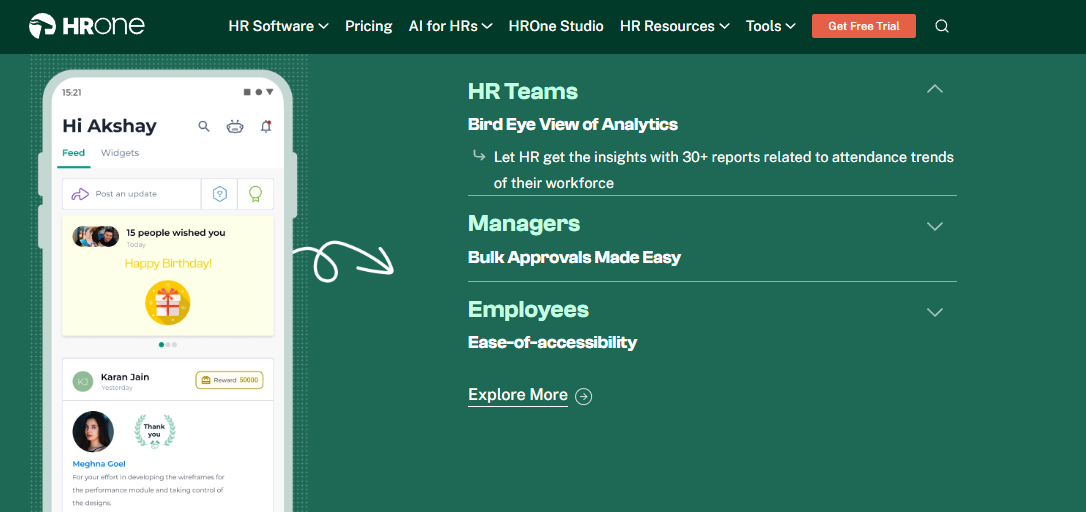
HROne, India-first mobile HCM where attendance closes inside the Super Inbox.
📌 Overview
HROne is a cloud-based HCM platform founded in 2016, headquartered in Noida, built for Indian organisations with 100 to 5,000 employees. It ranked 3rd out of 1.17 lakh software products for highest customer satisfaction on G2, and 3rd for easiest-to-use Core HR. Its Time Office module, which powers attendance management, is used by teams in manufacturing, logistics, BFSI, and ITeS. It is primarily picked by HR teams reconciling biometric exports against leave portals by hand.
🧩 Core Services
- Multi-channel punch ships attendance marking across mobile, web, offline, WhatsApp bot, and Teams bot, which removes the “I could not access the portal” regularisation thread.
- Offline attendance captures timestamp and location in low or no connectivity zones, then auto-syncs on reconnect, so field punches are not lost.
- Single and dual punch policies let you decide per employee group whether one punch closes the day, which stops uniform rules from breaking shop-floor reality.
- Roster and shift engine manages weekly rosters, shifts, and holiday calendars, cutting manual shift-swap tracking in spreadsheets.
- Super Inbox surfaces every pending punch, regularisation, and approval in one HR inbox screen, closing tasks within three clicks instead of tab-switching.
- Payroll linkage computes precise paid days from attendance and auto-triggers salary structure assignment at onboarding, which removes month-end re-entry.
- Workflow depth ships 127 pre-built hire-to-retire workflows across 30-plus modules, so attendance is not an isolated silo.
🇮🇳 India-Specific Compliance and Localization
- PF / ESI / TDS: Yes (automated computation and statutory deductions in payroll)
- Labour law compliance: Strong (compliance with local payroll and tax laws), supported by dedicated statutory compliance software
- Payroll localization: Yes (CTC revision history, FBP declarations)
- Multi-state compliance handling: Yes (multi-legal-entity and OU structures)
👥 Who This Is Built For
- HR ops lead manually reconciling biometric exports against a separate leave portal before payroll cut-off.
- Payroll manager firefighting paid-day disputes and arrear-day corrections every month-end.
- Plant or field HR manager chasing supervisors over WhatsApp for regularisation approvals.
⚠️ Who Should Skip This
- Teams under 100 employees wanting a lightweight, spreadsheet-like punch log without structured workflows.
- New buyers who want zero-onboarding self-serve setup, since reviewers note the learning curve needs guided support.
💰 Pricing Structure
- Plan Type(s): Flat PEPM subscription with modular add-ons.
- Starting Price: Not publicly disclosed, request a quote.
- Tier-wise Breakdown: Not publicly disclosed, request a quote.
- Incremental Cost Drivers: Per-module add-ons, including WhatsApp bot, Teams bot, and AI add-ons.
- Implementation Fee: Not publicly disclosed, request a quote.
- Cost at 200 Employees: Not publicly disclosed, request a quote. Cost at 500 Employees: Not publicly disclosed, request a quote.
⏰ Implementation and Support Reality
- Go-live in as little as 30 days for mid-market rollouts, with subscription metering starting only after go-live.
- Support runs through phone, email, and a dedicated prior-HR onboarding SPOC rather than a technical project manager.
- Data migration is vendor-led, with the delivery team active during configuration, as reviewers confirm.
- Reported support NPS is 9.8 on the dedicated SPOC model.
⭐ Reviews
“I use HROne daily for my attendance, leave, and all HR related activities. It’s very user-friendly with a clean UI… The initial setup was straightforward and simple, and I didn’t require training to use it from the first day.”
– Prajwal B., 5/5, HROne G2 – Verified Review
“Real time sync of biometric and mobile mark punch functionality available. Arrear day calculation is correct… Employee can’t be in Comp off and Overtime policy at one time.”
– Deepak K., 5/5, HROne G2 – Verified Review
I will name the honest trade-off, because HROne’s own G2 record carries it. One reviewer rated it 3 out of 5 and wrote that certain features “take time to understand, and without enough guided support, the learning curve can feel quite steep”. HROne’s read is that this is a rollout design problem, not a product one, and I think it is fixable in week one by configuring only your five hardest shift rules first.
HROne ranks first here because punches from the mobile HR app, web, offline, WhatsApp, and Teams land in one payroll-ready ledger, backed by a prior-HR onboarding SPOC operating at 9.8 NPS.
1.2 Jibble
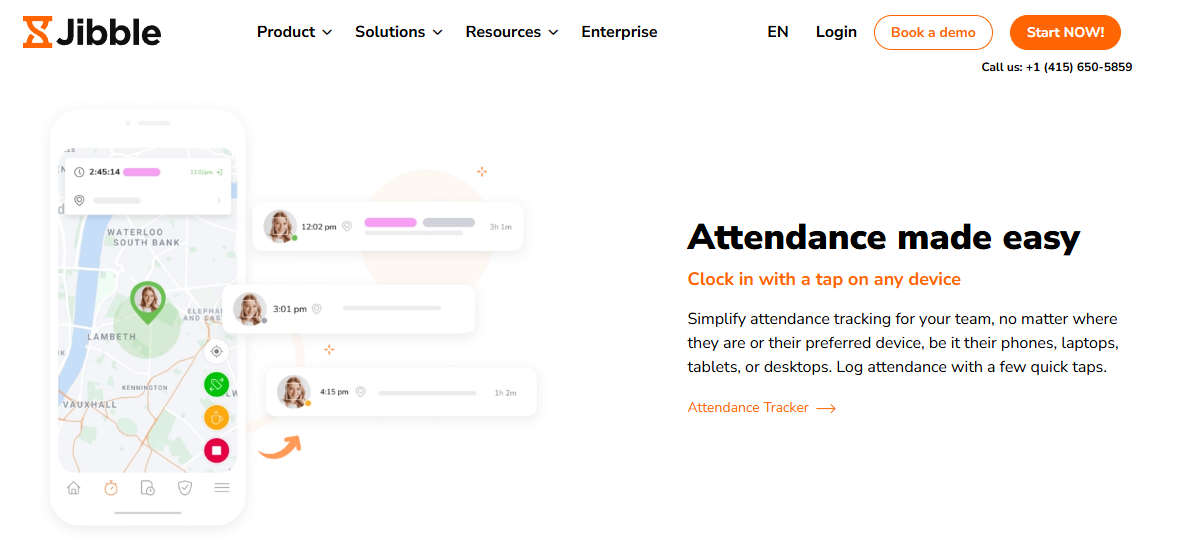
Jibble, free-forever face and GPS attendance for budget-constrained teams.
📌 Overview
Jibble is a time and attendance tracker offering GPS tracking, face recognition, kiosk mode, and timesheets, free for unlimited users. It publishes its own tested ranking of attendance apps and places itself first, which is worth reading with that bias in mind. It is primarily used by small and mid-sized teams that need verified punches without a licence budget.
🧩 Core Services
- Free attendance tracking covers unlimited employees on the free tier, which removes the pilot budget conversation entirely.
- Face recognition punch matches a selfie against an enrolled face, cutting proxy punching on shared devices.
- GPS and geofencing stamps punch location and restricts marking to approved sites, reducing off-site clock-ins.
- Kiosk mode turns one shared tablet into a punch station, so field staff without company phones can still mark attendance.
- Timesheets and reports convert punches into exportable hours, which removes manual tallying for weekly wage runs, though deeper time tracking controls sit on paid tiers.
🇮🇳 India-Specific Compliance and Localization
- PF / ESI / TDS: No (attendance and timesheets only, payroll handled elsewhere)
- Labour law compliance: Limited (built to global norms, not the Indian wage code)
- Payroll localization: No (no CTC revision or FBP handling documented)
- Multi-state compliance handling: No (no statutory register output documented)
👥 Who This Is Built For
- Startup founder or office manager who needs verified punches and has no attendance budget this quarter.
- Site supervisor running a shared-tablet punch station for staff without company phones.
⚠️ Who Should Skip This
- Payroll managers who need Form IX and Form IV statutory register exports for Indian establishments.
- Multi-entity HR teams needing attendance to drive PF, ESI, and TDS computation inside the same system, a gap covered in most top attendance management system India evaluations.
💰 Pricing Structure
- Plan Type(s): Free plan plus paid upgrade tiers as published by the vendor.
- Starting Price: Free forever for unlimited users, billed monthly on paid tiers.
- Tier-wise Breakdown: Paid tier prices not verified in this research pass, check the vendor pricing page.
- Incremental Cost Drivers: Advanced scheduling, API access, and admin controls sit on paid tiers.
- Implementation Fee: No, setup is self-serve.
- Cost at 200 Employees: Free on the base plan, paid tiers priced per user, request current rates. Cost at 500 Employees: Free on the base plan, paid tiers priced per user, request current rates.
⏰ Implementation and Support Reality
- Go-live is same-day self-serve, since enrolment happens inside the mobile app.
- Support runs through chat, email, and self-serve documentation, with no dedicated implementation SPOC.
- Data migration is self-serve, which suits teams starting fresh rather than migrating years of muster data.
- No published NPS or CSAT figure was found in this research pass.
Jibble is the honest pick when budget is the binding constraint and payroll lives elsewhere. What I keep seeing in HROne’s own client conversations, particularly across field and blue-collar workforces in India, is that free attendance tools get replaced within 18 months, usually the first time a labour inspector asks for a register export, though I might be reading that pattern too strongly from an India-only sample.
1.3 Connecteam
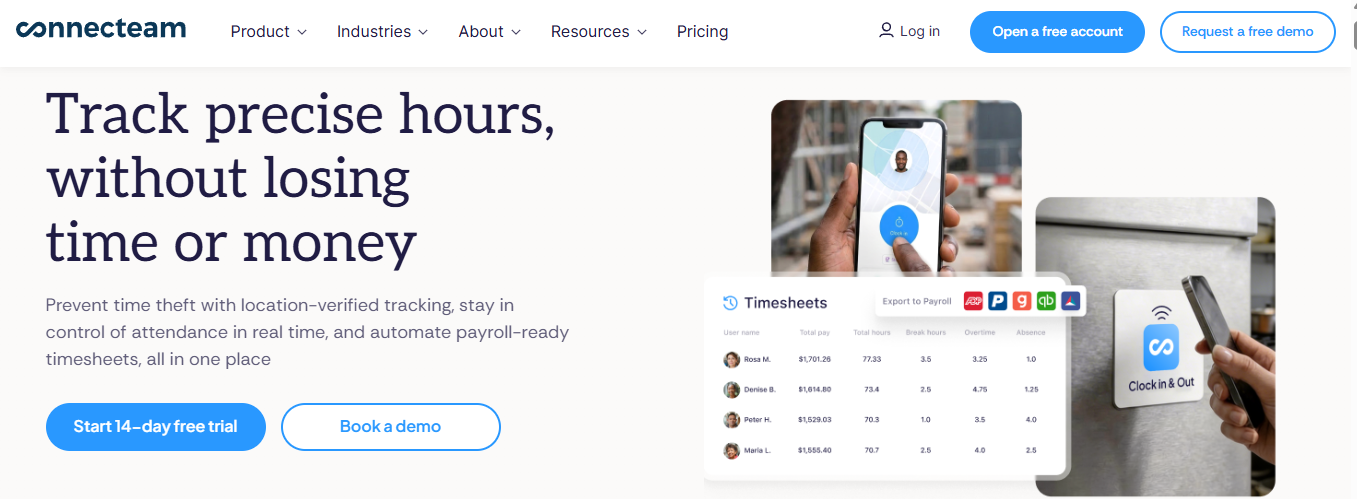
Connecteam, shift, punch, and team chat in one app for deskless crews.
📌 Overview
Connecteam is an all-in-one app built for businesses managing deskless and shift-based teams. Its time and attendance product bundles a GPS time clock, scheduling, and internal communication in a single mobile interface. It is primarily used by ops managers who run rosters in one tool and chase punches in another.
🧩 Core Services
- GPS time clock stamps punch location with breadcrumb tracking, so supervisors stop calling staff to confirm site arrival.
- Geofencing limits clock-in to approved job sites, which cuts off-site punches without manual checking.
- Shift scheduling assigns and swaps shifts inside the same app, removing WhatsApp roster threads, a pattern also handled by dedicated workforce management tooling.
- Team chat and updates push announcements to frontline staff, so attendance rule changes reach people who lack email.
- Timesheet approvals convert punches into payroll-ready hours for export, reducing manual tallying.
🇮🇳 India-Specific Compliance and Localization
- PF / ESI / TDS: No (no Indian statutory payroll engine documented)
- Labour law compliance: Limited (built around US and global labour rules)
- Payroll localization: No (payroll runs through third-party exports)
- Multi-state compliance handling: No (no Indian multi-state register output)
👥 Who This Is Built For
- Ops manager juggling a roster spreadsheet, a punch app, and a group chat for the same crew.
- Site supervisor whose staff have phones but no company email IDs.
⚠️ Who Should Skip This
- Payroll managers needing PF, ESI, and TDS computed from the same attendance record, as covered in this PF, ESI, and TDS compliance guide for employers.
- Indian establishments that must produce statutory attendance registers on inspection.
💰 Pricing Structure
- Plan Type(s): Small Business Plan tiers as published by the vendor, plus a free tier.
- Starting Price: From $29 per month for up to 30 users, billed monthly.
- Tier-wise Breakdown: Free tier up to 10 users. Paid tiers priced per plan, check the vendor pricing page.
- Incremental Cost Drivers: Additional users beyond the 30-user base, plus advanced hub upgrades.
- Implementation Fee: No, setup is self-serve.
- Cost at 200 Employees: Not publicly verified in this research pass, request a quote. Cost at 500 Employees: Not publicly verified in this research pass, request a quote.
⏰ Implementation and Support Reality
- Go-live is self-serve within days, since enrolment happens through the mobile app.
- Support runs through chat, email, and a help centre, with no dedicated implementation SPOC.
- Data migration is self-serve through CSV imports.
- No published NPS figure was found in this research pass.
1.4 Truein
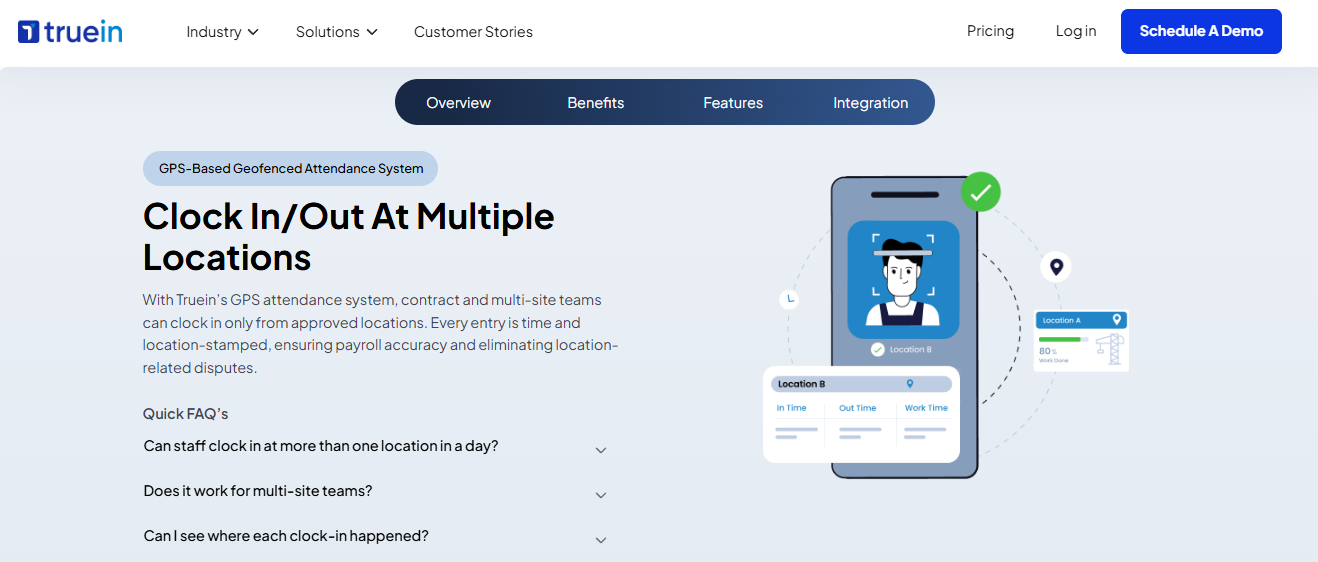
Truein, face-based attendance built for contract and multi-site staff.
📌 Overview
Truein is an attendance platform focused on contract, contractual, and multi-site workforces. Its positioning centres on stopping revenue leakage in staff-heavy operations such as plants, warehouses, and distributed sites. It is primarily used by plant HR teams tracking third-party manpower at the gate.
🧩 Core Services
- Face recognition attendance verifies identity at the punch point, which removes proxy marking on shared registers.
- Contract staff tracking maintains separate records for third-party manpower, so vendor bills can be checked against actual hours.
- Multi-site coverage supports distributed locations under one account, cutting site-by-site reconciliation.
- Shift and roster rules apply site-specific timings, which reduces manual overtime calculation for gate staff.
- Attendance reports export hours per site and per contractor for finance review.
🇮🇳 India-Specific Compliance and Localization
- PF / ESI / TDS: No (attendance layer, payroll handled elsewhere)
- Labour law compliance: Moderate (India-focused attendance, not full statutory payroll)
- Payroll localization: No (no CTC or FBP handling documented)
- Multi-state compliance handling: Partial (multi-site support, register output not documented)
👥 Who This Is Built For
- Plant HR manager verifying contractor headcount before approving a monthly manpower bill.
- Multi-site ops lead reconciling gate registers across five locations by hand, a workload that usually points toward manufacturing HR systems.
⚠️ Who Should Skip This
- Teams wanting a free pilot, since Truein publishes no free plan.
- HR heads seeking one system for attendance plus payroll plus performance.
💰 Pricing Structure
- Plan Type(s): Quote-based plans as published by the vendor.
- Starting Price: Not publicly disclosed, request a quote.
- Tier-wise Breakdown: Not publicly disclosed, request a quote.
- Incremental Cost Drivers: Per-site or per-employee scaling, plus hardware where kiosks are used.
- Implementation Fee: Not publicly disclosed, request a quote.
- Cost at 200 Employees: Not publicly disclosed, request a quote. Cost at 500 Employees: Not publicly disclosed, request a quote.
⏰ Implementation and Support Reality
- Go-live is vendor-led and typically runs into weeks for multi-site rollouts.
- Support runs through email and an account manager.
- Data migration is vendor-led during enrolment.
- No published NPS figure was found in this research pass.
1.5 greytHR
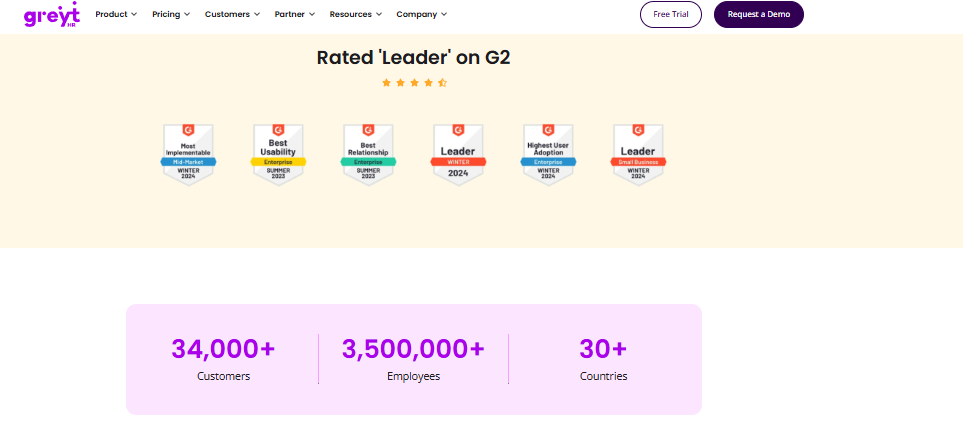
greytHR, long-standing India payroll platform with attendance attached.
📌 Overview
greytHR is one of India’s established payroll and compliance platforms, widely used by SMB and lower mid-market teams. It appears consistently in Indian attendance and HRMS comparisons alongside Keka and factoHR. It is primarily used by finance-led teams that bought payroll first and added attendance later.
🧩 Core Services
- Payroll engine processes salary with statutory deductions, reducing manual salary sheet preparation.
- Leave and attendance captures punches and leave balances, which feeds paid-day calculation, similar in scope to a standalone leave management module.
- Employee self-service lets staff declare taxes and pick tax regimes themselves, cutting HR data entry.
- Statutory filing support assists with PF, ESI, and TDS returns, reducing consultant dependency.
- Notifications and engagement posts push reminders to employees inside the portal.
🇮🇳 India-Specific Compliance and Localization
- PF / ESI / TDS: Yes (India payroll and statutory filing base)
- Labour law compliance: Moderate (users report recurring error reports needing manual fixes)
- Payroll localization: Yes (India-built payroll and tax declarations)
- Multi-state compliance handling: Partial (users report reporting configuration and TDS revision gaps)
👥 Who This Is Built For
- Payroll executive in a sub-500 employee firm who needs statutory filings handled at a low price point.
- HR generalist who wants employees to declare taxes without HR chasing forms.
⚠️ Who Should Skip This
- Manufacturing HR teams needing complex shift and multi-legal-entity configuration.
- Teams that cannot absorb monthly ticket raising to fix attendance and tax errors.
💰 Pricing Structure
- Plan Type(s): Tiered subscription plans as published by the vendor.
- Starting Price: Not publicly verified in this research pass, check the vendor pricing page.
- Tier-wise Breakdown: Not publicly verified in this research pass, check the vendor pricing page.
- Incremental Cost Drivers: Add-on modules and employee-count bands.
- Implementation Fee: Not publicly disclosed, request a quote.
- Cost at 200 Employees: Not publicly disclosed, request a quote. Cost at 500 Employees: Not publicly disclosed, request a quote.
⏰ Implementation and Support Reality
- Go-live typically runs into weeks, depending on payroll history migration.
- Support is largely ticket-led, and users report frequent ticket cycles.
- Data migration is vendor-assisted with customer-side data preparation.
- No published NPS figure was found in this research pass.
⭐ Reviews
“The system acts as per its own whims and gives error reports. We have to spend time manully to find errors. Not one month has passed where we have not raised ticket.”
– Maheshkumar J., 0.5/5, greytHR G2 – Verified Review
“This is a nice tool for the pricing that they offer just the UI is not pleasing… The UI is not very appealing and looks like an outdated legacy system.”
– Naveen K., 2.5/5, greytHR G2 – Verified Review
1.6 Keka
Keka, clean self-service HR portal with strong payroll automation.
📌 Overview
Keka is an Indian HR platform known for interface polish and payroll automation across attendance, PF, ESI, and TDS. Reviewers credit its mobile app and responsive frontline support. It is primarily used by growing IT and services teams that want employee self-service quickly.
🧩 Core Services
- Payroll and compliance automates salary, PF, ESI, and TDS processing from attendance inputs.
- Attendance and leave captures punches and leave requests through web and mobile.
- Mobile app gives employees self-service access to punches and payslips.
- Performance module runs review cycles, though reviewers call the interface confusing, which is a common trigger for reviewing performance management options separately.
- Expense and travel claims capture reimbursements, without department-wise budget control.
🇮🇳 India-Specific Compliance and Localization
- PF / ESI / TDS: Yes (automated salary and statutory processing)
- Labour law compliance: Moderate (payslip and statutory compliance covered)
- Payroll localization: Yes (India payroll with declarations)
- Multi-state compliance handling: Partial (users report missing zone configuration and in-out detail)
👥 Who This Is Built For
- HR lead in a 200-person services firm who wants employees self-serving payslips and leave.
- Payroll executive who needs PF, ESI, and TDS automated without a consultant.
⚠️ Who Should Skip This
- Teams on a hard go-live deadline, since reviewers report long implementation delays, which is worth checking against a realistic HRMS implementation timeline.
- HR teams with staff lacking email IDs, since user access is reported as difficult there.
💰 Pricing Structure
- Plan Type(s): Tiered plans as published by the vendor.
- Starting Price: Not publicly verified in this research pass, check the vendor pricing page.
- Tier-wise Breakdown: Not publicly verified in this research pass, check the vendor pricing page.
- Incremental Cost Drivers: Module upgrades and employee bands.
- Implementation Fee: Not publicly disclosed, request a quote.
- Cost at 200 Employees: Not publicly disclosed, request a quote. Cost at 500 Employees: Not publicly disclosed, request a quote.
⏰ Implementation and Support Reality
- Reported go-live has slipped well past agreed timelines for some customers.
- Support runs largely through email threads, with escalation gaps reported.
- Data migration is vendor-led with customer-side policy configuration.
- No published NPS figure was found in this research pass.
⭐ Reviews
“strong payroll and compliance automate salary and attendance processing with pf/esi tds… PMS module is confusing and needs to be simpler and easier to use. User access is difficult for employees who do not have an email ID.”
– Kiran B., 3/5, Keka G2 – Verified Review
“We started working with Keka HRMS in August, and to this day, we have been unable to implement the tool in our company due to their consistently delayed responses and poor coordination between their internal teams.”
– Divya P., 0/5, Keka G2 – Verified Review
1.7 factoHR
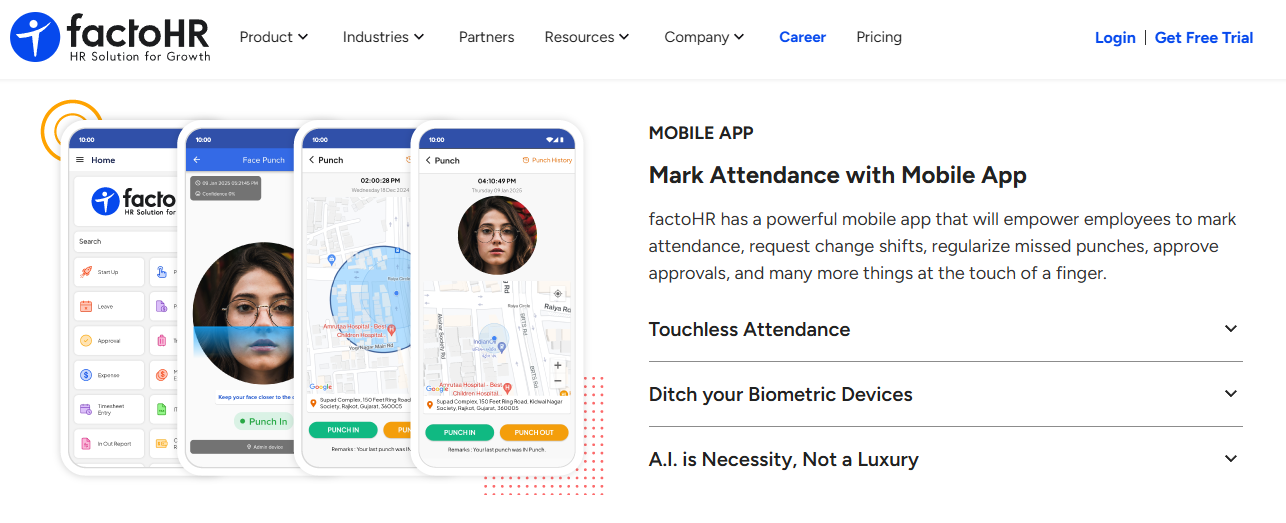
factoHR, device-plus-mobile attendance for factory and field workforces.
📌 Overview
factoHR is an Indian HR and payroll platform that appears in India attendance comparisons alongside Keka and Darwinbox. Its attendance approach pairs biometric hardware with a mobile app for staff away from the plant. It is primarily used by manufacturing HR teams already running biometric devices at gates.
🧩 Core Services
- Biometric device integration pulls punches from existing gate hardware, avoiding a full hardware replacement, a scenario detailed in this guide to HRMS integrations with Tally, SAP, and biometric devices.
- Mobile attendance covers field and travelling staff, so sales teams stop emailing daily updates.
- Shift and roster management handles plant shift patterns, reducing manual shift mapping.
- Payroll processing computes salary with Indian statutory deductions from attendance data.
- Leave management links leave balances to paid days, cutting manual adjustment at month-end.
🇮🇳 India-Specific Compliance and Localization
- PF / ESI / TDS: Yes (India payroll with statutory deductions)
- Labour law compliance: Moderate (India-built, register output not documented)
- Payroll localization: Yes (India payroll structures)
- Multi-state compliance handling: Partial (varies by configuration)
👥 Who This Is Built For
- Plant HR officer reconciling biometric device exports against a separate leave sheet.
- Field sales HR lead tracking travelling staff who never touch the gate device.
⚠️ Who Should Skip This
- Teams wanting a single connected workflow engine across the full employee lifecycle.
- Fully remote teams with no biometric hardware to justify the device-first design.
💰 Pricing Structure
- Plan Type(s): Quote-based plans as published by the vendor.
- Starting Price: Not publicly disclosed, request a quote.
- Tier-wise Breakdown: Not publicly disclosed, request a quote.
- Incremental Cost Drivers: Biometric hardware, per-module upgrades, and employee bands.
- Implementation Fee: Not publicly disclosed, request a quote.
- Cost at 200 Employees: Not publicly disclosed, request a quote. Cost at 500 Employees: Not publicly disclosed, request a quote.
⏰ Implementation and Support Reality
- Go-live typically runs into weeks where hardware integration is involved.
- Support runs through email and partner channels.
- Data migration is vendor-led or partner-led.
- No published NPS figure was found in this research pass.
1.8 Zoho People
Zoho People, attendance and leave inside an existing Zoho stack.
📌 Overview
Zoho People is the HR module of the wider Zoho suite, covering attendance, leave, timesheets, and employee records. Reviewers praise digital attendance and leave approval, and criticise interface density and support depth. It is primarily used by IT-led teams already standardised on Zoho.
🧩 Core Services
- Attendance and leave management handles requests and approvals digitally, removing email approval chains.
- Holiday list sharing publishes calendars to employees, cutting repeated HR queries.
- Timesheets and time logging records project hours, though reviewers report slow cell-by-cell entry.
- Suite integration connects HR records to other Zoho apps already in use, and buyers comparing stacks often review integrations before committing.
- Self-serve onboarding ships instructional videos that ease initial setup.
🇮🇳 India-Specific Compliance and Localization
- PF / ESI / TDS: Partial (available through Zoho Payroll in supported regions)
- Labour law compliance: Moderate (global generalist design)
- Payroll localization: Partial (India-specific CTC and FBP depth is thinner)
- Multi-state compliance handling: Partial (varies by payroll product used)
👥 Who This Is Built For
- IT director consolidating HR into an already-licensed Zoho environment.
- HR generalist who wants digital leave approval without a separate portal.
⚠️ Who Should Skip This
- Payroll managers needing deep India-specific CTC revision and FBP handling.
- Teams that need to correct or delete historical time entries, which reviewers report as blocked.
💰 Pricing Structure
- Plan Type(s): Per-user monthly plans as published by the vendor.
- Starting Price: Not publicly verified in this research pass, check the vendor pricing page.
- Tier-wise Breakdown: Not publicly verified in this research pass, check the vendor pricing page.
- Incremental Cost Drivers: Additional Zoho apps, payroll add-on, and per-user scaling.
- Implementation Fee: No for self-serve, partner-led setup priced separately.
- Cost at 200 Employees: Not publicly disclosed, request a quote. Cost at 500 Employees: Not publicly disclosed, request a quote.
⏰ Implementation and Support Reality
- Go-live is self-serve for basic attendance, weeks where payroll is added.
- Support runs through tickets and email, and reviewers report SLA and responsiveness issues.
- Data migration is self-serve through imports.
- No published NPS figure was found in this research pass.
⭐ Reviews
“I find Zoho People particularly valuable for its comprehensive digital management of employee attendance and leave management… I find that Zoho People could be more user-friendly.”
– Anshul M., 4/5, Zoho People G2 – Verified Review
“Impossible to edit old entries (if you forgot to add something). Impossible to fix errors (like missing dates). Cannot remove old tasks.”
– John B., 3/5, Zoho People G2 – Verified Review
1.9 SalaryBox
SalaryBox, attendance tied to daily wages for Indian SME staff.
📌 Overview
SalaryBox is an India-first staff management app covering attendance, payroll, and employee tracking for small businesses. Its own comparison content positions it for SMEs, typically under 500 employees. It is primarily used by owner-managers paying monthly or daily wages directly.
🧩 Core Services
- Staff attendance marking records daily presence on a phone, replacing the paper register.
- Salary and advance tracking links attendance to payable wages, cutting manual wage calculation.
- Face and GPS options verify punches for staff working away from the shop or site.
- Payroll and compliance basics cover statutory items relevant to small establishments.
- Reports generate salary summaries for owner review.
🇮🇳 India-Specific Compliance and Localization
- PF / ESI / TDS: Partial (SME-level statutory support)
- Labour law compliance: Moderate (India-built for small establishments)
- Payroll localization: Yes (₹ wage and advance handling)
- Multi-state compliance handling: Limited (single or few-location design)
👥 Who This Is Built For
- Retail or restaurant owner tracking daily attendance and advances for 20 staff.
- Small firm admin who calculates wages from a paper register every month.
⚠️ Who Should Skip This
- Enterprise HR teams running multi-legal-entity structures across states, where multi-state payroll compliance becomes the deciding factor.
- Teams needing configurable dual-punch and overtime policy engines per employee group.
💰 Pricing Structure
- Plan Type(s): Free plan plus paid ₹ tiers as published by the vendor.
- Starting Price: Not publicly verified in this research pass, check the vendor pricing page.
- Tier-wise Breakdown: Not publicly verified in this research pass, check the vendor pricing page.
- Incremental Cost Drivers: Employee-count bands and premium feature upgrades.
- Implementation Fee: No, setup is self-serve.
- Cost at 200 Employees: Not publicly disclosed, request a quote. Cost at 500 Employees: Not publicly disclosed, request a quote.
⏰ Implementation and Support Reality
- Go-live is same-day, since the owner enrols staff inside the app.
- Support runs through in-app chat and phone.
- Data migration is self-serve.
- No published NPS figure was found in this research pass.
1.10 PagarBook
PagarBook, free staff attendance and salary register on a phone.
📌 Overview
PagarBook is an Indian staff management app for attendance, salary, and payroll, marketed as free employee management software. It is built for small business owners handling daily-wage and hourly staff. It is primarily used by shop and site supervisors who currently keep a paper muster.
🧩 Core Services
- Attendance marking logs daily presence for staff, replacing the handwritten register.
- Salary management calculates payable wages from attendance, reducing month-end arithmetic.
- Staff records store employee details in one place instead of loose files, which is the entry point most teams later outgrow into an employee management system.
- Advance and deduction tracking records payments against wages, cutting disputes.
- Reports share salary summaries with owners.
🇮🇳 India-Specific Compliance and Localization
- PF / ESI / TDS: Limited (basic wage handling, not full statutory payroll)
- Labour law compliance: Limited (no register output documented)
- Payroll localization: Yes (₹ wage and advance handling)
- Multi-state compliance handling: No (single-establishment design)
👥 Who This Is Built For
- Shop owner marking attendance for 15 staff on a phone every morning.
- Site supervisor tracking daily-wage labour and advances without a computer.
⚠️ Who Should Skip This
- Mid-market HR teams needing statutory register export and audit trails.
- Multi-site organisations needing geofenced punch policies per location.
💰 Pricing Structure
- Plan Type(s): Free app with paid add-ons as published by the vendor.
- Starting Price: Free for core staff and salary management.
- Tier-wise Breakdown: Not publicly verified in this research pass, check the vendor pricing page.
- Incremental Cost Drivers: Premium feature add-ons.
- Implementation Fee: No, setup is self-serve.
- Cost at 200 Employees: Not publicly verified in this research pass, request a quote. Cost at 500 Employees: Not publicly verified in this research pass, request a quote.
⏰ Implementation and Support Reality
- Go-live is same-day through the mobile app.
- Support runs through in-app channels and a published support email.
- Data migration is manual entry by the owner.
- No published NPS figure was found in this research pass.
1.11 Hubstaff
Hubstaff, timesheet and activity evidence for remote and field teams.
📌 Overview
Hubstaff is a time tracking platform positioned for field and remote workforces, with detailed reporting and online timesheets. It also runs kiosk-style central clock-in and expense tracking. It is primarily used by managers who need proof of hours, not just presence.
🧩 Core Services
- Online timesheets convert tracked time into reviewable hours, removing manual timesheet collection.
- GPS and field tracking records location for mobile staff, cutting check-in calls.
- Central kiosk mode lets shared devices act as a clock-in point for teams without phones.
- Expense tracking captures costs alongside hours for field roles, a workflow that overlaps with expense and reimbursement modules.
- Detailed reports break down time by project and person for client billing.
🇮🇳 India-Specific Compliance and Localization
- PF / ESI / TDS: No (time tracking, payroll handled elsewhere)
- Labour law compliance: Limited (global product, no India register output)
- Payroll localization: No (no India-specific salary structures)
- Multi-state compliance handling: No
👥 Who This Is Built For
- Remote team manager who needs evidence of hours worked for client billing.
- Field ops lead tracking travel-heavy staff across cities.
⚠️ Who Should Skip This
- HR heads worried about employee pushback on activity monitoring.
- Payroll managers needing Indian statutory computation from the same record.
💰 Pricing Structure
- Plan Type(s): Per-user monthly plans as published by the vendor.
- Starting Price: Not publicly verified in this research pass, check the vendor pricing page.
- Tier-wise Breakdown: Not publicly verified in this research pass, check the vendor pricing page.
- Incremental Cost Drivers: Per-user scaling and higher-tier feature access.
- Implementation Fee: No, setup is self-serve.
- Cost at 200 Employees: Not publicly disclosed, request a quote. Cost at 500 Employees: Not publicly disclosed, request a quote.
⏰ Implementation and Support Reality
- Go-live is self-serve within a day.
- Support runs through chat and email.
- Data migration is self-serve.
- No published NPS figure was found in this research pass.
1.12 Clockify
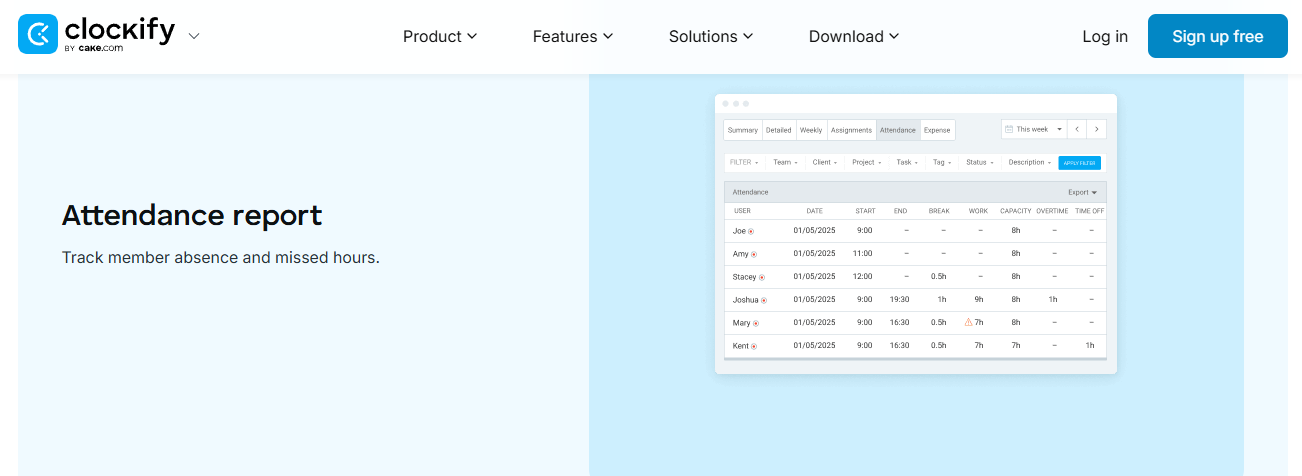
Clockify, free project time tracking, not a payroll attendance system.
📌 Overview
Clockify is a time tracking tool that appears in India attendance software comparisons, usually as the free option. It focuses on project hours and billable time rather than statutory attendance. It is primarily used by project leads billing client hours.
🧩 Core Services
- Free time tracking records hours for unlimited users, removing spreadsheet timesheets.
- Project and task tagging attributes hours to clients, which simplifies invoicing, and sits close to project management functionality.
- Timesheet approvals let managers review submitted hours before billing.
- Reports and exports produce hour summaries for finance.
- Kiosk and browser clock-in covers shared-device teams.
🇮🇳 India-Specific Compliance and Localization
- PF / ESI / TDS: No (no payroll engine)
- Labour law compliance: Limited (no Indian register or overtime rules)
- Payroll localization: No
- Multi-state compliance handling: No
👥 Who This Is Built For
- Agency project lead reconstructing billable hours from memory at invoice time.
- Consulting manager tracking effort per client without a payroll requirement.
⚠️ Who Should Skip This
- Indian establishments that must maintain Form IX attendance registers, a duty explained in this labour law compliance software overview.
- HR teams needing geofenced or face-verified punch for field staff.
💰 Pricing Structure
- Plan Type(s): Free plan plus paid tiers as published by the vendor.
- Starting Price: Free for core time tracking.
- Tier-wise Breakdown: Not publicly verified in this research pass, check the vendor pricing page.
- Incremental Cost Drivers: Per-user paid tiers for advanced features.
- Implementation Fee: No, setup is self-serve.
- Cost at 200 Employees: Free on the base plan, paid tiers per user, request current rates. Cost at 500 Employees: Free on the base plan, paid tiers per user, request current rates.
⏰ Implementation and Support Reality
- Go-live is same-day self-serve.
- Support runs through email and documentation.
- Data migration is self-serve through imports.
- No published NPS figure was found in this research pass.
How to Read This List by Workforce Type
🧭 Match the App to the Punch Environment
Pick by where the punch physically happens, not by feature count. Factory and contract staff need gate verification with roster rules, which points to face-based and device-linked tools. Field sales needs geofence plus distance capture, and small shops need a free phone-first register.
Budget-constrained teams should start free, then plan for replacement. What surfaces in HROne’s client conversations, particularly across field and blue-collar workforces, is that free trackers usually get replaced within 18 months, often at the first register request from an inspector. I might be reading that pattern too strongly from an India-only sample, so treat it as a planning assumption, not a law.
⚠️ The One Test Most Buyers Skip
Ask each vendor to export a statutory attendance register from live punch data during the demo. Rule 51 of the Code on Wages Central Rules prescribes Form IX, the attendance register cum muster roll, with daily in and out times. Most attendance apps in this list cannot produce it, and that gap only surfaces after purchase.
HROne sits at the top of this list because punches from mobile, web, offline, WhatsApp, and Teams land in one payroll-ready ledger, with 127 pre-built workflows carrying the data into attendance management and statutory payroll.
Q2: How Did We Score and Rank These 12 Apps?
Each app scored out of 100 across five criteria: Verification Integrity 25%, Payroll and Compliance Sync 25%, Adoption Friction 20%, Pricing Transparency 15%, and Verified User Reviews 15%. Stars follow the score, so 0 to 20 earns one star, 21 to 40 two, 41 to 60 three, 61 to 80 four, and 81 to 100 five. HROne scored 92, earning five stars.
Why a Published Rubric Matters Here
Most attendance listicles rank their own product first. Jibble tested 30-plus apps and placed itself at number one. SalaryBox names itself the best pick for Indian SMEs, and HRMantra lists itself as Editor’s Choice number one.
That is not dishonest, but it is unverifiable. So the scoring below is published in full, including who publishes it. HROne publishes this list, and its lowest sub-score is printed in the same table as everyone else’s.
⚖️ The Five Criteria and Their Pass Tests
- Verification Integrity (25%) fails if offline punches cannot be reconciled, or if backdated marking is possible without an audit trail.
- Payroll and Compliance Sync (25%) fails if attendance cannot drive paid days, overtime, and Indian statutory deductions in the same system, which is the core test in any HRMS evaluation checklist.
- Adoption Friction (20%) fails if a manager needs more than three clicks to clear a punch exception on a phone.
- Pricing Transparency (15%) fails if no starting price is published anywhere public.
- Verified User Reviews (15%) scores G2 review volume, recency, and the honesty of documented complaints.
🧮 Why Adoption Friction Carries 20%
Most HR systems do not fail because they are unfair. They fail because they are too uniform. A single punch rule pushed across factory, field, and desk teams breaks in week two.
I weight shop-floor usability above admin-console depth for that reason. Navigation is a design failure, not a training problem, and I have yet to see a system that is the end-all be-all for every workforce.
⭐ Scoring Table
| Provider | Verification /25 | Payroll Sync /25 | Adoption /20 | Pricing /15 | Reviews /15 | Total | Stars |
|---|---|---|---|---|---|---|---|
| HROne | 23 | 24 | 17 | 13 | 15 | 92 | ⭐⭐⭐⭐⭐ |
| Jibble | 21 | 8 | 18 | 14 | 13 | 74 | ⭐⭐⭐⭐ |
| Connecteam | 20 | 9 | 17 | 12 | 12 | 70 | ⭐⭐⭐⭐ |
| Hubstaff | 18 | 9 | 15 | 12 | 11 | 65 | ⭐⭐⭐⭐ |
| Truein | 22 | 11 | 14 | 8 | 9 | 64 | ⭐⭐⭐⭐ |
| Keka | 15 | 19 | 11 | 8 | 7 | 60 | ⭐⭐⭐ |
| factoHR | 17 | 17 | 11 | 7 | 6 | 58 | ⭐⭐⭐ |
| SalaryBox | 14 | 12 | 15 | 9 | 8 | 58 | ⭐⭐⭐ |
| greytHR | 14 | 18 | 10 | 8 | 7 | 57 | ⭐⭐⭐ |
| Clockify | 10 | 6 | 17 | 13 | 11 | 57 | ⭐⭐⭐ |
| Zoho People | 12 | 13 | 12 | 10 | 8 | 55 | ⭐⭐⭐ |
| PagarBook | 11 | 8 | 16 | 11 | 7 | 53 | ⭐⭐⭐ |
💰 Where the Winner Loses Points
HROne scored 13 out of 15 on pricing transparency, not 15, because its per-employee rate is quote-based rather than published. Buyers should treat that as a friction point in any RFP, and compare it against published HR software pricing benchmarks.
Adoption also cost it marks. One G2 reviewer rated it 3 out of 5 and flagged the learning curve directly.
“While HROne does a great job overall, one thing I don’t like is that it can sometimes feel a bit overwhelming for new users. Certain features take time to understand.”
– Nijanthan R., 3/5, HROne G2 – Verified Review
“Its because of our budget constraint that we are using it. Else we wud have moved out.”
– Maheshkumar J., 0.5/5, greytHR G2 – Verified Review
HROne is scored on the same five criteria as every rival here, with its 13 out of 15 pricing sub-score printed rather than hidden. Copy this rubric into your own RFP sheet and change the weights to match your workforce.
Q3: How Do Verification Methods Actually Work, and What Does Weak Verification Cost You?
Verification runs on four signals: location (GPS and geofence), identity (live photo, face, or fingerprint match), device (kiosk or registered handset), and time integrity (blocks on backdated marking). Weak verification is expensive. Nucleus Research puts buddy punching at about 2.2% of gross payroll, and roughly 75% of US businesses report losses from it.
The Four Signals, Explained Simply
A punch answers four questions. Where were you, who are you, what device did you use, and when exactly did this happen. Most apps prove one or two of these, then market themselves as verified attendance.
Geofencing draws a radius around a site and rejects punches outside it. Live photo attendance adds a selfie so a colleague cannot punch for an absent worker.
🧭 Method by Method
| Method | What it proves | Where it breaks | Best fit |
|---|---|---|---|
| GPS punch | Location at punch time | Drift in dense city blocks | Field sales |
| Geofence | Presence inside a site boundary | Basement and warehouse dead zones | Multi-site retail |
| Live photo | Identity of the person punching | Poor light, camera-less devices | Contract labour |
| Face match | Identity without a card or PIN | Consent refusal, enrolment quality | Plant gates |
| QR or kiosk | Device and shift-station integrity | Shared-device queues at shift change | Factory floors |
| Offline punch | Attendance without connectivity | Unreconciled sync queues | Remote field work |
⚠️ Four Failure Modes Nobody Documents
- GPS drift places a punch 200 metres off in dense blocks. Field test it by punching from three corners of your site.
- Dead zones in basements and warehouses block the punch entirely. Field test with the phone in flight mode.
- Mock-location apps spoof coordinates. Ask the vendor how it detects them, and get the answer in writing.
- Offline queues sit unreconciled for hours. Field test how long a queued punch takes to appear in the admin view.
HROne captures the timestamp and location during offline punches, then auto-syncs on reconnect, which removes the WhatsApp follow-up thread for field staff using the mobile HR app. One G2 reviewer confirms the sync behaviour from the admin side.
“Real time sync of biometric and mobile mark punch functionality available. Arrear day calculation is correct.”
– Deepak K., 5/5, HROne G2 – Verified Review
💸 What This Costs in Rupees
Run the number yourself. Nucleus Research pegs buddy punching at 2.2% of gross payroll in industries using traditional time clocks. On a 600-person payroll of ₹3 crore a month, that is roughly ₹6.6 lakh a month of exposure.
Treat that as a ceiling, not a certainty. These benchmarks come from US datasets, and Kessler International’s 16% self-admission figure is survey-based. I would still rather size the leak roughly than pretend it is zero, which is the same logic behind the ROI calculator.
⏰ The Second Cost Is HR Time
The bigger drain is the reconciliation week. One HROne customer moving off Excel-based attendance reported cutting team occupancy from 150% down by 70%, releasing about 30% of team time for other work. HROne’s data points one way here, though I might be reading a single case too strongly.
Research supports the mechanism, not just the marketing. A 2025 IJFMR review of biometric and IoT attendance systems credits accuracy gains to real-time sync rather than the capture device itself. An IJSREM fingerprint attendance study found verified punch reduced time theft against manual records.
HROne pairs geofenced punch with automatic distance calculation and hard blocks on backdated or future-dated marking, so travel claims and time tracking reconcile in one record. Ask any shortlisted vendor to show you that block during the demo.
Q4: Is Your Attendance Data Legally Defensible Under DPDP and the Labour Codes?
Two tests decide it. Biometric attendance under the DPDP Act, 2023, needs standalone consent separate from the appointment letter, a working non-biometric fallback, a vendor data processing agreement, and a deletion schedule on exit. Separately, Rule 51 of the Code on Wages Central Rules requires Form IX, the attendance register cum muster roll, preserved five years.
Test One: The DPDP Consent Test
The Digital Personal Data Protection Act, 2023 (DPDP), is India’s data privacy law. Consent buried inside an appointment letter is not valid consent for a fingerprint or face scan. You need a separate notice, signed for that purpose alone.
You also need a genuine alternative. If an employee cannot decline face capture and still mark attendance, the consent is coerced in practice.
⚠️ The Section 7(i) Debate
Some analysts argue Section 7(i) covers employment-related processing without consent, which would soften the requirement. Others note DPDPA drops the older “sensitive personal data” tier, and point to a compliance horizon of 13 May 2027.
My reading is that the safe posture does not change. Document a short necessity assessment, keep the fallback live, and encrypt the templates. Consult your counsel before relying on Section 7(i) alone.
🔐 What to Ask the Vendor
- Where is the biometric template stored, on the device or a central server?
- Is the template encrypted, and who holds the key?
- Will you sign a data processing agreement before enrolment begins?
- Can you auto-delete templates on exit, and on what schedule?
HROne supports non-biometric punch paths through mobile, web, offline, WhatsApp bot, and Teams bot, so an employee who declines face capture still marks attendance auditably. I treat that as a compliance feature, not a convenience.
Test Two: The Statutory Register Test
Section 50 of the Code on Wages, 2019, read with Rule 51 of the Central Rules, prescribes the registers you must keep. Electronic maintenance is permitted, and records must be preserved for five years.
Overtime is payable at twice the ordinary rate of wages, so your app must compute it, not just log extra hours, which is why statutory compliance software matters at this step.
📋 The Forms Your App Must Produce
| Form | What it records | Typical app support |
|---|---|---|
| Form I | Employee register | Most HRMS platforms |
| Form IV | Wages, overtime, and deductions | Payroll-integrated platforms only |
| Form IX | Attendance register cum muster roll, daily in and out times | Rarely exported by standalone apps |
| Form XXII | Register of women employees, under the Social Security Rules | Full HCM suites |
Rule 53 of the Social Security (Central) Rules, 2026, treats registers as maintained if the Wages Rules forms are kept, and adds Form XXII. Records must be producible on an inspector’s demand, a duty explained further in this multi-state payroll compliance guide.
✅ Your Monday Action
Ask each shortlisted vendor to export Form IX and Form IV from live punch data, on screen, during the demo. Do not accept a screenshot or a roadmap promise.
Most attendance apps in this category cannot do it, and that gap only surfaces after the contract is signed. HROne encodes 127 pre-built workflows tuned to Indian statutory rules, so attendance management data reaches payroll already shaped for register output. This section is general guidance, not legal advice, so run your final design past your own counsel.
Q5: How Should Attendance Flow Into Payroll Without Month-End Rework?
Attendance should push approved hours, late marks, leave, and overtime into payroll daily, not in a month-end batch. Test three things during the demo: sync latency, whether overtime computes at twice the ordinary wage rate where the Code on Wages applies, and whether late-mark deductions apply consistently without an HR override. Then check the salary slip output.
Step 1: Measure Sync Latency, Not Integration
Every vendor says it integrates with payroll. Ask a sharper question instead. How many hours pass between a punch and that punch appearing as a paid day in payroll?
A 2025 IJFMR review of biometric and IoT attendance systems credits accuracy gains to real-time sync, not the capture device. Daily sync means errors surface on day two, when they are cheap to fix.
⏰ The Month-End Batch Trap
Batch export at month-end creates the reconciliation week everyone dreads. You find 40 mismatches with 48 hours left before payout.
HROne computes precise paid days from attendance inside the same system, which removes the export-and-reimport step entirely and feeds payroll software directly. That is the mechanic to look for, whatever platform you pick.
Step 2: Check Punch Logic Per Employee Group
Uniform punch rules break fast. Factory staff may need dual punches, in and out. A field sales rep may need only one punch for the day.
Ask the vendor to configure both, live, for two different employee groups. HROne’s Time Office module allows dual punch for some users and single punch for others in the same instance, which is the level of control most workforce management buyers underestimate. If a system cannot split this, your exceptions become manual work.
💰 Step 3: Overtime and Deduction Rules
Overtime beyond normal working hours is payable at twice the ordinary rate of wages under the labour codes. Your app must compute that, not just log extra hours, which is exactly where payroll accuracy is won or lost.
Late-mark deductions need one more test. Can a manager override a deduction without leaving an audit trail? If yes, the rule is decorative.
Here is what I got wrong early on. Over-configuring deduction rules before the first pilot payroll creates disputes you then spend three weeks unwinding. Start with two rules, run one cycle, then add.
Step 4: Audit the Integration Path
Three paths exist, and they fail differently.
| Path | How it works | What breaks |
|---|---|---|
| Native payroll | Attendance and payroll in one system | Vendor lock on payroll choice |
| API sync | Scheduled data push between systems | Field mapping drift after updates |
| CSV export | Manual upload each cycle | Human error, no audit trail |
Keka reviewers report payroll report accuracy gaps that need manual correction, which shows how the last mile bites even in payroll-strong platforms.
“The payroll reports doesn’t give accurate figure in Total CTC, you need to add PF amount to get the right figure.”
– Pooja M., 2/5, Keka G2 – Verified Review
“Real time sync of biometric and mobile mark punch functionality available. Arrear day calculation is correct… HCM supports JV integration and GL code logic also.”
– Deepak K., 5/5, HROne G2 – Verified Review
✅ Step 5: Wire Salary Structure at Onboarding
Attendance sync fails when new joiners have no salary structure attached. Then paid days exist with nothing to multiply them against, a gap that onboarding automation closes early.
HROne triggers a salary structure assignment task the moment an employee is onboarded, so the payroll link is live from day one. Buyers shop for a bouquet of features. What they actually need is a garden where the systems talk to each other, and the payroll handoff is where you find out which one you bought.
Q6: Which App Fits Your Workforce, and What Will It Really Cost?
Match the app to the punch environment, then to the budget. Field sales needs geofence with distance and expense capture. Factory and contract labour need gate kiosk or face match with rosters. Multi-site retail needs per-site fences, and hybrid offices need web punch with anomaly flags. Free tiers range from unlimited users to caps at five employees.
Route by Where the Punch Happens
| Workforce | Punch reality | Two must-haves | Reasonable picks |
|---|---|---|---|
| Field sales | Moving all day, patchy network | Geofence, offline punch with distance capture | HROne, Connecteam |
| Factory and contract | Gate crowd at shift change | Face or kiosk verification, roster rules | Truein, factoHR |
| Multi-site retail | Many small locations | Per-site fences, roster swaps | Connecteam, HROne |
| Hybrid office | Desk staff, honour system | Web punch, anomaly flags | Jibble, Zoho People |
| Small shop teams | Owner marks staff daily | Free phone register, wage linkage | PagarBook, SalaryBox |
📌 The Field Sales Case, Concretely
Field teams resist attendance systems for a fair reason. Nobody wants to interrupt a client meeting to prove they are working.
HROne routes field attendance and travel details through the mobile HR app to the reporting manager, so the rep does not field a status call. What I keep hearing from sales-heavy customers is relief, not resistance, once the punch stops requiring a phone conversation.
The Free Versus Paid Split, Honestly
Jibble is free forever for unlimited users, including GPS and face recognition. Connecteam offers a free tier up to 10 users and paid plans from $29 per month for up to 30 users. AttendFirst is free up to 5 employees.
Free works when payroll lives elsewhere and nobody asks for statutory registers. It stops working at your first inspection or your first multi-entity payroll run.
💸 The Four Hidden Costs
- Implementation fees, sometimes billed before you go live.
- Biometric hardware for gate devices, per site.
- Per-module add-ons, where attendance sits behind a core HR licence.
- Support tiers, where a named contact costs extra.
HROne runs flat per-employee pricing with no lock-in, and the subscription meters only after go-live. That removes cost number one, though the per-employee rate is quote-based rather than published, which I would flag as a fair criticism. Compare it against benchmarks in this payroll software price in India breakdown.
💰 Sizing Total Cost at 600 Employees
Build the number in four lines, not one. Take the licence rate, times employees, times 12. Add hardware per gate, plus one-time implementation, plus any support tier.
Then compare it against your leakage estimate. Nucleus Research puts buddy punching at about 2.2% of gross payroll in clock-based industries, which gives you a defensible ceiling for spend and a starting point for calculating the ROI of HR software.
⚠️ Where Cheap Gets Expensive
Low price with high error rates is not savings. greytHR reviewers name this trade-off themselves.
“This is a nice tool for the pricing that they offer just the UI is not pleasing… The UI is not very appealing and looks like an outdated legacy system.”
– Naveen K., 2.5/5, greytHR G2 – Verified Review
“The breadth of applications and the price of it… Features are shallow and there is no depth in each application.”
– Verified User in Information Technology and Services, 2.5/5, Zoho People G2 – Verified Review
HROne’s modular licensing lets you switch on attendance first and add payroll or performance later, so you are not paying for unused modules during an attendance-only rollout. Price the module you need this quarter, not the suite you might need in 2028.
Q7: How Do You Pressure-Test a Shortlist and Go Live in 30 Days?
Pressure-test six things in every demo: Form IX and Form IV export from live data, three-click punch regularisation, offline punch reconciliation, dual versus single punch configuration, a biometric fallback path, and attendance-to-payroll sync latency. Then run a four-week rollout covering codes and shift rules, configuration, a single-site pilot, and daily payroll sync.
The Six-Point Demo Script
Ask the vendor to do these on screen, in your instance, not on a slide.
- Export Form IX, the attendance register cum muster roll, from live punch data.
- Clear a punch exception as a manager, and count the clicks.
- Punch in flight mode, then show the reconciliation queue.
- Configure dual punch for one group and single punch for another.
- Show the non-biometric fallback punch for an employee who declines face capture.
- Show a punch appearing as a paid day in payroll, with a timestamp.
HROne’s Super Inbox is built to close pending tasks within three clicks, so point two is a fair test to run against any vendor. Add these six items to your HR software buyer checklist before the first call.
⚠️ The Shift-Rule Stress Test
Write down your five hardest shift and leave rules before the first demo. Night shift crossing midnight. Comp-off for a four-hour Sunday. Two rosters in one plant.
Academic deployments show the same pattern. Customised systems succeeded on rule-fit with local shift and leave policies, not on hardware quality. Make each vendor configure your five rules live, and watch who reaches for a developer.
Week 1: Codes and Rules
Assign permanent employee codes on day one. Do not let new joiners sit under temporary codes, because attendance history then splits across two identities, a problem covered in this HRMS migration guide.
HROne converts a temporary employee code into a permanent one at conversion, which keeps the data continuous. Alongside that, finalise your five shift rules in writing.
✅ Week 2: Configure and Consent
Configure punch logic per employee group, not one rule for everyone. Then publish your standalone biometric consent notice, with the fallback punch method named in it.
Keep the configuration thin. HROne exposes policy setup on the front end, so anyone with access can change a rule later without a developer ticket, which is the same principle behind its leave management configuration.
⏰ Week 3: Pilot One Site
Pick your highest-leakage site, not the easiest one. Run verified punch there for two weeks and compare paid hours against the previous month.
That before-and-after design mirrors the method used in fingerprint attendance research, and it gives you a number your CFO will accept. If paid hours do not move, say so publicly. That builds more trust than a launch email.
💰 Week 4: Switch Payroll Sync to Daily
Move from month-end batch to daily sync, then retire the parallel spreadsheet. Retiring it matters more than launching the app.
Here is my honest miss. In early rollouts I over-configured deduction and comp-off rules before the pilot payroll, and we spent three weeks unwinding disputes. Two rules first, then expand.
HROne gets mid-market teams live in as little as 30 days with a prior-HR onboarding SPOC rather than a technical project manager, and reports 9.8 NPS on that support model, a pattern detailed in this HRMS implementation timeline. What I am still unsure about is whether face-verified punch survives DPDP scrutiny at scale, or whether India quietly shifts back to card and OTP by 2028. If you are running that experiment inside your own plant, I would genuinely like to hear what you are seeing.












 Secures Top Spot in
